Calaveras County Memorandum and Notice of Agreement Form
Last validated October 30, 2026 by our Forms Development TeamFormatted for recording in Calaveras County, for property anywhere in the county: rural and unincorporated areas as well as Altaville, Angels Camp, Arnold, Avery, Burson, Campo Seco, Copperopolis, Douglas Flat and 13 more.
- 3 documents included
- Immediate PDF download
- Formatting guarantee
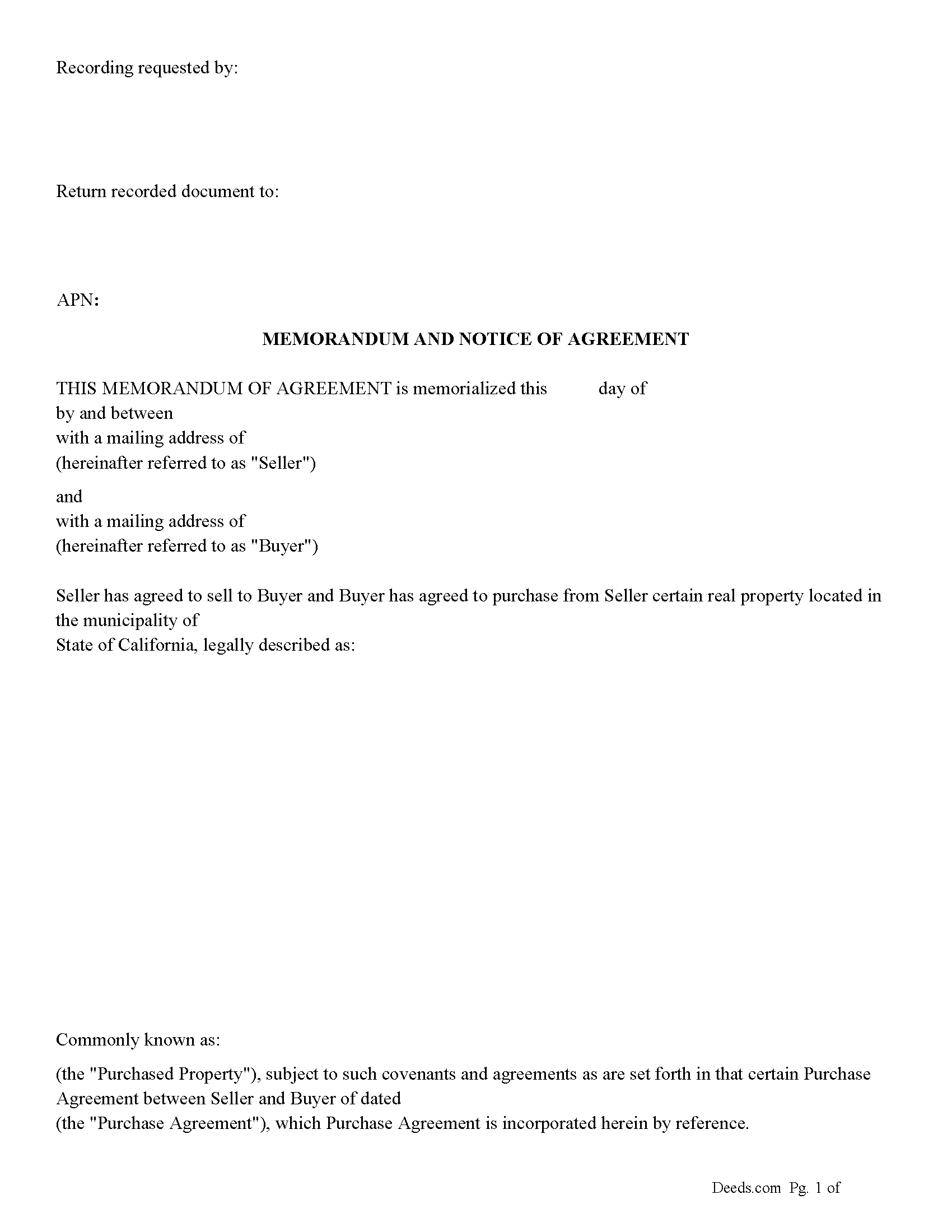
Calaveras County Memorandum and Notice of Agreement Form
Fill in the blank Memorandum and Notice of Agreement form formatted to comply with all California recording and content requirements.
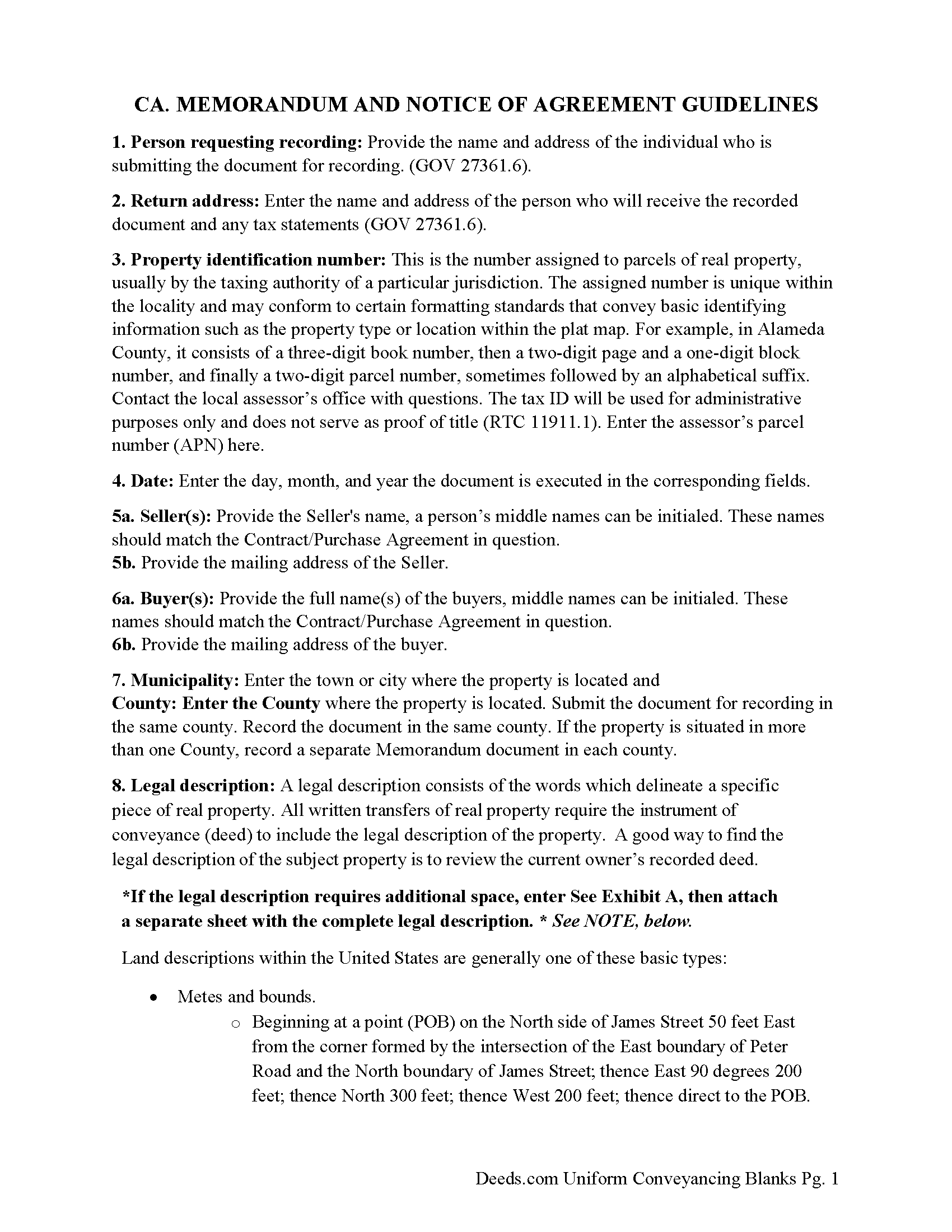
Calaveras County Memorandum and Notice of Agreement Guide
Line by line guide explaining every blank on the Memorandum and Notice of Agreement form.
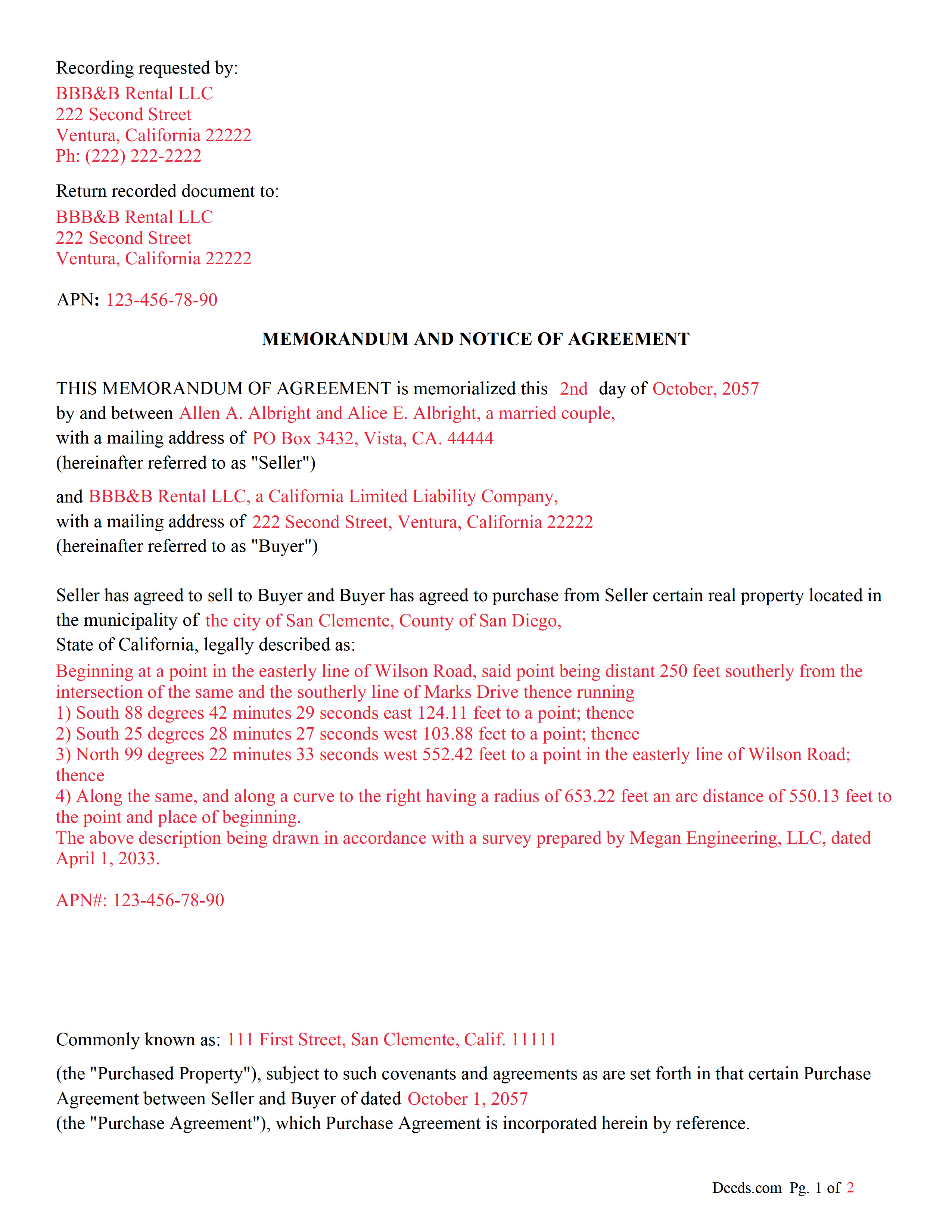
Calaveras County Completed Example of the Memorandum and Notice of Agreement Document
Example of a properly completed California Memorandum and Notice of Agreement document for reference.
All 3 documents above included • One-time purchase • No recurring fees
Immediate Download • Secure Checkout
Additional California and Calaveras County documents included at no extra charge:
Where to Record Your Documents
Calaveras County Recorder
San Andreas, California 95249
Hours: M-F 8AM-4PM
Phone: (209) 754-6372
Recording Tips for Calaveras County:
- Bring your driver's license or state-issued photo ID
- Ensure all signatures are in blue or black ink
- Request a receipt showing your recording numbers
- Ask about accepted payment methods when you call ahead
- Ask for certified copies if you need them for other transactions
Cities and Jurisdictions in Calaveras County
Properties in any of these areas use Calaveras County forms:
- Altaville
- Angels Camp
- Arnold
- Avery
- Burson
- Campo Seco
- Copperopolis
- Douglas Flat
- Glencoe
- Hathaway Pines
- Mokelumne Hill
- Mountain Ranch
- Murphys
- Rail Road Flat
- San Andreas
- Sheep Ranch
- Vallecito
- Valley Springs
- Wallace
- West Point
- Wilseyville
Hours, fees, requirements, and more for Calaveras County
How do I get my forms?
Forms are available for immediate download after payment. The Calaveras County forms will be in your account ready to download to your computer. An account is created for you during checkout if you don't have one. Forms are NOT emailed.
Are these forms guaranteed to be recordable in Calaveras County?
Yes. Our form blanks are guaranteed to meet or exceed the applicable formatting requirements used for recording in Calaveras County, including margin requirements, font requirements, and other layout standards. This guarantee applies to formatting, not to the legal sufficiency of information entered by the user or the suitability of a form for a particular transaction.
Can I reuse these forms?
Yes. You can reuse the forms for your personal use. For example, if you have multiple properties in Calaveras County you only need to order once.
What do I need to use these forms?
The forms are PDFs that you fill out on your computer. The free Adobe Acrobat Reader is recommended, and most PDF apps also work. You do NOT enter your property information online - you download the blank forms and complete them privately on your own computer.
Are there any recurring fees?
No. This is a one-time purchase. Nothing to cancel, no memberships, no recurring fees.
How much does it cost to record in Calaveras County?
Recording fees in Calaveras County vary. Contact the recorder's office at (209) 754-6372 for current fees.
Questions answered? Let's get started!
A "Memorandum of Purchase Agreement" commonly referred to as a "Memorandum of Agreement" (MOA), Memorandum of Contract (MOC) or "Memorandum of Understanding" (MOU) in the context of real estate, is used primarily as a means to provide public notice of an equitable interest in a real estate transaction without disclosing the full details of the purchase agreement. This document is particularly useful in transactions where the buyer and seller have agreed to terms but the final closing and transfer of the deed have not yet occurred. By recording this memorandum with the county recorder's office, the buyer establishes a public record of their interest in the property, which can protect against subsequent claims or liens by third parties.
Key Purposes of a Memorandum of Purchase Agreement:
1. Notice of Equitable Interest: The memorandum serves as notice to the public that the buyer has an equitable interest in the property due to the purchase agreement. This is important in protecting the buyer’s interest against claims by other parties who might otherwise be unaware of the agreement.
2. Protection During the Closing Process: Real estate transactions can involve a lengthy closing process, including financing approval, inspections, and other contingencies. Recording a memorandum helps safeguard the buyer's interest in the property during this period.
3. Confidentiality: A memorandum of purchase agreement allows the parties to keep the specific terms of their agreement, such as the purchase price and other sensitive details, private. Only the essential facts necessary to establish interest in the property are included in the memorandum
Impact on Title: While the memorandum itself does not transfer title, it does create a public record of the buyer’s interest, which can be important in the event of disputes or if the seller attempts to convey the property to another party.
Use with Other Real Estate Transactions: Although commonly associated with purchase agreements, memoranda can also be used with other types of real estate transactions that convey an interest in property, such as land contracts or options to purchase.
Important: Your property must be located in Calaveras County to use these forms. Documents should be recorded at the county recording office listed above.
This Memorandum and Notice of Agreement meets all recording requirements specific to Calaveras County.
Our Promise
The documents you receive here are guaranteed to meet or exceed the applicable Calaveras County recording format requirements. If there is a rejection caused by our formatting, we will correct the issue or refund your payment. This guarantee applies to document formatting only and does not extend to information entered by the user, the selection of the form, or the legal effect of the completed document.
Save Time and Money
Get your Calaveras County Memorandum and Notice of Agreement form done right the first time with Deeds.com Uniform Conveyancing Blanks. At Deeds.com, we understand that your time and money are valuable resources, and we don't want you to face a penalty fee or rejection imposed by a county recorder for submitting nonstandard documents. We constantly review and update our forms to meet rapidly changing state and county recording requirements for roughly 3,500 counties and local jurisdictions.
4.8 out of 5 - ( 4,858 Reviews )
Julie P. 5 out of 5 stars
Easy to use service. Thank you.
Thank you for your feedback. We really appreciate it. Have a great day!
Brady D. 1 out of 5 stars
I would give you a zero if possible. The webpage is as cumbersome has all get out. I am on web pages all day every day and this one is by far the hardest one to get around in.
Thank you for sharing your feedback regarding your experience with our website. We are truly sorry to hear that navigating our site proved to be a challenge for you. Your insights are invaluable, and we will definitely take your comments into consideration as we work towards improving our online platform.
We wish you all the best in your future endeavors.
Scott A. 2 out of 5 stars
The information and instructions provided is thorough and great. But, the fill-in-the-blanks form does not work well and is very frustrating. The font size of the information I was adding on each individual line varies and is determined by the number of characters entered on that individual line. So the font size is different on each line. And the number of lines is fixed making it impossible to fill in the full legal name of the trust I needed to fill out the form for. My needs are somewhat unusual, but the form should have been designed to be flexible enough to handle it. A blank paper form would have been more useful.
Thank you for your feedback. We really appreciate it. Have a great day!
Donald H. 5 out of 5 stars
EXCELLENT,,super good. Quick & easy
Thank you!
Byron M. 5 out of 5 stars
This is a great service and a time saver for the company. We get fast responses and a detailed explanation if something additional is needed.
Thank you for your feedback. We really appreciate it. Have a great day!
Bradley B. 5 out of 5 stars
Just as advertised.
Thank you for your feedback. We really appreciate it. Have a great day!
Joseph M. 5 out of 5 stars
Very easy to use the service and responses came very quickly.
Thank you!
Eileen C. 5 out of 5 stars
Easy, fast, affordable. Satisfied customer
Thank you!
Kelly Y. 5 out of 5 stars
The document was easy to locate, pay for and download. I hope it will be this easy to process by the County!
Thank you!
Debora A. 5 out of 5 stars
Website easy to use and explanations available
Thank you!
Beatrice V. 5 out of 5 stars
I was in despair as I needed to file two (2) very important documents with the County. Due to Covid the office was closed and my only recourse was to E-Fie with a service provider. I was fortunate enough to hear about Deeds.com. They were specific, courteous, patient and most of all productive. My documents will take awhile for the final filing but that is because the County happens to have a slow turn around time. Otherwise, I am now relieved that this part is over. Thank you Deeds.com. You are awesome.
Thank you for the kinds words Beatrice.
Alan S. 5 out of 5 stars
Quick, easy, and accurate. And if there's ever a problem, the resolution is also quick, easy, and accurate. The service is hard to beat.
Thank you for your feedback. We really appreciate it. Have a great day!
Julie S. 5 out of 5 stars
I am really impressed by this website. Not only is it affordable, but they give a detailed description, instructions, and an example to follow. Also there are additional forms included. And it's State, even county, specific. They do not require a subscription either as you can just order what you want. Thank you!
We appreciate your business and value your feedback. Thank you. Have a wonderful day!
Edwina L. 5 out of 5 stars
Awesomeness a true life saver I'm very appreciative.
Thank you!
Thomas D. 2 out of 5 stars
The documents themselves are fine and the information provided with them is helpful. I find the actual processing of the documents, however, to be difficult particularly once the document has been saved. First, I note that the box for the date only allows entry of the last 2 digits of the year. Unfortunately, my download only allows me to enter one of the 2 digits required. When I delete it repeatedly, it eventually allows both digits to be entered but puts them in extremely small text and in superscrypt. I have not found a solution to this problem and am not sure the deed can even be recorded with this problem. Another problem is that if you try to revise the document after you have saved it the curser goes to the end of the line after each key entry. This means that there basically is no way to efficiently save the document for reworking later since you will have to delete everything you have entered in the text box unless you only need to make a single keystroke change or are willing to replace the curser after each entry. Try that with a long property description! Please note that I am using a Mac to prepare my documents and perhaps this is part of an "incompatibility problem". However, I didn't see a disclaimer regarding Mac use and so would expect the documents to perform correctly. Overall, I give the program a "2 star" rating because I am experiencing significant difficulties in entering dates in the documents even before saving them and because saving your work for later revision appears to be basically unworkable.
Thank you for your feedback Thomas, we appreciate you being specific about the issues you encountered. Adobe and Mac have a fairly long history of issues working together.