San Bernardino County Notice of Completion Form
Last validated October 9, 2026 by our Forms Development TeamFormatted for recording in San Bernardino County, for property anywhere in the county: rural and unincorporated areas as well as Adelanto, Amboy, Angelus Oaks, Apple Valley, Baker, Barstow, Big Bear City, Big Bear Lake and 65 more.
- 3 documents included
- Immediate PDF download
- Formatting guarantee
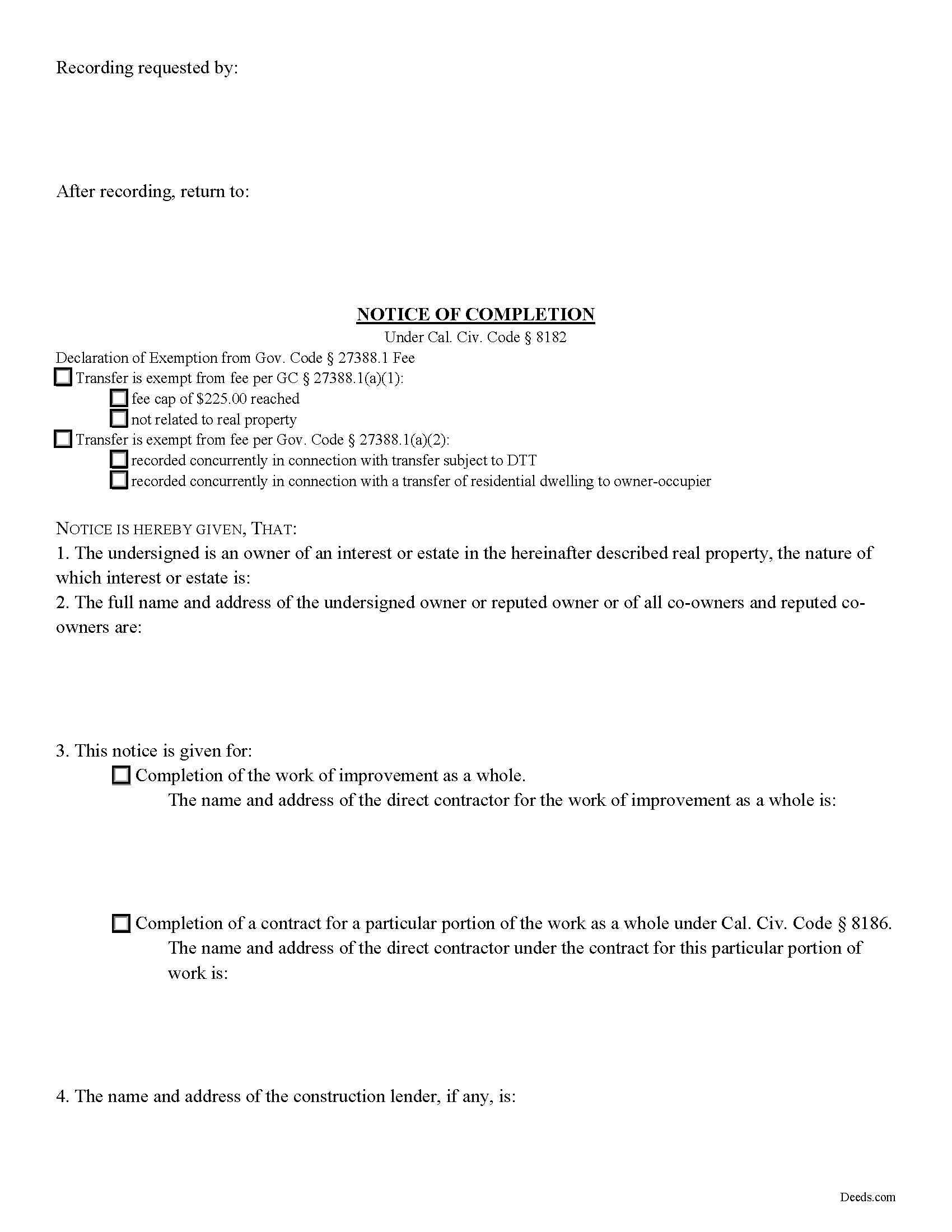
San Bernardino County Notice of Completion Form
Fill in the blank Notice of Completion form formatted to comply with all California recording and content requirements.
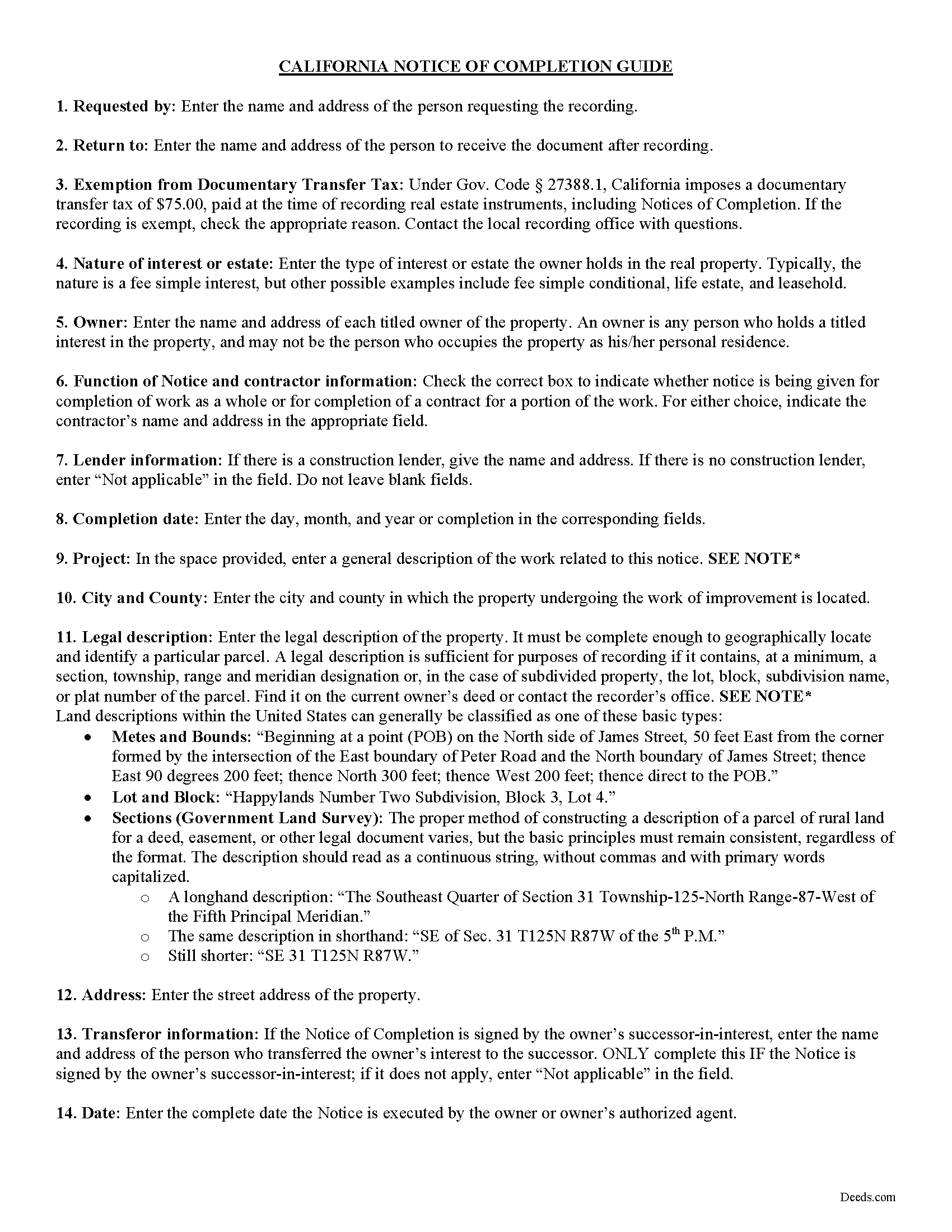
San Bernardino County Notice of Completion Guide
Line by line guide explaining every blank on the form.
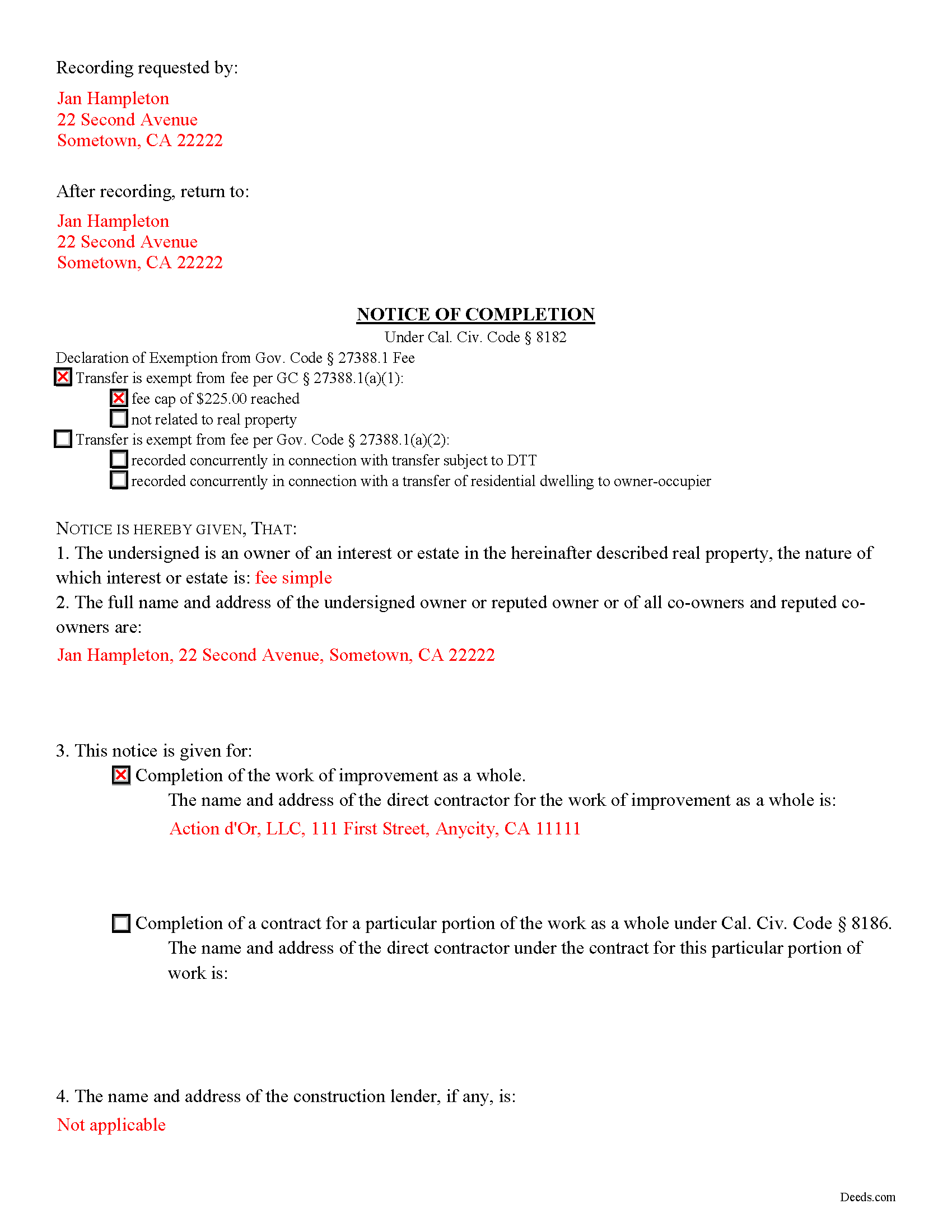
San Bernardino County Completed Example of the Notice of Completion Document
Example of a properly completed form for reference.
All 3 documents above included • One-time purchase • No recurring fees
Immediate Download • Secure Checkout
Additional California and San Bernardino County documents included at no extra charge:
Where to Record Your Documents
San Bernardino County Recorder
San Bernardino, California 92415-0022
Hours: Monday to Friday 8:00am - 4:30pm
Phone: (909) 387-8306 and (855) 732-2575
High Desert Office
Hesperia, California 92345
Hours: Monday to Friday 8:00am - 4:30pm
Phone: (909) 387-8306
Recording Tips for San Bernardino County:
- Bring your driver's license or state-issued photo ID
- Ensure all signatures are in blue or black ink
- Leave recording info boxes blank - the office fills these
- Make copies of your documents before recording - keep originals safe
- Recorded documents become public record - avoid including SSNs
Cities and Jurisdictions in San Bernardino County
Properties in any of these areas use San Bernardino County forms:
- Adelanto
- Amboy
- Angelus Oaks
- Apple Valley
- Baker
- Barstow
- Big Bear City
- Big Bear Lake
- Bloomington
- Blue Jay
- Bryn Mawr
- Cedar Glen
- Cedarpines Park
- Chino
- Chino Hills
- Cima
- Colton
- Crest Park
- Crestline
- Daggett
- Earp
- Essex
- Fawnskin
- Fontana
- Forest Falls
- Fort Irwin
- Grand Terrace
- Green Valley Lake
- Guasti
- Helendale
- Hesperia
- Highland
- Hinkley
- Joshua Tree
- Lake Arrowhead
- Landers
- Loma Linda
- Lucerne Valley
- Ludlow
- Lytle Creek
- Mentone
- Montclair
- Morongo Valley
- Mountain Pass
- Needles
- Newberry Springs
- Nipton
- Ontario
- Oro Grande
- Parker Dam
- Patton
- Phelan
- Pinon Hills
- Pioneertown
- Rancho Cucamonga
- Red Mountain
- Redlands
- Rialto
- Rimforest
- Running Springs
- San Bernardino
- Skyforest
- Sugarloaf
- Trona
- Twentynine Palms
- Twin Peaks
- Upland
- Victorville
- Vidal
- Wrightwood
- Yermo
- Yucaipa
- Yucca Valley
Hours, fees, requirements, and more for San Bernardino County
How do I get my forms?
Forms are available for immediate download after payment. The San Bernardino County forms will be in your account ready to download to your computer. An account is created for you during checkout if you don't have one. Forms are NOT emailed.
Are these forms guaranteed to be recordable in San Bernardino County?
Yes. Our form blanks are guaranteed to meet or exceed the applicable formatting requirements used for recording in San Bernardino County, including margin requirements, font requirements, and other layout standards. This guarantee applies to formatting, not to the legal sufficiency of information entered by the user or the suitability of a form for a particular transaction.
Can I reuse these forms?
Yes. You can reuse the forms for your personal use. For example, if you have multiple properties in San Bernardino County you only need to order once.
What do I need to use these forms?
The forms are PDFs that you fill out on your computer. The free Adobe Acrobat Reader is recommended, and most PDF apps also work. You do NOT enter your property information online - you download the blank forms and complete them privately on your own computer.
Are there any recurring fees?
No. This is a one-time purchase. Nothing to cancel, no memberships, no recurring fees.
How much does it cost to record in San Bernardino County?
Recording fees in San Bernardino County vary. Contact the recorder's office at (909) 387-8306 and (855) 732-2575 for current fees.
Questions answered? Let's get started!
Under Cal. Civ. Code 8182, a real property owner can record a notice of completion at any time up to 15 days after the date of completion on a work of improvement. The notice of completion is an important document in the California mechanic's lien process, as it limits the time a claimant is allotted to file a claim of lien. A direct contractor has 60 days after the owner's filing of a notice of completion to file a claim of lien. If no notice of completion is filed within 15 days of completion of the project, the contractor has 90 days to file a claim of lien.
A lawful notice contains the name and address of each owner and the nature of the owner's interest or estate in the property, as well as the construction lender's name and address, if applicable. The notice gives the completion date and a general description of the work of improvement, as well as a legal description of the property on which the improvement is made, along with the property's address.
In California, a notice of completion may relate to the completion of a contract for work on an improvement as a whole or a contract for a portion of work. In either instance, the notice states the name and address of the direct contractor and the nature of the notice.
The notice is signed and verified by the owner, who is the person (or persons) with titled interest in the property. This may or may not be the person occupying the property. The notice may be signed by an owner's successor; if this is the case, the notice must state the name and address of the transferor.
Within 10 days of recording a notice of completion, the owner must serve copies to the direct contractor and any claimant who has given the owner preliminary notice. Failure to give notice to the contractor or a claimant that a notice has been filed within 10 days of recording the notice renders the notice ineffective to shorten the length of time a contractor has to file a claim of lien.
The method of serving notice on the requisite parties must comply with Section 8100 of the Civil Code of California. Proof of service of notice is required along with the notice when recording. The declaration of proof of service evidences the method of serving notice and is signed by the person serving notice and acknowledged in the presence of a notary public.
Record a notice of completion in the recorder's office of the county where the property is situated. Ensure that the document is in recordable form as established by Cal. Gov. Code Sec. 27361.6.
Consult a lawyer with questions about notices of completion, mechanic's lien laws, or for any other issues regarding real property in the State of California.
Important: Your property must be located in San Bernardino County to use these forms. Documents should be recorded at the county recording office listed above.
This Notice of Completion meets all recording requirements specific to San Bernardino County.
Our Promise
The documents you receive here are guaranteed to meet or exceed the applicable San Bernardino County recording format requirements. If there is a rejection caused by our formatting, we will correct the issue or refund your payment. This guarantee applies to document formatting only and does not extend to information entered by the user, the selection of the form, or the legal effect of the completed document.
Save Time and Money
Get your San Bernardino County Notice of Completion form done right the first time with Deeds.com Uniform Conveyancing Blanks. At Deeds.com, we understand that your time and money are valuable resources, and we don't want you to face a penalty fee or rejection imposed by a county recorder for submitting nonstandard documents. We constantly review and update our forms to meet rapidly changing state and county recording requirements for roughly 3,500 counties and local jurisdictions.
4.8 out of 5 - ( 4,865 Reviews )
Robert D. 5 out of 5 stars
These forms made it so easy to update the property deed and the instructions and sample filled out form were most helpful. You might want to add some brief information on when or why to use the Acknowledgment in Individual Capacity notary form. In my case the notary was required to use it but also filled in the brief notarize section on the Affidavit as well. She said the one on the Affidavit had some value because it showed she had witnessed the my signature. But this was only after I suggested both be filled in as she initially thought to just strike through it and just use the Acknowledgment in Individual Capacity form.
Thank you for your feedback. We really appreciate it. Have a great day!
Christopher S. 5 out of 5 stars
very easy to use, and comprehensive...I like the e-recording package
We are grateful for your feedback and looking forward to serving you again. Thank you!
Vince D. 5 out of 5 stars
Great product and service, really makes me rethink the value I provide to my customers.
Thank you!
Joni F. 5 out of 5 stars
It was easy to navigate and I found my information without any trouble.
Thank you!
Emmy M. 5 out of 5 stars
I loved using this process to record my deeds. it was fast and everytime I sent a message I received a response very quickly. I am so glad they have this option. for the extra $15 to have the convenience to do it from home and not worry about finding parking, etc. so well worth it!
We appreciate your business and value your feedback. Thank you. Have a wonderful day!
Jenni R. 5 out of 5 stars
Dry convenient and had just the form I needed and included directions, filled out sample form and other resources. Will recommend and use again if needed.
Thank you for your feedback. We really appreciate it. Have a great day!
Jennifer M P. 5 out of 5 stars
Locating the deed I needed was not too hard. I love that you can download and complete it on your time frame.
Thank you!
Darrell P. 5 out of 5 stars
My legal description exceeds the avaiable space in the one page Exhibit A...any way to add a second page as 'Exhibit A (continued)'?
It is not required to use the included exhibit page. Simply label your printed legal description as the appropriate exhibit.
Robert C. 2 out of 5 stars
Not easy to navigate as a first time user. I printed the first page but lost the link to the second page.
Thank you for taking the time to provide us with your valuable feedback. I'm sorry to hear that you've encountered difficulties with our website's navigation, particularly as a first-time user.
Furthermore, your comments about the website's navigation have been taken into account. We continually strive to improve our website and make it as intuitive and user-friendly as possible. Your feedback is crucial for us in achieving this goal.
Thank you again for your feedback. If you have any other suggestions or need further assistance, please don't hesitate to contact us.
Martin B. 5 out of 5 stars
Excellent Detailed and clear Easy to use
We appreciate your business and value your feedback. Thank you. Have a wonderful day!
Lajeanne F. 5 out of 5 stars
Your service was as you promoted and I was able to get a copy of my deed and find the information on it I needed. Thank you.
Thank you for your feedback. We really appreciate it. Have a great day!
Kevin M. 5 out of 5 stars
good so far. will wait to see what happens
Thank you!
Joe B. 5 out of 5 stars
Fantastic service -- very clear
We appreciate your business and value your feedback. Thank you. Have a wonderful day!
Michael O. 5 out of 5 stars
Great experience. Pre-printed forms, line explanations and samples - solve a lot of problems, eliminate many headaches and research. Thank You!!!
We appreciate your business and value your feedback. Thank you. Have a wonderful day!
John M. 5 out of 5 stars
Very satisfied with your service. Considering how complicated real estate titles are, this could not have been simpler. Your website worked perfectly.
Thank you!