Plumas County Preliminary Notice Form
Last validated October 9, 2026 by our Forms Development TeamFormatted for recording in Plumas County, for property anywhere in the county: rural and unincorporated areas as well as Beckwourth, Belden, Blairsden-graeagle, Canyon Dam, Chester, Chilcoot, Clio, Crescent Mills and 8 more.
- 3 documents included
- Immediate PDF download
- Formatting guarantee
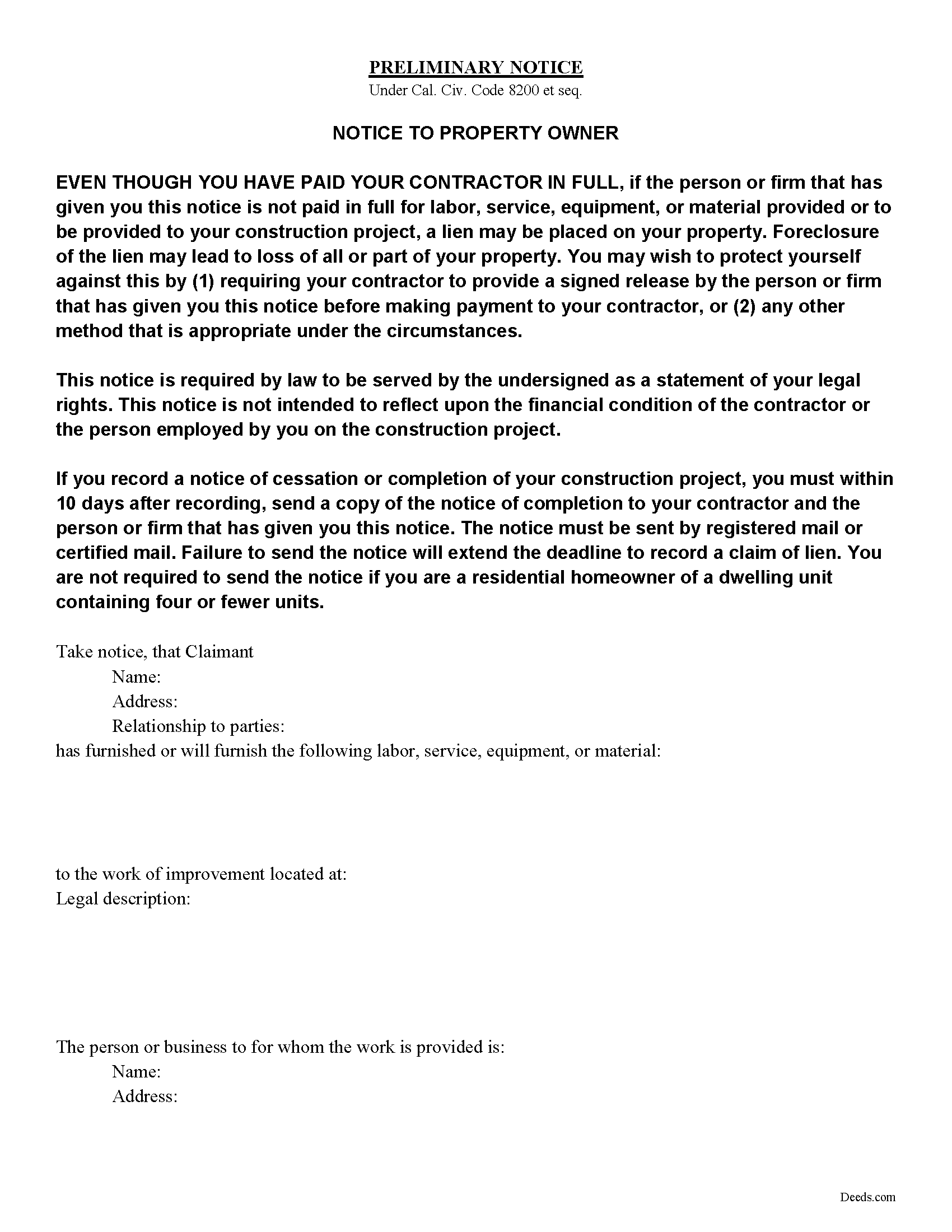
Plumas County Preliminary Notice Form
Fill in the blank Preliminary Notice form formatted to comply with all California recording and content requirements.
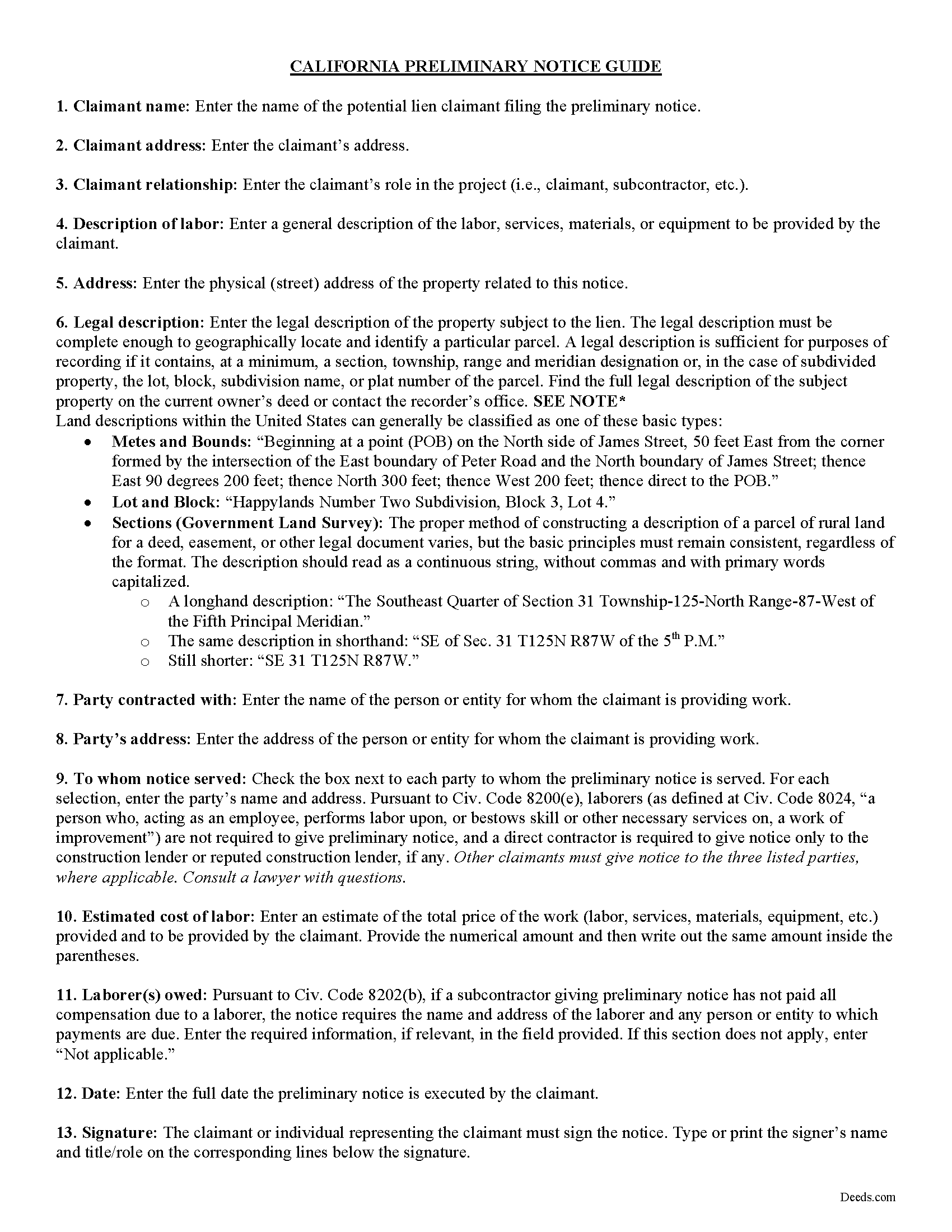
Plumas County Preliminary Notice Guide
Line by line guide explaining every blank on the form.
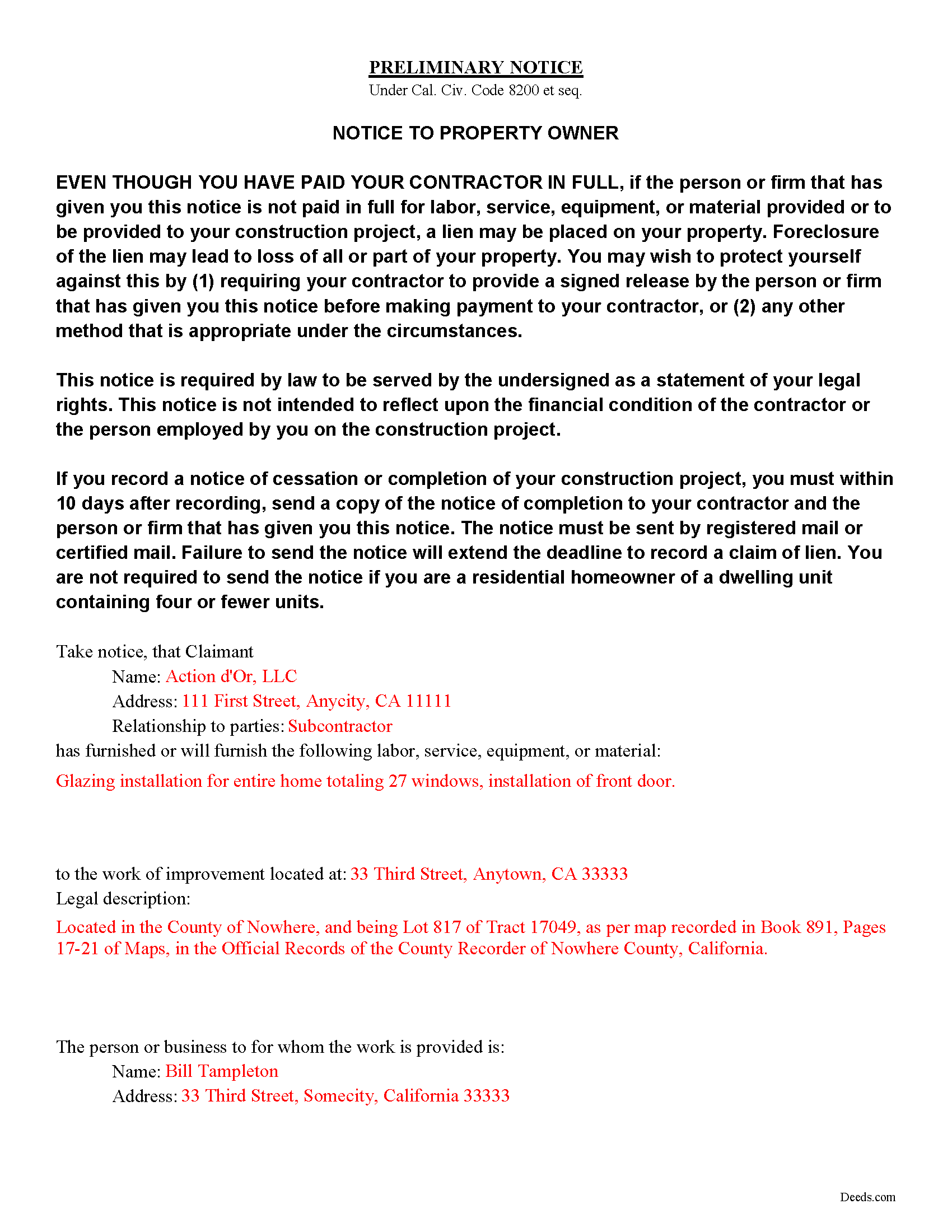
Plumas County Completed Example of the Preliminary Notice Document
Example of a properly completed form for reference.
All 3 documents above included • One-time purchase • No recurring fees
Immediate Download • Secure Checkout
Additional California and Plumas County documents included at no extra charge:
Where to Record Your Documents
Plumas County Clerk - Recorder
Quincy, California 95971
Hours: Monday - Friday 8:00 to 5:00 / Recording until 4:00
Phone: (530) 283-6218 or 283-6128
Recording Tips for Plumas County:
- Bring your driver's license or state-issued photo ID
- Ensure all signatures are in blue or black ink
- Request a receipt showing your recording numbers
- Ask about accepted payment methods when you call ahead
- Ask for certified copies if you need them for other transactions
Cities and Jurisdictions in Plumas County
Properties in any of these areas use Plumas County forms:
- Beckwourth
- Belden
- Blairsden-graeagle
- Canyon Dam
- Chester
- Chilcoot
- Clio
- Crescent Mills
- Greenville
- Meadow Valley
- Portola
- Quincy
- Storrie
- Taylorsville
- Twain
- Vinton
Hours, fees, requirements, and more for Plumas County
How do I get my forms?
Forms are available for immediate download after payment. The Plumas County forms will be in your account ready to download to your computer. An account is created for you during checkout if you don't have one. Forms are NOT emailed.
Are these forms guaranteed to be recordable in Plumas County?
Yes. Our form blanks are guaranteed to meet or exceed the applicable formatting requirements used for recording in Plumas County, including margin requirements, font requirements, and other layout standards. This guarantee applies to formatting, not to the legal sufficiency of information entered by the user or the suitability of a form for a particular transaction.
Can I reuse these forms?
Yes. You can reuse the forms for your personal use. For example, if you have multiple properties in Plumas County you only need to order once.
What do I need to use these forms?
The forms are PDFs that you fill out on your computer. The free Adobe Acrobat Reader is recommended, and most PDF apps also work. You do NOT enter your property information online - you download the blank forms and complete them privately on your own computer.
Are there any recurring fees?
No. This is a one-time purchase. Nothing to cancel, no memberships, no recurring fees.
How much does it cost to record in Plumas County?
Recording fees in Plumas County vary. Contact the recorder's office at (530) 283-6218 or 283-6128 for current fees.
Questions answered? Let's get started!
A claimant other than a laborer or direct contractor must serve preliminary notice under Civ. Code 8200 in order reserve the right to to claim a future mechanic's lien on a property. The notice must be served to the owner, direct contractor, and construction lender, if any.
California law requires notice to be served within 20 days of first furnishing labor, materials, services, or equipment in a work of improvement. A claimant may give late notice, but this limits the claimant's lien to only work performed within 20 days prior to giving the late notice, and work from that point forward (Civ. Code 8204).
Notices in relation to mechanic's liens must follow requirements under Civ. Code 8102, which include the names and addresses of the owners, direct contractor, and construction lender, if any, a description of the job site and job site address, and the name, address, and relationship to the parties of the claimant providing notice.
In addition to these requirements, the preliminary notice under Civ. Code 8200 requires a general description of the work provided by the potential claimant, an estimate of the total price of the work, and a verbatim notice to the property owner established by statute. If a preliminary notice is given by a subcontractor who has not paid all compensation due to a laborer, the notice also requires the name and address of all laborers to whom payment is due (Civ. Code 8202).
Pursuant to Civ. Code 8106, notice can be served by personal delivery, mail (as provided by Civ. Code 8110), or leaving a notice and mailing a copy according to the Code of Civil Procedure for service of summons in a civil action.
While this notice is typically not recorded, it may be filed with the county recorder for the limited purpose of facilitating the recorder's mailing of notices. When recorded, the preliminary notice does not constitute a recorded document and is maintained in a separate index. It does not function to provide constructive notice to third parties (Cal Civ. Code 8214).
Consult a lawyer with questions about preliminary notices, mechanic's lien laws, or any other issues related to real property in the State of California.
Important: Your property must be located in Plumas County to use these forms. Documents should be recorded at the county recording office listed above.
This Preliminary Notice meets all recording requirements specific to Plumas County.
Our Promise
The documents you receive here are guaranteed to meet or exceed the applicable Plumas County recording format requirements. If there is a rejection caused by our formatting, we will correct the issue or refund your payment. This guarantee applies to document formatting only and does not extend to information entered by the user, the selection of the form, or the legal effect of the completed document.
Save Time and Money
Get your Plumas County Preliminary Notice form done right the first time with Deeds.com Uniform Conveyancing Blanks. At Deeds.com, we understand that your time and money are valuable resources, and we don't want you to face a penalty fee or rejection imposed by a county recorder for submitting nonstandard documents. We constantly review and update our forms to meet rapidly changing state and county recording requirements for roughly 3,500 counties and local jurisdictions.
4.8 out of 5 - ( 4,828 Reviews )
Robert B. 5 out of 5 stars
Fast and easy and Jefferson County Colorado excepted the forms.
Thank you!
Brandon C. 5 out of 5 stars
Great site and staff. I made a mistake and they helped me out when I probably didn't deserve it.
Thanks, Brandon. We were glad to cancel the order and refund your payment. Some property matters need more hands-on guidance than a self-prepared form can offer, and in your situation we’d recommend working with a local real estate attorney or title company going forward. We wish you the best with it.
Megan L. 5 out of 5 stars
Explanation of all forms is simple and easy to understand. The forms are made in accordance to my state. This website is easy to use and navigate.
We appreciate your business and value your feedback. Thank you. Have a wonderful day!
John T. 5 out of 5 stars
Great site, I was able to navigate with ease. We appreciate all those who contributed in making this possible
Thank you!
Sharom B. 5 out of 5 stars
Easy to navigate site and download forms to PC!
We appreciate your business and value your feedback. Thank you. Have a wonderful day!
Garrison T. 5 out of 5 stars
Excellent service & very easy to use.
Thank you!
Jacqueline T. 5 out of 5 stars
Worth it for the time saved as the supplemental forms required were included the purchase. First time user, easy peasy. 5 stars from me.
We appreciate your business and value your feedback. Thank you. Have a wonderful day!
Belinda B. 2 out of 5 stars
Very difficult navigating this site.
Sorry to hear of your struggle. Thank you for your feedback.
Eleody L. 5 out of 5 stars
I mistakenly ordered the wrong package and within 3 minutes of asking for a replacement, I was given one by the company. I am extremely impressed with the prompt response and the forms! I will use this site again if I needed other deed forms!!!!
We appreciate your business and value your feedback. Thank you. Have a wonderful day!
Teresa H. 4 out of 5 stars
I loved that there was a sample with the downloads. It made it much easier to fill out the document correctly.
Thank you Teresa, have a great day!
Kelin F. 5 out of 5 stars
Prompt, accurate and professional response. Thank you. Kelin F.
Thank you, Kelin! We appreciate your kind words and are glad we could help. Let us know if you ever need anything else!
Glenda M. 5 out of 5 stars
I am very pleased with my purchase of the Affidavit Death of Joint Tenant form. I previously purchased this form from the leading providing of DIY legal forms and it was rejected by the Registrar in my state. I then had to start over. Plus I needed a form that would show me a completed example and give me line-by-line instructions. Deeds.com filled the bill perfectly. Their website also let me know the last date the form was updated.
We appreciate your business and value your feedback. Thank you. Have a wonderful day!
Kermit W. 5 out of 5 stars
Straightforward instructions and very quick turnaround.
Thank you for your feedback. We really appreciate it. Have a great day!
Vicki G. 5 out of 5 stars
Thank you for this service, saved me from driving down town. It was quick and very easy to navigate. Have a great Thanksgiving break.
We appreciate your business and value your feedback. Thank you. Have a wonderful day!
Gina G. 5 out of 5 stars
This service is fantastic! Took a few tries to scan the document correctly, but their patience and quick turn around made this a far better experience than going to the County myself.
We are delighted to have been of service. Thank you for the positive review!