San Bernardino County Quitclaim Deed (Partnership or Limited Partnership Grantor) Form
Last validated October 16, 2026 by our Forms Development TeamFormatted for recording in San Bernardino County, for property anywhere in the county: rural and unincorporated areas as well as Adelanto, Amboy, Angelus Oaks, Apple Valley, Baker, Barstow, Big Bear City, Big Bear Lake and 65 more.
- 3 documents included
- Immediate PDF download
- Formatting guarantee
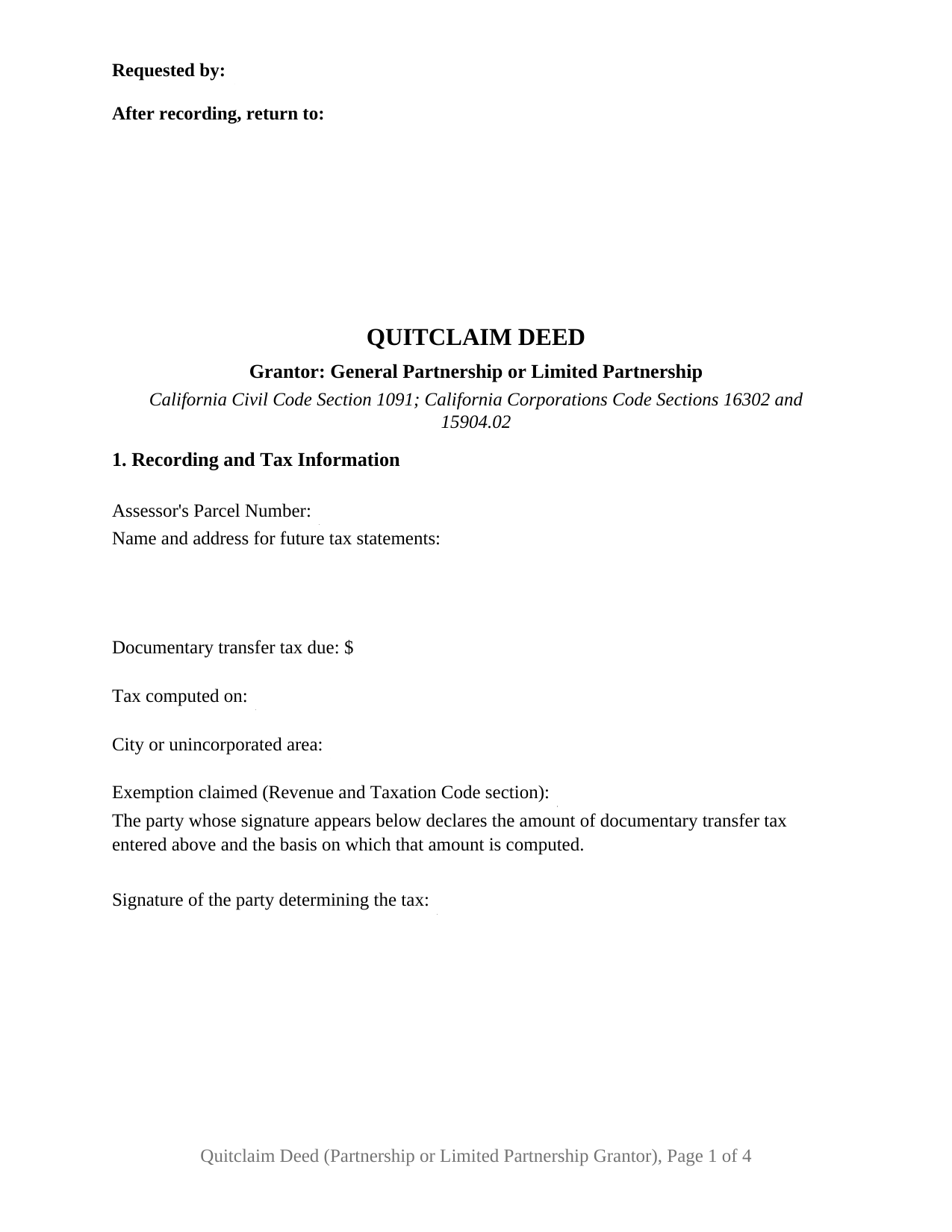
San Bernardino County Quitclaim Deed (Partnership or Limited Partnership Grantor) Form
Fill in the blank Quitclaim Deed (Partnership or Limited Partnership Grantor) form formatted to comply with all California recording and content requirements.

San Bernardino County Quitclaim Deed (Partnership or Limited Partnership Grantor) Guide
Line by line guide explaining every blank on the Quitclaim Deed (Partnership or Limited Partnership Grantor) form.

San Bernardino County Completed Example of the Quitclaim Deed (Partnership or Limited Partnership Grantor) Document
Example of a properly completed California Quitclaim Deed (Partnership or Limited Partnership Grantor) document for reference.
All 3 documents above included • One-time purchase • No recurring fees
Immediate Download • Secure Checkout
Additional California and San Bernardino County documents included at no extra charge:
Where to Record Your Documents
San Bernardino County Recorder
San Bernardino, California 92415-0022
Hours: Monday to Friday 8:00am - 4:30pm
Phone: (909) 387-8306 and (855) 732-2575
High Desert Office
Hesperia, California 92345
Hours: Monday to Friday 8:00am - 4:30pm
Phone: (909) 387-8306
Recording Tips for San Bernardino County:
- Bring your driver's license or state-issued photo ID
- Ensure all signatures are in blue or black ink
- Check margin requirements - usually 1-2 inches at top
- Leave recording info boxes blank - the office fills these
- Make copies of your documents before recording - keep originals safe
Cities and Jurisdictions in San Bernardino County
Properties in any of these areas use San Bernardino County forms:
- Adelanto
- Amboy
- Angelus Oaks
- Apple Valley
- Baker
- Barstow
- Big Bear City
- Big Bear Lake
- Bloomington
- Blue Jay
- Bryn Mawr
- Cedar Glen
- Cedarpines Park
- Chino
- Chino Hills
- Cima
- Colton
- Crest Park
- Crestline
- Daggett
- Earp
- Essex
- Fawnskin
- Fontana
- Forest Falls
- Fort Irwin
- Grand Terrace
- Green Valley Lake
- Guasti
- Helendale
- Hesperia
- Highland
- Hinkley
- Joshua Tree
- Lake Arrowhead
- Landers
- Loma Linda
- Lucerne Valley
- Ludlow
- Lytle Creek
- Mentone
- Montclair
- Morongo Valley
- Mountain Pass
- Needles
- Newberry Springs
- Nipton
- Ontario
- Oro Grande
- Parker Dam
- Patton
- Phelan
- Pinon Hills
- Pioneertown
- Rancho Cucamonga
- Red Mountain
- Redlands
- Rialto
- Rimforest
- Running Springs
- San Bernardino
- Skyforest
- Sugarloaf
- Trona
- Twentynine Palms
- Twin Peaks
- Upland
- Victorville
- Vidal
- Wrightwood
- Yermo
- Yucaipa
- Yucca Valley
Hours, fees, requirements, and more for San Bernardino County
How do I get my forms?
Forms are available for immediate download after payment. The San Bernardino County forms will be in your account ready to download to your computer. An account is created for you during checkout if you don't have one. Forms are NOT emailed.
Are these forms guaranteed to be recordable in San Bernardino County?
Yes. Our form blanks are guaranteed to meet or exceed the applicable formatting requirements used for recording in San Bernardino County, including margin requirements, font requirements, and other layout standards. This guarantee applies to formatting, not to the legal sufficiency of information entered by the user or the suitability of a form for a particular transaction.
Can I reuse these forms?
Yes. You can reuse the forms for your personal use. For example, if you have multiple properties in San Bernardino County you only need to order once.
What do I need to use these forms?
The forms are PDFs that you fill out on your computer. The free Adobe Acrobat Reader is recommended, and most PDF apps also work. You do NOT enter your property information online - you download the blank forms and complete them privately on your own computer.
Are there any recurring fees?
No. This is a one-time purchase. Nothing to cancel, no memberships, no recurring fees.
How much does it cost to record in San Bernardino County?
Recording fees in San Bernardino County vary. Contact the recorder's office at (909) 387-8306 and (855) 732-2575 for current fees.
Questions answered? Let's get started!
California lets a partnership release its real property without gathering a signature from every partner: one partner signs in the partnership's own name, and the statute treats that instrument as the act of the partnership. This form prepares the California quitclaim deed for that grantor, a general or limited partnership holding title in the partnership name, giving up whatever interest it holds without warranty of title.
One Partner, Signing in the Partnership's Name
Corporations Code Section 16203 puts property acquired by a partnership in the partnership, not in the partners individually, and Section 16302, subdivision (a)(1), moves it back out: subject to the effect of a statement of partnership authority, partnership property held in the name of the partnership may be transferred by an instrument of transfer executed by a partner in the partnership name. Section 16301 explains why one signature reaches the entity, binding the partnership where the partner acts for apparently carrying on the ordinary course of its business, and looking to the other partners' authorization where it does not. Section 9 prints what California practice expects: the partnership name above the line, the signature below it, then the printed name, date, and capacity.
General or Limited, and Which Statute Reads the Signature
Section 2 asks for the form of the partnership and its jurisdiction of organization, because the answer decides which chapter governs the execution. A limited partnership signs through its general partners: Section 15904.02 makes each general partner an agent of the limited partnership, while Section 15903.02 gives a limited partner no power, as a limited partner, to bind it.
The Partnership Record the County May Already Hold
Partnerships carry a recording device others lack. A statement of partnership authority filed with the Secretary of State names the partners authorized to execute an instrument transferring real property held in the partnership name, and under Section 16303, subdivision (d)(2), a certified copy recorded in the county makes that authority conclusive in favor of a person who gives value without knowledge to the contrary, absent a recorded limitation. Section 15902.01 carries the limited partnership version: a recorded certified copy of the certificate of limited partnership raises a conclusive presumption, for a purchaser for value, that the persons named as general partners are all of them. Section 7 identifies any such record already in the county index.
A Release With No Covenants
Civil Code Section 1113 hangs California's two implied deed covenants on one statutory word, and this instrument never uses it, so neither covenant arises. What crosses is the interest standing in the partnership name at delivery; anything picked up afterward stays outside, the line California decisions draw between this deed, sometimes typed as a quit claim deed, and its warranty relative.
The Configuration, and the Patterns That Present It
The form recites one partnership as grantor, executing through one signing partner, under one Civil Code Section 1189 certificate with the boxed identity notice that section requires. Partnership releases reach California's grantor indexes in shapes of their own: a limited partnership handing a parcel to its partners as it winds up, a general partnership clearing a record where title stands in two partners' names with their capacity noted, and a partnership releasing what it holds to a successor entity after a conversion. A partnership agreement calling for two or more partners to execute presents a signature pattern this single block does not carry, and an individual, a corporation, a company, or a trustee signs in another structure.
Transfer Tax Turns on Whether the Partnership Continues
Revenue and Taxation Code Section 11925 gives partnership realty a rule no other grantor answers to. Subdivision (a) imposes no tax where the partnership continues within the meaning of Section 708 of the Internal Revenue Code of 1986 and keeps holding the realty; subdivision (b) is the mirror image, treating a partnership that terminates as having conveyed at fair market value all realty it then held. A deed out of a partnership that is winding up therefore raises a question an ordinary sale does not, and the guide takes it up with the county rate and the charter city taxes above it.
This configuration ships as three files: the fillable quitclaim deed, a completed example worked through a San Luis Obispo County sale by a California limited partnership, and a plain language guide covering every numbered section, the certificate, and the recording fees. The materials state what California law provides in general terms and are not legal advice about a partnership or parcel.
Important: Your property must be located in San Bernardino County to use these forms. Documents should be recorded at the county recording office listed above.
This Quitclaim Deed (Partnership or Limited Partnership Grantor) meets all recording requirements specific to San Bernardino County.
Our Promise
The documents you receive here are guaranteed to meet or exceed the applicable San Bernardino County recording format requirements. If there is a rejection caused by our formatting, we will correct the issue or refund your payment. This guarantee applies to document formatting only and does not extend to information entered by the user, the selection of the form, or the legal effect of the completed document.
Save Time and Money
Get your San Bernardino County Quitclaim Deed (Partnership or Limited Partnership Grantor) form done right the first time with Deeds.com Uniform Conveyancing Blanks. At Deeds.com, we understand that your time and money are valuable resources, and we don't want you to face a penalty fee or rejection imposed by a county recorder for submitting nonstandard documents. We constantly review and update our forms to meet rapidly changing state and county recording requirements for roughly 3,500 counties and local jurisdictions.
4.8 out of 5 - ( 4,857 Reviews )
rich b. 3 out of 5 stars
Had pretty much everything I needed. Had to slice and dice a bit.
Thank you!
Logan S. 5 out of 5 stars
Wonderful experience. Was preapred to wait days, recording was finished in less than an hour.
Thank you!
Eric F. 5 out of 5 stars
Thank You deeds.com, your site helped me accomplish a difficult mission.
We appreciate your business and value your feedback. Thank you. Have a wonderful day!
Gerald C. 2 out of 5 stars
Pros, quick purchase and document availability including instructions and examples. Cons, For the cert. of trust, the form would not accept the length of our trust name with no way to get around. The pdf file printing did not meet the requirements for 2.5" top margin and .5" other margins as well as the 10pt font size as the form information was shrunk down even when normal printing.
Thank you for your feedback. We really appreciate it. Have a great day!
Jeffrey S. 5 out of 5 stars
Web site was clear to understand and easy to use. Found what I needed quickly and crossed it off my to do list. Thanks, JS
We are grateful for your feedback and looking forward to serving you again. Thank you!
Shirley C. 5 out of 5 stars
I liked that the documents could be filled in on my computer. All the documents came out nice, better than I expected really.
Thank you Shirley, we appreciate your feedback. Have a great day!
April J. 5 out of 5 stars
The example and guide were invaluable! Easy to use and easy to fill out.
Thank you!
Lutz P. 5 out of 5 stars
Your forms are great but I couldn’t use them with my computer and acrobats reader didn’t work. And then my thermal printer would only print 1/3 size pages with no way to fix it. I ordered a new color printer and we’ll see what happens.
Thank you, Lutz. We're glad you like the forms, and we're sorry getting them working turned into such a hassle. That shrunken page is typical of thermal printers: most use narrow receipt or label paper, so a full page gets scaled down to fit, and no setting can change that. Thermal paper also fades over time, which you don't want on a document you're recording, so the new printer is the right call. When it arrives, print on plain white paper with “Actual size” selected in the print settings so the page comes out full size with its margins intact. If Acrobat Reader gives you trouble again, save the form to your computer first and open the saved file in Acrobat Reader rather than in your web browser. Still stuck? Contact our support team and we'll walk you through it.
Douglas C. 5 out of 5 stars
Excellent website with examples on how to fill out forms. Even better was the help from the office of the county clerk. I called them twice and they were extremely helpful on how to fill out the forms. Kudos to them!!!
Thank you for your feedback. We really appreciate it. Have a great day!
Sherri P. 3 out of 5 stars
I thought it was easy, but I wish it were faster. I uploaded my document Monday night (after 5pm) and got my invoice the next morning Tuesday paid it right away. and my document was not sent to me as recorded until Wednesday morning even though it was recorded the day earlier at 8:30am. So there was a delay of almost 24 hours letting me know that my document was recorded. So if they could speed that up so that we knew exactly when it got recorded immediately I would give it a million stars
Thank you!
Michael S. 5 out of 5 stars
Great product and service. So convenient.
Your satisfaction with our services is of utmost importance to us. Thank you for letting us know how we did!
Zachary F. 3 out of 5 stars
I am a lawyer and purchased a specialized type of deed for a special scenario. The product received was functional, but not great. Wording is slightly clunky and the form layout was not convenient for making a professional final product. The wording also didn't contemplate a remote-state probate, which is a common scenario. Something about the PDF prevented me from doing cut and paste, so I had to do OCR to get the relevant text for inserting in my existing draft deed. Finally, while the site claims it is customized for the exact state and county, it does not appear to be well-customized for that purpose and I had to use other language (not sourced from the deeds.com document) to meet local norms.
Thank you for your feedback. We really appreciate it. Have a great day!
Berle B. 5 out of 5 stars
I am very impressed with Deeds.com. They provided the form with instructions that I needed. Also, they provided an example form that was filled out which really helped me with the process. The price seemed high, but in comparison to other sites it is very reasonable. Thank you Deeds, I would recommend you to anyone need your services. Berle Bigelow
Thank you, Berle. Glad the completed example did its job. We appreciate the recommendation.
Donna O. 5 out of 5 stars
Quick and easy to use. I was able to download the Transfer on Death Deed form to my computer so that I can read through and fill them out at a later time. That made it convenient and "no pressure". The complimentary guide and completed example that came with the form was also very helpful.
We appreciate your business and value your feedback. Thank you. Have a wonderful day!
Juanita G. 5 out of 5 stars
This was so easy to use, quick turnaround and I will continue to use this service. Thank you!
Thanks you Juanita for taking the time to leave your feedback. We really appreciate it. Have a fantastic day!