Orange County Quitclaim Deed (Trustee Grantor) Form
Last validated September 23, 2026 by our Forms Development TeamFormatted for recording in Orange County, for property anywhere in the county: rural and unincorporated areas as well as Aliso Viejo, Anaheim, Atwood, Brea, Buena Park, Capistrano Beach, Corona Del Mar, Costa Mesa and 39 more.
- 3 documents included
- Immediate PDF download
- Formatting guarantee
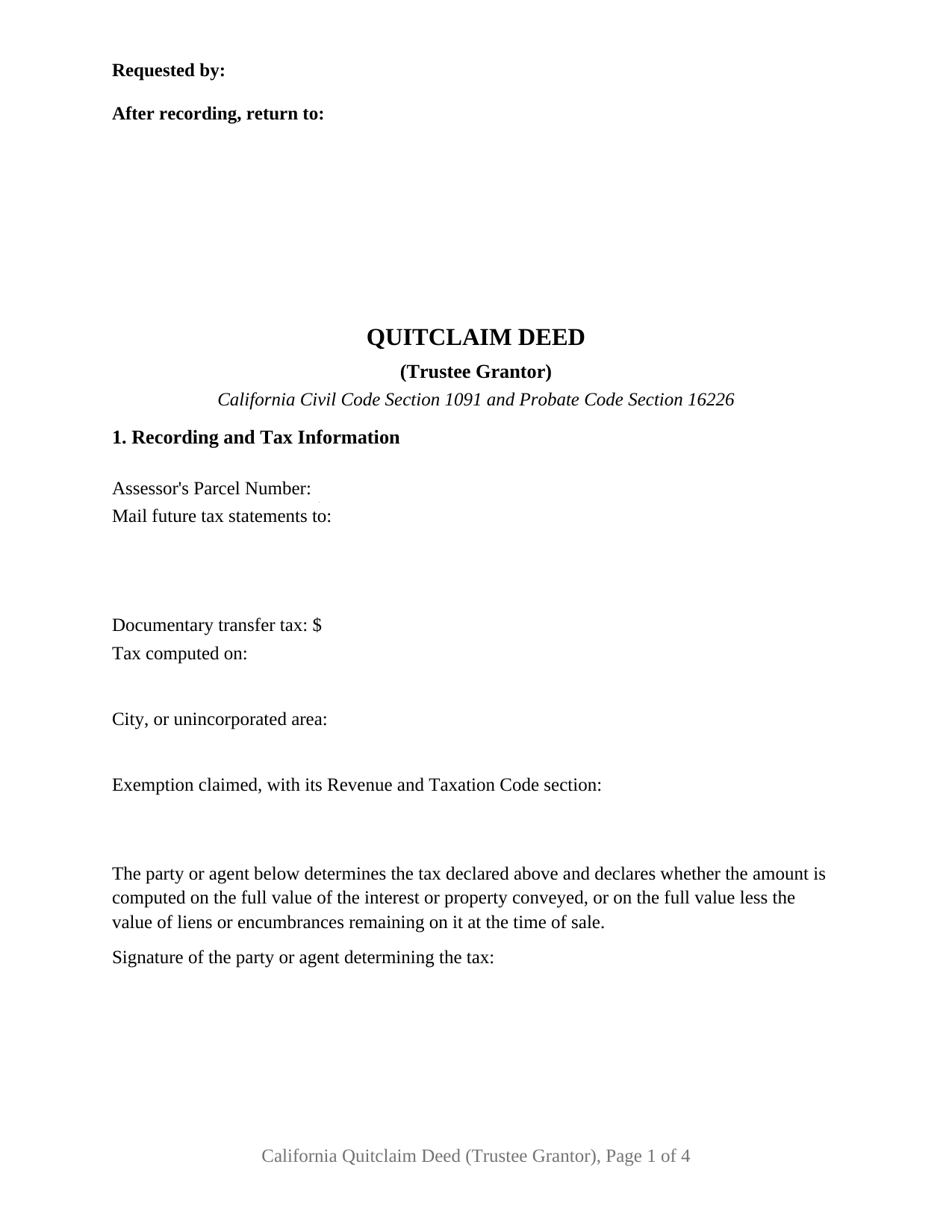
Orange County Quitclaim Deed (Trustee Grantor) Form
Fill in the blank Quitclaim Deed (Trustee Grantor) form formatted to comply with all California recording and content requirements.
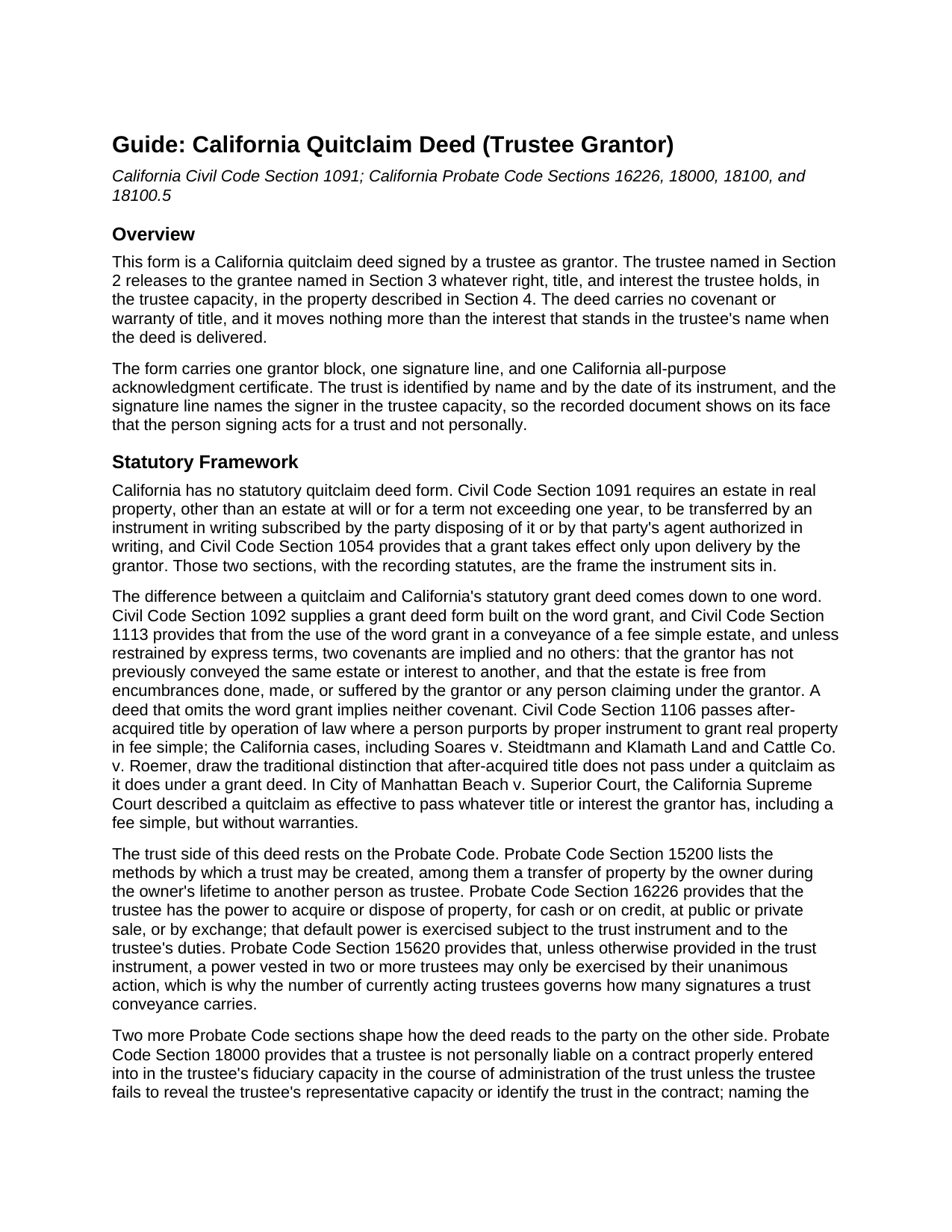
Orange County Quitclaim Deed (Trustee Grantor) Guide
Line by line guide explaining every blank on the Quitclaim Deed (Trustee Grantor) form.
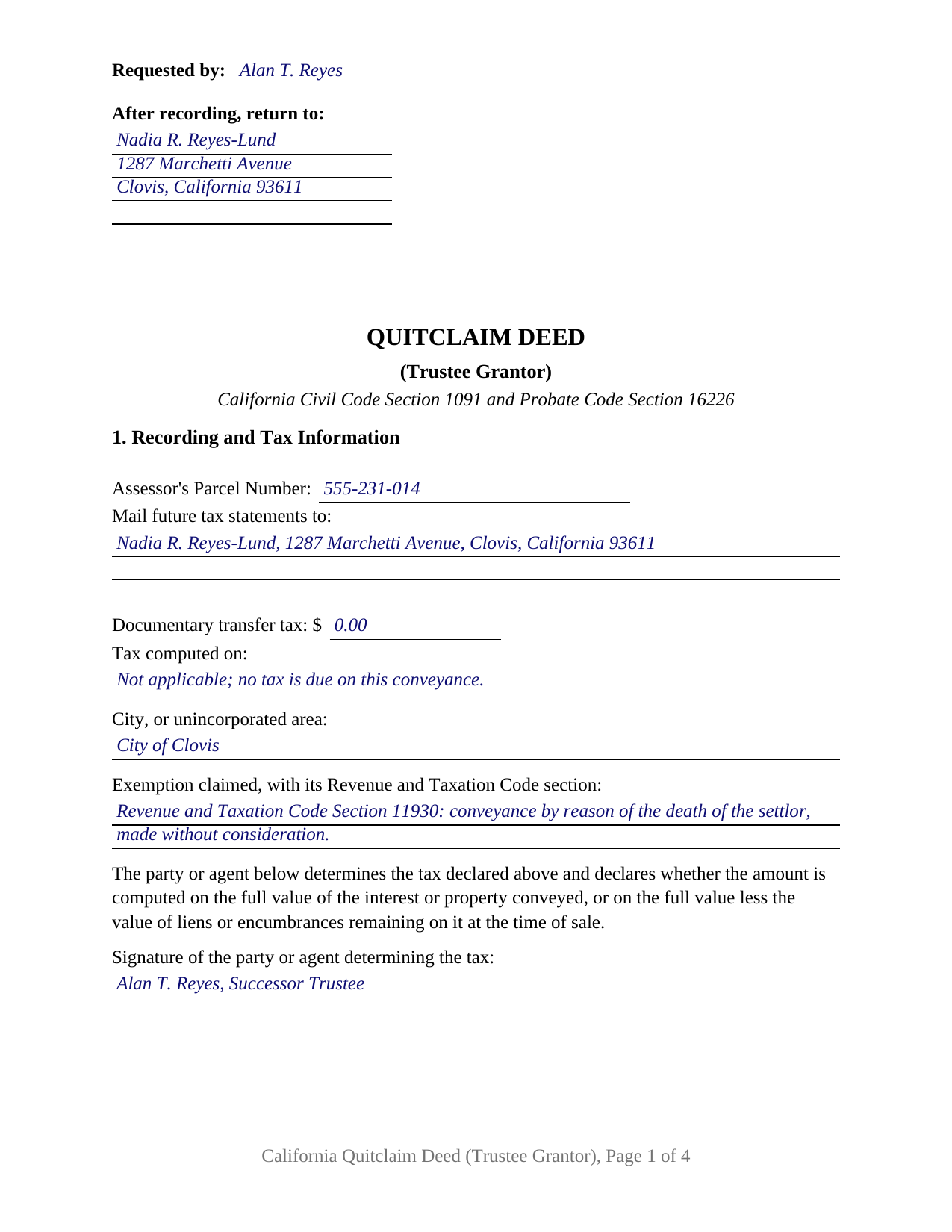
Orange County Completed Example of the Quitclaim Deed (Trustee Grantor) Document
Example of a properly completed California Quitclaim Deed (Trustee Grantor) document for reference.
All 3 documents above included • One-time purchase • No recurring fees
Immediate Download • Secure Checkout
Additional California and Orange County documents included at no extra charge:
Where to Record Your Documents
County Administration South
Santa Ana, California 92701
Hours: 8 a.m. - 4:30 p.m. Monday - Friday
Phone: (714) 834-2500
Old Orange County Courthouse
Santa Ana, California 92701
Hours: Hours: 8 a.m. to 4:30 p.m., Monday - Friday
Phone: (714) 834-2500
South County Branch Office
Santa Ana, California 92653
Hours: Monday through Friday 9:00 am to 4:30 pm / Recording until 4:00pm
Phone: (714) 834-2500
North County Branch Office
Fullerton , California 92832
Hours: Monday through Friday 9:00 am to 4:00 pm
Phone: (714) 834-2500
Recording Tips for Orange County:
- Bring your driver's license or state-issued photo ID
- Ensure all signatures are in blue or black ink
- Recording fees may differ from what's posted online - verify current rates
- Request a receipt showing your recording numbers
- Ask about accepted payment methods when you call ahead
Cities and Jurisdictions in Orange County
Properties in any of these areas use Orange County forms:
- Aliso Viejo
- Anaheim
- Atwood
- Brea
- Buena Park
- Capistrano Beach
- Corona Del Mar
- Costa Mesa
- Cypress
- Dana Point
- East Irvine
- El Toro
- Foothill Ranch
- Fountain Valley
- Fullerton
- Garden Grove
- Huntington Beach
- Irvine
- La Habra
- La Palma
- Ladera Ranch
- Laguna Beach
- Laguna Hills
- Laguna Niguel
- Laguna Woods
- Lake Forest
- Los Alamitos
- Midway City
- Mission Viejo
- Newport Beach
- Newport Coast
- Orange
- Placentia
- Rancho Santa Margarita
- San Clemente
- San Juan Capistrano
- Santa Ana
- Seal Beach
- Silverado
- Stanton
- Sunset Beach
- Surfside
- Trabuco Canyon
- Tustin
- Villa Park
- Westminster
- Yorba Linda
Hours, fees, requirements, and more for Orange County
How do I get my forms?
Forms are available for immediate download after payment. The Orange County forms will be in your account ready to download to your computer. An account is created for you during checkout if you don't have one. Forms are NOT emailed.
Are these forms guaranteed to be recordable in Orange County?
Yes. Our form blanks are guaranteed to meet or exceed the applicable formatting requirements used for recording in Orange County, including margin requirements, font requirements, and other layout standards. This guarantee applies to formatting, not to the legal sufficiency of information entered by the user or the suitability of a form for a particular transaction.
Can I reuse these forms?
Yes. You can reuse the forms for your personal use. For example, if you have multiple properties in Orange County you only need to order once.
What do I need to use these forms?
The forms are PDFs that you fill out on your computer. The free Adobe Acrobat Reader is recommended, and most PDF apps also work. You do NOT enter your property information online - you download the blank forms and complete them privately on your own computer.
Are there any recurring fees?
No. This is a one-time purchase. Nothing to cancel, no memberships, no recurring fees.
How much does it cost to record in Orange County?
Recording fees in Orange County vary. Contact the recorder's office at (714) 834-2500 for current fees.
Questions answered? Let's get started!
A deed signed by a trustee has to answer a question an ordinary release never raises: who is signing, and for whom. This form prepares the trustee grantor configuration of the California quitclaim deed, and it answers in three places: the grantor block names the person, the trust, and the date of the trust instrument, the signature line repeats the trustee capacity, and a numbered section states that the signer acts as trustee and not individually.
The Power Behind the Signature
California gives a trustee a default power to move real property. Probate Code Section 16226 gives the trustee power to acquire or dispose of property, at public or private sale or by exchange, and the trust instrument may widen or narrow it. Probate Code Section 15620 sets the boundary that decides how many signatures a trust conveyance carries: unless the trust instrument provides otherwise, a power vested in two or more trustees may only be exercised by their unanimous action. Naming the capacity in print matters for a second reason: Probate Code Section 18000 shields a trustee from personal liability on a contract properly made in the fiduciary capacity, so long as the trustee reveals that capacity and identifies the trust.
One Trustee, One Signature Line, One Certificate
The form recites a single currently acting trustee of a single trust. Section 2 carries the trustee's name, the trust's name, and the date of its instrument; Section 9 carries one signature line under the heading GRANTOR (TRUSTEE); and one California all-purpose acknowledgment certificate follows, headed by the boxed identity notice Civil Code Section 1189 puts at the top of a certificate taken in this state. Three patterns present this configuration in California's grantor indexes: a successor trustee distributing a parcel to the person entitled to it, a settlor serving as trustee of a revocable trust taking a parcel back into that person's own name, and a trustee releasing whatever the trust holds along a boundary to the neighbor. The form is not arranged for two trustees signing together, and it names a trustee on the giving side rather than the receiving side.
A Release With No Covenants
Nothing is warranted. California keeps its everyday deed promises inside one word: Civil Code Section 1113 implies two covenants, and no others, from the word grant, and a quitclaim, sometimes searched as a quit claim deed, leaves that word out. Section 7 states the rest expressly. Only the interest standing in the trustee's name at delivery passes, and title picked up afterward does not follow the deed. Section 8 adds the limit that matters on a trust conveyance: the deed exercises the power the trust instrument and state law already give the trustee, and enlarges nothing.
What the Grantee Reads Instead of a Warranty
Because no covenant travels with a quitclaim, the party on the other side looks past the deed for comfort about authority. Probate Code Section 18100 protects a third person who deals with a trustee in good faith, for valuable consideration, and without actual knowledge that the trustee is exceeding or misusing a power: that person need not inquire into the power at all. Probate Code Section 18100.5 supplies the certification of trust, a signed and acknowledged declaration covering the trust's existence, the acting trustees, their powers, and their signature authority, without opening the dispositive terms. Escrow holders and title insurers routinely call for one; it is prepared separately and is not included in this package.
Transfer Tax on a Trust Distribution
Section 1 collects what a California recorder reads first: the parcel number, the address for future tax bills under Government Code Section 27321.5, and the transfer tax lines, closed by the signature of whoever determined the tax. Distributions out of a trust frequently enter a code section rather than a dollar figure, and the example enters Revenue and Taxation Code Section 11930, which reaches a conveyance made by reason of a death or by inter vivos gift. A Preliminary Change of Ownership Report goes to the assessor with the deed.
The package holds three files: the fillable deed, a completed example worked through a Fresno County distribution to a trust beneficiary, and a plain language guide covering every section, the notarial certificate, the fees, and the recording steps. It states what California law provides in general terms and is not legal advice about a particular trust or title.
Important: Your property must be located in Orange County to use these forms. Documents should be recorded at the county recording office listed above.
This Quitclaim Deed (Trustee Grantor) meets all recording requirements specific to Orange County.
Our Promise
The documents you receive here are guaranteed to meet or exceed the applicable Orange County recording format requirements. If there is a rejection caused by our formatting, we will correct the issue or refund your payment. This guarantee applies to document formatting only and does not extend to information entered by the user, the selection of the form, or the legal effect of the completed document.
Save Time and Money
Get your Orange County Quitclaim Deed (Trustee Grantor) form done right the first time with Deeds.com Uniform Conveyancing Blanks. At Deeds.com, we understand that your time and money are valuable resources, and we don't want you to face a penalty fee or rejection imposed by a county recorder for submitting nonstandard documents. We constantly review and update our forms to meet rapidly changing state and county recording requirements for roughly 3,500 counties and local jurisdictions.
4.8 out of 5 - ( 4,837 Reviews )
Mohamed ali H. 5 out of 5 stars
My experience on this website has been amazing and the process was very easy to understand and I was able to get my document filed within 3-4 hours. I plan to use this service in the future if I need to. Thank you for your excellent service!
Thank you for your feedback. We really appreciate it. Have a great day!
Allen M. 5 out of 5 stars
Fast,quick and easy to work with. Not confusing.
We appreciate your business and value your feedback. Thank you. Have a wonderful day!
Robert S. 5 out of 5 stars
Thank you! You are so awesome. Its amazing to be able to get everything together in a download packet. You make it so easy for the user.
We appreciate your business and value your feedback. Thank you. Have a wonderful day!
Steven W. 5 out of 5 stars
Seems to be just what I needed and easy to use.
Thank you!
CECIL E C. 5 out of 5 stars
You made it easy to attain the documents I needed. The cost was very reasonable...thanks
Thank you for your feedback Cecil, we really appreciate it.
Ronald P. 3 out of 5 stars
Forms easy to download but experienced problems trying to type in my information into the forms. Then when I went to print a form, Adobe wanted to charge me for printing. I ended up printing the blank forms and then filling them out manually.
Thank you, Ronald. We're glad you found the forms easy to download, though we're sorry to hear about the printing and fill-in experience. Our forms are designed to be fillable and printable using free software like Adobe Reader. If you ever run into issues, our support team is happy to help!
Paul R. A. 5 out of 5 stars
Great and prompt service. Thank you for your assistance. Paul R. Ashe, Esq.
Thank you!
ALEX A. 5 out of 5 stars
Yes I appreciate your services everything so far looking good this shows the facts the reasons most of all format I enjoy it I hopefully I can use it for some other legal forms also for Fry's Baker's fraud title fraud I'm interested in a lot of services that will provide me with a preferences of a fraud situations on mortgage security loans but other than that the services are awesome and I appreciate it appreciate your services and I'll keep on using it and thanks again thumbs up
Thank you!
Margarette S. 5 out of 5 stars
I found your website easy to use and very informative.
Thank you for your feedback. We really appreciate it. Have a great day!
Susan N. 5 out of 5 stars
Hope to get form printed out Ok.
Thank you!
Curley B. 5 out of 5 stars
So far, I'm pleased. I am a first-time user, as most of my clients are in California. I look forward to working with you more in the future.
Thank you for your feedback. We really appreciate it. Have a great day!
Corinna N. 5 out of 5 stars
The website made it easy to find and print out the documents I needed. The whole process was straightforward and user-friendly. Highly recommend!
We are grateful for your feedback and looking forward to serving you again. Thank you!
Jesse H. 5 out of 5 stars
Good & friendly software, complete & clear instructions & guidance, generates proper forms that were readily accepted @ Clerk & Recorder Office, all of this @ reasonable cost. Five Stars!
Thank you for your feedback. We really appreciate it. Have a great day!
Michael L. 5 out of 5 stars
Quick and Easy. Much appreciated!
Thank you for your feedback. We really appreciate it. Have a great day!
Kristen R. 5 out of 5 stars
wonderful experience. highly recommend. will use again.
We deeply appreciate the trust you have placed in our services. Thank you for your valuable feedback and for choosing us.