Sierra County Waiver of Right to Disclaim Form
Last validated October 21, 2026 by our Forms Development TeamFormatted for recording in Sierra County, for property anywhere in the county: rural and unincorporated areas as well as Alleghany, Calpine, Downieville, Goodyears Bar, Loyalton, Sierra City, Sierraville.
- 3 documents included
- Immediate PDF download
- Formatting guarantee
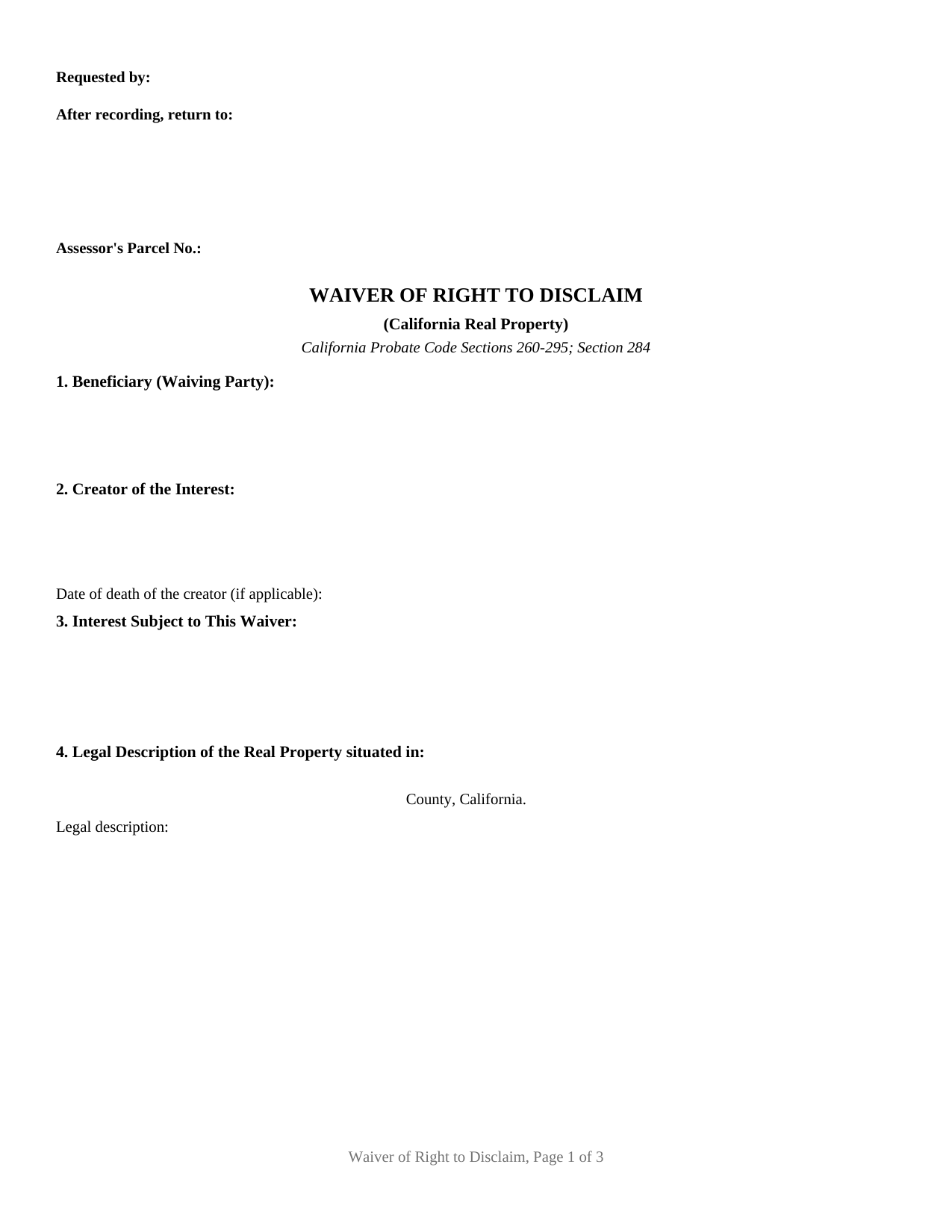
Sierra County Waiver of Right to Disclaim Form
Fill in the blank Waiver of Right to Disclaim form formatted to comply with all California recording and content requirements.
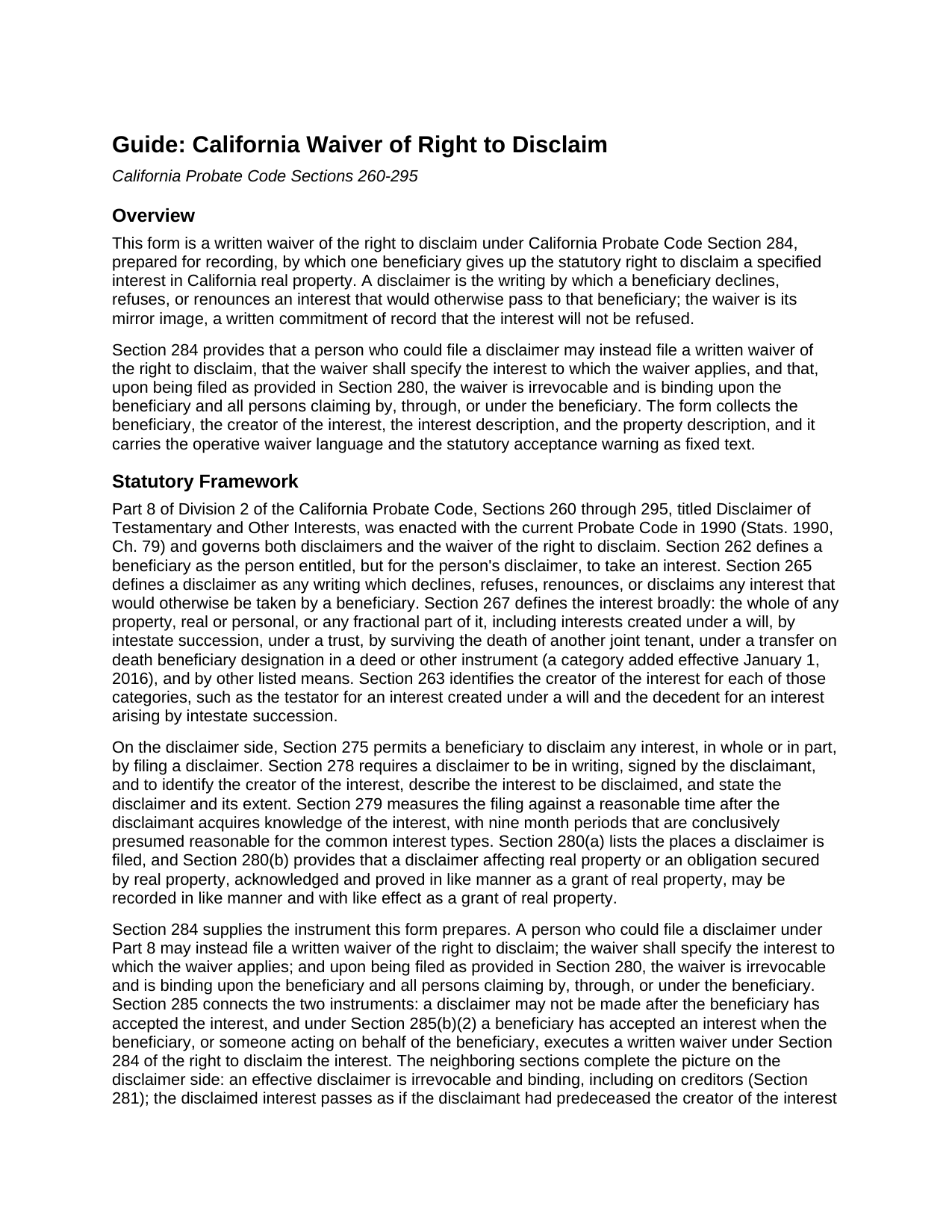
Sierra County Waiver of Right to Disclaim Guide
Line by line guide explaining every blank on the Waiver of Right to Disclaim form.
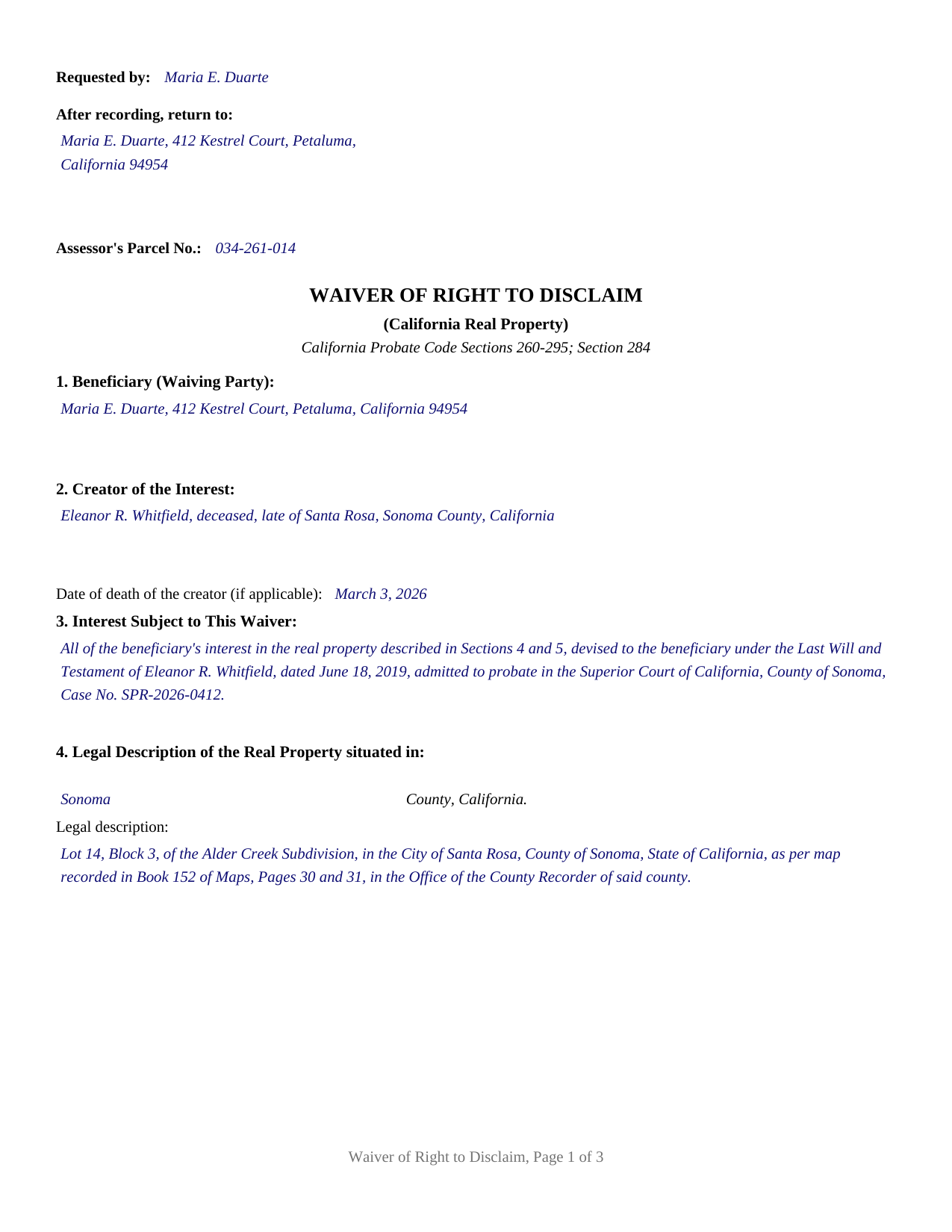
Sierra County Completed Example of the Waiver of Right to Disclaim Document
Example of a properly completed California Waiver of Right to Disclaim document for reference.
All 3 documents above included • One-time purchase • No recurring fees
Immediate Download • Secure Checkout
Additional California and Sierra County documents included at no extra charge:
Where to Record Your Documents
County Clerk-Recorder
Downieville, California 95936
Hours: 9:00 a.m. to 12:00 & 1:00 to 4:00 p.m.
Phone: (530) 289-3295
Recording Tips for Sierra County:
- Bring your driver's license or state-issued photo ID
- Ensure all signatures are in blue or black ink
- Request a receipt showing your recording numbers
- Ask about accepted payment methods when you call ahead
- Ask for certified copies if you need them for other transactions
Cities and Jurisdictions in Sierra County
Properties in any of these areas use Sierra County forms:
- Alleghany
- Calpine
- Downieville
- Goodyears Bar
- Loyalton
- Sierra City
- Sierraville
Hours, fees, requirements, and more for Sierra County
How do I get my forms?
Forms are available for immediate download after payment. The Sierra County forms will be in your account ready to download to your computer. An account is created for you during checkout if you don't have one. Forms are NOT emailed.
Are these forms guaranteed to be recordable in Sierra County?
Yes. Our form blanks are guaranteed to meet or exceed the applicable formatting requirements used for recording in Sierra County, including margin requirements, font requirements, and other layout standards. This guarantee applies to formatting, not to the legal sufficiency of information entered by the user or the suitability of a form for a particular transaction.
Can I reuse these forms?
Yes. You can reuse the forms for your personal use. For example, if you have multiple properties in Sierra County you only need to order once.
What do I need to use these forms?
The forms are PDFs that you fill out on your computer. The free Adobe Acrobat Reader is recommended, and most PDF apps also work. You do NOT enter your property information online - you download the blank forms and complete them privately on your own computer.
Are there any recurring fees?
No. This is a one-time purchase. Nothing to cancel, no memberships, no recurring fees.
How much does it cost to record in Sierra County?
Recording fees in Sierra County vary. Contact the recorder's office at (530) 289-3295 for current fees.
Questions answered? Let's get started!
A California waiver of the right to disclaim is the recorded counterpart to a disclaimer of interest: instead of refusing an inheritance, the beneficiary places on record that the inheritance will be kept. Probate Code Section 284 authorizes a person who could file a disclaimer to file, instead, a written waiver of the right to disclaim, and this fillable form prepares that waiver for one beneficiary and a specified interest in California real property.
The mirror image of a disclaimer
Part 8 of Division 2 of the Probate Code, Sections 260 through 295, gives a beneficiary two opposite instruments. A disclaimer declines, refuses, or renounces an interest that would otherwise pass to the beneficiary, so the property moves on as if the beneficiary had predeceased the person who created the interest. The Section 284 waiver runs the other way: it names an interest and gives up the statutory right to refuse it. The chapter reaches interests created under a will, by intestate succession, under a trust, by surviving a joint tenant, and under a transfer on death deed designation, among the categories listed in Section 267, and the waiver form is built for the real property setting, where the county records carry the answer.
Irrevocable once filed, binding on successors
Section 284 attaches hard consequences to a short instrument. Upon being filed as provided in Section 280, the waiver is irrevocable, and it binds the beneficiary and all persons claiming by, through, or under the beneficiary. Section 285(b)(2) adds a third: executing a written waiver under Section 284 counts as acceptance of the interest, and a disclaimer may not be made after the beneficiary has accepted the interest. The record gains certainty. Co-heirs dividing an estate, fiduciaries fixing distributive shares, and title examiners reading the chain all learn that the named interest cannot later be redirected by a disclaimer. That certainty is the instrument's work in settings such as negotiated family settlements, estate administrations closing with fixed distributees, and transactions that price an expected inheritance into the deal.
Specifying the interest
The statute's one content command is that the waiver specify the interest to which it applies, and the form is organized around that command. Its sections collect the beneficiary's name and mailing address, the creator of the interest (the testator, decedent, trustor, deceased joint tenant, or transfer on death transferor, following the definitions in Section 263), a description of the interest and how it arises, and the county, legal description, and street address of the real property, with the assessor's parcel number in the recording block. The operative section then states the waiver in the statute's own terms, states that the instrument is not a disclaimer and conveys nothing, and prints the Section 285 acceptance consequence as a capitalized warning, so the instrument reads complete on its face.
Notarization and the county records
California records acknowledged instruments, and Government Code Section 27287 makes the acknowledgment the gateway to recording. The form ends with the Civil Code Section 1189 certificate of acknowledgment, including the boxed identity notice that statute places at the top of every certificate for an acknowledgment taken in California. The first page reserves the statutory two and one half inch recording space, with the requester, return address, and parcel number lines in its left portion under Government Code Section 27361.6. The completed instrument goes to the county recorder of the county where the property is located. Section 284 also keys irrevocability to filing as provided in Section 280, which lists the superior court handling the estate, the distributing fiduciary, a custodian of the interest, and the creator of the interest as filing places, so a recorded waiver of a probate interest commonly has a counterpart filing in the estate file.
This product delivers the California waiver of right to disclaim as a fillable PDF, a completed example showing a Sonoma County fact pattern, and a guide that walks through each section, the statutes behind it, and the filing and recording steps. Nothing else is included, and the materials are informational only, not legal advice; a California attorney can address how a waiver or a disclaimer operates in a particular estate.
Important: Your property must be located in Sierra County to use these forms. Documents should be recorded at the county recording office listed above.
This Waiver of Right to Disclaim meets all recording requirements specific to Sierra County.
Our Promise
The documents you receive here are guaranteed to meet or exceed the applicable Sierra County recording format requirements. If there is a rejection caused by our formatting, we will correct the issue or refund your payment. This guarantee applies to document formatting only and does not extend to information entered by the user, the selection of the form, or the legal effect of the completed document.
Save Time and Money
Get your Sierra County Waiver of Right to Disclaim form done right the first time with Deeds.com Uniform Conveyancing Blanks. At Deeds.com, we understand that your time and money are valuable resources, and we don't want you to face a penalty fee or rejection imposed by a county recorder for submitting nonstandard documents. We constantly review and update our forms to meet rapidly changing state and county recording requirements for roughly 3,500 counties and local jurisdictions.
4.8 out of 5 - ( 4,837 Reviews )
Karen W. 5 out of 5 stars
Great experience. Easy.
We appreciate your business and value your feedback. Thank you. Have a wonderful day!
Griselle M. 5 out of 5 stars
Great service - it was my first time using the service and really recommend it. Due to COVID-19, my County Recorder's Office is closed and I was able to create the document using their vast templates, notarize it, and upload it into the system. The recording process took about 7 working days which is not bad considering that most people are working remotely. I will share this website and its many resources with my relatives and friends.
Thank you Griselle, glad we could help.
Jing H. 5 out of 5 stars
Excellent work. I have recommended some friends to your website and will continue. Thanks.
Thank you Jing. Have a fantastic day!
RONDA S. 5 out of 5 stars
I just love this site!
Thank you!
Anthony T. 4 out of 5 stars
Would be better if you could save the forms to word for easier use on your computer.
Thank you!
Ariel S. 5 out of 5 stars
Awesome....love the ease of use and response.
Thank you for the kinds words Ariel, we appreciate you! Have a fantastic day!
Sheri S. 5 out of 5 stars
So happy to have found this site. It’s just what I was looking for.
We are grateful for your feedback and looking forward to serving you again. Thank you!
YAZMIN M. 5 out of 5 stars
excellent
Thank you!
Steven C. 5 out of 5 stars
Easy but a little overpriced
We appreciate your business and value your feedback. Thank you. Have a wonderful day!
Stephen P. 5 out of 5 stars
Quick and Easy
Thank you!
Timothy G. 5 out of 5 stars
Downloadable documents, instructions and a completed sample form were just what I needed. Very pleased and easy to use. Deeds.com will be my first stop for any future documents I may need. Thank you!
We appreciate your business and value your feedback. Thank you. Have a wonderful day!
Sharon H. 5 out of 5 stars
I was able to print the deed and follow the instructions and sample deed quite easily. Thank you
We appreciate your business and value your feedback. Thank you. Have a wonderful day!
Richard R. 4 out of 5 stars
Deeds.com got the job done. My deed was successfully recorded.
Thank you for your feedback. We really appreciate it. Have a great day!
Jo Ann P. 3 out of 5 stars
Was hoping I would be sent copies on paper so I can fill them out without a desk computer
We appreciate your feedback. Our forms are delivered instantly as digital files, so customers can download and print as many copies as they need. This way, you have the flexibility to complete them by hand if you prefer.
Rita M. 5 out of 5 stars
I have not received the deed via email. That is what I was expecting. Let me know if I am incorrect in my thinking.
Thanks for reaching out. While we do send some email notifications, we do not email documents. All orders are available via your account. You can log into your account from the menu button at the top left of most pages on the website.