Denver County Mechanics Lien Release Form
Last validated October 19, 2026 by our Forms Development TeamFormatted for recording in Denver County, for property anywhere in the county: rural and unincorporated areas as well as Denver.
- 3 documents included
- Immediate PDF download
- Formatting guarantee
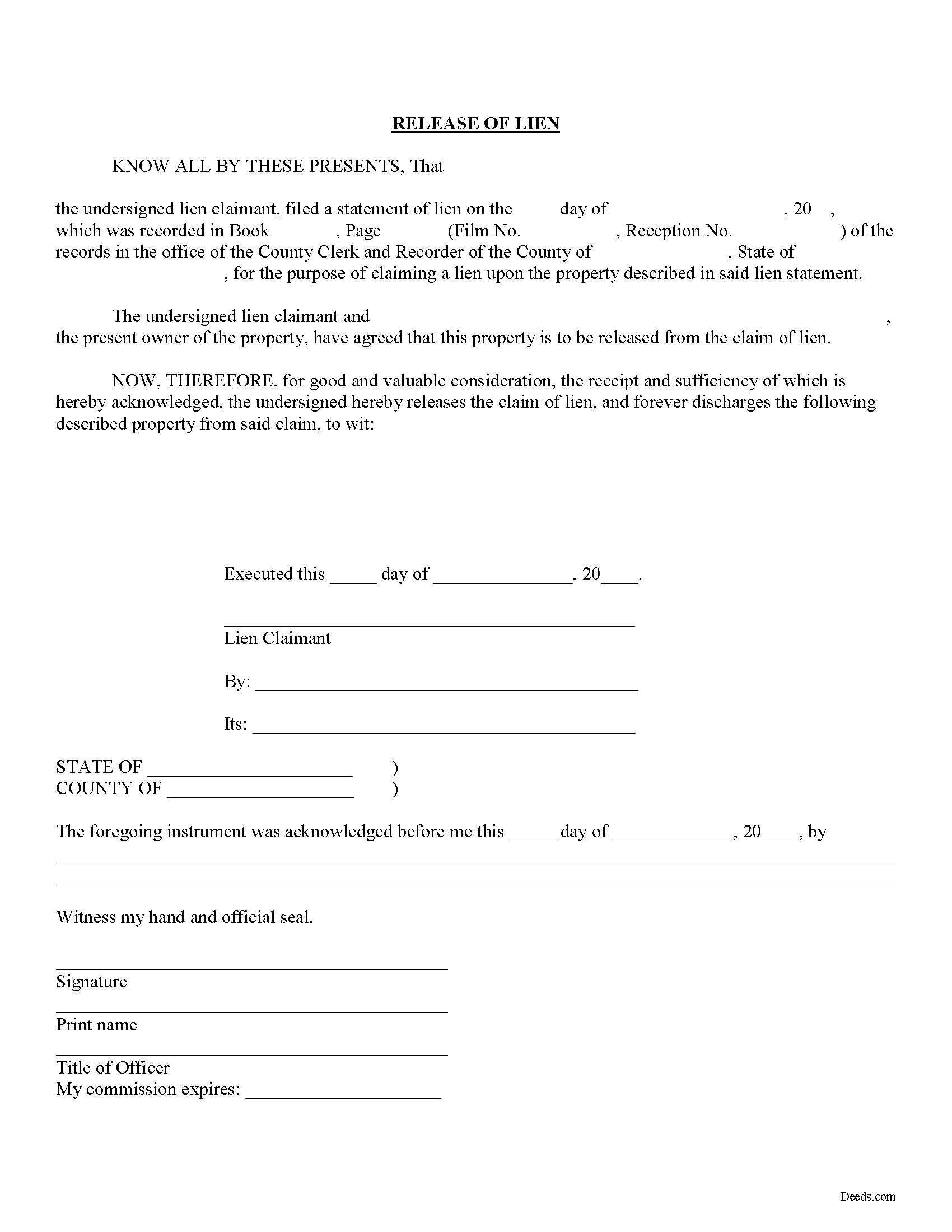
Denver County Mechanics Lien Release Form
Fill in the blank Mechanics Lien Release form formatted to comply with all Colorado recording and content requirements.
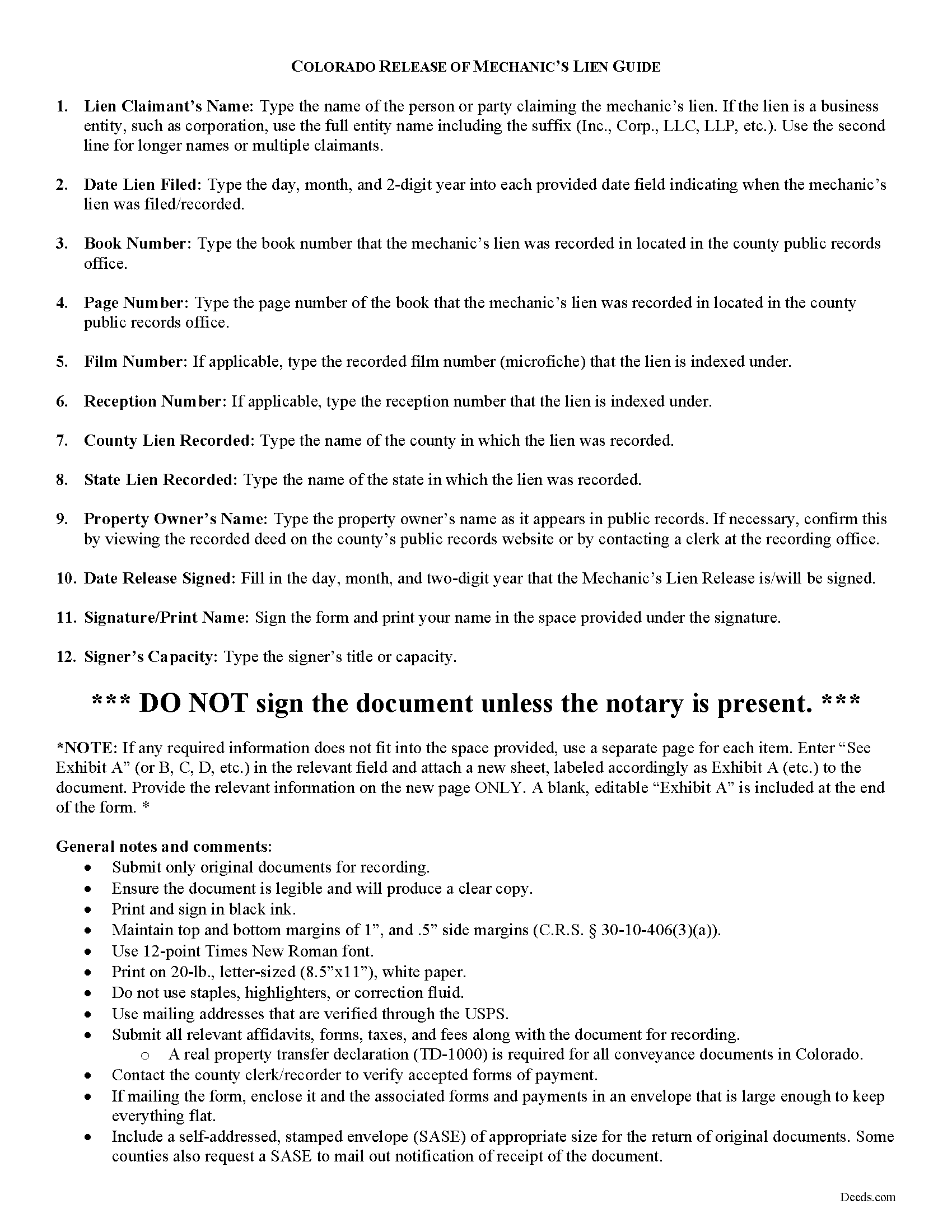
Denver County Mechanics Lien Release Guide
Line by line guide explaining every blank on the form.
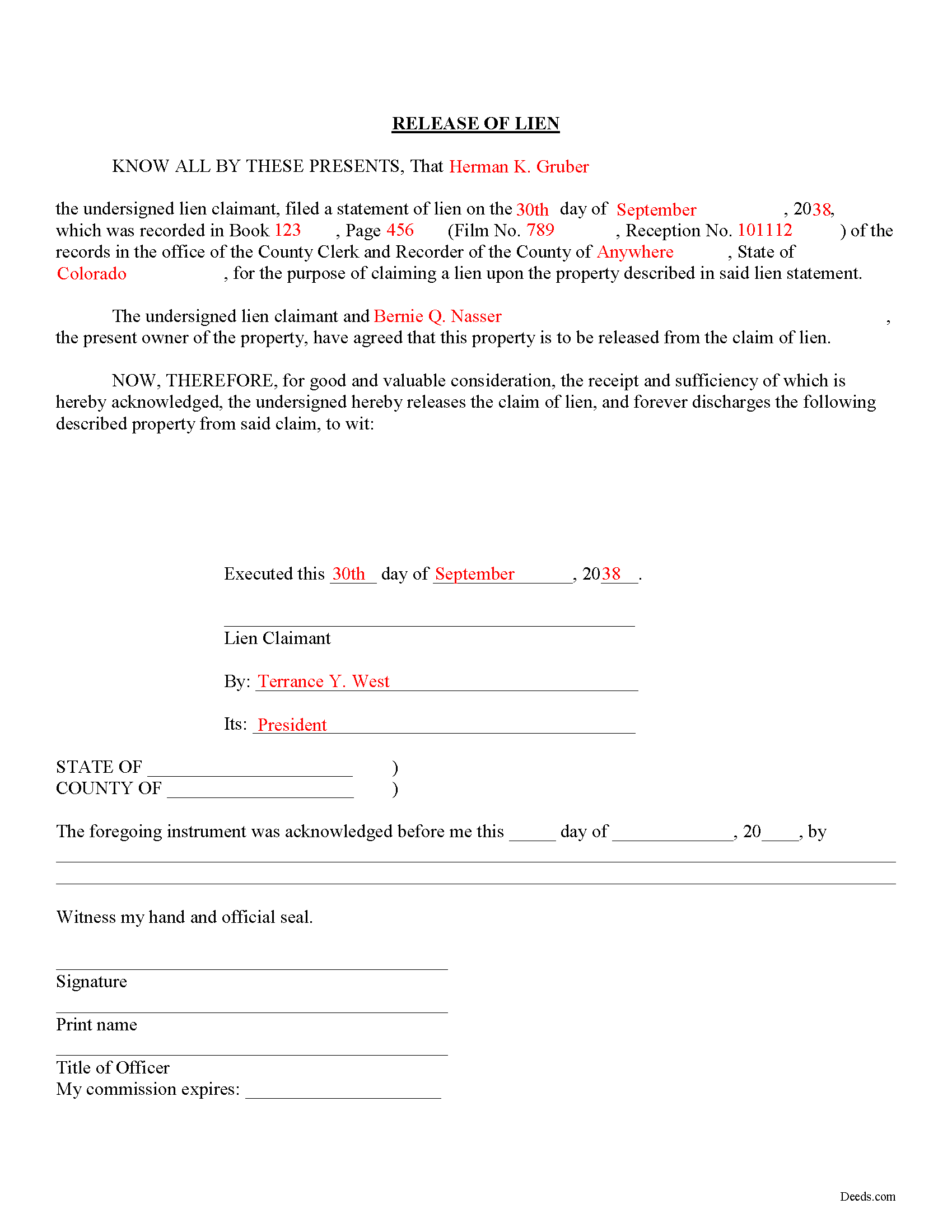
Denver County Completed Example of the Mechanics Lien Release Document
Example of a properly completed form for reference.
All 3 documents above included • One-time purchase • No recurring fees
Immediate Download • Secure Checkout
Additional Colorado and Denver County documents included at no extra charge:
Where to Record Your Documents
Denver County Clerk and Recorder
Denver, Colorado 80202
Hours: 8:00am-5:00pm M-F / Recording until 4:30pm
Phone: (720) 865-8400
Recording Tips for Denver County:
- Bring your driver's license or state-issued photo ID
- Ensure all signatures are in blue or black ink
- Check that your notary's commission hasn't expired
- Documents must be on 8.5 x 11 inch white paper
- Double-check legal descriptions match your existing deed
Cities and Jurisdictions in Denver County
Properties in any of these areas use Denver County forms:
- Denver
Hours, fees, requirements, and more for Denver County
How do I get my forms?
Forms are available for immediate download after payment. The Denver County forms will be in your account ready to download to your computer. An account is created for you during checkout if you don't have one. Forms are NOT emailed.
Are these forms guaranteed to be recordable in Denver County?
Yes. Our form blanks are guaranteed to meet or exceed the applicable formatting requirements used for recording in Denver County, including margin requirements, font requirements, and other layout standards. This guarantee applies to formatting, not to the legal sufficiency of information entered by the user or the suitability of a form for a particular transaction.
Can I reuse these forms?
Yes. You can reuse the forms for your personal use. For example, if you have multiple properties in Denver County you only need to order once.
What do I need to use these forms?
The forms are PDFs that you fill out on your computer. The free Adobe Acrobat Reader is recommended, and most PDF apps also work. You do NOT enter your property information online - you download the blank forms and complete them privately on your own computer.
Are there any recurring fees?
No. This is a one-time purchase. Nothing to cancel, no memberships, no recurring fees.
How much does it cost to record in Denver County?
Recording fees in Denver County vary. Contact the recorder's office at (720) 865-8400 for current fees.
Questions answered? Let's get started!
Releasing a Lien in Colorado
Colorado law doesn't provide for any mandated documents to release a lien, so how can a claimant (someone who filed a claim for lien against a property owner) accomplish this? When a lien has been satisfied, or needs to be released for any other purpose, use a lien release form.
The lien release form contains information about the lien claimant, the underlying mechanic's lien, and the property charged with the lien. By recording the document, the clerk at the recorder's office can locate the original lien and mark it as "discharged."
Find Colorado's General Mechanic's Lien laws at C.R.S. 38-22.
This article is provided for informational purposes only and should not be relied upon as a substitute for the advice of an attorney. If you have specific questions about releasing a lien, please speak with a Colorado attorney.
Important: Your property must be located in Denver County to use these forms. Documents should be recorded at the county recording office listed above.
This Mechanics Lien Release meets all recording requirements specific to Denver County.
Our Promise
The documents you receive here are guaranteed to meet or exceed the applicable Denver County recording format requirements. If there is a rejection caused by our formatting, we will correct the issue or refund your payment. This guarantee applies to document formatting only and does not extend to information entered by the user, the selection of the form, or the legal effect of the completed document.
Save Time and Money
Get your Denver County Mechanics Lien Release form done right the first time with Deeds.com Uniform Conveyancing Blanks. At Deeds.com, we understand that your time and money are valuable resources, and we don't want you to face a penalty fee or rejection imposed by a county recorder for submitting nonstandard documents. We constantly review and update our forms to meet rapidly changing state and county recording requirements for roughly 3,500 counties and local jurisdictions.
4.8 out of 5 - ( 4,831 Reviews )
David M. 5 out of 5 stars
Holy cow. I was told by several people that getting a deed recorded would take 7-10 days. So I thought I'd give deeds.com a try with their e-filing service. I created my account and submitted my deed around 4:00 p.m. and it was recorded before I woke up the next morning. Awesome service! Totally worth the $19 service fee.
We appreciate your business and value your feedback. Thank you. Have a wonderful day!
Toni M. 5 out of 5 stars
I liked having the forms. Some may need to know they can look at the legal Description from online county records, then type up in Word document line by line, the degree sign in Word program is achieved by using alt and 248 on number pad. Then on the form page one write SEE Exibit A and title your Word program description as Exibit A. Goes without saying the legal description should be looked over many times and it is easier to do so if you format your Word the same lineage as the legal description online which is usually not text which is why you have to retype it.
Thank you for your feedback. We really appreciate it. Have a great day!
Susan S. 5 out of 5 stars
Very quick, easy and readily available forms. No wait, no advertisements, no pressure to purchase MORE. I expected to only get part of the information I needed, and for there to be a hidden cost to get the complete package, but surprisingly, I got immediate access to all the forms I ordered, AND THERE WERE NO ADDITIONAL HIDDEN COSTS! How refreshing!
Thank you Susan, we really appreciate your feedback.
Michael S. 5 out of 5 stars
So easy.
Happy we could assist. Thank you for sharing your experience.
Janet R. 2 out of 5 stars
Disappointed. Description of Lien discharge form does not indicate it is specific to Mechanic liens. I'm inexperienced with liens & should have contacted someone before I ordered.
Sorry to hear that, it does look like our product description was lacking clarity. We have updated the description to better reflect the documents. We have also canceled your order and refunded the payment. Hope you have a great day.
Catherine B. 5 out of 5 stars
Wow absolutely amazing service. So quick and easy and makes what would be such a hassel a piece of cake. Outstanding value for money way cheaper than I expected. Will use again and highly recommend.
Your appreciative words mean the world to us. Thank you.
Sidney H. 5 out of 5 stars
Fabulous resource! They provide everything you need at an extremely reasonable price.
Thank you for your feedback. We really appreciate it. Have a great day!
Samantha Ann F. 5 out of 5 stars
I needed more knowledge to feel comfortable for using this form. I am sure it will work great for some people...for me I needed to contact an Estate Manager.
We understand that not every situation is a good fit for a do-it-yourself form package, especially when estate matters are involved. We’re glad you recognized when additional guidance would make you more comfortable, and we appreciate you giving our forms a try. Best wishes moving forward with your estate matter.
Wilma D. 5 out of 5 stars
The certification of trust looks fine to me. I printed it and filled it out and had it notarized today. I have not sent it to the company that wants it yet so that will be the test. They are very picky. If they have any comment I will let you know.
Thank you for your feedback. We really appreciate it. Have a great day!
Ronald C. 5 out of 5 stars
My goal was to find the Covenant, Conditions, and Restrictions for my HOA. From what I can read, these documents should be attached to our Deed (single family, patio home in New Hanover County). I am not sure if I have a copy of my Deed. I would need to check my Safe Deposit Box. Unfortunately, I was not successful at finding these documents from your Website. If you can help me find them, I would appreciate that.
It is most common to obtain a copy of CC&Rs directly from the HOA. Alternatively, they are also usually a matter of public record recorded with the local recorder and you can obtain a copy there.
Sheryl G. 5 out of 5 stars
Simple way to complete documents with very detailed instructions. And to be able to e-file them is great too.
We appreciate your business and value your feedback. Thank you. Have a wonderful day!
Fritz C. 5 out of 5 stars
Quick and complete info
Thank you!
David T. 5 out of 5 stars
This is a great service and terrific value. The form package provided (blank form, example form & set of instructions) was clear and easy to follow. Being able to complete the forms using the computer to insert the needed information saved countless hours. My completed form was accepted by the Clerk & Recorder office without any issue. Well worth the investment
We appreciate your business and value your feedback. Thank you. Have a wonderful day!
mary s. 3 out of 5 stars
It would help if pages of a document indicated 1 of 3 etc. When I downloaded the TOD guide I got a 4th page though it only showed 3 on the screen.
Thank you for your feedback. We really appreciate it. Have a great day!
Jennifer L L. 5 out of 5 stars
So far this has been a great experience. Very easy to use the deeds.com website and download the forms. Very nice that they give example forms and guides to help you fill out the forms. I just have to wait to make sure that the forms are accepted and recorded with no issues.
Your insights are invaluable to us and help us strive for better service. Thank you for taking the time to share your thoughts.