Garfield County Statement of Mechanics Lien Form
Last validated October 8, 2026 by our Forms Development TeamFormatted for recording in Garfield County, for property anywhere in the county: rural and unincorporated areas as well as Battlement Mesa, Carbondale, Glenwood Springs, New Castle, Parachute, Rifle, Silt.
- 3 documents included
- Immediate PDF download
- Formatting guarantee
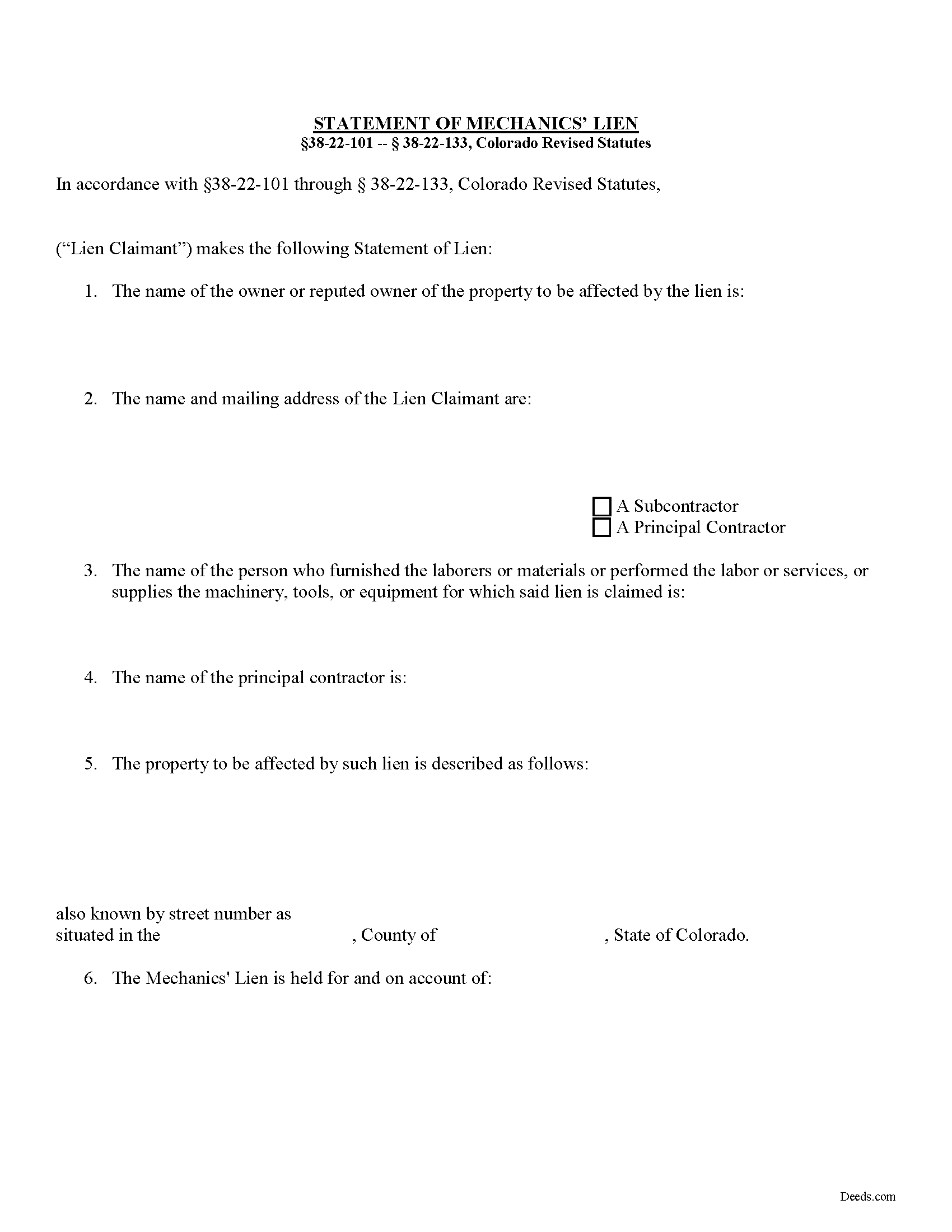
Garfield County Statement of Mechanics Lien Form
Fill in the blank Statement of Mechanics Lien form formatted to comply with all Colorado recording and content requirements.
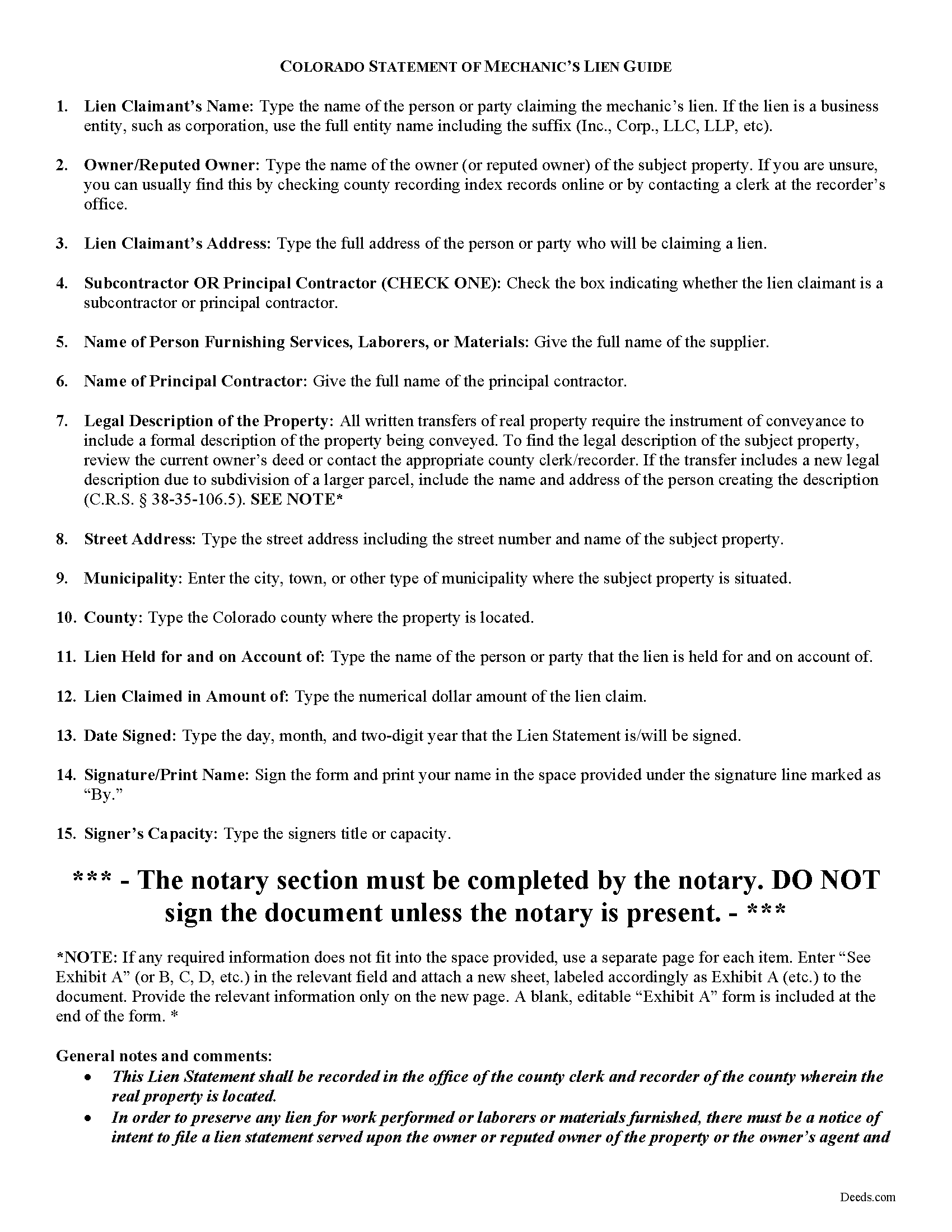
Garfield County Statement of Lien Guide
Line by line guide explaining every blank on the form.
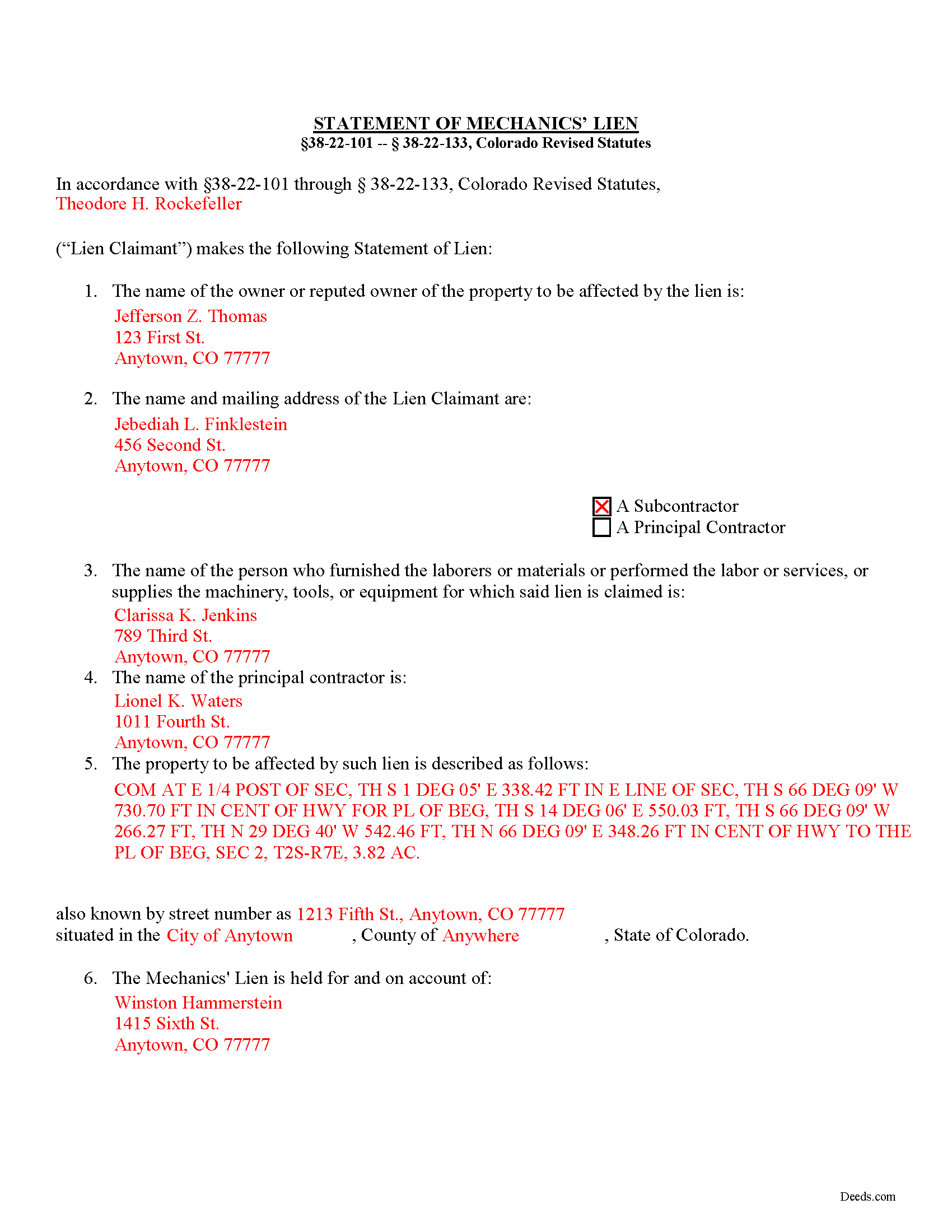
Garfield County Completed Example of the Verified Statement of Lien Document
Example of a properly completed form for reference.
All 3 documents above included • One-time purchase • No recurring fees
Immediate Download • Secure Checkout
Additional Colorado and Garfield County documents included at no extra charge:
Where to Record Your Documents
Garfield Clerk and Recorder
Glenwood Springs, Colorado 81601
Hours: 8:30am to 5:00pm Monday through Friday
Phone: 970-384-3700
Recording Tips for Garfield County:
- Bring your driver's license or state-issued photo ID
- Ensure all signatures are in blue or black ink
- Ask about accepted payment methods when you call ahead
- Ask for certified copies if you need them for other transactions
- Ask if they accept credit cards - many offices are cash/check only
Cities and Jurisdictions in Garfield County
Properties in any of these areas use Garfield County forms:
- Battlement Mesa
- Carbondale
- Glenwood Springs
- New Castle
- Parachute
- Rifle
- Silt
Hours, fees, requirements, and more for Garfield County
How do I get my forms?
Forms are available for immediate download after payment. The Garfield County forms will be in your account ready to download to your computer. An account is created for you during checkout if you don't have one. Forms are NOT emailed.
Are these forms guaranteed to be recordable in Garfield County?
Yes. Our form blanks are guaranteed to meet or exceed the applicable formatting requirements used for recording in Garfield County, including margin requirements, font requirements, and other layout standards. This guarantee applies to formatting, not to the legal sufficiency of information entered by the user or the suitability of a form for a particular transaction.
Can I reuse these forms?
Yes. You can reuse the forms for your personal use. For example, if you have multiple properties in Garfield County you only need to order once.
What do I need to use these forms?
The forms are PDFs that you fill out on your computer. The free Adobe Acrobat Reader is recommended, and most PDF apps also work. You do NOT enter your property information online - you download the blank forms and complete them privately on your own computer.
Are there any recurring fees?
No. This is a one-time purchase. Nothing to cancel, no memberships, no recurring fees.
How much does it cost to record in Garfield County?
Recording fees in Garfield County vary. Contact the recorder's office at 970-384-3700 for current fees.
Questions answered? Let's get started!
Statement of Lien in Colorado
Contractors and subcontractors have a unique remedy available to them when a property owner or some other party involved in the "chain" refuses to pay up. This special remedy is called a mechanic's lien, also sometimes known as a contractors, materialman, or construction lien. The lien works like a mortgage by giving a type of property interest to the lien holder. With a lien in place, it becomes more difficult for the owner to sell or refinance a property. Other contractors will also see there is already a lien before they begin any additional work. In Colorado, mechanic's liens are governed under 38-22-101 -- 38-22-133 of the Colorado Revised Statutes (C.R.S.). In Colorado, claimants must file a Statement of Lien document to claim a mechanic's lien.
The Statement of Lien must contain the following: (1) The name of the owner or reputed owner of such property, or in case such name is not known to him, a statement to that effect; (2) the name of the person claiming the lien; (3) the name of the person who furnished the laborers or materials or performed the labor for which the lien is claimed; (4) the name of the contractor when the lien is claimed by a subcontractor or by the assignee of a subcontractor, or, in case the name of such contractor is not known to a lien claimant, a statement to that effect; (5) a description of the property to be charged with the lien, sufficient to identify it; and (6) a statement of the amount due or owing such claimant. C.R.S. 38-22-109(1).
The Lien Statement must be signed and sworn to by the party, or by one of the parties who is claiming the lien, or by some other person on their behalf, to the best knowledge, information, and belief of the affiant; and the signature of any such affiant to any such verification shall be a sufficient signing of the statement. C.R.S. 38-22-109(2).
Before the Lien Statement can be filed, you must have fulfilled the preliminary notice requirement. In order to preserve any lien for work performed or laborers or materials furnished, there must be a notice of intent to file a lien statement served upon the owner or reputed owner of the property (or the owner's agent and the principal or prime contractor or his or her agent) at least ten (10) days before the time of filing the lien statement with the county clerk and recorder. C.R.S. 38-22-109(3). The notice of intent must be served by personal service or by registered or certified mail, return receipt requested, addressed to the last known address of such persons, and an affidavit of such service or mailing at least ten (10) days before filing of the lien statement. Id.
The timeline for filing the lien depends on who is the party claiming the lien. Mechanic's liens claimed for labor and work by the day or piece, (but without furnishing laborers or materials), must be filed for record after the last items of labor has been performed and at any time before the expiration of two months after the labor or work is completed. C.R.S. 38-22-109(4). All other lien claimants must file their claims at any time before the expiration of four months after the day on which the last labor is performed or the last act of furnishing laborers or materials. C.R.S. 38-22-109(5).
If there is an error in a filed lien statement, a new or amended statement may be filed within the periods provided for claiming a lien to correct or cure any mistake (or for the purpose of more fully complying with the provisions of the lien law). C.R.S. 38-22-109(6).
Once the lien is in place, remember it won't last forever. A mechanic's lien will not remain effective longer than one year from the filing of the lien, unless within thirty days after each annual anniversary of the filing of the lien statement, the lien claimant files an affidavit in the office of the county clerk and recorder of the county wherein the property is located, stating that the improvements on said property have not been completed. C.R.S. 38-22-109(8).
This article is provided for informational purposes only and should not be relied upon a substitute for the advice of an attorney. If you have any questions about claiming a mechanic's lien, please contact a Colorado-licensed attorney.
Important: Your property must be located in Garfield County to use these forms. Documents should be recorded at the county recording office listed above.
This Statement of Mechanics Lien meets all recording requirements specific to Garfield County.
Our Promise
The documents you receive here are guaranteed to meet or exceed the applicable Garfield County recording format requirements. If there is a rejection caused by our formatting, we will correct the issue or refund your payment. This guarantee applies to document formatting only and does not extend to information entered by the user, the selection of the form, or the legal effect of the completed document.
Save Time and Money
Get your Garfield County Statement of Mechanics Lien form done right the first time with Deeds.com Uniform Conveyancing Blanks. At Deeds.com, we understand that your time and money are valuable resources, and we don't want you to face a penalty fee or rejection imposed by a county recorder for submitting nonstandard documents. We constantly review and update our forms to meet rapidly changing state and county recording requirements for roughly 3,500 counties and local jurisdictions.
4.8 out of 5 - ( 4,836 Reviews )
David J. 5 out of 5 stars
Very easy to use and saved a lot of time
Thank you!
Brian M. 1 out of 5 stars
The document had all the information needed but could have been presented with a more professional look for the price.
We appreciate you highlighting the balance between compliance and presentation. While our main focus is on the legal correctness and statutory compliance of the documents, we also strive to present this information in a clear and accessible manner.
JENNIE W. 5 out of 5 stars
This is so much easier than going downtown to file paperwork! Thanks deeds.com!
Thank you!
Robert C. 5 out of 5 stars
I hope I have the right form. My deed should be for a mfg home.
Thank you for your feedback. We really appreciate it. Have a great day!
Kenny H. 5 out of 5 stars
The forms are extremely helpful. They could use some updating. Promissory note "...in the form of cash, check or money order." is a bit outdated. My note is with my son and we have an automatic bank transfer set up for payments. He could Venmo me. There are many other options and likely to be more changes in the future, so I know this is difficult to maintain.
Thank you for your feedback. We really appreciate it. Have a great day!
Ann W. 5 out of 5 stars
GREAT forms, easy to use and most importantly... compliant. Worth it and then some!
Thank you!
Joseph M. 5 out of 5 stars
Very easy to use the service and responses came very quickly.
Thank you!
LeAnne A. 5 out of 5 stars
Documents are helpful and much appreciated. Grateful for this service when an attorney is not required.
We appreciate your business and value your feedback. Thank you. Have a wonderful day!
Michelle G. 5 out of 5 stars
EXCEPTIONAL CUSTOMER SERIVCE!!! THANK YOU!!!
Thank you for your feedback. We really appreciate it. Have a great day!
Matilda B. 5 out of 5 stars
This was a good experience. I easily found the document I needed and easily downloaded it and its companion pages. I especially liked the explanations page and the sample document. Thanks!
Thank you for the kind review Matilda! We're glad you found the right document quickly and that the guide and sample document were helpful. They're there to make the process as clear as possible. We appreciate you choosing Deeds.com.
Altaray S. 5 out of 5 stars
Really fast turn around time, and was provided exactly what I was looking for this time. This is my first experience with this site. It would have been cool to also get a document depicting/describing a property line, but like I said before, exactly what I was looking for this time.
Thank you so much for your feedback Altaray, we really appreciate it.
Paul D. 5 out of 5 stars
Easy to use! The forms were perfect and everything was explained well! Will use again!
We appreciate your business and value your feedback. Thank you. Have a wonderful day!
Donald S. 5 out of 5 stars
Good
Thank you!
Catherine P. 5 out of 5 stars
I got what I needed and you provided great templates.
Thank you!
Brenda E. 5 out of 5 stars
This is a great tool to use. It makes recording documents so easy and convenient. The website is very user-friendly. The only suggestion I would have is if the website could email me directly when I have a message so I don't have to keep checking back to see if my document is ready.
Thank you for your feedback. We really appreciate it. Have a great day!