Saint Lucie County Full Release of Memorandum and Notice of Agreement Form
Last validated October 2, 2026 by our Forms Development TeamFormatted for recording in Saint Lucie County, for property anywhere in the county: rural and unincorporated areas as well as Fort Pierce, Port Saint Lucie.
- 3 documents included
- Immediate PDF download
- Formatting guarantee
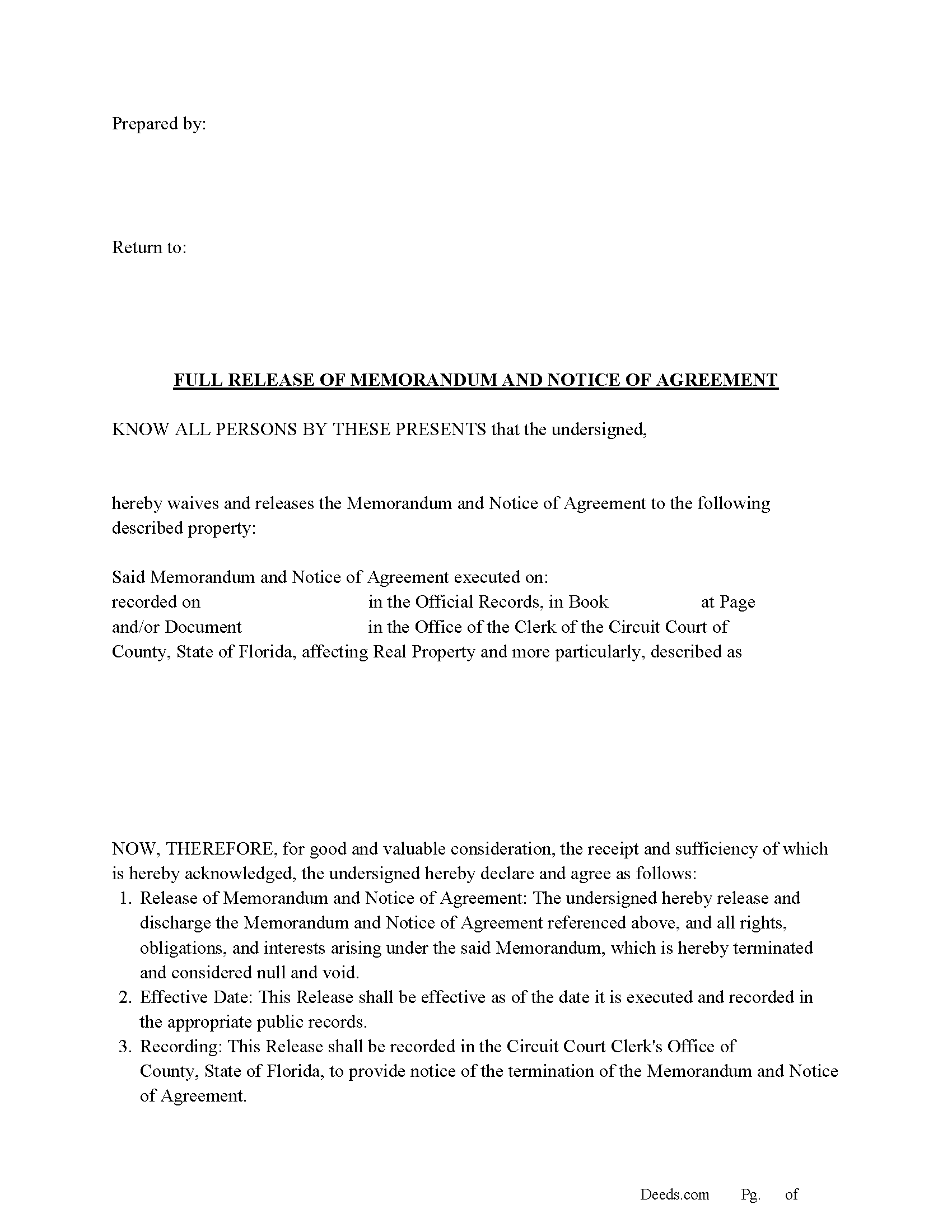
Saint Lucie County Full Release of Memorandum and Notice of Agreement Form
Fill in the blank Full Release of Memorandum and Notice of Agreement form formatted to comply with all Florida recording and content requirements.
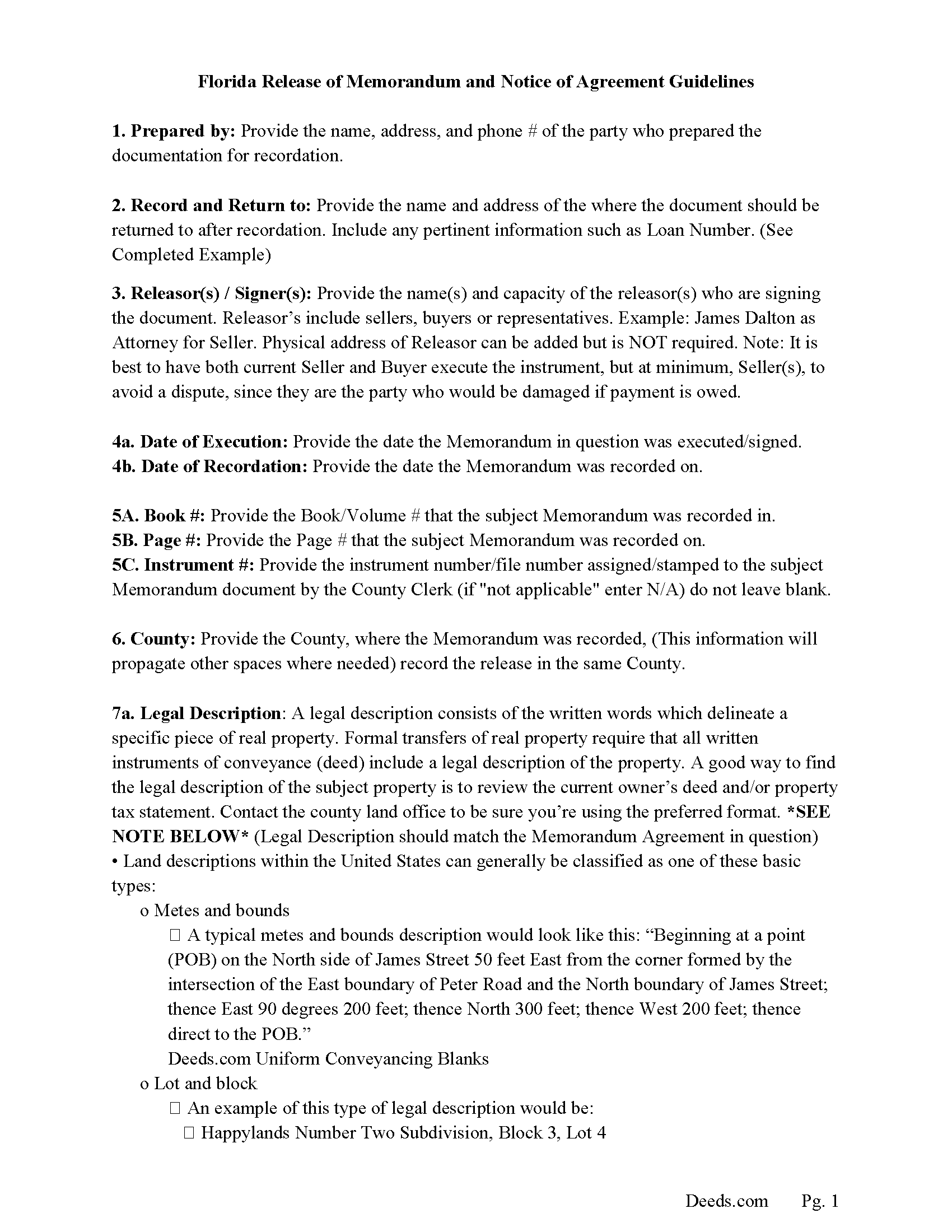
Saint Lucie County Full Release of Memorandum and Notice of Agreement Guide
Line by line guide explaining every blank on the Full Release of Memorandum and Notice of Agreement form.
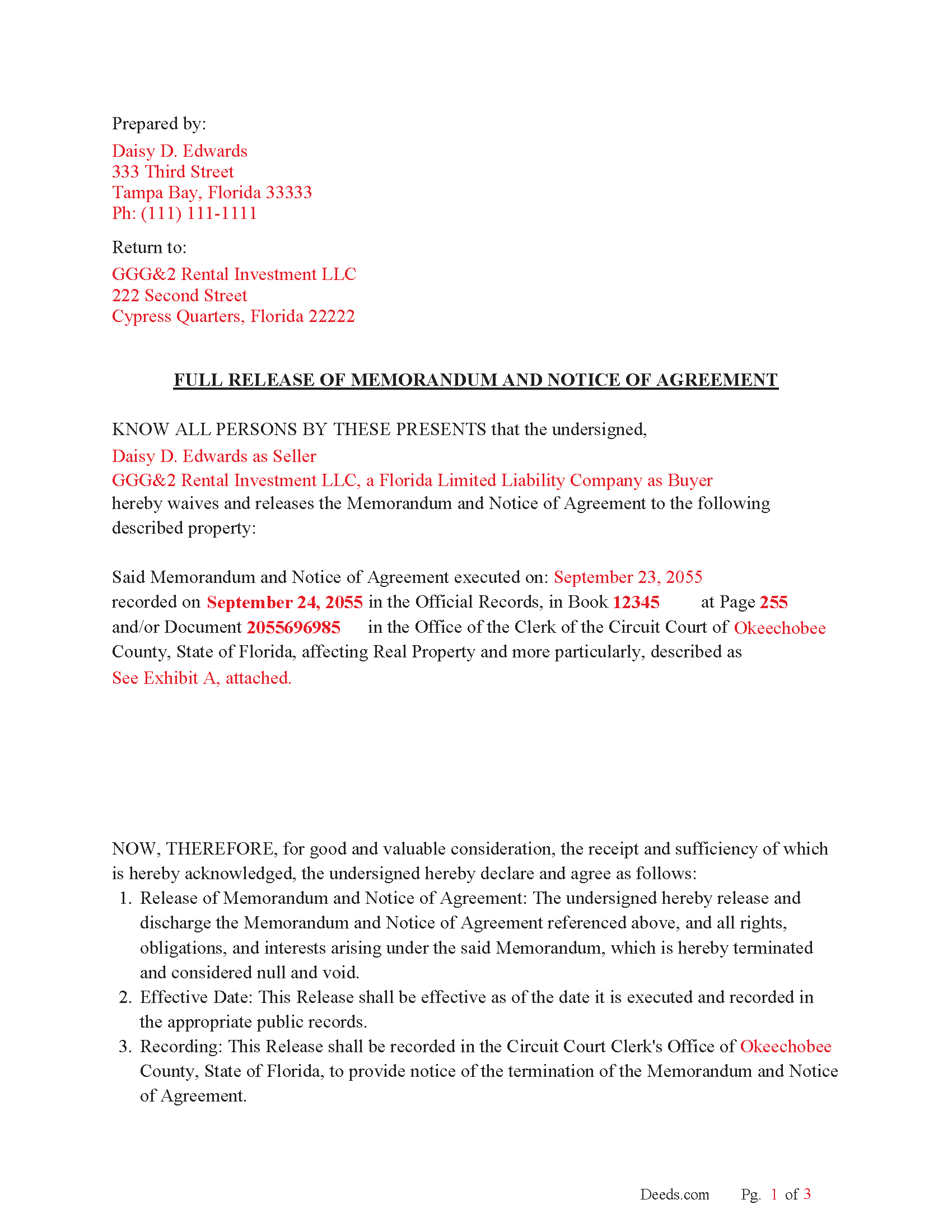
Saint Lucie County Completed Example of the Full Release of Memorandum and Notice of Agreement Document
Example of a properly completed Florida Full Release of Memorandum and Notice of Agreement document for reference.
All 3 documents above included • One-time purchase • No recurring fees
Immediate Download • Secure Checkout
Additional Florida and Saint Lucie County documents included at no extra charge:
Where to Record Your Documents
Clerk of Circuit Court: Recording Dept.
Ft. Pierce, Florida 34950
Hours: 8:00am - 5:00pm M-F
Phone: (772) 462-3207
Recording Tips for Saint Lucie County:
- Bring your driver's license or state-issued photo ID
- Ensure all signatures are in blue or black ink
- Both spouses typically need to sign if property is jointly owned
- Bring extra funds - fees can vary by document type and page count
- Check margin requirements - usually 1-2 inches at top
Cities and Jurisdictions in Saint Lucie County
Properties in any of these areas use Saint Lucie County forms:
- Fort Pierce
- Port Saint Lucie
Hours, fees, requirements, and more for Saint Lucie County
How do I get my forms?
Forms are available for immediate download after payment. The Saint Lucie County forms will be in your account ready to download to your computer. An account is created for you during checkout if you don't have one. Forms are NOT emailed.
Are these forms guaranteed to be recordable in Saint Lucie County?
Yes. Our form blanks are guaranteed to meet or exceed the applicable formatting requirements used for recording in Saint Lucie County, including margin requirements, font requirements, and other layout standards. This guarantee applies to formatting, not to the legal sufficiency of information entered by the user or the suitability of a form for a particular transaction.
Can I reuse these forms?
Yes. You can reuse the forms for your personal use. For example, if you have multiple properties in Saint Lucie County you only need to order once.
What do I need to use these forms?
The forms are PDFs that you fill out on your computer. The free Adobe Acrobat Reader is recommended, and most PDF apps also work. You do NOT enter your property information online - you download the blank forms and complete them privately on your own computer.
Are there any recurring fees?
No. This is a one-time purchase. Nothing to cancel, no memberships, no recurring fees.
How much does it cost to record in Saint Lucie County?
Recording fees in Saint Lucie County vary. Contact the recorder's office at (772) 462-3207 for current fees.
Questions answered? Let's get started!
The Florida Full Release of Memorandum and Notice of Agreement is used after a recorded notice of a purchase agreement or similar real estate contract has placed a buyer’s claimed interest into a Florida county’s Official Records. Florida’s version must do more than state that the contract is over: it needs to identify the original recorded memorandum, release the recorded notice in the county where it appears, and fit Florida’s recording rules for witnesses, notarization, preparer information, printed addresses, and clerk indexing.
What the Florida Full Release of Memorandum and Notice of Agreement Does
A recorded memorandum gives public notice of the existence of a purchase agreement without recording all contract terms. The full release records that the memorandum and notice are canceled, satisfied, terminated, or otherwise no longer claimed as a cloud against the Florida property. It is commonly used after a failed closing, mutual cancellation, expired contract, completed closing where the notice remains in the title chain, or another event that makes the recorded notice inaccurate; the release does not deed the property or replace the purchase contract itself.
Florida Statutory Requirements for a Recordable Release
Florida clerks record agreements, releases, cancellations, and other instruments relating to ownership, transfer, encumbrance, or claims against real property in the county Official Records (Fla. Stat. § 28.222). A full release of a recorded memorandum should connect clearly to the earlier notice by naming the county, the original parties, the recording date, the Official Records book and page or instrument number, and the legal description of the Florida property affected by the release.
Signing, Witnesses, and Notarization in Florida
- Releasing party signature. The party releasing the recorded claim or interest signs the instrument; many Florida releases also include both buyer and seller signatures when the original memorandum was executed by both sides.
- Two witnesses. Florida differs from many states because an instrument that releases an estate or interest in real property is signed in the presence of two subscribing witnesses (Fla. Stat. § 689.01).
- Acknowledgment for recording. To be recorded, the execution of an instrument concerning real property must be acknowledged by the party signing it, proved by a subscribing witness, or otherwise authenticated as allowed by Florida law (Fla. Stat. § 695.03).
- Printed names, addresses, and clerk space. Florida recording rules require the printed, typed, or stamped names and post-office addresses of each signer and witness, the natural-person preparer’s name and address, the notary’s printed name beneath the notary signature, and a 3-inch by 3-inch first-page recording space with a 1-inch by 3-inch space on later pages (Fla. Stat. § 695.26).
- Grantee information where applicable. If the release conveys or purports to convey any interest to a grantee, Florida requires the grantee’s name and post-office address to appear in the instrument (Fla. Stat. § 695.26).
Florida-Specific Title and Recording Traps
- Original recording data. A release that omits the original instrument number, Official Records book and page, or county recording reference may be accepted for recording but fail to make the title connection that a buyer, lender, or title examiner expects.
- Legal description and plat references. For platted Florida property, recorded plats establish the identity of the land and allow conveyance by reference to the plat (Fla. Stat. § 177.021). A lot and block description should carry the subdivision name and plat book and page; a tax parcel number alone is not a substitute for the legal description in the recorded memorandum.
- Homestead and spouse issues. Florida homestead real estate owned by a married person is subject to the constitutional joinder rule for alienation by mortgage, sale, or gift (Fla. Const. art. X, § 4(c)). Because a recorded memorandum often grows out of a sale contract, title review may focus on marital status, spouse joinder, or a non-homestead recital when homestead rights are implicated.
- Marital status recitals. Individual Florida signers are often identified as married or unmarried, or the instrument recites that the property is not homestead, so the release can be matched to the same title facts that controlled the original agreement.
- Survivorship and multiple-party vesting. Florida does not presume right of survivorship for transfers to two or more people, except estates by the entirety; survivorship must be express (Fla. Stat. § 689.15). A release connected to a memorandum signed by spouses, joint tenants, trustees, or entities should mirror the names and capacities used in the recorded notice.
- Documentary stamp tax. Florida documentary stamp tax is tied to instruments that convey real property interests for consideration (Fla. Stat. § 201.02). A release that only clears a recorded notice is not written as a deed transferring title, but tax questions can arise if the instrument includes independent conveyance or consideration language.
- Preparer identification. Florida requires the name and address of the natural person who prepared the instrument or supervised its preparation; a company name alone can create recording problems (Fla. Stat. § 695.26).
Recording the Release in the Florida County Official Records
After signing, the release is recorded with the clerk of the circuit court in the same Florida county where the memorandum and notice were recorded. If the affected property or prior notice appears in more than one county, a release may need to be recorded in each county record where the notice appears. Florida instruments are treated as recorded when the clerk assigns the consecutive official register number, and the sequence of those numbers determines priority of recordation and notice to all persons (Fla. Stat. § 695.11).
Details the Florida Release Connects in the Title Record
The form is built to connect the clearing instrument to the existing Florida Official Records entry. It identifies the buyer, seller, or other original parties; the recorded memorandum and notice; the county recording reference; the property description; and the full release language that removes the recorded notice from the active title chain without relying on the private purchase agreement to explain the release.
What Is Included in the Florida Full Release of Memorandum and Notice of Agreement Download Package
- Florida Full Release of Memorandum and Notice of Agreement form for the selected county
- Instructions prepared by Deeds.com’s forms development team
- Completed example showing how the release is commonly filled out
- Florida recording checklist covering witnesses, notarization, preparer information, printed names and addresses, property description, and Official Records reference
- Supplemental transfer and recording information commonly needed for Florida county recording offices
Important: Your property must be located in Saint Lucie County to use these forms. Documents should be recorded at the county recording office listed above.
This Full Release of Memorandum and Notice of Agreement meets all recording requirements specific to Saint Lucie County.
Our Promise
The documents you receive here are guaranteed to meet or exceed the applicable Saint Lucie County recording format requirements. If there is a rejection caused by our formatting, we will correct the issue or refund your payment. This guarantee applies to document formatting only and does not extend to information entered by the user, the selection of the form, or the legal effect of the completed document.
Save Time and Money
Get your Saint Lucie County Full Release of Memorandum and Notice of Agreement form done right the first time with Deeds.com Uniform Conveyancing Blanks. At Deeds.com, we understand that your time and money are valuable resources, and we don't want you to face a penalty fee or rejection imposed by a county recorder for submitting nonstandard documents. We constantly review and update our forms to meet rapidly changing state and county recording requirements for roughly 3,500 counties and local jurisdictions.
4.8 out of 5 - ( 4,824 Reviews )
Joey S. 5 out of 5 stars
This is the easiest process ever!
Thank you!
Nancy C. 3 out of 5 stars
Very disappointed that you had certain documents but did not have the accompanying documents needed to complete the transfer. I also had issues with the documents not allowing you to fill in the pages... example the document was prefilled in as so ... Page 1 of_____ but you could not fill in the blank... I tried reaching out to your customer service, but they had no solution for me. So, I had to write in the page, which didn't look professional. I think I could have gotten documents just as good for free if I'd research a little longer.
Thank you for your feedback, Nancy.
The Virginia Transfer on Death Deed and the Virginia Transfer on Death Beneficiary Affidavit are separate documents and are offered individually because many customers only need one, depending on their situation. In your case, the affidavit was later ordered separately.
Regarding the page numbering (“Page 1 of ___”), that field is intentionally left blank. The total number of pages is not known until the document is finalized, signed, notarized, and all attachments (such as exhibits or legal descriptions) are included. It is standard practice to complete that portion by hand at execution so the final page count accurately reflects the recorded document.
We are unable to locate a customer service inquiry associated with your order, but we are always glad to assist when contacted directly.
We appreciate your feedback and wish you the best with your transfer.
Iryna D. 5 out of 5 stars
Exelent work!
We appreciate your business and value your feedback. Thank you. Have a wonderful day!
Angela L. 5 out of 5 stars
AWESOME!
Thank you!
Jayne S. 5 out of 5 stars
Very prompt and excellent service!
Thank you for your feedback. We really appreciate it. Have a great day!
Precious M. 5 out of 5 stars
great quick response
Thank you!
Sue B. 5 out of 5 stars
Easy to download and complete. Thank you for this service!
Thank you for your feedback Sue, we really appreciate it!
Robin G. 5 out of 5 stars
Very Pleased. Was so easy and No hidden cost. Second time I have used their services. Would not use any other deed website.
We appreciate your business and value your feedback. Thank you. Have a wonderful day!
Rose H. 5 out of 5 stars
I am so glad I found this resource! As the Executor of a family members estate I wanted to save money by bypassing a lawyer as it seemed pretty straight forward to tranfer a Life Estate to the remainderman. (I had original deeds). But talking with 3 different states and 4 different counties - none of which seemed to need the same documents, I was almost ready to dump this in a lawyer's lap. This resource makes it simple!
We appreciate your business and value your feedback. Thank you. Have a wonderful day!
Donna T. 5 out of 5 stars
Very clear instructions. All documents were easy to download and print.
Thank you for your feedback. We really appreciate it. Have a great day!
DEBORAH H. 5 out of 5 stars
I found everything I needed
Your feedback is valuable to us and helps us improve. Thank you for sharing your thoughts!
Sarjit K. 5 out of 5 stars
excellent
Thank you!
Stephen U. 5 out of 5 stars
This is another great deal that has come out of the quarantine for covid. Saved me hours and days of time. and provides a way to file deeds that really isn't done effectively anyway else. It was also very inexpensive that you would not expect. I didn't even have to leave home.
Thank you for your feedback. We really appreciate it. Have a great day!
Robert K. 5 out of 5 stars
This document was exactly what I needed and with the corresponding sample I was easily able to complete it. This saved me a lot of money by not having to hire an attorney to fill out a form. Thank you!
Thank you for your feedback. We really appreciate it. Have a great day!
Laurie S. 5 out of 5 stars
This was amazingly easy to access.
We appreciate your business and value your feedback. Thank you. Have a wonderful day!