Charlotte County Life Estate Quitclaim Deed Form
Last validated October 12, 2026 by our Forms Development TeamFormatted for recording in Charlotte County, for property anywhere in the county: rural and unincorporated areas as well as El Jobean, Englewood, Murdock, Placida, Port Charlotte, Punta Gorda, Rotonda West.
- 3 documents included
- Immediate PDF download
- Formatting guarantee
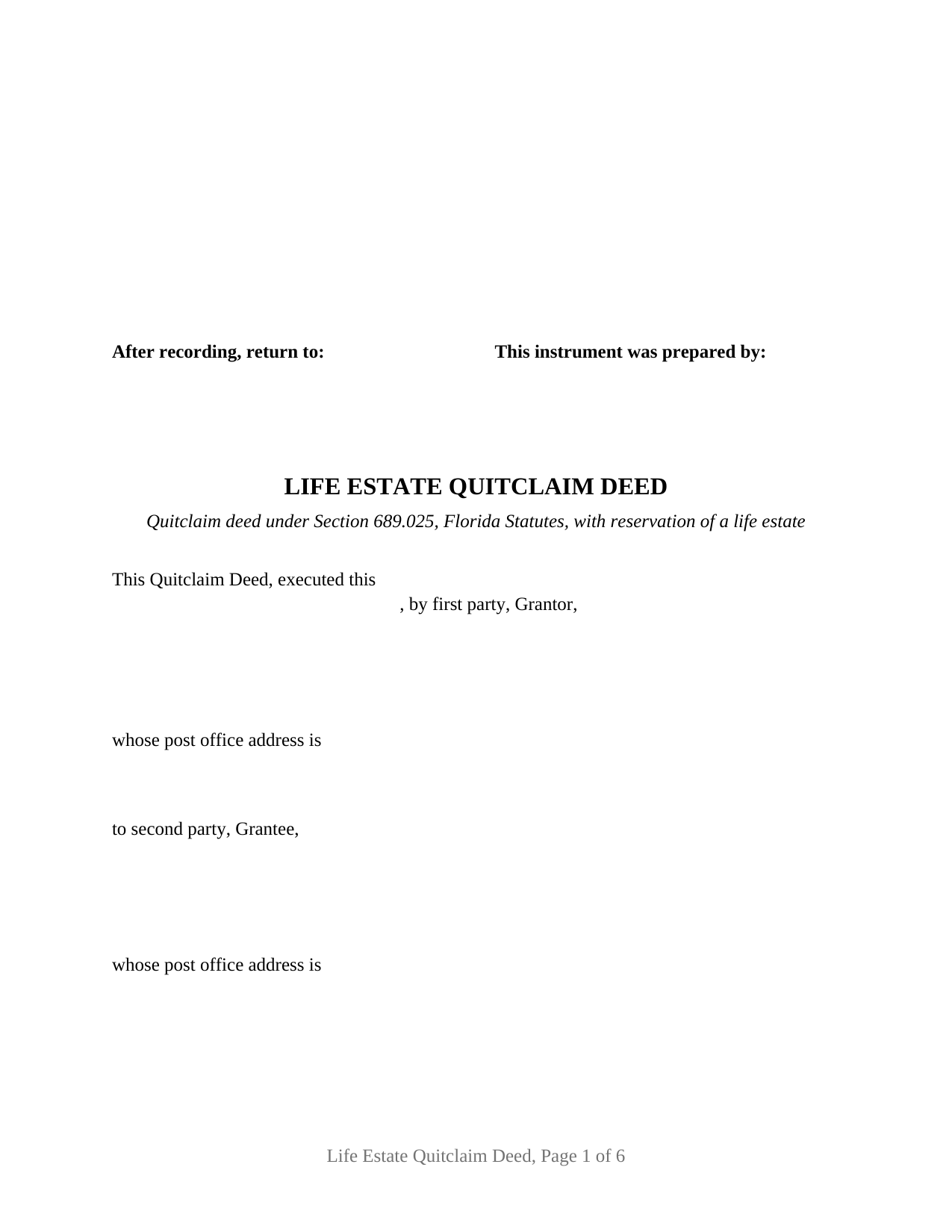
Charlotte County Life Estate Quitclaim Deed Form
Fill in the blank Life Estate Quitclaim Deed form formatted to comply with all Florida recording and content requirements.
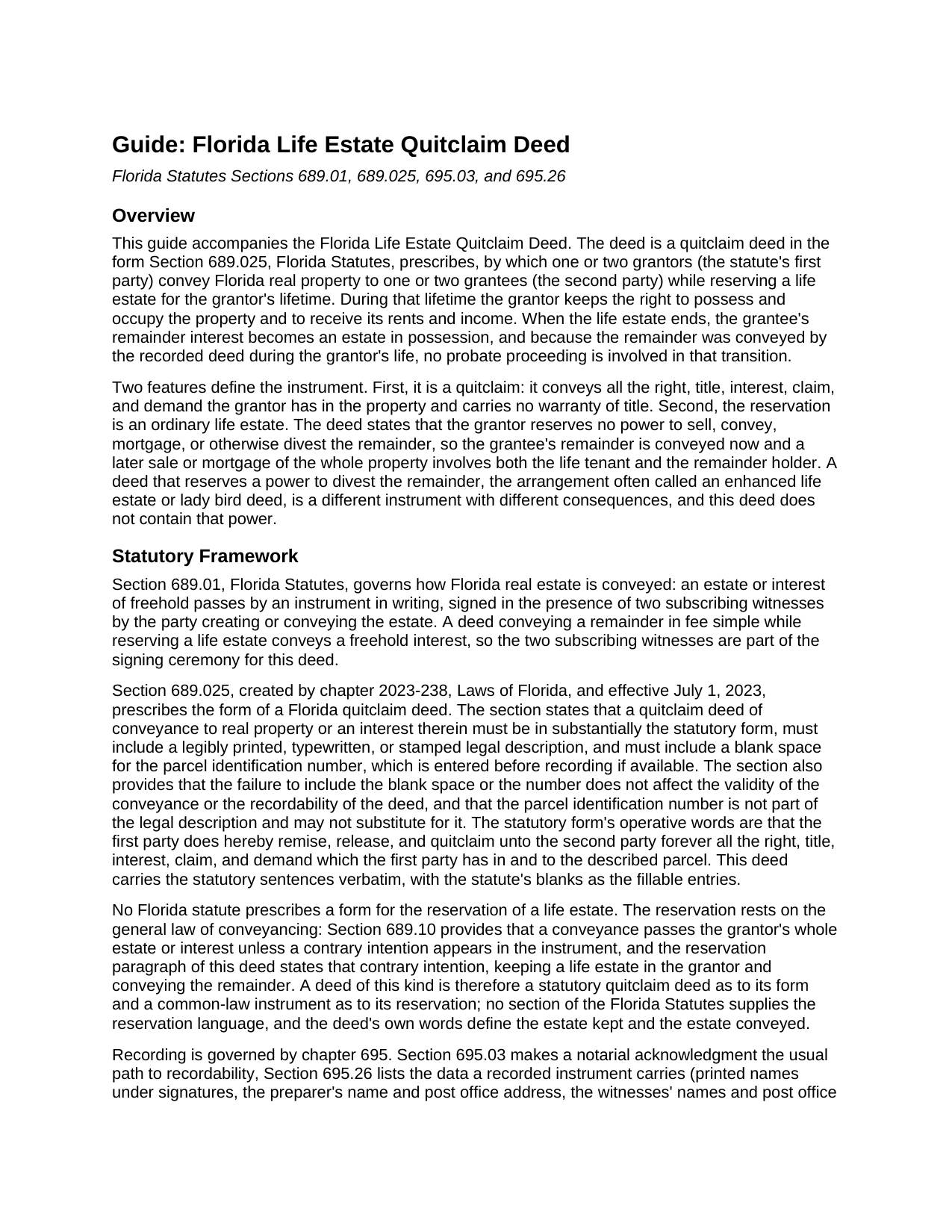
Charlotte County Life Estate Quitclaim Deed Guide
Line by line guide explaining every blank on the Life Estate Quitclaim Deed form.
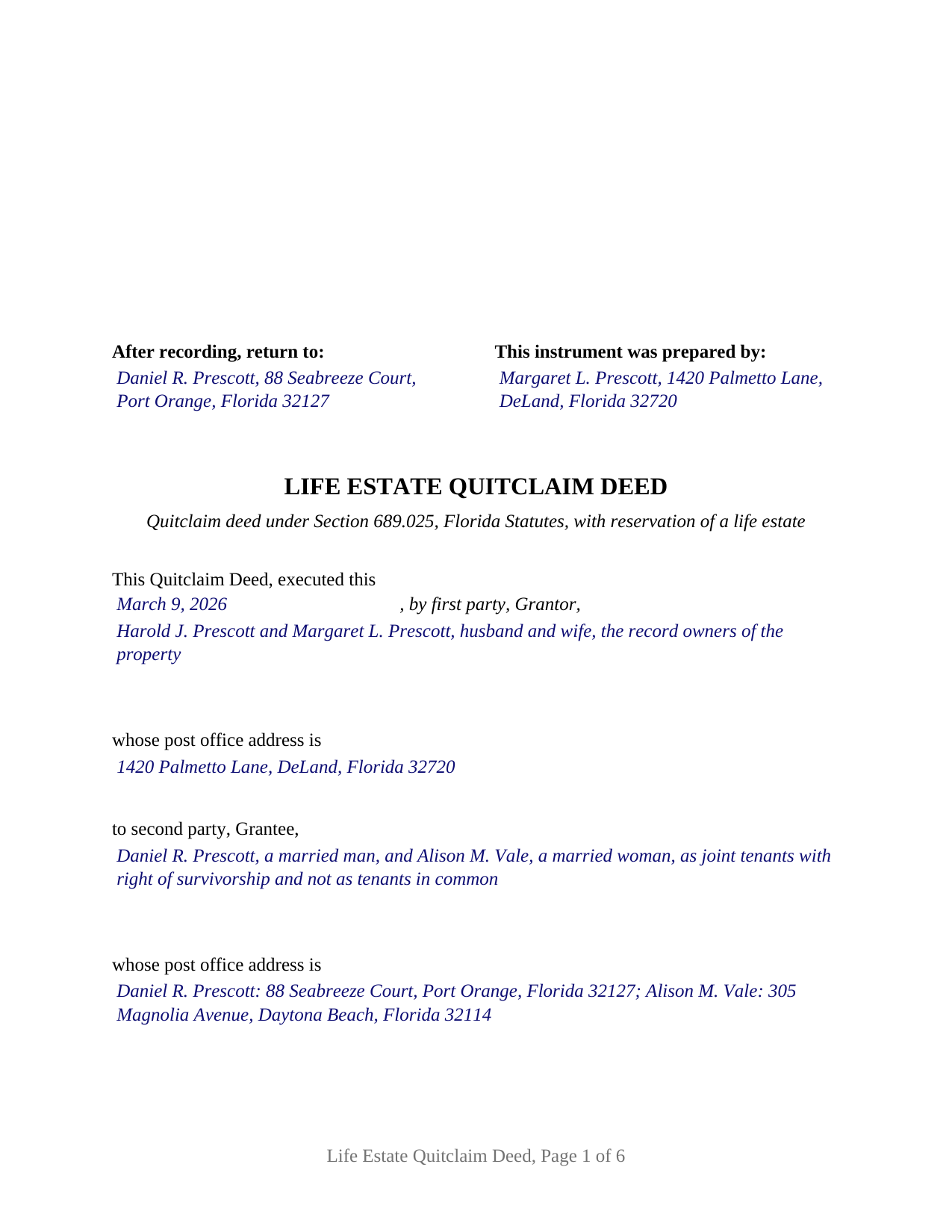
Charlotte County Completed Example of the Life Estate Quitclaim Deed Document
Example of a properly completed Florida Life Estate Quitclaim Deed document for reference.
All 3 documents above included • One-time purchase • No recurring fees
Immediate Download • Secure Checkout
Additional Florida and Charlotte County documents included at no extra charge:
Where to Record Your Documents
Clerk of the Court - Justice Center
Punta Gorda, Florida 33950
Hours: 8:00am - 5:00pm M-F
Phone: (941) 505-4716
Murdock Administration Building
Charlotte, Florida 33948
Hours: 8:00am - 5:00pm M-F
Phone: (941) 743-1400
Recording Tips for Charlotte County:
- Bring your driver's license or state-issued photo ID
- Ensure all signatures are in blue or black ink
- Bring extra funds - fees can vary by document type and page count
- Check margin requirements - usually 1-2 inches at top
- Leave recording info boxes blank - the office fills these
Cities and Jurisdictions in Charlotte County
Properties in any of these areas use Charlotte County forms:
- El Jobean
- Englewood
- Murdock
- Placida
- Port Charlotte
- Punta Gorda
- Rotonda West
Hours, fees, requirements, and more for Charlotte County
How do I get my forms?
Forms are available for immediate download after payment. The Charlotte County forms will be in your account ready to download to your computer. An account is created for you during checkout if you don't have one. Forms are NOT emailed.
Are these forms guaranteed to be recordable in Charlotte County?
Yes. Our form blanks are guaranteed to meet or exceed the applicable formatting requirements used for recording in Charlotte County, including margin requirements, font requirements, and other layout standards. This guarantee applies to formatting, not to the legal sufficiency of information entered by the user or the suitability of a form for a particular transaction.
Can I reuse these forms?
Yes. You can reuse the forms for your personal use. For example, if you have multiple properties in Charlotte County you only need to order once.
What do I need to use these forms?
The forms are PDFs that you fill out on your computer. The free Adobe Acrobat Reader is recommended, and most PDF apps also work. You do NOT enter your property information online - you download the blank forms and complete them privately on your own computer.
Are there any recurring fees?
No. This is a one-time purchase. Nothing to cancel, no memberships, no recurring fees.
How much does it cost to record in Charlotte County?
Recording fees in Charlotte County vary. Contact the recorder's office at (941) 505-4716 for current fees.
Questions answered? Let's get started!
A Florida life estate quitclaim deed does two things in one recorded instrument: it conveys the property to the people who will own it after the grantor's death, and it keeps the grantor in possession for life. This form prepares that deed in the form Section 689.025, Florida Statutes, prescribes for a quitclaim, with a life estate reserved to one or two grantors conveying in their own right.
A remainder conveyed now, possession kept for life
The operative sentence is the statute's: the first party does hereby remise, release, and quitclaim unto the second party forever all the right, title, interest, claim, and demand the first party has in the described land. The reservation paragraph then states the contrary intention Section 689.10 contemplates, keeping a life estate in the grantor with the right to possess and occupy the property and to receive its rents and income. The grantee receives the remainder at signing, a present interest that becomes an estate in possession when the life estate ends; because the remainder was conveyed by a deed recorded during the grantor's life, the change of possession at death is a matter of the public record rather than a probate proceeding.
With two grantors, the deed reserves the life estate for their joint lives and for the life of the survivor, so the remainder becomes possessory at the second death. The reservation reads to every person who signs as first party, including a spouse joining in the conveyance of a homestead under article X, section 4(c) of the Florida Constitution.
An ordinary life estate, not an enhanced one
Florida practice knows two reservations that look alike and operate differently. The enhanced life estate, commonly called a lady bird deed, reserves a power to sell, mortgage, or otherwise divest the remainder without the remainder holder's joinder. This deed reserves no such power and says so. The remainder is the grantee's from delivery, a later sale or mortgage of the whole property involves both the life tenant and the remainder holder, and the grantor cannot undo the conveyance alone. The guide describes the Department of Revenue rule under which a life estate supports a homestead exemption claim.
Who the deed recites
The form carries one free-form entry for the first party, Grantor, and one for the second party, Grantee, each sized for one or two natural persons with a post office address under each, and it preprints nothing about marital status or how the grantees hold the remainder. One or two grantors conveying to one or two grantees, with status words and any survivorship or entireties designation written in as the record shows them, is the configuration the deed recites; the completed example shows two spouses conveying to two grantees as joint tenants with right of survivorship. A corporation, trustee, or attorney in fact as grantor, a trust or entity as remainder holder, or three or more persons on either side is a different instrument the deed is not set up to recite.
Two witnesses for each grantor, and a certificate for each
Section 689.01 requires a Florida conveyance of a freehold interest to be signed in the presence of two subscribing witnesses, and since January 1, 2024, Section 695.26 has made each witness's printed name and post office address recording data. The deed carries two grantor signature blocks with two witness blocks under each, and an acknowledgment certificate for each grantor in the Section 695.25(1) short form, with a reserved area for the rubber stamp seal Section 117.05 requires. A one-grantor conveyance leaves the second block, its witnesses, and its certificate blank.
Recording and the documentary stamp
The deed is recorded with the clerk of the circuit court of the county where the land lies, with the clerk's three-inch square reserved at the top right of the first page and the parcel identification number blank Section 689.025(3) calls for. Documentary stamp tax under Section 201.02 is collected at recording on the consideration, which includes the balance of any mortgage on the property whether or not the grantee assumes it, so a life estate deed of mortgaged property to a child is taxed on that balance.
The package includes the fillable life estate quitclaim deed, a completed example filled in for a Volusia County fact pattern, and the guide to every entry, the signing ceremony, and recording. This description and the guide describe the form and the governing Florida statutes in general terms; they are not legal advice.
Important: Your property must be located in Charlotte County to use these forms. Documents should be recorded at the county recording office listed above.
This Life Estate Quitclaim Deed meets all recording requirements specific to Charlotte County.
Our Promise
The documents you receive here are guaranteed to meet or exceed the applicable Charlotte County recording format requirements. If there is a rejection caused by our formatting, we will correct the issue or refund your payment. This guarantee applies to document formatting only and does not extend to information entered by the user, the selection of the form, or the legal effect of the completed document.
Save Time and Money
Get your Charlotte County Life Estate Quitclaim Deed form done right the first time with Deeds.com Uniform Conveyancing Blanks. At Deeds.com, we understand that your time and money are valuable resources, and we don't want you to face a penalty fee or rejection imposed by a county recorder for submitting nonstandard documents. We constantly review and update our forms to meet rapidly changing state and county recording requirements for roughly 3,500 counties and local jurisdictions.
4.8 out of 5 - ( 4,842 Reviews )
Gary S. 5 out of 5 stars
Easy to use. Very helpful
Thank you!
JOANN S. 5 out of 5 stars
easy to use and understand forms. saved completed on my computer with no issues, even emailed them to my son for printing. recommend.
Thank you for the kind words Joann, have an amazing day!
GLENN C. 5 out of 5 stars
Your response was very thorough
Thank you for your feedback. We really appreciate it. Have a great day!
Tracey T. 5 out of 5 stars
I downloaded the Lady Bird deed. The process was quick and easy to download. Just select your county, fill out the form. You will need the property description from your original deed. In my case I had to go downtown Wayne County (Detroit). (Make an appt online). 1st you will have to get the property tax certified to ensure all taxes are paid to date (5th floor at the Wayne County Treasurer office). Give them the form you just filled out and they will stamp certified $5. After that take the form to the Register of Deeds (7th floor) appt needed. $18. Make sure it is properly notarized and all signatures completed. Once approved, they will scan it, stamp it, give it back with a receipt and mail a copy also. All Done. Worked beautifully. My co worker go a lawyer and paid over $250. I just used deeds.com and total for forms and going downtown with notarizing was less than $40 Yea!
Thank you for your feedback. We really appreciate it. Have a great day!
Pedro M. 5 out of 5 stars
Very good service......
Your feedback is greatly appreciated. Thank you for taking the time to share your experience!
Jason B. 5 out of 5 stars
KVH provided excellent customer service (great communication was provided). I would differently use this service if needed in the further.
We appreciate your business and value your feedback. Thank you. Have a wonderful day!
Donna J. 3 out of 5 stars
Doesn't have samples pertaining to me. Still searching for correct wording forGRANTORS (plural) so its legally written.
Thank you for your feedback. We really appreciate it. Have a great day!
Terry S. 4 out of 5 stars
I was very happy with the document package that I purchased. It contained all of the necessary documents and a few extras I had not thought about. Perhaps if you provided a link to download all of the documents with one click, it would make it a little easier.
Thank you for your feedback. We really appreciate it. Have a great day!
RICHARD H. 5 out of 5 stars
Wonderful
Thank you!
Kenny H. 5 out of 5 stars
The forms are extremely helpful. They could use some updating. Promissory note "...in the form of cash, check or money order." is a bit outdated. My note is with my son and we have an automatic bank transfer set up for payments. He could Venmo me. There are many other options and likely to be more changes in the future, so I know this is difficult to maintain.
Thank you for your feedback. We really appreciate it. Have a great day!
Ismael I. 5 out of 5 stars
The service was fast and outstanding. Thank you.
Thank you!
Kelly W. 5 out of 5 stars
Great resource! Wish you could expand to more than just deeds, but then you would have to rename it. :) Thanks! Kelly
Thank you!
LAWRENCE P. 4 out of 5 stars
How about a single button zip download of the files displayed instead of downloading them one at a time?
Thank you for your feedback. We really appreciate it. Have a great day!
Kenneth C. 5 out of 5 stars
Great forms, easy to use if you have at least a sixth grade education.
Thank you!
Brandon O. 5 out of 5 stars
Simple and quick recording.
We appreciate your review and your business. Thank you.