Okeechobee County Quitclaim Deed (Corporation Grantor) Form
Last validated November 12, 2026 by our Forms Development TeamFormatted for recording in Okeechobee County, for property anywhere in the county: rural and unincorporated areas as well as Okeechobee.
- 3 documents included
- Immediate PDF download
- Formatting guarantee
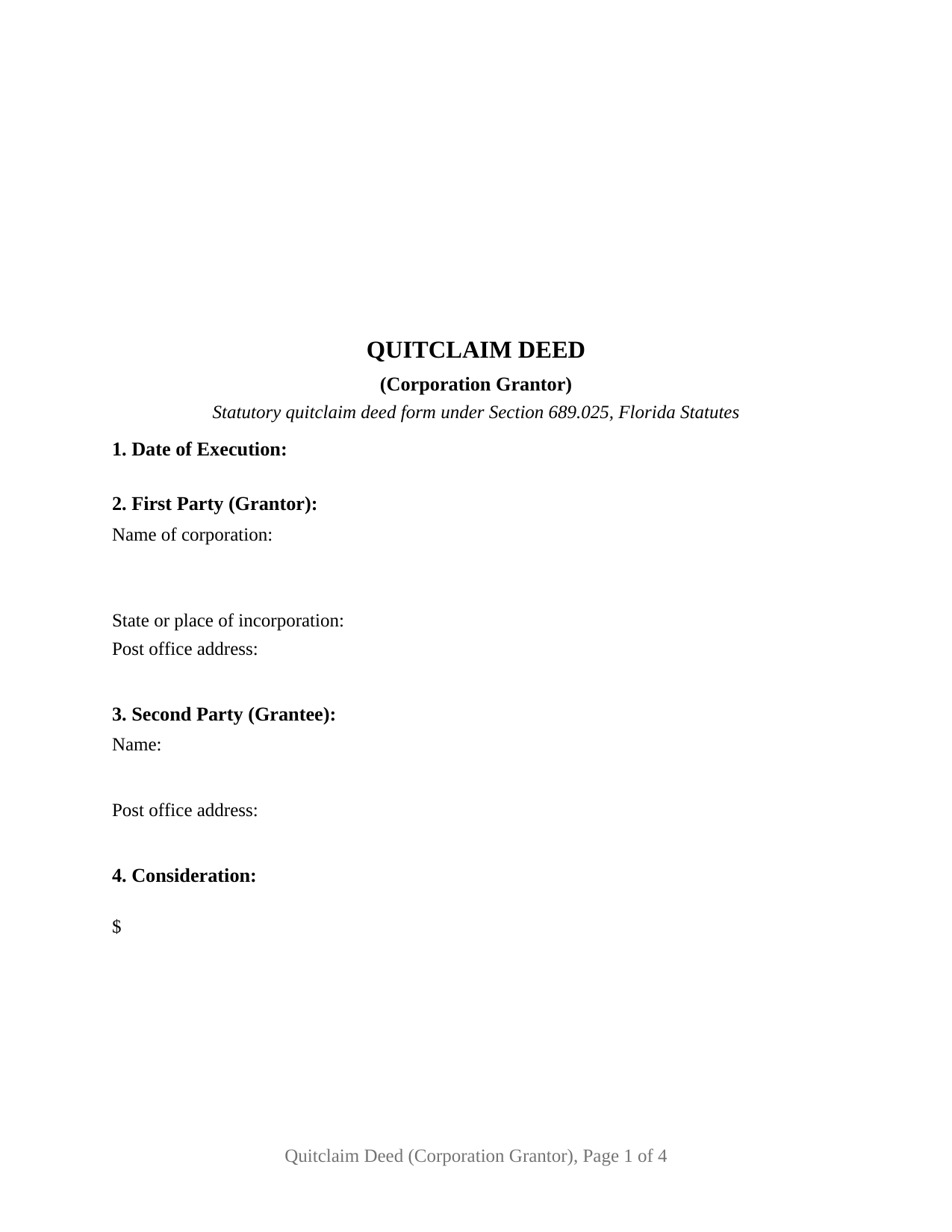
Okeechobee County Quitclaim Deed (Corporation Grantor) Form
Fill in the blank Quitclaim Deed (Corporation Grantor) form formatted to comply with all Florida recording and content requirements.
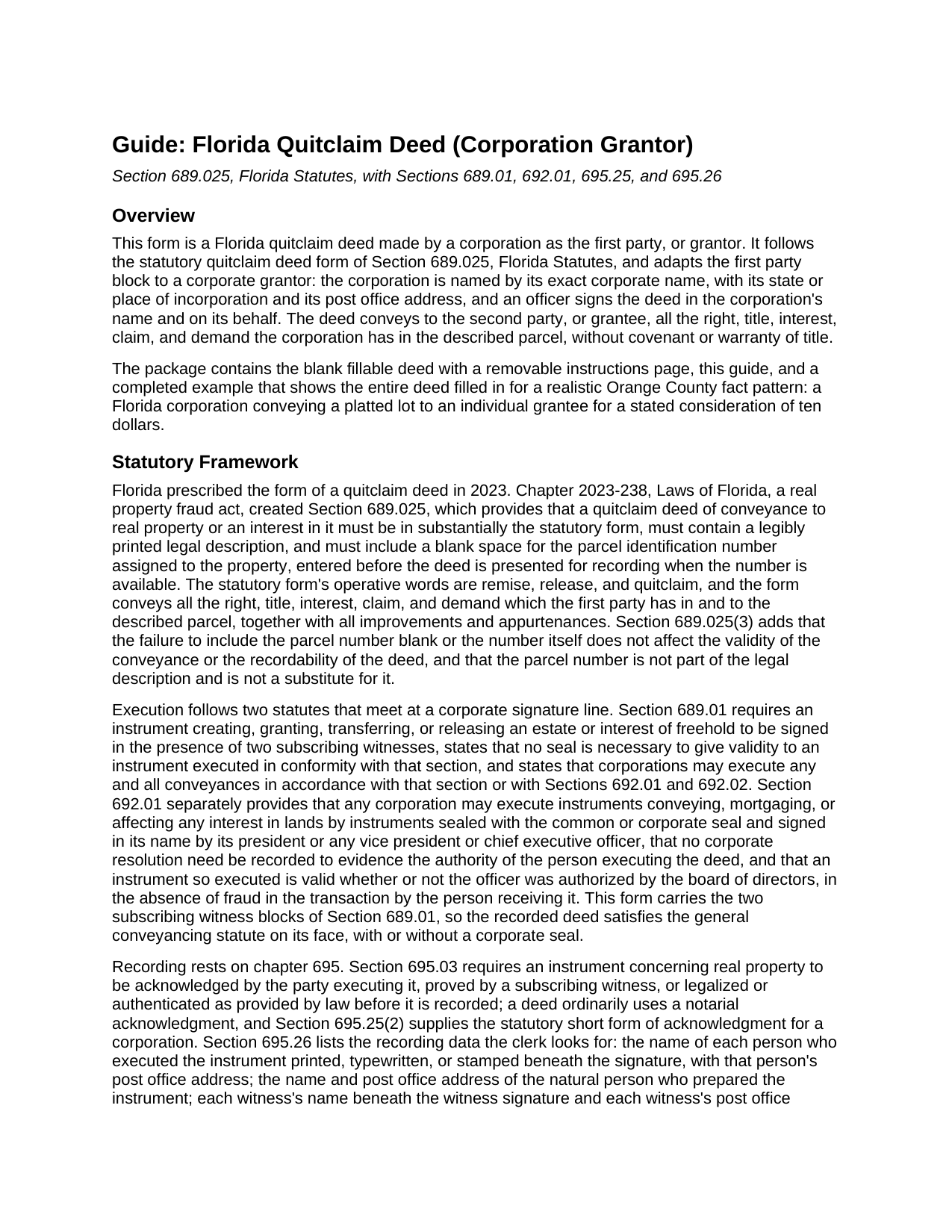
Okeechobee County Quitclaim Deed (Corporation Grantor) Guide
Line by line guide explaining every blank on the Quitclaim Deed (Corporation Grantor) form.
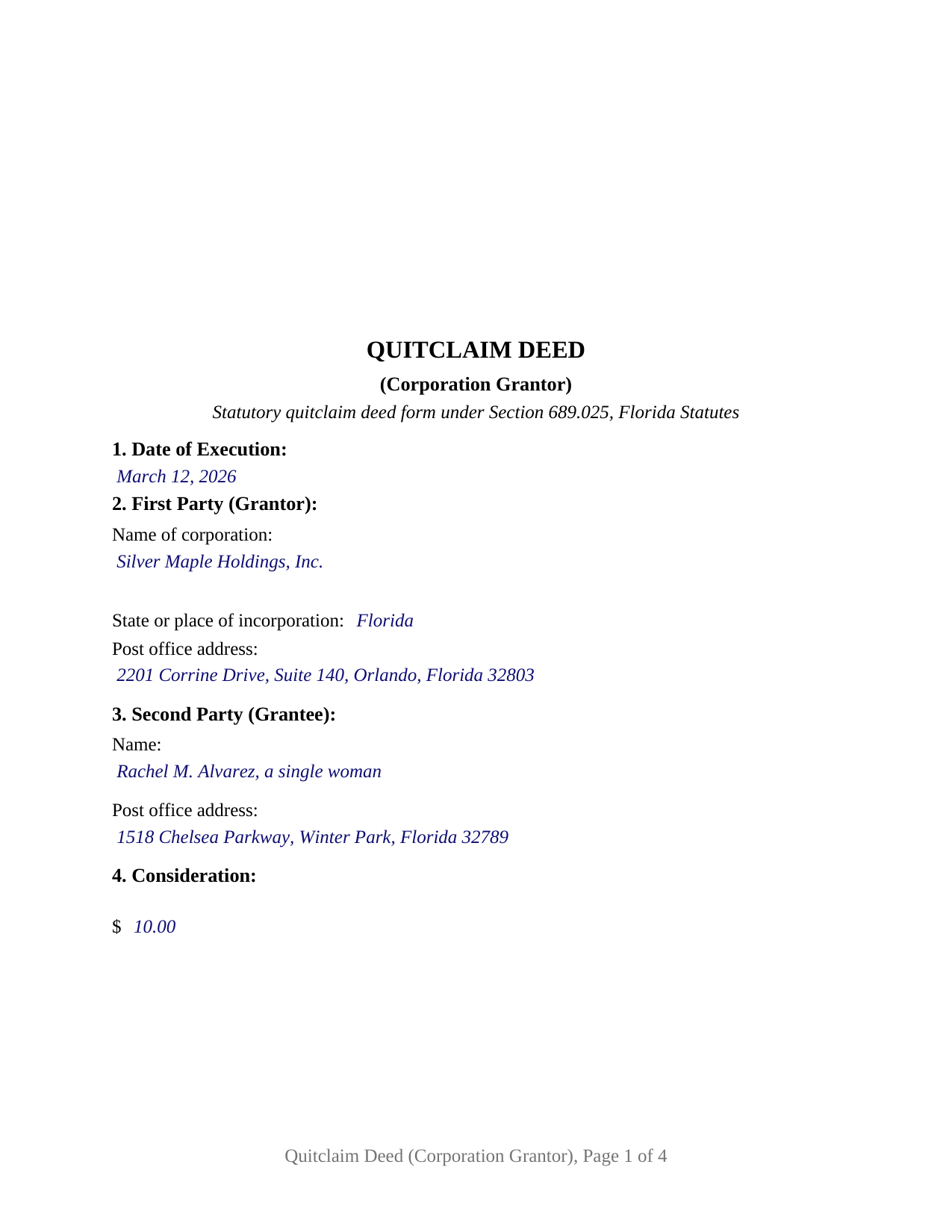
Okeechobee County Completed Example of the Quitclaim Deed (Corporation Grantor) Document
Example of a properly completed Florida Quitclaim Deed (Corporation Grantor) document for reference.
All 3 documents above included • One-time purchase • No recurring fees
Immediate Download • Secure Checkout
Additional Florida and Okeechobee County documents included at no extra charge:
Where to Record Your Documents
Clerk of the Circuit Court
Okeechobee, Florida 34972
Hours: 8:30 to 5:00 M-F
Phone: (863) 763-213
Recording Tips for Okeechobee County:
- Bring your driver's license or state-issued photo ID
- Ensure all signatures are in blue or black ink
- Make copies of your documents before recording - keep originals safe
- Recorded documents become public record - avoid including SSNs
- Recording fees may differ from what's posted online - verify current rates
Cities and Jurisdictions in Okeechobee County
Properties in any of these areas use Okeechobee County forms:
- Okeechobee
Hours, fees, requirements, and more for Okeechobee County
How do I get my forms?
Forms are available for immediate download after payment. The Okeechobee County forms will be in your account ready to download to your computer. An account is created for you during checkout if you don't have one. Forms are NOT emailed.
Are these forms guaranteed to be recordable in Okeechobee County?
Yes. Our form blanks are guaranteed to meet or exceed the applicable formatting requirements used for recording in Okeechobee County, including margin requirements, font requirements, and other layout standards. This guarantee applies to formatting, not to the legal sufficiency of information entered by the user or the suitability of a form for a particular transaction.
Can I reuse these forms?
Yes. You can reuse the forms for your personal use. For example, if you have multiple properties in Okeechobee County you only need to order once.
What do I need to use these forms?
The forms are PDFs that you fill out on your computer. The free Adobe Acrobat Reader is recommended, and most PDF apps also work. You do NOT enter your property information online - you download the blank forms and complete them privately on your own computer.
Are there any recurring fees?
No. This is a one-time purchase. Nothing to cancel, no memberships, no recurring fees.
How much does it cost to record in Okeechobee County?
Recording fees in Okeechobee County vary. Contact the recorder's office at (863) 763-213 for current fees.
Questions answered? Let's get started!
Florida names, in statute, the officers whose signature moves a corporation's land. Section 692.01, Florida Statutes, provides that a corporation may execute an instrument conveying any interest in its lands by an instrument sealed with the corporate seal and signed in its name by its president, any vice president, or its chief executive officer, and that no corporate resolution need be recorded to evidence that officer's authority. This form prepares a Florida quitclaim deed in the statutory form of Section 689.025 for that signature: a corporation as first party, one officer signing in the corporation's name and on its behalf.
Whose signature moves a corporation's land
Two statutes meet at the corporate signature line. Section 689.01 sets Florida's general rule that a conveyance of a freehold interest is signed in the presence of two subscribing witnesses, states that no seal is necessary under that section, and adds that corporations may execute any conveyance under that section or under Sections 692.01 and 692.02. Section 692.01 supplies the corporate alternative: a sealed instrument signed by the president, a vice president, or the chief executive officer, valid in the absence of fraud whether or not the board authorized the signer. This deed carries the two witness execution, so the recorded instrument satisfies the general conveyancing statute on its face, with or without a seal. The execution block prints the corporation's name over a By line, with the officer's printed name, title, and date beneath, and the operative section recites that the first party is a corporation executing in its corporate name by the officer whose signature appears below.
A statutory form, adapted for a corporate first party
The deed collects what the statutory form recites: the date of execution, the corporation's name, state or place of incorporation, and post office address, the grantee's name and post office address, the consideration, the county, and the legal description copied from the corporation's vesting deed, plus the parcel identification number blank the statute requires; Section 689.025(3) states that omitting the number does not affect validity or recordability and that it never substitutes for the legal description. The operative Witnesseth sentence keeps the statutory words, remise, release, and quitclaim, joined by an express no warranty statement, the corporate capacity recital, and a successors and assigns clause. What the corporation holds at delivery is what moves, and liens, mortgages, and other matters of record continue against the land.
The corporate officer's certificate
Florida prints a separate short form of acknowledgment for a corporation, Section 695.25(2), and the deed's single certificate follows it: the notary names the officer and title, the corporation, and its state or place of incorporation, on behalf of the corporation, marks whether the officer appeared by physical presence or by online notarization, and states the identification relied on. Section 117.05(4) places the notary's official seal below or to either side of the signature, and the certificate reserves a labeled area for the rubber stamp Florida notaries use. Around it sit the recording data Section 695.26 lists: each witness's printed name and post office address, required for instruments recorded since January 1, 2024, the natural person who prepared the deed, and the grantee's post office address.
What a quitclaim from a corporation carries to the record
A quitclaim deed conveys only the interest the grantor has, if any, which makes it a common instrument between parties who already know the title: a corporation deeding a parcel to a shareholder in a wind up, affiliated companies rearranging holdings, or a release of a partial or doubtful interest to clear the record. Florida's recording act adds a point specific to this deed type: Section 695.01(2) deems grantees by quitclaim deed bona fide purchasers without notice within the recording act. At the counter, the Clerk of the Circuit Court records the deed and collects the documentary stamp tax of Section 201.02, 70 cents per 100 dollars of consideration outside Miami-Dade County, computed on consideration as the tax law defines it, mortgage balance included. The first page keeps its top 3 inches clear for the clerk's recording information.
The download includes the fillable blank deed with a removable instructions page, a completed example built on an Orange County transfer from a Florida corporation to an individual grantee, and a guide that walks through each section, the witness and notary blocks, the corporate execution statutes, and the recording steps. The materials are informational and are not legal advice.
Important: Your property must be located in Okeechobee County to use these forms. Documents should be recorded at the county recording office listed above.
This Quitclaim Deed (Corporation Grantor) meets all recording requirements specific to Okeechobee County.
Our Promise
The documents you receive here are guaranteed to meet or exceed the applicable Okeechobee County recording format requirements. If there is a rejection caused by our formatting, we will correct the issue or refund your payment. This guarantee applies to document formatting only and does not extend to information entered by the user, the selection of the form, or the legal effect of the completed document.
Save Time and Money
Get your Okeechobee County Quitclaim Deed (Corporation Grantor) form done right the first time with Deeds.com Uniform Conveyancing Blanks. At Deeds.com, we understand that your time and money are valuable resources, and we don't want you to face a penalty fee or rejection imposed by a county recorder for submitting nonstandard documents. We constantly review and update our forms to meet rapidly changing state and county recording requirements for roughly 3,500 counties and local jurisdictions.
4.8 out of 5 - ( 4,867 Reviews )
Denise B. 5 out of 5 stars
I highly recommend Deeds.com to be your go-to search website. I was able to get the information that I needed.
We appreciate your business and value your feedback. Thank you. Have a wonderful day!
Courtney V. 3 out of 5 stars
I didn't have a chance to judge your services because I received a message saying that my requested title could not be searched. I will say, the website is easy to navigate. I'm not sure how many who use these services are laymen, but I would suggest adding a detailed explanation of each service. I had to Google the difference between each type of title search, but I might just be more uninformed than the average person, or I just didn't see it on your website
Thank you for your feedback. We really appreciate it. Have a great day!
Molly A. 5 out of 5 stars
Super easy to download and Deeds dot com had the documents I was looking for and set up in a manner that the County Government office would accept. Nice! Thank you, Deeds!
Thank you for your feedback. We really appreciate it. Have a great day!
Dorothy B. 5 out of 5 stars
Love your deed service. Simple and easy.
Thank you!
Dina O. 5 out of 5 stars
easy to use and efficient i like that they give you an example to compare your work to
We are motivated by your feedback to continue delivering excellence. Thank you!
Johnny B. 5 out of 5 stars
This site was a breeze using.
We appreciate your business and value your feedback. Thank you. Have a wonderful day!
Kimberly R. 5 out of 5 stars
Very easy to use. Very informative. I think this is a very good service and is worth the $19 especially if you value time.
Thank you for your feedback. We really appreciate it. Have a great day!
LAWRENCE S. 5 out of 5 stars
I am mostly satisfied with my Deeds.Com experience. Not sure if you can do anything about this, but since it is fairly common, I thought the Quit Claim Form would have a section specifically for adding spouse to a deed.
Thank you for your feedback. We really appreciate it. Have a great day!
Christine B. B. 4 out of 5 stars
The Personal Representatives Deed is definitely a helpful document for my files. I find it need just a little tweaking by deeds.com , There should be more space for the legal description. I did see in the FAQ's you recommend putting it in the Exhibit and this is what I did. Also I couldn't get the year to be accepted and had to write it in. These are just some minor suggestions, on the whole I was grateful to find this document. Thank you.
Thank you for your feedback. Sorry to hear that you had trouble with the date field, we will have it reviewed.
Susan S. 5 out of 5 stars
Ordered the forms, completed them, had them notarized, then erecorded all in under 2 hours. Would have been faster but had to wait for the bank to open for notary. Might try the online notary next time. Fantastic experience.
We appreciate your business and value your feedback. Thank you. Have a wonderful day!
Michael H. 5 out of 5 stars
Site was easy to understand and use. Service was prompt. Good job Montgomery County!
Thank you!
Raj J. 5 out of 5 stars
Perfect, thanks
Thank you!
Willie P. 5 out of 5 stars
Your service was excellent
Thank you for your feedback. We really appreciate it. Have a great day!
Sylvia O. 5 out of 5 stars
Very efficient, and the samples and instructions are very easy to follow. Thank you Deeds.com
Thank you!
Craig J. 5 out of 5 stars
Package downloaded without any problems. Help sheet was fair. Maybe they could cross reference the help number on the help sheet to the form better - somehow. Overall, I was pleased. I was able to download, fill in the blanks and do what edits I thought it needed with ease. Cost was very reasonable. I'll give it a 5.
Thank you for your feedback. We really appreciate it. Have a great day!