Okeechobee County Quitclaim Deed (Corrective) Form
Last validated November 6, 2026 by our Forms Development TeamFormatted for recording in Okeechobee County, for property anywhere in the county: rural and unincorporated areas as well as Okeechobee.
- 3 documents included
- Immediate PDF download
- Formatting guarantee
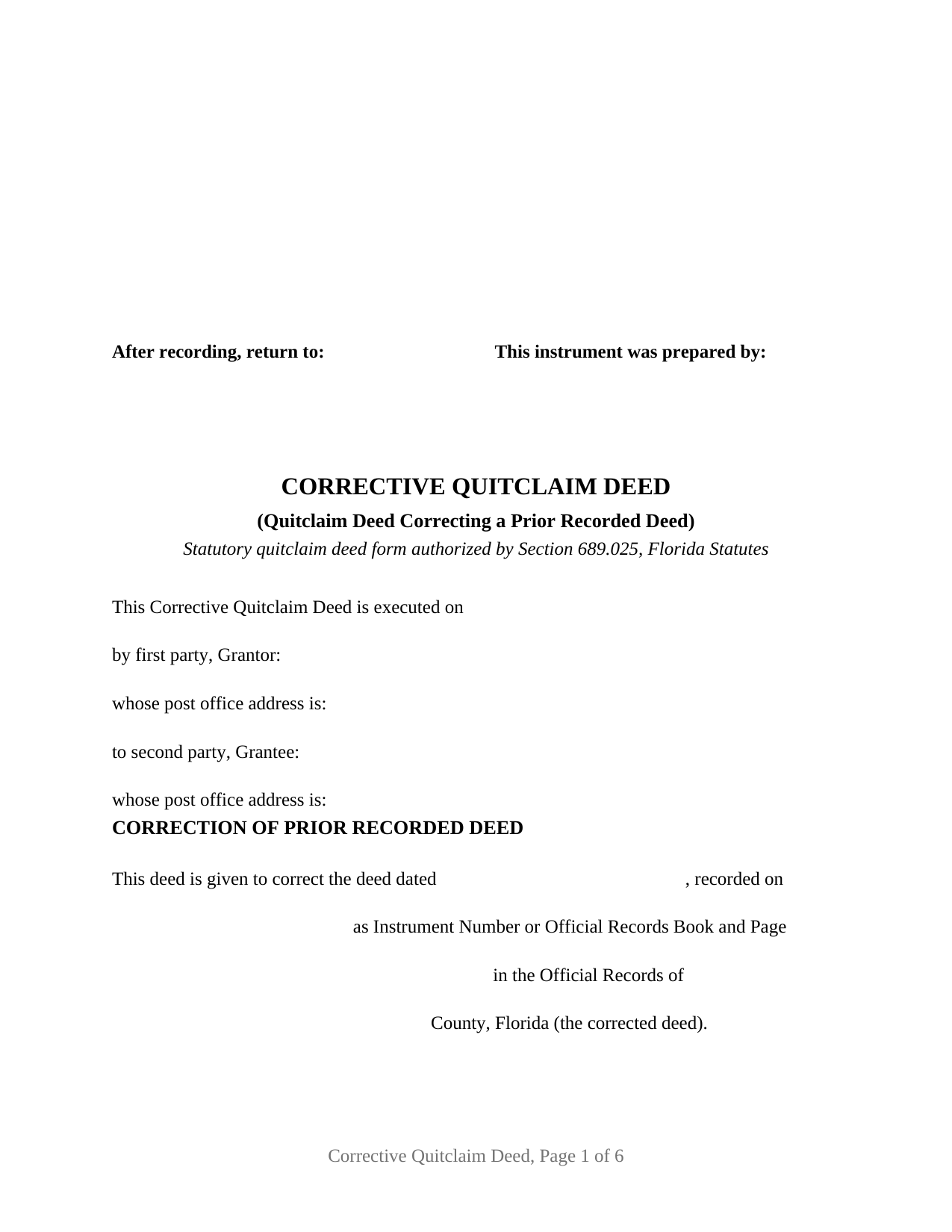
Okeechobee County Quitclaim Deed (Corrective) Form
Fill in the blank Quitclaim Deed (Corrective) form formatted to comply with all Florida recording and content requirements.
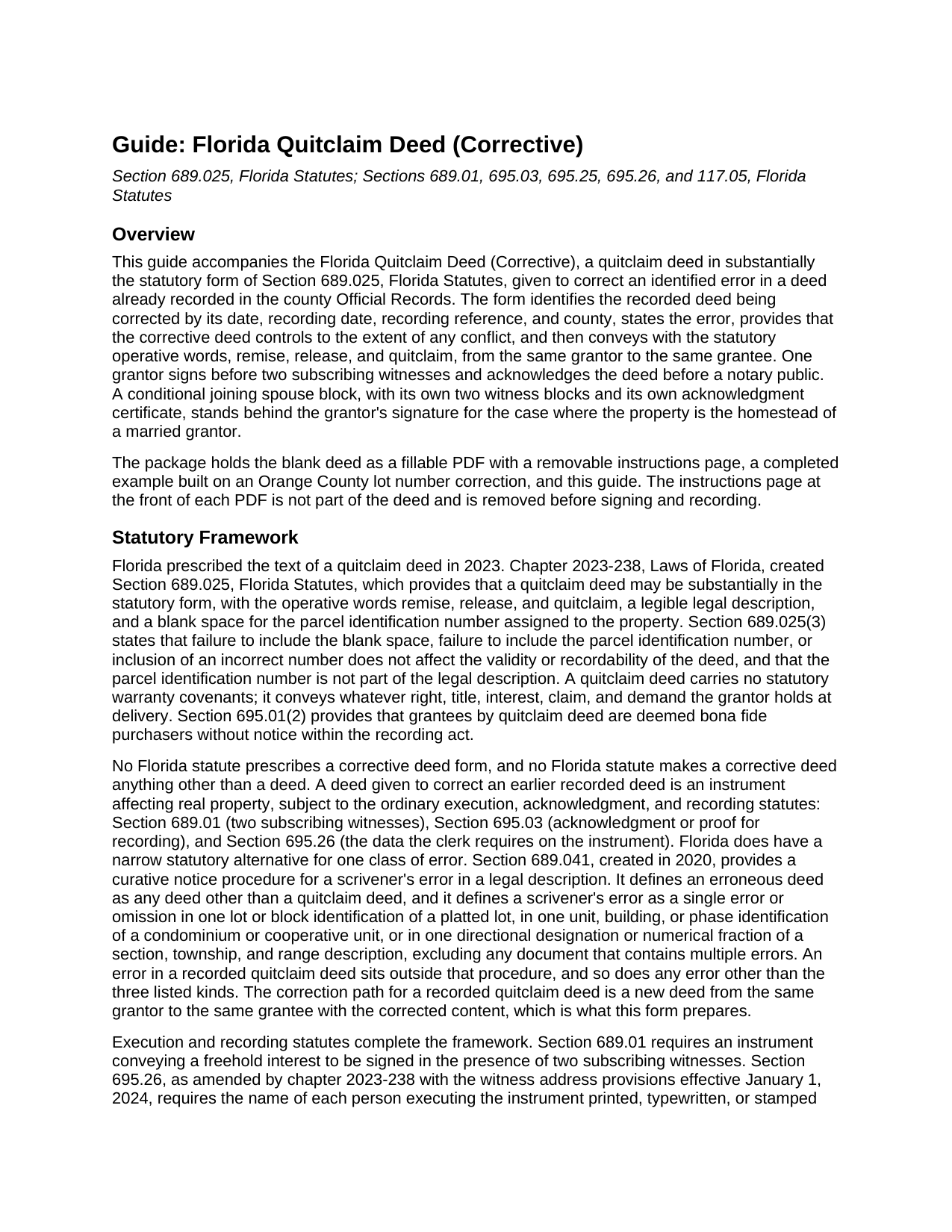
Okeechobee County Quitclaim Deed (Corrective) Guide
Line by line guide explaining every blank on the Quitclaim Deed (Corrective) form.
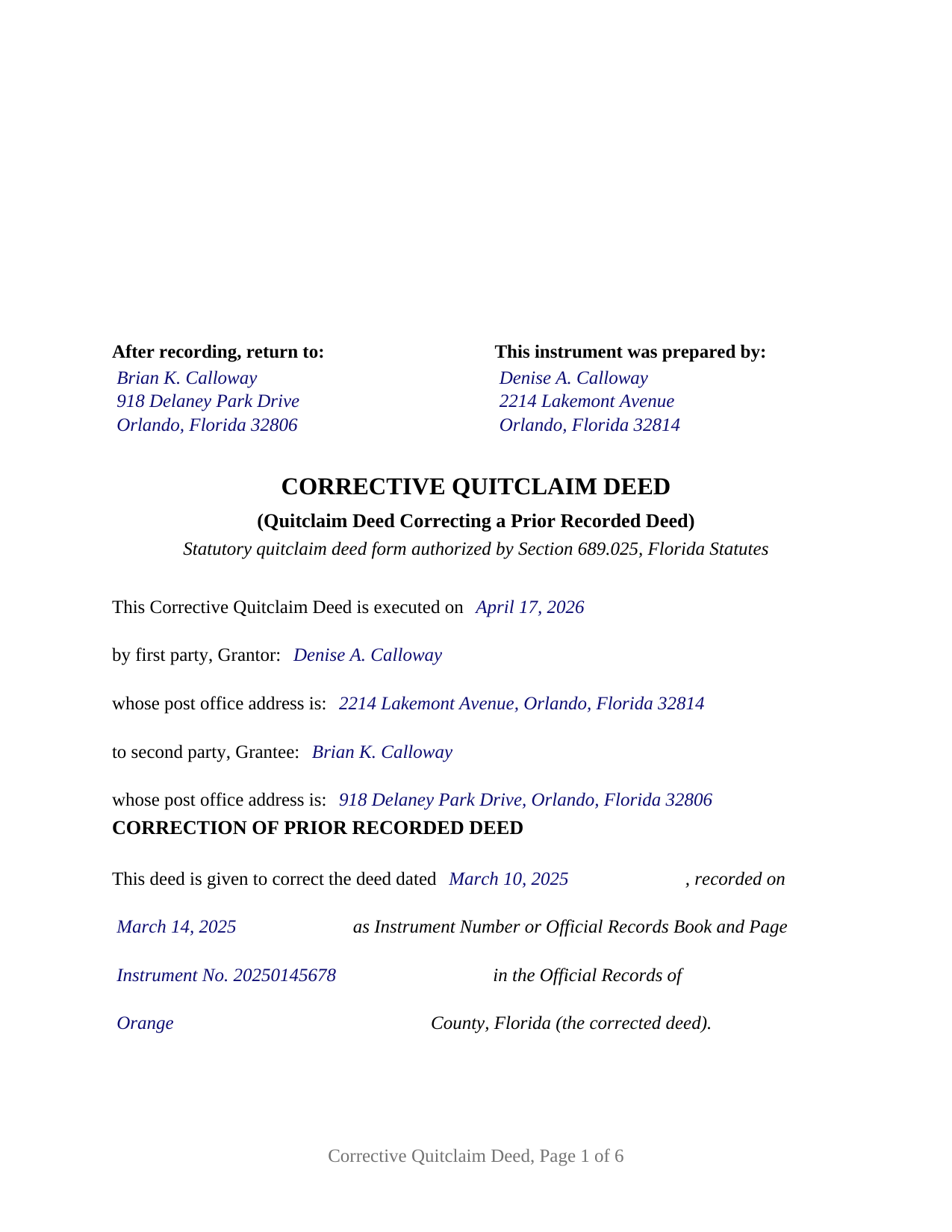
Okeechobee County Completed Example of the Quitclaim Deed (Corrective) Document
Example of a properly completed Florida Quitclaim Deed (Corrective) document for reference.
All 3 documents above included • One-time purchase • No recurring fees
Immediate Download • Secure Checkout
Additional Florida and Okeechobee County documents included at no extra charge:
Where to Record Your Documents
Clerk of the Circuit Court
Okeechobee, Florida 34972
Hours: 8:30 to 5:00 M-F
Phone: (863) 763-213
Recording Tips for Okeechobee County:
- Bring your driver's license or state-issued photo ID
- Ensure all signatures are in blue or black ink
- Ask for certified copies if you need them for other transactions
- Ask if they accept credit cards - many offices are cash/check only
- Check that your notary's commission hasn't expired
Cities and Jurisdictions in Okeechobee County
Properties in any of these areas use Okeechobee County forms:
- Okeechobee
Hours, fees, requirements, and more for Okeechobee County
How do I get my forms?
Forms are available for immediate download after payment. The Okeechobee County forms will be in your account ready to download to your computer. An account is created for you during checkout if you don't have one. Forms are NOT emailed.
Are these forms guaranteed to be recordable in Okeechobee County?
Yes. Our form blanks are guaranteed to meet or exceed the applicable formatting requirements used for recording in Okeechobee County, including margin requirements, font requirements, and other layout standards. This guarantee applies to formatting, not to the legal sufficiency of information entered by the user or the suitability of a form for a particular transaction.
Can I reuse these forms?
Yes. You can reuse the forms for your personal use. For example, if you have multiple properties in Okeechobee County you only need to order once.
What do I need to use these forms?
The forms are PDFs that you fill out on your computer. The free Adobe Acrobat Reader is recommended, and most PDF apps also work. You do NOT enter your property information online - you download the blank forms and complete them privately on your own computer.
Are there any recurring fees?
No. This is a one-time purchase. Nothing to cancel, no memberships, no recurring fees.
How much does it cost to record in Okeechobee County?
Recording fees in Okeechobee County vary. Contact the recorder's office at (863) 763-213 for current fees.
Questions answered? Let's get started!
A recorded deed with a wrong lot number, a misspelled name, or missing witness information does not fix itself; the error sits in the county Official Records until a new instrument corrects it. In Florida, when the flawed deed is a quitclaim deed, the correction arrives the same way the original did. The Florida Corrective Quitclaim Deed re-executes the conveyance in substantially the statutory form of section 689.025, Florida Statutes, identifies the recorded deed and the error being corrected, and places the corrected description and terms on record.
Why a quitclaim error takes a new deed
Florida has a statutory shortcut for certain deed mistakes, but it is a narrow one. The curative procedure of section 689.041 applies to a scrivener's error in a legal description, defines an erroneous deed as any deed other than a quitclaim deed, and reaches only a single qualifying error, such as one wrong lot or block identification. An error in a recorded quitclaim deed sits outside that procedure, so the correction path is re-execution: the original grantor signs a new quitclaim deed to the same grantee. This form's correction recital identifies the corrected deed by date, recording reference, and county, states the error, and provides that the corrective deed controls to the extent of any conflict, before conveying with the statutory operative words: remise, release, and quitclaim.
What the correction recites, and who signs it
The form recites one grantor and one grantee, the same two natural persons the corrected deed named, and a correction paragraph that identifies the corrected deed by date, recording date, instrument number or book and page, and county, and states the error in the filler's own words. One grantor signature block, two subscribing witness blocks, and one acknowledgment certificate serve the grantor; a labeled joining spouse block, with its own two witness blocks and its own certificate, follows for the case where the property is the homestead of a married grantor, and stays blank otherwise. Records presenting this configuration include a lot or block number transposed in a platted description, a grantee's surname misspelled, and a deed recorded without witness addresses. The form is not set up as a deed that adds, drops, or substitutes a grantee, which is a new conveyance rather than a correction, nor as an entity, trustee, attorney-in-fact, or two-grantor instrument.
Built on the 2023 statutory form
Since chapter 2023-238, Laws of Florida, a Florida quitclaim deed must follow substantially the form set out in section 689.025, including a blank for the property appraiser's parcel identification number. The same legislation tightened the recording statute: for deeds recorded on or after January 1, 2024, section 695.26 requires each witness name printed beneath the witness signature and each witness post office address on the instrument. The form tracks all of it, with the two subscribing witness blocks section 689.01 requires for each signature, the joinder block under article X, section 4(c) of the Florida Constitution, and acknowledgment certificates in the short form of section 695.25, carrying the physical presence or online notarization boxes the officer marks and a reserved area for the rubber stamp seal section 117.05 places below the notary's signature.
Documentary stamps on a correction
Deeds transferring an interest in Florida real property carry documentary stamp tax at 70 cents per $100 of consideration, with Miami-Dade County applying its own rate structure. Since January 25, 2026, Rule 12B-4.014(3) of the Florida Administrative Code has provided that a deed correcting a technical deficiency in a previous deed in the nature of a scrivener's error, where the correcting deed conveys no interest in real property, is not subject to the tax, replacing the rule's earlier minimum-tax text. County transfer forms collect the point at the counter: the Orange County property transfer form lists corrective deeds correcting a legal description, names, or a scrivener's error among the stated reasons for paying no documentary stamp tax or only the 70 cent minimum. A deed that changes who owns the property is a new conveyance with tax computed on its own consideration, mortgage balance included.
The download prepares the correction from start to finish: a fillable statutory form deed with the correction recital, a completed example correcting a lot number error in Orange County, and a plain language guide that walks entry by entry, from the recording references of the corrected deed through witnessing, notarization, and recording with the clerk of the circuit court. The materials are informational, not legal advice.
Important: Your property must be located in Okeechobee County to use these forms. Documents should be recorded at the county recording office listed above.
This Quitclaim Deed (Corrective) meets all recording requirements specific to Okeechobee County.
Our Promise
The documents you receive here are guaranteed to meet or exceed the applicable Okeechobee County recording format requirements. If there is a rejection caused by our formatting, we will correct the issue or refund your payment. This guarantee applies to document formatting only and does not extend to information entered by the user, the selection of the form, or the legal effect of the completed document.
Save Time and Money
Get your Okeechobee County Quitclaim Deed (Corrective) form done right the first time with Deeds.com Uniform Conveyancing Blanks. At Deeds.com, we understand that your time and money are valuable resources, and we don't want you to face a penalty fee or rejection imposed by a county recorder for submitting nonstandard documents. We constantly review and update our forms to meet rapidly changing state and county recording requirements for roughly 3,500 counties and local jurisdictions.
4.8 out of 5 - ( 4,867 Reviews )
Katherine Y. 5 out of 5 stars
It was easy to use the form. The notary said it contained the most recent language which is also helpful.
Thanks Katherine!
Carol T. 2 out of 5 stars
It was very difficult to maneuver through your website the wording on certain things are very difficult to figure out. I can't seem to get through to one place that I want versus what I don't want. I think it needs to be a little more explanatory and I am a college graduate so it's not like I'm stupid or anything. Thank you
Thank you for your feedback. Very sorry to hear that we failed you with our navigation. We will certainly address it to see how we can approve. Have a wonderful day.
Evone A. 5 out of 5 stars
So thankful that I could just find the form and complete the estate I am working on for my parents. The forms and instructions were very helpful.
We truly value your business and appreciate your review.
Richard B. 4 out of 5 stars
Had trouble filling in the forms not very user friendly. The text always had to be manipulated to look in the best place. Could not easily move existing text to look more professional with the text being inserted.
Thank you for your feedback. We really appreciate it. Have a great day!
MICHAEL D. 5 out of 5 stars
I had a wonderful experience and am looking forward to doing business with you again.
Thank you!
Kathryn H. 5 out of 5 stars
Easy to complete with the use of the guide you provided. Very reasonable price considering the closing attorney wanted $450.
We appreciate your comments and your trust in us. Thank you.
LIsa B. 5 out of 5 stars
Deeds.com made this process of electronic document recording so easy! The communication was quick, friendly, helpful and efficient. I am out of state and have administrative items to handle for my father who has Alzheimer's. Deeds.com is a great service. I highly recommend them, and will use them again when the time comes.
Thank you!
DENISE E. 5 out of 5 stars
I just submitted a beneficiary deed and it was accepted immediate and then recorded the next day! I like that I receive email messages notifying me of the process. The process was super easy and seamless. It's saved me so much time that I did not have to drive to downtown Phoenix to have this document record it. I love Deeds.com.
Thank you for your feedback. We really appreciate it. Have a great day!
Benjamin A. 4 out of 5 stars
This method seems simple for me to complete. Wish me luck.
Thank you for your feedback. We really appreciate it. Have a great day!
Patricia M. 5 out of 5 stars
Very easy site to navigate and very helpful information
We appreciate your business and value your feedback. Thank you. Have a wonderful day!
Donald C. 5 out of 5 stars
The service was VERY quick, simple and, easy. I would definetly use this service again.
We appreciate your business and value your feedback. Thank you. Have a wonderful day!
Frank E. 5 out of 5 stars
Download, entry of forms very straightforward. The example was of great help to make sure that I followed the requirements
Thanks, Frank. We're glad everything went smoothly for you. We appreciate you taking the time to leave a review.
Joseph R. 5 out of 5 stars
Wonderful service! Things changed for me on my side and the company saw this and closed my account with ease.
Thank you!
Leonard D. 5 out of 5 stars
I'm still working on it. I'm surprised that it appears so much information has to be included about beneficiaries.
Thank you!
Stan P. 5 out of 5 stars
Great, covered all the legal area I needed to identify.
Thank you!