Sumter County Quitclaim Deed (Individual Grantor by Attorney-in-Fact) Form
Last validated October 9, 2026 by our Forms Development TeamFormatted for recording in Sumter County, for property anywhere in the county: rural and unincorporated areas as well as Bushnell, Center Hill, Coleman, Lake Panasoffkee, Oxford, Sumterville, The Villages, Webster and 1 more.
- 3 documents included
- Immediate PDF download
- Formatting guarantee
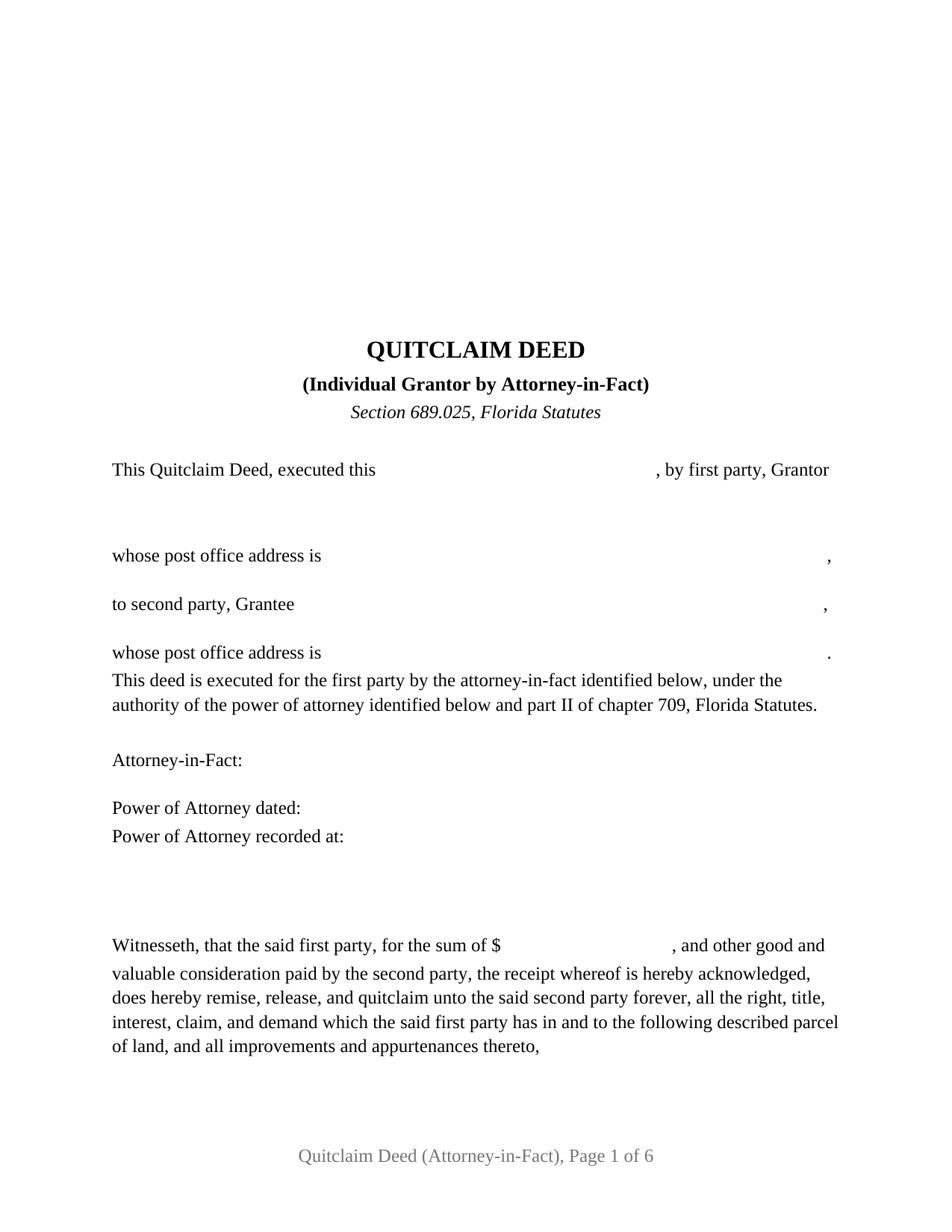
Sumter County Quitclaim Deed (Individual Grantor by Attorney-in-Fact) Form
Fill in the blank Quitclaim Deed (Individual Grantor by Attorney-in-Fact) form formatted to comply with all Florida recording and content requirements.
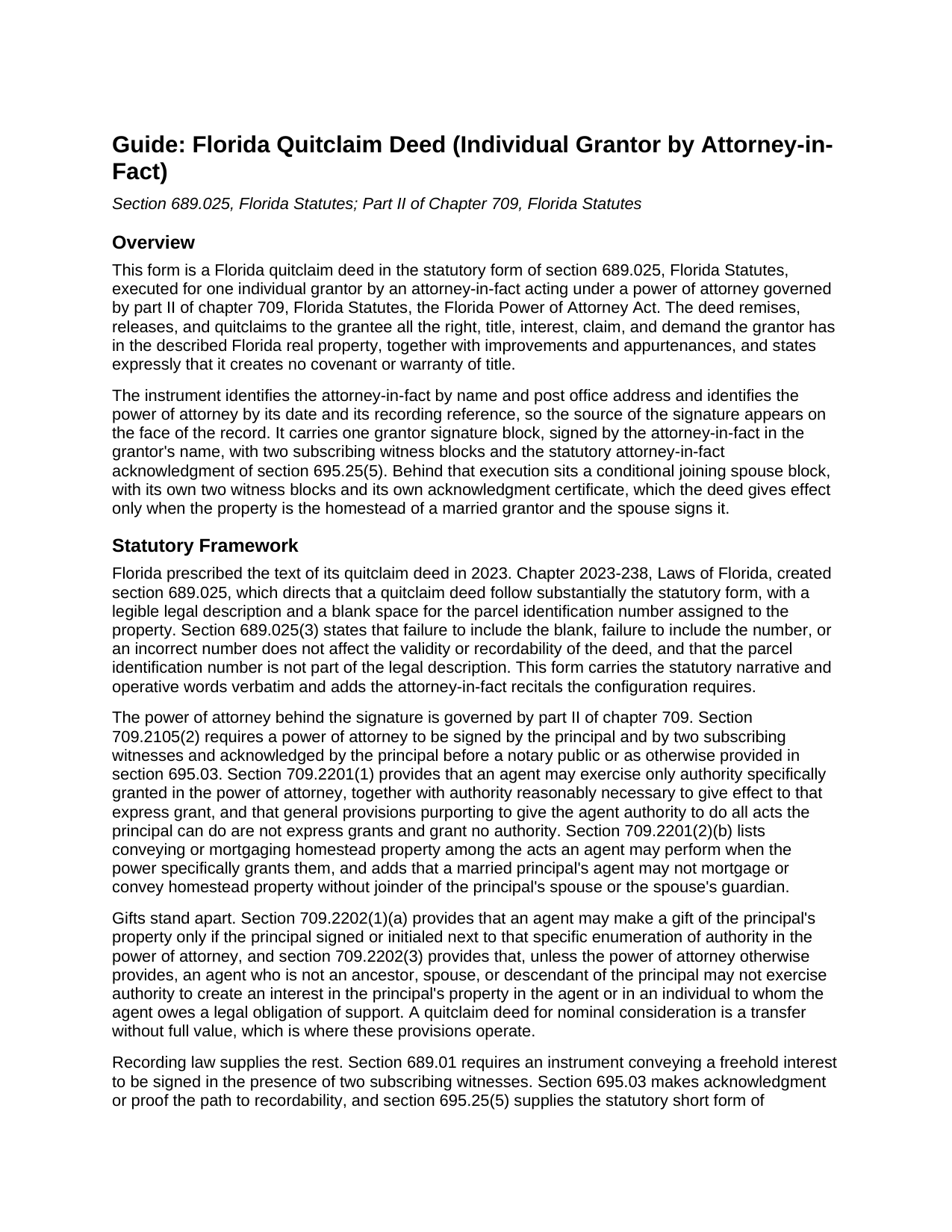
Sumter County Quitclaim Deed (Individual Grantor by Attorney-in-Fact) Guide
Line by line guide explaining every blank on the Quitclaim Deed (Individual Grantor by Attorney-in-Fact) form.
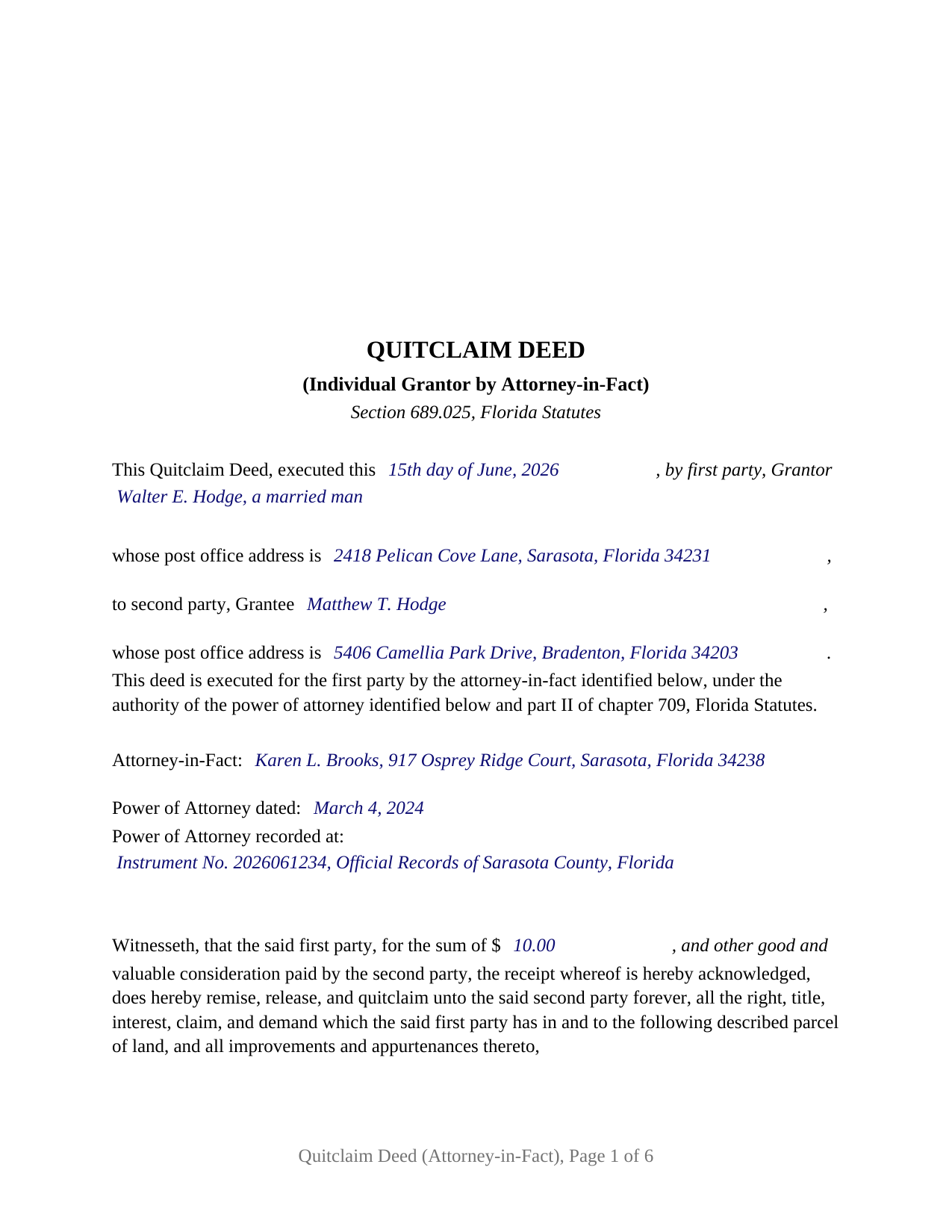
Sumter County Completed Example of the Quitclaim Deed (Individual Grantor by Attorney-in-Fact) Document
Example of a properly completed Florida Quitclaim Deed (Individual Grantor by Attorney-in-Fact) document for reference.
All 3 documents above included • One-time purchase • No recurring fees
Immediate Download • Secure Checkout
Additional Florida and Sumter County documents included at no extra charge:
Where to Record Your Documents
Clerk of Court: Official Records
Bushnell, Florida 33513
Hours: 8:30 to 5:00 M-F
Phone: (352) 569-6600
North Sumter Annex
The Villages, Florida 32162
Hours: 8:30am - 5:00pm M-F / Document drop-off only
Phone: 352-689-4625
Recording Tips for Sumter County:
- Bring your driver's license or state-issued photo ID
- Ensure all signatures are in blue or black ink
- Avoid the last business day of the month when possible
- Both spouses typically need to sign if property is jointly owned
- Bring extra funds - fees can vary by document type and page count
Cities and Jurisdictions in Sumter County
Properties in any of these areas use Sumter County forms:
- Bushnell
- Center Hill
- Coleman
- Lake Panasoffkee
- Oxford
- Sumterville
- The Villages
- Webster
- Wildwood
Hours, fees, requirements, and more for Sumter County
How do I get my forms?
Forms are available for immediate download after payment. The Sumter County forms will be in your account ready to download to your computer. An account is created for you during checkout if you don't have one. Forms are NOT emailed.
Are these forms guaranteed to be recordable in Sumter County?
Yes. Our form blanks are guaranteed to meet or exceed the applicable formatting requirements used for recording in Sumter County, including margin requirements, font requirements, and other layout standards. This guarantee applies to formatting, not to the legal sufficiency of information entered by the user or the suitability of a form for a particular transaction.
Can I reuse these forms?
Yes. You can reuse the forms for your personal use. For example, if you have multiple properties in Sumter County you only need to order once.
What do I need to use these forms?
The forms are PDFs that you fill out on your computer. The free Adobe Acrobat Reader is recommended, and most PDF apps also work. You do NOT enter your property information online - you download the blank forms and complete them privately on your own computer.
Are there any recurring fees?
No. This is a one-time purchase. Nothing to cancel, no memberships, no recurring fees.
How much does it cost to record in Sumter County?
Recording fees in Sumter County vary. Contact the recorder's office at (352) 569-6600 for current fees.
Questions answered? Let's get started!
When a Florida property owner cannot appear to sign a deed, the signature can come from an attorney-in-fact acting under a power of attorney. This form prepares that conveyance: a Florida quitclaim deed in the statutory form of section 689.025, Florida Statutes, executed for one individual grantor by the agent named in a recorded power of attorney, with the witness blocks, joinder paragraph, and notary certificates the arrangement calls for.
A statutory quitclaim form since 2023
Florida gave the quitclaim deed a prescribed form in 2023. Section 689.025 requires substantially the statutory language, a legible legal description, and a blank for the parcel identification number, and its operative words, remise, release, and quitclaim, convey whatever right, title, interest, claim, and demand the grantor holds, with no warranty of title. This form carries that statutory text verbatim, adds an express no-warranty statement, and recites the attorney-in-fact and the power of attorney by date and recording reference so the source of the signature appears on the face of the record.
One signature in another person's name
The deed recites one first party, the individual grantor who is the principal under the power of attorney, one second party as grantee, and one attorney-in-fact, named with a post office address in a recital that cites part II of chapter 709. A single grantor signature block follows, headed for the grantor and signed by the attorney-in-fact, with two subscribing witness blocks beneath it and the statutory attorney-in-fact acknowledgment of section 695.25(5), which names the agent as the person acknowledging and the principal in its on behalf of clause. The grantor's name line carries whatever status words the record uses. Records presenting this configuration include a principal living in another state whose agent under a durable power of attorney conveys a Florida parcel to a child, and an owner in a care facility whose agent transfers the principal's interest to a relative. The form is not set up as a deed by two grantors, by an entity or trustee, or by a principal signing personally.
What the agent's signature rests on
The Florida Power of Attorney Act sets a strict foundation. A power of attorney is signed by the principal before two witnesses and a notary, and the agent may exercise only authority the document specifically grants; a catchall clause purporting to permit all acts grants nothing under section 709.2201. A transfer for little or no consideration is a gift, and gift authority stands apart: section 709.2202 requires the principal's separate signature or initials next to that power, and an agent outside the principal's ancestors, spouse, and descendants cannot use it in the agent's own favor unless the power says so. Because section 695.01 protects an instrument executed under a power of attorney only when the power is recorded, the deed and an unrecorded power of attorney ordinarily reach the clerk together.
Homestead joinder survives the power of attorney
Article X, Section 4(c) of the Florida Constitution requires a married owner's spouse to join in any alienation of homestead, and section 689.111, which allows homestead conveyance through an attorney-in-fact, expressly preserves that joinder; section 709.2201 restates it for the agent. The form answers with a labeled joining spouse block, complete with its own two witnesses and its own notary certificate, used when the property is the homestead of a married grantor and left blank when it is not. The deed limits that signature to the homestead joinder.
Witnesses, certificates, and the recording counter
Every signature on the deed takes two subscribing witnesses, and since January 1, 2024, each witness's printed name and post office address must appear on the instrument. The notary sections reproduce the statutory short form certificates of section 695.25, including the attorney-in-fact certificate that names the agent and the principal and records whether the appearance was by physical presence or online notarization, with a reserved area beneath each certificate for the notary's rubber stamp seal. The deed is recorded with the clerk of the circuit court in the county where the land lies, with documentary stamp tax of 70 cents per 100 dollars of consideration in most counties; a mortgage balance counts as consideration even on a family gift, and the guide walks through the nominal-consideration cases.
The download includes the blank deed as a fillable PDF with a removable instructions page, a completed example built on a Sarasota County fact pattern, and a guide covering every blank, the signing ceremony, and recording. The materials are informational and are not legal advice.
Important: Your property must be located in Sumter County to use these forms. Documents should be recorded at the county recording office listed above.
This Quitclaim Deed (Individual Grantor by Attorney-in-Fact) meets all recording requirements specific to Sumter County.
Our Promise
The documents you receive here are guaranteed to meet or exceed the applicable Sumter County recording format requirements. If there is a rejection caused by our formatting, we will correct the issue or refund your payment. This guarantee applies to document formatting only and does not extend to information entered by the user, the selection of the form, or the legal effect of the completed document.
Save Time and Money
Get your Sumter County Quitclaim Deed (Individual Grantor by Attorney-in-Fact) form done right the first time with Deeds.com Uniform Conveyancing Blanks. At Deeds.com, we understand that your time and money are valuable resources, and we don't want you to face a penalty fee or rejection imposed by a county recorder for submitting nonstandard documents. We constantly review and update our forms to meet rapidly changing state and county recording requirements for roughly 3,500 counties and local jurisdictions.
4.8 out of 5 - ( 4,845 Reviews )
Rita M. 5 out of 5 stars
I have not received the deed via email. That is what I was expecting. Let me know if I am incorrect in my thinking.
Thanks for reaching out. While we do send some email notifications, we do not email documents. All orders are available via your account. You can log into your account from the menu button at the top left of most pages on the website.
BARRY D. 5 out of 5 stars
Could not have been easier. Instructions were clear. Guidelines and example were clearly written. Erecording worked fast and let me skip a dreaded trip downtown to be ignored by government employees who hate their jobs.
Thank you for your positive words! We’re thrilled to hear about your experience.
Daniel D. 5 out of 5 stars
Easier than I expected. I followed the downloaded examples step by step, and before I knew it, the form was completed correctly and good to go. Thank you, Daniel D.
We appreciate your business and value your feedback. Thank you. Have a wonderful day!
William P. 1 out of 5 stars
VERY difficult to work with. Nice people. But difficult system. Ask for MANY changes. Why dont you do that as a
Sorry to hear of your struggle William. We do hope that you found something more suitable to your needs elsewhere.
curtice c. 5 out of 5 stars
I bought the Transfer on Death Deed documents. Great product and the accompanying example and guides were great.
Thank you for your feedback. We really appreciate it. Have a great day!
Julie P. 5 out of 5 stars
Easy to use service. Thank you.
Thank you for your feedback. We really appreciate it. Have a great day!
Robert D. 5 out of 5 stars
These forms made it so easy to update the property deed and the instructions and sample filled out form were most helpful. You might want to add some brief information on when or why to use the Acknowledgment in Individual Capacity notary form. In my case the notary was required to use it but also filled in the brief notarize section on the Affidavit as well. She said the one on the Affidavit had some value because it showed she had witnessed the my signature. But this was only after I suggested both be filled in as she initially thought to just strike through it and just use the Acknowledgment in Individual Capacity form.
Thank you for your feedback. We really appreciate it. Have a great day!
Lisa M. 5 out of 5 stars
This site was awesome And received what I wanted the same day.
Thank you for your feedback. We really appreciate it. Have a great day!
Mary Ann H. 5 out of 5 stars
Great service! Good documents. Easy to use! Thank you!
We appreciate your business and value your feedback. Thank you. Have a wonderful day!
Melody P. 5 out of 5 stars
Great service as always, thanks!
Thank you for your feedback. We really appreciate it. Have a great day!
Joe B. 5 out of 5 stars
Fantastic service -- very clear
We appreciate your business and value your feedback. Thank you. Have a wonderful day!
Joey S. 5 out of 5 stars
This is the easiest process ever!
Thank you!
james B. 5 out of 5 stars
Downloaded quickly and saved to hard drive easily. I then opened in Adobe Acrobat Reader DC then was able to enter and save data in appropriate blanks. Yes, worth $22.
We appreciate your business and value your feedback. Thank you. Have a wonderful day!
William A B. 5 out of 5 stars
Good service...deed release form as required.
Thank you!
Toni M. 5 out of 5 stars
I liked having the forms. Some may need to know they can look at the legal Description from online county records, then type up in Word document line by line, the degree sign in Word program is achieved by using alt and 248 on number pad. Then on the form page one write SEE Exibit A and title your Word program description as Exibit A. Goes without saying the legal description should be looked over many times and it is easier to do so if you format your Word the same lineage as the legal description online which is usually not text which is why you have to retype it.
Thank you for your feedback. We really appreciate it. Have a great day!