Osceola County Special Warranty Deed (Trustee Grantor) Form
Last validated October 30, 2026 by our Forms Development TeamFormatted for recording in Osceola County, for property anywhere in the county: rural and unincorporated areas as well as Intercession City, Kenansville, Kissimmee, Saint Cloud.
- 3 documents included
- Immediate PDF download
- Formatting guarantee
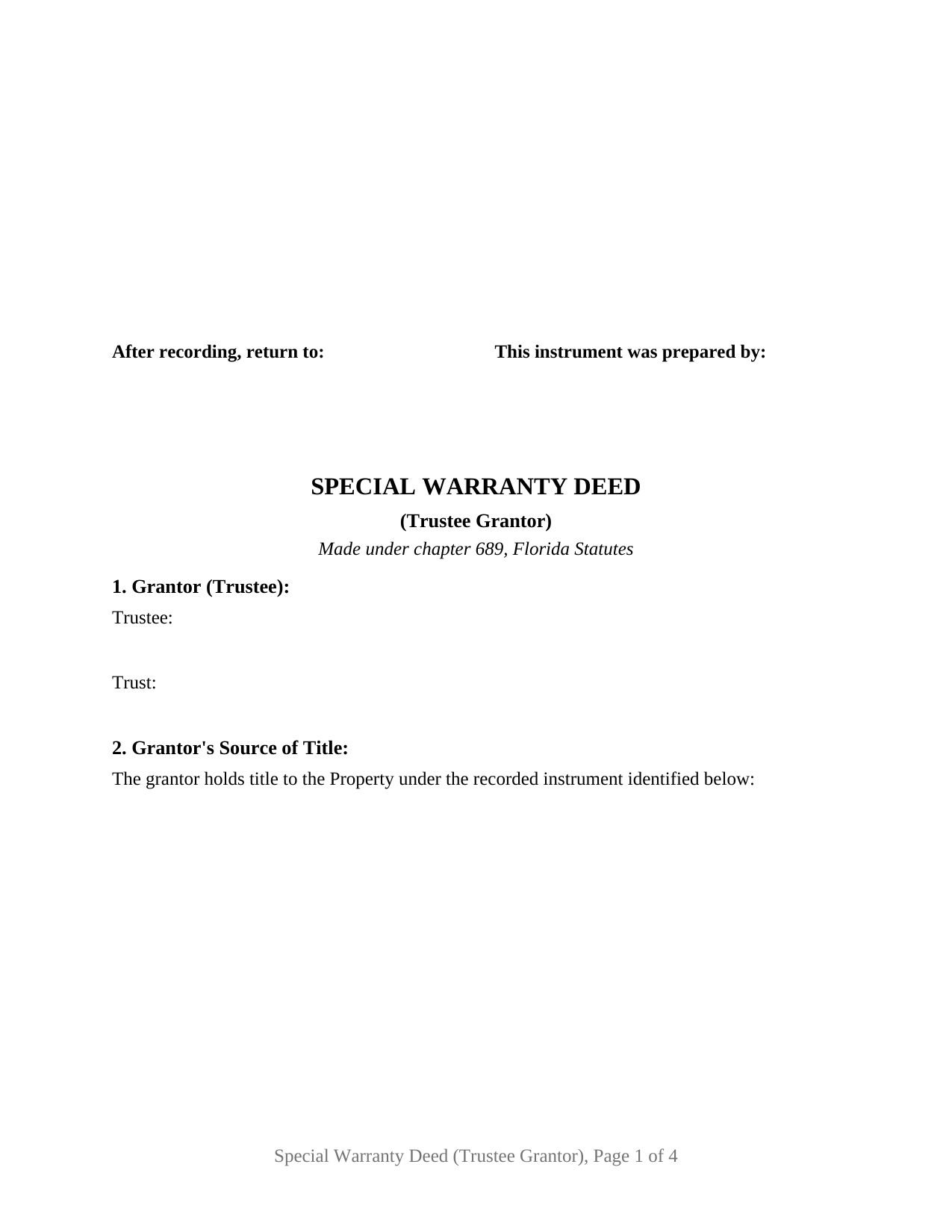
Osceola County Special Warranty Deed (Trustee Grantor) Form
Fill in the blank Special Warranty Deed (Trustee Grantor) form formatted to comply with all Florida recording and content requirements.
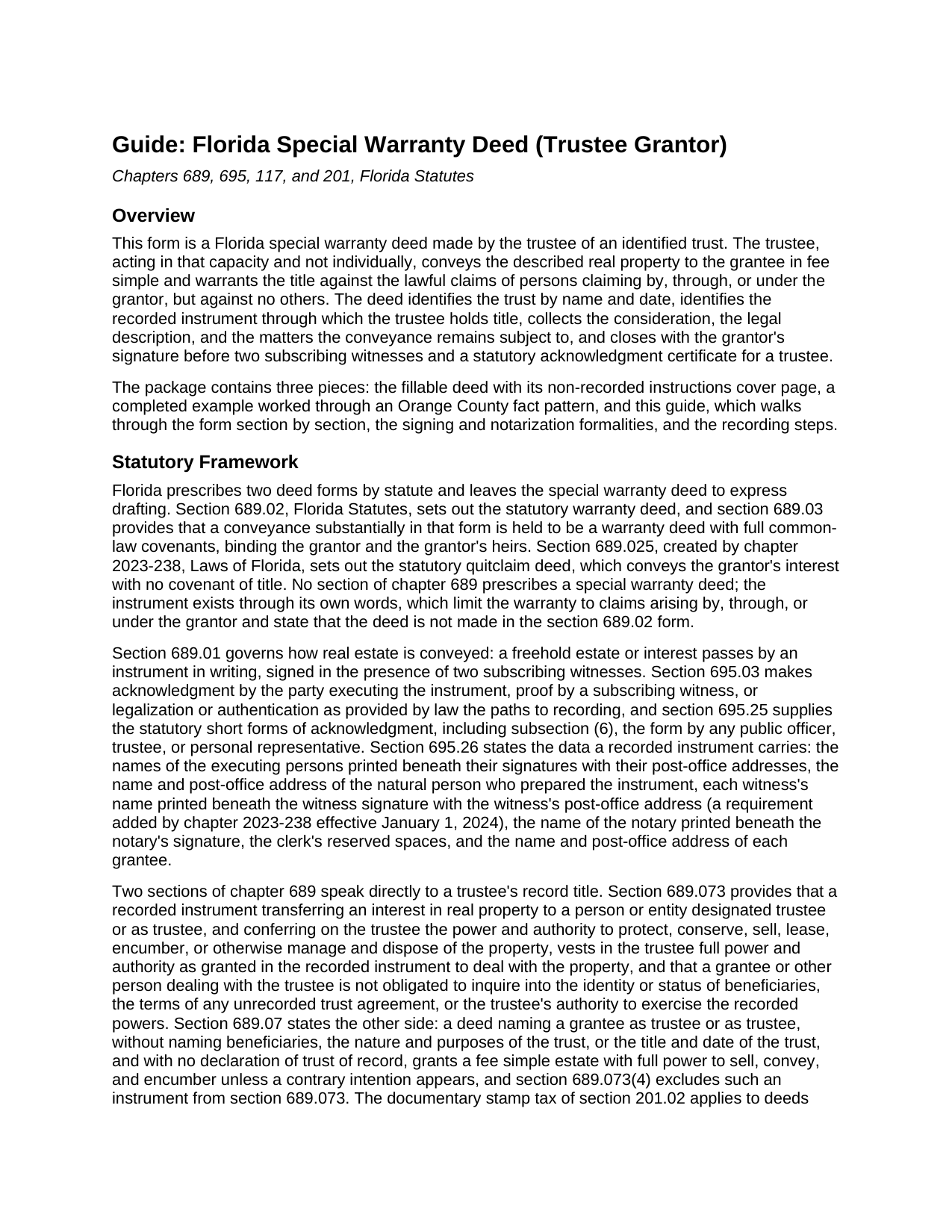
Osceola County Special Warranty Deed (Trustee Grantor) Guide
Line by line guide explaining every blank on the Special Warranty Deed (Trustee Grantor) form.
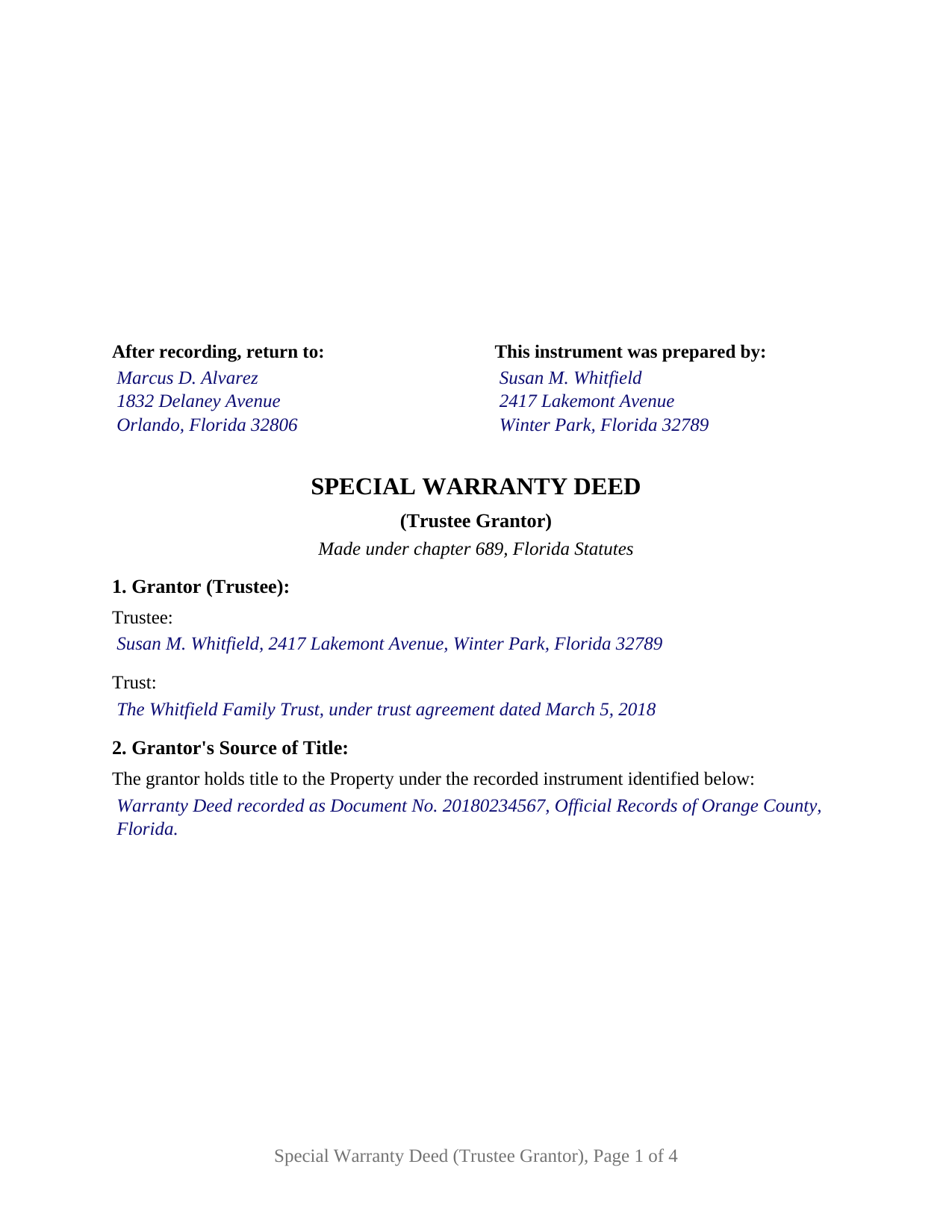
Osceola County Completed Example of the Special Warranty Deed (Trustee Grantor) Document
Example of a properly completed Florida Special Warranty Deed (Trustee Grantor) document for reference.
All 3 documents above included • One-time purchase • No recurring fees
Immediate Download • Secure Checkout
Additional Florida and Osceola County documents included at no extra charge:
Where to Record Your Documents
County Recording Department
Kissimmee, Florida 34741
Hours: 8:00am to 5:00pm M-F The Recording Department stops recording promptly at 4:30PM.
Phone: 407-742-3500
Recording Tips for Osceola County:
- Bring your driver's license or state-issued photo ID
- Ensure all signatures are in blue or black ink
- Leave recording info boxes blank - the office fills these
- Make copies of your documents before recording - keep originals safe
- Recorded documents become public record - avoid including SSNs
Cities and Jurisdictions in Osceola County
Properties in any of these areas use Osceola County forms:
- Intercession City
- Kenansville
- Kissimmee
- Saint Cloud
Hours, fees, requirements, and more for Osceola County
How do I get my forms?
Forms are available for immediate download after payment. The Osceola County forms will be in your account ready to download to your computer. An account is created for you during checkout if you don't have one. Forms are NOT emailed.
Are these forms guaranteed to be recordable in Osceola County?
Yes. Our form blanks are guaranteed to meet or exceed the applicable formatting requirements used for recording in Osceola County, including margin requirements, font requirements, and other layout standards. This guarantee applies to formatting, not to the legal sufficiency of information entered by the user or the suitability of a form for a particular transaction.
Can I reuse these forms?
Yes. You can reuse the forms for your personal use. For example, if you have multiple properties in Osceola County you only need to order once.
What do I need to use these forms?
The forms are PDFs that you fill out on your computer. The free Adobe Acrobat Reader is recommended, and most PDF apps also work. You do NOT enter your property information online - you download the blank forms and complete them privately on your own computer.
Are there any recurring fees?
No. This is a one-time purchase. Nothing to cancel, no memberships, no recurring fees.
How much does it cost to record in Osceola County?
Recording fees in Osceola County vary. Contact the recorder's office at 407-742-3500 for current fees.
Questions answered? Let's get started!
When Florida real property held in trust changes hands, the deed comes from the trustee, and the warranty a trustee gives ordinarily stops at the edges of the trust's own tenure. This special warranty deed prepares that conveyance: the trustee of an identified trust conveys the property in fee simple and warrants the title only against the lawful claims of persons claiming by, through, or under the grantor.
A warranty measured by the grantor's tenure
Florida writes two deed forms into statute. The warranty deed of section 689.02, Florida Statutes, carries full common-law covenants under section 689.03, reaching the entire history of the title; the quitclaim deed of section 689.025 conveys whatever interest the grantor holds with no covenant at all. The special warranty deed sits between them, and no Florida statute prescribes its form, so the instrument does the work itself: it conveys with ordinary words of conveyance, states an express covenant limited to claims arising by, through, or under the grantor, and states that no other covenant of title arises from the deed. Because section 689.03 attaches the full covenants to any deed substantially in the statutory form, that express limitation is what confines the promise to the grantor's own tenure, the posture that recurs wherever a fiduciary conveys property whose earlier chain of title the fiduciary never controlled.
Title held in trust, and what the record shows
Florida gives a purchaser from a trustee unusual statutory comfort, and one well-known trap. Under section 689.073, a recorded instrument that names the grantee as trustee and confers the power to protect, conserve, sell, lease, encumber, or otherwise manage and dispose of the described property vests the trustee with full power and authority of record, and a person dealing with that trustee takes free of unrecorded trust terms and beneficiary claims, with no duty to inquire. Section 689.07 is the other edge: a deed naming a grantee only as trustee, with no trust identified, can vest a personal fee simple instead. This form answers both statutes on its face. Section 1 identifies the trust by name and date, Section 2 identifies the recorded instrument through which the trustee holds title, and the operative sections recite that the trustee conveys in the stated capacity and not individually, with every covenant confined to that capacity.
One trustee, one trust, one certificate
The form recites exactly one grantor: the trustee of one identified trust, signing in that capacity. Its signature block is headed for the trustee, two subscribing witness blocks follow it, and a single acknowledgment certificate closes the deed, the statutory short form Florida prints for a trustee, whose name line carries the trustee's name and title of position on behalf of the trust. A successor trustee selling a residence after the settlor's death, a trustee of a revocable living trust selling investment property during the settlor's lifetime, and a land trustee conveying under recorded powers each present the pattern this deed recites. Co-trustees who sign together, a trustee who also conveys an individual interest in the same deed, and a grantor signing personally or for an entity each present a different signature and certificate architecture than this deed carries.
Signed and recorded like every Florida deed
The trustee signs before two subscribing witnesses under section 689.01, and since January 1, 2024, each witness's printed name and post-office address on the deed are recording requirements under section 695.26. The acknowledgment tracks the statutory short form of section 695.25(6), recording whether the trustee appeared by physical presence or by online notarization, with the representative capacity stated in the certificate and a reserved area under the officer's lines for the rubber-stamp seal section 117.05 places below or beside the signature. The first page reserves the 3-inch square at the top right for the clerk of the circuit court, and the documentary stamp tax of section 201.02, 70 cents per $100 of consideration in every county but Miami-Dade, is paid at recording; the Department of Revenue's trust rule analyzes a trustee's conveyance by beneficial ownership and consideration, and the guide walks through it.
The package pairs the fillable deed with a completed example, worked through a realistic Orange County fact pattern, and a plain-language guide that walks every numbered section, the witness and notary blocks, and the recording steps, with citations to the governing statutes. The materials are informational and are not legal advice; a Florida attorney can apply these rules to a specific trust and title.
Important: Your property must be located in Osceola County to use these forms. Documents should be recorded at the county recording office listed above.
This Special Warranty Deed (Trustee Grantor) meets all recording requirements specific to Osceola County.
Our Promise
The documents you receive here are guaranteed to meet or exceed the applicable Osceola County recording format requirements. If there is a rejection caused by our formatting, we will correct the issue or refund your payment. This guarantee applies to document formatting only and does not extend to information entered by the user, the selection of the form, or the legal effect of the completed document.
Save Time and Money
Get your Osceola County Special Warranty Deed (Trustee Grantor) form done right the first time with Deeds.com Uniform Conveyancing Blanks. At Deeds.com, we understand that your time and money are valuable resources, and we don't want you to face a penalty fee or rejection imposed by a county recorder for submitting nonstandard documents. We constantly review and update our forms to meet rapidly changing state and county recording requirements for roughly 3,500 counties and local jurisdictions.
4.8 out of 5 - ( 4,862 Reviews )
Linda L. 5 out of 5 stars
The service was excellent. The fee to use Deeds was more than I expected however, but the service was excellent!
We appreciate your business and value your feedback. Thank you. Have a wonderful day!
Melody P. 5 out of 5 stars
Thank you for always providing great service!
We appreciate your business and value your feedback. Thank you. Have a wonderful day!
Geoffrey M. 5 out of 5 stars
Very convenient online document recording with great and quick service. Thank you!
Thank you!
Shonda S. 5 out of 5 stars
This is the best thing I have ever done with this being my first time doing a quick claim. This has save me and my family money instead of paying a lawyer. Thanks again.
We appreciate your business and value your feedback. Thank you. Have a wonderful day!
Joy M. 5 out of 5 stars
Great down load.
Thank you for your kind words and for choosing us.
Jessica H. 5 out of 5 stars
As a first time user I was a little skeptical of the service. But Deeds.com put all my worries aside. Their service is quick and easy. I will definitely be using it again.
We appreciate your business and value your feedback. Thank you. Have a wonderful day!
Marilyn G. 5 out of 5 stars
Easy to follow instructions
Thank you for your feedback. We really appreciate it. Have a great day!
Nancy C. 3 out of 5 stars
Very disappointed that you had certain documents but did not have the accompanying documents needed to complete the transfer. I also had issues with the documents not allowing you to fill in the pages... example the document was prefilled in as so ... Page 1 of_____ but you could not fill in the blank... I tried reaching out to your customer service, but they had no solution for me. So, I had to write in the page, which didn't look professional. I think I could have gotten documents just as good for free if I'd research a little longer.
Thank you for your feedback, Nancy.
The Virginia Transfer on Death Deed and the Virginia Transfer on Death Beneficiary Affidavit are separate documents and are offered individually because many customers only need one, depending on their situation. In your case, the affidavit was later ordered separately.
Regarding the page numbering (“Page 1 of ___”), that field is intentionally left blank. The total number of pages is not known until the document is finalized, signed, notarized, and all attachments (such as exhibits or legal descriptions) are included. It is standard practice to complete that portion by hand at execution so the final page count accurately reflects the recorded document.
We are unable to locate a customer service inquiry associated with your order, but we are always glad to assist when contacted directly.
We appreciate your feedback and wish you the best with your transfer.
Kenia B. 5 out of 5 stars
Very convenient and efficient. I will recommend it, definitely.
Thank you!
Dan L. 4 out of 5 stars
The only suggestion I have is to include sample of putting quitclaim into a revocable trust.
Your insights are invaluable to us and help us strive for better service. Thank you for taking the time to share your thoughts.
Dean L. 3 out of 5 stars
The template isn't that easy to work with, with you have to type out large amounts of text. Also copy and paste doesn't seem to work. Furthermore, the code listed on the guide is out of date. However, the DQC is decent in that it has all the required fields you need.
Thank you for your feedback. We really appreciate it. Have a great day!
Felix M. 5 out of 5 stars
Very useful. I'm a Miami attorney and needed an amended deed specific to Texas. Document and instructions were very good.
Your feedback is appreciated. Thank you for letting us know how we did.
Michael R. 5 out of 5 stars
This was just TOO easy to do and use!! Thank you so much for your service!
Thank you!
Ardith S. 5 out of 5 stars
Very informative and user friendly. Was able to get all information and forms needed without any problems.
We appreciate your business and value your feedback. Thank you. Have a wonderful day!
Franklin W. 1 out of 5 stars
I am not so happy. I did find and purchase the document I needed. But there is one problem. It is in Adobe PDF format only. I cannot enter information into the form.
Sorry to hear that. Sounds like you may have been trying to complete the document in your browser instead of downloading the PDF and completing it on your computer. The PDF forms are fill in the blank, that's one of the reasons we use that format.