Saint Johns County Warranty Deed (Married Grantor with Spouse Joinder) Form
Last validated October 10, 2026 by our Forms Development TeamFormatted for recording in Saint Johns County, for property anywhere in the county: rural and unincorporated areas as well as Elkton, Hastings, Jacksonville, Ponte Vedra, Ponte Vedra Beach, Saint Augustine, Saint Johns.
- 3 documents included
- Immediate PDF download
- Formatting guarantee
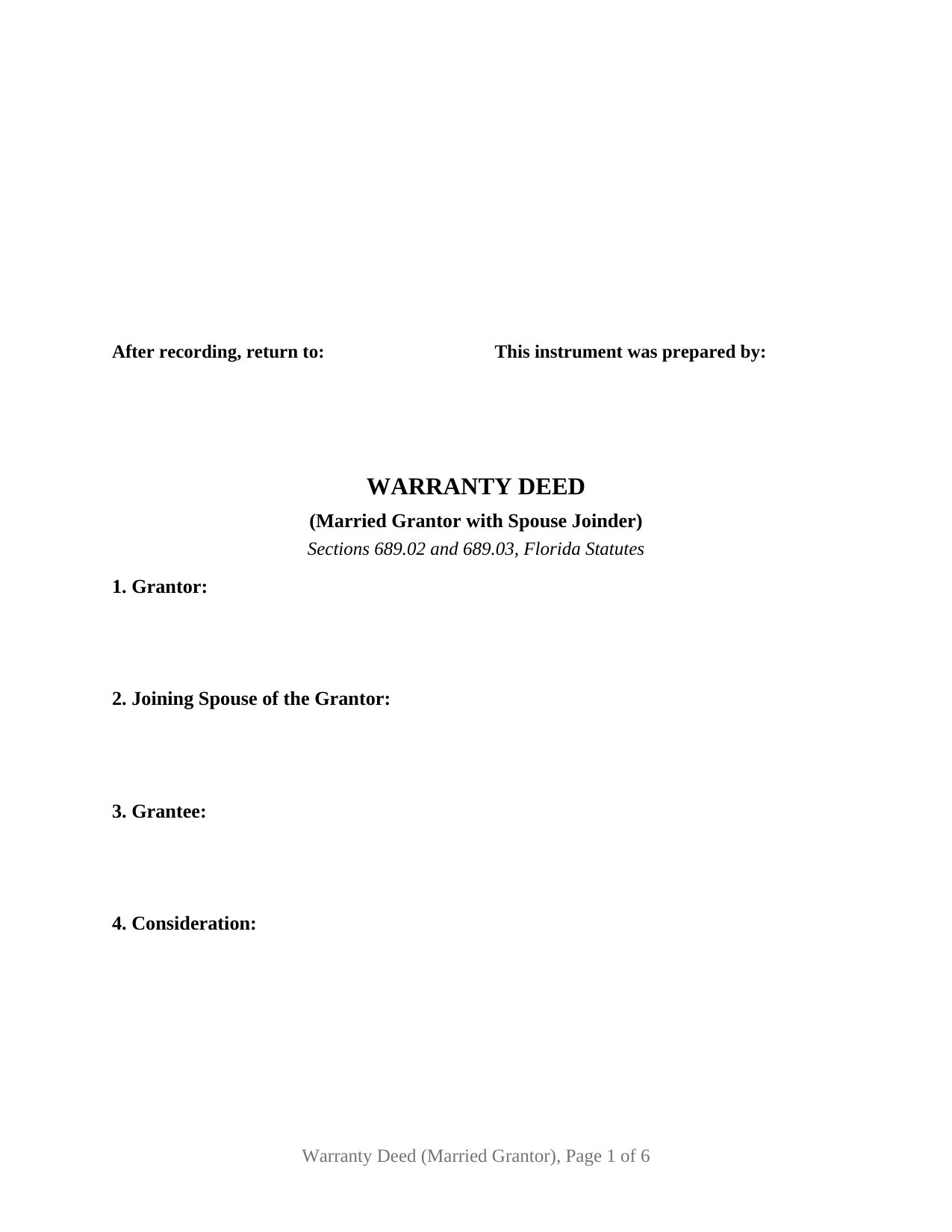
Saint Johns County Warranty Deed (Married Grantor with Spouse Joinder) Form
Fill in the blank Warranty Deed (Married Grantor with Spouse Joinder) form formatted to comply with all Florida recording and content requirements.
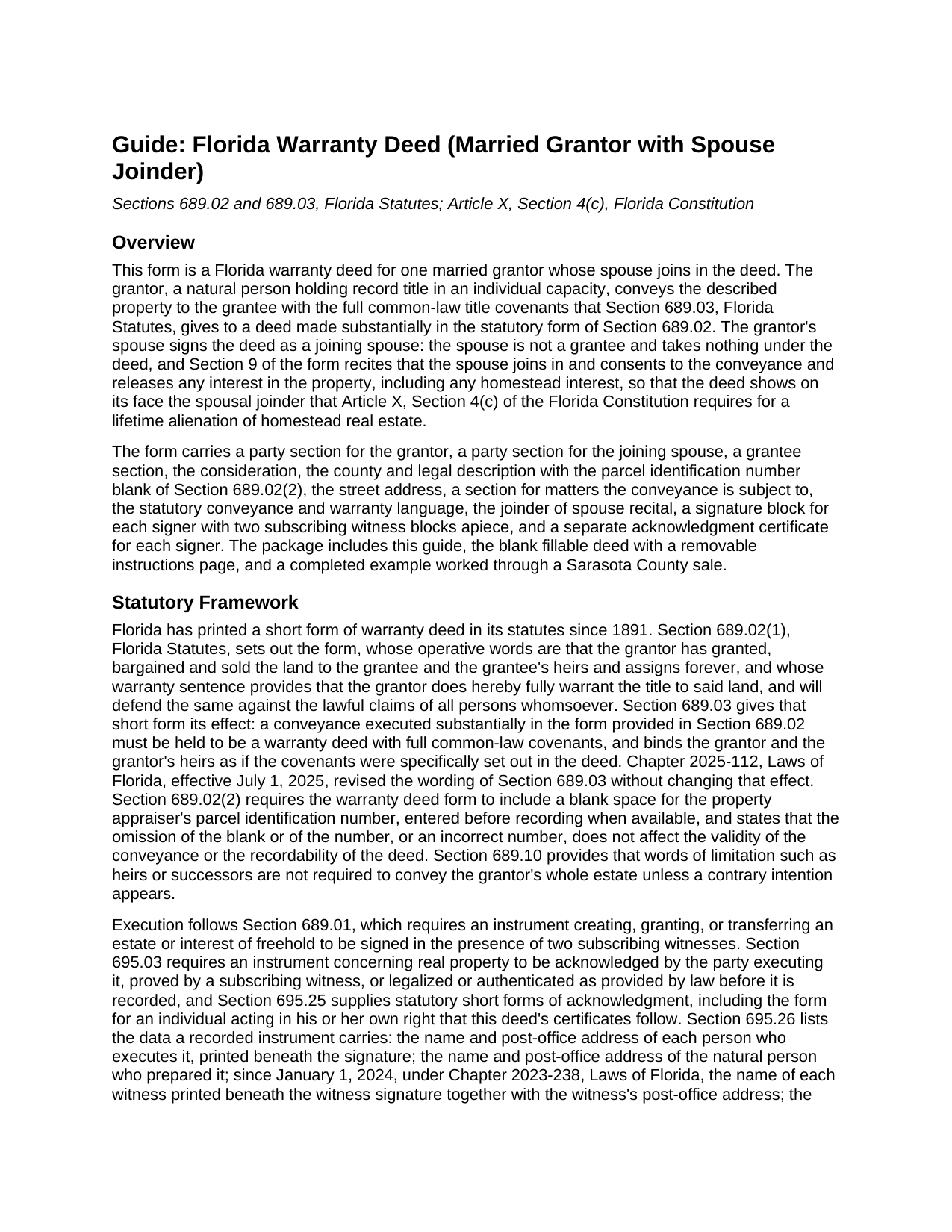
Saint Johns County Warranty Deed (Married Grantor with Spouse Joinder) Guide
Line by line guide explaining every blank on the Warranty Deed (Married Grantor with Spouse Joinder) form.
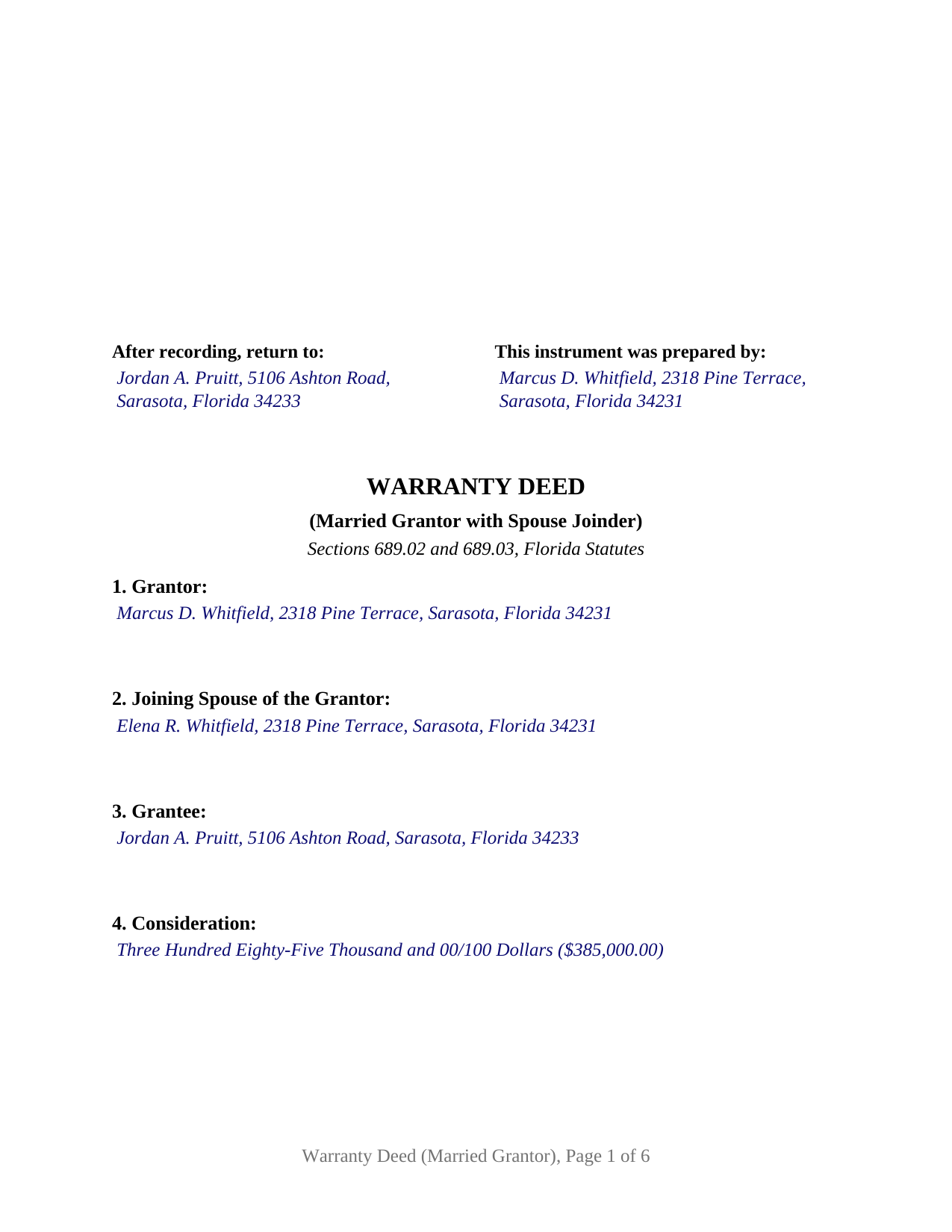
Saint Johns County Completed Example of the Warranty Deed (Married Grantor with Spouse Joinder) Document
Example of a properly completed Florida Warranty Deed (Married Grantor with Spouse Joinder) document for reference.
All 3 documents above included • One-time purchase • No recurring fees
Immediate Download • Secure Checkout
Additional Florida and Saint Johns County documents included at no extra charge:
Where to Record Your Documents
St. Johns County Clerk of Courts
St. Augustine, Florida 32084
Hours: 8:00am-5:00pm M-F
Phone: (904) 819-3600 Press 6 for Recording
Recording Tips for Saint Johns County:
- Bring your driver's license or state-issued photo ID
- Ensure all signatures are in blue or black ink
- Leave recording info boxes blank - the office fills these
- Make copies of your documents before recording - keep originals safe
- Recorded documents become public record - avoid including SSNs
Cities and Jurisdictions in Saint Johns County
Properties in any of these areas use Saint Johns County forms:
- Elkton
- Hastings
- Jacksonville
- Ponte Vedra
- Ponte Vedra Beach
- Saint Augustine
- Saint Johns
Hours, fees, requirements, and more for Saint Johns County
How do I get my forms?
Forms are available for immediate download after payment. The Saint Johns County forms will be in your account ready to download to your computer. An account is created for you during checkout if you don't have one. Forms are NOT emailed.
Are these forms guaranteed to be recordable in Saint Johns County?
Yes. Our form blanks are guaranteed to meet or exceed the applicable formatting requirements used for recording in Saint Johns County, including margin requirements, font requirements, and other layout standards. This guarantee applies to formatting, not to the legal sufficiency of information entered by the user or the suitability of a form for a particular transaction.
Can I reuse these forms?
Yes. You can reuse the forms for your personal use. For example, if you have multiple properties in Saint Johns County you only need to order once.
What do I need to use these forms?
The forms are PDFs that you fill out on your computer. The free Adobe Acrobat Reader is recommended, and most PDF apps also work. You do NOT enter your property information online - you download the blank forms and complete them privately on your own computer.
Are there any recurring fees?
No. This is a one-time purchase. Nothing to cancel, no memberships, no recurring fees.
How much does it cost to record in Saint Johns County?
Recording fees in Saint Johns County vary. Contact the recorder's office at (904) 819-3600 Press 6 for Recording for current fees.
Questions answered? Let's get started!
A Florida deed signed by a married owner often carries a second signature: the owner's spouse signs even though the spouse holds no record title. The reason sits in the Florida Constitution. Article X, Section 4(c) provides that the owner of homestead real estate, joined by the spouse if married, may alienate the homestead by mortgage, sale, or gift. This form is a warranty deed built around that rule: one married grantor conveys, and the grantor's spouse joins in the deed with a party section, a joinder recital, and a signature block.
Why the spouse signs a deed that names one owner
The joining spouse is not a grantee and takes nothing under the deed. Section 9 of the form states what the second signature accomplishes: the spouse joins in and consents to the conveyance and releases any interest, including any homestead interest, satisfying the constitutional joinder where the property is the grantor's homestead. Section 689.111, Florida Statutes, allows homestead to be conveyed through a power of attorney but does not dispense with the joinder of both spouses. Dower and curtesy are abolished in Florida, so the second signature answers a homestead question; where the parcel is not the constitutional homestead, the joinder language still releases whatever interest the spouse holds. Each signature carries its own acknowledgment certificate, so the grantor and the joining spouse can sign on different dates or in different states.
One grantor, one joining spouse, two certificates
The deed recites exactly one grantor, a natural person conveying in his or her own right, and exactly one joining spouse, each with a numbered party section. The grantee section is free-form and takes one grantee or two or more grantees with the words that describe how they hold title. Two signature blocks, two pairs of subscribing witness blocks, and two acknowledgment certificates follow, one set for the grantor and one for the joining spouse. A married owner selling a residence titled in that owner's name alone presents the pattern this instrument recites. The form is not set up for two record owners conveying as grantors, for spouses who hold title together as tenants by the entirety, for an unmarried grantor, or for a company, a trustee, or an attorney in fact as the conveying party; each of those signs under a different pattern.
A statutory form with full common-law covenants
Florida has prescribed a warranty deed form since 1891. Section 689.02 supplies the operative words, by which the grantor has granted, bargained and sold the land to the grantee and the grantee's heirs and assigns forever, and the covenant by which the grantor fully warrants the title and will defend it against the lawful claims of all persons whomsoever. Under Section 689.03, a deed made substantially in that form carries the effect of a warranty deed with full common-law covenants. This form uses the statutory language verbatim, includes the parcel identification number blank of Section 689.02(2), and adds a subject-to section so recorded easements, restrictions, and current-year taxes can qualify the warranty. The covenant is the grantor's: Section 8 states it in the grantor's name alone, and the joining spouse's release in Section 9 carries no warranty.
Two witnesses, printed names, and post-office addresses
Execution in Florida takes more than a notary. Section 689.01 requires a deed conveying a freehold estate to be signed in the presence of two subscribing witnesses, and since January 1, 2024, Section 695.26(1)(c) has made each witness's printed name and post-office address a recording requirement. The form pairs each party signature with two witness blocks, and each acknowledgment follows the statutory short form of Section 695.25(1), with its physical presence or online notarization boxes, its identification clause, and a reserved area for the notary's rubber-stamp seal. The first page reserves the 3 inch by 3 inch clerk space at the top right, with the return and preparer blocks beneath it.
Recording and the documentary stamp
The deed is recorded with the clerk of the circuit court of the county where the property is located, and documentary stamp tax under Section 201.02 is collected at recording, at 70 cents per 100 dollars of consideration everywhere but Miami-Dade, which has its own rate and surtax structure. The download includes the blank fillable deed, a completed example on a Sarasota County fact pattern, and a guide covering every section, the signing ceremony, and recording. The materials describe Florida law in general terms and are not legal advice.
Important: Your property must be located in Saint Johns County to use these forms. Documents should be recorded at the county recording office listed above.
This Warranty Deed (Married Grantor with Spouse Joinder) meets all recording requirements specific to Saint Johns County.
Our Promise
The documents you receive here are guaranteed to meet or exceed the applicable Saint Johns County recording format requirements. If there is a rejection caused by our formatting, we will correct the issue or refund your payment. This guarantee applies to document formatting only and does not extend to information entered by the user, the selection of the form, or the legal effect of the completed document.
Save Time and Money
Get your Saint Johns County Warranty Deed (Married Grantor with Spouse Joinder) form done right the first time with Deeds.com Uniform Conveyancing Blanks. At Deeds.com, we understand that your time and money are valuable resources, and we don't want you to face a penalty fee or rejection imposed by a county recorder for submitting nonstandard documents. We constantly review and update our forms to meet rapidly changing state and county recording requirements for roughly 3,500 counties and local jurisdictions.
4.8 out of 5 - ( 4,829 Reviews )
Shari S. 5 out of 5 stars
Deeds.com is a wonderful resource providing helpful information, forms, examples, and instructions. Thank you for your service.
We appreciate your business and value your feedback. Thank you. Have a wonderful day!
Shelly S. 5 out of 5 stars
Was able to sell a property with the information obtained from your website without using an attorney! Extremely happy.
Thank you!
Darrell J. 5 out of 5 stars
Easy to use, rapid response, excellent service.
Thank you for your feedback. We really appreciate it. Have a great day!
Archie POA G. 5 out of 5 stars
got what I ordered, as expected, in good time
Thank you!
Joyce S. 5 out of 5 stars
The site was very easy to understand and to download the required documents I need to prepare a release. Response of the documents ready for my use was very efficient.
We appreciate your business and value your feedback. Thank you. Have a wonderful day!
Robbin J. 5 out of 5 stars
Really great website!! Easy to use!! Very helpful!!
Thank you!
Judith O. 1 out of 5 stars
Unfortunately, it wasn't the information I needed. I wanted something that could remove my husbands name on our deed, because he passed away last month.
Sorry to hear about your situation Judith. The document you selected is one that would need to be used during the grantor's lifetime. Under the circumstances, we have canceled your order and refunded your payment.
Laura B. 5 out of 5 stars
Downloaded and completed these quit claim forms in less than one cup of coffee, quick easy and stress free.
We appreciate your business and value your feedback. Thank you. Have a wonderful day!
Donna M. 5 out of 5 stars
I thought the price was rather extreme $39 for three pieces of paper, but I guess that’s what I needed
Thank you for the feedback, Donna. We know nobody enjoys paying for paperwork. Each form is prepared to meet your county's specific recording requirements and includes a guide and a completed example, so it's accepted the first time. We appreciate your business.
Mark & Linda W. 4 out of 5 stars
Quite simple and easy. Only one critique: It would be easier if the names of the PDF would reflect the name of the deed/form such as 'Controlling tax return' rather than '1579101185SF56863.pdf'. However I love downloading forms rather than mail.
Thank you for your feedback. We really appreciate it. Have a great day!
Chrystal L. 5 out of 5 stars
Excellent! Follow the prompts for easy access. Forms readily available. Thanks!
We appreciate your business and value your feedback. Thank you. Have a wonderful day!
Edith T. 5 out of 5 stars
this was wonderful. I found everything very easy to understand. And great examples.
Thank you!
Terry S. 4 out of 5 stars
I was very happy with the document package that I purchased. It contained all of the necessary documents and a few extras I had not thought about. Perhaps if you provided a link to download all of the documents with one click, it would make it a little easier.
Thank you for your feedback. We really appreciate it. Have a great day!
Jeanette S. 5 out of 5 stars
Easy to use and instructions were very clear. If possible, it would be nice to be able to download the entire package at one time - it was a little cumbersome to download each item separately. (Of course, I didn't know which of the items I needed, so downloaded them all)
Thank you for your feedback. We really appreciate it. Have a great day!
Janice S. 5 out of 5 stars
All instructions and forms are very easy to read and fill-out. Thank you
Thank you for your feedback. We really appreciate it. Have a great day!