Henry County Affidavit of Beneficiary Acceptance (Individual Beneficiary) Form
Last validated October 21, 2026 by our Forms Development TeamFormatted for recording in Henry County, for property anywhere in the county: rural and unincorporated areas as well as Hampton, Locust Grove, Mcdonough, Stockbridge.
- 3 documents included
- Immediate PDF download
- Formatting guarantee
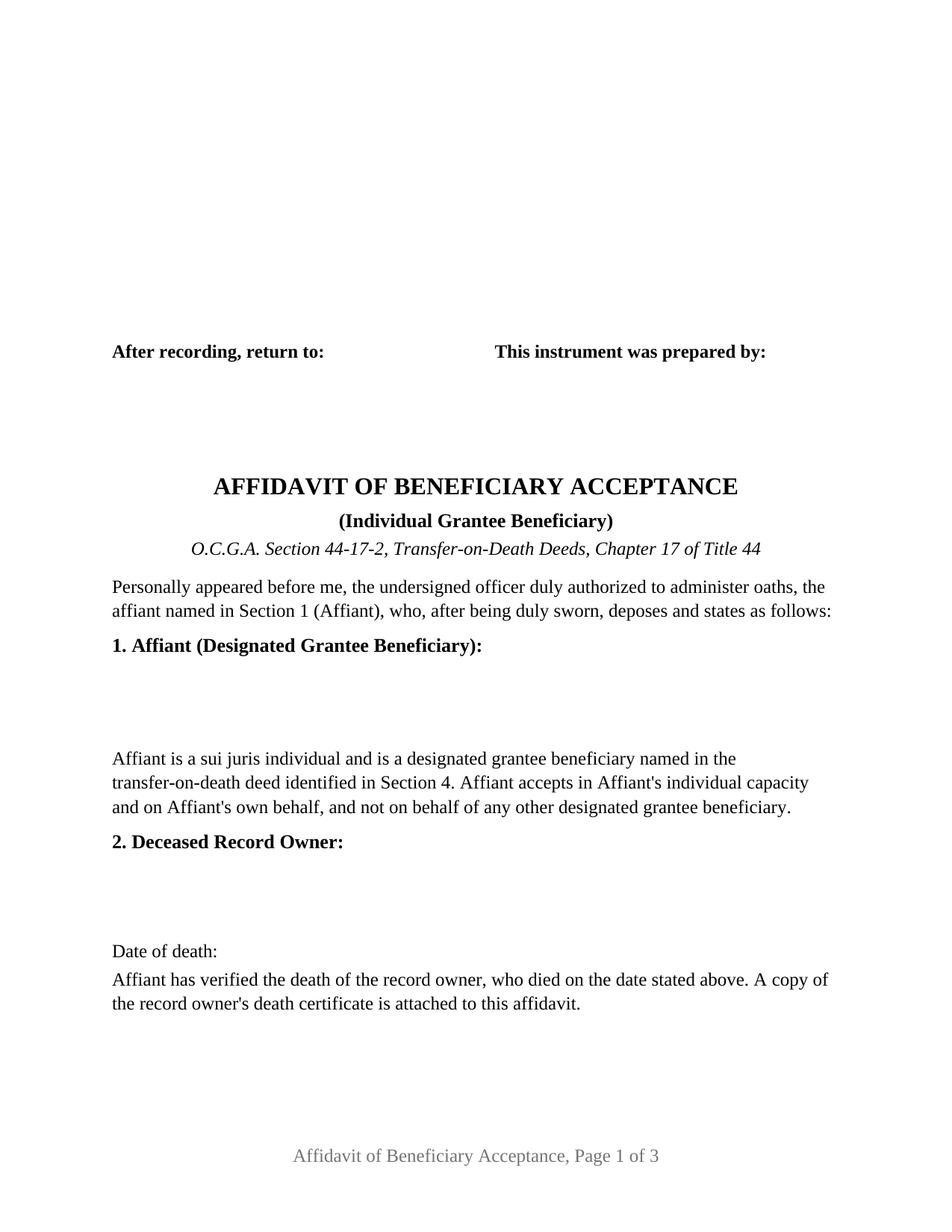
Henry County Affidavit of Beneficiary Acceptance (Individual Beneficiary) Form
Fill in the blank Affidavit of Beneficiary Acceptance (Individual Beneficiary) form formatted to comply with all Georgia recording and content requirements.
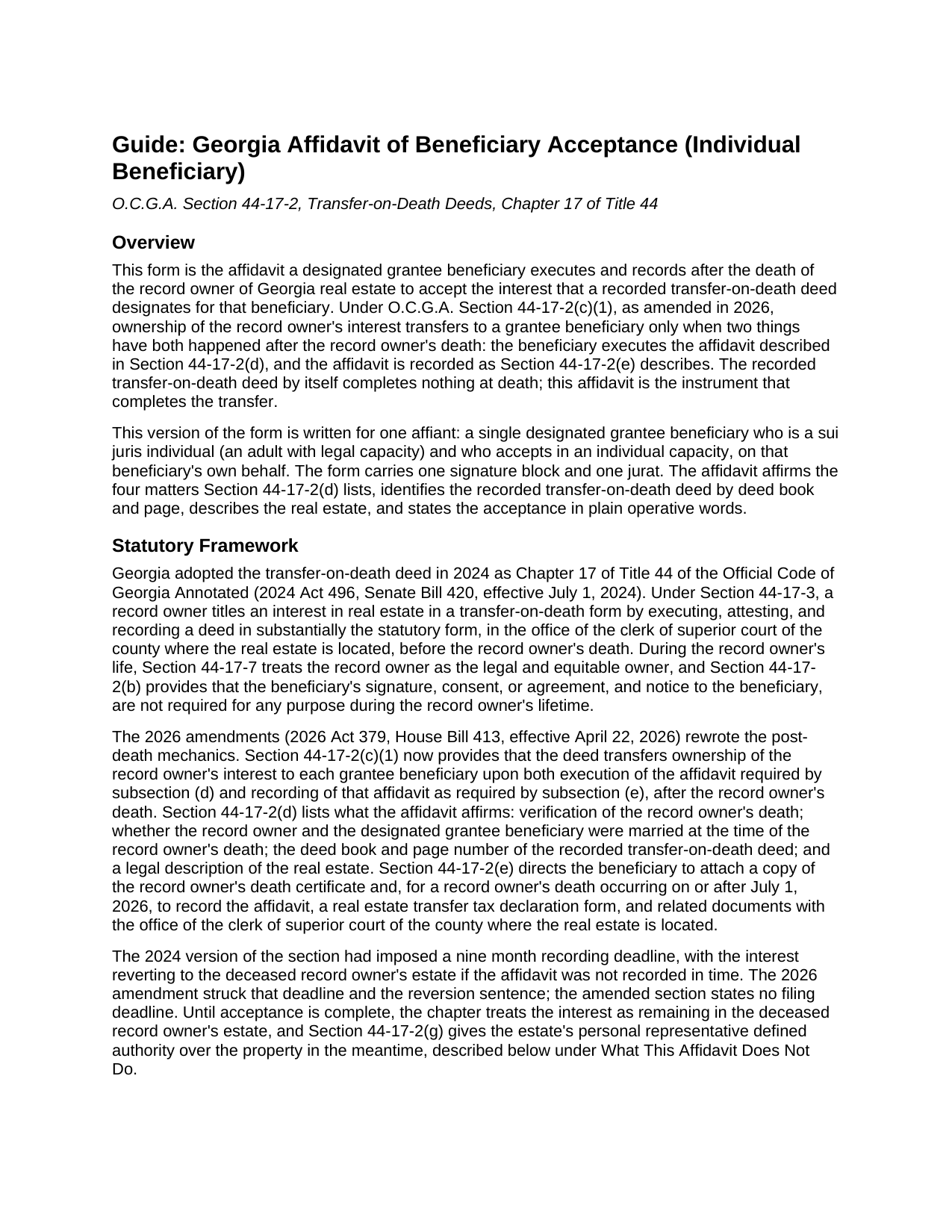
Henry County Affidavit of Beneficiary Acceptance (Individual Beneficiary) Guide
Line by line guide explaining every blank on the Affidavit of Beneficiary Acceptance (Individual Beneficiary) form.
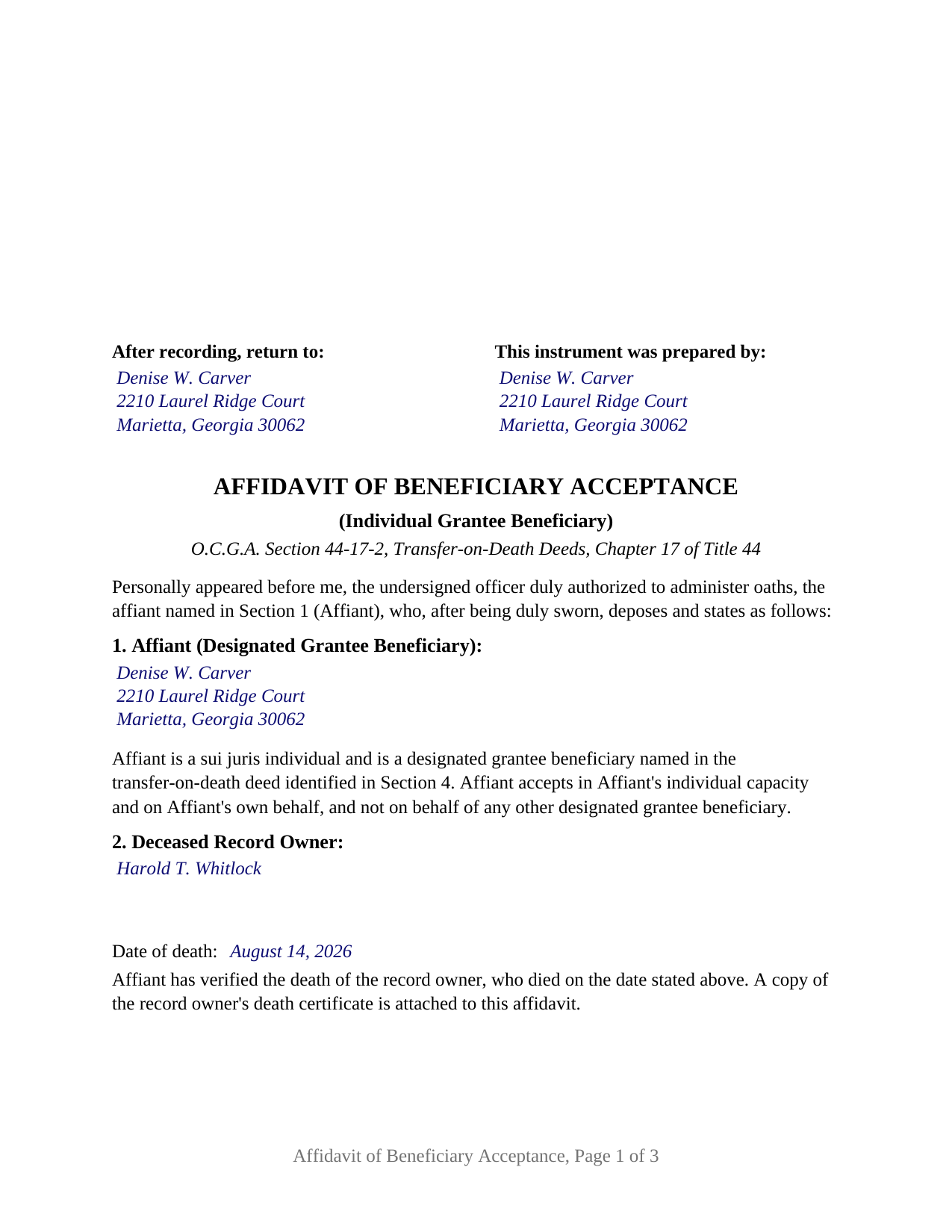
Henry County Completed Example of the Affidavit of Beneficiary Acceptance (Individual Beneficiary) Document
Example of a properly completed Georgia Affidavit of Beneficiary Acceptance (Individual Beneficiary) document for reference.
All 3 documents above included • One-time purchase • No recurring fees
Immediate Download • Secure Checkout
Additional Georgia and Henry County documents included at no extra charge:
Where to Record Your Documents
Clerk of Superior Court
McDonough, Georgia 30253
Hours: 8:30 to 4:00 M-F
Phone: (770) 288-8022
Recording Tips for Henry County:
- Bring your driver's license or state-issued photo ID
- Ensure all signatures are in blue or black ink
- Request a receipt showing your recording numbers
- Ask about accepted payment methods when you call ahead
- Ask for certified copies if you need them for other transactions
Cities and Jurisdictions in Henry County
Properties in any of these areas use Henry County forms:
- Hampton
- Locust Grove
- Mcdonough
- Stockbridge
Hours, fees, requirements, and more for Henry County
How do I get my forms?
Forms are available for immediate download after payment. The Henry County forms will be in your account ready to download to your computer. An account is created for you during checkout if you don't have one. Forms are NOT emailed.
Are these forms guaranteed to be recordable in Henry County?
Yes. Our form blanks are guaranteed to meet or exceed the applicable formatting requirements used for recording in Henry County, including margin requirements, font requirements, and other layout standards. This guarantee applies to formatting, not to the legal sufficiency of information entered by the user or the suitability of a form for a particular transaction.
Can I reuse these forms?
Yes. You can reuse the forms for your personal use. For example, if you have multiple properties in Henry County you only need to order once.
What do I need to use these forms?
The forms are PDFs that you fill out on your computer. The free Adobe Acrobat Reader is recommended, and most PDF apps also work. You do NOT enter your property information online - you download the blank forms and complete them privately on your own computer.
Are there any recurring fees?
No. This is a one-time purchase. Nothing to cancel, no memberships, no recurring fees.
How much does it cost to record in Henry County?
Recording fees in Henry County vary. Contact the recorder's office at (770) 288-8022 for current fees.
Questions answered? Let's get started!
In Georgia, a recorded transfer-on-death deed does not finish the job at the owner's death. Since the 2026 amendments to O.C.G.A. Section 44-17-2, the interest passes to a named beneficiary only when that beneficiary executes an acceptance affidavit and records it in the county where the land lies. This Georgia Affidavit of Beneficiary Acceptance (Individual Beneficiary) is that affidavit, written for one beneficiary who is an adult with legal capacity and who accepts in an individual capacity, on that beneficiary's own behalf.
The affidavit is the transfer event
Georgia's transfer-on-death deed chapter, Chapter 17 of Title 44, took effect in July 2024 and was rewritten in April 2026. Under amended Section 44-17-2(c)(1), ownership of the record owner's interest transfers to each grantee beneficiary upon both execution of the affidavit the statute describes and recording of that affidavit after the record owner's death. Until both have happened, the interest remains in the deceased record owner's estate. The earlier nine month deadline and reversion to the estate were struck in 2026; the amended section states no filing deadline. A TOD deed beneficiary who never records the affidavit never takes title.
Four statutory affirmations, one affiant
Section 44-17-2(d) lists what the affidavit affirms: verification of the record owner's death, whether the record owner and the beneficiary were married at the time of death, the deed book and page of the recorded deed, and a legal description of the real estate. The form carries each as its own numbered section, with the marriage fact presented as two boxes and one marked. Section 44-17-2(e) adds a copy of the death certificate as an attachment and, for a death on or after July 1, 2026, directs recording with the clerk of superior court of the county where the real estate is located, together with a PT-61 transfer tax declaration. The operative section states the acceptance in plain words.
The form recites exactly one affiant, a sui juris individual accepting in an individual capacity, following the statute's rule on who may accept: Section 44-17-2(c)(2) lists a sui juris individual, a trustee, or a legal entity over which the individual has proper authority, with a guardian or conservator accepting for a ward or minor, and Section 44-17-2(c)(3) bars one beneficiary from accepting on behalf of another. An adult child named in a parent's TOD deed and a surviving spouse named in the deceased spouse's deed each present the single-individual pattern this affidavit recites. A trustee, an entity, or a guardian for a minor recites different facts, and a deed naming two beneficiaries calls for a separate affidavit from each who accepts; this form is not set up as any of those.
Sworn, not acknowledged
Because the statute calls for an affidavit, the form closes with a jurat rather than an acknowledgment certificate. The affiant signs in the presence of a notary public or other officer authorized to administer oaths, who completes the sworn statement with the date, the venue, a signature in ink exactly as the name appears on the commission under O.C.G.A. Section 45-17-8.1, and the seal that Section 45-17-6 makes part of every official notarial act; the form reserves a labeled area for the stamp. No witness line appears, since the officer-plus-witness rule in Section 44-5-30 governs deeds, and an acceptance affidavit is not a deed.
Recording in Georgia
The affidavit is formatted for the Georgia clerk's office: letter size paper with the three inch top margin O.C.G.A. Section 15-6-61 reserves for the clerk's notation, and the return name and mailing address Section 44-2-14(b) places at the top of the first page directly below that reserve. A beneficiary filing without an attorney is a self-filer under Section 44-2-2 and presents the affidavit through the GSCCCA electronic filing portal, where the PT-61 is also completed.
What the beneficiary takes
Under Section 44-17-5(a), on acceptance the beneficiary takes free and clear of claims of a person who became the record owner's spouse after the deed was executed, subject to the claims of a spouse whose marriage preceded execution, and subject to the liens and conveyances that bound the record owner during life.
The package includes the fillable affidavit, a completed example filled in for a realistic Cobb County fact pattern, and the guide that walks through each section, the jurat, and the PT-61 and recording steps. This description and the guide describe the form and the governing Georgia statutes in general terms; they are not legal advice.
Important: Your property must be located in Henry County to use these forms. Documents should be recorded at the county recording office listed above.
This Affidavit of Beneficiary Acceptance (Individual Beneficiary) meets all recording requirements specific to Henry County.
Our Promise
The documents you receive here are guaranteed to meet or exceed the applicable Henry County recording format requirements. If there is a rejection caused by our formatting, we will correct the issue or refund your payment. This guarantee applies to document formatting only and does not extend to information entered by the user, the selection of the form, or the legal effect of the completed document.
Save Time and Money
Get your Henry County Affidavit of Beneficiary Acceptance (Individual Beneficiary) form done right the first time with Deeds.com Uniform Conveyancing Blanks. At Deeds.com, we understand that your time and money are valuable resources, and we don't want you to face a penalty fee or rejection imposed by a county recorder for submitting nonstandard documents. We constantly review and update our forms to meet rapidly changing state and county recording requirements for roughly 3,500 counties and local jurisdictions.
4.8 out of 5 - ( 4,829 Reviews )
Samuel M. 4 out of 5 stars
it was convenient to have a starting place, however, though the property is in Colorado, the probate is in Iowa, so I had to create my own document because you locked my capacity to edit the form I paid for. If I pay for it, I should be able to edit everything including non fill in text. I could not open it in word, as I normally could.
Thank you for your feedback. We really appreciate it. Have a great day!
Zachary F. 3 out of 5 stars
I am a lawyer and purchased a specialized type of deed for a special scenario. The product received was functional, but not great. Wording is slightly clunky and the form layout was not convenient for making a professional final product. The wording also didn't contemplate a remote-state probate, which is a common scenario. Something about the PDF prevented me from doing cut and paste, so I had to do OCR to get the relevant text for inserting in my existing draft deed. Finally, while the site claims it is customized for the exact state and county, it does not appear to be well-customized for that purpose and I had to use other language (not sourced from the deeds.com document) to meet local norms.
Thank you for your feedback. We really appreciate it. Have a great day!
ALFRED B. 5 out of 5 stars
The product was just what I needed. Not being the sharpest computer user I stumbled a little but after reading more carefully I navigated the process and I am very satisfied with my experience. deeds certainly saved me a lot of time.
Thank you!
Terry M. 4 out of 5 stars
Application is not well laid out. I guess it does the job but leaves a lot to be desired. Hard to follow
Thank you for your feedback. We really appreciate it. Have a great day!
Noelle V. 5 out of 5 stars
I requested a copy of some documents and within the hour, they were waiting for me in PDF form. It was easy and helped a great deal to have this service available.
Your feedback is valuable to us and helps us improve. Thank you for sharing your thoughts!
michael n. 5 out of 5 stars
Very easy to use and with all the documents that I needed.
Thank you!
Johnnie G. 3 out of 5 stars
We had hoped, as this was direct through our State recorder's office, State-specific data would be pre-filled in. Also there is no help when transferring the home title from a Revocable Trust to the living Trustee and new spouse (no example given, no help for which code to use). And the example doesn't match the prior deed revision format submitted by our attorney. So, not the best experience. We may have to get an attorney involved...what we were hoping to avoid
Thank you for your feedback. We really appreciate it. Have a great day!
Michael L. 5 out of 5 stars
Thumbs up. Very pleased with service. Easy process.
Thank you!
James M. 5 out of 5 stars
Great selection of documents. Easy to use, with guidance material.
Thank you for taking the time to leave your feedback James. We appreciate you.
Jon I. 5 out of 5 stars
I liked the information I download. Just what I was looking for.
We appreciate your business and value your feedback. Thank you. Have a wonderful day!
Craig H. 5 out of 5 stars
Awesome service! It was so quick and easy.
Thank you for your feedback. We really appreciate it. Have a great day!
srikanth n. 1 out of 5 stars
why not word format??
Good question. There are many reasons, we'll touch on a few. For the end user (you) Adobe Reader is free, Word is not. PDF is the portable document standard, Word is a decent word processor. A portable document format (PDF) maintains document formatting such as margins and font size which is very important to legal documents, Word does not. Have a wonderful day.
Darrell P. 5 out of 5 stars
My legal description exceeds the avaiable space in the one page Exhibit A...any way to add a second page as 'Exhibit A (continued)'?
It is not required to use the included exhibit page. Simply label your printed legal description as the appropriate exhibit.
Linda C. 5 out of 5 stars
If I hadn't spent my career as an escrow officer (albeit in another state), I may have had a hard time figuring out exactly which deed I needed and how to prepare them, even with the back-up informational, how-to pdf documents, without an attorney. My experience speaks to how much the general public doesn't understand and how confusing it can be. Nonetheless, the access to so many documents at a fairly reasonable cost, the basic how-to docs made available along with the purchased doc makes all the difference. I appreciate having such things available to the public. Many thanks.
We appreciate your business and value your feedback. Thank you. Have a wonderful day!
Debra H. 5 out of 5 stars
I find this site easy to use and every form I may need. Now to figure out how to fill in on line. :)
Thank you for your feedback Debra. Be sure to download the forms and fill them out on your computer, they should not be filled out "online". Have a great day.