Whitfield County Affidavit of Beneficiary Acceptance (Trustee Beneficiary) Form
Last validated October 21, 2026 by our Forms Development TeamFormatted for recording in Whitfield County, for property anywhere in the county: rural and unincorporated areas as well as Cohutta, Dalton, Rocky Face, Tunnel Hill.
- 3 documents included
- Immediate PDF download
- Formatting guarantee
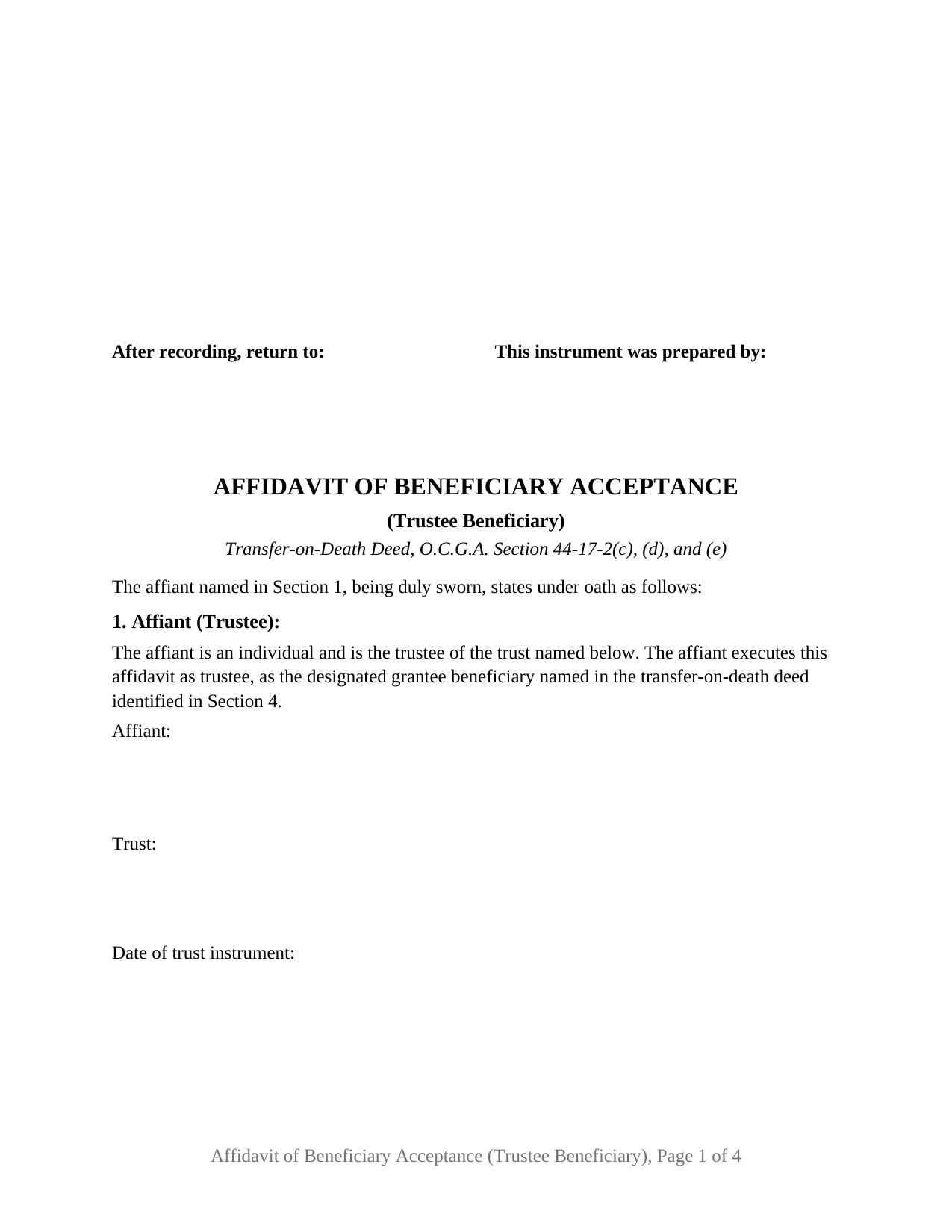
Whitfield County Affidavit of Beneficiary Acceptance (Trustee Beneficiary) Form
Fill in the blank Affidavit of Beneficiary Acceptance (Trustee Beneficiary) form formatted to comply with all Georgia recording and content requirements.
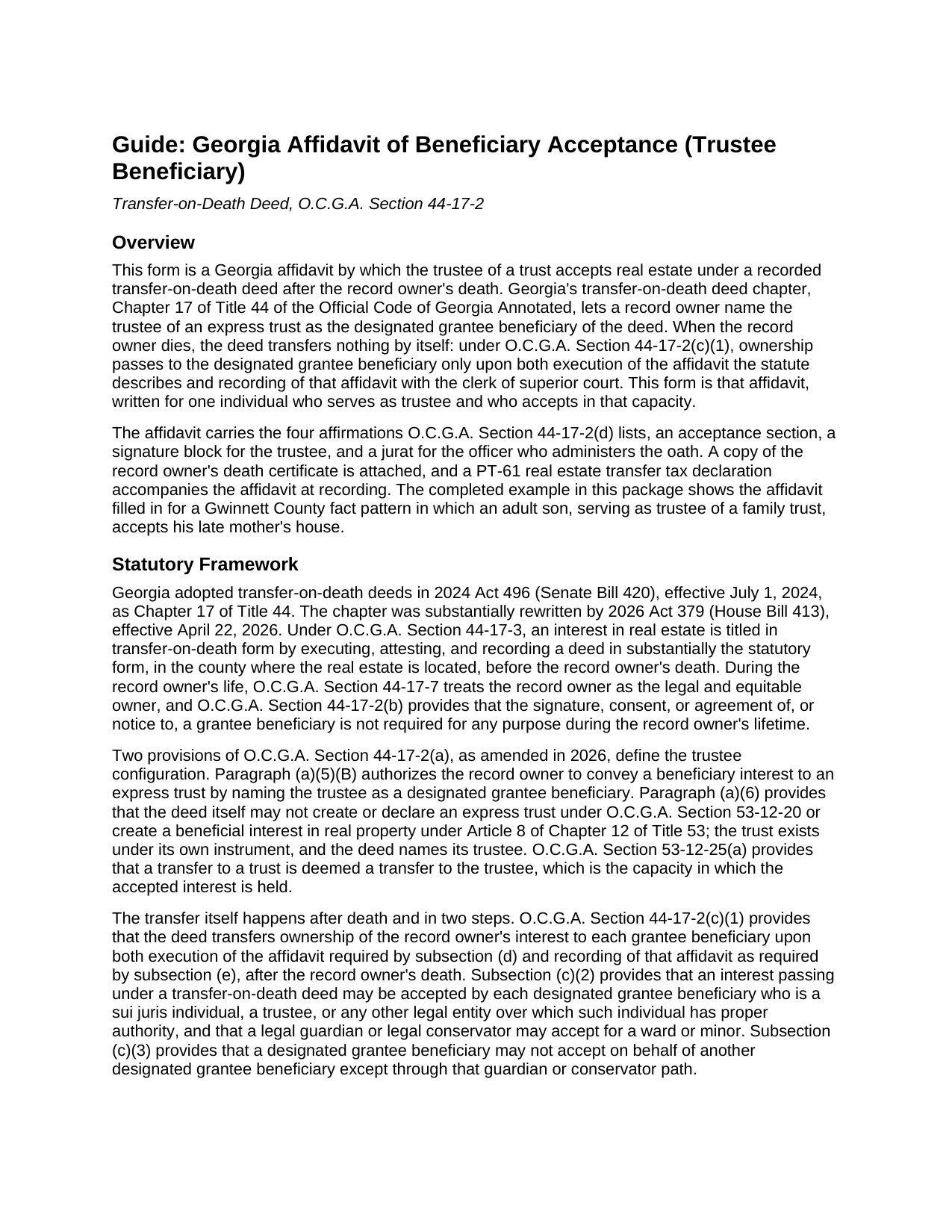
Whitfield County Affidavit of Beneficiary Acceptance (Trustee Beneficiary) Guide
Line by line guide explaining every blank on the Affidavit of Beneficiary Acceptance (Trustee Beneficiary) form.
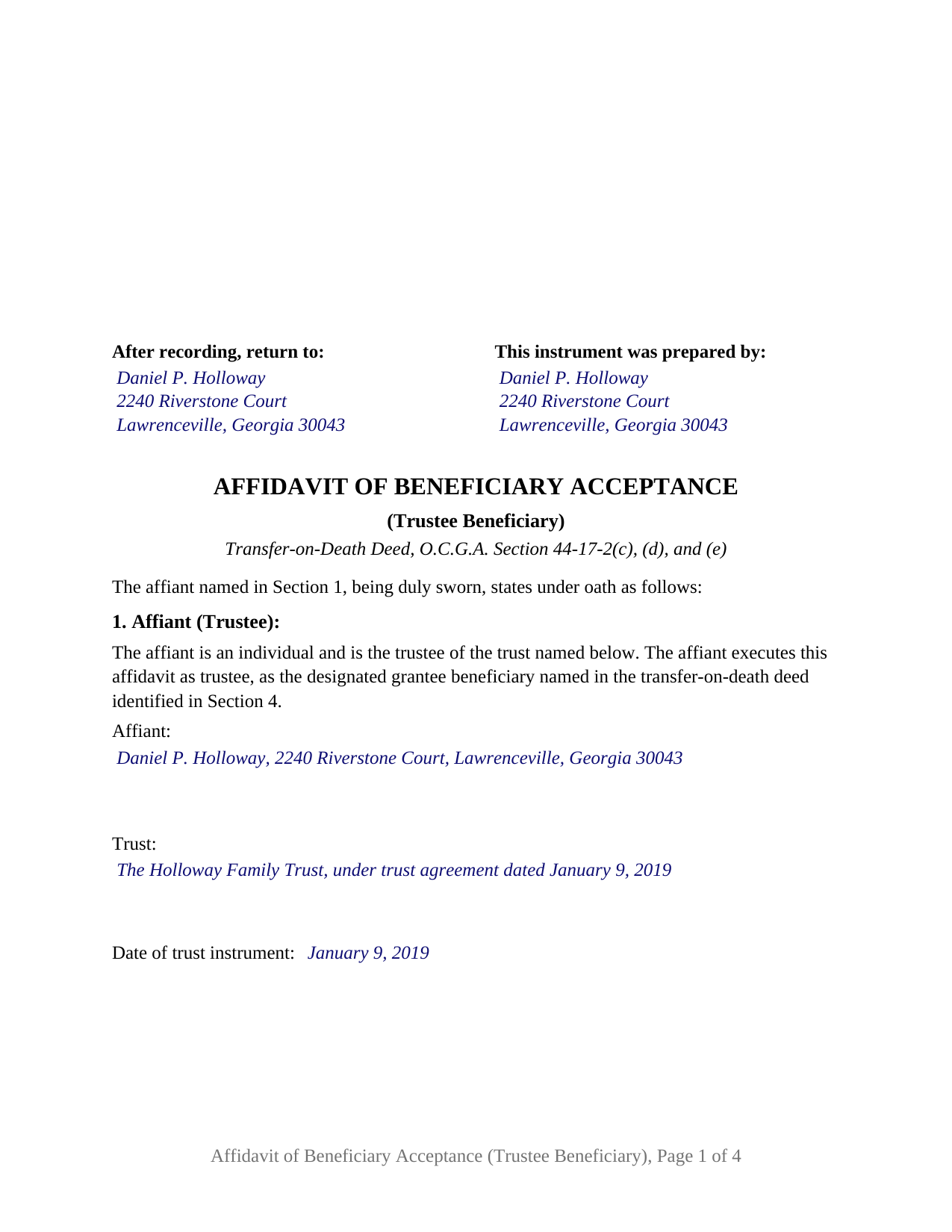
Whitfield County Completed Example of the Affidavit of Beneficiary Acceptance (Trustee Beneficiary) Document
Example of a properly completed Georgia Affidavit of Beneficiary Acceptance (Trustee Beneficiary) document for reference.
All 3 documents above included • One-time purchase • No recurring fees
Immediate Download • Secure Checkout
Additional Georgia and Whitfield County documents included at no extra charge:
Where to Record Your Documents
Clerk of Superior Court
Dalton, Georgia 30720
Hours: 8:00 to 5:00 M-F
Phone: (706) 275-7450
Recording Tips for Whitfield County:
- Bring your driver's license or state-issued photo ID
- Ensure all signatures are in blue or black ink
- Recorded documents become public record - avoid including SSNs
- Recording fees may differ from what's posted online - verify current rates
- Request a receipt showing your recording numbers
Cities and Jurisdictions in Whitfield County
Properties in any of these areas use Whitfield County forms:
- Cohutta
- Dalton
- Rocky Face
- Tunnel Hill
Hours, fees, requirements, and more for Whitfield County
How do I get my forms?
Forms are available for immediate download after payment. The Whitfield County forms will be in your account ready to download to your computer. An account is created for you during checkout if you don't have one. Forms are NOT emailed.
Are these forms guaranteed to be recordable in Whitfield County?
Yes. Our form blanks are guaranteed to meet or exceed the applicable formatting requirements used for recording in Whitfield County, including margin requirements, font requirements, and other layout standards. This guarantee applies to formatting, not to the legal sufficiency of information entered by the user or the suitability of a form for a particular transaction.
Can I reuse these forms?
Yes. You can reuse the forms for your personal use. For example, if you have multiple properties in Whitfield County you only need to order once.
What do I need to use these forms?
The forms are PDFs that you fill out on your computer. The free Adobe Acrobat Reader is recommended, and most PDF apps also work. You do NOT enter your property information online - you download the blank forms and complete them privately on your own computer.
Are there any recurring fees?
No. This is a one-time purchase. Nothing to cancel, no memberships, no recurring fees.
How much does it cost to record in Whitfield County?
Recording fees in Whitfield County vary. Contact the recorder's office at (706) 275-7450 for current fees.
Questions answered? Let's get started!
A Georgia transfer-on-death deed can name the trustee of a trust as its beneficiary, and at the record owner's death that trustee is the one who takes the property for the trust. This Georgia Affidavit of Beneficiary Acceptance (Trustee Beneficiary) is the sworn instrument by which one individual serving as trustee accepts the deceased record owner's real estate in that capacity, under O.C.G.A. Section 44-17-2, so the interest lands in the trustee for the trust.
A trust takes through its trustee
Georgia's transfer-on-death deed chapter, as rewritten effective April 22, 2026, authorizes a record owner to convey a beneficiary interest to an express trust by naming the trustee as a designated grantee beneficiary, O.C.G.A. Section 44-17-2(a)(5)(B). The deed itself may not create or declare a trust; the trust exists under its own instrument, and the deed points at its trustee. After the record owner's death, Section 44-17-2(c)(2) lists the trustee among those who may accept the interest, and Section 53-12-25 treats a transfer to a trust as a transfer to its trustee. The affidavit carries that chain in fixed text: the affiant is an individual and the trustee of the named trust, accepts as trustee, and takes the interest as trustee of that trust.
One trustee, one oath
The form recites exactly one affiant, a natural person holding the office of trustee. The affiant's name is an entry rather than fixed text, so the individual holding the office at acceptance signs, whether the trustee the deed named or a successor under the trust instrument. The trust is identified by name and instrument date, and the deed's own description of the grantee beneficiary is copied into the affidavit so the two instruments read together in the index. Two co-trustees acting jointly, a bank or trust company acting through an officer, and a deed naming several beneficiaries who each accept separately present different facts; the form is not set up as any of those.
The marriage question, asked of a trustee
Section 44-17-2(d) requires the affidavit to affirm whether the record owner and the designated grantee beneficiary were married at the time of death. On this form that statement is made about the record owner and the trustee, and it is presented as two boxes with one marked. A surviving spouse who serves as trustee of the couple's family trust marks the first; a child, sibling, or friend serving as trustee marks the second. The form records the fact and attaches no consequence to it; Section 44-17-5(a) is where the statute addresses the claims of a spouse who married the record owner before, or after, the deed was signed.
Deed book, page, and the trust's paperwork
The remaining affirmations identify the recorded deed by deed book and page and carry the legal description copied from the deed. A copy of the record owner's death certificate is attached; Section 44-17-2(h) gives a designated grantee beneficiary standing to obtain a certified copy. The trust agreement itself is not recorded with the affidavit. A trustee who later deals with a title company or lender may furnish a certification of trust under O.C.G.A. Section 53-12-280, which states the trust's existence, settlor, current trustee, and powers without its dispositive terms; it is prepared separately and is not included in this package.
Sworn before an officer, recorded through the portal
The trustee swears to the affidavit before a notary public or other officer authorized to administer oaths, who completes the jurat and applies the seal O.C.G.A. Section 45-17-6 requires; the form reserves a labeled area for the stamp, and the sworn name line carries the trustee capacity. For a record owner's death on or after July 1, 2026, the affidavit, a PT-61 transfer tax declaration, and the related documents are recorded with the clerk of superior court of the county where the real estate is located. A trustee filing without an attorney presents it electronically through the GSCCCA portal as a self-filer under Section 44-2-2; the amended statute sets no filing deadline. Under Section 44-17-2(c)(1), ownership passes only once the affidavit is both executed and recorded.
The package contains the fillable affidavit, a completed example filled in for a Gwinnett County fact pattern in which a son serving as trustee of a family trust accepts his late mother's home, and the guide that explains each section, the jurat, and the PT-61 and e-filing steps. This description and the guide explain the form and the Georgia statutes behind it in general terms and are not legal advice.
Important: Your property must be located in Whitfield County to use these forms. Documents should be recorded at the county recording office listed above.
This Affidavit of Beneficiary Acceptance (Trustee Beneficiary) meets all recording requirements specific to Whitfield County.
Our Promise
The documents you receive here are guaranteed to meet or exceed the applicable Whitfield County recording format requirements. If there is a rejection caused by our formatting, we will correct the issue or refund your payment. This guarantee applies to document formatting only and does not extend to information entered by the user, the selection of the form, or the legal effect of the completed document.
Save Time and Money
Get your Whitfield County Affidavit of Beneficiary Acceptance (Trustee Beneficiary) form done right the first time with Deeds.com Uniform Conveyancing Blanks. At Deeds.com, we understand that your time and money are valuable resources, and we don't want you to face a penalty fee or rejection imposed by a county recorder for submitting nonstandard documents. We constantly review and update our forms to meet rapidly changing state and county recording requirements for roughly 3,500 counties and local jurisdictions.
4.8 out of 5 - ( 4,829 Reviews )
Margaret L. 1 out of 5 stars
I was not able to use the form after paying for it. The words in red would not let me type over them and I could not get a blank document. Useless.
Each forms package includes a blank form, a guide, and a completed example. The red text appears in the completed example to show how a finished document may look; the blank form is the editable document intended for customer use. Because our products are do-it-yourself legal forms, we canceled the order and payment when it was clear the customer was not able to identify and use the blank form included in the package.
Melody P. 5 out of 5 stars
Thank you for getting our docs recorded so quickly and efficiently! Great and dependable service, as always!
We appreciate your business and value your feedback. Thank you. Have a wonderful day!
Jacqueline H. 5 out of 5 stars
Thank you for all your assistance and patience in doing the deed. I can honestly say that DEEDs.com will be permanently on my list as a go to company. I will use the company as a referral to friends and family.
We appreciate your business and value your feedback. Thank you. Have a wonderful day!
Wayne R. 5 out of 5 stars
Couldn't believe how simple it was to do such a very important family support task and the price was right! Thank you
We appreciate your business and value your feedback. Thank you. Have a wonderful day!
Laurie S. 5 out of 5 stars
This was super easy and fast!
We appreciate your business and value your feedback. Thank you. Have a wonderful day!
David J. 5 out of 5 stars
Excellent documents, downloaded quick, completed and printed with no problems. Thank you
Thank you!
Hans S. 5 out of 5 stars
This is my first time using this service so having not yet filed the documents I purchased, I will say that I am impressed at how comprehensive the instructions are that accompany the document I purchased.
We appreciate your business and value your feedback. Thank you. Have a wonderful day!
Judy A S. 5 out of 5 stars
Great do it yourself forms (I used the Quitclaim deed). If you think you're going to need a lot of hand holding you might consider hiring an attorney. The guide and general information provided by deeds.com will help if you have some idea of what you are doing and you are willing to research a little. Your mileage may vary but for me, this was a very efficient and economical way to get my quitclaim deed done.
Thank you for your feedback. We really appreciate it. Have a great day!
Paul W. 5 out of 5 stars
Great service; document was exactly what I wanted. I highly recommend your company.
Thank you for your kind words and for choosing us.
Joanne H. 5 out of 5 stars
easy to download and use. this document. thank you
Thank you!
Martin T. 5 out of 5 stars
The deed I needed was available to me easily. I was able to fill it out with the help of the example deed provided. I am very satisfied with the value received for the price paid.
Thank you!
Barbara H. 5 out of 5 stars
So far so good. Thanks for making this easy and affordable.
Thank you for your feedback. We really appreciate it. Have a great day!
STANLEY F. 5 out of 5 stars
Forms were spot on and able to save over $100 by not going to an attorney to complete the same documents. There were templates on how forms are supposed to be completed. You just need a notary to sign.
Thank you Stanley, we really appreciate your feedback.
Florence F. 5 out of 5 stars
excellent experience and very prompt and detail . great service
We appreciate your review and your business. Thank you.
Lisa A. 5 out of 5 stars
I am so thankful for the time saved by using Deeds.com. Not having to run downtown and stand in line is awesome!
We are delighted to have been of service. Thank you for the positive review!