Pierce County Assignment of Security Deed Form
Last validated October 21, 2026 by our Forms Development TeamFormatted for recording in Pierce County, for property anywhere in the county: rural and unincorporated areas as well as Blackshear, Bristol, Mershon, Offerman, Patterson.
- 6 documents included
- Immediate PDF download
- Formatting guarantee
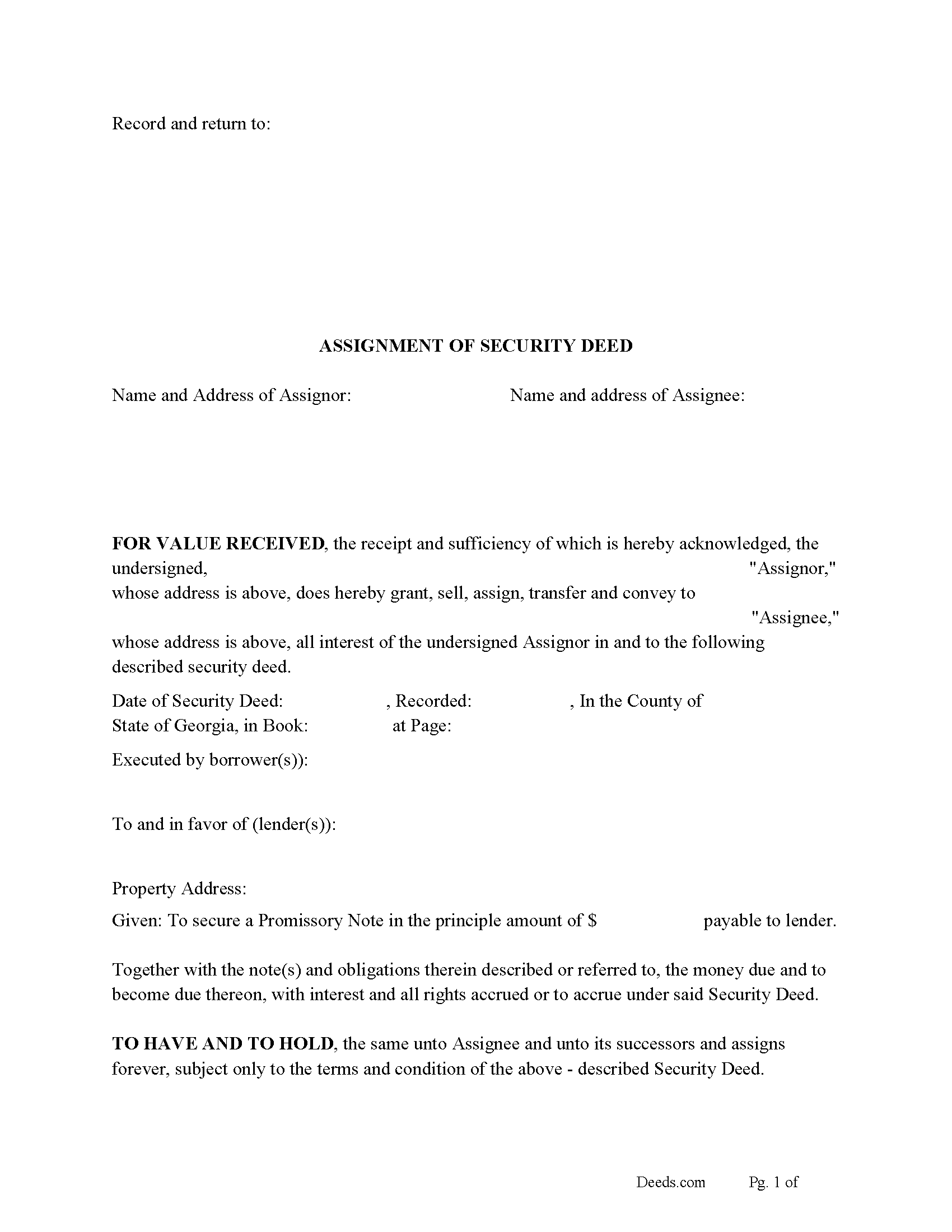
Pierce County Assignment of Security Deed Form
Fill in the blank form formatted to comply with all recording and content requirements.
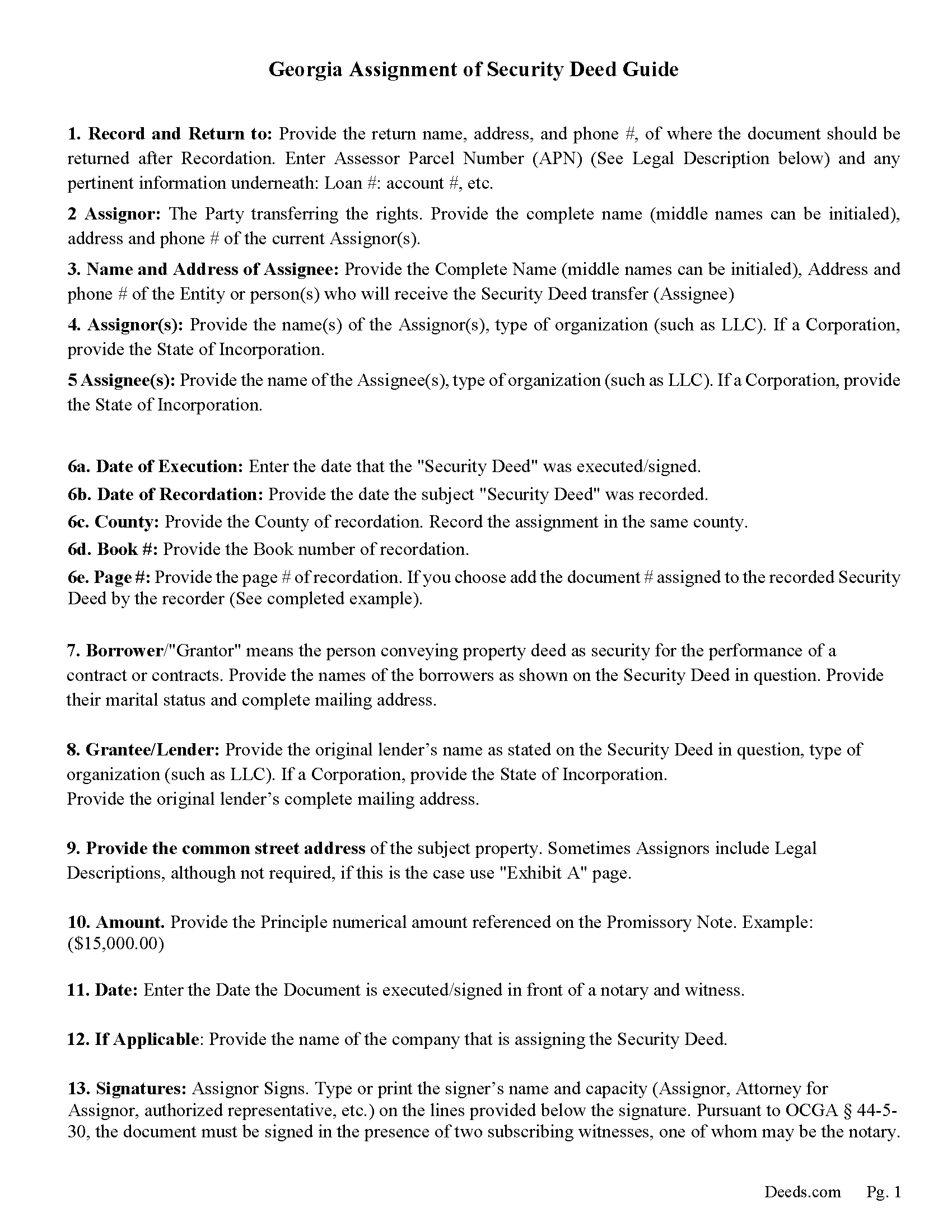
Pierce County Guidelines for Assignment of Security Deed
Line by line guide explaining every blank on the form.
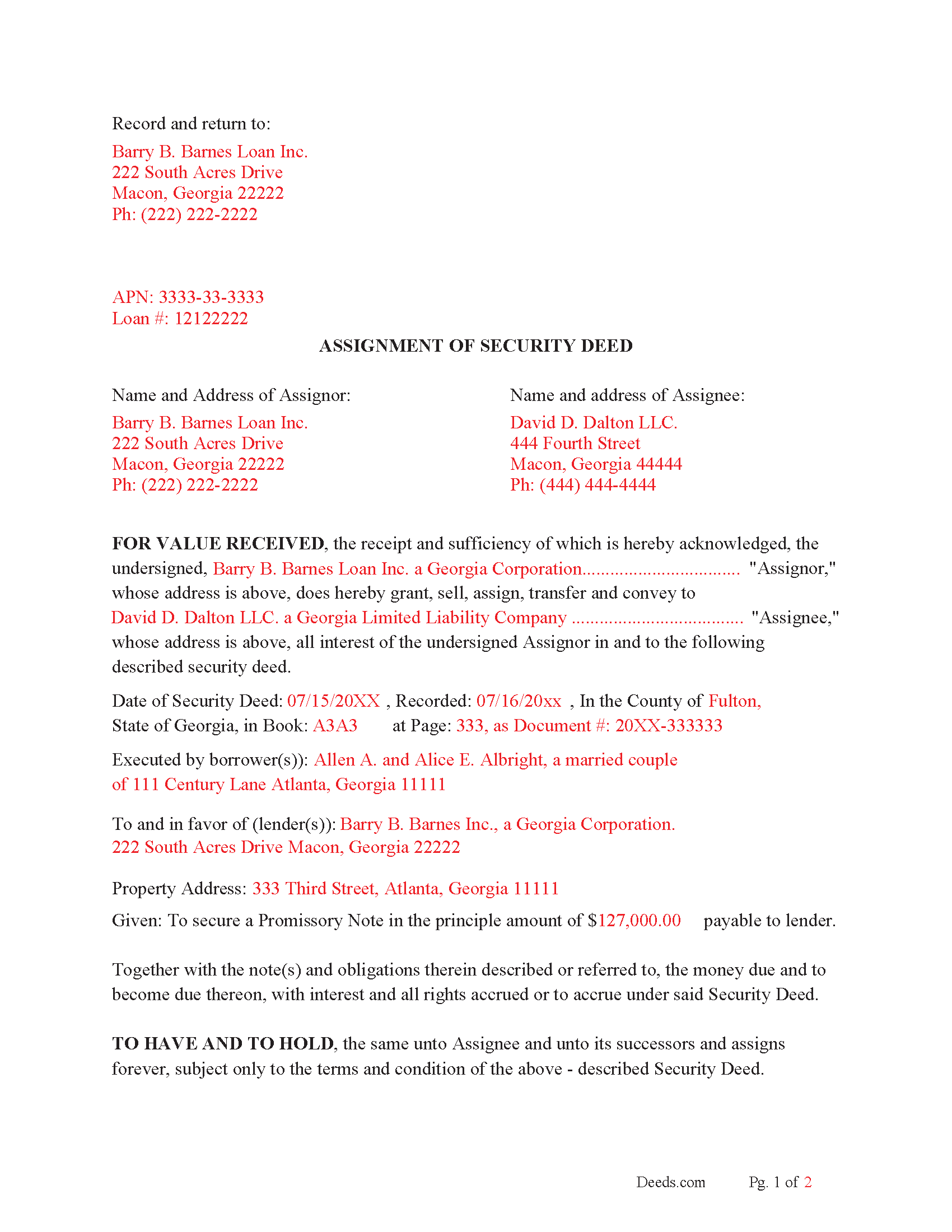
Pierce County Completed Example of the Assignment of Security Deed Document
Example of a properly completed form for reference.
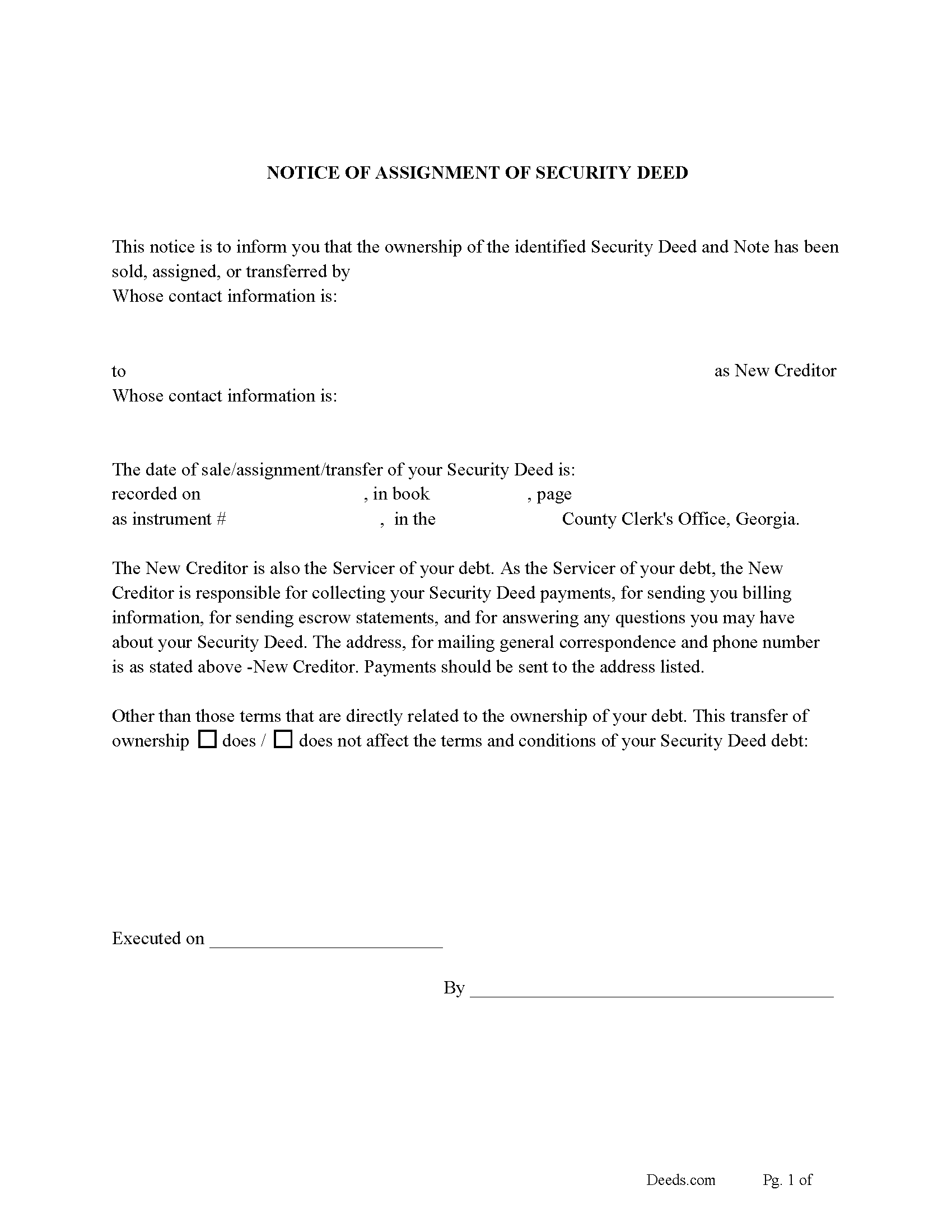
Pierce County Notice of Assignment of Security Deed
Required form notifies borrowers of the recorded Assignment.
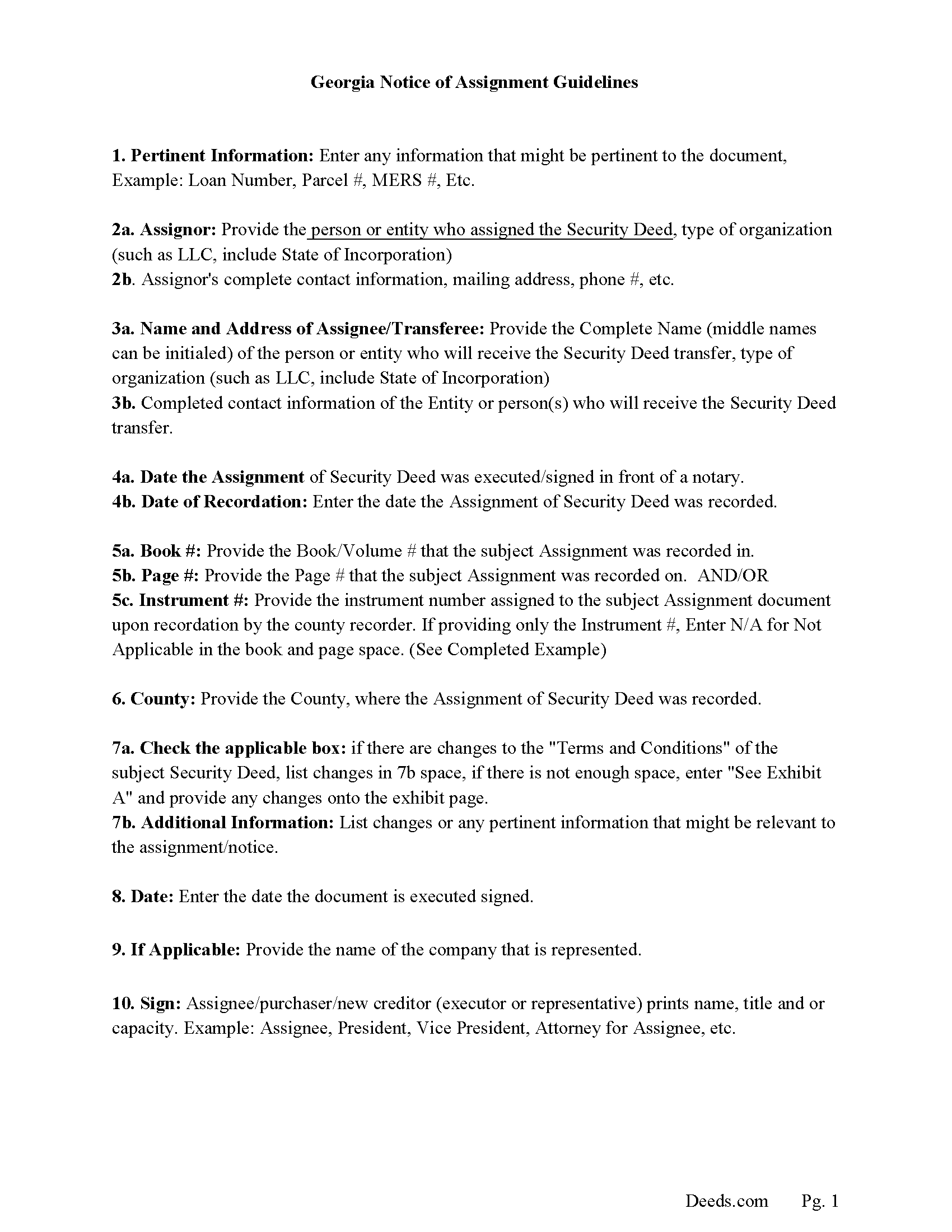
Pierce County Notice of Assignment Guidelines
Line by line guide explaining every blank on the form.
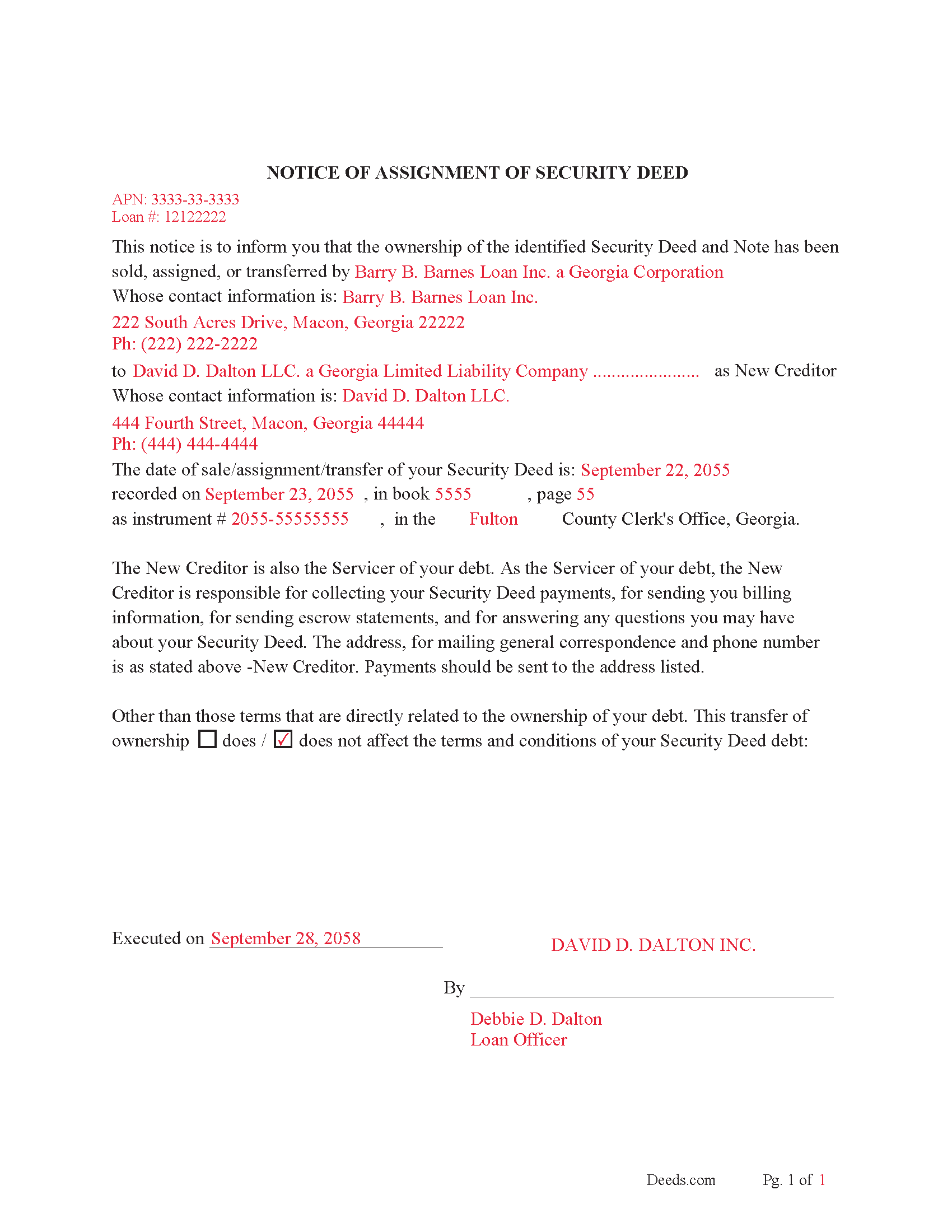
Pierce County Notice of Assignment-Completed Example
Example of a properly completed form for reference.
All 6 documents above included • One-time purchase • No recurring fees
Immediate Download • Secure Checkout
Additional Georgia and Pierce County documents included at no extra charge:
Where to Record Your Documents
Clerk of Superior Court
Blackshear, Georgia 31516
Hours: 9:00am to 5:00pm M-F
Phone: (912) 449-2020
Recording Tips for Pierce County:
- Bring your driver's license or state-issued photo ID
- Ensure all signatures are in blue or black ink
- Ask for certified copies if you need them for other transactions
- Ask if they accept credit cards - many offices are cash/check only
- Check that your notary's commission hasn't expired
Cities and Jurisdictions in Pierce County
Properties in any of these areas use Pierce County forms:
- Blackshear
- Bristol
- Mershon
- Offerman
- Patterson
Hours, fees, requirements, and more for Pierce County
How do I get my forms?
Forms are available for immediate download after payment. The Pierce County forms will be in your account ready to download to your computer. An account is created for you during checkout if you don't have one. Forms are NOT emailed.
Are these forms guaranteed to be recordable in Pierce County?
Yes. Our form blanks are guaranteed to meet or exceed the applicable formatting requirements used for recording in Pierce County, including margin requirements, font requirements, and other layout standards. This guarantee applies to formatting, not to the legal sufficiency of information entered by the user or the suitability of a form for a particular transaction.
Can I reuse these forms?
Yes. You can reuse the forms for your personal use. For example, if you have multiple properties in Pierce County you only need to order once.
What do I need to use these forms?
The forms are PDFs that you fill out on your computer. The free Adobe Acrobat Reader is recommended, and most PDF apps also work. You do NOT enter your property information online - you download the blank forms and complete them privately on your own computer.
Are there any recurring fees?
No. This is a one-time purchase. Nothing to cancel, no memberships, no recurring fees.
How much does it cost to record in Pierce County?
Recording fees in Pierce County vary. Contact the recorder's office at (912) 449-2020 for current fees.
Questions answered? Let's get started!
The Current holder of the Security Deed uses an "Assignment of Security Deed" to transfer the instrument to another party. This is typically done when the Security Deed has been sold, this allows the new lender to collect payments on the debt.
Georgia Statute: 44-14-64
(g) A transfer of a deed to secure debt shall not be recorded unless it includes the mailing address of the last transferee thereof. Failure to comply with this provision shall not be a defense to any foreclosure or grounds to set aside any foreclosure of any deed to secure debt.
Current Borrowers must be notified of the assignment. Notification consists of contact information of the new creditor, recording dates, recording instrument numbers, changes in loan, etc. Included are "Notice of Assignment of Security Deed" forms.
The Truth and lending act requires that borrowers be notified when their Security Deed has been sold, transferred, or assigned to a new creditor. Generally, within 30 days to avoid up to $2,000.00 in statutory damages, plus reasonable attorney's fees. Systematic violations can reach up $500,000.00.
(Georgia Assignment of Security Deed Package includes forms, guidelines, and completed examples)
Important: Your property must be located in Pierce County to use these forms. Documents should be recorded at the county recording office listed above.
This Assignment of Security Deed meets all recording requirements specific to Pierce County.
Our Promise
The documents you receive here are guaranteed to meet or exceed the applicable Pierce County recording format requirements. If there is a rejection caused by our formatting, we will correct the issue or refund your payment. This guarantee applies to document formatting only and does not extend to information entered by the user, the selection of the form, or the legal effect of the completed document.
Save Time and Money
Get your Pierce County Assignment of Security Deed form done right the first time with Deeds.com Uniform Conveyancing Blanks. At Deeds.com, we understand that your time and money are valuable resources, and we don't want you to face a penalty fee or rejection imposed by a county recorder for submitting nonstandard documents. We constantly review and update our forms to meet rapidly changing state and county recording requirements for roughly 3,500 counties and local jurisdictions.
4.8 out of 5 - ( 4,839 Reviews )
Lillian B. 5 out of 5 stars
Easy peasy
Thank you!
JOHN F. 5 out of 5 stars
Quick and easy! I had previously prepared a Lady Bird deed, submitted it through Deeds.com and it was accepted/recorded by my county in just a few hours. The Deed.com $21 fee was well worth it as I saved fuel, tolls and parking costs not to mention at least 2-3 hours of my time that it would've taken to get downtown and back home!
Thanks for the feedback John. We appreciate you taking the time to share your experience. Have an amazing day!
BAHMAN B. 5 out of 5 stars
Very good experience.
Thank you!
Karen M. 5 out of 5 stars
I'm not too bright. Ordered one thing when I wanted something else. Deeds staff fixed it for me.
Glad we could help.
Steven B. 5 out of 5 stars
County accepted the TODD form. Easy to understand and don’t have to hire an attorney! Excellent
Appreciate this, Steven. That's exactly the outcome we're aiming for. Wishing you well.
STANLEY K. 5 out of 5 stars
I AM DELIGHTED TO BE PARTY TO DEEDS.COM. THE PROCESS IS DOWN-TO-EARTH AND VERY USER FRIENDLY. I MUST SAY THAT JUST THE SAVINGS IN TRAVEL TIME AND MONEY IS IN ITSELF VERY REFRESHING. THIS ON LINE PROCESS IS SO CONVENIENT FOR MY OVERALL EFFORT AND OF COURSE FOR OUR CLIENTS AS WELL. I GOT BACKED UP IN RECORDING WHEN THE VIRUS BEGAN RAGING AND PERSONAL VISITS TO LAND RECORDS BECAME A THING OF THE PAST.I FOUND THE SITE WITH A SUGGESTION FROM DC LAND RECORDS' ASSISTANT BY PHONE. I ONLY WISH I'D KNOWN ABOUT THIS AWESOME SERVICE BEFORE 2020. HATS OFF TO DEEDS.COM!
Thank you for your feedback. We really appreciate it. Have a great day!
Vickie G. 5 out of 5 stars
The form and instruction were perfect. Thank you.
Thank You Vickie!
Richard T. 5 out of 5 stars
This was a complete set of the necessary forms, with instructions. It will be very useful. Instant download was great.
We appreciate your feedback Richard. Have a wonderful day!
Sue D. 5 out of 5 stars
Great program
Thank you!
Alfred M. 5 out of 5 stars
It was a simple process and easily understood the process was seamless and I would highly recommend this to anyone looking to do this.
Thank you for your feedback. We really appreciate it. Have a great day!
ziad k. 5 out of 5 stars
FIRST TIME USER EXCELENT SERVICE.
Thank you for your feedback. We really appreciate it. Have a great day!
Dorothy B. 5 out of 5 stars
Love your deed service. Simple and easy.
Thank you!
Carl T. 5 out of 5 stars
Awesome! Quick service and well worth the very minimal fee for the convenience of being able to quickly record my mothers will without having to leave the house. Also, our court is currently closed due to Covid. So happy to have found Deeds.com
We appreciate your business and value your feedback. Thank you. Have a wonderful day!
Kevin M. 5 out of 5 stars
Easy to navigate. Comprehensive
Thank you!
GLENN C. 5 out of 5 stars
Your response was very thorough
Thank you for your feedback. We really appreciate it. Have a great day!