Talbot County Cancellation of Security Deed Form
Last validated October 6, 2026 by our Forms Development TeamFormatted for recording in Talbot County, for property anywhere in the county: rural and unincorporated areas as well as Box Springs, Geneva, Junction City, Talbotton, Woodland.
- 3 documents included
- Immediate PDF download
- Formatting guarantee
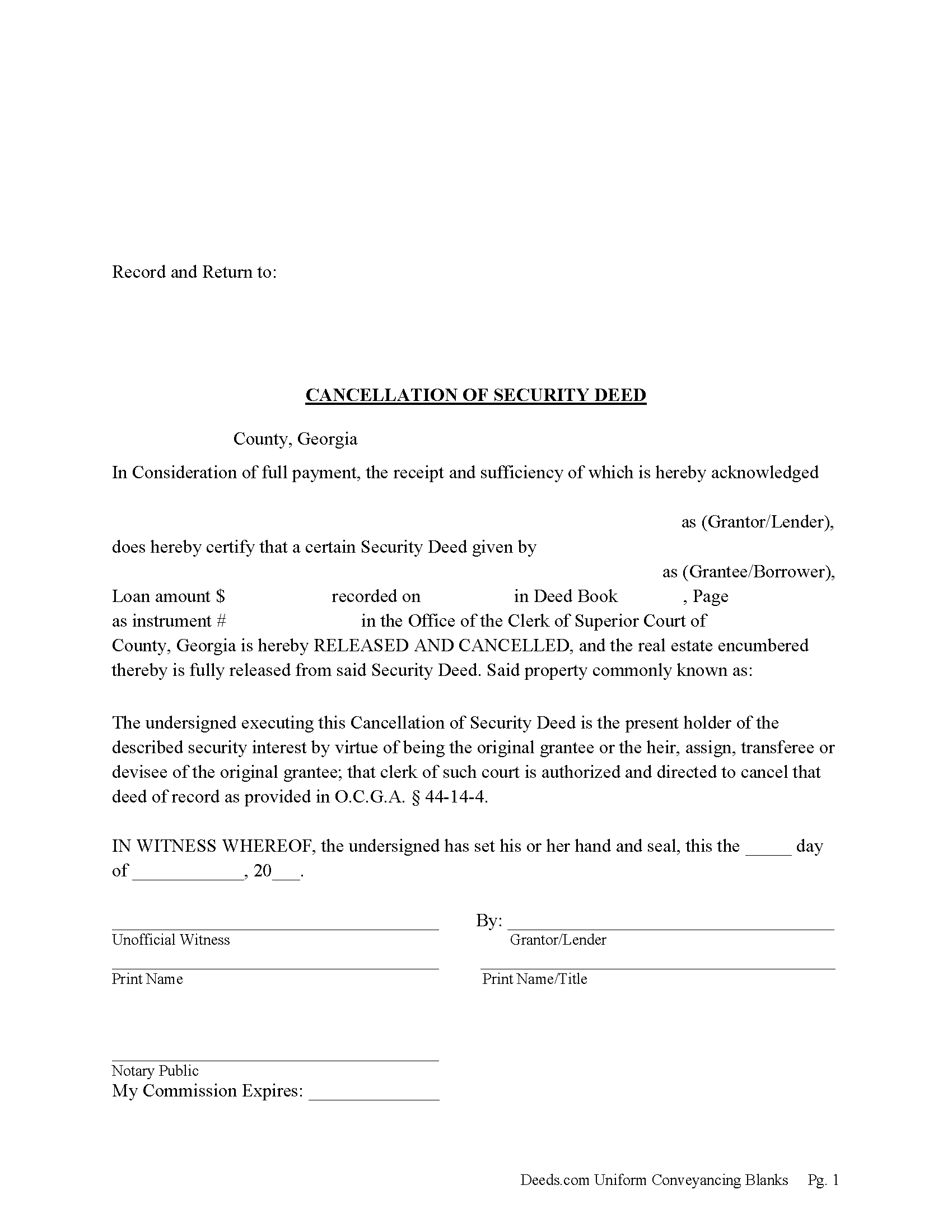
Talbot County Cancellation of Security Deed Form
Fill in the blank form formatted to comply with all recording and content requirements.
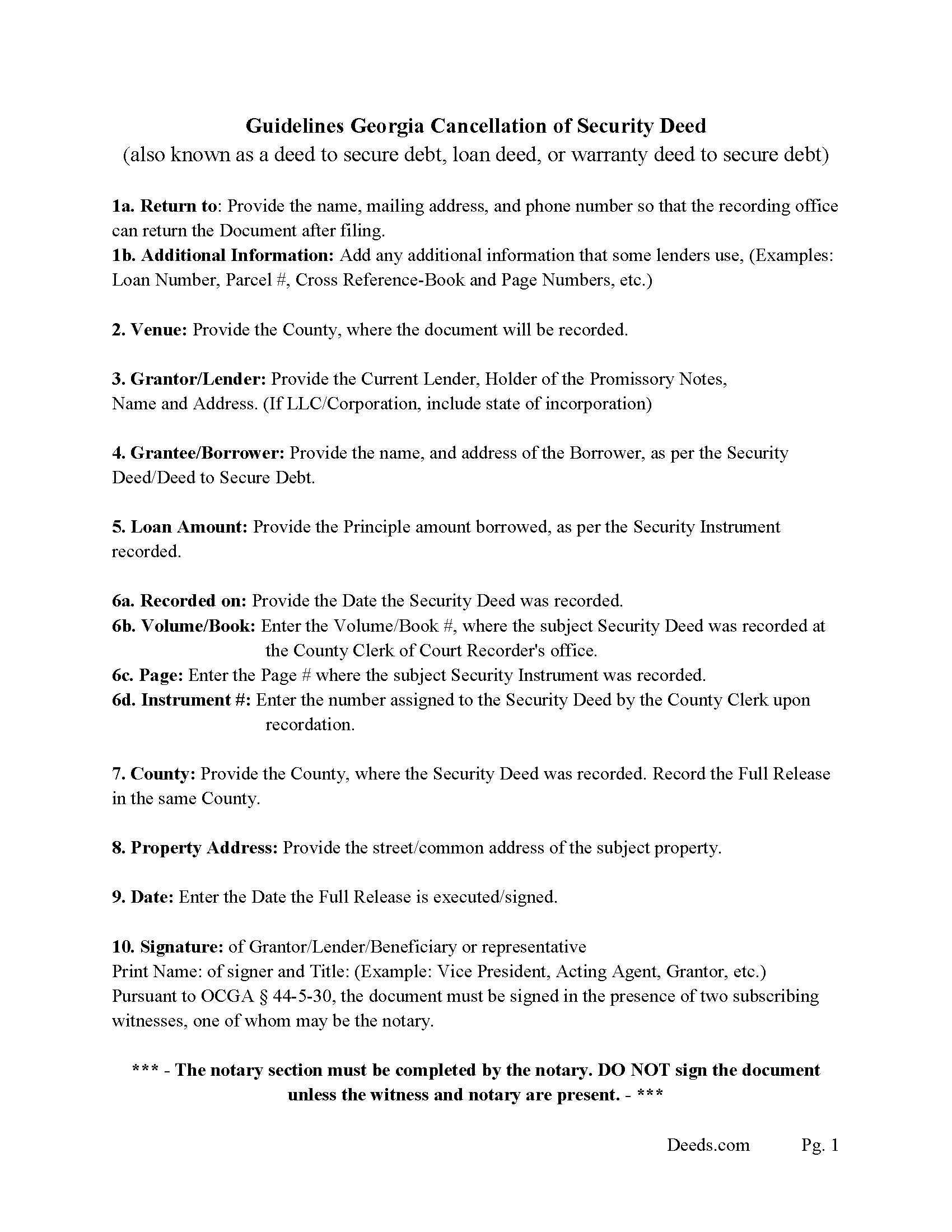
Talbot County Guidelines for Cancellation of Security Deed
Line by line guide explaining every blank on the form.
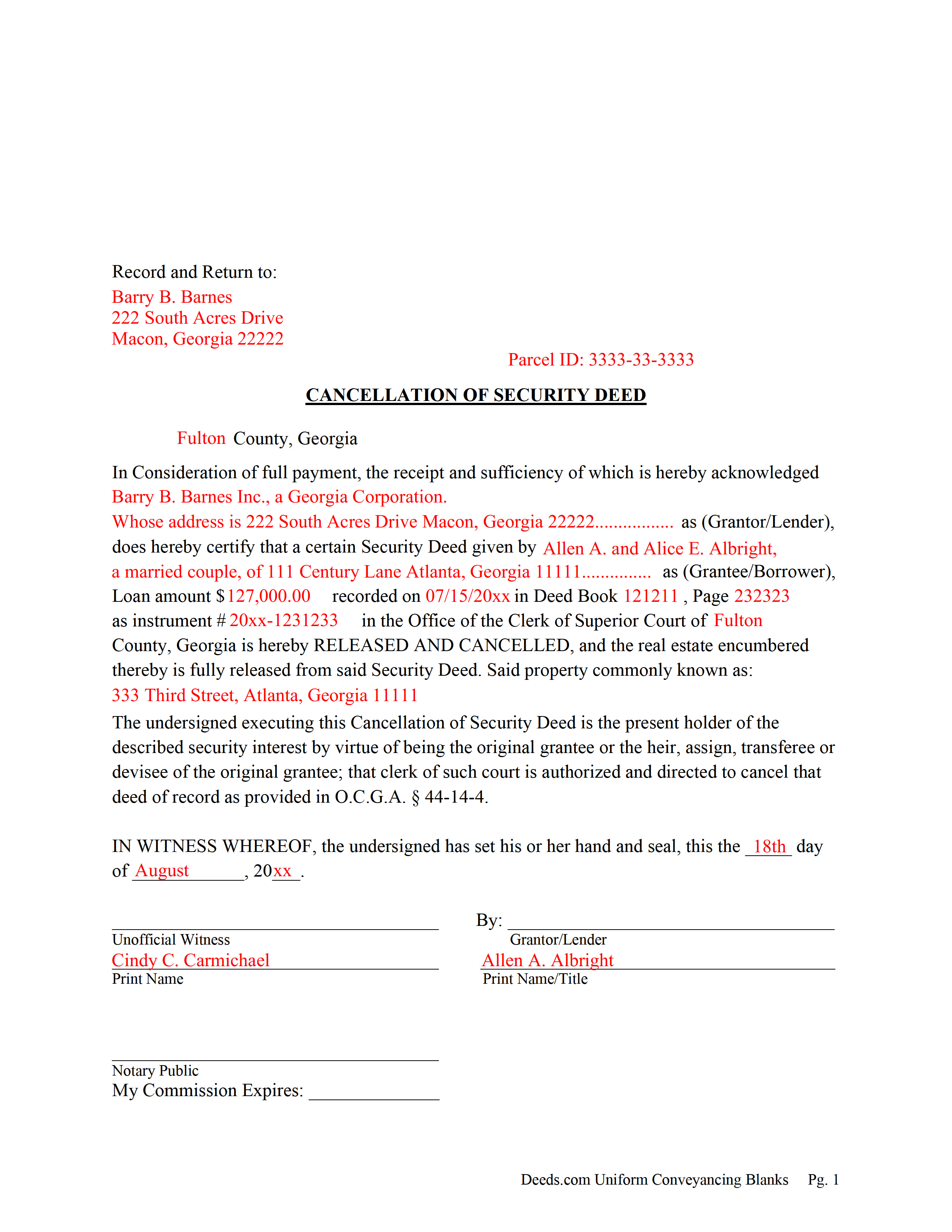
Talbot County Completed Example of the Cancellation of Security Deed
Example of a properly completed form for reference.
All 3 documents above included • One-time purchase • No recurring fees
Immediate Download • Secure Checkout
Additional Georgia and Talbot County documents included at no extra charge:
Where to Record Your Documents
Clerk of Superior Court
Talbotton, Georgia 31827
Hours: 8:00 to 5:00 M-F
Phone: (706) 665-3239 or 3276
Recording Tips for Talbot County:
- Bring your driver's license or state-issued photo ID
- Ensure all signatures are in blue or black ink
- Request a receipt showing your recording numbers
- Ask about accepted payment methods when you call ahead
- Ask for certified copies if you need them for other transactions
Cities and Jurisdictions in Talbot County
Properties in any of these areas use Talbot County forms:
- Box Springs
- Geneva
- Junction City
- Talbotton
- Woodland
Hours, fees, requirements, and more for Talbot County
How do I get my forms?
Forms are available for immediate download after payment. The Talbot County forms will be in your account ready to download to your computer. An account is created for you during checkout if you don't have one. Forms are NOT emailed.
Are these forms guaranteed to be recordable in Talbot County?
Yes. Our form blanks are guaranteed to meet or exceed the applicable formatting requirements used for recording in Talbot County, including margin requirements, font requirements, and other layout standards. This guarantee applies to formatting, not to the legal sufficiency of information entered by the user or the suitability of a form for a particular transaction.
Can I reuse these forms?
Yes. You can reuse the forms for your personal use. For example, if you have multiple properties in Talbot County you only need to order once.
What do I need to use these forms?
The forms are PDFs that you fill out on your computer. The free Adobe Acrobat Reader is recommended, and most PDF apps also work. You do NOT enter your property information online - you download the blank forms and complete them privately on your own computer.
Are there any recurring fees?
No. This is a one-time purchase. Nothing to cancel, no memberships, no recurring fees.
How much does it cost to record in Talbot County?
Recording fees in Talbot County vary. Contact the recorder's office at (706) 665-3239 or 3276 for current fees.
Questions answered? Let's get started!
Current Lender, holder of the Promissory Note uses this form to cancel a Georgia "Security Deed" (also known as a "Deed to Secure Debt", "Loan Deed" or "Warranty Deed to Secure Debt") when it has been satisfied/paid in full. Record this form with the Clerk of the Superior Court in which the Security Instrument was recorded, the same county that the property lies in. (The clerk shall index and record, in the same manner as the original mortgage instrument is recorded, the canceled and satisfied mortgage instrument or such portion thereof as bears the order of the mortgagee or transferee directing that the mortgage be canceled, together with any order of the mortgagee or transferee directing that the mortgage be canceled. The clerk shall show on the index of the cancellation and on the cancellation document the deed book and page number where the original mortgage instrument is recorded.) (Section 44-14-4)
In general, the Lender has 60 days from satisfaction, to release the Security Deed before he/she becomes liable for damages. See Georgia Code Section 44-14-3
(Georgia Cancellation of Security Deed Package includes form, guidelines, and completed example)For use in Georgia Only.
Important: Your property must be located in Talbot County to use these forms. Documents should be recorded at the county recording office listed above.
This Cancellation of Security Deed meets all recording requirements specific to Talbot County.
Our Promise
The documents you receive here are guaranteed to meet or exceed the applicable Talbot County recording format requirements. If there is a rejection caused by our formatting, we will correct the issue or refund your payment. This guarantee applies to document formatting only and does not extend to information entered by the user, the selection of the form, or the legal effect of the completed document.
Save Time and Money
Get your Talbot County Cancellation of Security Deed form done right the first time with Deeds.com Uniform Conveyancing Blanks. At Deeds.com, we understand that your time and money are valuable resources, and we don't want you to face a penalty fee or rejection imposed by a county recorder for submitting nonstandard documents. We constantly review and update our forms to meet rapidly changing state and county recording requirements for roughly 3,500 counties and local jurisdictions.
4.8 out of 5 - ( 4,836 Reviews )
Laurie F. 5 out of 5 stars
I am so glad I found Deeds.com. You had exactly what I needed and made it easy to download. I have bookmarked you in the event of further inquiry. Thank you.
We appreciate your business and value your feedback. Thank you. Have a wonderful day!
Angela M. 5 out of 5 stars
Great communication and always on timely manner unless issue appears with the document. I like their customer service, very helpful and assisting when necessary.
We are sincerely grateful for your feedback and are committed to providing the highest quality service. Thank you for your trust in us.
Elena R. 4 out of 5 stars
Very helpful forms and guide. Would use again if needed.
Thank you for your feedback. We really appreciate it. Have a great day!
Jeffey V. 5 out of 5 stars
Easiest way I've found to get Warranty Deeds in different parts of the country. Highly recommend.
Thank you Jeffey.
Wendy S. 4 out of 5 stars
Good template that met my needs. Much better than another draft template that I found on another site. Would have been helpful if the template had been provided in a Word format instead of PDF so that I could remove the sections that are not applicable.
We appreciate your business and value your feedback. Thank you. Have a wonderful day!
Evaristo R. 2 out of 5 stars
I was very excited to use the website but unfortunately they had a problem retrieving my Deed but thank you for the opportunity.
Thank you for your feedback. We really appreciate it. Have a great day!
Robert J. 5 out of 5 stars
Ordered the quitclaim forms. Amazing value! Received everything I needed and then some. The forms were easy to use and understand with the help of the guide. The best part was that once completed I used deeds.com's e-recording service to submit the document for recording (our county offices are still closed). Outstanding!
Thank you for the kinds words Robert, glad we could help.
Dianna P. 5 out of 5 stars
Awesome service and so easy to use. I was amazed at how fast the process worked.
We appreciate your business and value your feedback. Thank you. Have a wonderful day!
Cathy P. 5 out of 5 stars
I purchased the La St. Tammany Parish Quit Claim Deed as a gift for a friend. Currently waiting on a lawyer to draft his second version of what a La Quit Claim should look like. I have downloaded this St. Tammany La packet for simplicity and double protection for my friend. So far, I really like what I see from Deeds.com, short and to the point. It's truly a breath of fresh air. Thank you so much. Layperson Cathy for a friend.
Thank you for your feedback. We really appreciate it. Have a great day!
Desiree R. 5 out of 5 stars
very easy to use
We are delighted to have been of service. Thank you for the positive review!
Bennie W. 5 out of 5 stars
I used the Quitclaim form. The form was easy to complete without using the example or guide. $21 was a fair price compared to paying a lawyer.
Thank you for your feedback. We really appreciate it. Have a great day!
J O. 5 out of 5 stars
It's okay, seems you need to make it easier to search deeds on properties without having to go through a lot of researching issues, make it simple!
Thank you!
Gary S. 5 out of 5 stars
Excellent service! Incorrectly ordered a document and order was immediately canceled when I requested. Was then able to order and download correct document and complete with no problems.
Thank you for your feedback. We really appreciate it. Have a great day!
Jackson J. 5 out of 5 stars
Thank you very much for all your help its always a pleasure to continue working with you thanks again.
Thank you for your feedback. We really appreciate it. Have a great day!
Elaine S. 4 out of 5 stars
Being new at this, the system was somewhat difficult to understand at first. It took a couple of tries before I got it. It seems to be somewhat slow as well. However, it's a wonderful idea to have documents recorded from the comfort of your home, especially in the times that we are in with COVID19. I definitely don't mind paying the fee which I thought was reasonable.
Thank you!