Talbot County Release of Claim of Lien Form
Last validated October 22, 2026 by our Forms Development TeamFormatted for recording in Talbot County, for property anywhere in the county: rural and unincorporated areas as well as Box Springs, Geneva, Junction City, Talbotton, Woodland.
- 3 documents included
- Immediate PDF download
- Formatting guarantee
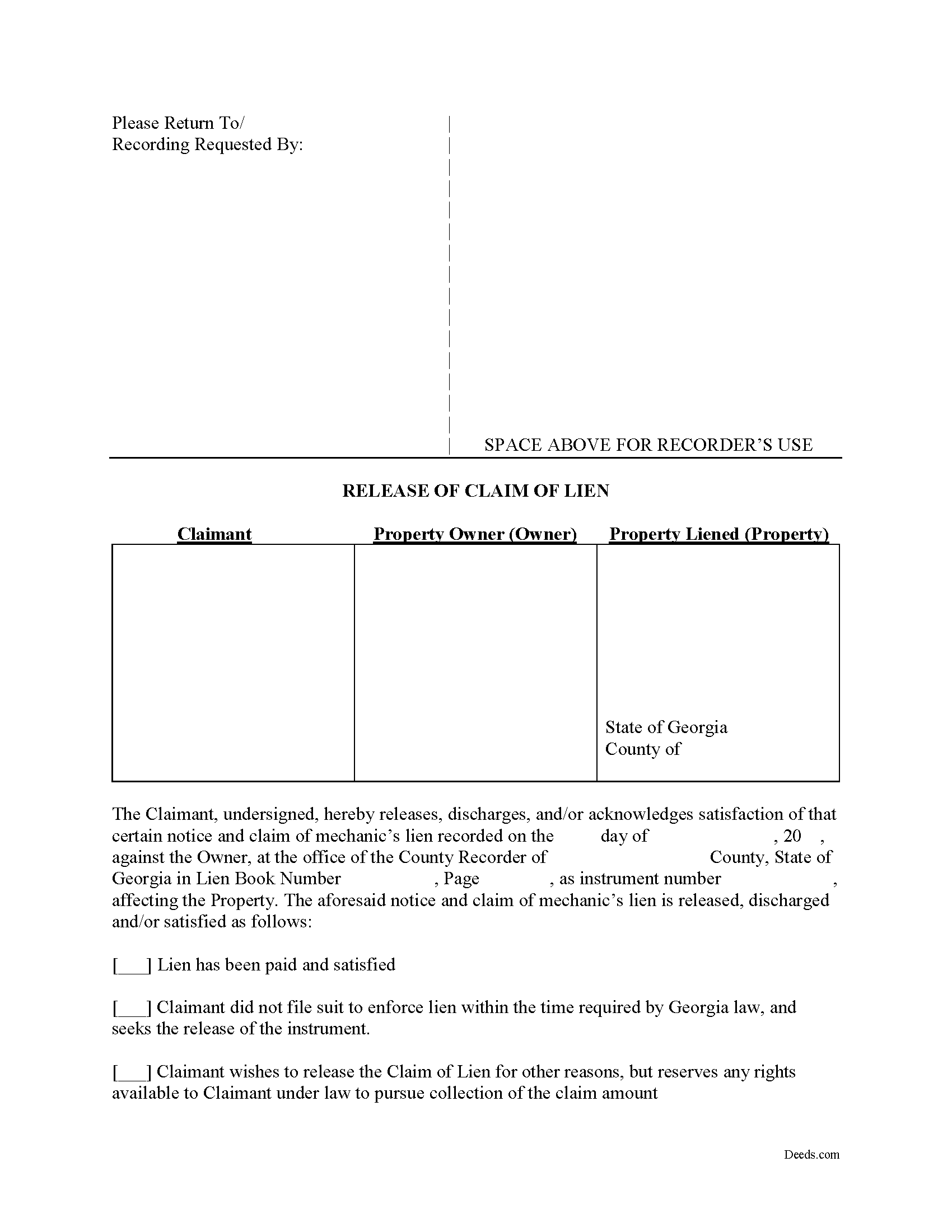
Talbot County Release of Claim of Lien Form
Fill in the blank Release of Claim of Lien form formatted to comply with all Georgia recording and content requirements.
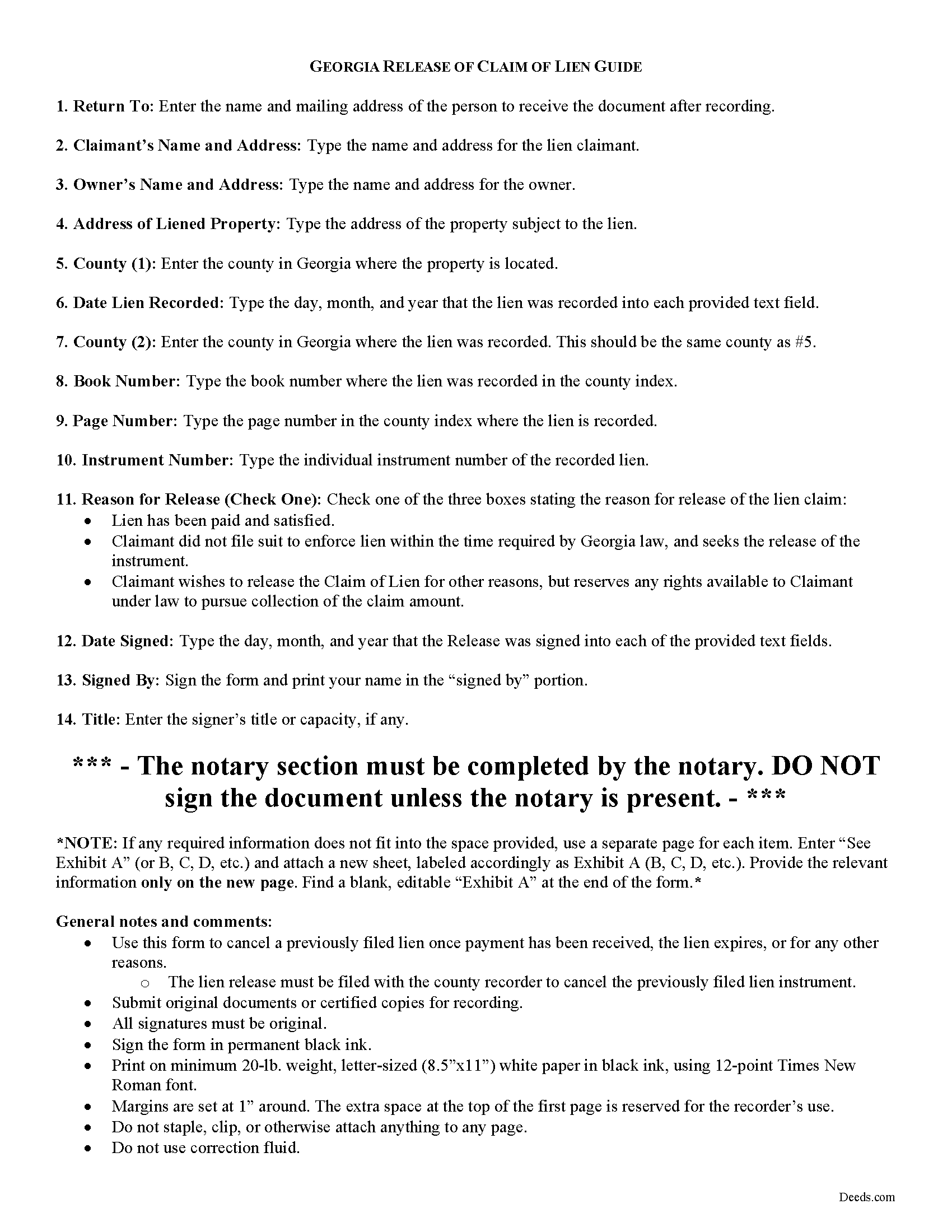
Talbot County Release of Claim of Lien Guide
Line by line guide explaining every blank on the form.
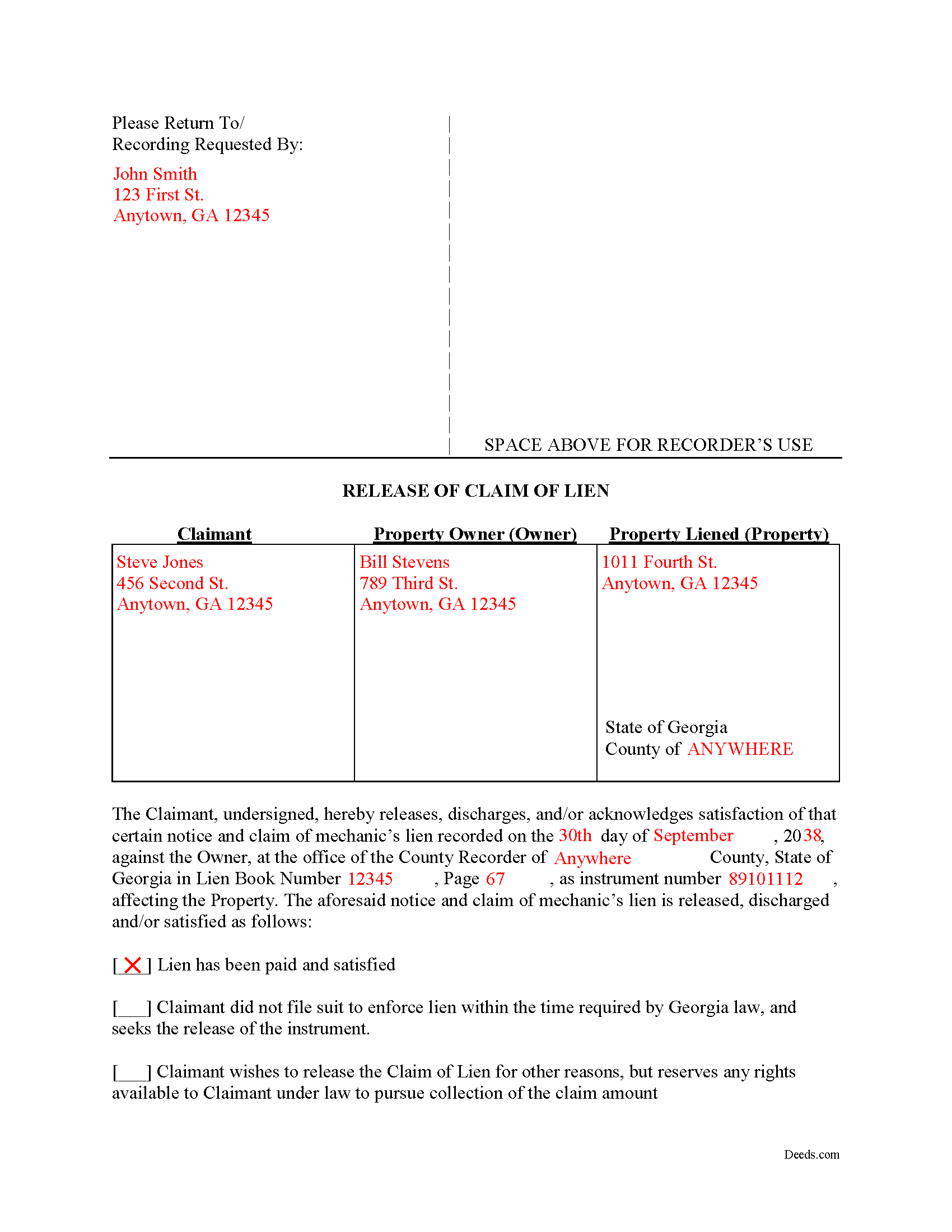
Talbot County Completed Example of the Release of Claim of Lien Document
Example of a properly completed form for reference.
All 3 documents above included • One-time purchase • No recurring fees
Immediate Download • Secure Checkout
Additional Georgia and Talbot County documents included at no extra charge:
Where to Record Your Documents
Clerk of Superior Court
Talbotton, Georgia 31827
Hours: 8:00 to 5:00 M-F
Phone: (706) 665-3239 or 3276
Recording Tips for Talbot County:
- Bring your driver's license or state-issued photo ID
- Ensure all signatures are in blue or black ink
- Recorded documents become public record - avoid including SSNs
- Recording fees may differ from what's posted online - verify current rates
- Request a receipt showing your recording numbers
Cities and Jurisdictions in Talbot County
Properties in any of these areas use Talbot County forms:
- Box Springs
- Geneva
- Junction City
- Talbotton
- Woodland
Hours, fees, requirements, and more for Talbot County
How do I get my forms?
Forms are available for immediate download after payment. The Talbot County forms will be in your account ready to download to your computer. An account is created for you during checkout if you don't have one. Forms are NOT emailed.
Are these forms guaranteed to be recordable in Talbot County?
Yes. Our form blanks are guaranteed to meet or exceed the applicable formatting requirements used for recording in Talbot County, including margin requirements, font requirements, and other layout standards. This guarantee applies to formatting, not to the legal sufficiency of information entered by the user or the suitability of a form for a particular transaction.
Can I reuse these forms?
Yes. You can reuse the forms for your personal use. For example, if you have multiple properties in Talbot County you only need to order once.
What do I need to use these forms?
The forms are PDFs that you fill out on your computer. The free Adobe Acrobat Reader is recommended, and most PDF apps also work. You do NOT enter your property information online - you download the blank forms and complete them privately on your own computer.
Are there any recurring fees?
No. This is a one-time purchase. Nothing to cancel, no memberships, no recurring fees.
How much does it cost to record in Talbot County?
Recording fees in Talbot County vary. Contact the recorder's office at (706) 665-3239 or 3276 for current fees.
Questions answered? Let's get started!
Cancelling a Georgia Mechanic's Lien After Payment
To dissolve previously filed mechanic's lien claims, claimants must file a Release of Claim of Lien. Construction liens must be canceled once payment has been received, the lien expires, or for any other reason. The lien release must be filed with the county recorder to cancel the previously filed lien instrument. The lien release is different than a lien waiver because it discharges an already filed lien, while a waiver surrenders the right to file one in the first place.
A Release form contains the following information: 1) lien claimant's name and address; 2) property owner's name and address; 3) address of the subject property; 4) date the lien was recorded; 5) the book number, page number, and instrument number as indexed by the county; and 6) reason for cancellation (lien has been paid, expired, or any other reason for discharge). The Release must be signed in front of a notary public who then signs as a notary and/or affixes his or her seal.
This article is provided for informational purposes only and does not constitute legal advice. Please speak with an attorney regarding releases or any other issues related to liens in Georgia.
Important: Your property must be located in Talbot County to use these forms. Documents should be recorded at the county recording office listed above.
This Release of Claim of Lien meets all recording requirements specific to Talbot County.
Our Promise
The documents you receive here are guaranteed to meet or exceed the applicable Talbot County recording format requirements. If there is a rejection caused by our formatting, we will correct the issue or refund your payment. This guarantee applies to document formatting only and does not extend to information entered by the user, the selection of the form, or the legal effect of the completed document.
Save Time and Money
Get your Talbot County Release of Claim of Lien form done right the first time with Deeds.com Uniform Conveyancing Blanks. At Deeds.com, we understand that your time and money are valuable resources, and we don't want you to face a penalty fee or rejection imposed by a county recorder for submitting nonstandard documents. We constantly review and update our forms to meet rapidly changing state and county recording requirements for roughly 3,500 counties and local jurisdictions.
4.8 out of 5 - ( 4,833 Reviews )
Todd W. 2 out of 5 stars
Communication is hard. The reps need to be empowered and encouraged to call the customers when necessary. They encourage 300 dpi resolution and under 2 MB PDF file, which is not even possible with our scanner. They made a vague comment about a legal description looking abbreviated but did not explain. They refused to call me. They said the county said "Image is light please darken", but the image looked fine to me. Maybe not their fault, but they refused to help work with the county on that for me. I followed their suggestion though and re-scanned at 300 dpi, but they misunderstood me and did not re-submit it right away. Over 48 hours later, it's still not recorded yet. I hope it will be today.
Thank you for your feedback Todd.
Kermit S. 5 out of 5 stars
Very easy to use.
Thank you for your feedback. We really appreciate it. Have a great day!
LeiLoni L. 5 out of 5 stars
This site was easy to use.
Thank you for your positive words! We’re thrilled to hear about your experience.
Robert J D. 5 out of 5 stars
No feedback
Thank you for your feedback. We really appreciate it. Have a great day!
Jay W. 5 out of 5 stars
your service is more than I expected easy to navigate, great info, easy to understand. other other sites every time you go to next page there is something to buy to get the info you want. Jay
Thank you!
Kathleen M. 5 out of 5 stars
I am very happy with this service
Your kind words have brightened our teams day! Thank you for the positive feedback.
Diana B. 5 out of 5 stars
Really can't say enough good things about these deed forms and the related material. Just having the formatting done saves possibly hours of work. County seems to love these forms also (they referred me to Deeds.com). All around great great great!
Thank you!
Kevin R. 5 out of 5 stars
I have been using Deeds.com for the last 2 years and find them very easy to use and expedient on all my recordings. Highly recommend.
Thank you for the kind words Kevin. We appreciate you.
Lisa P. 5 out of 5 stars
It was easy to find and download the documents that I needed.
We are thankful for your continued support and feedback, which inspire us to continuously improve. Thank you..
Jonathan W. 5 out of 5 stars
Deeds gave me the forms and the guidance that I needed. If I had paid a pro for this service it would have cost at least $300.
Thank you for your feedback. We really appreciate it. Have a great day!
CARRIE T. 5 out of 5 stars
Thought it was pretty simple to use.
Thank you!
heather i. 5 out of 5 stars
I don't pay very close attention to what I'm doing all the time which leads to mistakes. Deeds.com was helpful in correcting my error and getting me on my way.
Thank you!
Paula P. 2 out of 5 stars
Important: Click Download to save each PDF to your device. Open and complete the PDFs using Adobe Acrobat Reader (free). Get Adobe Acrobat Reader Browser PDF viewers (Chrome, Edge, Firefox, Mac Preview) may display fillable fields incorrectly. This information should be shared with the potential buyer BEFORE purchase. Messy formatting and a deeds.com advertisement on each page. I will not purchase from deeds.com again.
Paula, thank you for taking the time to leave feedback. As the product wasn’t a good fit for you, we’ve canceled your order and provided a full refund so there’s no need for you to use the documents.
David K. 3 out of 5 stars
Price seemed high (~$28) for just some forms (especially because we may not actually use the forms), but it beats navigating the Hawaii state and Honolulu county websites for forms. It would be better if a single button push would download all 7 or 8 forms.
Thank you for your feedback. We really appreciate it. Have a great day!
Diane D. 5 out of 5 stars
Document site was very easy to access and pull up what I needed.
Thank you!