Talbot County Claim of Mechanics Lien Form
Last validated October 7, 2026 by our Forms Development TeamFormatted for recording in Talbot County, for property anywhere in the county: rural and unincorporated areas as well as Box Springs, Geneva, Junction City, Talbotton, Woodland.
- 3 documents included
- Immediate PDF download
- Formatting guarantee
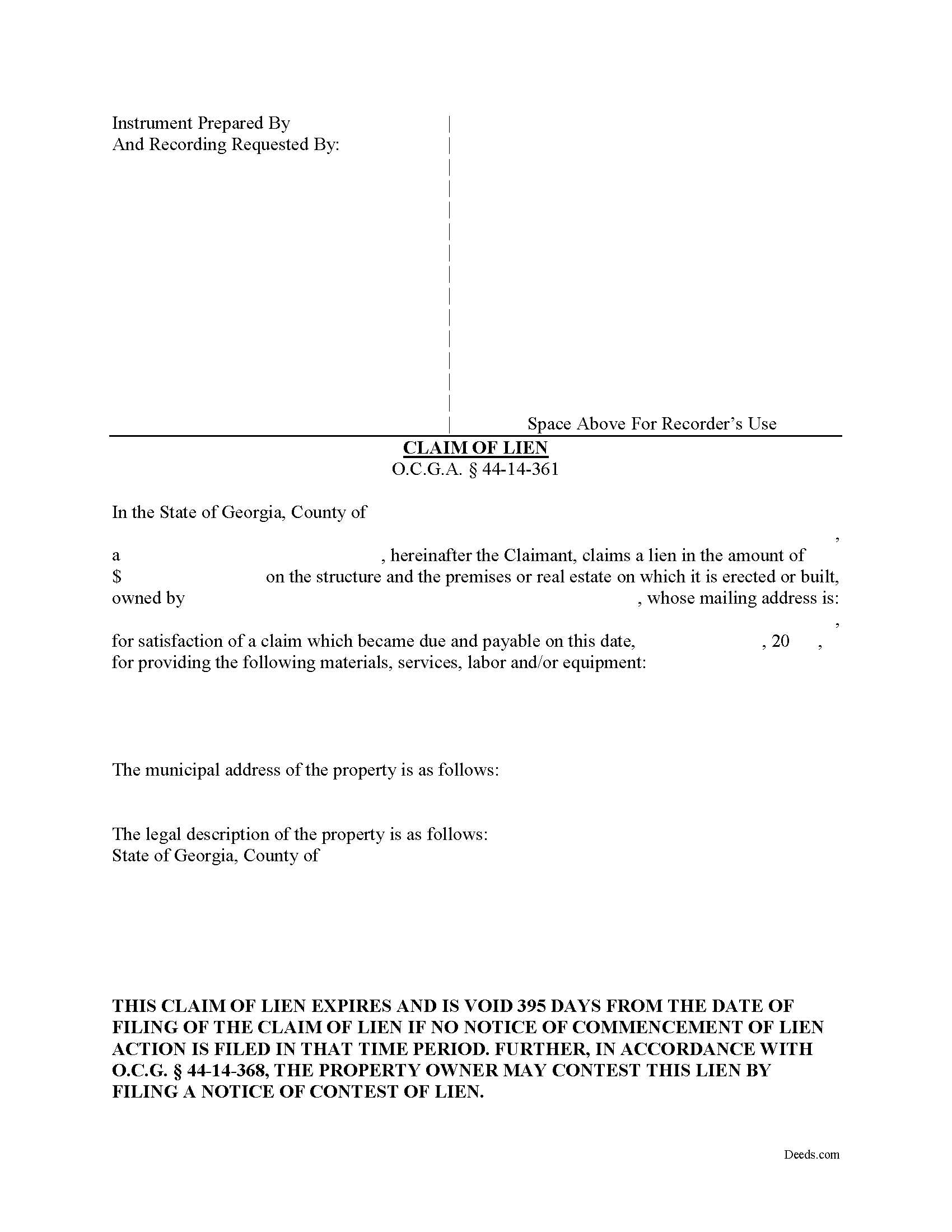
Talbot County Claim of Mechanics Lien Form
Fill in the blank Claim of Mechanics Lien form formatted to comply with all Georgia recording and content requirements.
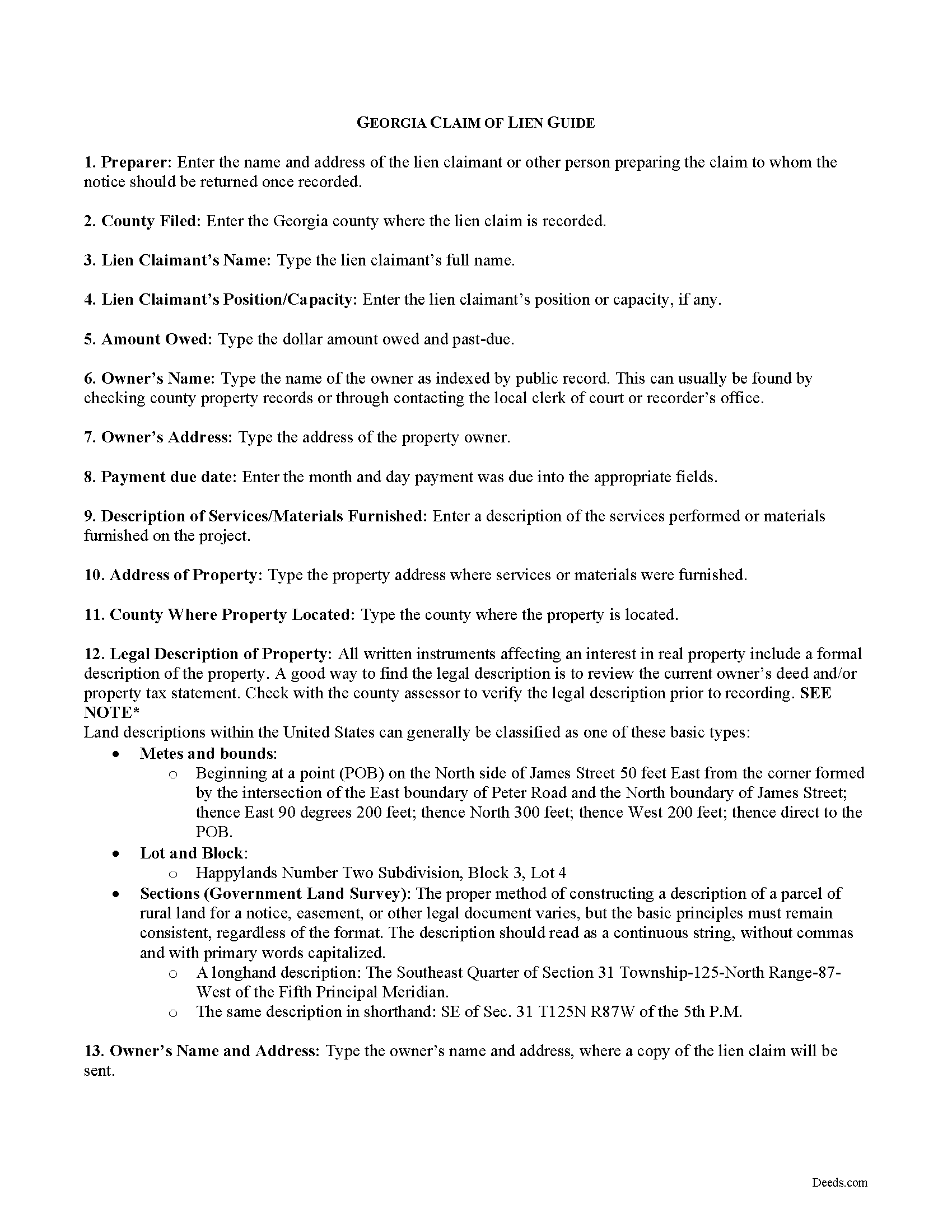
Talbot County Claim of Mechanics Lien Guide
Line by line guide explaining every blank on the form.
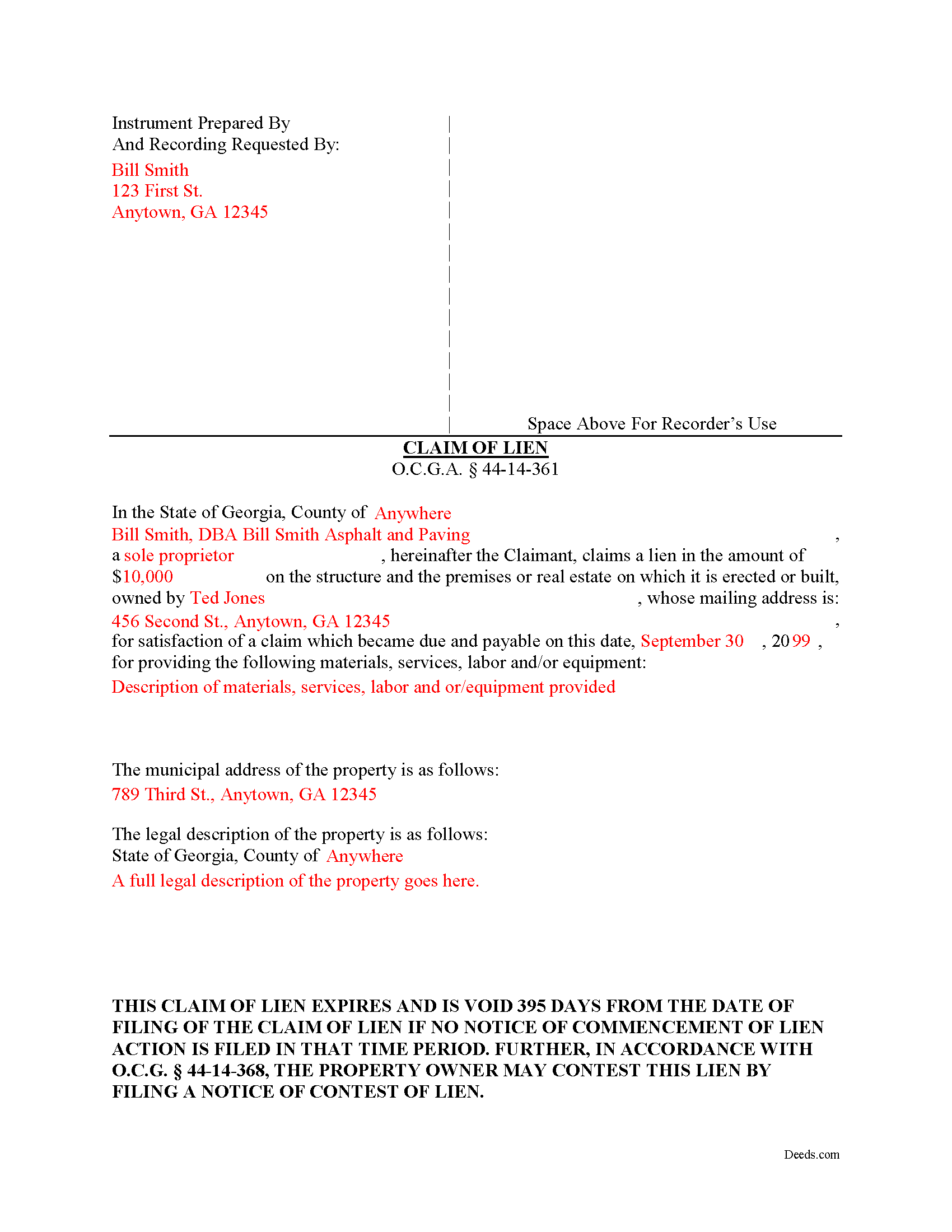
Talbot County Completed Example of the Notice and Claim of Mechanics Lien Document
Example of a properly completed form for reference.
All 3 documents above included • One-time purchase • No recurring fees
Immediate Download • Secure Checkout
Additional Georgia and Talbot County documents included at no extra charge:
Where to Record Your Documents
Clerk of Superior Court
Talbotton, Georgia 31827
Hours: 8:00 to 5:00 M-F
Phone: (706) 665-3239 or 3276
Recording Tips for Talbot County:
- Bring your driver's license or state-issued photo ID
- Ensure all signatures are in blue or black ink
- Make copies of your documents before recording - keep originals safe
- Recorded documents become public record - avoid including SSNs
- Recording fees may differ from what's posted online - verify current rates
Cities and Jurisdictions in Talbot County
Properties in any of these areas use Talbot County forms:
- Box Springs
- Geneva
- Junction City
- Talbotton
- Woodland
Hours, fees, requirements, and more for Talbot County
How do I get my forms?
Forms are available for immediate download after payment. The Talbot County forms will be in your account ready to download to your computer. An account is created for you during checkout if you don't have one. Forms are NOT emailed.
Are these forms guaranteed to be recordable in Talbot County?
Yes. Our form blanks are guaranteed to meet or exceed the applicable formatting requirements used for recording in Talbot County, including margin requirements, font requirements, and other layout standards. This guarantee applies to formatting, not to the legal sufficiency of information entered by the user or the suitability of a form for a particular transaction.
Can I reuse these forms?
Yes. You can reuse the forms for your personal use. For example, if you have multiple properties in Talbot County you only need to order once.
What do I need to use these forms?
The forms are PDFs that you fill out on your computer. The free Adobe Acrobat Reader is recommended, and most PDF apps also work. You do NOT enter your property information online - you download the blank forms and complete them privately on your own computer.
Are there any recurring fees?
No. This is a one-time purchase. Nothing to cancel, no memberships, no recurring fees.
How much does it cost to record in Talbot County?
Recording fees in Talbot County vary. Contact the recorder's office at (706) 665-3239 or 3276 for current fees.
Questions answered? Let's get started!
Claiming a Mechanic's Lien in Georgia
Mechanic's liens provide security of payment to builders, contractors, and other parties on a construction job. Suppliers of materials, subcontractors and persons delivering materials can also claim a lien. Liens cover building repairs as well. A mechanic's lien works by making it harder for the owner to sell or refinance the property without first paying off the underlying lien. It also gives the person holding the lien the right to foreclose, or force a sale of the property to recover the money owed.
A mechanic's lien is available in Georgia for contractors, subcontractors, materials suppliers, and laborers to recover on past-due accounts for work or materials furnished. O.G.C.A. 44-14-361.1(a)(1). Use caution when filing a mechanic's lien, as the law contains many traps for the unwary. Carefully compute dates and make sure to file all the required preliminary notices, follow all requirements for content and format, and pay the proper recording fees. The form must be notarized as well.
The lien claim should include the following information: 1) the lien claimant's name and address; 2) the claimed lien amount; 3) property owner's name and mailing address; 4) date on which claim became due; 5) description of materials or services provided; 6) address of property where materials or services were provided; and 7) a full legal description of the property. The amount claimed cannot be greater than the overall contract amount. O.G.C.A. 44-14-361.1(e).
The lien must be claimed within 90 days after the final day of furnishing. O.G.C.A. 44-14-361.1(a)(2). The lien claimant must serve the claim of lien within two business days after filing it. Id. Serve the claim by sending a true and accurate copy of the claim of lien by registered or certified mail or statutory overnight delivery to the owner of the property or, if the owner's address cannot be found, it can be sent to the contractor as the agent of the owner. Id. If a Notice of Commencement has been filed pursuant to O.G.C.A. 44-14-361.5, the lien claimant must also serve every contractor listed in it. Id.
Once the lien is filed, be aware it has a limited shelf life. If the amount due still remains unpaid, the claimant must file suit within 365 days of the filing date. O.G.C.A. 44-14-361.1(a)(3). In addition, within 30 days after commencing such lien action, the party suing to foreclose the lien must file a notice with the clerk of the superior court of the county where the subject lien was filed. Id. Finally, if the lien is paid (and after the check clears), release the lien by filing and recording the proper notices.
This article is provided for informational purposes only and should not be relied upon as a substitute for the advice of an attorney. Please contact an attorney with any questions about filing a claim for a mechanic's lien in Georgia.
Important: Your property must be located in Talbot County to use these forms. Documents should be recorded at the county recording office listed above.
This Claim of Mechanics Lien meets all recording requirements specific to Talbot County.
Our Promise
The documents you receive here are guaranteed to meet or exceed the applicable Talbot County recording format requirements. If there is a rejection caused by our formatting, we will correct the issue or refund your payment. This guarantee applies to document formatting only and does not extend to information entered by the user, the selection of the form, or the legal effect of the completed document.
Save Time and Money
Get your Talbot County Claim of Mechanics Lien form done right the first time with Deeds.com Uniform Conveyancing Blanks. At Deeds.com, we understand that your time and money are valuable resources, and we don't want you to face a penalty fee or rejection imposed by a county recorder for submitting nonstandard documents. We constantly review and update our forms to meet rapidly changing state and county recording requirements for roughly 3,500 counties and local jurisdictions.
4.8 out of 5 - ( 4,833 Reviews )
Lynn S. 5 out of 5 stars
Great service. I did not have to put much thought into the process!!! Worth the $15.00 extra!!
Thank you for your feedback. We really appreciate it. Have a great day!
Shelba M. 3 out of 5 stars
The web site is alright, not the easiest to navigate and the wording on the papers could be simpler to understand.
Thank you for your feedback! We appreciate your input regarding the website's navigation and the wording on our documents. We'll definitely take your suggestions into account to improve the user experience and make the content more accessible and easier to understand. Your insights are valuable to us as we strive to enhance our services. If you have any further suggestions or concerns, please feel free to share them with us. Thank you again for your feedback!
Jonathan W. 5 out of 5 stars
Deeds gave me the forms and the guidance that I needed. If I had paid a pro for this service it would have cost at least $300.
Thank you for your feedback. We really appreciate it. Have a great day!
Owen w. 5 out of 5 stars
Was very pleased with execution of the forms. Easy to understand and was hassle free.
Thank you!
Deloris L. 5 out of 5 stars
I downloaded documents easy. But haven't started work on them yet. Seems to be ok.
We appreciate your business and value your feedback. Thank you. Have a wonderful day!
Cecilia C. 5 out of 5 stars
So very easy to follow & the cost of the packet was reasonable.
We appreciate your business and value your feedback. Thank you. Have a wonderful day!
Arnold R. 5 out of 5 stars
this online service worked efficiently and as quickly as the registry allowed it to record new deeds. Thank you for providing services
Thank you for your feedback. We really appreciate it. Have a great day!
John L. 5 out of 5 stars
WOW, This site saved me from going to a lawyer. Not only do they give you great directions, they also include a sample that is extremely helpful.
We appreciate your business and value your feedback. Thank you. Have a wonderful day!
Cessaly D H. 5 out of 5 stars
Excellent service bc you create your own account and have immediate access to documents!
We appreciate your business and value your feedback. Thank you. Have a wonderful day!
Dennis D. 5 out of 5 stars
Thanks for the efficient process and instructions.
Thank you for your feedback. We really appreciate it. Have a great day!
John B. 5 out of 5 stars
Helpful, timely service. Overall, an excellent transaction. Would definitely use Deeds.com again if the need arises.
Thank you!
Daniel S. 5 out of 5 stars
Fast. Easy. More than I expected. Hope it all works with MD bureaucrats.
Thank you for your feedback. We really appreciate it. Have a great day!
Ellen d. 5 out of 5 stars
Wonderful tool to have available on line!
We appreciate your business and value your feedback. Thank you. Have a wonderful day!
Amanda M. 5 out of 5 stars
Was very easy to use.
Thank you!
Stacie L. 5 out of 5 stars
The deed is great. However, I do not believe your Statement of Full Consideration is up to date as it does not give the reference for an exemption on the Transfer on Death Deed.
Thank you Stacie. We'll take a look at those supplemental forms. Have a great day!