Jeff Davis County Certificate of Trust Form
Last validated October 13, 2026 by our Forms Development TeamFormatted for recording in Jeff Davis County, for property anywhere in the county: rural and unincorporated areas as well as Denton, Hazlehurst.
- 3 documents included
- Immediate PDF download
- Formatting guarantee
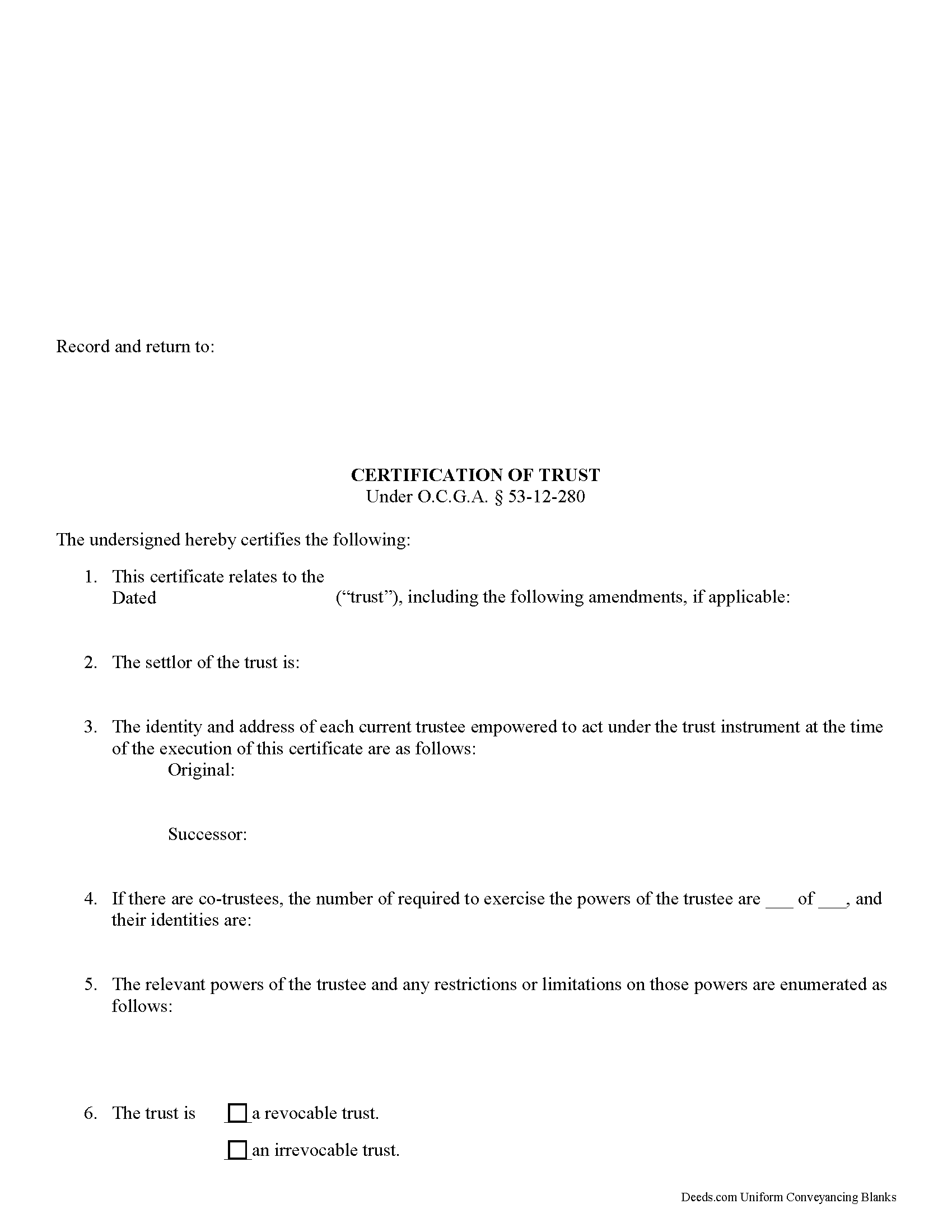
Jeff Davis County Certificate of Trust Form
Fill in the blank form formatted to comply with all recording and content requirements.
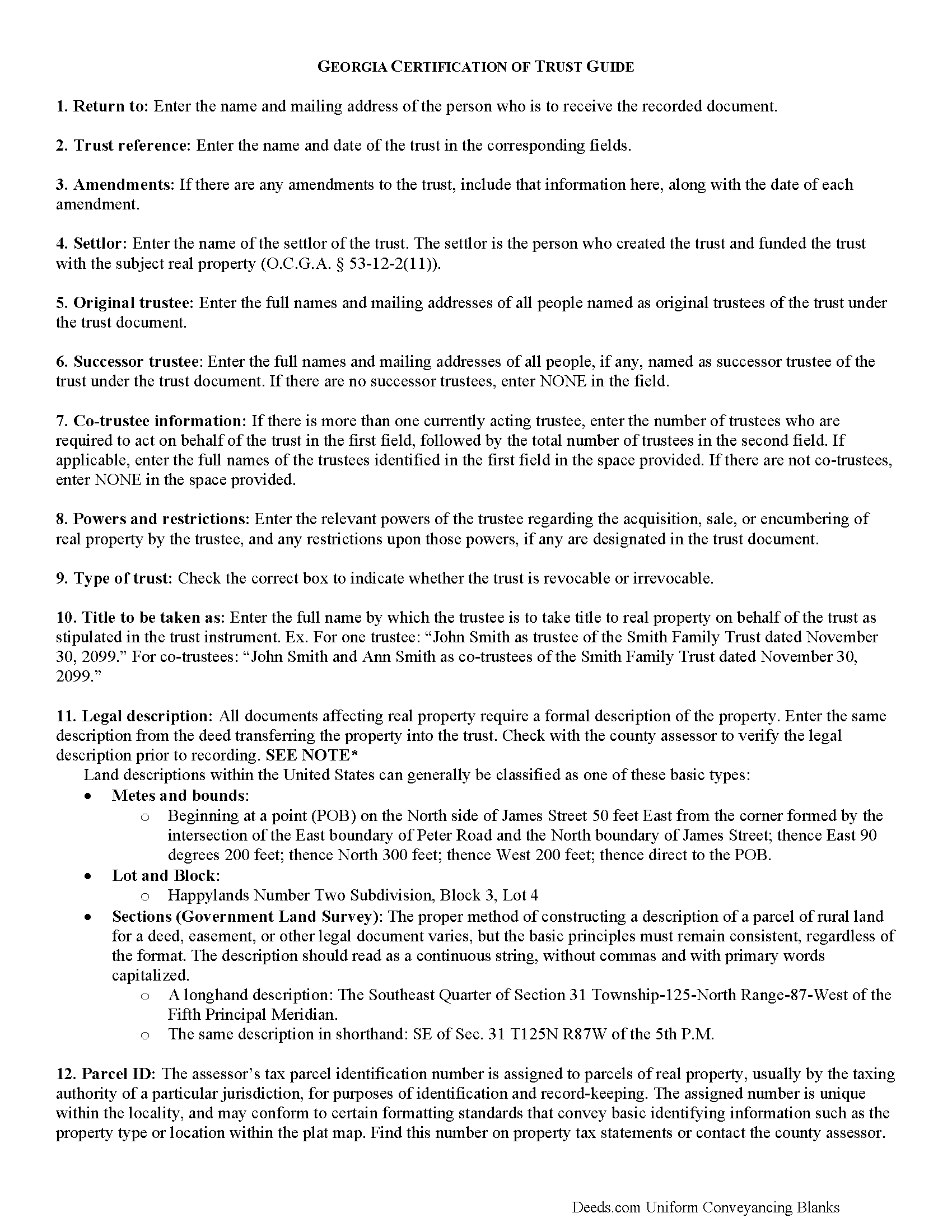
Jeff Davis County Certificate of Trust Guide
Line by line guide explaining every blank on the form.
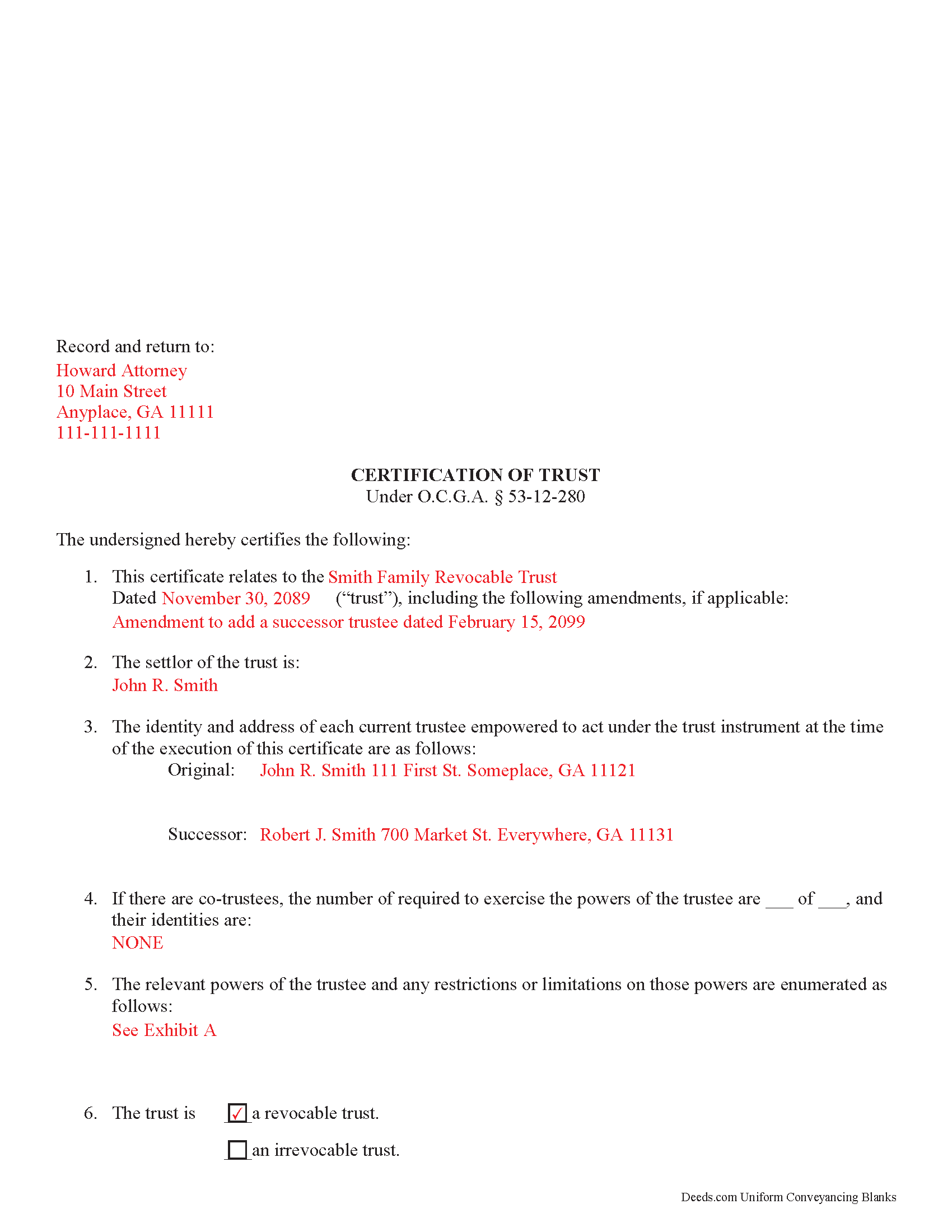
Jeff Davis County Completed Example of the Certificate of Trust Document
Example of a properly completed form for reference.
All 3 documents above included • One-time purchase • No recurring fees
Immediate Download • Secure Checkout
Additional Georgia and Jeff Davis County documents included at no extra charge:
Where to Record Your Documents
Clerk of Superior Court
Hazlehurst, Georgia 31539
Hours: 8:00am-5:00pm M-F
Phone: (912) 375-6615
Recording Tips for Jeff Davis County:
- Bring your driver's license or state-issued photo ID
- Ensure all signatures are in blue or black ink
- Recording fees may differ from what's posted online - verify current rates
- Request a receipt showing your recording numbers
- Ask about accepted payment methods when you call ahead
Cities and Jurisdictions in Jeff Davis County
Properties in any of these areas use Jeff Davis County forms:
- Denton
- Hazlehurst
Hours, fees, requirements, and more for Jeff Davis County
How do I get my forms?
Forms are available for immediate download after payment. The Jeff Davis County forms will be in your account ready to download to your computer. An account is created for you during checkout if you don't have one. Forms are NOT emailed.
Are these forms guaranteed to be recordable in Jeff Davis County?
Yes. Our form blanks are guaranteed to meet or exceed the applicable formatting requirements used for recording in Jeff Davis County, including margin requirements, font requirements, and other layout standards. This guarantee applies to formatting, not to the legal sufficiency of information entered by the user or the suitability of a form for a particular transaction.
Can I reuse these forms?
Yes. You can reuse the forms for your personal use. For example, if you have multiple properties in Jeff Davis County you only need to order once.
What do I need to use these forms?
The forms are PDFs that you fill out on your computer. The free Adobe Acrobat Reader is recommended, and most PDF apps also work. You do NOT enter your property information online - you download the blank forms and complete them privately on your own computer.
Are there any recurring fees?
No. This is a one-time purchase. Nothing to cancel, no memberships, no recurring fees.
How much does it cost to record in Jeff Davis County?
Recording fees in Jeff Davis County vary. Contact the recorder's office at (912) 375-6615 for current fees.
Questions answered? Let's get started!
Georgia Certification of Trust
Under O.C.G.A. 53-12-280, a certification of trust is the document a trustee uses to establish the existence of trust provisions. The trustee furnishes the certificate to a party other than a trust beneficiary (someone who has a beneficial interest in the trust) in lieu of providing a copy of the full trust instrument. The certificate's purpose is to verify the trust's existence and the trustee's authority to act under the trust.
In trusts affecting real property, the trustee is the person who holds legal title to the real property ( 53-12-2(16)). The trustee's powers are established in the trust instrument, which is executed by a settlor in the creation of a trust.
The certificate contains only the essential information about a trust, including the name and date of the trust and identities of the settlor and acting trustees, as well as any successor trustees. The identities of those having a beneficial interest in the trust remain undisclosed. In addition, the certificate states how trust property should be titled, and whether or not the settlor has the power to revoke the trust. The trustee's powers relevant to the management of trust property are enumerated, as well as restrictions, if any, concerning those powers.
Some third parties might request copies of relevant sections of the trust instrument ( 53-12-280(d)), even though Georgia statutes confirm that the details contained within the certificate are to be presumed correct. This presumption suggests that the recipient of a certification of trust is not liable for actions based on false information given within ( 53-12-280(e)).
Like all recorded documents concerning real property, the certificate should also contain a legal description of the real property subject to the trust, including the property's parcel identification number. The document is executed and acknowledged by all trustees in front of a notary before it is recorded in the county wherein the real property subject to the trust is located.
(Georgia Certificate of Trust Package includes form, guidelines, and completed example) Consult a lawyer with any questions concerning trust certificates.
Important: Your property must be located in Jeff Davis County to use these forms. Documents should be recorded at the county recording office listed above.
This Certificate of Trust meets all recording requirements specific to Jeff Davis County.
Our Promise
The documents you receive here are guaranteed to meet or exceed the applicable Jeff Davis County recording format requirements. If there is a rejection caused by our formatting, we will correct the issue or refund your payment. This guarantee applies to document formatting only and does not extend to information entered by the user, the selection of the form, or the legal effect of the completed document.
Save Time and Money
Get your Jeff Davis County Certificate of Trust form done right the first time with Deeds.com Uniform Conveyancing Blanks. At Deeds.com, we understand that your time and money are valuable resources, and we don't want you to face a penalty fee or rejection imposed by a county recorder for submitting nonstandard documents. We constantly review and update our forms to meet rapidly changing state and county recording requirements for roughly 3,500 counties and local jurisdictions.
4.8 out of 5 - ( 4,836 Reviews )
jeann p. 5 out of 5 stars
The site was extremely helpful.
We are delighted to have been of service. Thank you for the positive review!
Maria C. 5 out of 5 stars
Amazing service truly great to work with your team on a difficult filing!
Thank you!
James R. 5 out of 5 stars
This site is a blessing in disguise-/>
Thank you!
Jerry K G. 5 out of 5 stars
I got what I asked for, almost instantly.
Thank you!
Barbara J. 5 out of 5 stars
Process was simple and fast. Awaiting response form agency. I’m happy to have found deeds.com for a speedy service.
We appreciate your business and value your feedback. Thank you. Have a wonderful day!
Robert A. 5 out of 5 stars
First timer with Deeds.com - excellent experience. I am a lawyer and do not record often. Did not have to pay membership- fast and easy upload of documents- fast response - fast recording time from county recorder- very legible documents- very reasonable price. I give 6 stars out of 5!
We appreciate your business and value your feedback. Thank you. Have a wonderful day!
Donna P. 5 out of 5 stars
Your documents were very helpful. I went ahead and filled in all the info for the Release of Lien document. It was easy to do with your example. I had all the necessary info such as plot numbers, etc. for the property and everything fit nicely onto the document. It has been notorized and mailed. My grandparents' Victorian home has new owners who love it and has paid it off. Yeah!!!
We appreciate your business and value your feedback. Thank you. Have a wonderful day!
Terry S. 4 out of 5 stars
I was very happy with the document package that I purchased. It contained all of the necessary documents and a few extras I had not thought about. Perhaps if you provided a link to download all of the documents with one click, it would make it a little easier.
Thank you for your feedback. We really appreciate it. Have a great day!
Sarah C. 5 out of 5 stars
Great, but I'd like to see the actual filings/documents in my account, PDF, not only the blank forms. Thank you.
Thank you for your feedback. We really appreciate it. Have a great day!
Veronica G. 5 out of 5 stars
Excellent service A+
Thank you!
Roy Y. 5 out of 5 stars
I paid for and received the form for a Quit Claim Deed. Hoping it is the form I need to complete my transaction. Thank you for making it possible to obtain the form I was in need of.
Thank you for your feedback Roy. We appreciate it!
Charles C. 5 out of 5 stars
Using an I pad and cannot type on form that was downloaded. I do not have a computer Charles
Thank you for your feedback Charles. You might want to make sure you have the Adobe app on your Ipad: https://itunes.apple.com/us/app/adobe-fill-sign/id950099951?mt=8
Carol A. 5 out of 5 stars
great
Thank you!
James D. 5 out of 5 stars
I had a satisfying experience very informative and easy to navigate.
Thank you!
Nick J. 4 out of 5 stars
We aimed to handle a survivorship affidavit (deed change) without a lawyer following my dad's death. After some searching, deeds.com seemed to have the most comprehensive and "correct looking" form we could find for our locale, so we went with it, and it was accepted by our recorder's office. I'm not sure why our local government office doesn't offer a standard form, but they don't, and deeds.com came through for us in a pinch.
We appreciate your business and value your feedback. Thank you. Have a wonderful day!