Fulton County Interim Lien Waiver and Release Form
Last validated August 17, 2026 by our Forms Development TeamFormatted for recording in Fulton County, for property anywhere in the county: rural and unincorporated areas as well as Alpharetta, Atlanta, Duluth, Fairburn, Palmetto, Red Oak, Roswell, Union City.
- 3 documents included
- Immediate PDF download
- Formatting guarantee
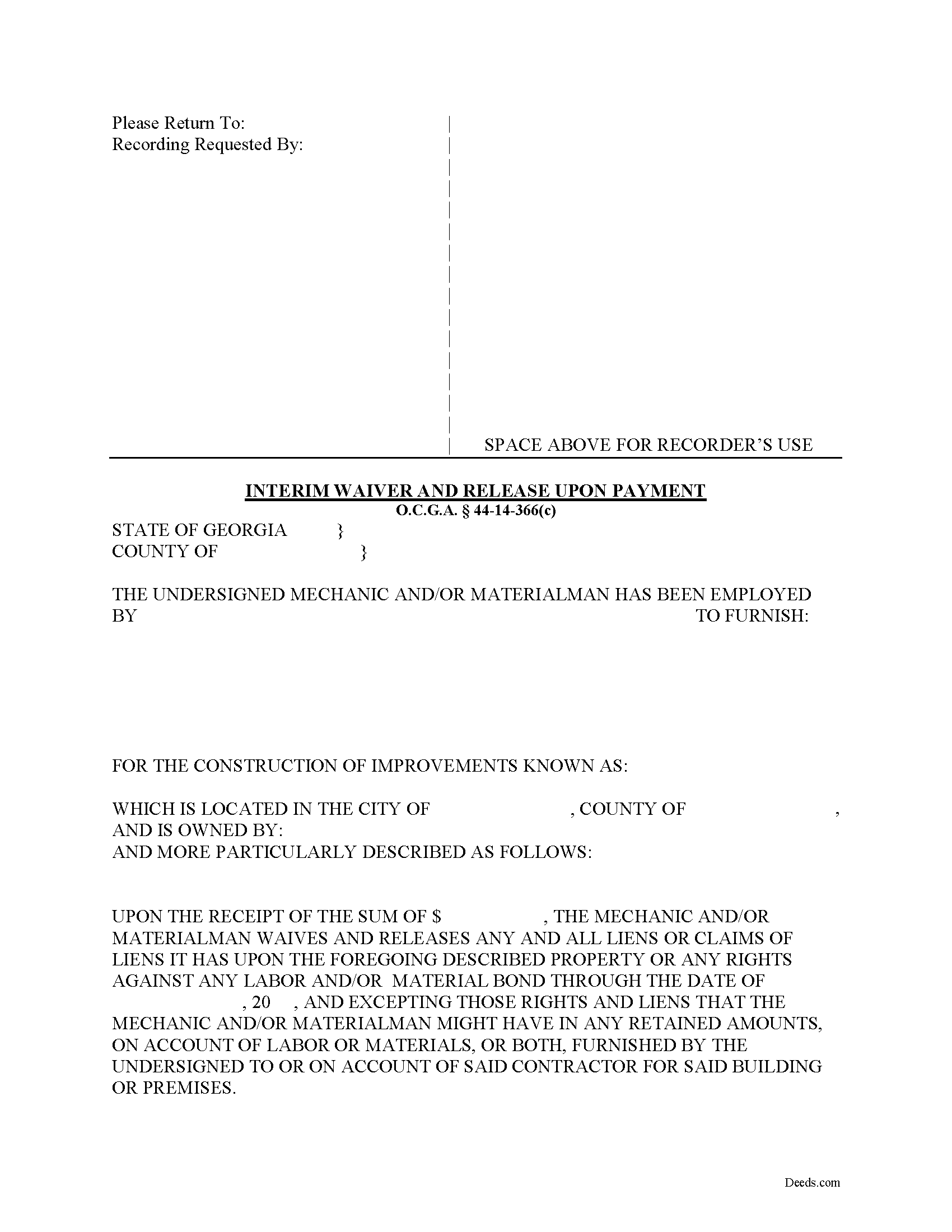
Fulton County Interim Lien Waiver and Release Form
Fill in the blank Interim Lien Waiver and Release form formatted to comply with all Georgia recording and content requirements.
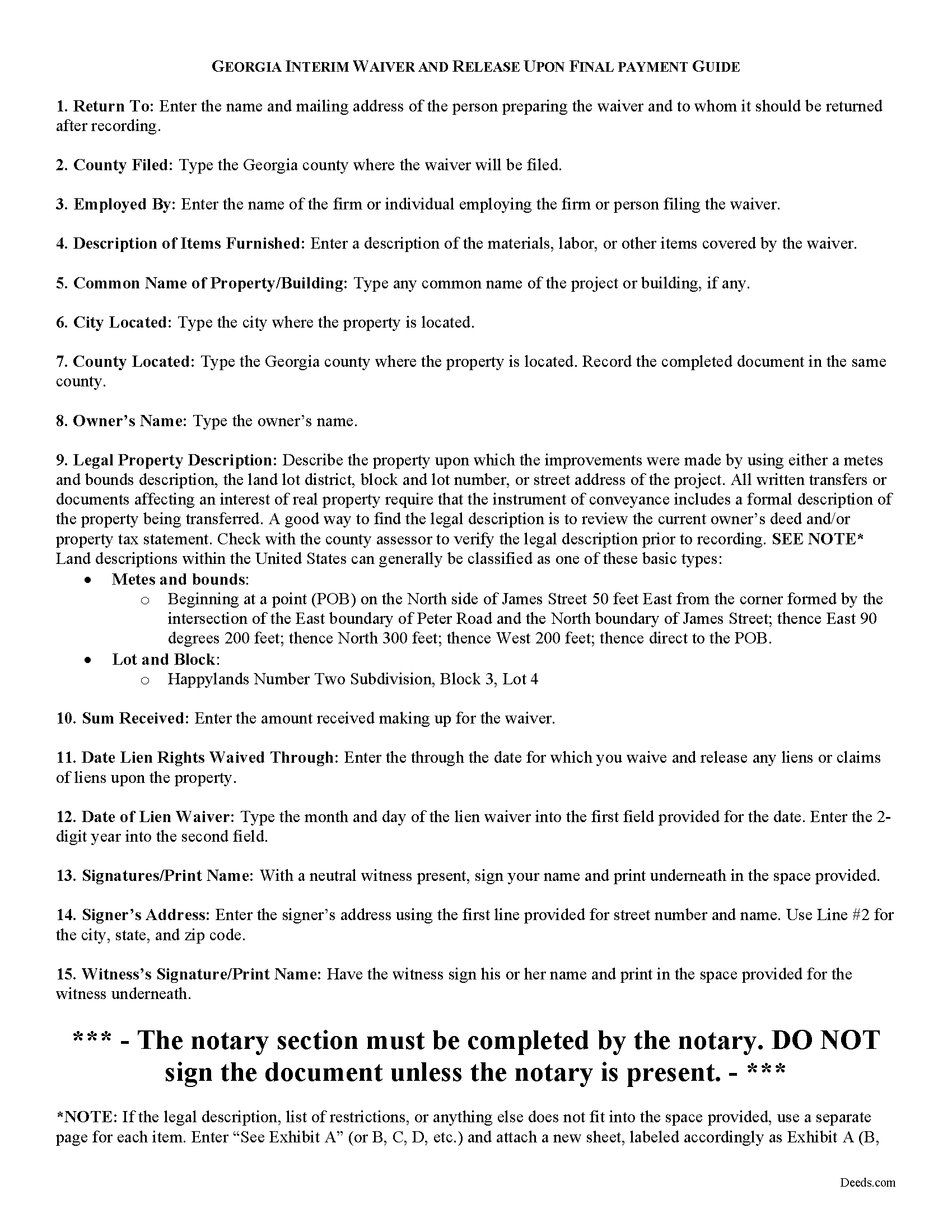
Fulton County Interim Lien Waiver and Release Guide
Line by line guide explaining every blank on the form.
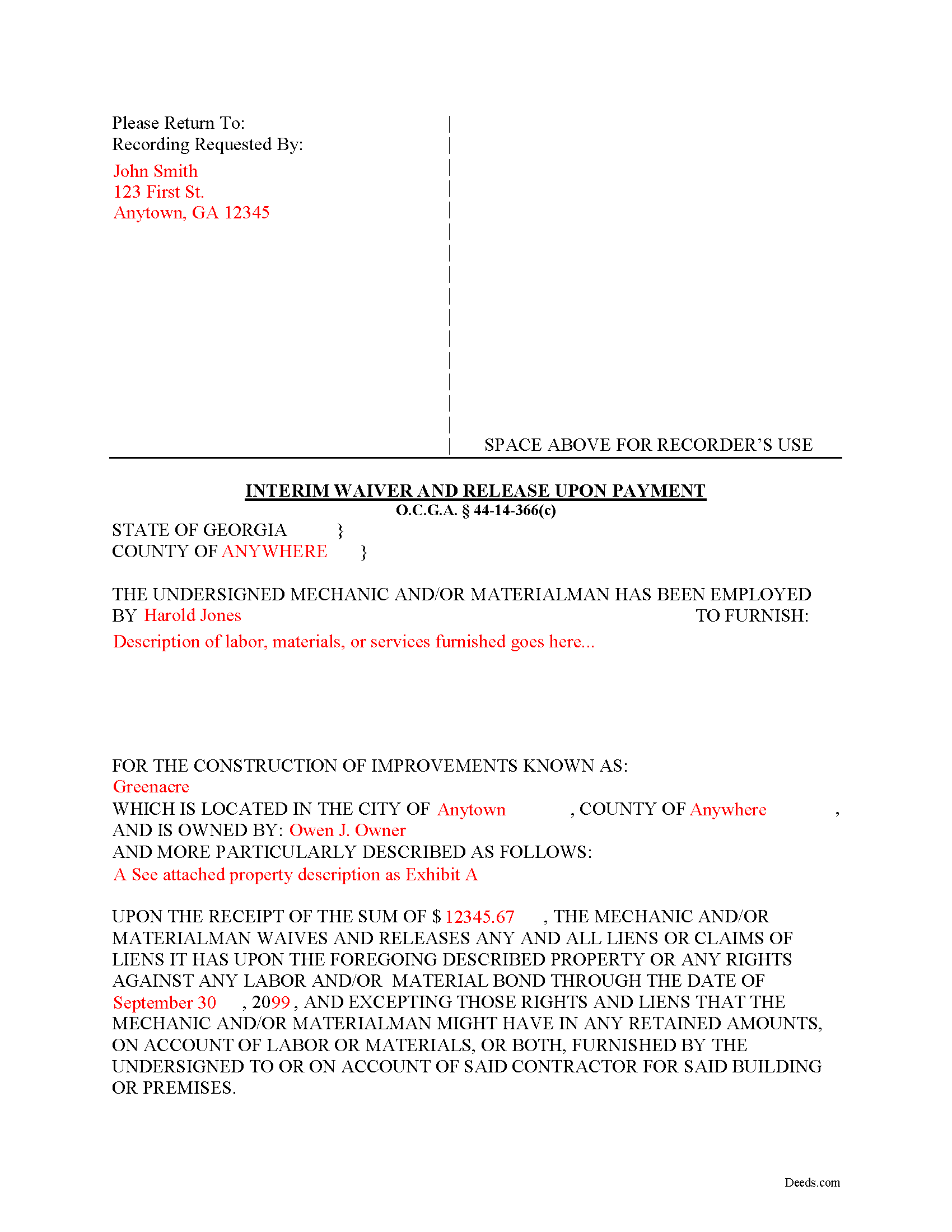
Fulton County Completed Example of the Interim Lien Waiver and Release Document
Example of a properly completed form for reference.
All 3 documents above included • One-time purchase • No recurring fees
Immediate Download • Secure Checkout
Additional Georgia and Fulton County documents included at no extra charge:
Where to Record Your Documents
Fulton County Clerk of Superior Court
Atlanta, Georgia 30303
Hours: 8:30 to 5:00 M-F
Phone: (404) 613-5371 or 5314
North Service Center
Atlanta, Georgia 30350
Hours: 8:30 a.m. until 4:30 p.m. Monday-Friday
Phone: 404-613-5757 or 404-612-5756
Recording Tips for Fulton County:
- Bring your driver's license or state-issued photo ID
- Ensure all signatures are in blue or black ink
- Verify all names are spelled correctly before recording
- White-out or correction fluid may cause rejection
- Ask about their eRecording option for future transactions
Cities and Jurisdictions in Fulton County
Properties in any of these areas use Fulton County forms:
- Alpharetta
- Atlanta
- Duluth
- Fairburn
- Palmetto
- Red Oak
- Roswell
- Union City
Hours, fees, requirements, and more for Fulton County
How do I get my forms?
Forms are available for immediate download after payment. The Fulton County forms will be in your account ready to download to your computer. An account is created for you during checkout if you don't have one. Forms are NOT emailed.
Are these forms guaranteed to be recordable in Fulton County?
Yes. Our form blanks are guaranteed to meet or exceed the applicable formatting requirements used for recording in Fulton County, including margin requirements, font requirements, and other layout standards. This guarantee applies to formatting, not to the legal sufficiency of information entered by the user or the suitability of a form for a particular transaction.
Can I reuse these forms?
Yes. You can reuse the forms for your personal use. For example, if you have multiple properties in Fulton County you only need to order once.
What do I need to use these forms?
The forms are PDFs that you fill out on your computer. The free Adobe Acrobat Reader is recommended, and most PDF apps also work. You do NOT enter your property information online - you download the blank forms and complete them privately on your own computer.
Are there any recurring fees?
No. This is a one-time purchase. Nothing to cancel, no memberships, no recurring fees.
How much does it cost to record in Fulton County?
Recording fees in Fulton County vary. Contact the recorder's office at (404) 613-5371 or 5314 for current fees.
Questions answered? Let's get started!
Lien waivers are recorded documents used to inform a property owner and any other interested parties that the person or firm with a potential mechanic's lien right is giving up the right to file that lien in exchange for full or partial payment. Use these documents carefully, because the right to a mechanic's lien is regarded as sacred in the realm on the construction world. Unlike most other states, Georgia takes a different approach to its lien waivers, declaring them void unless payment has been received. O.C.G.A. 44-14-366(b).
Georgia recognizes two major types of waivers: The Interim Waiver and Release upon Payment and the Waiver and Release upon Final Payment. O.C.G.A. 44-14-366. These two waivers also fit into the minor categories of being conditioned or not conditioned on actual receipt of payment (included a cleared check). The latter categories can have a tremendous effect on lien rights, as sending an unconditional waiver will waive the right to a lien regardless of confirmed payment.
In addition to requiring payment first, Georgia law prohibits preliminary waivers of lien rights before beginning the work: A right to claim a lien or to claim upon a bond may not be waived in advance of furnishing of labor, services, or materials. O.C.G.A. 44-14-366(a). Any purported waiver or release of lien or bond claim or of this Code section executed or made in advance of furnishing of labor, services, or materials is null, void, and unenforceable. Id.
The Interim Waiver and Release upon Payment is used when a claimant is requested to execute a waiver and release in exchange for or to induce payment other than final payment (such as a partial or progress payment). O.C.G.A. 44-14-366(c). Use it for an expected progress payment on the project, or any payment other than final payment. If the responsible party fails to pay after 60 days of executing this waiver, the contractor needs to file a claim for a mechanic's lien or affidavit of non-payment. O.C.G.A. 44-14-366(2).
The form identifies the parties, the location, the nature of the work, relevant dates, and the amount of payment.
This article is provided for informational purposes only and should not be relied upon as a substitute for the advice of an attorney. Please contact an attorney with questions about lien waivers or any other issues related to liens in Georgia.
Important: Your property must be located in Fulton County to use these forms. Documents should be recorded at the county recording office listed above.
This Interim Lien Waiver and Release meets all recording requirements specific to Fulton County.
Our Promise
The documents you receive here are guaranteed to meet or exceed the applicable Fulton County recording format requirements. If there is a rejection caused by our formatting, we will correct the issue or refund your payment. This guarantee applies to document formatting only and does not extend to information entered by the user, the selection of the form, or the legal effect of the completed document.
Save Time and Money
Get your Fulton County Interim Lien Waiver and Release form done right the first time with Deeds.com Uniform Conveyancing Blanks. At Deeds.com, we understand that your time and money are valuable resources, and we don't want you to face a penalty fee or rejection imposed by a county recorder for submitting nonstandard documents. We constantly review and update our forms to meet rapidly changing state and county recording requirements for roughly 3,500 counties and local jurisdictions.
4.8 out of 5 - ( 4,842 Reviews )
Robin G. 5 out of 5 stars
Very responsive and helpful.
Thank you!
Karen B. 5 out of 5 stars
Great forms! No issues at all at the recorder office. Will be back for sure if needed.
Wonderful to hear Karen. Thanks for taking the time to share your experience. Have a great day!
Theadore L. 5 out of 5 stars
Bought a transfer on death deed form and it worked great. Easy to fill out and record with the County. Got some helpful information from the county recorders office before filling out the form. I found out that I could use one deed for 2 properties. Saved me money not having to pay fees for 2 deeds.
We are delighted to have been of service. Thank you for the positive review!
Riley K G. 5 out of 5 stars
Awesome, way better than some other offerings out there. Unfortunately some people won't realize that until it's too late.
Thank you!
Deborah B. 5 out of 5 stars
EVERYTHING WENT WELL, HAD NO PROBLEMS DOWNLOADING MY FORMS. THE ORDER QUICK AND EASY. THANKS IF I EVER NEED AND OF THESES FORMS AGAIN I WILL BE BACK.
Thanks Deborah, we really appreciate your feedback.
William V. 5 out of 5 stars
I finally got it. Thanks, William Vickery
Thank you!
Dominick D. 5 out of 5 stars
Deed.com was easy to work with, not just a website, they have real people that speak to you. They were extremely helpful with a VERY difficult Northeast county. They made the process smooth and effortless.
We appreciate your business and value your feedback. Thank you. Have a wonderful day!
Erik J. 5 out of 5 stars
First time using Deeds.com and feel that your platform is clear and easy to use. I was also pleased with the messaging center and follow-up and also surprised at how quickly our particular deed was recorded and available to view. Having said that, when I first investigated Deeds.com the fee was $15 and as of 1/1/21 it has increased to $19 which I feel is pretty steep for the handling of 1 simple document especially when the turnaround was basically the same day. Your fee was nearly the equivalent of the cost of the Clerk's recording fee. Perhaps you should offer a fee schedule for those of us who are not volume recorders. Just a thought.
Thank you!
Vicky M. 5 out of 5 stars
I would give Deeds.com 10 stars if I could!! The staff were super friendly and easy to work with. They kept me constantly updated during the process of uploading and forwarding my deeds for recording. And, the price was extremely reasonable. I look forward to utilizing Deeds.com every time I need to record a deed no matter what U.S. State. I wholeheartedly recommend them!
Thank you for your feedback. We really appreciate it. Have a great day!
Thomas S. 5 out of 5 stars
Very nice.
Thank you!
Mark S. 5 out of 5 stars
The forms were easy to fill in and file. I've never filed anything like this before and the forms made it extremely easy. Thank you so much!
Thank you for your feedback. We really appreciate it. Have a great day!
Donald H. 5 out of 5 stars
Easy to use and very quick turn around ... Very satisfied with ease of use and services provided ...
Thank you for your feedback. We really appreciate it. Have a great day!
STEVEN J. 5 out of 5 stars
Great , easy to use.
We appreciate your business and value your feedback. Thank you. Have a wonderful day!
Jay T. 5 out of 5 stars
I filled out the deed, had it notarized, and recorded. No problems. I put this off for so long. Once I had the form it was recorded in one day.
Thank you for your feedback. We really appreciate it. Have a great day!
Angela A. 5 out of 5 stars
The forms, instructions and example of the completed Interspousal Transfer Deed was very helpful. I was able to complete all necessary forms quickly and bring them to the County Recorder's Office for filing with no problems. It was a great relief, and I didn't even need to hire an attorney. Thank you!
We appreciate your business and value your feedback. Thank you. Have a wonderful day!