Fulton County Release of Claim of Lien Form
Last validated October 2, 2026 by our Forms Development TeamFormatted for recording in Fulton County, for property anywhere in the county: rural and unincorporated areas as well as Alpharetta, Atlanta, Duluth, Fairburn, Palmetto, Red Oak, Roswell, Union City.
- 3 documents included
- Immediate PDF download
- Formatting guarantee
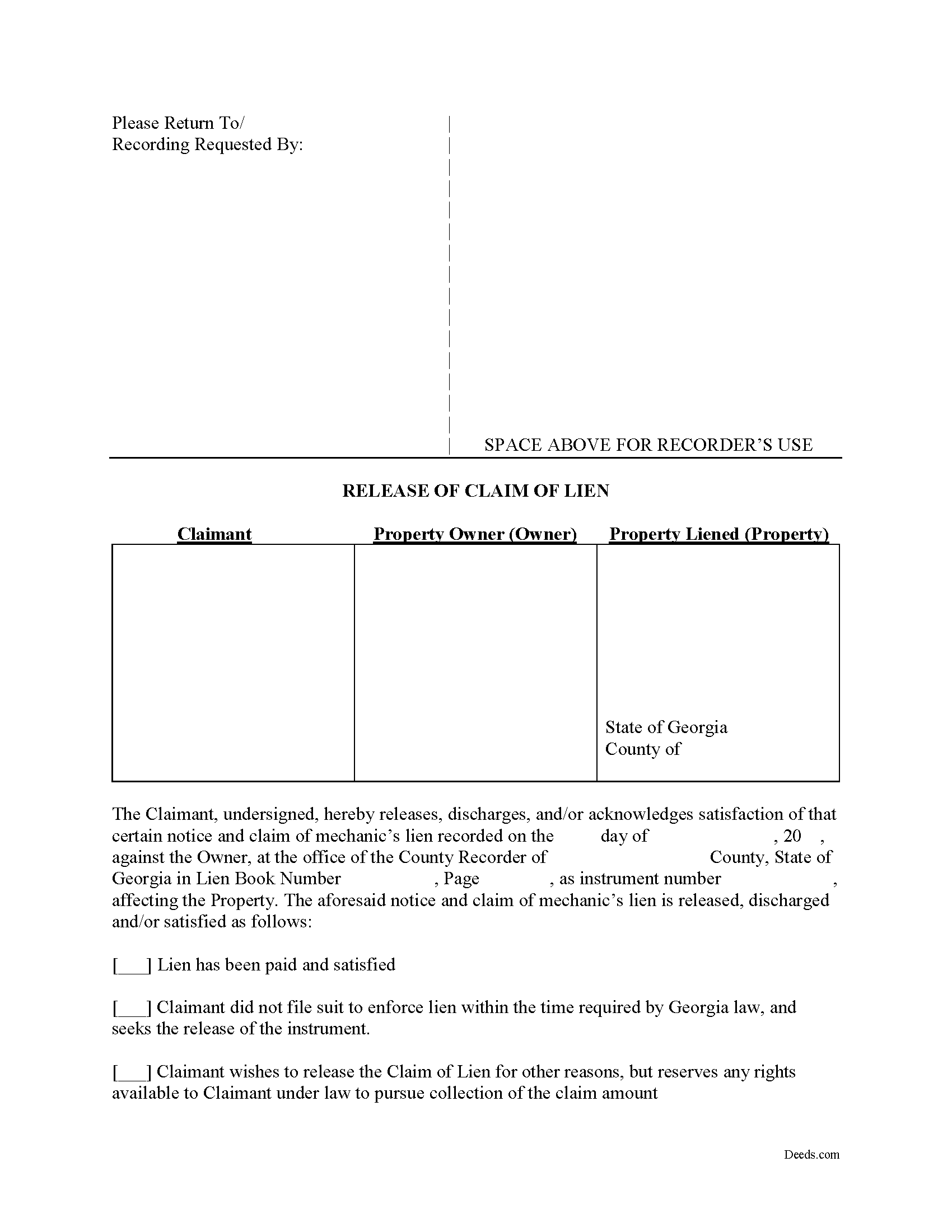
Fulton County Release of Claim of Lien Form
Fill in the blank Release of Claim of Lien form formatted to comply with all Georgia recording and content requirements.
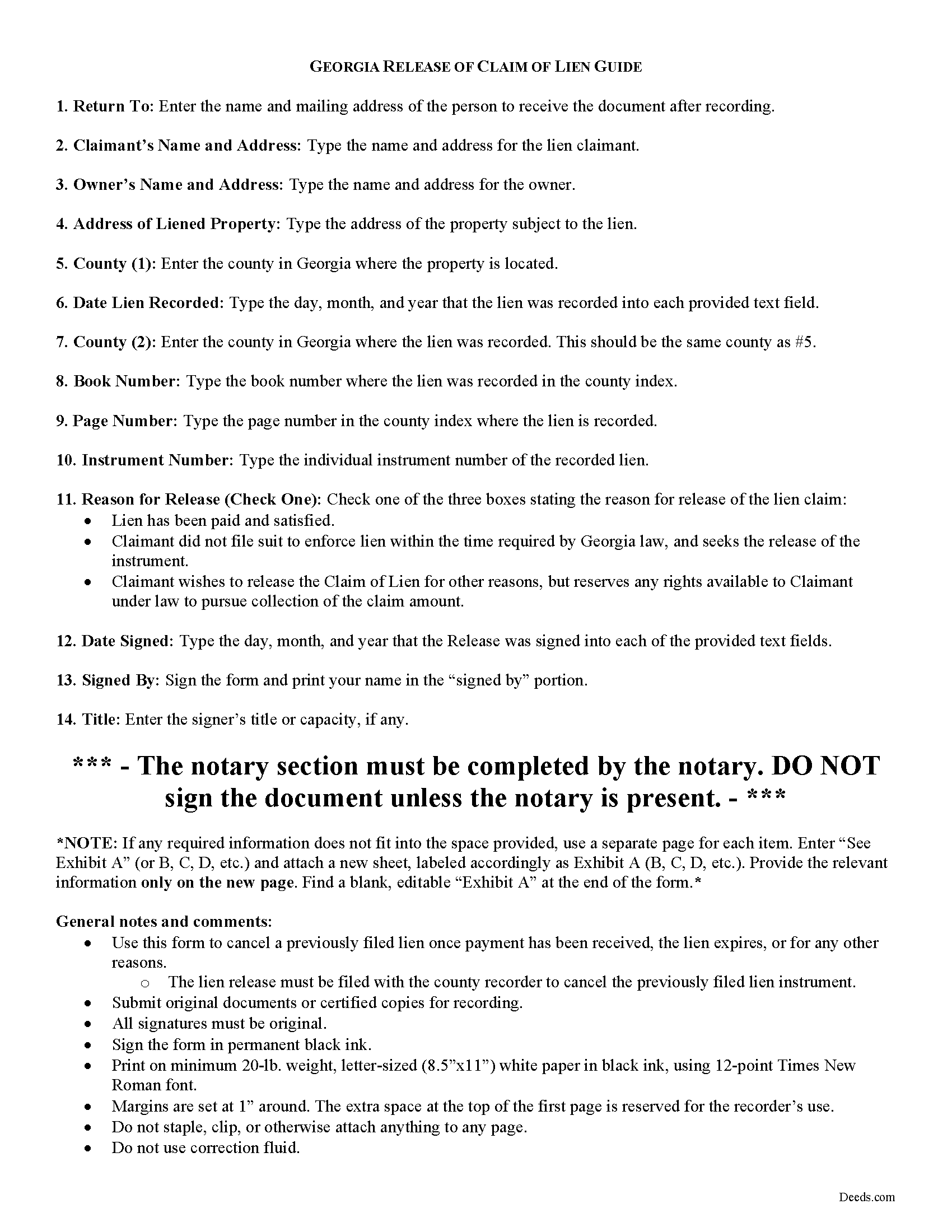
Fulton County Release of Claim of Lien Guide
Line by line guide explaining every blank on the form.
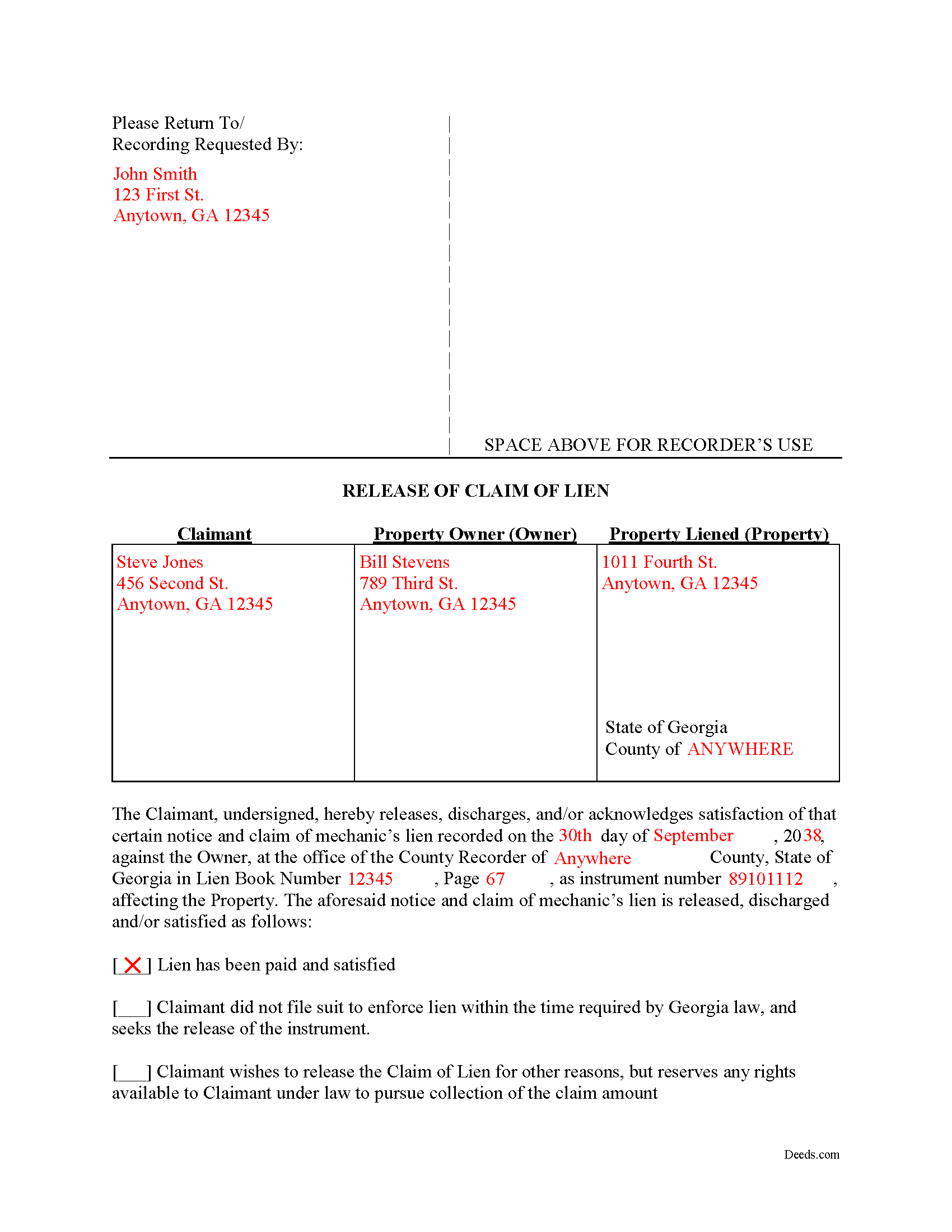
Fulton County Completed Example of the Release of Claim of Lien Document
Example of a properly completed form for reference.
All 3 documents above included • One-time purchase • No recurring fees
Immediate Download • Secure Checkout
Additional Georgia and Fulton County documents included at no extra charge:
Where to Record Your Documents
Fulton County Clerk of Superior Court
Atlanta, Georgia 30303
Hours: 8:30 to 5:00 M-F
Phone: (404) 613-5371 or 5314
North Service Center
Atlanta, Georgia 30350
Hours: 8:30 a.m. until 4:30 p.m. Monday-Friday
Phone: 404-613-5757 or 404-612-5756
Recording Tips for Fulton County:
- Bring your driver's license or state-issued photo ID
- Ensure all signatures are in blue or black ink
- Ask about their eRecording option for future transactions
- Avoid the last business day of the month when possible
- Both spouses typically need to sign if property is jointly owned
Cities and Jurisdictions in Fulton County
Properties in any of these areas use Fulton County forms:
- Alpharetta
- Atlanta
- Duluth
- Fairburn
- Palmetto
- Red Oak
- Roswell
- Union City
Hours, fees, requirements, and more for Fulton County
How do I get my forms?
Forms are available for immediate download after payment. The Fulton County forms will be in your account ready to download to your computer. An account is created for you during checkout if you don't have one. Forms are NOT emailed.
Are these forms guaranteed to be recordable in Fulton County?
Yes. Our form blanks are guaranteed to meet or exceed the applicable formatting requirements used for recording in Fulton County, including margin requirements, font requirements, and other layout standards. This guarantee applies to formatting, not to the legal sufficiency of information entered by the user or the suitability of a form for a particular transaction.
Can I reuse these forms?
Yes. You can reuse the forms for your personal use. For example, if you have multiple properties in Fulton County you only need to order once.
What do I need to use these forms?
The forms are PDFs that you fill out on your computer. The free Adobe Acrobat Reader is recommended, and most PDF apps also work. You do NOT enter your property information online - you download the blank forms and complete them privately on your own computer.
Are there any recurring fees?
No. This is a one-time purchase. Nothing to cancel, no memberships, no recurring fees.
How much does it cost to record in Fulton County?
Recording fees in Fulton County vary. Contact the recorder's office at (404) 613-5371 or 5314 for current fees.
Questions answered? Let's get started!
Cancelling a Georgia Mechanic's Lien After Payment
To dissolve previously filed mechanic's lien claims, claimants must file a Release of Claim of Lien. Construction liens must be canceled once payment has been received, the lien expires, or for any other reason. The lien release must be filed with the county recorder to cancel the previously filed lien instrument. The lien release is different than a lien waiver because it discharges an already filed lien, while a waiver surrenders the right to file one in the first place.
A Release form contains the following information: 1) lien claimant's name and address; 2) property owner's name and address; 3) address of the subject property; 4) date the lien was recorded; 5) the book number, page number, and instrument number as indexed by the county; and 6) reason for cancellation (lien has been paid, expired, or any other reason for discharge). The Release must be signed in front of a notary public who then signs as a notary and/or affixes his or her seal.
This article is provided for informational purposes only and does not constitute legal advice. Please speak with an attorney regarding releases or any other issues related to liens in Georgia.
Important: Your property must be located in Fulton County to use these forms. Documents should be recorded at the county recording office listed above.
This Release of Claim of Lien meets all recording requirements specific to Fulton County.
Our Promise
The documents you receive here are guaranteed to meet or exceed the applicable Fulton County recording format requirements. If there is a rejection caused by our formatting, we will correct the issue or refund your payment. This guarantee applies to document formatting only and does not extend to information entered by the user, the selection of the form, or the legal effect of the completed document.
Save Time and Money
Get your Fulton County Release of Claim of Lien form done right the first time with Deeds.com Uniform Conveyancing Blanks. At Deeds.com, we understand that your time and money are valuable resources, and we don't want you to face a penalty fee or rejection imposed by a county recorder for submitting nonstandard documents. We constantly review and update our forms to meet rapidly changing state and county recording requirements for roughly 3,500 counties and local jurisdictions.
4.8 out of 5 - ( 4,824 Reviews )
Alexia B. 5 out of 5 stars
Excellent service with rapid turn around time!
We appreciate your business and value your feedback. Thank you. Have a wonderful day!
Craig L. 5 out of 5 stars
Fast and easy and saved me $240. What's not to like? Five stars.
We appreciate your business and value your feedback. Thank you. Have a wonderful day!
Carol T. 2 out of 5 stars
It was very difficult to maneuver through your website the wording on certain things are very difficult to figure out. I can't seem to get through to one place that I want versus what I don't want. I think it needs to be a little more explanatory and I am a college graduate so it's not like I'm stupid or anything. Thank you
Thank you for your feedback. Very sorry to hear that we failed you with our navigation. We will certainly address it to see how we can approve. Have a wonderful day.
Meridith B. 5 out of 5 stars
Well, When I got the question right I got the answers right from Claim Deed. In the end it all worked out very, very good. I'm pleased with the deed and the price was very fair. Thank you for answering all my crazy questions. Now all we have to do is go to UPS and sign it. Thank, again.
Thank you!
spencer d. 5 out of 5 stars
Great and quick service!
Thank you!
Thomas W. 5 out of 5 stars
easy to use, no problems except in beneficiary box. Need to make the box bigger because I have 4 beneficiaries to list. how do I enlarge the box.
Thanks for reaching out. All available space on the document is being used. As is noted in the guide, if you have information that does not fit in the available space the included exhibit page should be used.
Kartik S. 5 out of 5 stars
I am extremely happy with the products. I have used Quitclaim Deed. The instructions with a sample completed deed are thorough!
Thank you, Kartik. Glad the quitclaim deed worked out and that the guide and completed sample made the process clear. That is exactly why we include them with every form. We appreciate you taking the time to share your experience.
Linda M. 5 out of 5 stars
The form I purchased along with the instructions and completed sample were easy to use. I downloaded them on my iPad. I had to also download the free adobe reader app from the App Store. I had no problem getting the beneficiary deed recorded at the recorder’s office. I am pleased with my purchase.
Thanks so much for the kind words, Linda! Glad the sample and instructions made the process smooth, and that tip about the Adobe Reader app for iPad is genuinely helpful for other customers too. Congrats on getting the deed recorded!
Maria M. 5 out of 5 stars
EASY, PAINLESS, LOVED THE USER FRIENDLY INSTRUCTIONS
Thank you for your feedback. We really appreciate it. Have a great day!
Liliana H. 5 out of 5 stars
I had a great experience using Deeds.com to file my legal document. The whole process was simple and easy to follow. The website walks you through each step, and everything is explained clearly. At one point, I had to resubmit my documents, but even that was quick and easy. There were clear instructions, and I had no trouble making the changes and sending them again. The communication was great too. I was kept updated the whole time, and any questions I had were answered fast. If you need to file legal documents and want a stress-free way to do it, I definitely recommend Deeds.com. They made the whole process smooth from start to finish.
Thank you, Liliana! We really appreciate you taking the time to share your experience. We're glad everything went smoothly and that our team could support you when needed. It means a lot to know you'd recommend us!
Karri P. 5 out of 5 stars
Great service and easy to purchase exactly what you want.
We appreciate your business and value your feedback. Thank you. Have a wonderful day!
james b. 5 out of 5 stars
worked great
Thank you!
Winifred T. 5 out of 5 stars
ive been looking for this information thank you .
We appreciate your business and value your feedback. Thank you. Have a wonderful day!
Patricia R. 5 out of 5 stars
Very helpful. Worth the cost. Hopefully we will be able to proceed without expense of an attorney.
We are thankful for your continued support and feedback, which inspire us to continuously improve. Thank you..
George L. W. 5 out of 5 stars
Where have you been all my life?
Thank you!