Randolph County Release of Claim of Lien Form
Last validated October 29, 2026 by our Forms Development TeamFormatted for recording in Randolph County, for property anywhere in the county: rural and unincorporated areas as well as Coleman, Cuthbert, Shellman.
- 3 documents included
- Immediate PDF download
- Formatting guarantee
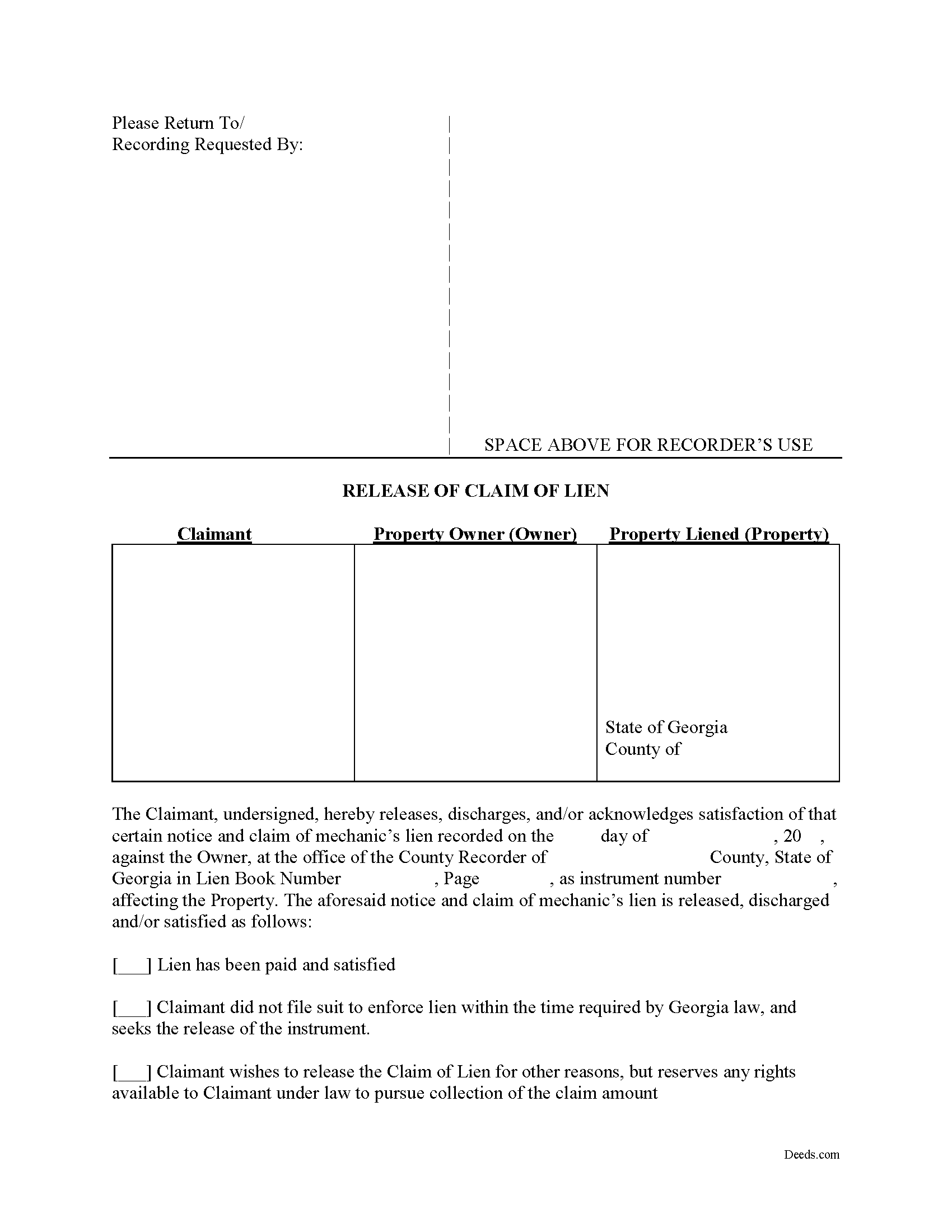
Randolph County Release of Claim of Lien Form
Fill in the blank Release of Claim of Lien form formatted to comply with all Georgia recording and content requirements.
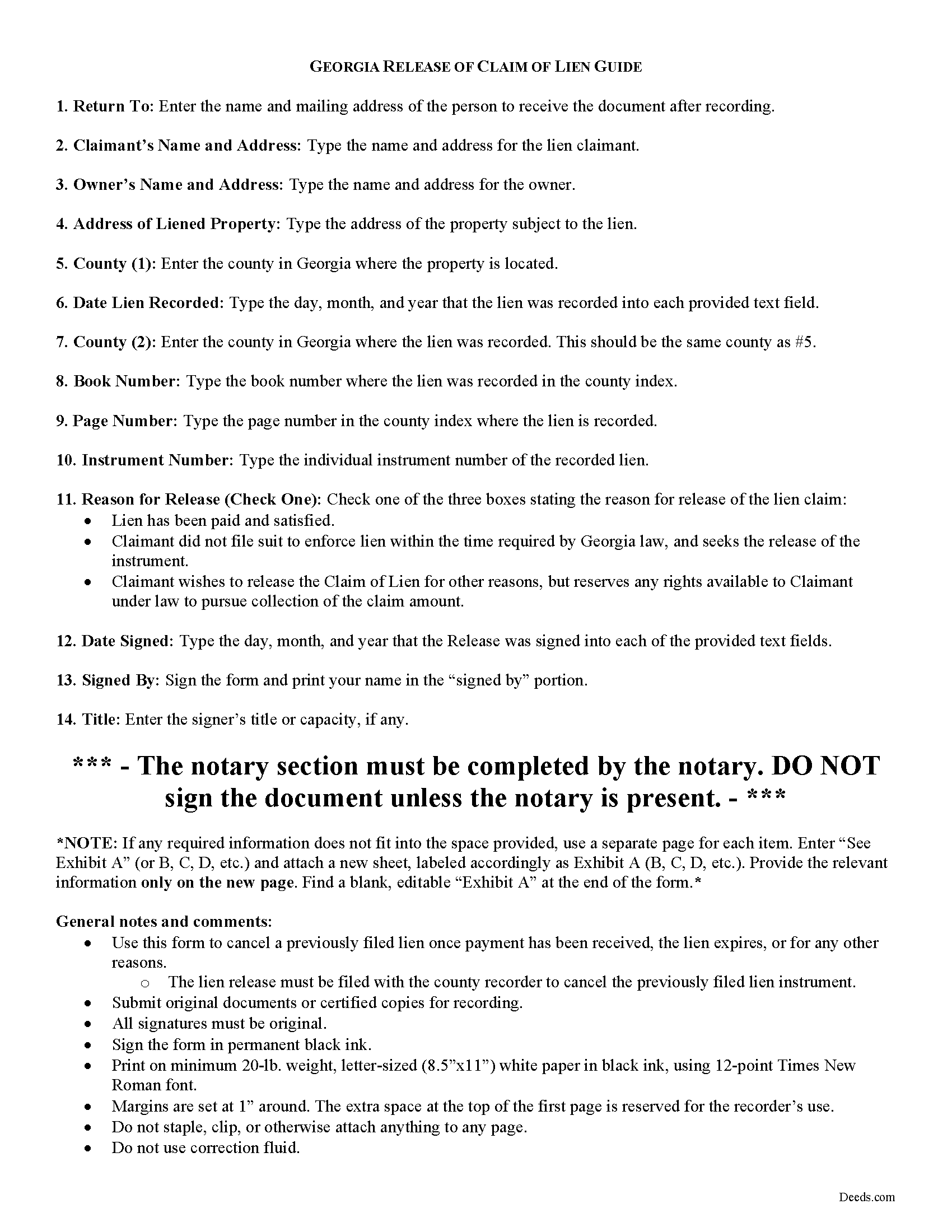
Randolph County Release of Claim of Lien Guide
Line by line guide explaining every blank on the form.
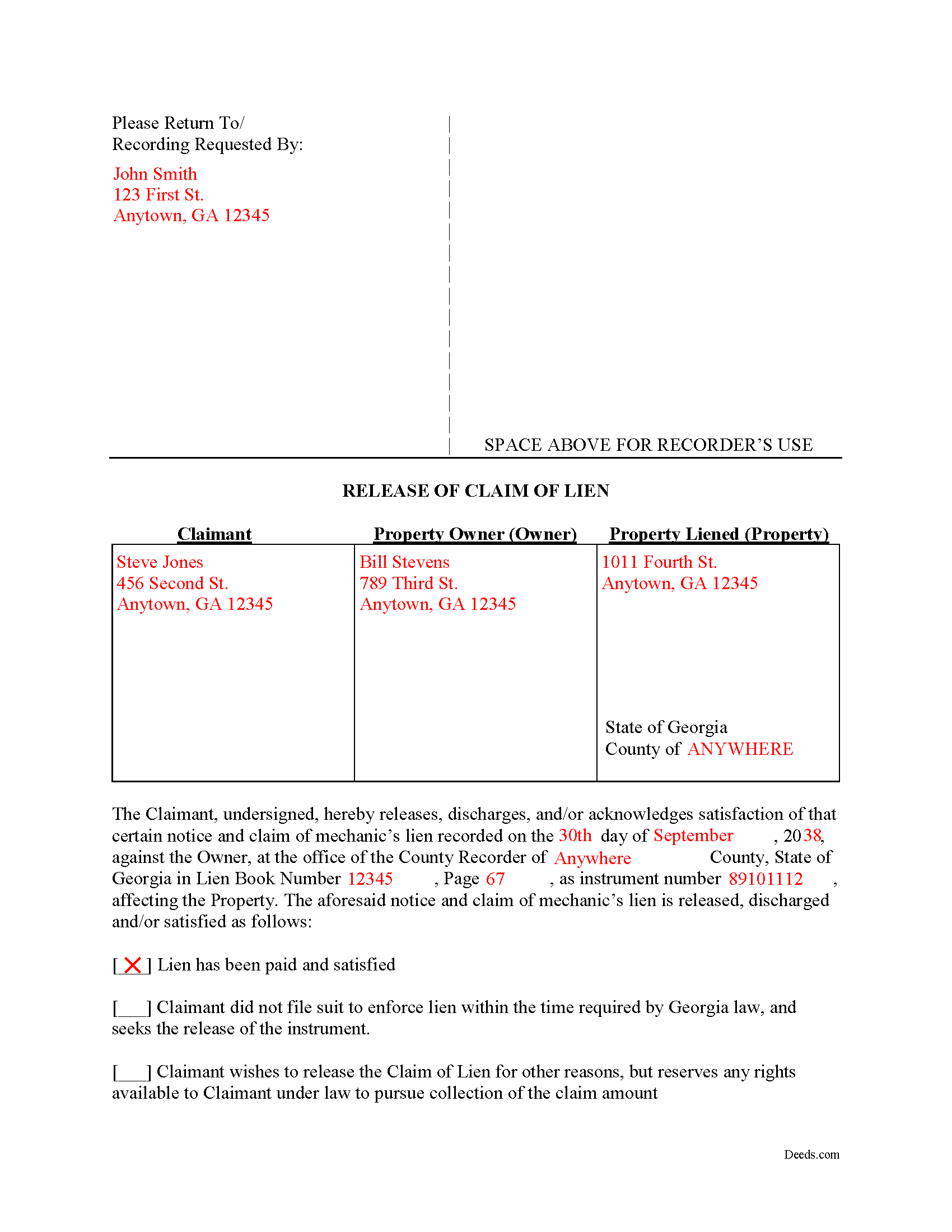
Randolph County Completed Example of the Release of Claim of Lien Document
Example of a properly completed form for reference.
All 3 documents above included • One-time purchase • No recurring fees
Immediate Download • Secure Checkout
Additional Georgia and Randolph County documents included at no extra charge:
Where to Record Your Documents
Clerk of Superior Court
Cuthbert, Georgia 39840
Hours: 8:00am-5:00pm M-F
Phone: (855) 782-6310 ext 8
Recording Tips for Randolph County:
- Bring your driver's license or state-issued photo ID
- Ensure all signatures are in blue or black ink
- Leave recording info boxes blank - the office fills these
- Make copies of your documents before recording - keep originals safe
- Recorded documents become public record - avoid including SSNs
Cities and Jurisdictions in Randolph County
Properties in any of these areas use Randolph County forms:
- Coleman
- Cuthbert
- Shellman
Hours, fees, requirements, and more for Randolph County
How do I get my forms?
Forms are available for immediate download after payment. The Randolph County forms will be in your account ready to download to your computer. An account is created for you during checkout if you don't have one. Forms are NOT emailed.
Are these forms guaranteed to be recordable in Randolph County?
Yes. Our form blanks are guaranteed to meet or exceed the applicable formatting requirements used for recording in Randolph County, including margin requirements, font requirements, and other layout standards. This guarantee applies to formatting, not to the legal sufficiency of information entered by the user or the suitability of a form for a particular transaction.
Can I reuse these forms?
Yes. You can reuse the forms for your personal use. For example, if you have multiple properties in Randolph County you only need to order once.
What do I need to use these forms?
The forms are PDFs that you fill out on your computer. The free Adobe Acrobat Reader is recommended, and most PDF apps also work. You do NOT enter your property information online - you download the blank forms and complete them privately on your own computer.
Are there any recurring fees?
No. This is a one-time purchase. Nothing to cancel, no memberships, no recurring fees.
How much does it cost to record in Randolph County?
Recording fees in Randolph County vary. Contact the recorder's office at (855) 782-6310 ext 8 for current fees.
Questions answered? Let's get started!
Cancelling a Georgia Mechanic's Lien After Payment
To dissolve previously filed mechanic's lien claims, claimants must file a Release of Claim of Lien. Construction liens must be canceled once payment has been received, the lien expires, or for any other reason. The lien release must be filed with the county recorder to cancel the previously filed lien instrument. The lien release is different than a lien waiver because it discharges an already filed lien, while a waiver surrenders the right to file one in the first place.
A Release form contains the following information: 1) lien claimant's name and address; 2) property owner's name and address; 3) address of the subject property; 4) date the lien was recorded; 5) the book number, page number, and instrument number as indexed by the county; and 6) reason for cancellation (lien has been paid, expired, or any other reason for discharge). The Release must be signed in front of a notary public who then signs as a notary and/or affixes his or her seal.
This article is provided for informational purposes only and does not constitute legal advice. Please speak with an attorney regarding releases or any other issues related to liens in Georgia.
Important: Your property must be located in Randolph County to use these forms. Documents should be recorded at the county recording office listed above.
This Release of Claim of Lien meets all recording requirements specific to Randolph County.
Our Promise
The documents you receive here are guaranteed to meet or exceed the applicable Randolph County recording format requirements. If there is a rejection caused by our formatting, we will correct the issue or refund your payment. This guarantee applies to document formatting only and does not extend to information entered by the user, the selection of the form, or the legal effect of the completed document.
Save Time and Money
Get your Randolph County Release of Claim of Lien form done right the first time with Deeds.com Uniform Conveyancing Blanks. At Deeds.com, we understand that your time and money are valuable resources, and we don't want you to face a penalty fee or rejection imposed by a county recorder for submitting nonstandard documents. We constantly review and update our forms to meet rapidly changing state and county recording requirements for roughly 3,500 counties and local jurisdictions.
4.8 out of 5 - ( 4,839 Reviews )
Jose G. C. 4 out of 5 stars
It was OK but unfortunately useless. The jurisdictions are now requesting that documents such as Notices of Commencement not only be recorded at their offices, but also certified. This last service is not provided by Deeds, or at least I could not find it in your website and did not receive a response when I asked if you did. Thus, we are going back to traditional means of recording/certifying
Thank you for your feedback Jose. We do hope that you find something more suitable to your needs elsewhere. Have a wonderful day.
Daniel D. 5 out of 5 stars
Well done. A little pricy.
Thank you!
Norma J H. 5 out of 5 stars
Your forms have been very helpful. I thank you very much for making them easy to use.
Thank you for your feedback. We really appreciate it. Have a great day!
Keith L. 5 out of 5 stars
Great to have a downloadable form, rather than a cloud solution that gives no guarantee of privacy. Appreciated the sample.......but all of that still left me with open issues about how to tweak the form to serve my particular needs......for example: how to ensure that survivor rights were properly characterized; how far back I should go with the "Source" section + how I should layer my own additions to the chain of ownership, etc. Nonetheless, an overall happy experience. Thank you for your help
Thank you for your feedback. We really appreciate it. Have a great day!
Janet S. 5 out of 5 stars
I would've done this years ago if I'd known how easy it was! The plus is it's not expensive either. Thank you deeds.com
We appreciate your business and value your feedback. Thank you. Have a wonderful day!
Linda D. 5 out of 5 stars
This is a very nice service. Easy to use and reasonable. I especially appreciated the helpful explanations of each of the fields on the form. I will positively use this service again.
Thank you for your feedback. We really appreciate it. Have a great day!
Dawna M. 3 out of 5 stars
Easy to use website and immediate documents appropriate for my area. My only complaint is that the forms had an alignment problem where the fields that were filled in by me did not line up with the template text. I tried to correct it to no avail so I ended up having to retype the entire document. I purchased two templates and both had the same issue.
We appreciate your business and value your feedback. Thank you. Have a wonderful day!
Tom B. 4 out of 5 stars
I ended up loading the same file twice and was unable to delete one of them. I did send e request in to have one deleted and I did get a response back that only one file was processed. This was done in a timely manner but required more additional time. It would have been nice to be able to delete the file myself and finish the process at the same time. Other than this every thing did go very well. Thank you
Thank you for your feedback. We really appreciate it. Have a great day!
Iryna D. 5 out of 5 stars
Exelent work!
We appreciate your business and value your feedback. Thank you. Have a wonderful day!
Thomas W. 5 out of 5 stars
Very quick and responsive. Faster than finding out by mail if you've done something incorrectly. Very satisfied with offerings and service.
Thank you for your feedback. We really appreciate it. Have a great day!
Laverne C. 5 out of 5 stars
Great service. The issue I had was uploading the file of several pages. Once I learned, everything became clear and easier. The support group have been extremely prompt and helpful, I would surely use the service again and recommend the serivce.
Thank you!
Rohini L. 5 out of 5 stars
This is the first time I am filling out a legal form downloaded from a website. Throughly impressed with the detailed explanation along with sample forms to help a novice like me to fill out the actual form. I will remember to go to your site if I need in the future and have already recommended your site to others. Thanks for an excellent job.
Your feedback is valuable to us and helps us improve. Thank you for sharing your thoughts!
Diane W. 3 out of 5 stars
The forms were immediately available for download, which was nice. However, I was not impressed by the lack of several features: 1) there was no way to edit set text in the form, such as where it says you should consult an attorney. That is not necessary for recording the deed and I wanted to deleted it, but could not. 2) Also, under the "Notes" section, there is a limited area to write; I tried adding a fuller explanation of something, but the form would not accept or include it when I printed the final document. The form may do the job, but it's not very sophisticated or elegant.
Thank you for your feedback. We really appreciate it. Have a great day!
Daren R. 5 out of 5 stars
I believe that you should wait until a pending file is completed before asking for feedback. Thank you. Daren
Thank you!
Felincia L. 5 out of 5 stars
The process was fast and efficient. I did get a bit confused after entering info for my package but soon realized I had completed this part of the process and only needed to leave the page and wait for review of the document and then the invoice. It was pretty simple. After payment of the invoice I was notified that the document had been submitted. A few hours later I received notice that the document was recorded by the city. It was fast!
We are motivated by your feedback to continue delivering excellence. Thank you!