Grady County Specific Power of Attorney for the Sale of Property Form
Last validated October 9, 2026 by our Forms Development TeamFormatted for recording in Grady County, for property anywhere in the county: rural and unincorporated areas as well as Cairo, Calvary, Whigham.
- 3 documents included
- Immediate PDF download
- Formatting guarantee
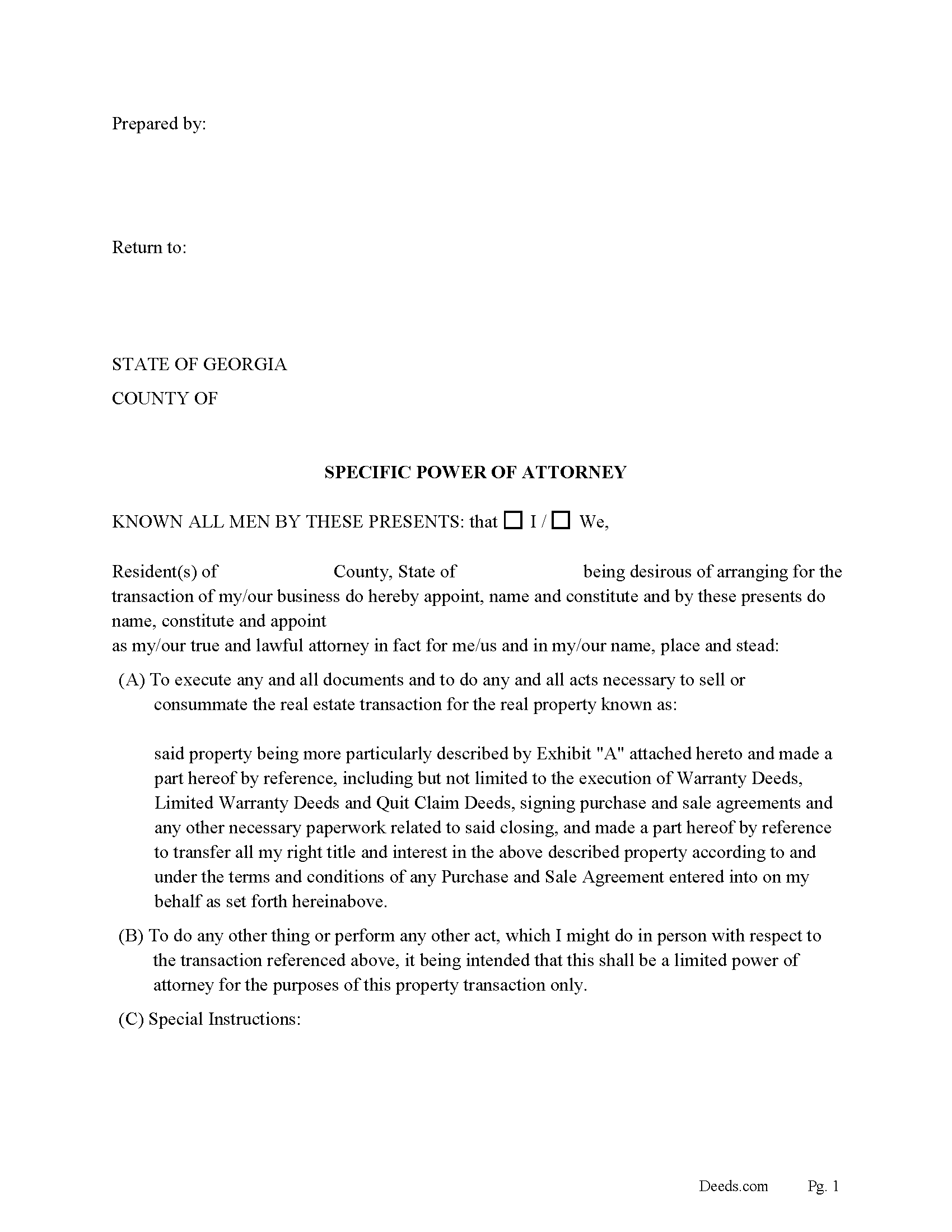
Grady County Specific Power of Attorney Form for the Sale of Property
Fill in the blank form formatted to comply with all recording and content requirements.
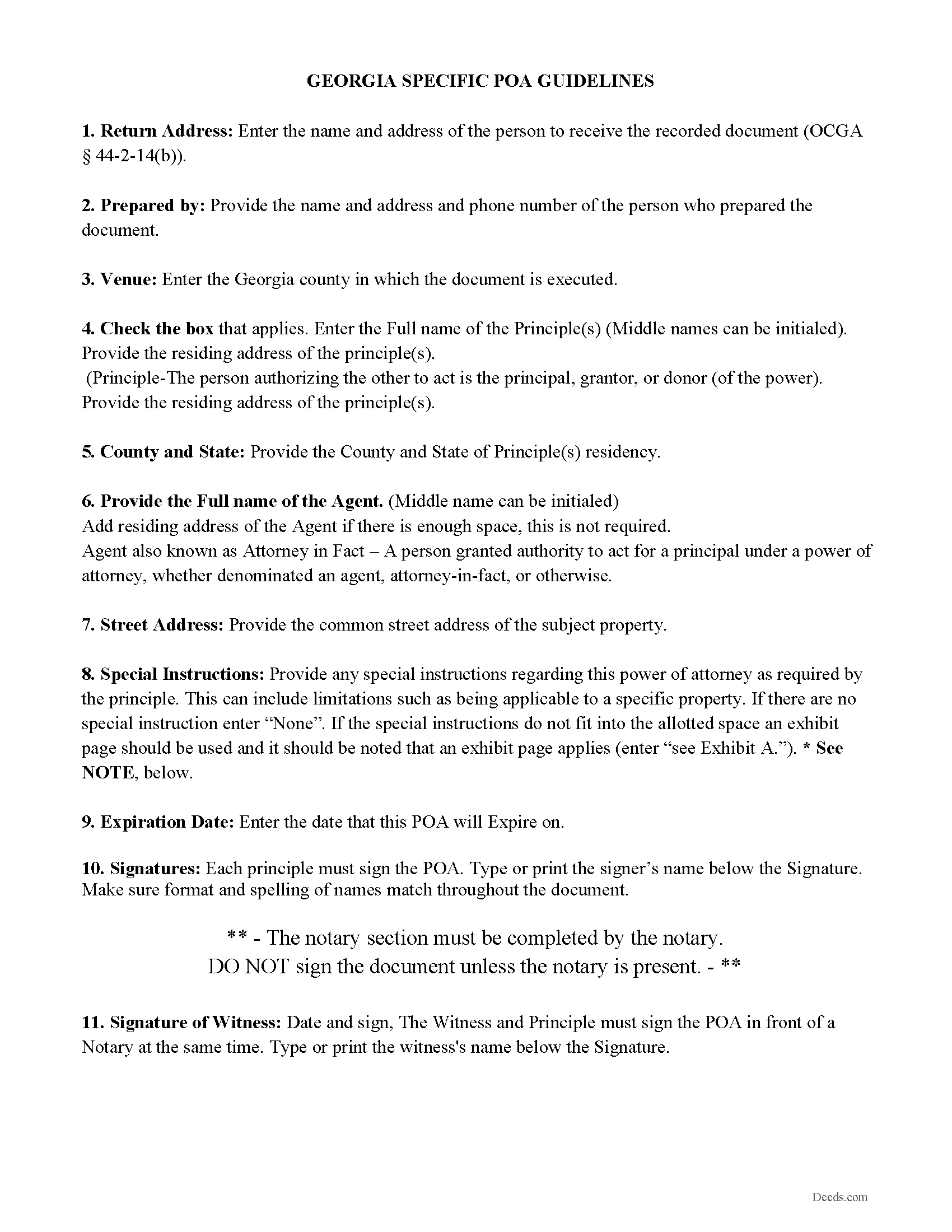
Grady County Specific Power of Attorney Guidelines
Line by line guide explaining every blank on the form.
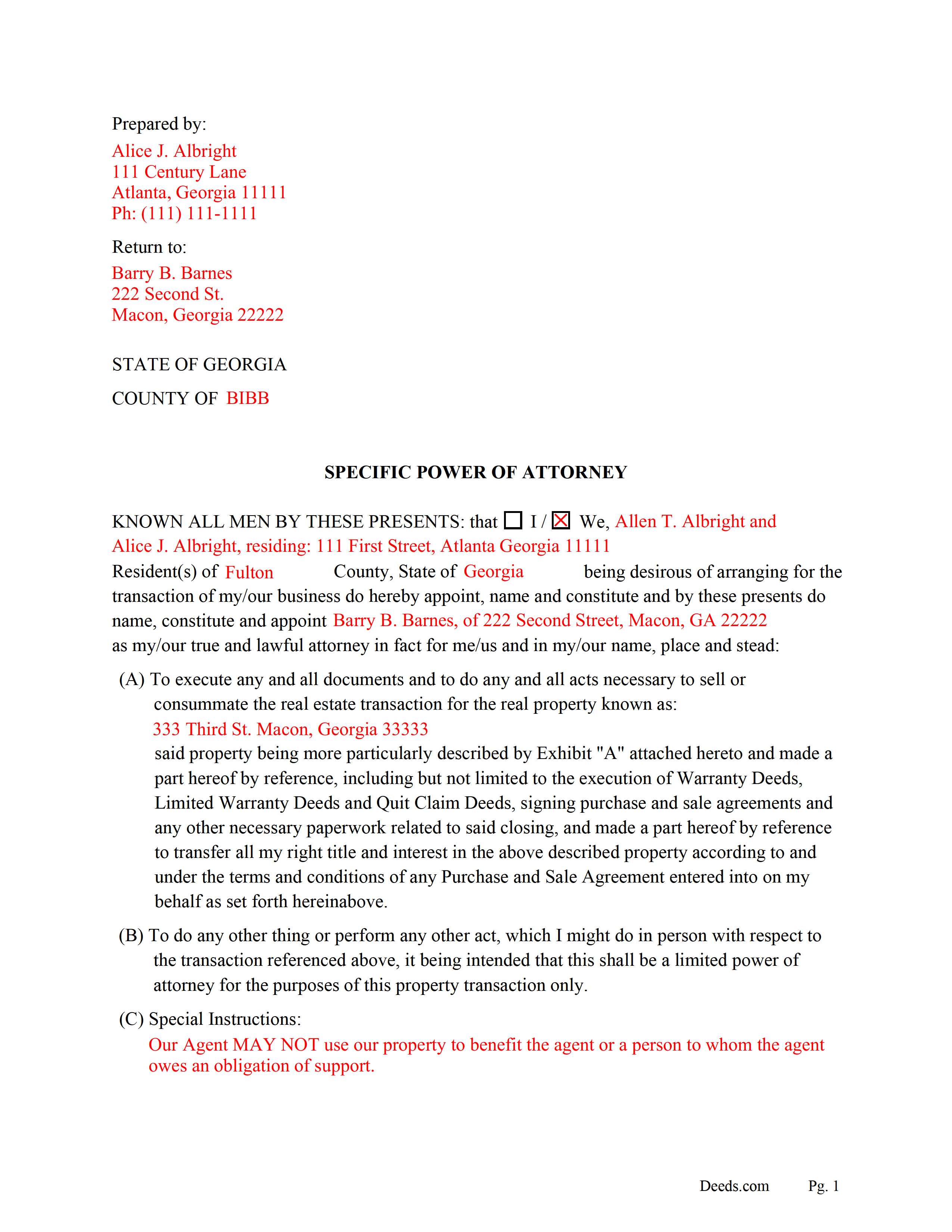
Grady County Completed Example of the Special Power of Attorney Document
Example of a properly completed form for reference.
All 3 documents above included • One-time purchase • No recurring fees
Immediate Download • Secure Checkout
Additional Georgia and Grady County documents included at no extra charge:
Where to Record Your Documents
Clerk of Superior Court
Cairo, Georgia 39828
Hours: 8:00am-5:00pm M-F
Phone: (229) 377-2912
Recording Tips for Grady County:
- Bring your driver's license or state-issued photo ID
- Ensure all signatures are in blue or black ink
- Bring extra funds - fees can vary by document type and page count
- Check margin requirements - usually 1-2 inches at top
- Leave recording info boxes blank - the office fills these
Cities and Jurisdictions in Grady County
Properties in any of these areas use Grady County forms:
- Cairo
- Calvary
- Whigham
Hours, fees, requirements, and more for Grady County
How do I get my forms?
Forms are available for immediate download after payment. The Grady County forms will be in your account ready to download to your computer. An account is created for you during checkout if you don't have one. Forms are NOT emailed.
Are these forms guaranteed to be recordable in Grady County?
Yes. Our form blanks are guaranteed to meet or exceed the applicable formatting requirements used for recording in Grady County, including margin requirements, font requirements, and other layout standards. This guarantee applies to formatting, not to the legal sufficiency of information entered by the user or the suitability of a form for a particular transaction.
Can I reuse these forms?
Yes. You can reuse the forms for your personal use. For example, if you have multiple properties in Grady County you only need to order once.
What do I need to use these forms?
The forms are PDFs that you fill out on your computer. The free Adobe Acrobat Reader is recommended, and most PDF apps also work. You do NOT enter your property information online - you download the blank forms and complete them privately on your own computer.
Are there any recurring fees?
No. This is a one-time purchase. Nothing to cancel, no memberships, no recurring fees.
How much does it cost to record in Grady County?
Recording fees in Grady County vary. Contact the recorder's office at (229) 377-2912 for current fees.
Questions answered? Let's get started!
In this form the principle (whether a resident of Georgia or not) appoints an agent to sell their Georgia property. The agent has the power to execute any and all documents and to do any and all acts necessary to sell or consummate the real estate transaction for a specific real property, including but not limited to the execution of Warranty Deeds, Limited Warranty Deeds and Quit Claim Deeds, signing purchase and sale agreements and any other necessary paperwork related to said closing and to do any other thing or perform any other act, in which the principal might do in person with respect to the transaction referenced, it being intended that this shall be a limited power of attorney for the purposes of this property transaction only. There is a "special instructions" section where the principal can further limit or define the agent's powers. This power of attorney is durable and terminates on a future date provided by the principle or by a written notification.
(Georgia Specific POA for Sale Package includes form, guidelines, and completed example) For use in Georgia Only.
Important: Your property must be located in Grady County to use these forms. Documents should be recorded at the county recording office listed above.
This Specific Power of Attorney for the Sale of Property meets all recording requirements specific to Grady County.
Our Promise
The documents you receive here are guaranteed to meet or exceed the applicable Grady County recording format requirements. If there is a rejection caused by our formatting, we will correct the issue or refund your payment. This guarantee applies to document formatting only and does not extend to information entered by the user, the selection of the form, or the legal effect of the completed document.
Save Time and Money
Get your Grady County Specific Power of Attorney for the Sale of Property form done right the first time with Deeds.com Uniform Conveyancing Blanks. At Deeds.com, we understand that your time and money are valuable resources, and we don't want you to face a penalty fee or rejection imposed by a county recorder for submitting nonstandard documents. We constantly review and update our forms to meet rapidly changing state and county recording requirements for roughly 3,500 counties and local jurisdictions.
4.8 out of 5 - ( 4,837 Reviews )
Margaret S. 5 out of 5 stars
Your service is second to none. Your website is user-friendly, easy to navigate and within minutes I had the forms I needed. Keep up the good work!
We appreciate your business and value your feedback. Thank you. Have a wonderful day!
Rebecca M. 4 out of 5 stars
EASY DOWNLOAD AND PRINT AND / OR SAVE TO YOU PC WHICH SHOULD BE DONE BEFORE FILLING OUT. AFTER I actually use them I'll let you know if its all good, Thanks
Your feedback is greatly appreciated. Thank you for taking the time to share your experience!
Michael W. 5 out of 5 stars
I thought it was fine, but I would like to have the option to download Word versions of each form, for easier preparation on my end.
We appreciate your business and value your feedback. Thank you. Have a wonderful day!
Julie L. 5 out of 5 stars
Great documents! with complete instructions and the CTC as well. I work with a lot of recordings and transfers, this is a great comprehensive set..
Thank you!
Tod F. 5 out of 5 stars
In 15 minutes I had my out of state documents. I am very pleased with the ease of acquiring them. I will definitely be using Deeds.com again if the need arises.
We appreciate your business and value your feedback. Thank you. Have a wonderful day!
LAWRENCE S. 5 out of 5 stars
I am mostly satisfied with my Deeds.Com experience. Not sure if you can do anything about this, but since it is fairly common, I thought the Quit Claim Form would have a section specifically for adding spouse to a deed.
Thank you for your feedback. We really appreciate it. Have a great day!
Ronney O. 5 out of 5 stars
Great Experience
We appreciate your business and value your feedback. Thank you. Have a wonderful day!
Daniel S. 5 out of 5 stars
Fast. Easy. More than I expected. Hope it all works with MD bureaucrats.
Thank you for your feedback. We really appreciate it. Have a great day!
DEBORAH H. 5 out of 5 stars
This is my fourth try, and I hope my form is complete and acceptable.
Your feedback is greatly appreciated. Thank you for taking the time to share your experience!
Ben F. 5 out of 5 stars
My initial review during download and before reading the guide and forms looks promising.
Thank you!
MIchael T. 5 out of 5 stars
very helpful in a trouble free manner.
Thank you!
Teresa R. 5 out of 5 stars
Zero problems, ended up with quality documents. Will use again.
We appreciate your business and value your feedback. Thank you. Have a wonderful day!
Gerald C. 2 out of 5 stars
Pros, quick purchase and document availability including instructions and examples. Cons, For the cert. of trust, the form would not accept the length of our trust name with no way to get around. The pdf file printing did not meet the requirements for 2.5" top margin and .5" other margins as well as the 10pt font size as the form information was shrunk down even when normal printing.
Thank you for your feedback. We really appreciate it. Have a great day!
jen k. 5 out of 5 stars
I tried to use the free stuff you find on the internet. You quickly find out that free is rarely ever (never) free. Even worse, the long term cost can be immeasurable. Glad I realized that before I got too far in. Do yourself a favor, spend a few bucks up front to get the right forms.
Thank you!
Cheryl B. 5 out of 5 stars
I did this on a desktop using a scanned .pdf file. Simple, straight-forward, excellent instructions, easy, fast, and well documented for each step. From account creation to proof of recording: 4 hours... from the comfort of my home. I would highly recommend this service to anyone, including - and maybe especially - those who are looking for fast recording who aren't well versed in computers and on-line processes. Well done in all ways.
We appreciate your business and value your feedback. Thank you. Have a wonderful day!