Effingham County Transfer on Death Deed (Trust Beneficiary) Form
Last validated October 21, 2026 by our Forms Development TeamFormatted for recording in Effingham County, for property anywhere in the county: rural and unincorporated areas as well as Clyo, Eden, Guyton, Meldrim, Rincon, Springfield.
- 3 documents included
- Immediate PDF download
- Formatting guarantee
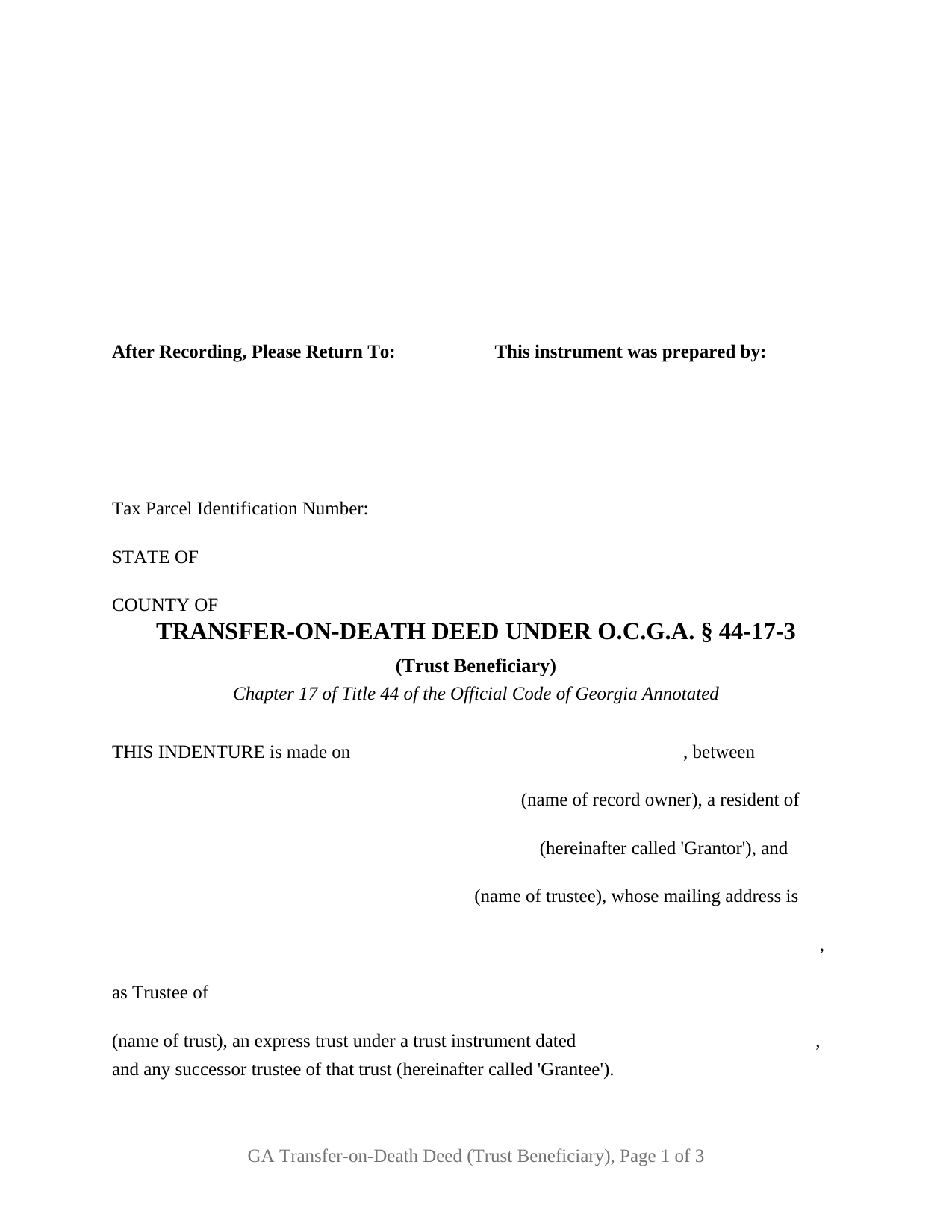
Effingham County Transfer on Death Deed (Trust Beneficiary) Form
Fill in the blank Transfer on Death Deed (Trust Beneficiary) form formatted to comply with all Georgia recording and content requirements.
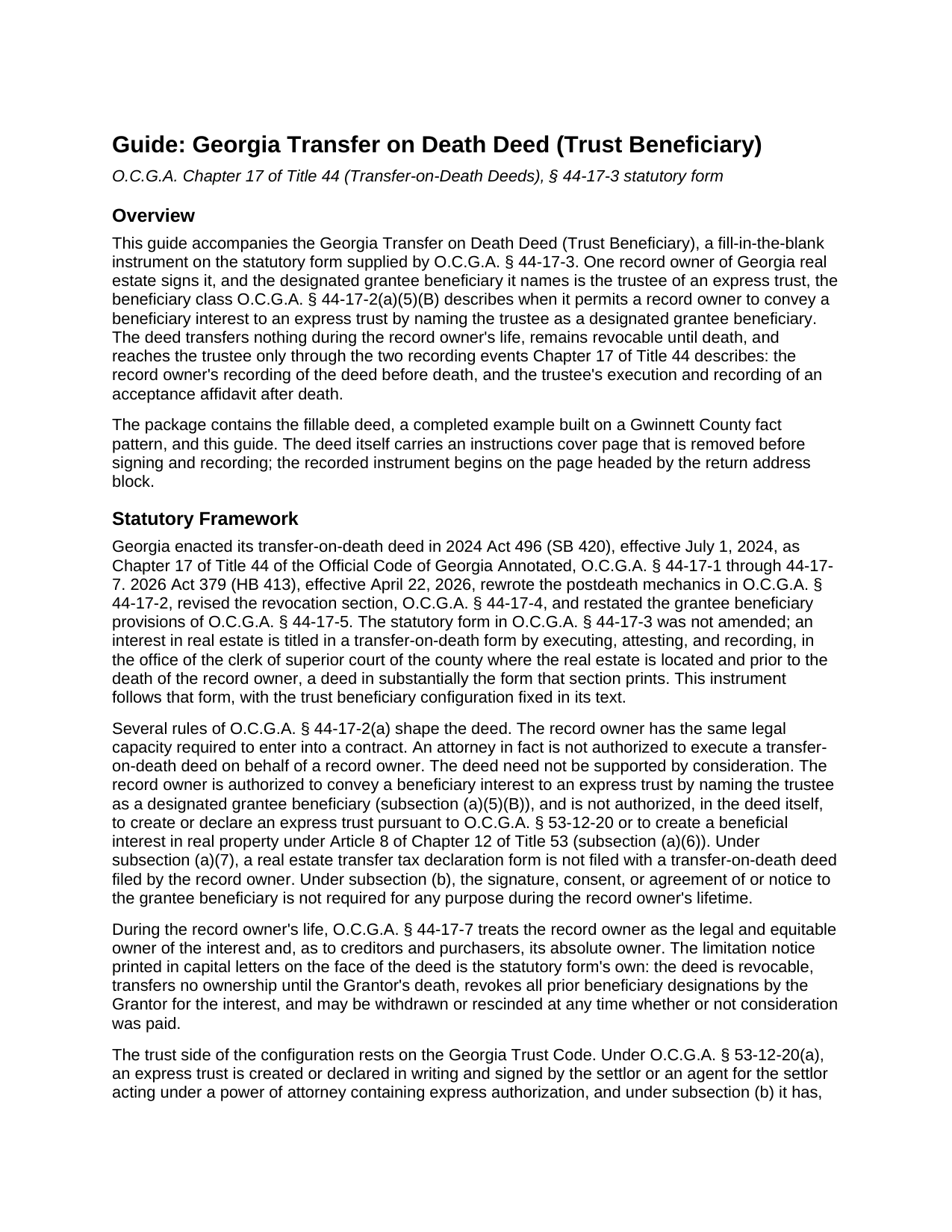
Effingham County Transfer on Death Deed (Trust Beneficiary) Guide
Line by line guide explaining every blank on the Transfer on Death Deed (Trust Beneficiary) form.
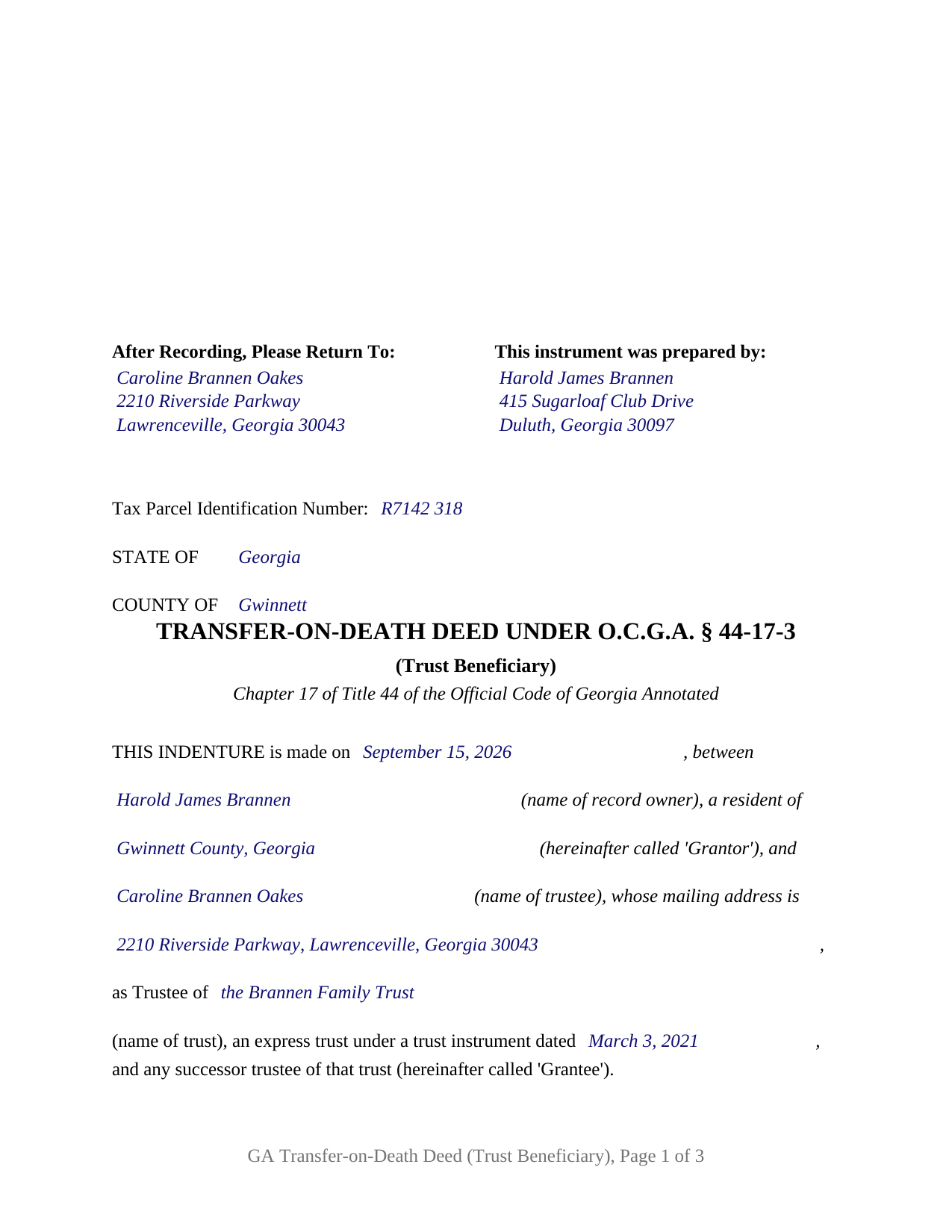
Effingham County Completed Example of the Transfer on Death Deed (Trust Beneficiary) Document
Example of a properly completed Georgia Transfer on Death Deed (Trust Beneficiary) document for reference.
All 3 documents above included • One-time purchase • No recurring fees
Immediate Download • Secure Checkout
Additional Georgia and Effingham County documents included at no extra charge:
Where to Record Your Documents
Clerk of Superior Court
Springfield, Georgia 31329
Hours: 8:30am - 5:00pm Monday - Friday
Phone: (912) 754-2118
Recording Tips for Effingham County:
- Bring your driver's license or state-issued photo ID
- Ensure all signatures are in blue or black ink
- Documents must be on 8.5 x 11 inch white paper
- Double-check legal descriptions match your existing deed
- Verify all names are spelled correctly before recording
Cities and Jurisdictions in Effingham County
Properties in any of these areas use Effingham County forms:
- Clyo
- Eden
- Guyton
- Meldrim
- Rincon
- Springfield
Hours, fees, requirements, and more for Effingham County
How do I get my forms?
Forms are available for immediate download after payment. The Effingham County forms will be in your account ready to download to your computer. An account is created for you during checkout if you don't have one. Forms are NOT emailed.
Are these forms guaranteed to be recordable in Effingham County?
Yes. Our form blanks are guaranteed to meet or exceed the applicable formatting requirements used for recording in Effingham County, including margin requirements, font requirements, and other layout standards. This guarantee applies to formatting, not to the legal sufficiency of information entered by the user or the suitability of a form for a particular transaction.
Can I reuse these forms?
Yes. You can reuse the forms for your personal use. For example, if you have multiple properties in Effingham County you only need to order once.
What do I need to use these forms?
The forms are PDFs that you fill out on your computer. The free Adobe Acrobat Reader is recommended, and most PDF apps also work. You do NOT enter your property information online - you download the blank forms and complete them privately on your own computer.
Are there any recurring fees?
No. This is a one-time purchase. Nothing to cancel, no memberships, no recurring fees.
How much does it cost to record in Effingham County?
Recording fees in Effingham County vary. Contact the recorder's office at (912) 754-2118 for current fees.
Questions answered? Let's get started!
A Georgia transfer on death deed can name a trust as the party who takes the real estate at the owner's death, and the statute says how: O.C.G.A. § 44-17-2(a)(5)(B) lets the record owner convey the beneficiary interest to an express trust by naming the trustee as the designated grantee beneficiary. This form prepares that deed on the statutory form of § 44-17-3 for one record owner naming one trustee. Searched as a beneficiary deed or TOD deed to a trust, the Georgia instrument is the transfer-on-death deed of Chapter 17 of Title 44, here with a trustee in the beneficiary's place.
The trustee takes, the trust holds
The Grantee line names a person or an institution in a capacity: a named trustee, as Trustee of a named express trust under a trust instrument of a stated date, with the trustee's mailing address, and any successor trustee of that trust. Those words are fixed deed text. A recital following the property description states that the deed conveys the beneficiary interest to the trust by naming its trustee, and that the deed does not create or declare an express trust, the limit § 44-17-2(a)(6) places on the instrument. The trust exists before the deed does, as a signed writing under O.C.G.A. § 53-12-20, and the trust instrument, not the deed, governs who serves as trustee, who succeeds, and how the land is held or distributed afterward.
Two acts the 2026 amendment tells apart
Georgia's 2026 amendments (Act 379, HB 413, effective April 22, 2026) added § 44-17-4(d), under which a transfer-on-death deed is rendered revoked where the record owner conveys the interest to a trustee of the record owner's express trust before death. That provision describes a lifetime deed into the trust, the ordinary funding conveyance; this form performs the different act of naming the trustee as beneficiary while the owner keeps title. The owner remains the legal and equitable owner under § 44-17-7, free to sell, mortgage, or lease, and under § 44-17-2(b) no signature, consent, or notice of the trustee is required during the owner's life.
What the trustee records after the death
Nothing passes to the trust automatically. Under § 44-17-2(c), ownership transfers upon the trustee's execution and recording of an acceptance affidavit, with the death certificate attached, in the same superior court clerk's office, and subsection (c)(2) names a trustee among those who may accept. Until that recording the interest remains part of the deceased owner's estate. The affidavit is prepared after the death and is not included in this package; the amended section states no deadline for it.
One signature line, one trustee line
The deed carries one record owner as Grantor, one Grantor signature line with the seal notation the statutory form prints, one unofficial witness block, and one officer attestation certificate; the trustee does not sign, and no alternate beneficiary line exists, because the trust instrument rather than the deed supplies what happens next. A settlor naming the trustee of the settlor's own revocable living trust so the homeplace joins the trust estate at death without a lifetime conveyance, and a parent naming the trustee of a trust established for a child, present the pattern this deed recites. A designation naming a natural person, a designation dividing the interest among several beneficiaries, and a deed signed by two co-owners who hold with survivorship each follow a different pattern; this form recites one owner and one trustee, and a trust with two or more co-trustees is not expressed on its single trustee line.
Georgia form, Georgia execution
The instrument reproduces the § 44-17-3 form from its return caption through the granting words that convey and confirm on death, the capitalized limitation notice, the limited warranty, and the Signed, sealed, declared and delivered execution block. An officer named in § 44-2-15 and one other witness attest the owner's signature under § 44-5-30, and under § 44-17-2(a)(3) an attorney in fact may not sign for the owner. Recording with the clerk of superior court of the county where the land lies, before the owner's death, is part of titling the interest in transfer-on-death form, and under § 44-17-2(a)(7) no PT-61 transfer tax declaration accompanies the owner's recording.
The package delivers the fillable deed, a completed example on a Gwinnett County fact pattern in which the trustee of a family trust is named, and a plain-language guide to each entry, the Georgia attestation formalities, and both recordings; the materials are informational and are not legal advice.
Important: Your property must be located in Effingham County to use these forms. Documents should be recorded at the county recording office listed above.
This Transfer on Death Deed (Trust Beneficiary) meets all recording requirements specific to Effingham County.
Our Promise
The documents you receive here are guaranteed to meet or exceed the applicable Effingham County recording format requirements. If there is a rejection caused by our formatting, we will correct the issue or refund your payment. This guarantee applies to document formatting only and does not extend to information entered by the user, the selection of the form, or the legal effect of the completed document.
Save Time and Money
Get your Effingham County Transfer on Death Deed (Trust Beneficiary) form done right the first time with Deeds.com Uniform Conveyancing Blanks. At Deeds.com, we understand that your time and money are valuable resources, and we don't want you to face a penalty fee or rejection imposed by a county recorder for submitting nonstandard documents. We constantly review and update our forms to meet rapidly changing state and county recording requirements for roughly 3,500 counties and local jurisdictions.
4.8 out of 5 - ( 4,850 Reviews )
Joel B. 5 out of 5 stars
I would have liked more room in the text fields for describing the potential claim. had to use Exhibit A. Could not delete Exhibit B. Alo would like to have a custom footer - not deeds.com. Unprofessional.
Thank you for your feedback. We really appreciate it. Have a great day!
Ronald S. 5 out of 5 stars
got what i wanted
Thank you for your feedback. We really appreciate it. Have a great day!
Joseph E. 5 out of 5 stars
At first I didn't trust all the 5 star reviews. So, I contacted lawyers to check their prices. The price being well over one hundred dollars made my mind up. I gave it a go, the form isn't hard and the directions are easy to follow. 5/5
Thank you for your feedback. We really appreciate it. Have a great day!
Forrest D. 1 out of 5 stars
Requires you work in Adobe Acrobat. Too difficult to edit, add and erase for an attorney.
Sorry to hear of your struggle. We do hope that you find something more suitable to your needs elsewhere. Have a wonderful day.
Jerri S. 5 out of 5 stars
Very helpful. Print out go to court house spent less then 15 minutes there and done! Thanks will use again.
Thank you Jerri, we appreciate your feedback.
David R. 3 out of 5 stars
$40 is an excessively expensive price for this very simple form, especially since I couldn't view it before purchasing. I did successfully register the TODD at my county clerks office, although I wasn't certain it would be accepted given the notary format was on a separate page. Knowing what I know now, I would have formatted a form on my computer and filled it in with a pen. The background materials were superfluous and in my case, didn't add value.
David, we’re glad you successfully recorded your deed using our form. The value of a DIY package is not measured by how complicated the finished document looks or how easily it could be recreated on a computer. It provides a prepared form and supporting information rather than requiring you to research and draft a document from scratch. Having that starting point is what the purchase provides—even when, in hindsight, doing it yourself appears straightforward.
janice b. 5 out of 5 stars
This is a very helpful site when you don't know exactly what to do. Very clear in explaining the wording on deeds. Thank you it made a big difference knowing the right way to do things.
Thank you for your feedback. We really appreciate it. Have a great day!
Yvonne R. 5 out of 5 stars
Quick and easy, however, I couldn't get the guide to download.
Thank you for your feedback. We really appreciate it. Have a great day!
Mica M. 5 out of 5 stars
I love deeds.com - hands down, the quickest way to record a warranty deed. The process and communication is so quick - the recording transaction too. Worth the extra $20 to me for my time! I didn't spend over an hour driving around, talking to someone via a kiosk to record the deed, didn't have to spend the energy of loading kids into the car to come with me, etc. The efficiency and timely process is worth the cost! Love having this available! The whole process via deeds.com took less than 5 minutes to upload a document and less than 3 minutes to pay the invoice shortly thereafter. The final recording was in my inbox in less than an hour. Thank you!
Thank you for your feedback. We really appreciate it. Have a great day!
Marci C. 5 out of 5 stars
Excellent Service! Quick and easy! Will definitely be using again!
Knowing our customers are happy is our top priority. Thank you for the wonderful feedback!
Barbara E. 5 out of 5 stars
Fast efficient, just what I needed.
Thank you so much Barbara. We appreciate your feedback.
Arthur T. 5 out of 5 stars
Thanks
Thank you!
edward m. 5 out of 5 stars
I would rate it 5 stars also. Eddie M.
Thank you!
Monica U. 5 out of 5 stars
Thank You. Good Service. Questions were answered.
Thank you for your feedback. We really appreciate it. Have a great day!
MATUS C. 5 out of 5 stars
Quick, easy way to get the forms I needed
Thank you for your feedback. We really appreciate it. Have a great day!