Spalding County Trustee Deed Form
Last validated September 10, 2026 by our Forms Development TeamFormatted for recording in Spalding County, for property anywhere in the county: rural and unincorporated areas as well as Experiment, Griffin, Orchard Hill.
- 3 documents included
- Immediate PDF download
- Formatting guarantee
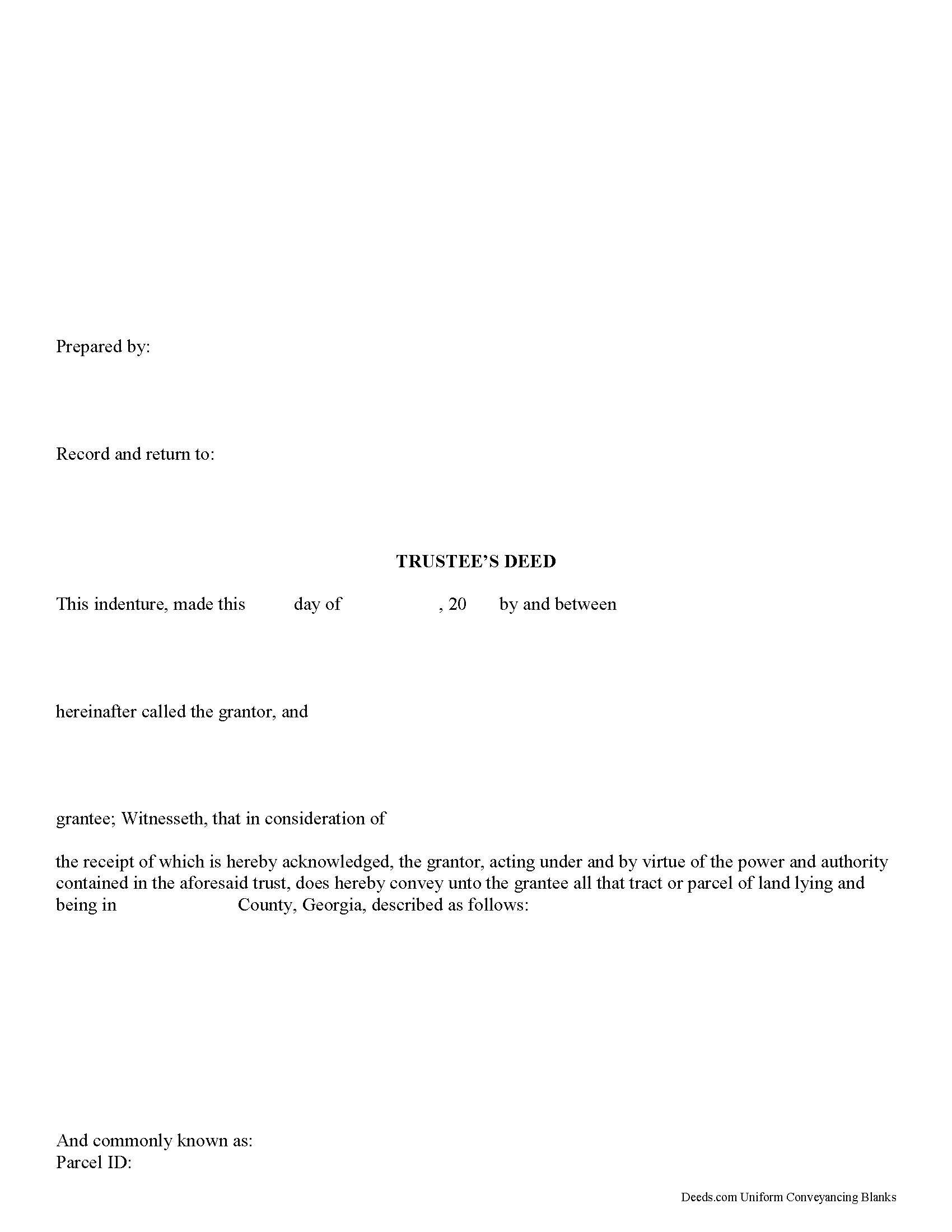
Spalding County Trustee Deed Form
Fill in the blank form formatted to comply with all recording and content requirements.
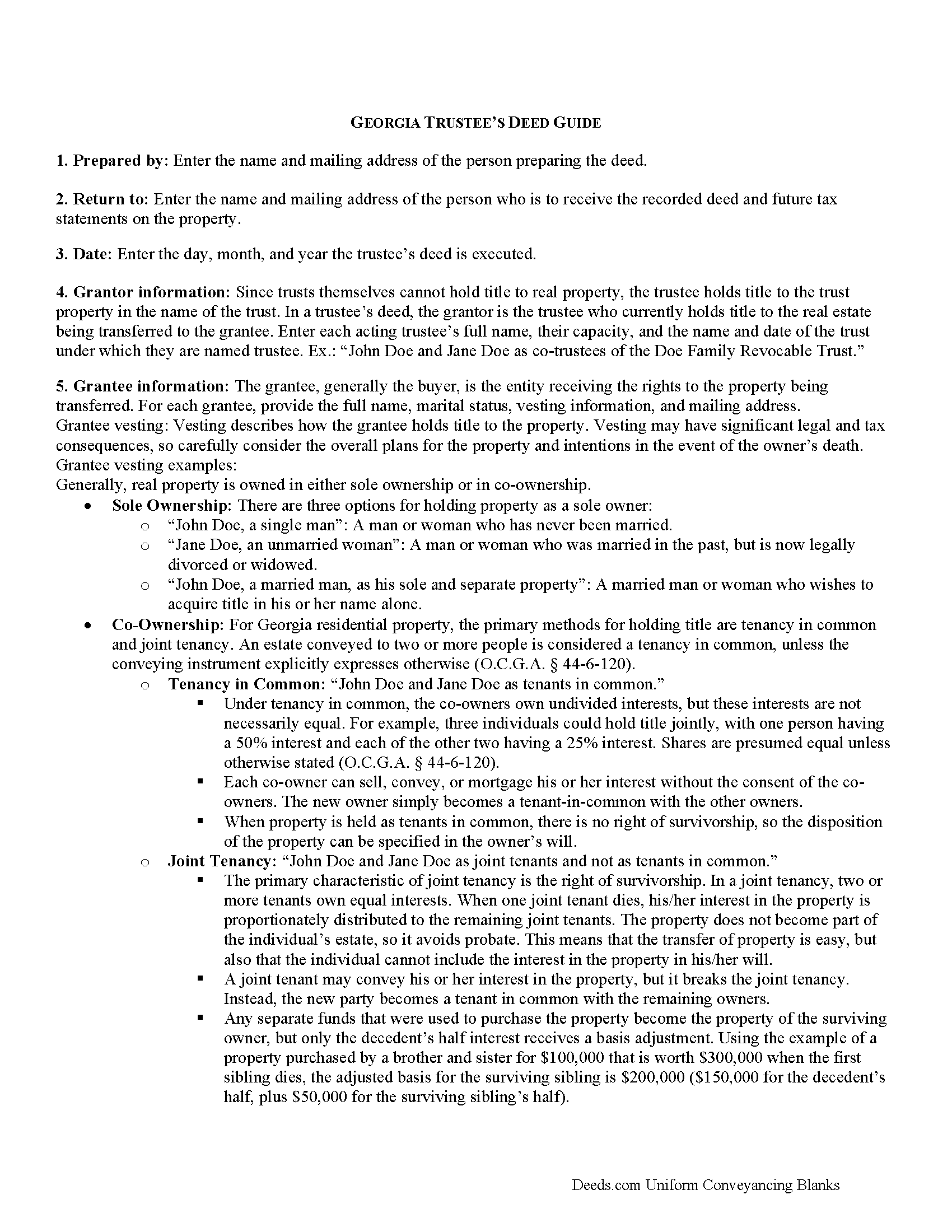
Spalding County Trustee Deed Guide
Line by line guide explaining every blank on the form.
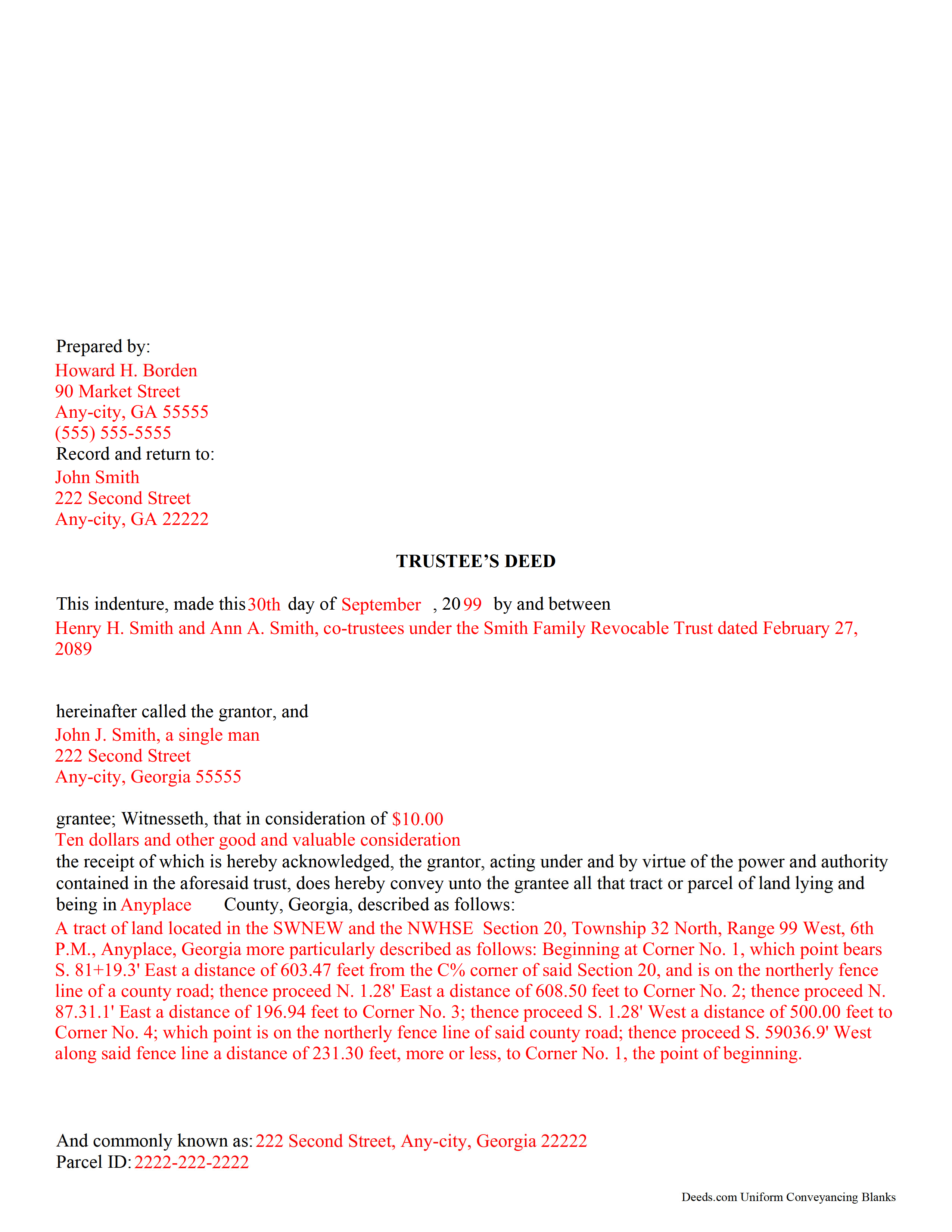
Spalding County Completed Example of the Trustee Deed Document
Example of a properly completed form for reference.
All 3 documents above included • One-time purchase • No recurring fees
Immediate Download • Secure Checkout
Additional Georgia and Spalding County documents included at no extra charge:
Where to Record Your Documents
Clerk of Superior Court
Griffin, Georgia 30223 /30224
Hours: 8:00am to 5:00pm M-F
Phone: (770) 467-4356
Recording Tips for Spalding County:
- Bring your driver's license or state-issued photo ID
- Ensure all signatures are in blue or black ink
- Request a receipt showing your recording numbers
- Ask about accepted payment methods when you call ahead
- Ask for certified copies if you need them for other transactions
Cities and Jurisdictions in Spalding County
Properties in any of these areas use Spalding County forms:
- Experiment
- Griffin
- Orchard Hill
Hours, fees, requirements, and more for Spalding County
How do I get my forms?
Forms are available for immediate download after payment. The Spalding County forms will be in your account ready to download to your computer. An account is created for you during checkout if you don't have one. Forms are NOT emailed.
Are these forms guaranteed to be recordable in Spalding County?
Yes. Our form blanks are guaranteed to meet or exceed the applicable formatting requirements used for recording in Spalding County, including margin requirements, font requirements, and other layout standards. This guarantee applies to formatting, not to the legal sufficiency of information entered by the user or the suitability of a form for a particular transaction.
Can I reuse these forms?
Yes. You can reuse the forms for your personal use. For example, if you have multiple properties in Spalding County you only need to order once.
What do I need to use these forms?
The forms are PDFs that you fill out on your computer. The free Adobe Acrobat Reader is recommended, and most PDF apps also work. You do NOT enter your property information online - you download the blank forms and complete them privately on your own computer.
Are there any recurring fees?
No. This is a one-time purchase. Nothing to cancel, no memberships, no recurring fees.
How much does it cost to record in Spalding County?
Recording fees in Spalding County vary. Contact the recorder's office at (770) 467-4356 for current fees.
Questions answered? Let's get started!
A trustee's deed is an instrument of trust administration used by a trustee to convey real property out of a trust.
A trust is created by a settlor, who funds the trust with real and/or personal property for estate planning purposes. Since a trust is not a person and cannot hold title, when the settlor transfers real property into the trust, title to the property is vested in the name of the trustee. The trustee manages the trust's assets according to the directions set out in the trust document, often for the benefit of a third party, called a beneficiary.
There is no statutory form for conveyances in Georgia, so long as the transfer between parties is clear (O.C.G.A. 44-5-33). A valid trustee's deed names the trustee as the grantor and provides basic information about the trust under which the trustee is acting, including the name and date of the trust. The settlor is not involved in the transfer. However, a certificate of trust is sometimes included, which names the original settlor of the trust, verifies the trust's existence and the trustee's authority to act on its behalf, and confirms the power of sale that the trustee has under the trust.
In Georgia, the basic trustee's deed is similar to a quitclaim deed, in that it offers no warranty of title. Depending on the situation, the trustee can add guarantees to bring the deed in line with special warranty or warranty deeds.
Since a trustee's deed affects real property, in addition to the information regarding the trust, it must also meet the content requirements for recording other deeds, including a legal description of the property subject to the transaction, the parcel identification number, and any restrictions or easements the transfer is subject to. All trustees must sign the deed, which must be witnessed by two people (one of which may be the notary) and acknowledged in the presence of a notary. The deed is then recorded in the county in which the real property subject to the trust is situated.
Trust law can quickly become complicated, and each situation is unique. Contact a lawyer with any specific questions and for guidance on trust law.
(Georgia Trustee Deed Package includes form, guidelines, and completed example)
Important: Your property must be located in Spalding County to use these forms. Documents should be recorded at the county recording office listed above.
This Trustee Deed meets all recording requirements specific to Spalding County.
Our Promise
The documents you receive here are guaranteed to meet or exceed the applicable Spalding County recording format requirements. If there is a rejection caused by our formatting, we will correct the issue or refund your payment. This guarantee applies to document formatting only and does not extend to information entered by the user, the selection of the form, or the legal effect of the completed document.
Save Time and Money
Get your Spalding County Trustee Deed form done right the first time with Deeds.com Uniform Conveyancing Blanks. At Deeds.com, we understand that your time and money are valuable resources, and we don't want you to face a penalty fee or rejection imposed by a county recorder for submitting nonstandard documents. We constantly review and update our forms to meet rapidly changing state and county recording requirements for roughly 3,500 counties and local jurisdictions.
4.8 out of 5 - ( 4,839 Reviews )
RICHARD M. 5 out of 5 stars
After a little glitch due to heavy volume at the County Recorder, my document was recorded. County Recorder was closed to public access at the office (due to the coronavirus issues) so all documents were either mailed to them or sent in electronically. Deeds.com was very efficient at their end with very quick responses to my questions and concerns. I would definitely use their services again.
Thank you for your feedback. We really appreciate it. Have a great day!
Tajsha N. 5 out of 5 stars
I would absolutely use this service again. It was very convenient and I was pleasantly surprised at how responsive the staff was letting me know updates to my recording package. Also, my documents recorded immediately. I did have trouble uploading my document in the beginning because I didn't realize it had to be a pdf file. Once I figured that out, it was immediately accepted. Great service!
We appreciate your business and value your feedback. Thank you. Have a wonderful day!
edward s. 5 out of 5 stars
This is the go to place for quick work. They are awesome.
Thank you!
Stefan L. 5 out of 5 stars
Great templates and very efficient
We appreciate your business and value your feedback. Thank you. Have a wonderful day!
Terreva B. 5 out of 5 stars
Yes it helped with some things but I need more info
Thank you!
Christine B. B. 4 out of 5 stars
The Personal Representatives Deed is definitely a helpful document for my files. I find it need just a little tweaking by deeds.com , There should be more space for the legal description. I did see in the FAQ's you recommend putting it in the Exhibit and this is what I did. Also I couldn't get the year to be accepted and had to write it in. These are just some minor suggestions, on the whole I was grateful to find this document. Thank you.
Thank you for your feedback. Sorry to hear that you had trouble with the date field, we will have it reviewed.
Edward S. 5 out of 5 stars
Great Form and Easy to Use Guides and Samples
We appreciate your business and value your feedback. Thank you. Have a wonderful day!
Tim H. 5 out of 5 stars
Found the service useful and straightforward. The only recommendation would be to send an e-mail notification to the request or when their package is ready for download. Mine, apparently, was ready within and hour or so after placing the request but did not go back onto the site until a day later to find it was ready.
Thank you for your feedback. We really appreciate it. Have a great day!
Amber H. 3 out of 5 stars
after typing in the information, the printing is not in alignment - looks disorganized on the page and hard to read
Thank you for your feedback. We will flag the document for review.
Marc Z. 5 out of 5 stars
Thank you for having an easy to navigate website with updated documents! Had everything I needed, took care of business and on to the next transaction.- Aloha
Thank you Marc. Have a fantastic day!
Lisa G. 5 out of 5 stars
Form and info was good
We appreciate your business and value your feedback. Thank you. Have a wonderful day!
LINDA S. 5 out of 5 stars
One thing I would suggest that could be changed is the last page because we have a trust and I had to retype that page to include the trust and both trustee's signatures.
Thank you!
Willie P. 5 out of 5 stars
Your service was excellent
Thank you for your feedback. We really appreciate it. Have a great day!
Julie S. 5 out of 5 stars
My county clerks office referred me to this website and I am so glad she did. This site is very easy to use, they do NOT try to sell you other things you don't need (or want) nor do they make you sign up for anything. Pick what you need and whalaa - there for you in seconds. Thank you so much - will use again should the need arise. JS
Thank you for your feedback. We really appreciate it. Have a great day!
Sherilynne P. 3 out of 5 stars
I am delighted with the form. I just had to go through so much time and expense in order to use it. First, from your site I downloaded Adobe Acrobat. It totally compromised my computer. I had to get a computer expert to walk me through deleting adobe, and put a substitute on in order to use the form. That was an expense of $60.00. Then after that I still had a hard time getting the program to work, as the substitute program would not accept my e-mail address and I finally had to get someone on line to help me access that. I found it was a $$30.00 charge for the substitute. After fighting these lovely roadblocks, I was finally able to fill in the only form I needed and print it off. Took me two days to accomplish that. Why on earth do you offer adobe when it can compromise a computer so badly? Dealing with my husbands death and then having to deal with this, just one of many deterrents, well let's put it this way, it did not make my two days.
Thank you for your feedback. Sorry to hear of your experience. Our documents are Adobe PDFs because PDF is the standard for digital documents, most computers have Adobe Reader installed, and it (Adobe Reader) is free.