Bannock County Quitclaim Deed (Trustee Grantor) Form
Last validated October 9, 2026 by our Forms Development TeamFormatted for recording in Bannock County, for property anywhere in the county: rural and unincorporated areas as well as Arimo, Downey, Inkom, Lava Hot Springs, Mccammon, Pocatello, Swanlake.
- 3 documents included
- Immediate PDF download
- Formatting guarantee
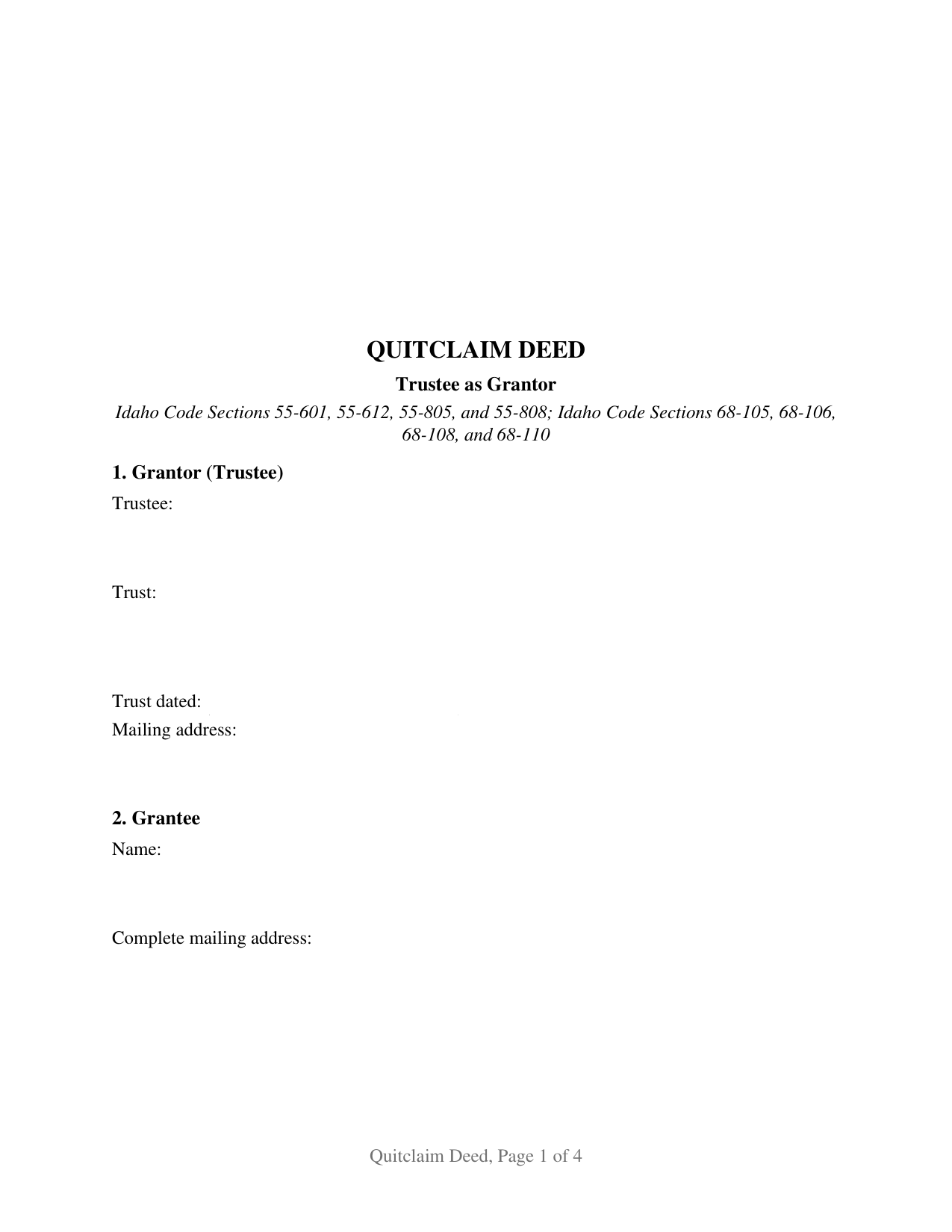
Bannock County Quitclaim Deed (Trustee Grantor) Form
Fill in the blank Quitclaim Deed (Trustee Grantor) form formatted to comply with all Idaho recording and content requirements.
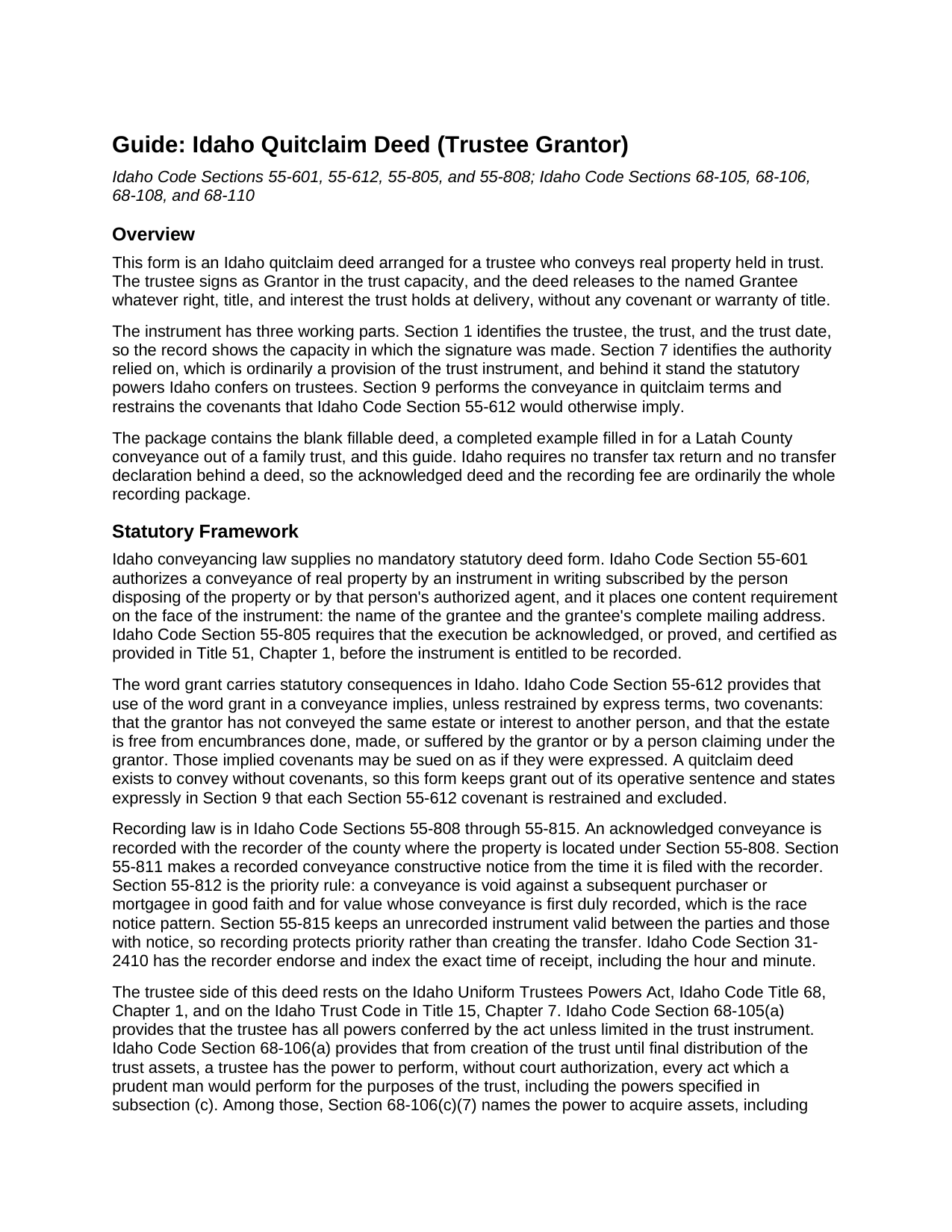
Bannock County Quitclaim Deed (Trustee Grantor) Guide
Line by line guide explaining every blank on the Quitclaim Deed (Trustee Grantor) form.
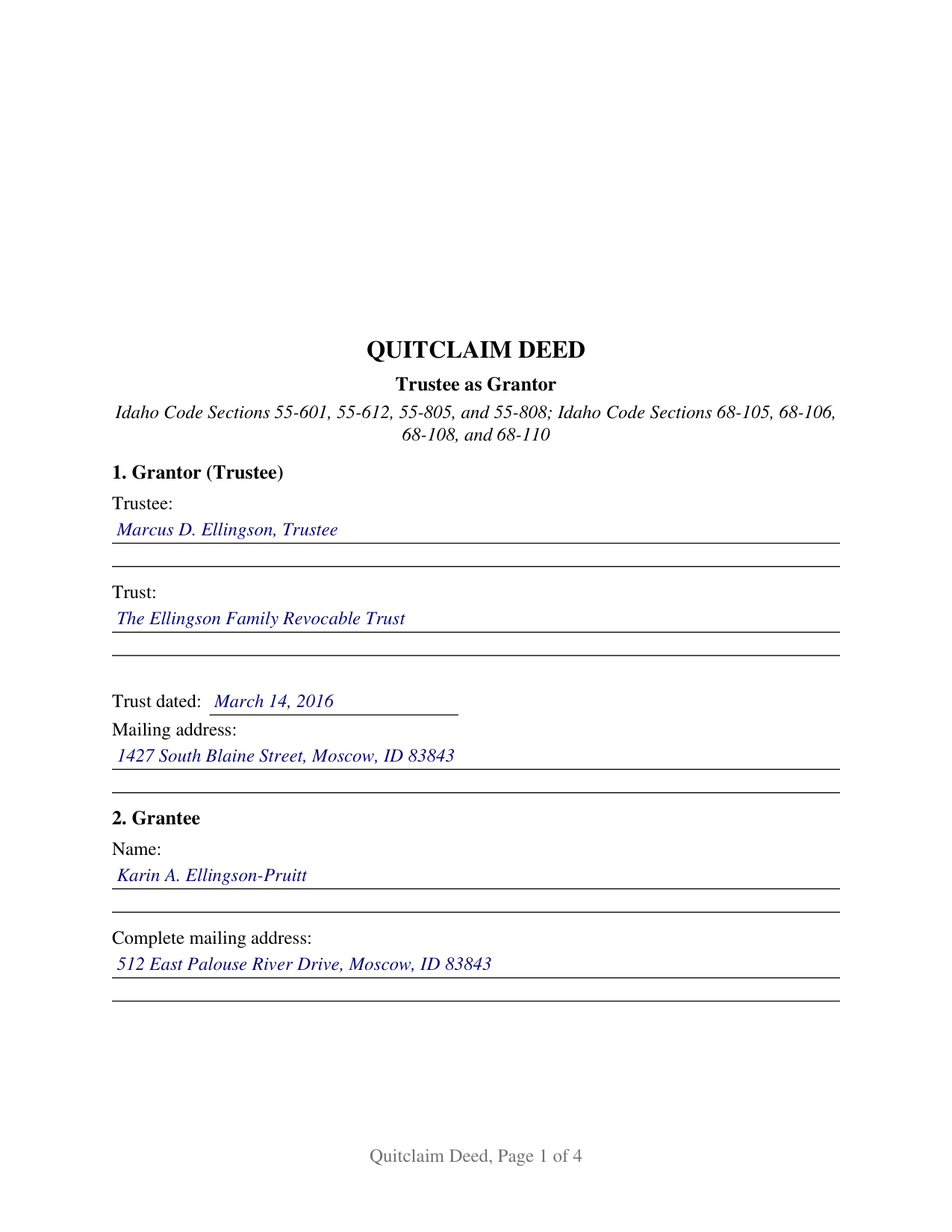
Bannock County Completed Example of the Quitclaim Deed (Trustee Grantor) Document
Example of a properly completed Idaho Quitclaim Deed (Trustee Grantor) document for reference.
All 3 documents above included • One-time purchase • No recurring fees
Immediate Download • Secure Checkout
Additional Idaho and Bannock County documents included at no extra charge:
Where to Record Your Documents
Clerk-Auditor-Recorder
Pocatello, Idaho 83205
Hours: 8:30 to 4:30 M-F
Phone: (208) 236-7340
Recording Tips for Bannock County:
- Bring your driver's license or state-issued photo ID
- Ensure all signatures are in blue or black ink
- White-out or correction fluid may cause rejection
- Ask about their eRecording option for future transactions
- Avoid the last business day of the month when possible
Cities and Jurisdictions in Bannock County
Properties in any of these areas use Bannock County forms:
- Arimo
- Downey
- Inkom
- Lava Hot Springs
- Mccammon
- Pocatello
- Swanlake
Hours, fees, requirements, and more for Bannock County
How do I get my forms?
Forms are available for immediate download after payment. The Bannock County forms will be in your account ready to download to your computer. An account is created for you during checkout if you don't have one. Forms are NOT emailed.
Are these forms guaranteed to be recordable in Bannock County?
Yes. Our form blanks are guaranteed to meet or exceed the applicable formatting requirements used for recording in Bannock County, including margin requirements, font requirements, and other layout standards. This guarantee applies to formatting, not to the legal sufficiency of information entered by the user or the suitability of a form for a particular transaction.
Can I reuse these forms?
Yes. You can reuse the forms for your personal use. For example, if you have multiple properties in Bannock County you only need to order once.
What do I need to use these forms?
The forms are PDFs that you fill out on your computer. The free Adobe Acrobat Reader is recommended, and most PDF apps also work. You do NOT enter your property information online - you download the blank forms and complete them privately on your own computer.
Are there any recurring fees?
No. This is a one-time purchase. Nothing to cancel, no memberships, no recurring fees.
How much does it cost to record in Bannock County?
Recording fees in Bannock County vary. Contact the recorder's office at (208) 236-7340 for current fees.
Questions answered? Let's get started!
A trustee signs this Idaho quitclaim deed, and the instrument records two things an ordinary deed never has to: the capacity the signature is made in, and the authority behind it. The form recites one Grantor, trustee of one identified trust, and releases to the named Grantee whatever interest the trust holds at delivery, without covenant or warranty of title.
The power to convey travels with the office
Idaho gives a trustee broad conveyancing power without a trip to court. Idaho Code Section 68-105(a) gives the trustee all powers conferred by the Uniform Trustees Powers Act unless the trust instrument limits them, and Section 68-106(a) allows the trustee to perform, without court authorization, every act a prudent man would perform for the purposes of the trust. Section 68-106(c)(7) names the power to sell, convey, or dispose of an asset at public or private sale, and Section 68-106(b) states the duty to exercise it with due regard to the fiduciary obligation. Section 7 of the form is where the trust provision, statute, or court order relied on is written down.
The transaction a trustee cannot close alone
One boundary earns its own entry. Idaho Code Section 68-108(b) provides that where the trustee's duty and the trustee's individual interest, or the trustee's interest as trustee of another trust, conflict in the exercise of a trust power, the power may be exercised only by court authorization, subject to the exceptions the section names. A deed running from the trust to the same person individually, or between two trusts sharing a trustee, is the shape that statute reaches, and Section 7 identifies the authorizing order by court, case number, and date.
A certificate that names the capacity, not only the signer
Idaho Code Section 51-116 supplies two short form certificates, and a fiduciary signature calls for the second. Subsection (1) covers an acknowledgment in an individual capacity; subsection (2) covers a representative capacity and adds, after the signer's name, the type of authority, such as officer or trustee, and the name of the party on behalf of whom the record was executed. Idaho Code Section 51-102 folds the declaration of proper authority into the acknowledgment itself and lists a trustee among the recognized capacities. The certificate here is completed with the name, the trustee capacity, and the trust. Certification of that kind is what Idaho Code Section 55-805 makes the condition of recording, and no witness signs an Idaho deed.
What the trustee grantor configuration carries
Section 1 gathers the acting trustee's name, the trust's name, the trust date, and a mailing address; Section 2 holds the grantee name and the complete mailing address Idaho Code Section 55-601 requires. The conveyance section states that record title stands in the name of the Grantor as trustee, and that the deed passes the interest held in that trust capacity and no interest the same person holds individually. Because Idaho Code Section 55-612 reads two covenants into a conveyance using the word grant unless express terms restrain them, the operative sentence instead remises, releases, and forever quitclaims, with the restraint stated by name, so this quitclaim deed, also searched as a quit claim deed, promises nothing about the chain of title. A successor trustee conveying after taking office, a trustee selling trust land to an outside buyer, and a trustee distributing a parcel to a beneficiary present the single signature pattern this deed recites. A conveyance executed by co-trustees under Idaho Code Section 68-109, and the deed a foreclosure trustee delivers under Idaho Code Title 45, Chapter 15, follow different patterns; the form is not set up as either.
Fee, format, and the county recorder
Idaho Code Section 55-808 places the acknowledged deed with the recorder of the county holding the land, and Idaho Code Section 31-3205 prices a conveyance of thirty pages or fewer at fifteen dollars, with no transfer tax behind it. Priority follows recording under Idaho Code Section 55-812, while Section 55-815 leaves an unrecorded deed good between the parties. Page one reserves three inches for the stamp or label.
The download carries three files: the fillable deed, a completed example running a Latah County distribution out of a family trust through every entry, and a guide to the sections, the certificate, and recording. The certification of trust in Idaho Code Sections 68-114 and 68-115 is prepared separately and not included. These materials describe Idaho law generally and are informational, not legal advice; an Idaho attorney can address a specific trust or parcel.
Important: Your property must be located in Bannock County to use these forms. Documents should be recorded at the county recording office listed above.
This Quitclaim Deed (Trustee Grantor) meets all recording requirements specific to Bannock County.
Our Promise
The documents you receive here are guaranteed to meet or exceed the applicable Bannock County recording format requirements. If there is a rejection caused by our formatting, we will correct the issue or refund your payment. This guarantee applies to document formatting only and does not extend to information entered by the user, the selection of the form, or the legal effect of the completed document.
Save Time and Money
Get your Bannock County Quitclaim Deed (Trustee Grantor) form done right the first time with Deeds.com Uniform Conveyancing Blanks. At Deeds.com, we understand that your time and money are valuable resources, and we don't want you to face a penalty fee or rejection imposed by a county recorder for submitting nonstandard documents. We constantly review and update our forms to meet rapidly changing state and county recording requirements for roughly 3,500 counties and local jurisdictions.
4.8 out of 5 - ( 4,832 Reviews )
Casey S. 5 out of 5 stars
I had a really good experience. I bought two forms from a different website and they didn’t help me at all. Granted, I only paid the minimum here I bought the upgrade and they showed me how to fill it out and what it should look like I went and had it notarized and took it to the county recorder and everything went smoothly. Highly suggest.
Glad it all came together smoothly for you, Casey. Appreciate you giving us a shot and taking the time to share your experience.
Tisha J. 5 out of 5 stars
A quick and efficient way to record! Awesome customer service and SUPER FAST turnaround time.!
Thank you!
Kathleen C. 5 out of 5 stars
Very user friendly website and service.
We appreciate your review and your business. Thank you.
James A. 5 out of 5 stars
Very easy to navigate and start your process.
Thank you for your positive words! We’re thrilled to hear about your experience.
samira m. 5 out of 5 stars
I love whoever is behind this website. I bought the wrong form and I told them and they refunded me asap! I figured out which form I need days later and bought it just now. They didn't have to refund me for my own mistake. That was very kind. I'll be returning for any other forms I may need and will tell others too. Thank you so much!!!!!
Thank you for your feedback. We really appreciate it. Have a great day!
Robert D. 5 out of 5 stars
These forms made it so easy to update the property deed and the instructions and sample filled out form were most helpful. You might want to add some brief information on when or why to use the Acknowledgment in Individual Capacity notary form. In my case the notary was required to use it but also filled in the brief notarize section on the Affidavit as well. She said the one on the Affidavit had some value because it showed she had witnessed the my signature. But this was only after I suggested both be filled in as she initially thought to just strike through it and just use the Acknowledgment in Individual Capacity form.
Thank you for your feedback. We really appreciate it. Have a great day!
Alex Q. 5 out of 5 stars
The best people to work with! Thank you for all you do. We send documents from all states to Deeds.com to record for us. They are professional, keep us updated and always notify us if there is an issue with one of our documents prior to sending to recording and that saves us money and time! Thank you!!
Thanks for the kind words Alex. We appreciate you!
Debra M. 5 out of 5 stars
Since the recorder's office is closed, due to Covid, this worked well to submit my Quit Claim Deed. I was a bit confused with the direction and download. But, I think I got her done! We'll see if I get recorded and confirmation is received. I may be back
Thank you for your feedback. We really appreciate it. Have a great day!
Tonia H. 5 out of 5 stars
Could not be happier with the forms received. Everything went smooth from completing them to getting them recorded. No easy feat with our recorder, always seems to be an issue but not this time... Very Happy!
We appreciate your business and value your feedback. Thank you. Have a wonderful day!
Kathyren O. 5 out of 5 stars
Very helpful and I will be using your services in the near future. Thank you Kathyren Oleary
Thanks Kathyren, we really appreciate your feedback.
William P. 5 out of 5 stars
Good timely service. Returned my fee on a document that could not be located.
Thank you!
Daniel B. 5 out of 5 stars
easy to use and upload.
We are delighted to have been of service. Thank you for the positive review!
Roy B. 3 out of 5 stars
Convenient yes, expensive "big YES" and with what I paid to record a lien it cost me close to $50. That seems quite exorbitant in my estimation!!
Thank you for your feedback. We really appreciate it. Have a great day!
Jeannine G. 5 out of 5 stars
Very helpful and just what I needed for the job I was doing.
Thank you!
Donna R. 5 out of 5 stars
Hi! Is there a setting that I can click on that will make sure I'm notified via email when an update is made to my requests? Thank you!
Thanks for your feedback, we'll have someone look into it.