Pulaski County Quitclaim Deed (Trustee Grantee) Form
Last validated September 24, 2026 by our Forms Development TeamFormatted for recording in Pulaski County, for property anywhere in the county: rural and unincorporated areas as well as Grand Chain, Karnak, Mound City, Mounds, Olmsted, Perks, Pulaski, Ullin and 1 more.
- 3 documents included
- Immediate PDF download
- Formatting guarantee
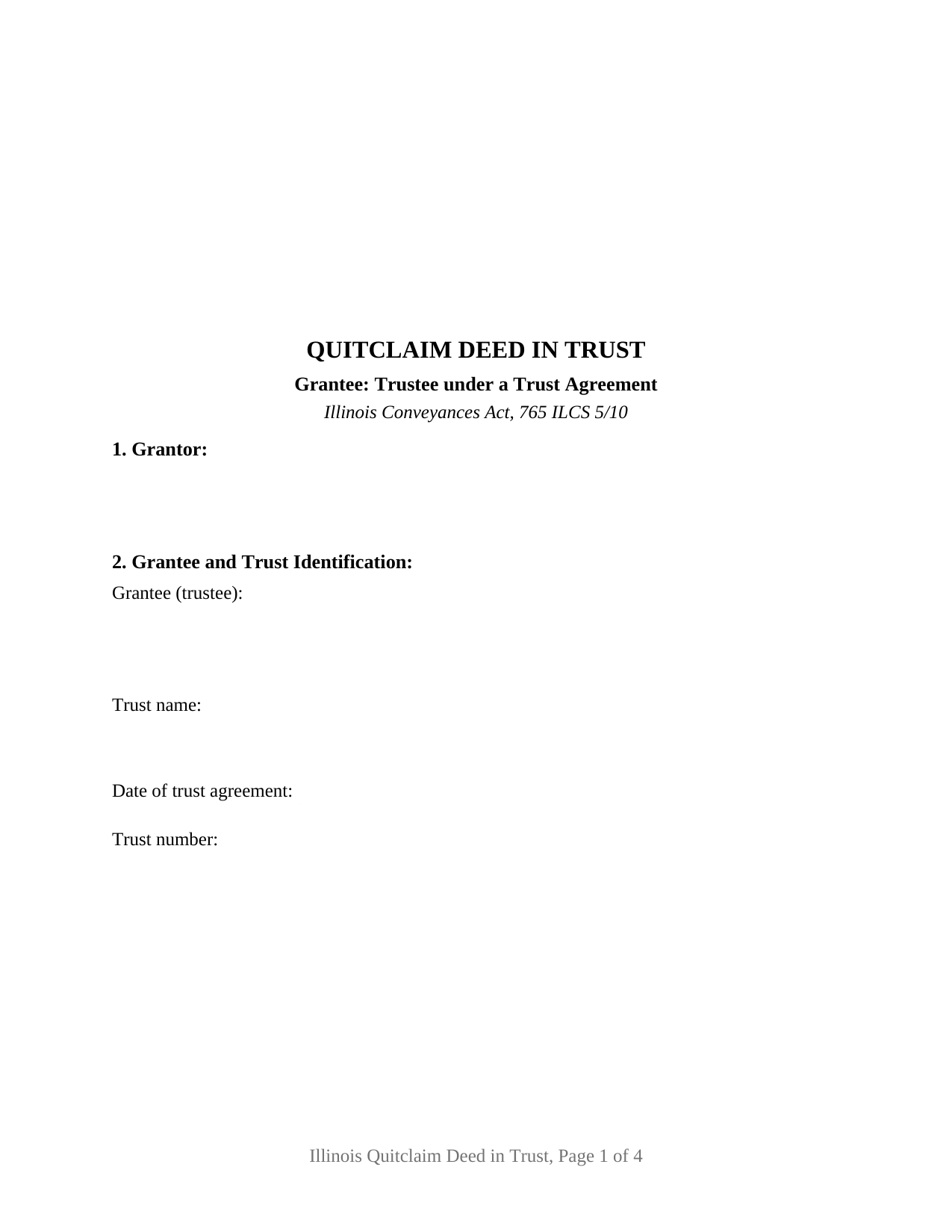
Pulaski County Quitclaim Deed (Trustee Grantee) Form
Fill in the blank Quitclaim Deed (Trustee Grantee) form formatted to comply with all Illinois recording and content requirements.
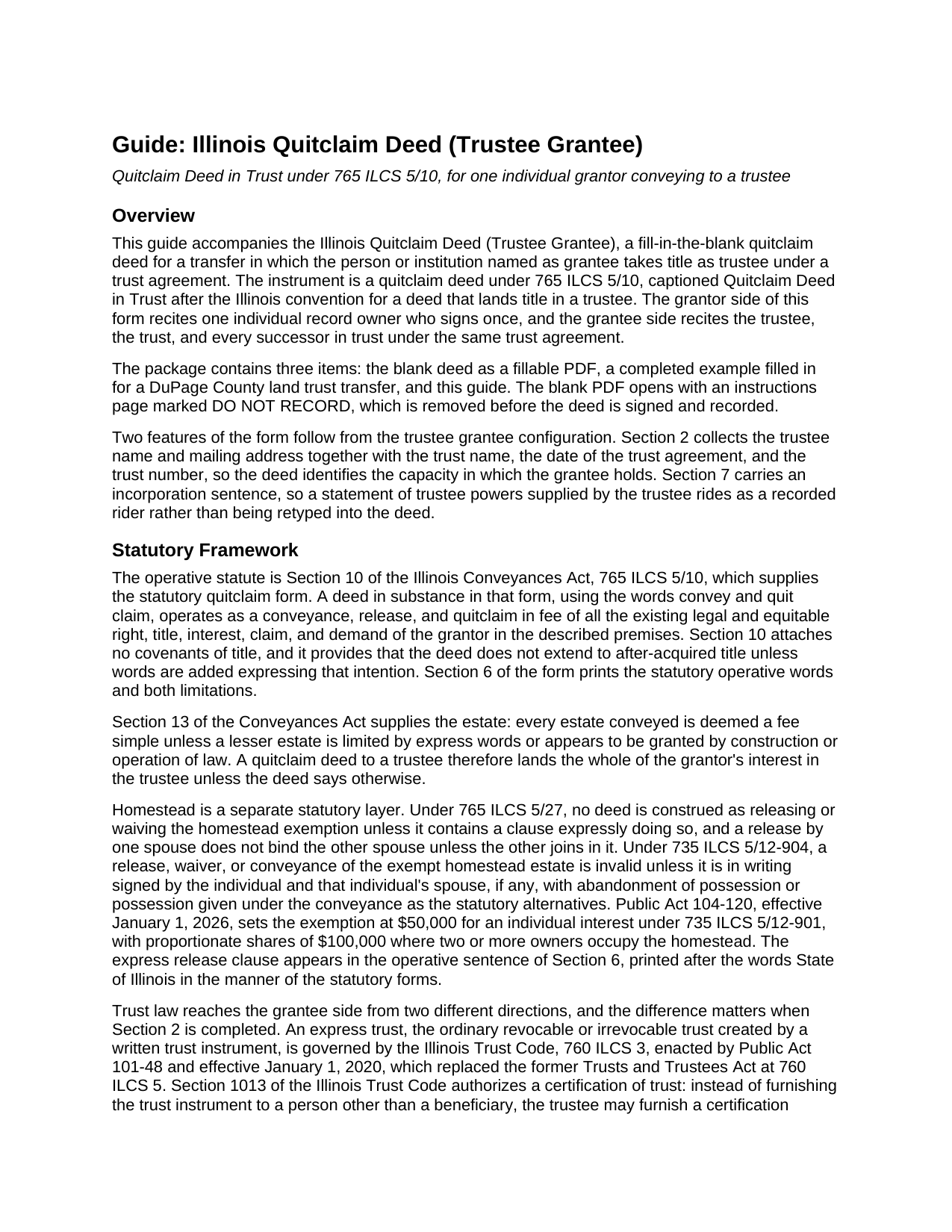
Pulaski County Quitclaim Deed (Trustee Grantee) Guide
Line by line guide explaining every blank on the Quitclaim Deed (Trustee Grantee) form.
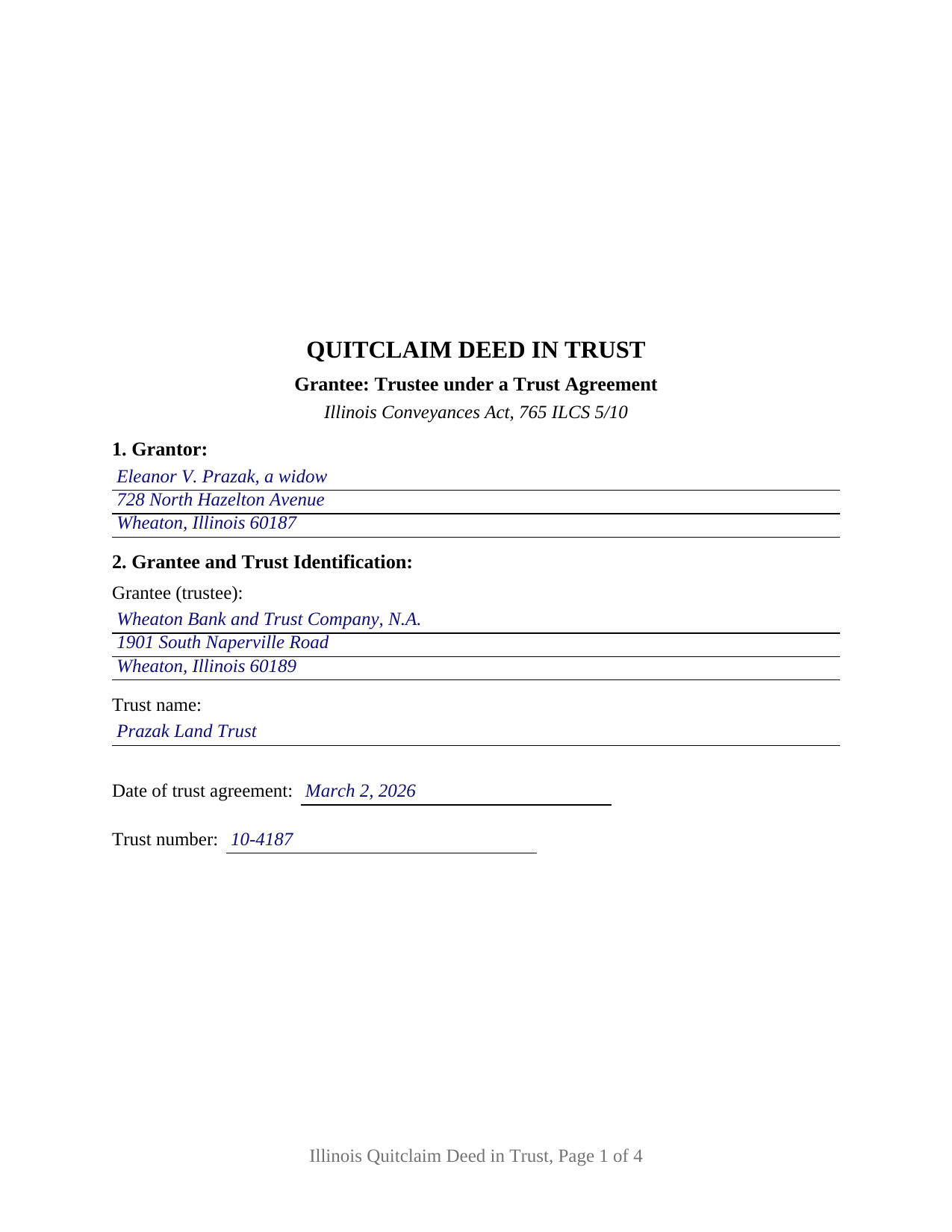
Pulaski County Completed Example of the Quitclaim Deed (Trustee Grantee) Document
Example of a properly completed Illinois Quitclaim Deed (Trustee Grantee) document for reference.
All 3 documents above included • One-time purchase • No recurring fees
Immediate Download • Secure Checkout
Additional Illinois and Pulaski County documents included at no extra charge:
Where to Record Your Documents
Pulaski County Clerk/Recorder
Mound City, Illinois 62963
Hours: 8:00 to 4:00 M-F
Phone: (618) 748-9360
Recording Tips for Pulaski County:
- Bring your driver's license or state-issued photo ID
- Ensure all signatures are in blue or black ink
- Make copies of your documents before recording - keep originals safe
- Recorded documents become public record - avoid including SSNs
- Recording fees may differ from what's posted online - verify current rates
Cities and Jurisdictions in Pulaski County
Properties in any of these areas use Pulaski County forms:
- Grand Chain
- Karnak
- Mound City
- Mounds
- Olmsted
- Perks
- Pulaski
- Ullin
- Villa Ridge
Hours, fees, requirements, and more for Pulaski County
How do I get my forms?
Forms are available for immediate download after payment. The Pulaski County forms will be in your account ready to download to your computer. An account is created for you during checkout if you don't have one. Forms are NOT emailed.
Are these forms guaranteed to be recordable in Pulaski County?
Yes. Our form blanks are guaranteed to meet or exceed the applicable formatting requirements used for recording in Pulaski County, including margin requirements, font requirements, and other layout standards. This guarantee applies to formatting, not to the legal sufficiency of information entered by the user or the suitability of a form for a particular transaction.
Can I reuse these forms?
Yes. You can reuse the forms for your personal use. For example, if you have multiple properties in Pulaski County you only need to order once.
What do I need to use these forms?
The forms are PDFs that you fill out on your computer. The free Adobe Acrobat Reader is recommended, and most PDF apps also work. You do NOT enter your property information online - you download the blank forms and complete them privately on your own computer.
Are there any recurring fees?
No. This is a one-time purchase. Nothing to cancel, no memberships, no recurring fees.
How much does it cost to record in Pulaski County?
Recording fees in Pulaski County vary. Contact the recorder's office at (618) 748-9360 for current fees.
Questions answered? Let's get started!
A deed that lands title in a trustee says more than who receives the property: it identifies the trust the trustee holds for, and it survives a change of trustee. This Illinois quitclaim deed is arranged for that transfer, in the form Illinois conveyancers caption a quitclaim deed in trust. One individual record owner signs as Grantor, and Section 2 names the trustee and pins the trust down by name, agreement date, and trust number.
A grantee clause built around the trust
The operative sentence carries the statutory words of 765 ILCS 5/10, conveys and quit claims, then does what an ordinary grantee clause does not: it runs the conveyance to the named trustee and to every successor or successors in trust under the same trust agreement, so a successor trustee appointed years later takes under the recorded deed. Section 2 also collects the trustee's mailing address, which 55 ILCS 5/3-5026 makes a condition of recording. The trust entries state the capacity in which the grantee holds, while the trust instrument remains the source of the trustee's authority.
Express trust or Illinois land trust
Illinois runs two title-holding regimes through the same grantee clause, and Section 2 accommodates both. An ordinary revocable or irrevocable trust is an express trust under the Illinois Trust Code, 760 ILCS 3, in force since January 1, 2020, where 760 ILCS 3/1013 lets a trustee furnish a certification of trust instead of the trust instrument, signed separately and not included here. A land trust is the other regime, and 760 ILCS 3/102 puts it outside the Trust Code entirely, leaving the trust agreement and Illinois common law to govern while the land trustee holds legal and equitable title and the beneficial interest counts as personal property under In re Estate of Alpert. Land trusts are usually known by number, which is why the trust number blank sits beside the trust name.
What the trustee grantee configuration carries
One individual record owner is named in Section 1, with one signature line and one acknowledgment certificate following the substance of 765 ILCS 5/26, and the express homestead waiver clause of 765 ILCS 5/27 prints inside the operative sentence. Section 7 is where a statement of trustee powers goes: the long full power and authority paragraph of Illinois deed in trust practice is conveyancing custom rather than a statutory requirement, so that section incorporates a rider the trustee supplies. Patterns presenting this configuration include a sole owner landing a parcel with a corporate trustee under a numbered land trust agreement, an heir passing an interest taken outright to the trustee already holding the rest of a family property, and an owner clearing a stray interest into the trust that holds the balance of the title. The deed is set up for an individual grantor rather than an entity, and its one signature line does not carry the second signature 735 ILCS 5/12-904 calls for from a spouse where an occupied homestead is conveyed elsewhere.
No covenant rides along to the trustee
Under the statutory quitclaim form the trustee takes exactly what the grantor held at delivery. Mortgages, judgment and tax liens, easements, plat restrictions, and leases of record continue against the property in the trustee's hands, no covenant of title accompanies the transfer, and after-acquired title stays outside the deed unless Section 7 adds express words reaching it. Record title moves; debt does not.
The recording package
The deed collects what Illinois conditions recording on: the 55 ILCS 5/3-5022 preparer statement, the return block, the document number the grantor took title by, and the 765 ILCS 5/35c tax bill endorsement, naming the trustee. Section 8 answers transfer tax either way, through the PTAX-203 declaration or MyDec with stamps at 50 cents per $500 of value, or through a signed and dated exemption notation citing the paragraph of 35 ILCS 200/31-45 relied on. One county rule reaches land trust deeds directly: 55 ILCS 5/3-5020(b) and (c) call for sworn grantor and grantee statements naming everyone holding a beneficial interest on an exempt transaction in a county of 3,000,000 or more inhabitants.
The download holds three files: the quit claim deed to a trustee as a fillable PDF, a completed example filled in for a DuPage County land trust transfer, and a guide covering each section along with the trust, homestead, notarization, and recording rules. The materials are informational and not legal advice; an Illinois attorney or title company can speak to a particular trust and chain of title.
Important: Your property must be located in Pulaski County to use these forms. Documents should be recorded at the county recording office listed above.
This Quitclaim Deed (Trustee Grantee) meets all recording requirements specific to Pulaski County.
Our Promise
The documents you receive here are guaranteed to meet or exceed the applicable Pulaski County recording format requirements. If there is a rejection caused by our formatting, we will correct the issue or refund your payment. This guarantee applies to document formatting only and does not extend to information entered by the user, the selection of the form, or the legal effect of the completed document.
Save Time and Money
Get your Pulaski County Quitclaim Deed (Trustee Grantee) form done right the first time with Deeds.com Uniform Conveyancing Blanks. At Deeds.com, we understand that your time and money are valuable resources, and we don't want you to face a penalty fee or rejection imposed by a county recorder for submitting nonstandard documents. We constantly review and update our forms to meet rapidly changing state and county recording requirements for roughly 3,500 counties and local jurisdictions.
4.8 out of 5 - ( 4,828 Reviews )
Paul S. 5 out of 5 stars
Very satisfactory
Thank you!
Michael M. 5 out of 5 stars
Easy to follow directions and instructions to properly and legally fill-in the Deed that I requested. It was also very easy and convenient. If I was going to employ an Attorney or Legal Documents Preparer, they would easily charge me between $150 to $225 a Deed! For the cost of $19.97, anyone would pursue this price! Thank you, Deeds.com for a wonderful and terrific experience! I'm going to need you again to change Titles for my other Investment Properties.
Thank you for your feedback. We really appreciate it. Have a great day!
Virginia W. 5 out of 5 stars
Easy instructions and a example on how to fill out the form.
Thank you for your feedback. We really appreciate it. Have a great day!
Kimberly E. 5 out of 5 stars
This process could not have been made any easier!! Very easy instructions to follow and the response time was incredible! Thank you!
Thank you!
Roger G. 5 out of 5 stars
Straight to the point and easy to use site.
Thank you!
Tracey M. 5 out of 5 stars
Using Deeds.com was unbelievably quick and easy to file a deed restriction with our local county office. From uploading the initial file to deeds.com, to having a fully recorded document was right on one hour - and all from the comfort of my home. I found your service was easy to use and your staff were very quick in responding to my filing. I will definitely use and recommend deeds.com in the future.
Thank you for your feedback. We really appreciate it. Have a great day!
Ondina S. 5 out of 5 stars
Am very happy with the wealth of forms that were available with my purchase! This site is an awesome resource which I plan to use in the future.
We appreciate your business and value your feedback. Thank you. Have a wonderful day!
Shawn S. 5 out of 5 stars
Seems to be exactly whst j needed. Great job!
Thank you!
Dwayne H. 5 out of 5 stars
The Oregon TODD transfer on death deed template worked great and was easy to use. They had instructions and a guide that had good pointers to filling everything out. It took about 2 weeks to mail in my filled TODD and receive it back from the county with their stamp. Would definitely use this service for other documents
We appreciate your business and value your feedback. Thank you. Have a wonderful day!
Thomas D. 2 out of 5 stars
The documents themselves are fine and the information provided with them is helpful. I find the actual processing of the documents, however, to be difficult particularly once the document has been saved. First, I note that the box for the date only allows entry of the last 2 digits of the year. Unfortunately, my download only allows me to enter one of the 2 digits required. When I delete it repeatedly, it eventually allows both digits to be entered but puts them in extremely small text and in superscrypt. I have not found a solution to this problem and am not sure the deed can even be recorded with this problem. Another problem is that if you try to revise the document after you have saved it the curser goes to the end of the line after each key entry. This means that there basically is no way to efficiently save the document for reworking later since you will have to delete everything you have entered in the text box unless you only need to make a single keystroke change or are willing to replace the curser after each entry. Try that with a long property description! Please note that I am using a Mac to prepare my documents and perhaps this is part of an "incompatibility problem". However, I didn't see a disclaimer regarding Mac use and so would expect the documents to perform correctly. Overall, I give the program a "2 star" rating because I am experiencing significant difficulties in entering dates in the documents even before saving them and because saving your work for later revision appears to be basically unworkable.
Thank you for your feedback Thomas, we appreciate you being specific about the issues you encountered. Adobe and Mac have a fairly long history of issues working together.
Deborah C. 5 out of 5 stars
Good organization and guidance.
Thank you!
joseph p. 5 out of 5 stars
As i am not very computer ready,i had one heck of a time filling,printing,and copying this document.But with your patience and understanding of older ways,WE DID IT SUCCESSFULLY.Thank you for your time.I will recommend this site to all that inquire
Thank you for your feedback. We really appreciate it. Have a great day!
Judith F. 5 out of 5 stars
Was easy to use the eRecording service.
Thank you!
Mary H. 5 out of 5 stars
Your site was very informative and I was able to instantly and easily download the documents that I needed. I could not be happier with your service. Thank You Mary Harju
Thank you Mary, we really appreciate your feedback.
Pedro M. 5 out of 5 stars
Fast and professional service.
Thank you for your positive words! We’re thrilled to hear about your experience.