La Salle County Transfer on Death Instrument (Trust Beneficiary) Form
Last validated October 23, 2026 by our Forms Development TeamFormatted for recording in La Salle County, for property anywhere in the county: rural and unincorporated areas as well as Cedar Point, Dana, Earlville, Grand Ridge, La Salle, Leland, Leonore, Lostant and 16 more.
- 3 documents included
- Immediate PDF download
- Formatting guarantee
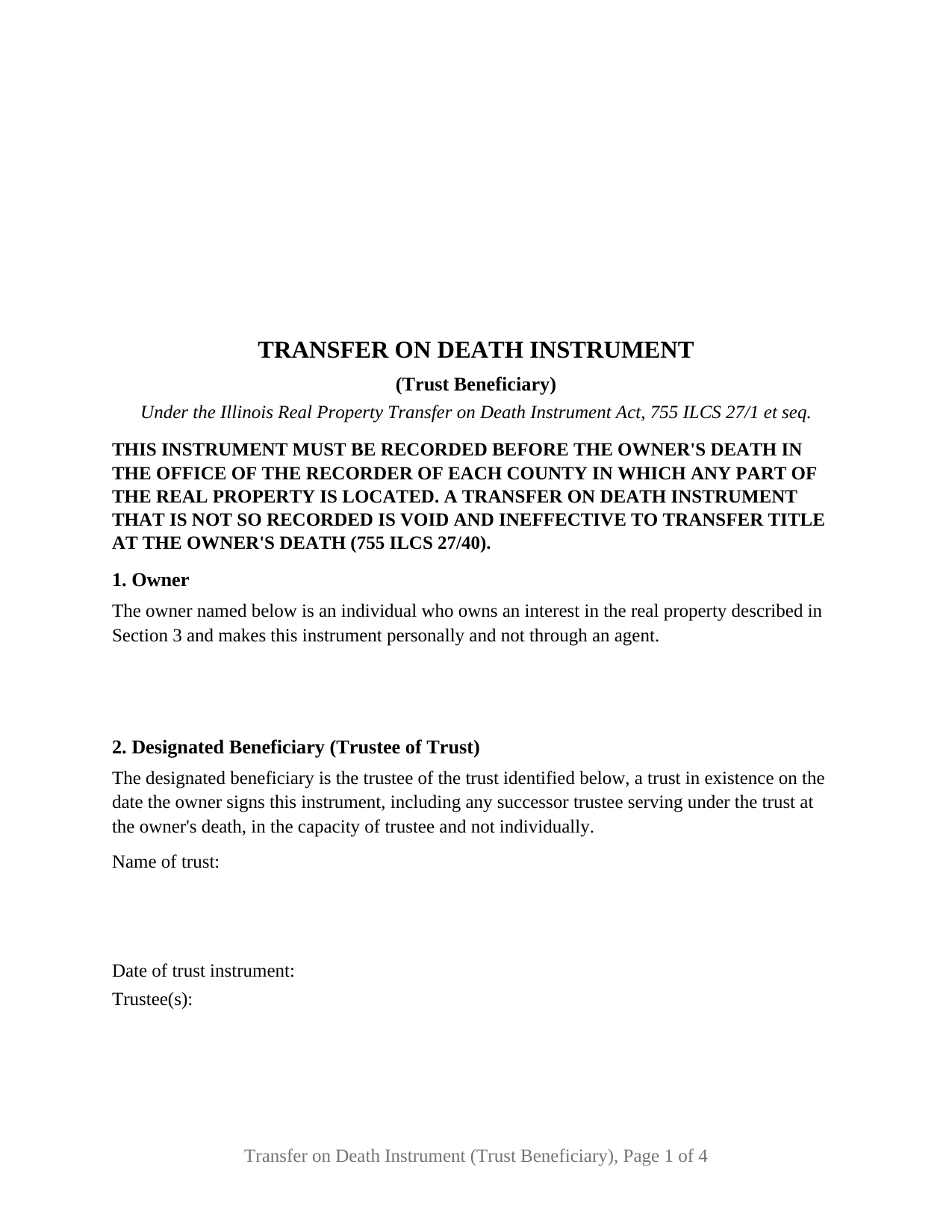
La Salle County Transfer on Death Instrument (Trust Beneficiary) Form
Fill in the blank Transfer on Death Instrument (Trust Beneficiary) form formatted to comply with all Illinois recording and content requirements.
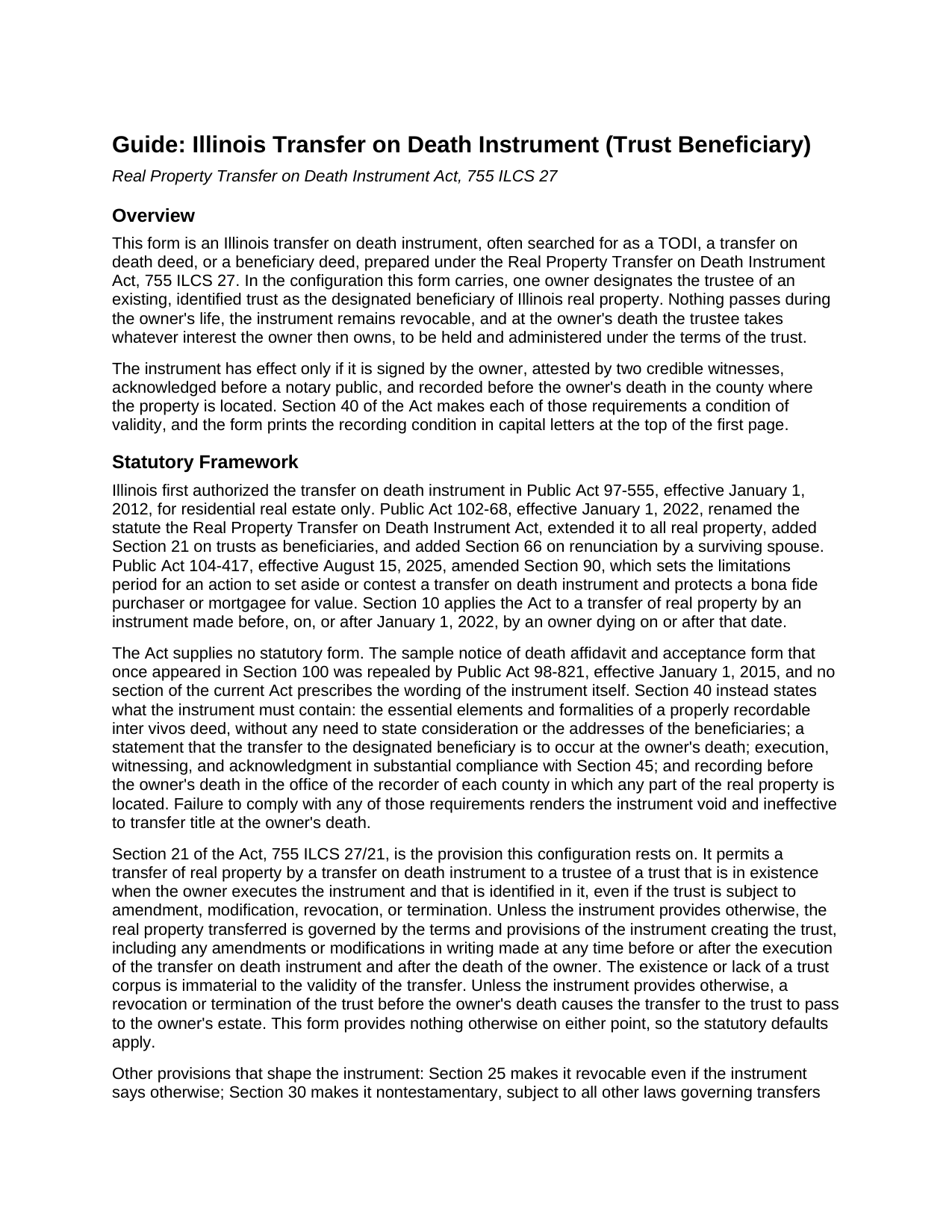
La Salle County Transfer on Death Instrument (Trust Beneficiary) Guide
Line by line guide explaining every blank on the Transfer on Death Instrument (Trust Beneficiary) form.
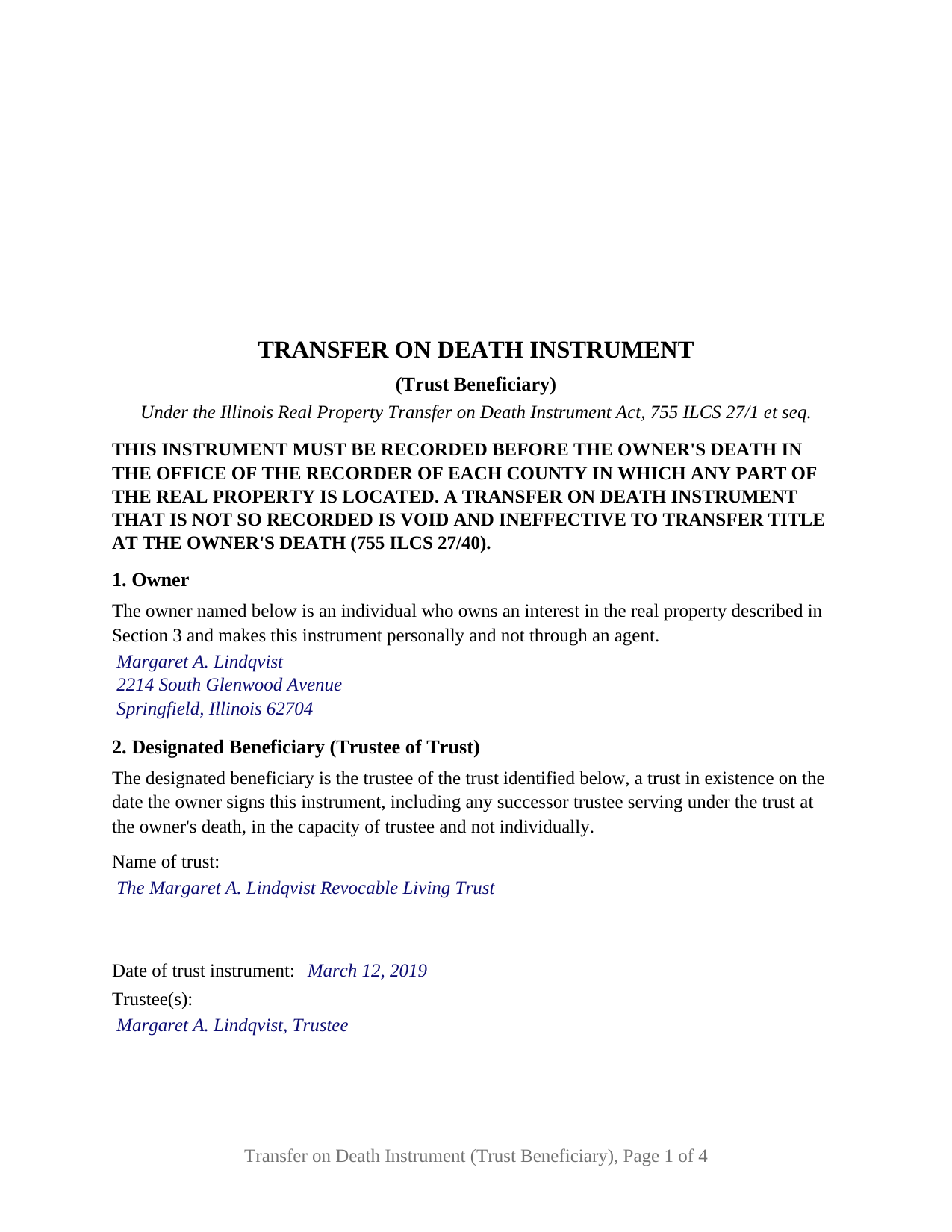
La Salle County Completed Example of the Transfer on Death Instrument (Trust Beneficiary) Document
Example of a properly completed Illinois Transfer on Death Instrument (Trust Beneficiary) document for reference.
All 3 documents above included • One-time purchase • No recurring fees
Immediate Download • Secure Checkout
Additional Illinois and La Salle County documents included at no extra charge:
Where to Record Your Documents
LaSalle County Recorder
Ottawa, Illinois 61350
Hours: 8:00 to 4:30 M-F
Phone: (815) 434-8226
Recording Tips for La Salle County:
- Bring your driver's license or state-issued photo ID
- Ensure all signatures are in blue or black ink
- Both spouses typically need to sign if property is jointly owned
- Bring extra funds - fees can vary by document type and page count
- Check margin requirements - usually 1-2 inches at top
Cities and Jurisdictions in La Salle County
Properties in any of these areas use La Salle County forms:
- Cedar Point
- Dana
- Earlville
- Grand Ridge
- La Salle
- Leland
- Leonore
- Lostant
- Marseilles
- Mendota
- Oglesby
- Ottawa
- Peru
- Ransom
- Rutland
- Seneca
- Serena
- Sheridan
- Streator
- Tonica
- Triumph
- Troy Grove
- Utica
- Wedron
Hours, fees, requirements, and more for La Salle County
How do I get my forms?
Forms are available for immediate download after payment. The La Salle County forms will be in your account ready to download to your computer. An account is created for you during checkout if you don't have one. Forms are NOT emailed.
Are these forms guaranteed to be recordable in La Salle County?
Yes. Our form blanks are guaranteed to meet or exceed the applicable formatting requirements used for recording in La Salle County, including margin requirements, font requirements, and other layout standards. This guarantee applies to formatting, not to the legal sufficiency of information entered by the user or the suitability of a form for a particular transaction.
Can I reuse these forms?
Yes. You can reuse the forms for your personal use. For example, if you have multiple properties in La Salle County you only need to order once.
What do I need to use these forms?
The forms are PDFs that you fill out on your computer. The free Adobe Acrobat Reader is recommended, and most PDF apps also work. You do NOT enter your property information online - you download the blank forms and complete them privately on your own computer.
Are there any recurring fees?
No. This is a one-time purchase. Nothing to cancel, no memberships, no recurring fees.
How much does it cost to record in La Salle County?
Recording fees in La Salle County vary. Contact the recorder's office at (815) 434-8226 for current fees.
Questions answered? Let's get started!
An Illinois transfer on death instrument, the TODI, can name a trust instead of a person. This form prepares the trust beneficiary configuration under the Real Property Transfer on Death Instrument Act, 755 ILCS 27: one owner of Illinois real property designates the trustee of an existing, identified trust as the designated beneficiary, so that at the owner's death the property passes to the trust without probate. The owner keeps full title for life, and the instrument stays revocable until death.
A deed that waits for death and then follows the trust
Section 21 of the Act, added by Public Act 102-68 effective January 1, 2022, permits a transfer by transfer on death instrument to a trustee of a trust that is in existence when the owner executes the instrument and that is identified in it, even if the trust is subject to amendment, modification, revocation, or termination. Unless the instrument provides otherwise, the real property transferred is governed by the terms of the trust instrument, including later amendments. The form carries no provision otherwise, so those statutory rules apply as written, and if the trust is revoked or terminated before the owner's death, the Act sends the transfer to the owner's estate.
The pattern Illinois practice most often presents is the revocable living trust: the house stays titled in the owner's own name during life, and the trust receives it at death through a recorded instrument rather than a probate proceeding. The form identifies the trust by name, date, and trustee, and its fixed recital reaches any successor trustee serving at the owner's death, in the capacity of trustee and not individually.
Two witnesses, one notary, and a recording deadline
Illinois sets stricter signing formalities for a transfer on death instrument than for an ordinary deed. Section 45 requires the owner's signature, attestation in writing by two credible witnesses, and acknowledgment of the owner's and the witnesses' signatures in front of a notary public, and an instrument without two witnesses is void. The form prints the three-part attestation the statute describes, two witness signature blocks, and a single acknowledgment certificate in the short form of the Illinois Notary Public Act naming the owner and both witnesses. Section 45(c) addresses a witness who is a beneficiary or a beneficiary's spouse, and the guide explains why the trustee and the trustee's spouse sit outside the witness pool.
Recording is a condition of validity, not a formality. Section 40 requires the instrument to be recorded before the owner's death in the office of the recorder of each county in which any part of the property lies, and an instrument that is not so recorded is void and ineffective to transfer title. The form prints that condition in capital letters at the top of its first page. Revocation follows the same path: only a later recorded instrument, executed and witnessed the same way and acknowledged after the original, revokes it; a will or an unrecorded paper does not.
What this configuration recites
The form recites exactly one owner, an individual who owns an interest in the property and signs personally; under Section 35 an agent under a power of attorney has no authority to make one. It recites one designated beneficiary, the trustee of the trust identified in Section 2, and no alternate beneficiaries or share provisions, because the trust takes the whole of the owner's interest and the trust instrument then governs. The owner's marital status is not recited; a married owner and an unmarried owner complete the same blank, and the guide describes the surviving spouse's renunciation right under Section 66, the homestead continuation of 735 ILCS 5/12-902, and the joint owner rules of Section 70. Two owners on one instrument, individual or entity beneficiaries, and a trust created inside the instrument or under a will present different patterns from the one this form recites.
The instrument also carries the preparer statement of 55 ILCS 5/3-5022, the return address, the tax-bill endorsement of 765 ILCS 5/35c, and a transfer tax exemption statement under 35 ILCS 200/31-45, formatted to the statewide standards of 55 ILCS 5/3-5018.2.
The package includes the fillable form, a completed example filled in for a Sangamon County fact pattern in which the owner names her own revocable living trust, and the guide that walks through every section, the signing formalities, and the recording process. This description and the guide describe the form and the governing statutes in general terms; they are not legal advice.
Important: Your property must be located in La Salle County to use these forms. Documents should be recorded at the county recording office listed above.
This Transfer on Death Instrument (Trust Beneficiary) meets all recording requirements specific to La Salle County.
Our Promise
The documents you receive here are guaranteed to meet or exceed the applicable La Salle County recording format requirements. If there is a rejection caused by our formatting, we will correct the issue or refund your payment. This guarantee applies to document formatting only and does not extend to information entered by the user, the selection of the form, or the legal effect of the completed document.
Save Time and Money
Get your La Salle County Transfer on Death Instrument (Trust Beneficiary) form done right the first time with Deeds.com Uniform Conveyancing Blanks. At Deeds.com, we understand that your time and money are valuable resources, and we don't want you to face a penalty fee or rejection imposed by a county recorder for submitting nonstandard documents. We constantly review and update our forms to meet rapidly changing state and county recording requirements for roughly 3,500 counties and local jurisdictions.
4.8 out of 5 - ( 4,853 Reviews )
Candace K. 5 out of 5 stars
I was able to find the Certificate of Trust after a little searching. Once found, the remainder of the process was easy. My task was done in no time. It's a great site.
Thank you for your feedback. We really appreciate it. Have a great day!
Bobette B. 5 out of 5 stars
Worked well with clear guide!
Thank you!
Jayne S. 5 out of 5 stars
Simple and quick -- just what we needed!
Your feedback is greatly appreciated. Thank you for taking the time to share your experience!
Nanette G. 5 out of 5 stars
The Website was easy to use. I live in Houston Texas and mother recently passed away in California and I need affidavit of joint tenant forms. I was provided all the forms necessary to complete the documents. I had been a legal secretary in California about 20 years ago and just need the current forms and received them all very quickly.
Thank you!
CINDY P. 5 out of 5 stars
Such any easy process! Thank you!
Thank you Cindy, we appreciate your feedback.
randy j. 1 out of 5 stars
the deed format and fill-in language are very specific to one type of easement and are not generally applicable to any other type; in other words it is not useful in a majority of situations and i would recommend against purchase unless you are creating an easement for an appurtenant landowner ONLY
Thank you for your feedback. We really appreciate it. Have a great day!
A. S. 3 out of 5 stars
First, I am glad that you gave a blank copy, an example copy, and a 'guide'. It made it much easier to do. Overall I was very happy with your products and organization... however, things got pretty confusing and I have a pretty 'serious' law background in Real Estate and Civil law. With that said, I spent about 10+ hours getting my work done, using the Deed of Trust and Promissory note from you and there were a few problems: First, it would be FANTASTIC if you actually aligned your guide to actually match the Deed or Promissory Note. What I mean is that if the Deed says 'section (E)' then your guide shouldn't be 'randomly' numbered as 1,2,3, for advice/instructions, but should EXACTLY match 'section (E)'. Some places you have to 'hunt' for what you are looking for, and if you did it based on my suggestion, you wouldn't need to 'hunt' and it would avoid confusion. 2nd: This one really 'hurt'... you had something called the 'Deed of Trust Master Form' yet you had basically no information on what it was or how to use it. The only information you had was a small section at the top of the 'Short Form Deed of Trust Guide'. Holy Cow, was that 'section' super confusing. I still don't know if I did it correctly, but your guide says only put a return address on it and leave the rest of the 16 or so page Deed of Trust beneath it blank... and then include your 'Deed of Trust' (I had to assume the short form deed that I had just created) as part of it. I had to assume that I had to print off the entire 17 page or so title page and blank deed. I also had to assume that the promissory note was supposed to be EXHIBIT A or B on the Short Form Deed. It would be great if someone would take a serious look at that short section in your 'Short Form Deed of Trust Guide' and realize that those of us using your products are seriously turning this into a county clerk to file and that most of us, probably already have a property that has an existing Deed... or at least can find one in the county records if necessary... and make sure that you make a distinction between the Deed for the property that already exists, versus the Deed of Trust and Promissory note that we are trying to file. Thanks.
Thank you for your feedback. We'll have staff review the document for clarity. Have a great day!
Mary B. 5 out of 5 stars
Your information was orderly and very clear and helpful. Thanks!
Thank you for your feedback. We really appreciate it. Have a great day!
Ray L. 5 out of 5 stars
Thank you, I am very satisfied with the process and will provide a final review after the documents are completed and accepted by the state.
Thank you for your feedback. We really appreciate it. Have a great day!
JOHN R. 5 out of 5 stars
This is an Outstanding Website for easy access in expediting my property investment needs. Thank you for this much needed online service.
Thank you!
MARK K. 5 out of 5 stars
This is a great service. I submitted the information and the next day my deed had been recorded. Online recording during these times is the most sensible way to record deeds.
We appreciate your business and value your feedback. Thank you. Have a wonderful day!
Dennis T. 5 out of 5 stars
I liked the service very much. The form I ordered wasn't provided by the local government agency and I couldn't find it on the internet. I liked that the form came with easy to follow, line by line, instructions and a sample. I also appreciated that I wasn't forced to take on a trial membership to keep me on the hook. I would definitely use this service again in the future!
Thank you for your feedback. We really appreciate it. Have a great day!
William D. 5 out of 5 stars
I filed a Mechanic's Lien in PA. I appreciate that Deeds.com charges only a one time fee. When I took the completed paperwork to the Prothonotary Office, I paid a $70 Fee, but the staff looked over the documents and though it looked good. I recommend this service.
We appreciate your business and value your feedback. Thank you. Have a wonderful day!
Sherilyn L. 5 out of 5 stars
Easy to use & cost is great Thank you
We appreciate your business and value your feedback. Thank you. Have a wonderful day!
Sandra G. 4 out of 5 stars
We were referred to the site by banking friend. It does take time to read through and figure out what a person needs, form-wise, to accomplish the goal. Once that was decided, check out and the download was very easy. What a great savings in cost and time.
Thank you Sandra, glad we could help. Also, please thank your friend for us. Have a wonderful day.