Dupage County Transfer on Death Revocation Form
Last validated October 23, 2026 by our Forms Development TeamFormatted for recording in Dupage County, for property anywhere in the county: rural and unincorporated areas as well as Addison, Aurora, Bartlett, Bensenville, Bloomingdale, Carol Stream, Clarendon Hills, Darien and 24 more.
- 3 documents included
- Immediate PDF download
- Formatting guarantee
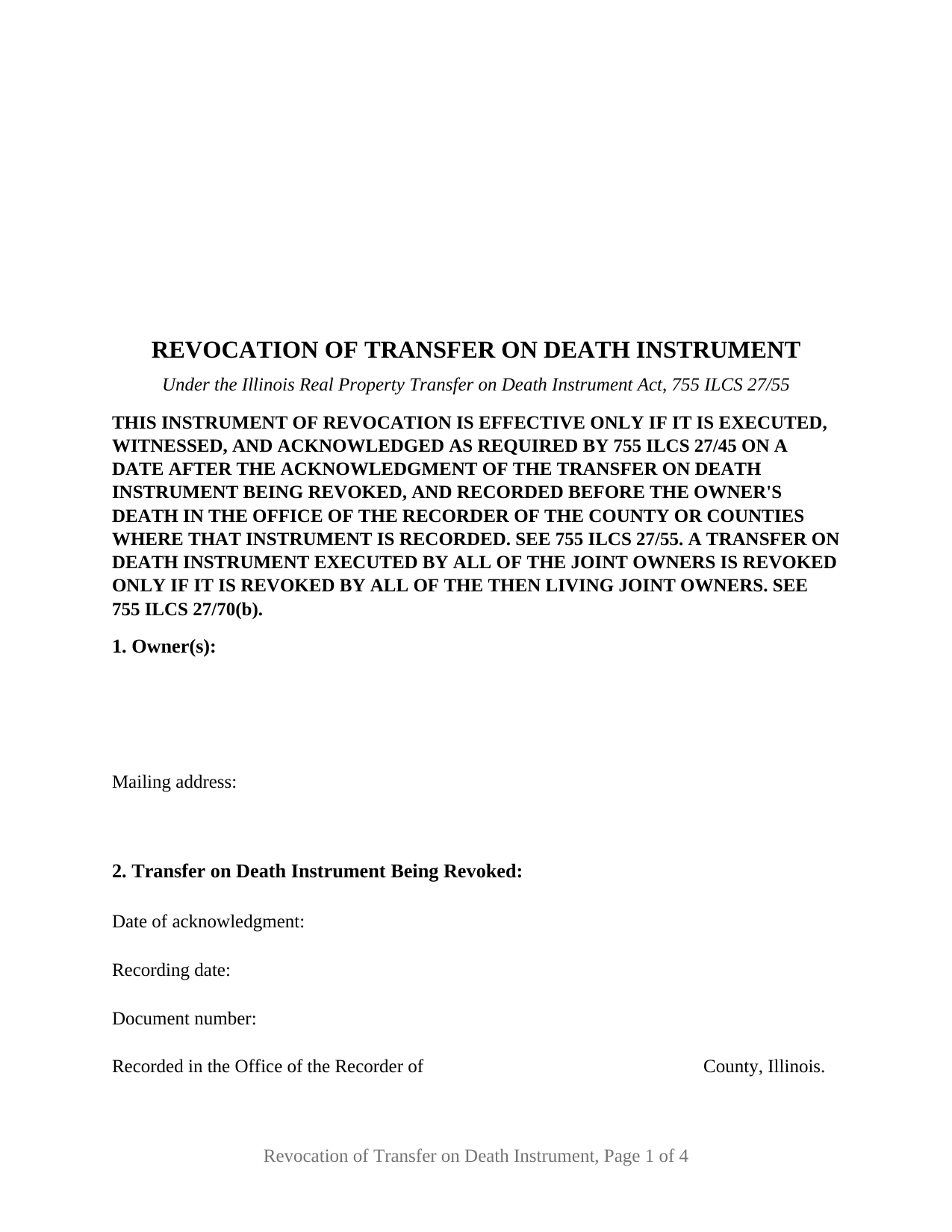
Dupage County Transfer on Death Revocation Form
Fill in the blank Transfer on Death Revocation form formatted to comply with all Illinois recording and content requirements.
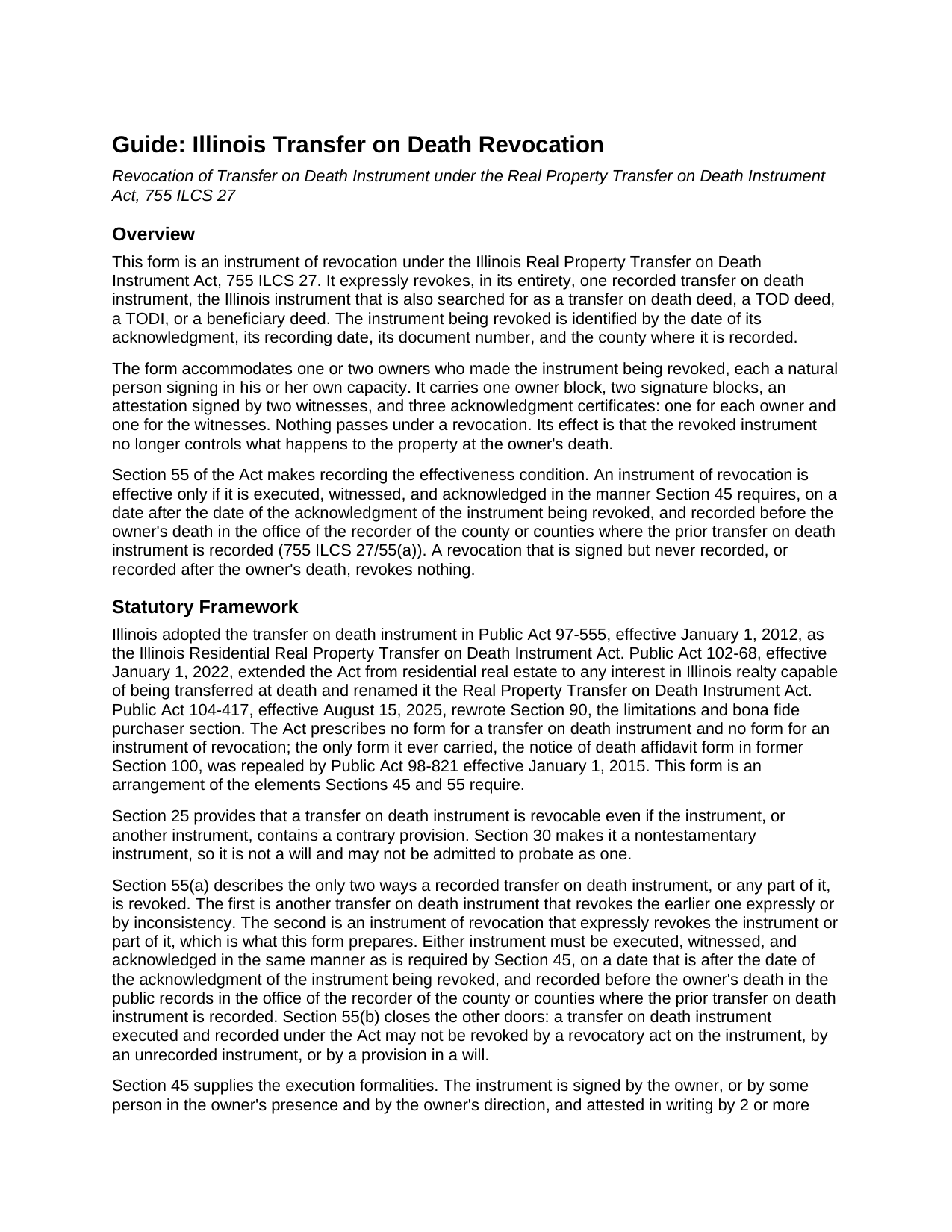
Dupage County Transfer on Death Revocation Guide
Line by line guide explaining every blank on the Transfer on Death Revocation form.
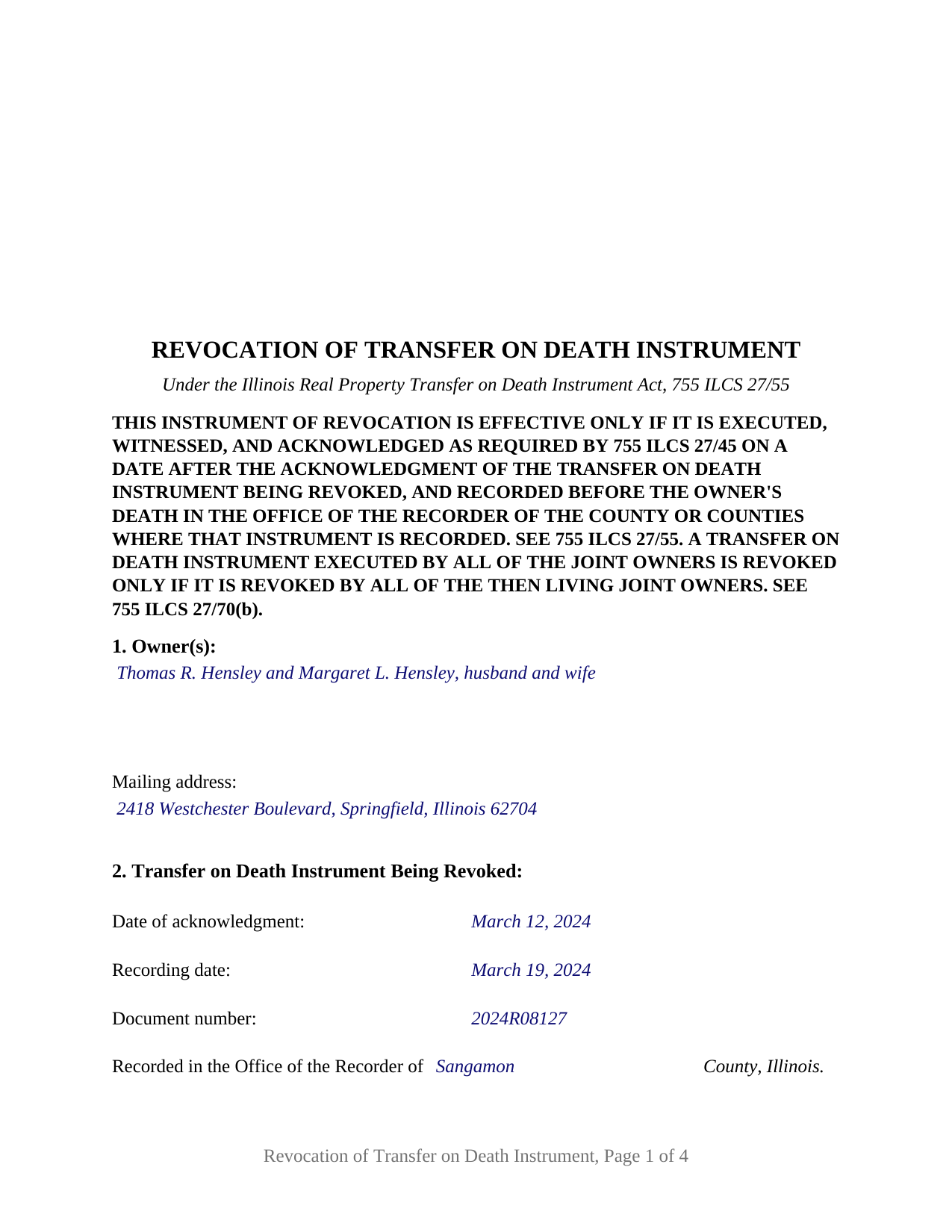
Dupage County Completed Example of the Transfer on Death Revocation Document
Example of a properly completed Illinois Transfer on Death Revocation document for reference.
All 3 documents above included • One-time purchase • No recurring fees
Immediate Download • Secure Checkout
Additional Illinois and Dupage County documents included at no extra charge:
Where to Record Your Documents
DuPage County Recorder - Jack T. Knuepfer Admin. Bldg.
Wheaton, Illinois 60187
Hours: 8:00am to 4:30pm M-F
Phone: (630) 407-5400
Recording Tips for Dupage County:
- Bring your driver's license or state-issued photo ID
- Ensure all signatures are in blue or black ink
- Recording fees may differ from what's posted online - verify current rates
- Request a receipt showing your recording numbers
- Ask about accepted payment methods when you call ahead
Cities and Jurisdictions in Dupage County
Properties in any of these areas use Dupage County forms:
- Addison
- Aurora
- Bartlett
- Bensenville
- Bloomingdale
- Carol Stream
- Clarendon Hills
- Darien
- Downers Grove
- Elmhurst
- Eola
- Fox Valley
- Glen Ellyn
- Glendale Heights
- Hinsdale
- Itasca
- Lisle
- Lombard
- Medinah
- Naperville
- Oak Brook
- Roselle
- Villa Park
- Warrenville
- Wayne
- West Chicago
- Westmont
- Wheaton
- Willowbrook
- Winfield
- Wood Dale
- Woodridge
Hours, fees, requirements, and more for Dupage County
How do I get my forms?
Forms are available for immediate download after payment. The Dupage County forms will be in your account ready to download to your computer. An account is created for you during checkout if you don't have one. Forms are NOT emailed.
Are these forms guaranteed to be recordable in Dupage County?
Yes. Our form blanks are guaranteed to meet or exceed the applicable formatting requirements used for recording in Dupage County, including margin requirements, font requirements, and other layout standards. This guarantee applies to formatting, not to the legal sufficiency of information entered by the user or the suitability of a form for a particular transaction.
Can I reuse these forms?
Yes. You can reuse the forms for your personal use. For example, if you have multiple properties in Dupage County you only need to order once.
What do I need to use these forms?
The forms are PDFs that you fill out on your computer. The free Adobe Acrobat Reader is recommended, and most PDF apps also work. You do NOT enter your property information online - you download the blank forms and complete them privately on your own computer.
Are there any recurring fees?
No. This is a one-time purchase. Nothing to cancel, no memberships, no recurring fees.
How much does it cost to record in Dupage County?
Recording fees in Dupage County vary. Contact the recorder's office at (630) 407-5400 for current fees.
Questions answered? Let's get started!
An Illinois transfer on death instrument stays in force until a recorded instrument takes it out of force. Section 55 of the Real Property Transfer on Death Instrument Act, 755 ILCS 27, allows only two things to revoke one: a new transfer on death instrument that contradicts it, or an instrument of revocation that expressly revokes it. This form is the second of those: an instrument of revocation carrying one or two owners who made a recorded Illinois transfer on death instrument, also searched for as a TODI, a transfer on death deed, a TOD deed, or a beneficiary deed, and who now revoke it in its entirety.
Why the revocation has to be recorded before death
Section 55(a) makes recording the effectiveness condition. An instrument of revocation is effective only if it is executed, witnessed, and acknowledged in the same manner Section 45 requires, on a date after the date of the acknowledgment of the instrument being revoked, and recorded before the owner's death in the office of the recorder of the county or counties where the prior instrument is recorded. A revocation that sits in a drawer at the owner's death revokes nothing. Section 55(b) states the other side of the rule: a transfer on death instrument may not be revoked by a revocatory act on the instrument, by an unrecorded instrument, or by a provision in a will. The form's first page carries that condition in capital letters, and its Section 2 identifies the instrument being revoked by acknowledgment date, recording date, document number, and county.
Signed like a will, not like a deed
Under Section 45, the owner signs, two or more credible witnesses attest in writing that the owner executed the instrument in their presence as a free and voluntary act while, in their belief, of sound mind and memory, and the signatures of the witnesses along with the owner's signature are acknowledged in front of a notary public. Section 55 applies the same formalities to the revocation, so the form carries an attestation paragraph with two witness blocks and a third acknowledgment certificate captioned for the witnesses. The capacity required to revoke is the capacity required to make a will, and Section 35 provides that an agent under a power of attorney, even one that purports to grant the authority, cannot revoke a transfer on death instrument for the owner.
One or two owners on a single instrument
The form recites no status, vesting, or capacity language of its own. One free-form owner block receives one or two natural persons with whatever status recital the record uses, and two signature blocks, headed OWNER and SECOND OWNER (if applicable), follow with an acknowledgment certificate for each, so a sole owner's revocation and a two-owner revocation are the same instrument with the second block left blank. A sole owner revoking the instrument he or she recorded, two joint tenants or tenants by the entirety who both executed one instrument and now revoke it together, and two tenants in common who executed one instrument covering their separate interests present the patterns the form carries. An owner acting through an attorney-in-fact, a fiduciary, an entity, three or more owners, and a revocation of only part of an instrument are configurations the form is not set up as. Under Section 70(b), an instrument executed by all of the joint owners is revoked only if it is revoked by all of the then living joint owners, and the last surviving joint owner may revoke it alone; the form's notice states that rule beside the recording condition.
Prepared by the owner
Section 95 of the Act provides that a transfer on death instrument or its revocation shall be prepared only by a licensed attorney, and in the same breath provides that nothing in the section prohibits an owner from preparing his or her own instrument or revocation, or renders it void for failing to be prepared by an attorney. The completed example shows that pattern: the owner's own name and address in the preparer statement that 55 ILCS 5/3-5022 requires on the face of every instrument affecting title to Illinois real estate.
The package includes the fillable instrument of revocation, a completed example filled in for a two-owner Sangamon County fact pattern, and the guide that walks through each section, the witness and notary formalities, and recording. This description and the guide describe the form and the governing Illinois statutes in general terms; they are not legal advice.
Important: Your property must be located in Dupage County to use these forms. Documents should be recorded at the county recording office listed above.
This Transfer on Death Revocation meets all recording requirements specific to Dupage County.
Our Promise
The documents you receive here are guaranteed to meet or exceed the applicable Dupage County recording format requirements. If there is a rejection caused by our formatting, we will correct the issue or refund your payment. This guarantee applies to document formatting only and does not extend to information entered by the user, the selection of the form, or the legal effect of the completed document.
Save Time and Money
Get your Dupage County Transfer on Death Revocation form done right the first time with Deeds.com Uniform Conveyancing Blanks. At Deeds.com, we understand that your time and money are valuable resources, and we don't want you to face a penalty fee or rejection imposed by a county recorder for submitting nonstandard documents. We constantly review and update our forms to meet rapidly changing state and county recording requirements for roughly 3,500 counties and local jurisdictions.
4.8 out of 5 - ( 4,849 Reviews )
Diana L. 5 out of 5 stars
Easy to use but need to go through the courthouse to do what I need to do.
Thank you!
Bobby T. 5 out of 5 stars
Great!! Helps me out
Thank you!
Jesse C. 5 out of 5 stars
I had a little problem understanding how to copie and use.
Thank you for your feedback Jesse. If you are having any issues please contact us so our customer care department can help you out.
Marolyn V. 3 out of 5 stars
The booklet is too wordy. Not concise enough for someone who is inexperienced at filling out your form. It would be nice to have a picture example of what you are talking about. When we got to the Registars office we found out they do not have a notary. Would have been nice to know before we went. The form asks for page and book which is no longer needed. So why have it on there?
Thank you, Marolyn, this is useful feedback. A completed sample is actually included with the form, and your note tells us we should make it easier to find and tie it more directly to the instructions, so we'll do that. We'll also add a "before you begin" checklist and a clearer note that the document needs to be notarized in advance, since recording offices don't provide notary service. On the book and page: that reference is required by the Utah statute this affidavit is filed under (§ 57-1-5.1) and still applies to older deeds recorded before counties moved to entry-number-only indexing around 2000. You enter whichever reference appears on your recorded deed and leave the rest blank. Appreciate you taking the time to write in.
Beverly H. 5 out of 5 stars
Thanks!!
Thank you!
Kimberly H. 5 out of 5 stars
Very fast and easy to use!
Thank you Kimberly. Have a fantastic day.
Louise J. 5 out of 5 stars
I found your service to be very helpful. The documents were correct and comprehensive as well as easy to access. The cost is so reasonable. I think it's a great service and was impressed with it.
We appreciate your business and value your feedback. Thank you. Have a wonderful day!
David C. 5 out of 5 stars
I got what I expected. Thank you
Thank you for your feedback. We really appreciate it. Have a great day!
Janet R. 2 out of 5 stars
Disappointed. Description of Lien discharge form does not indicate it is specific to Mechanic liens. I'm inexperienced with liens & should have contacted someone before I ordered.
Sorry to hear that, it does look like our product description was lacking clarity. We have updated the description to better reflect the documents. We have also canceled your order and refunded the payment. Hope you have a great day.
Delba O. 5 out of 5 stars
This was the easiest process ever. Thank you for making this so easy. No hassle, just upload your docs, pay the invoice and done. It didn't even take 2 business days to get my deed recorded. If I ever need to record anything I will definitely use your services again.
We appreciate your business and value your feedback. Thank you. Have a wonderful day!
Carol K. 1 out of 5 stars
was expecting a one page Grant Deed not what I received.
Hi Carol, thank you for your feedback. A properly prepared California Grant Deed often runs more than one page. California requires specific recording formatting, a documentary transfer tax declaration, room for the full legal description, and the state’s mandatory notary acknowledgment wording, which is typically on its own page. Our form is built to meet those requirements so it is accepted for recording.
David R. 5 out of 5 stars
Great source of all required legal documents and supplements.
We appreciate your business and value your feedback. Thank you. Have a wonderful day!
Helen M. 5 out of 5 stars
I was quite pleased with Deeds.com. I got the information I requested instantly.
We appreciate your business and value your feedback. Thank you. Have a wonderful day!
Robert S B. 2 out of 5 stars
I would not have ordered this form had I realised how limited the fields are for details. There is no room for elaboration of terms. The language only allows one grantor and one grantee, and the gender and quantity default construction is a poor choice. Be basic, but leave room for more.
Thank you for your feedback. We really appreciate it. Have a great day!
Gabriel R. 4 out of 5 stars
So far the service seems good, simple to use. One criticism, the password change feature should require the user to re-enter their old password, new password, and re-enter the new password to make sure there is no typos. Thanks.
Thank you for your feedback. We really appreciate it. Have a great day!