Bartholomew County Affidavit of Surviving Joint Tenant Form
Last validated November 4, 2026 by our Forms Development TeamFormatted for recording in Bartholomew County, for property anywhere in the county: rural and unincorporated areas as well as Clifford, Columbus, Elizabethtown, Grammer, Hartsville, Hope, Jonesville, Taylorsville.
- 3 documents included
- Immediate PDF download
- Formatting guarantee
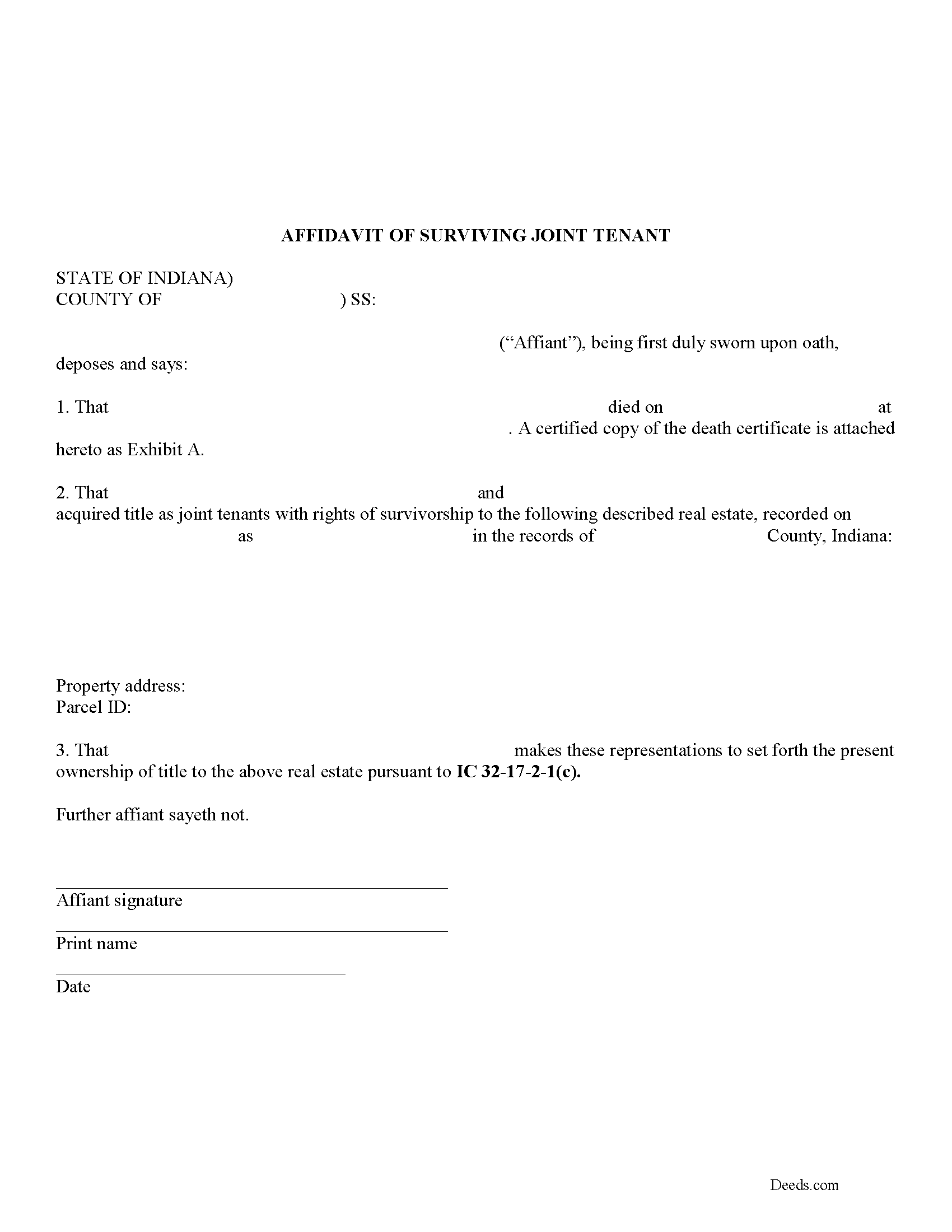
Bartholomew County Affidavit of Surviving Joint Tenant Form
Fill in the blank form formatted to comply with all recording and content requirements.
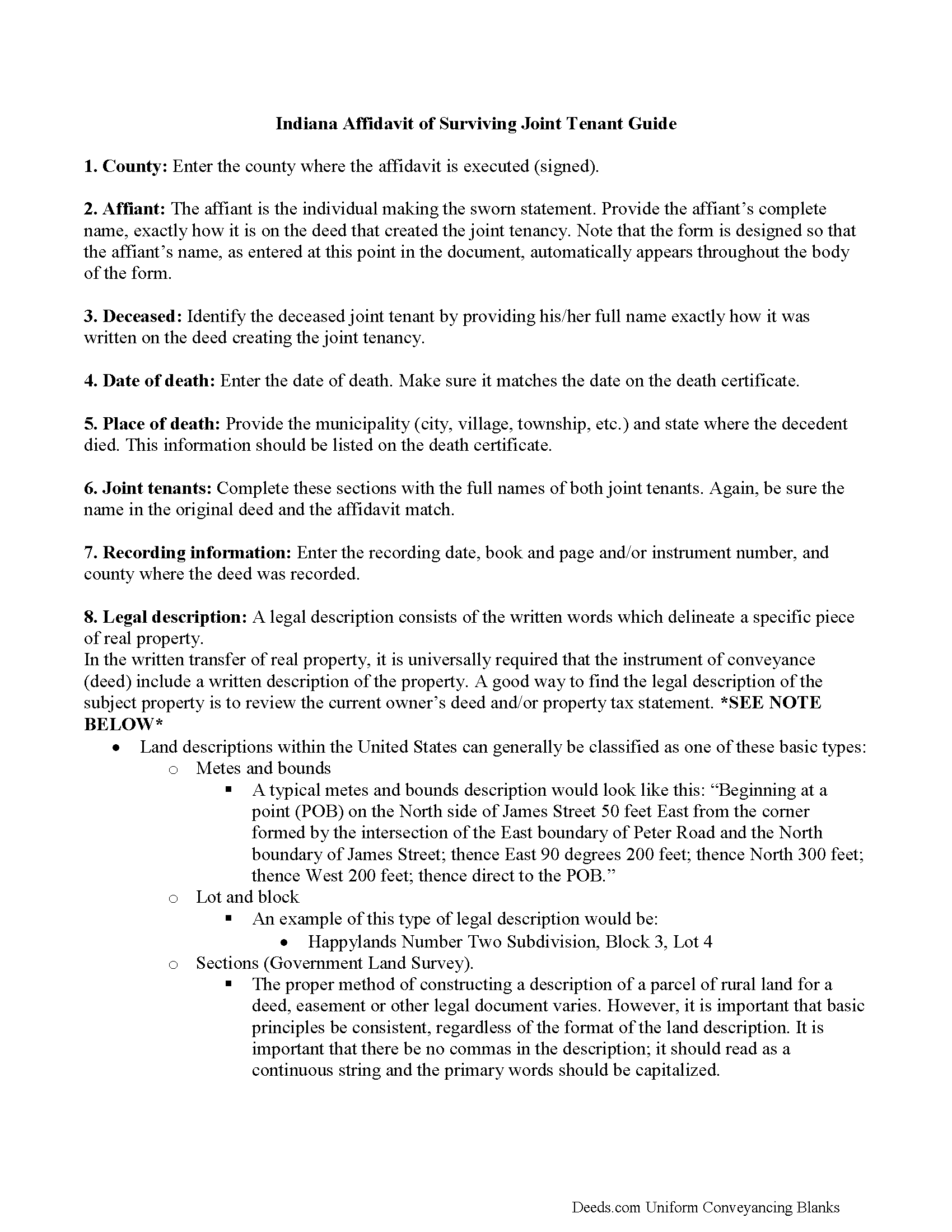
Bartholomew County Affidavit of Surviving Joint Tenant Guide
Line by line guide explaining every blank on the form.
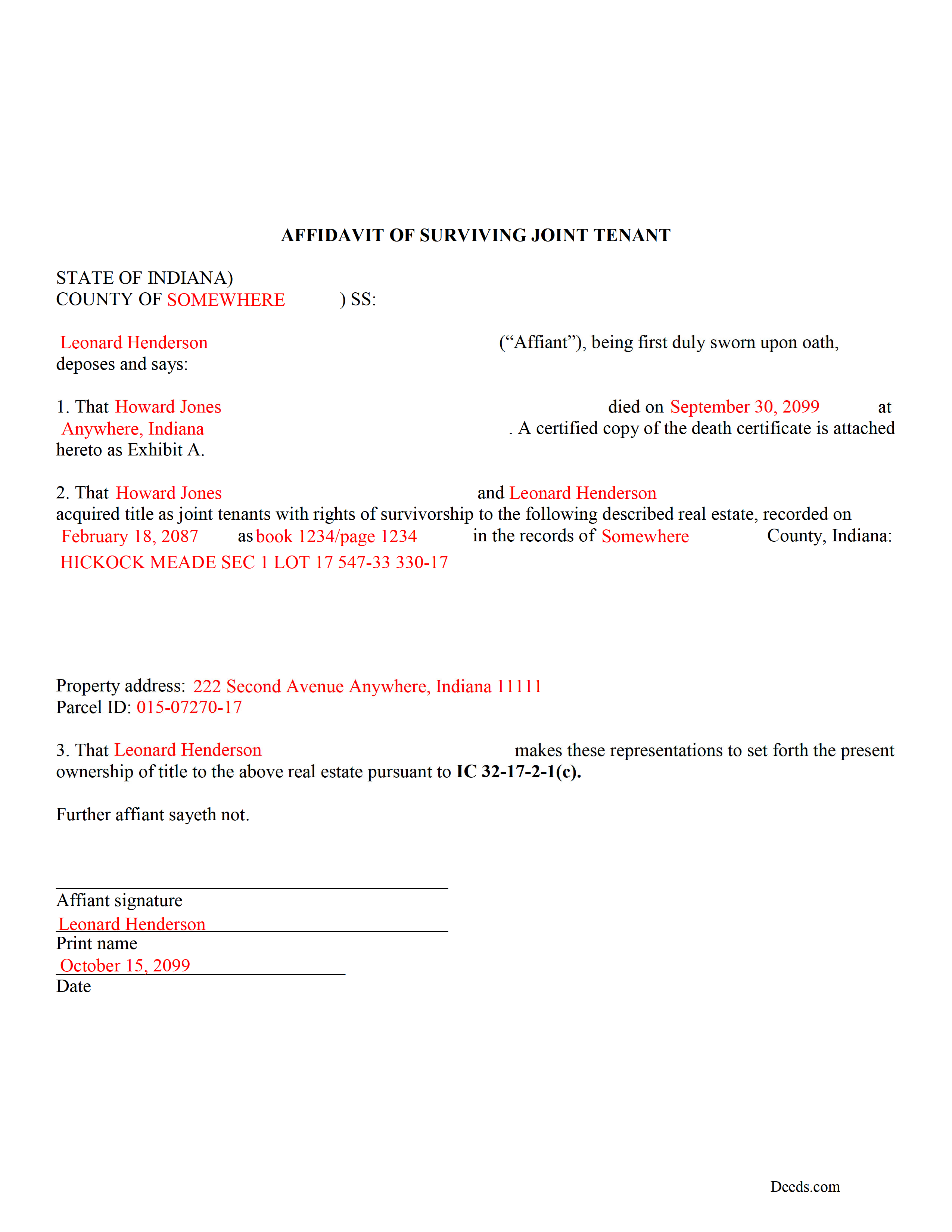
Bartholomew County Completed Example of the Affidavit of Surviving Joint Tenant Document
Example of a properly completed form for reference.
All 3 documents above included • One-time purchase • No recurring fees
Immediate Download • Secure Checkout
Additional Indiana and Bartholomew County documents included at no extra charge:
Where to Record Your Documents
Bartholomew County Recorder
Columbus, Indiana 47201
Hours: 8:00 to 5:00 M-F
Phone: (812) 379-1520
Recording Tips for Bartholomew County:
- Bring your driver's license or state-issued photo ID
- Ensure all signatures are in blue or black ink
- Ask for certified copies if you need them for other transactions
- Ask if they accept credit cards - many offices are cash/check only
- Check that your notary's commission hasn't expired
Cities and Jurisdictions in Bartholomew County
Properties in any of these areas use Bartholomew County forms:
- Clifford
- Columbus
- Elizabethtown
- Grammer
- Hartsville
- Hope
- Jonesville
- Taylorsville
Hours, fees, requirements, and more for Bartholomew County
How do I get my forms?
Forms are available for immediate download after payment. The Bartholomew County forms will be in your account ready to download to your computer. An account is created for you during checkout if you don't have one. Forms are NOT emailed.
Are these forms guaranteed to be recordable in Bartholomew County?
Yes. Our form blanks are guaranteed to meet or exceed the applicable formatting requirements used for recording in Bartholomew County, including margin requirements, font requirements, and other layout standards. This guarantee applies to formatting, not to the legal sufficiency of information entered by the user or the suitability of a form for a particular transaction.
Can I reuse these forms?
Yes. You can reuse the forms for your personal use. For example, if you have multiple properties in Bartholomew County you only need to order once.
What do I need to use these forms?
The forms are PDFs that you fill out on your computer. The free Adobe Acrobat Reader is recommended, and most PDF apps also work. You do NOT enter your property information online - you download the blank forms and complete them privately on your own computer.
Are there any recurring fees?
No. This is a one-time purchase. Nothing to cancel, no memberships, no recurring fees.
How much does it cost to record in Bartholomew County?
Recording fees in Bartholomew County vary. Contact the recorder's office at (812) 379-1520 for current fees.
Questions answered? Let's get started!
Use this instrument to formalize the acceptance of ownership rights conveyed when another joint tenant dies. Complete and sign the affidavit and submit it, along with a certified copy of the decedent's death certificate, to the recorder for the county where the real estate is located.
Holding title to real property in a survivorship tenancy is a convenient way to transfer ownership in land without probate. The Indiana Revised Code specifies the rules for co-ownership of real property in IC 32-17-2-1. This statute explains that two or more people who are not married to each other may own real estate as joint tenants with rights of survivorship as long as this intent is clearly stated in the text of the deed conveying title to them.
In order to gain full ownership, the surviving joint tenant need only submit a completed affidavit of surviving joint tenant, along with an official copy of the death certificate of the other owner, to the recorder for the county where the land is located.
This does not, however, remove the deceased's name from the deed. To accomplish that, the surviving tenant must execute and record a new deed from the original joint tenants to the remaining tenant only. After completing this final step, the public record and current deed will contain the most up-to-date information.
(Indiana Affidavit of Surviving Joint Tenant Package includes form, guidelines, and completed example)
Important: Your property must be located in Bartholomew County to use these forms. Documents should be recorded at the county recording office listed above.
This Affidavit of Surviving Joint Tenant meets all recording requirements specific to Bartholomew County.
Our Promise
The documents you receive here are guaranteed to meet or exceed the applicable Bartholomew County recording format requirements. If there is a rejection caused by our formatting, we will correct the issue or refund your payment. This guarantee applies to document formatting only and does not extend to information entered by the user, the selection of the form, or the legal effect of the completed document.
Save Time and Money
Get your Bartholomew County Affidavit of Surviving Joint Tenant form done right the first time with Deeds.com Uniform Conveyancing Blanks. At Deeds.com, we understand that your time and money are valuable resources, and we don't want you to face a penalty fee or rejection imposed by a county recorder for submitting nonstandard documents. We constantly review and update our forms to meet rapidly changing state and county recording requirements for roughly 3,500 counties and local jurisdictions.
4.8 out of 5 - ( 4,863 Reviews )
BARBARA T. 5 out of 5 stars
Love this site! So easy to use and very economical
Thank you!
Karen L. 4 out of 5 stars
Good service could give a little more detail on where to location some of the information needed. Overall fairly simply to use.
Thank you for your feedback. We really appreciate it. Have a great day!
Brenda B. 5 out of 5 stars
Excellent transaction.
Thank you Brenda.
Maxwell G. 5 out of 5 stars
I am so very happy with the service provided by Deeds.com. The process was simple and saved me a lot of time by not having to go to the courthouse, wait in line, and waste a big part of my day. In addition, the cost is a lot less than I expected. I highly recommend this service.
Your feedback is greatly appreciated. Thank you for taking the time to share your experience!
Louise D. 5 out of 5 stars
It was easy to complete the form and I appreciated the sample form.
We appreciate your business and value your feedback. Thank you. Have a wonderful day!
Patricia R. 5 out of 5 stars
Great Transaction. Easy to follow instructions!
We appreciate your business and value your feedback. Thank you. Have a wonderful day!
DAVID K. 5 out of 5 stars
Good so far could use more examples for each section of info. needed. ex. (parcel and alt.ID info where to find and etc. #2 more examples. If it was not for the red print examples helping to fill the form out I could have downloaded free forms, the examples are what made me choose your form !
We appreciate your business and value your feedback. Thank you. Have a wonderful day!
Laura B. 5 out of 5 stars
Downloaded and completed these quit claim forms in less than one cup of coffee, quick easy and stress free.
We appreciate your business and value your feedback. Thank you. Have a wonderful day!
Peter & Bonnie Higgins H. 5 out of 5 stars
We were very pleased with the advice and forms provided. We were able to complete our special project. Just what we were looking for. I give you 41/2 stars
Thank you!
Thomas D. 2 out of 5 stars
The documents themselves are fine and the information provided with them is helpful. I find the actual processing of the documents, however, to be difficult particularly once the document has been saved. First, I note that the box for the date only allows entry of the last 2 digits of the year. Unfortunately, my download only allows me to enter one of the 2 digits required. When I delete it repeatedly, it eventually allows both digits to be entered but puts them in extremely small text and in superscrypt. I have not found a solution to this problem and am not sure the deed can even be recorded with this problem. Another problem is that if you try to revise the document after you have saved it the curser goes to the end of the line after each key entry. This means that there basically is no way to efficiently save the document for reworking later since you will have to delete everything you have entered in the text box unless you only need to make a single keystroke change or are willing to replace the curser after each entry. Try that with a long property description! Please note that I am using a Mac to prepare my documents and perhaps this is part of an "incompatibility problem". However, I didn't see a disclaimer regarding Mac use and so would expect the documents to perform correctly. Overall, I give the program a "2 star" rating because I am experiencing significant difficulties in entering dates in the documents even before saving them and because saving your work for later revision appears to be basically unworkable.
Thank you for your feedback Thomas, we appreciate you being specific about the issues you encountered. Adobe and Mac have a fairly long history of issues working together.
Kevin C. 2 out of 5 stars
I like your service, but the error message I received yesterday was confusing. It said that Utah County does not record cover pages, so I should either remove the cover page or change the “order“ of the documents being submitted. This is ambiguous. I examined my package and it looked like the cover page was already being submitted separately, as a supporting document at the end, and there was no way to explicitly change the ordering of the submitted documents, that is up to your service. So I removed the cover page. But that makes me nervous, how will they know where to route it when it is done? So now I’m not sure if it was submitted correctly.
Thank you for the review, Kevin, and for laying out exactly what you saw.
The message you received ("Utah County does not accept cover pages for recording. Please remove or reorder to the back. Thank you.") came directly from the Utah County Recorder. We pass recorder rejection notes along as written, and we agree it was ambiguous. Rejection notes from recording offices often are, since they are written for people who file in that county every day.
Supporting documents always travel behind the main document they belong to, so there was nothing for you to reorder, and by your description the cover page was already at the back. With the cover page removed, the package matched what the recorder's note asked for.
On routing: nothing is mailed back with e-recording. The recorder records the document image, adds the recording information, and returns the recorded copy electronically through the e-recording system to us. It then appears on your package in your account and you get a message from us. A cover page plays no part in that, so leaving it out did not affect where your document goes.
Frank S. 5 out of 5 stars
ALL THE DEED DOCUMENTS ARE ALL EXCELLENT AND ADDITIONAL DOCUMENTS REGARDING COMPLETING THE DOCUMENTS!!! EXCELLENT!!
Your feedback is greatly appreciated. Thank you for taking the time to share your experience!
Margaret M. 5 out of 5 stars
Great job with these forms. Super easy and up to date, a rare find online these days. Thank you.
Thank you!
Johnathan D. 5 out of 5 stars
Very helpful and quick responses
Thank you!
joni e. 5 out of 5 stars
It was everything that I needed. The county clerk's office kept telling me to get a lawyer for this form, but I didn't need one. Saved myself hundreds of dollars. I've used them many times.
Thank you for your feedback. We really appreciate it. Have a great day!