Bartholomew County Transfer on Death Deed Beneficiary Affidavit Form
Last validated October 13, 2026 by our Forms Development TeamFormatted for recording in Bartholomew County, for property anywhere in the county: rural and unincorporated areas as well as Clifford, Columbus, Elizabethtown, Grammer, Hartsville, Hope, Jonesville, Taylorsville.
- 3 documents included
- Immediate PDF download
- Formatting guarantee
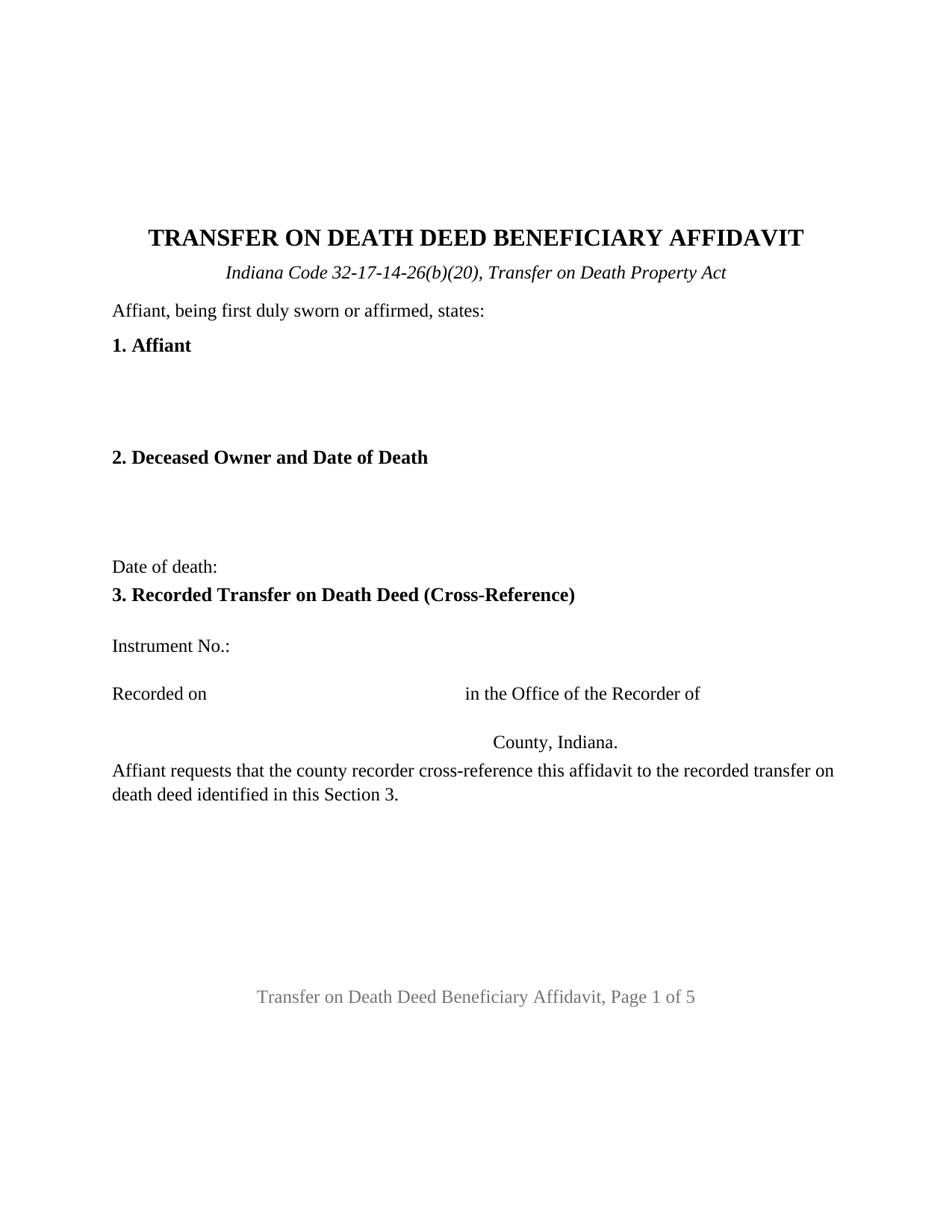
Bartholomew County Transfer on Death Deed Beneficiary Affidavit Form
Fill in the blank Transfer on Death Deed Beneficiary Affidavit form formatted to comply with all Indiana recording and content requirements.
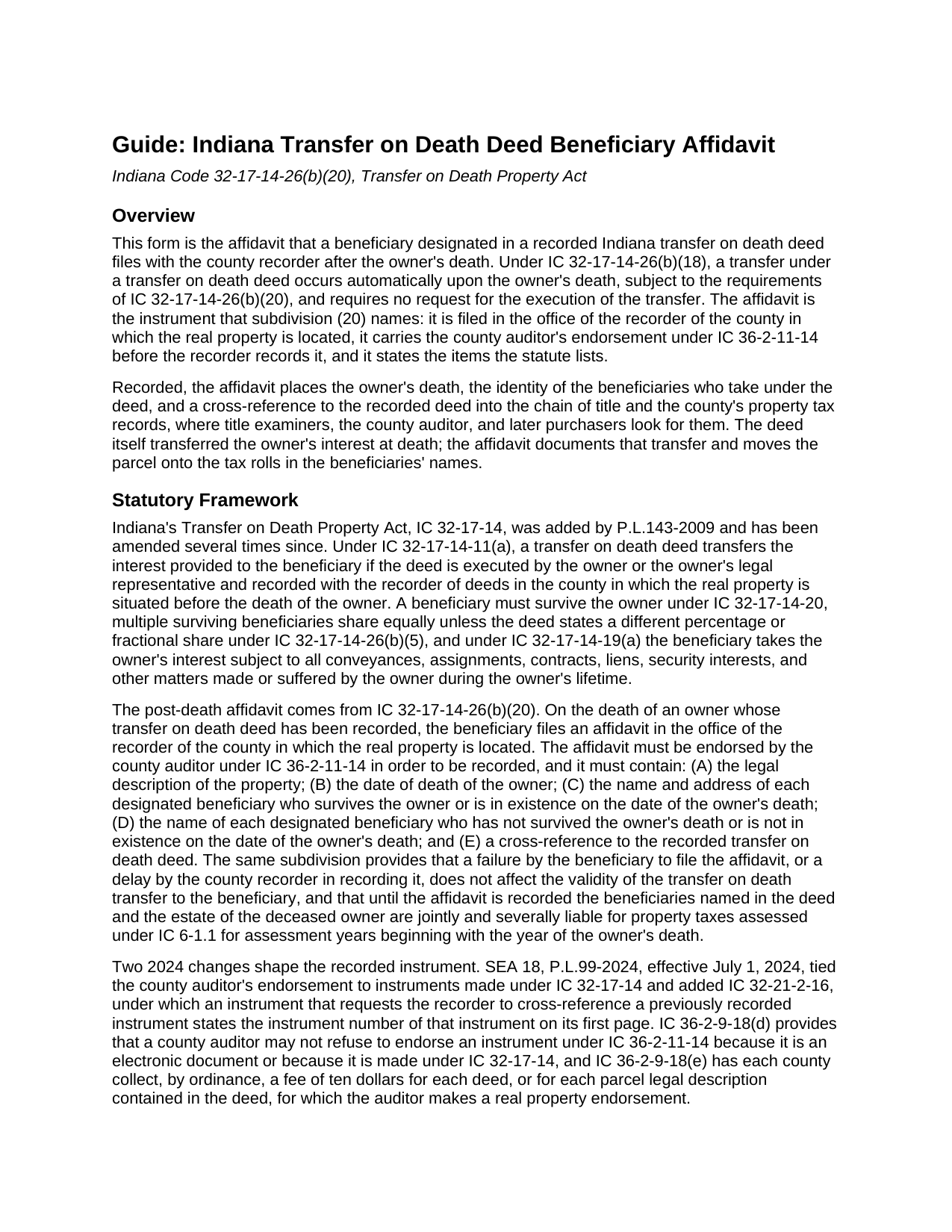
Bartholomew County Transfer on Death Deed Beneficiary Affidavit Guide
Line by line guide explaining every blank on the Transfer on Death Deed Beneficiary Affidavit form.
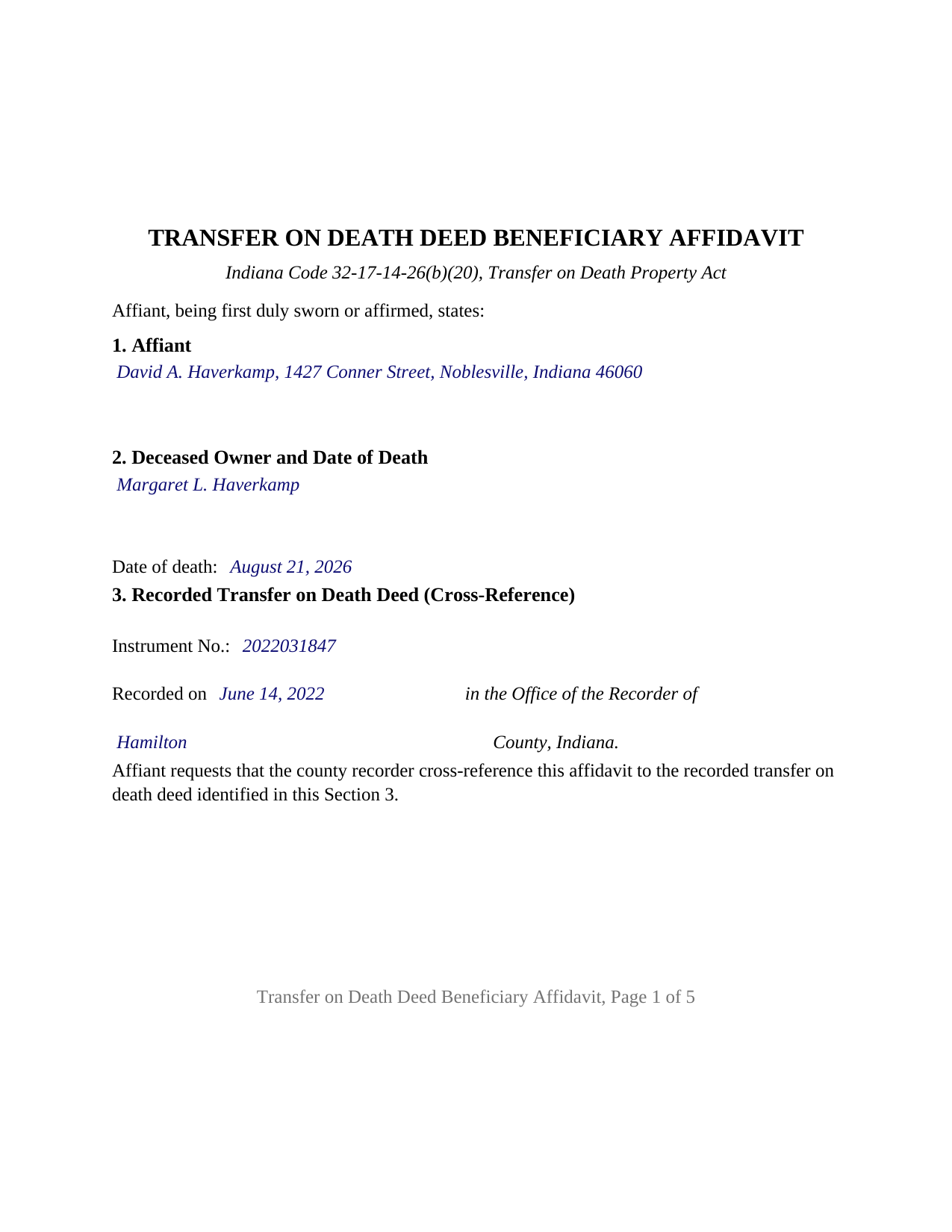
Bartholomew County Completed Example of the Transfer on Death Deed Beneficiary Affidavit Document
Example of a properly completed Indiana Transfer on Death Deed Beneficiary Affidavit document for reference.
All 3 documents above included • One-time purchase • No recurring fees
Immediate Download • Secure Checkout
Additional Indiana and Bartholomew County documents included at no extra charge:
Where to Record Your Documents
Bartholomew County Recorder
Columbus, Indiana 47201
Hours: 8:00 to 5:00 M-F
Phone: (812) 379-1520
Recording Tips for Bartholomew County:
- Bring your driver's license or state-issued photo ID
- Ensure all signatures are in blue or black ink
- Verify all names are spelled correctly before recording
- White-out or correction fluid may cause rejection
- Ask about their eRecording option for future transactions
Cities and Jurisdictions in Bartholomew County
Properties in any of these areas use Bartholomew County forms:
- Clifford
- Columbus
- Elizabethtown
- Grammer
- Hartsville
- Hope
- Jonesville
- Taylorsville
Hours, fees, requirements, and more for Bartholomew County
How do I get my forms?
Forms are available for immediate download after payment. The Bartholomew County forms will be in your account ready to download to your computer. An account is created for you during checkout if you don't have one. Forms are NOT emailed.
Are these forms guaranteed to be recordable in Bartholomew County?
Yes. Our form blanks are guaranteed to meet or exceed the applicable formatting requirements used for recording in Bartholomew County, including margin requirements, font requirements, and other layout standards. This guarantee applies to formatting, not to the legal sufficiency of information entered by the user or the suitability of a form for a particular transaction.
Can I reuse these forms?
Yes. You can reuse the forms for your personal use. For example, if you have multiple properties in Bartholomew County you only need to order once.
What do I need to use these forms?
The forms are PDFs that you fill out on your computer. The free Adobe Acrobat Reader is recommended, and most PDF apps also work. You do NOT enter your property information online - you download the blank forms and complete them privately on your own computer.
Are there any recurring fees?
No. This is a one-time purchase. Nothing to cancel, no memberships, no recurring fees.
How much does it cost to record in Bartholomew County?
Recording fees in Bartholomew County vary. Contact the recorder's office at (812) 379-1520 for current fees.
Questions answered? Let's get started!
When an Indiana owner who recorded a transfer on death deed dies, the deed finishes its work on its own: under IC 32-17-14-26(b)(18) the transfer occurs automatically at death, with no request, no court, and no new conveyance. What does not happen on its own is the record catching up: the recorder's index still shows the deceased owner, and the auditor's tax rolls still bill that owner, until a beneficiary files the affidavit IC 32-17-14-26(b)(20) requires. This Indiana Transfer on Death Deed Beneficiary Affidavit is that filing.
The transfer already happened; the record has to catch up
The deed, recorded during the owner's life and not part of this package, is what passed title. Whether called a transfer on death deed, a TOD deed, or a beneficiary deed, it passed the owner's interest at the moment of death, subject under IC 32-17-14-19(a) to every mortgage, lien, and easement that bound the owner. The affidavit is the sworn record of that transfer, not the transfer itself: a failure to file it, or a recorder's delay in recording it, does not affect the validity of the transfer. The statute attaches a cost to waiting instead. Until the affidavit is recorded, the beneficiaries named in the deed and the deceased owner's estate are jointly and severally liable for the property taxes assessed for the years beginning with the year of death.
Five facts the statute lists, and a cross-reference on page one
IC 32-17-14-26(b)(20) spells out the contents: the legal description; the owner's date of death; the name and address of each designated beneficiary who survived the owner or was in existence at the owner's death; the name of each designated beneficiary who did not; and a cross-reference to the recorded deed. Each item has its own numbered section, and because the affidavit asks the recorder to cross-reference the deed, IC 32-21-2-16 places the deed's instrument number on the first page, where the form puts it.
Through the auditor's office before the recorder's
The county auditor endorses the affidavit first: IC 36-2-11-14 lets the recorder record an instrument made under IC 32-17-14 only with that endorsement, and since July 1, 2024 the auditor may not refuse it because the instrument is a transfer on death instrument. Each county collects a ten dollar endorsement fee per deed or per parcel under IC 36-2-9-18(e), and the parcel number, the tax statement mailing address, and the beneficiaries' addresses appear on the form because the auditor transfers the parcel on the tax records from it. The recorder's fee is a flat twenty-five dollars under IC 36-2-7-10, Indiana has no transfer tax, and the affidavit ends with the preparer statement and Social Security redaction affirmation IC 36-2-11-15 requires.
A sworn statement with the acknowledgment recorders look for
An affidavit is sworn. The affiant signs before a notarial officer who administers an oath or affirmation and completes a verification on oath or affirmation, the act IC 33-42-0.5-35 defines as a declaration that a statement in a record is true. Indiana's recording statute, IC 32-21-2-3(a), separately names an acknowledgment or a proof as the notarial act of any recorded instrument. The certificate on this form sets forth both: the affidavit is subscribed, sworn to or affirmed, and acknowledged before the officer at one appearance, a certificate IC 33-42-9-12(f) treats as sufficient because it sets forth the officer's actions.
What this affidavit recites
The form recites one affiant, an individual designated as a beneficiary in the recorded deed, signing with one signature block and one certificate; its beneficiary sections list every surviving designated beneficiary, the affiant among them, and every nonsurviving one, so one affidavit documents the transfer to several beneficiaries. An adult child who took a parent's house under a recorded deed, two siblings named together in one deed, and the beneficiaries of a widowed owner whose deed operated at the second death present the pattern this affidavit recites. A trustee, an entity officer, or a legal representative signs in a representative capacity the form is not set up as, and two affiants on one instrument is a configuration the form does not carry.
The package includes the fillable affidavit, a completed example on a Hamilton County fact pattern, and a guide that walks through every numbered section, the certificate, and the two county offices in turn. This description and the guide describe the form and the governing Indiana statutes in general terms; they are not legal advice.
Important: Your property must be located in Bartholomew County to use these forms. Documents should be recorded at the county recording office listed above.
This Transfer on Death Deed Beneficiary Affidavit meets all recording requirements specific to Bartholomew County.
Our Promise
The documents you receive here are guaranteed to meet or exceed the applicable Bartholomew County recording format requirements. If there is a rejection caused by our formatting, we will correct the issue or refund your payment. This guarantee applies to document formatting only and does not extend to information entered by the user, the selection of the form, or the legal effect of the completed document.
Save Time and Money
Get your Bartholomew County Transfer on Death Deed Beneficiary Affidavit form done right the first time with Deeds.com Uniform Conveyancing Blanks. At Deeds.com, we understand that your time and money are valuable resources, and we don't want you to face a penalty fee or rejection imposed by a county recorder for submitting nonstandard documents. We constantly review and update our forms to meet rapidly changing state and county recording requirements for roughly 3,500 counties and local jurisdictions.
4.8 out of 5 - ( 4,839 Reviews )
Susan J. 5 out of 5 stars
I was pleased that I could send the documents this way rather than having to mail it or take time out of my day to go down to the records office.
Thank you for taking the time to leave your feedback Susan, we really appreciate you. Have an amazing day.
Judith S. 5 out of 5 stars
Nice and Easy: two of my favorite things.
Thank you!
Marites T. 5 out of 5 stars
Extremely helpful team of professionals who are patient when you need to get things filed correctly. Very small price for the comfort of knowing your DOCUMENTS are FILED with you local Recorder's Office. Some of the filings, if they are correctly formatted are already uploaded and official within a few hours. Here's the ALTERNATIVE you may encounter. For Example: King County Recorder's Office moved which means most filings are backed up 7-10 days if you DROP your filing in a BOX with your CHECK or MAIL IT. Neither is a great option, since they have no WALK IN HOURS.
We appreciate your business and value your feedback. Thank you. Have a wonderful day!
Neira S. 5 out of 5 stars
No problem with Recorders Office using your document. It is now completed and recorded.
Thank you Neira, have a wonderful day!
Mary L M. 5 out of 5 stars
Your website was very helpful & easy to use
Thank you for your feedback. We really appreciate it. Have a great day!
Kevin H. 5 out of 5 stars
I was able to find the forms I needed and questions answered
Thank you for your feedback. We really appreciate it. Have a great day!
Patrick R. 5 out of 5 stars
I was satisfied and would refer this website to others.
Thank you for your feedback. We really appreciate it. Have a great day!
Jeanette S. 5 out of 5 stars
Your site was easy to figure out after a few mistakes on my part. Messages were returned quickly. Very convenient for our recording of documents. I will recommend using this method for recording in future. Thank you for working fast in our recording.
Thank you for your feedback. We really appreciate it. Have a great day!
JACK G. 5 out of 5 stars
Worked out good can the forms be filled out on the computer and printed off.
Thank you for your feedback. We really appreciate it. Have a great day!
Michael P. 5 out of 5 stars
WOW!! Thank you for making the availability and access to these forms an unpainful experience at a competitive price. Well done!
We appreciate your business and value your feedback. Thank you. Have a wonderful day!
Mark W. 5 out of 5 stars
Easy, simple and fast. I am familiar with deeds in my state and these looked correct. The common missed document of TRANSFER OF REAL ESTATE VALUE document was also included. Kudos on being complete.
Thanks Mark, we really appreciate your feedback.
Thomas S. 1 out of 5 stars
Not good. The blanks on the form, supposedly especially tailored for the specific county, didn't have enough space for a document name or the doc #. I had to retype the whole doc myself.
Thank you for your feedback. We’re sorry the form did not provide enough room for the prior document information you needed to enter. We have canceled the order and reversed the payment. We are also reviewing the field spacing for the prior document title and recording number so we can improve the form. No further action is needed from you.
Dennis W. 4 out of 5 stars
Fairly straight forward. Notary had a small amount of confusion regarding what wanted in their area.
Thank you for your feedback, Dennis! We're glad the process was straightforward overall. We appreciate you noting the confusion about area requirements - we'll work with our notary partners to ensure clearer communication going forward. Your input helps us improve!
Karla L. 5 out of 5 stars
Perfect! Recorded my completed deed today with no problems.
Thank you!
Roberta M. 5 out of 5 stars
I found a lot of useful information regarding the Lady Bird Deed and feel it will serve my needs as opposed to a Revocable Living Trust. The information was easy to understand and very helpful. The forms seem easy to complete and I plan to get them notarized and filed at the courthouse very soon.
Thank you for your feedback. We really appreciate it. Have a great day!