Greene County Affidavit of Surviving Joint Tenant Form
Last validated October 13, 2026 by our Forms Development TeamFormatted for recording in Greene County, for property anywhere in the county: rural and unincorporated areas as well as Bloomfield, Jasonville, Koleen, Linton, Lyons, Midland, Newberry, Owensburg and 4 more.
- 3 documents included
- Immediate PDF download
- Formatting guarantee
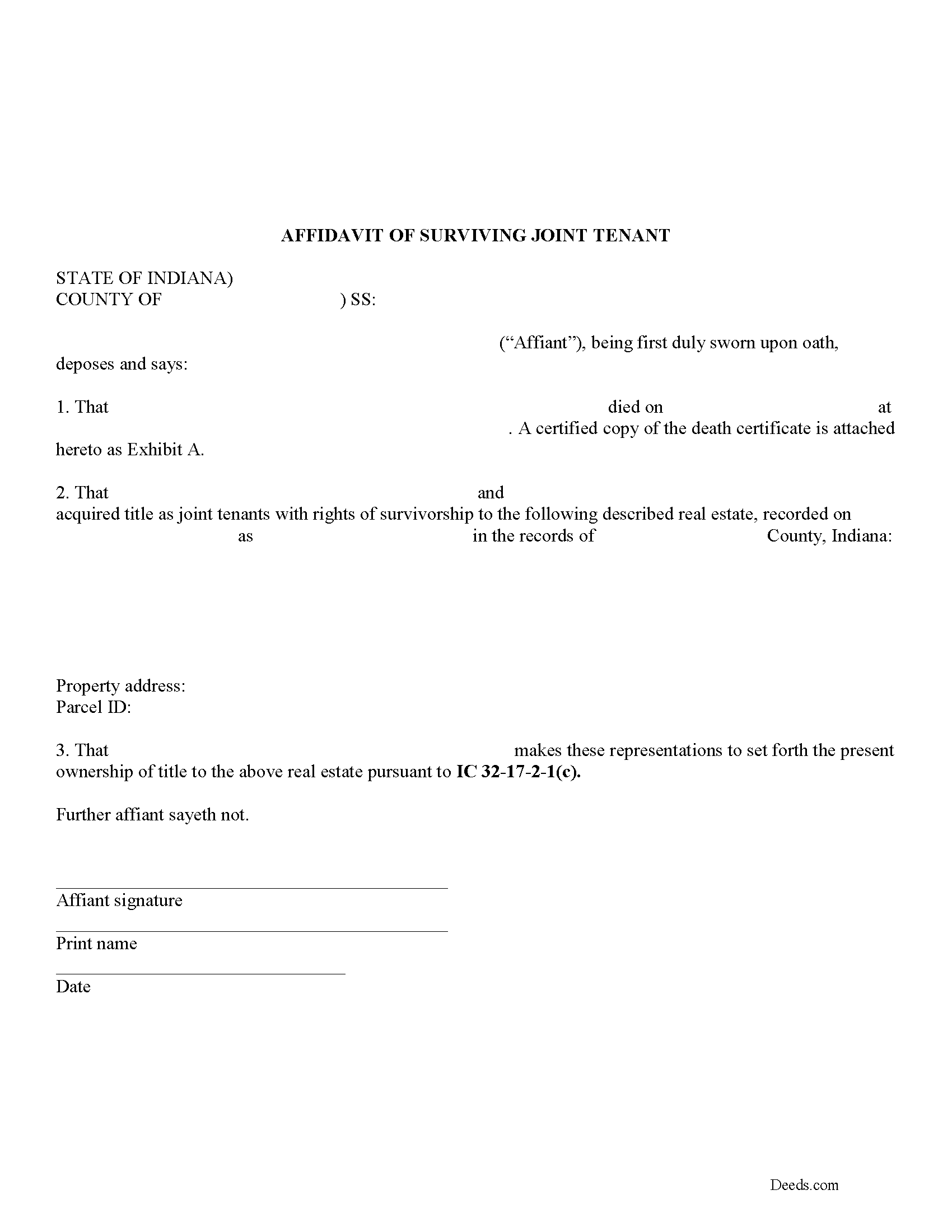
Greene County Affidavit of Surviving Joint Tenant Form
Fill in the blank form formatted to comply with all recording and content requirements.
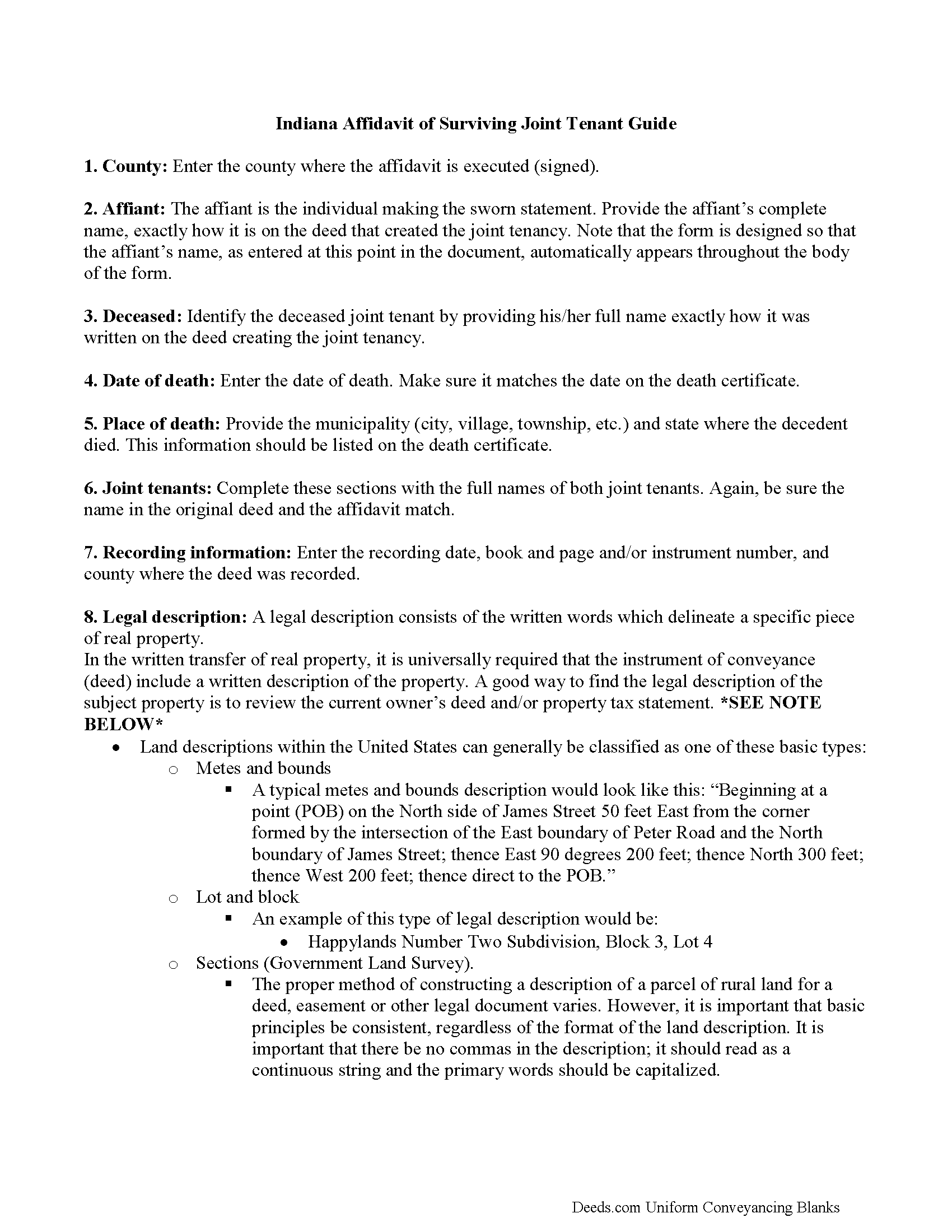
Greene County Affidavit of Surviving Joint Tenant Guide
Line by line guide explaining every blank on the form.
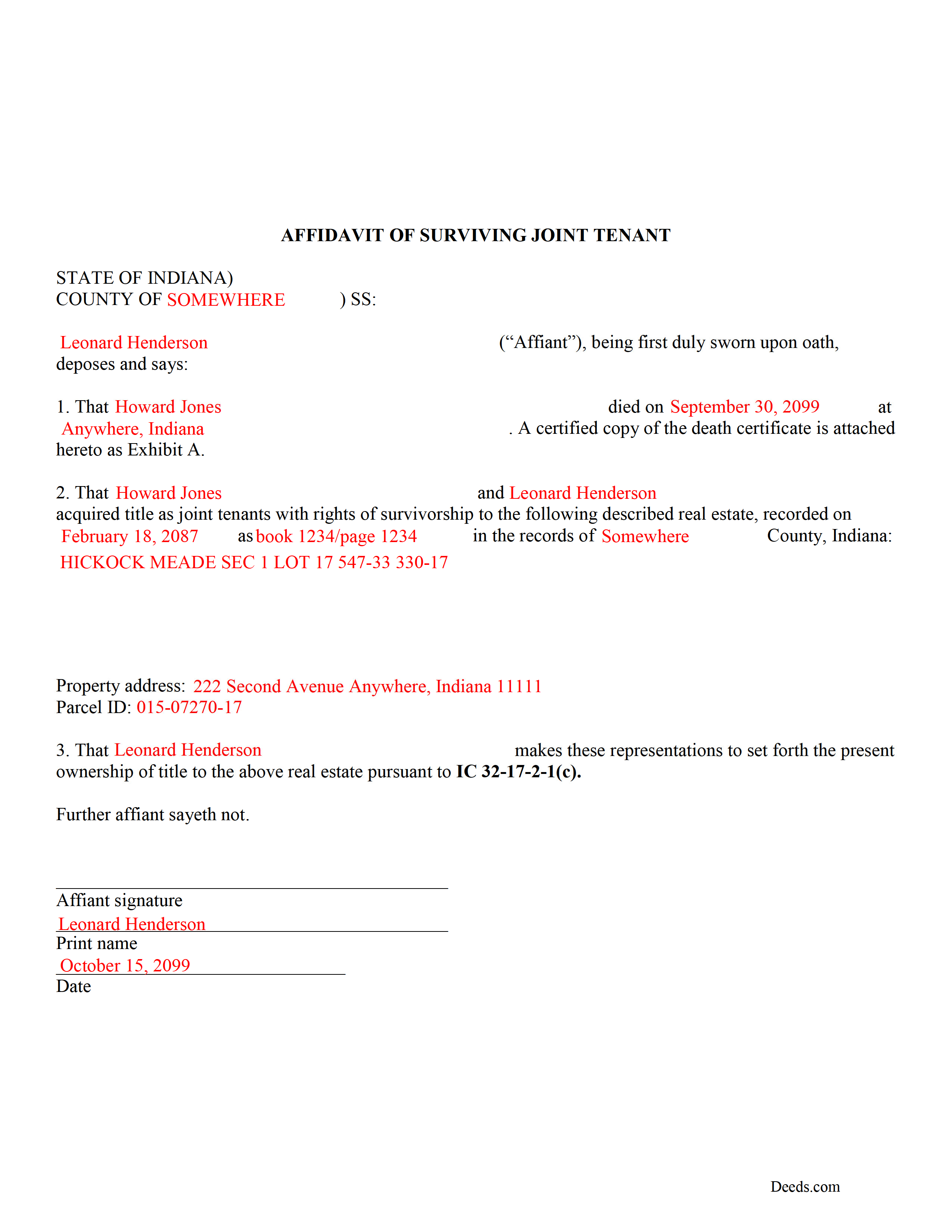
Greene County Completed Example of the Affidavit of Surviving Joint Tenant Document
Example of a properly completed form for reference.
All 3 documents above included • One-time purchase • No recurring fees
Immediate Download • Secure Checkout
Additional Indiana and Greene County documents included at no extra charge:
Where to Record Your Documents
Greene County Recorder
Bloomfield, Indiana 47424
Hours: 8:00 to 4:00 M-F
Phone: (812) 384-2020
Recording Tips for Greene County:
- Bring your driver's license or state-issued photo ID
- Ensure all signatures are in blue or black ink
- Leave recording info boxes blank - the office fills these
- Make copies of your documents before recording - keep originals safe
- Recorded documents become public record - avoid including SSNs
Cities and Jurisdictions in Greene County
Properties in any of these areas use Greene County forms:
- Bloomfield
- Jasonville
- Koleen
- Linton
- Lyons
- Midland
- Newberry
- Owensburg
- Scotland
- Solsberry
- Switz City
- Worthington
Hours, fees, requirements, and more for Greene County
How do I get my forms?
Forms are available for immediate download after payment. The Greene County forms will be in your account ready to download to your computer. An account is created for you during checkout if you don't have one. Forms are NOT emailed.
Are these forms guaranteed to be recordable in Greene County?
Yes. Our form blanks are guaranteed to meet or exceed the applicable formatting requirements used for recording in Greene County, including margin requirements, font requirements, and other layout standards. This guarantee applies to formatting, not to the legal sufficiency of information entered by the user or the suitability of a form for a particular transaction.
Can I reuse these forms?
Yes. You can reuse the forms for your personal use. For example, if you have multiple properties in Greene County you only need to order once.
What do I need to use these forms?
The forms are PDFs that you fill out on your computer. The free Adobe Acrobat Reader is recommended, and most PDF apps also work. You do NOT enter your property information online - you download the blank forms and complete them privately on your own computer.
Are there any recurring fees?
No. This is a one-time purchase. Nothing to cancel, no memberships, no recurring fees.
How much does it cost to record in Greene County?
Recording fees in Greene County vary. Contact the recorder's office at (812) 384-2020 for current fees.
Questions answered? Let's get started!
Use this instrument to formalize the acceptance of ownership rights conveyed when another joint tenant dies. Complete and sign the affidavit and submit it, along with a certified copy of the decedent's death certificate, to the recorder for the county where the real estate is located.
Holding title to real property in a survivorship tenancy is a convenient way to transfer ownership in land without probate. The Indiana Revised Code specifies the rules for co-ownership of real property in IC 32-17-2-1. This statute explains that two or more people who are not married to each other may own real estate as joint tenants with rights of survivorship as long as this intent is clearly stated in the text of the deed conveying title to them.
In order to gain full ownership, the surviving joint tenant need only submit a completed affidavit of surviving joint tenant, along with an official copy of the death certificate of the other owner, to the recorder for the county where the land is located.
This does not, however, remove the deceased's name from the deed. To accomplish that, the surviving tenant must execute and record a new deed from the original joint tenants to the remaining tenant only. After completing this final step, the public record and current deed will contain the most up-to-date information.
(Indiana Affidavit of Surviving Joint Tenant Package includes form, guidelines, and completed example)
Important: Your property must be located in Greene County to use these forms. Documents should be recorded at the county recording office listed above.
This Affidavit of Surviving Joint Tenant meets all recording requirements specific to Greene County.
Our Promise
The documents you receive here are guaranteed to meet or exceed the applicable Greene County recording format requirements. If there is a rejection caused by our formatting, we will correct the issue or refund your payment. This guarantee applies to document formatting only and does not extend to information entered by the user, the selection of the form, or the legal effect of the completed document.
Save Time and Money
Get your Greene County Affidavit of Surviving Joint Tenant form done right the first time with Deeds.com Uniform Conveyancing Blanks. At Deeds.com, we understand that your time and money are valuable resources, and we don't want you to face a penalty fee or rejection imposed by a county recorder for submitting nonstandard documents. We constantly review and update our forms to meet rapidly changing state and county recording requirements for roughly 3,500 counties and local jurisdictions.
4.8 out of 5 - ( 4,828 Reviews )
Norma G. 5 out of 5 stars
Thank you! This is very helpful
Thank you!
James S. 5 out of 5 stars
I was incredibly pleased with deeds.com—they handled my filing quickly and professionally, with both speed and quality that exceeded my expectations. The service was easy to use, the price was very reasonable for the value provided, and I would absolutely recommend them to anyone dealing with real estate documents.
Thank you so much for your wonderful review, James! We're thrilled to hear that our service exceeded your expectations in both speed and quality. Your recommendation means the world to us, and we're grateful you found our platform easy to use and a good value. We look forward to helping you with any future real estate document needs!
Charles C. 5 out of 5 stars
Easy to use, fast!
Thank you!
Desiree T. 5 out of 5 stars
In a world where "immediate satisfaction" takes too long, Deeds provided exceptionally satisfying service. Answered all of my questions quickly, and had my document recorded within one day. Thank you so much!
We appreciate your business and value your feedback. Thank you. Have a wonderful day!
Resa J. 5 out of 5 stars
Seamless. Excellent.
Thank you for your feedback Resa. Have a wonderful day!
Wanda W. 5 out of 5 stars
Terrific!!!
Thank you!
Heleena C. 5 out of 5 stars
The free additional forms that came with the form I ordered were invaluable as well. Worth every penny!
We appreciate your business and value your feedback. Thank you. Have a wonderful day!
Dakota H. 5 out of 5 stars
Brilliant idea. Beats working with an attorney who charges $250+ per hour. Thanks.
Thank you!
Kevin B. 4 out of 5 stars
It looks like it can be a huge time saver. I did a deed and appeared very professional.
Thank you for your feedback. We really appreciate it. Have a great day!
Diane O. 5 out of 5 stars
Filling out forms was easy....so far, I am happy !
We appreciate your business and value your feedback. Thank you. Have a wonderful day!
Virginia S. 5 out of 5 stars
It was simple and I appreciate the site.
Thank you for your kind words and for choosing us.
Kathryn S. 5 out of 5 stars
So quick. So easy. Worth every penny!
Thank you for your feedback. We really appreciate it. Have a great day!
Kathryn C. 2 out of 5 stars
The transfer deed documents are laid out the way county offices need, but I don't like the requirements so I'm going to leave a bad review.
Well, thanks we guess.
Sharon H. 5 out of 5 stars
I was able to print the deed and follow the instructions and sample deed quite easily. Thank you
We appreciate your business and value your feedback. Thank you. Have a wonderful day!
Tim T. 5 out of 5 stars
Fast and efficient
We appreciate your business and value your feedback. Thank you. Have a wonderful day!