Tippecanoe County Quitclaim Deed (Corporation Grantor) Form
Last validated October 14, 2026 by our Forms Development TeamFormatted for recording in Tippecanoe County, for property anywhere in the county: rural and unincorporated areas as well as Battle Ground, Buck Creek, Clarks Hill, Dayton, Lafayette, Montmorenci, Romney, Stockwell and 2 more.
- 3 documents included
- Immediate PDF download
- Formatting guarantee
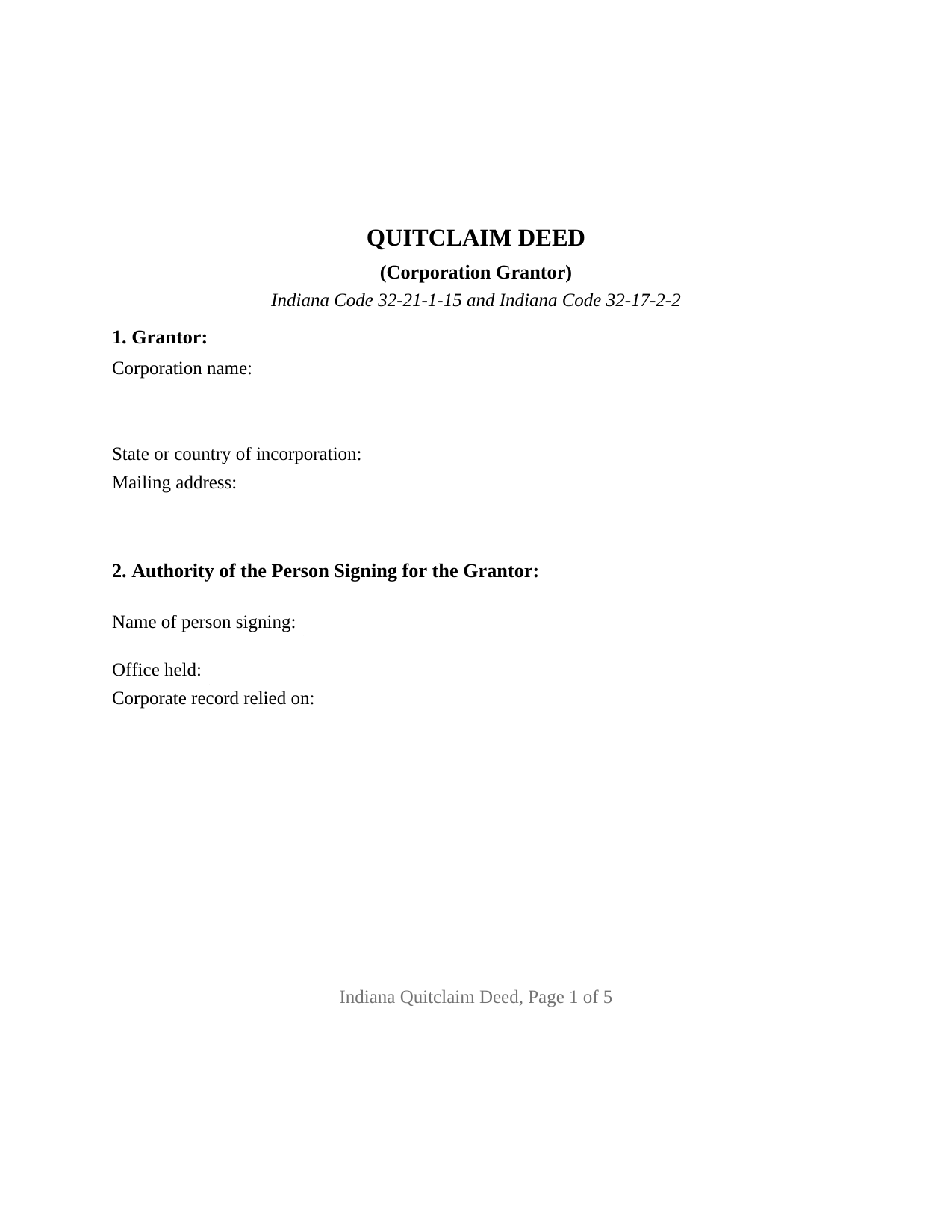
Tippecanoe County Quitclaim Deed (Corporation Grantor) Form
Fill in the blank Quitclaim Deed (Corporation Grantor) form formatted to comply with all Indiana recording and content requirements.
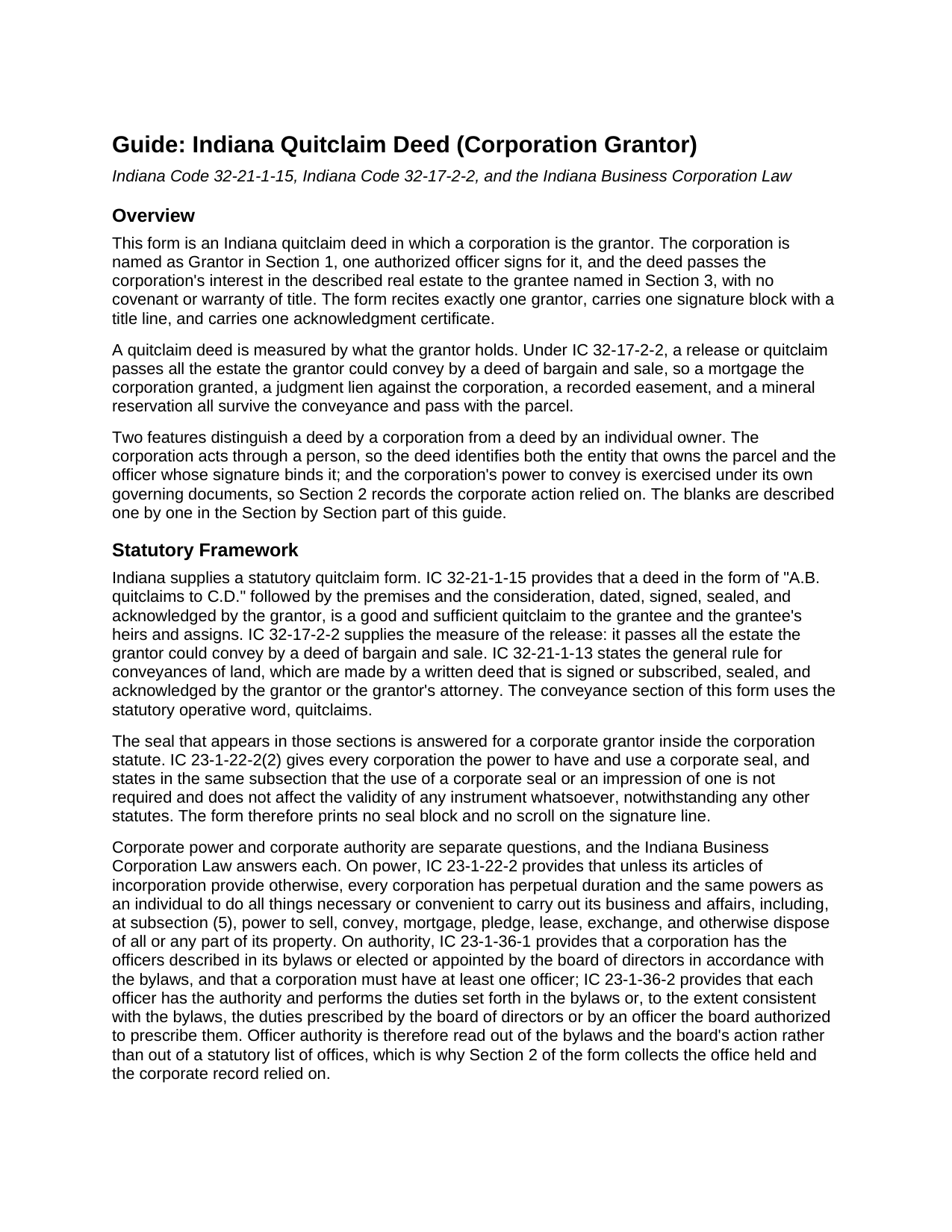
Tippecanoe County Quitclaim Deed (Corporation Grantor) Guide
Line by line guide explaining every blank on the Quitclaim Deed (Corporation Grantor) form.
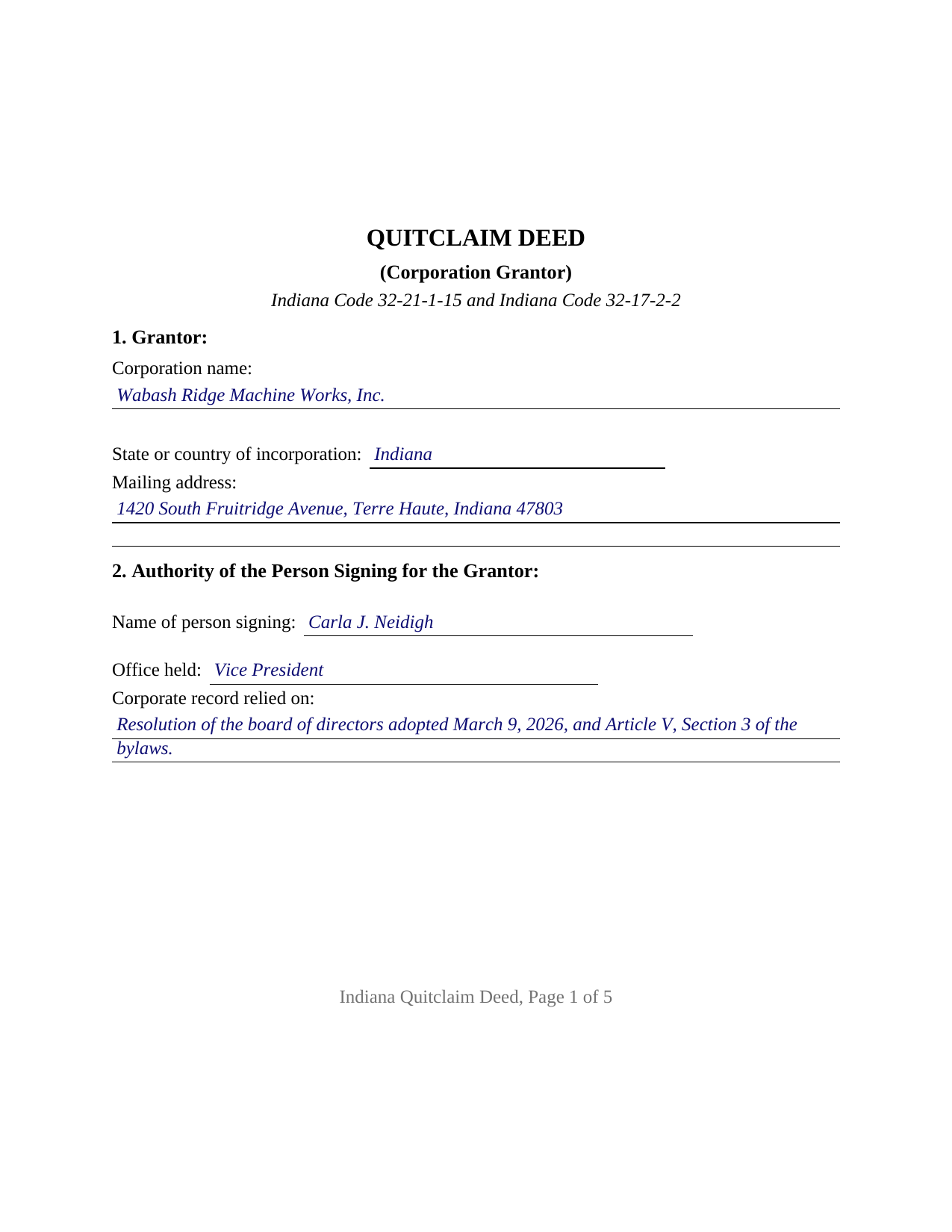
Tippecanoe County Completed Example of the Quitclaim Deed (Corporation Grantor) Document
Example of a properly completed Indiana Quitclaim Deed (Corporation Grantor) document for reference.
All 3 documents above included • One-time purchase • No recurring fees
Immediate Download • Secure Checkout
Additional Indiana and Tippecanoe County documents included at no extra charge:
Where to Record Your Documents
Tippecanoe County Recorder
Lafayette, Indiana 47901
Hours: 8:00 to 4:30 Monday through Friday
Phone: (812) 423-9352
Recording Tips for Tippecanoe County:
- Bring your driver's license or state-issued photo ID
- Ensure all signatures are in blue or black ink
- Ask for certified copies if you need them for other transactions
- Ask if they accept credit cards - many offices are cash/check only
- Check that your notary's commission hasn't expired
Cities and Jurisdictions in Tippecanoe County
Properties in any of these areas use Tippecanoe County forms:
- Battle Ground
- Buck Creek
- Clarks Hill
- Dayton
- Lafayette
- Montmorenci
- Romney
- Stockwell
- West Lafayette
- Westpoint
Hours, fees, requirements, and more for Tippecanoe County
How do I get my forms?
Forms are available for immediate download after payment. The Tippecanoe County forms will be in your account ready to download to your computer. An account is created for you during checkout if you don't have one. Forms are NOT emailed.
Are these forms guaranteed to be recordable in Tippecanoe County?
Yes. Our form blanks are guaranteed to meet or exceed the applicable formatting requirements used for recording in Tippecanoe County, including margin requirements, font requirements, and other layout standards. This guarantee applies to formatting, not to the legal sufficiency of information entered by the user or the suitability of a form for a particular transaction.
Can I reuse these forms?
Yes. You can reuse the forms for your personal use. For example, if you have multiple properties in Tippecanoe County you only need to order once.
What do I need to use these forms?
The forms are PDFs that you fill out on your computer. The free Adobe Acrobat Reader is recommended, and most PDF apps also work. You do NOT enter your property information online - you download the blank forms and complete them privately on your own computer.
Are there any recurring fees?
No. This is a one-time purchase. Nothing to cancel, no memberships, no recurring fees.
How much does it cost to record in Tippecanoe County?
Recording fees in Tippecanoe County vary. Contact the recorder's office at (812) 423-9352 for current fees.
Questions answered? Let's get started!
A corporation owns Indiana real estate in its own name, and a deed moving it answers a question the record cannot: which officer may sign, and on what authority. This Indiana quitclaim deed is configured around that question. One corporation is named as Grantor, one officer executes it, and Section 2 states the office held and the corporate record relied on. The grantee takes the corporation's interest as the record leaves it, without warranty.
Power to Convey, and Authority to Sign
Indiana keeps those ideas apart. Power belongs to the entity: IC 23-1-22-2 gives every corporation, unless its articles of incorporation provide otherwise, power to sell, convey, and otherwise dispose of all or any part of its property. Authority belongs to the bylaws: IC 23-1-36-1 gives a corporation the officers its bylaws describe or the board of directors elects, and IC 23-1-36-2 gives each officer the authority those bylaws or the board prescribe. No Indiana statute names an office that automatically signs deeds, so Section 2 puts the office and the authorizing record on the deed itself.
The Shareholder Question Behind a Corporate Deed
A second layer sits above the signature. Under IC 23-1-41-1, shareholder approval is not required unless the articles of incorporation call for it. IC 23-1-41-2 reaches the other kind of disposition: one leaving the corporation without a significant continuing business activity, measured by a conclusive twenty five percent test. Selling one parcel while the business continues sits outside that section; deeding away the only substantial asset is what it reaches.
A Seal Indiana Stopped Asking For
IC 32-21-1-13 describes a conveyance of land as signed, sealed, and acknowledged, raising a question for an entity grantor. The corporation statute answers in the breath in which it grants the seal power: IC 23-1-22-2(2) provides that use of a corporate seal is not required and does not affect the validity of any instrument whatsoever. No seal line is printed here.
What a Corporate Quitclaim Carries
IC 32-21-1-15 builds the Indiana form on quitclaims, and IC 32-17-2-2 sets its reach at everything the signer could pass by a bargain and sale deed, so a mortgage the corporation granted, a docketed judgment, and an easement ride through. Along a corporate chain it has its own history. IC 23-1-40-6 vests the real estate of every corporation party to a merger in the survivor without reversion or impairment, so today's grantor may be a company that never appears in the deed bringing the parcel in. IC 23-1-45-5 runs the other way: dissolution does not transfer title, and a dissolved corporation stays in existence to wind up.
One Corporation, One Signature Block
The form recites exactly one Grantor, a corporation identified by name, state of incorporation, and mailing address. One signature block sits above the printed name line of IC 36-2-11-16(c), followed by a title line repeating the Section 2 office and one acknowledgment certificate. That certificate carries what IC 33-42-0.5-2 attaches to a signature made in a representative capacity: a declaration, before the notarial officer, of proper authority and of signing as the act of the entity identified in the record. Record patterns presenting this configuration include a corporation selling ground it no longer uses, one releasing its interest in a strip after a boundary agreement, and one deeding a parcel to a shareholder surrendering shares. A corporation formed elsewhere states its jurisdiction in Section 1, since IC 23-0.5-5-2 provides that failing to register here does not impair a foreign entity's act. It is not set up for title in two corporations, for a corporation holding with an individual, for a limited liability company or trustee, for individual owners, or for a deed under a power of attorney.
Three Desks Before the Record
Consideration sets the first stop, since a transfer for value is a conveyance under IC 6-1.1-5.5 that sends a sales disclosure form to the county assessor. The auditor's taxation endorsement under IC 36-2-11-14 follows, and the recorder takes the deed on the flat fee of IC 36-2-7-10, with no Indiana transfer tax.
The purchase delivers three files: the fillable Indiana quitclaim deed for a corporation grantor, built to the state recording format; a completed example in which an Indiana corporation conveys a Terre Haute parcel recorded in Vigo County; and a guide covering every entry, the certificate, and filing steps. A board resolution or written consent stays in the corporation's records, prepared outside this package. These pages are informational and describe Indiana law generally; they are not legal advice.
Important: Your property must be located in Tippecanoe County to use these forms. Documents should be recorded at the county recording office listed above.
This Quitclaim Deed (Corporation Grantor) meets all recording requirements specific to Tippecanoe County.
Our Promise
The documents you receive here are guaranteed to meet or exceed the applicable Tippecanoe County recording format requirements. If there is a rejection caused by our formatting, we will correct the issue or refund your payment. This guarantee applies to document formatting only and does not extend to information entered by the user, the selection of the form, or the legal effect of the completed document.
Save Time and Money
Get your Tippecanoe County Quitclaim Deed (Corporation Grantor) form done right the first time with Deeds.com Uniform Conveyancing Blanks. At Deeds.com, we understand that your time and money are valuable resources, and we don't want you to face a penalty fee or rejection imposed by a county recorder for submitting nonstandard documents. We constantly review and update our forms to meet rapidly changing state and county recording requirements for roughly 3,500 counties and local jurisdictions.
4.8 out of 5 - ( 4,829 Reviews )
Kimberly M. 5 out of 5 stars
Great service once again from Deeds.com. I will be using them again in the future.
We appreciate your business and value your feedback. Thank you. Have a wonderful day!
GARY S. 5 out of 5 stars
The forms were just what i needed and for the county i needed thankyou so much
Thank you!
Katie G. 5 out of 5 stars
I haven't used the forms yet but it appears, with your tutelage, that they should not be too difficult to fill out and file. Your site was easy to navigate. Thank You
Thank you for the kinds words Katie. have a fantastic day!
Reitman R. 5 out of 5 stars
Ordering, payment, and downloads went without a hitch. I appreciated the guide and examples. Than k you for hosting a good, working site.
Thank you for your feedback. We really appreciate it. Have a great day!
Mary Z. 5 out of 5 stars
Awesome forms, easy to complete and print.
Thank you!
Lorraine J. 5 out of 5 stars
Thank-you.
Thank you!
Michael K. 5 out of 5 stars
The link for the note guidelines just shows the same directions as for the mortgage. Other than that, very helpful.
Thank you for your feedback. We really appreciate it. Have a great day!
Julie K. 4 out of 5 stars
The process for obtaining document itself was easy, and the included guide and example are great! I do have an issue with the format itself, though. The form has pre-defined text boxes, which cannot be altered without partially rebuilding the entire document. For the 'property description' field on the Mineral Deed form, the text box is not large enough for the rather lengthy legal description entered on my original plat. Fortunately, I have a copy of Adobe Pro, so I have been able to re-build the doc to accommodate this short-coming.
Thank you for taking the time to provide feedback on our legal form. We're pleased to hear that you found the process for obtaining the document and the included guide beneficial.
We understand and appreciate your concern regarding the formatting and size limitations of certain fields, especially the 'property description' field. Our forms are designed to adhere to specific formatting requirements that are often mandated for legal compliance. Making direct alterations to the document can result in them becoming non-conforming, which is why we advise customers to use an exhibit page when their legal description is extensive or does not fit.
Michael M. 5 out of 5 stars
Thanks worked out great as the form was perfect and no problems filing it with the county.
Thank you for your feedback. We really appreciate it. Have a great day!
Ralph L. 5 out of 5 stars
Thank you.Very good.
Thank you for your feedback. We really appreciate it. Have a great day!
JAMES V. 5 out of 5 stars
I initiated an order at 8:30PM on a Tuesday. I already had a response waiting for me when I opened my email the next morning. Very responsive. I'm very happy with this service.
We appreciate your business and value your feedback. Thank you. Have a wonderful day!
Deirdre K. 5 out of 5 stars
Fantastic! So helpful, got my deed recorded with no problem.
Thank you!
Glenda T. 5 out of 5 stars
you made this so easy,user friendly
Thank you for your feedback. We really appreciate it. Have a great day!
Brian S. 3 out of 5 stars
PDF fields change font sizes leading to an unprofessional-appearing printed page. The examples for "Convey to" section don't include how to specify just one person instead of a married couple. Maybe that is simple but it would help to spell it out in an example. Haven't submitted to County Recorder yet, so will find out if it is acceptable.
Thank you for the feedback Brian.
The font issue is caused by using a PDF viewer other than Adobe Acrobat Reader. Our form fields are set to a uniform 12-point font, but non-Adobe viewers often render form fields inconsistently. Opening and printing the form with the free Adobe Acrobat Reader will resolve that.
Regarding the examples, that's a fair point, we'll look at expanding them.
CAMILLE C. 5 out of 5 stars
You had just the form I needed at a great price.
Thanks for your feedback. We’re glad we could help.