Tippecanoe County Quitclaim Deed (Divorce) Form
Last validated September 22, 2026 by our Forms Development TeamFormatted for recording in Tippecanoe County, for property anywhere in the county: rural and unincorporated areas as well as Battle Ground, Buck Creek, Clarks Hill, Dayton, Lafayette, Montmorenci, Romney, Stockwell and 2 more.
- 3 documents included
- Immediate PDF download
- Formatting guarantee
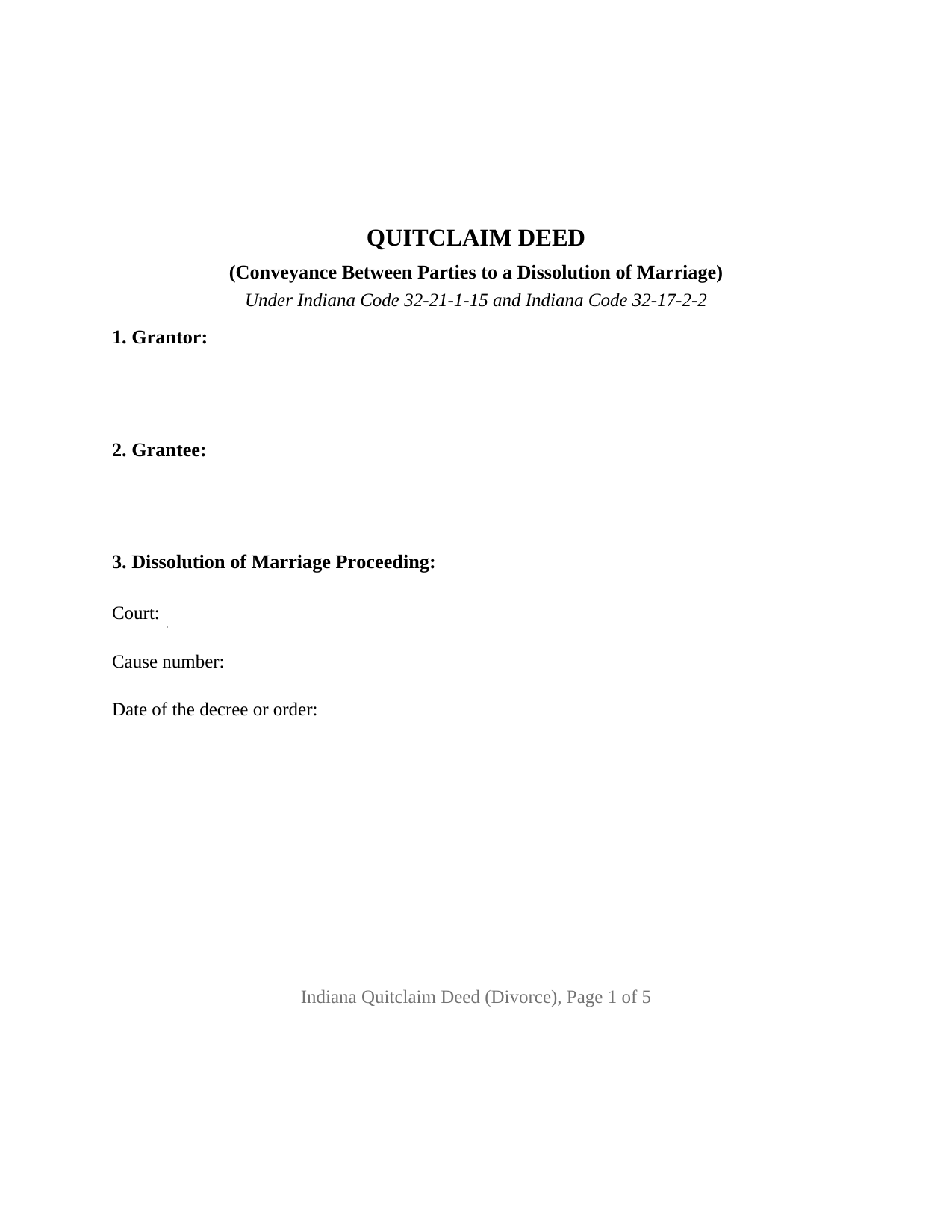
Tippecanoe County Quitclaim Deed (Divorce) Form
Fill in the blank Quitclaim Deed (Divorce) form formatted to comply with all Indiana recording and content requirements.
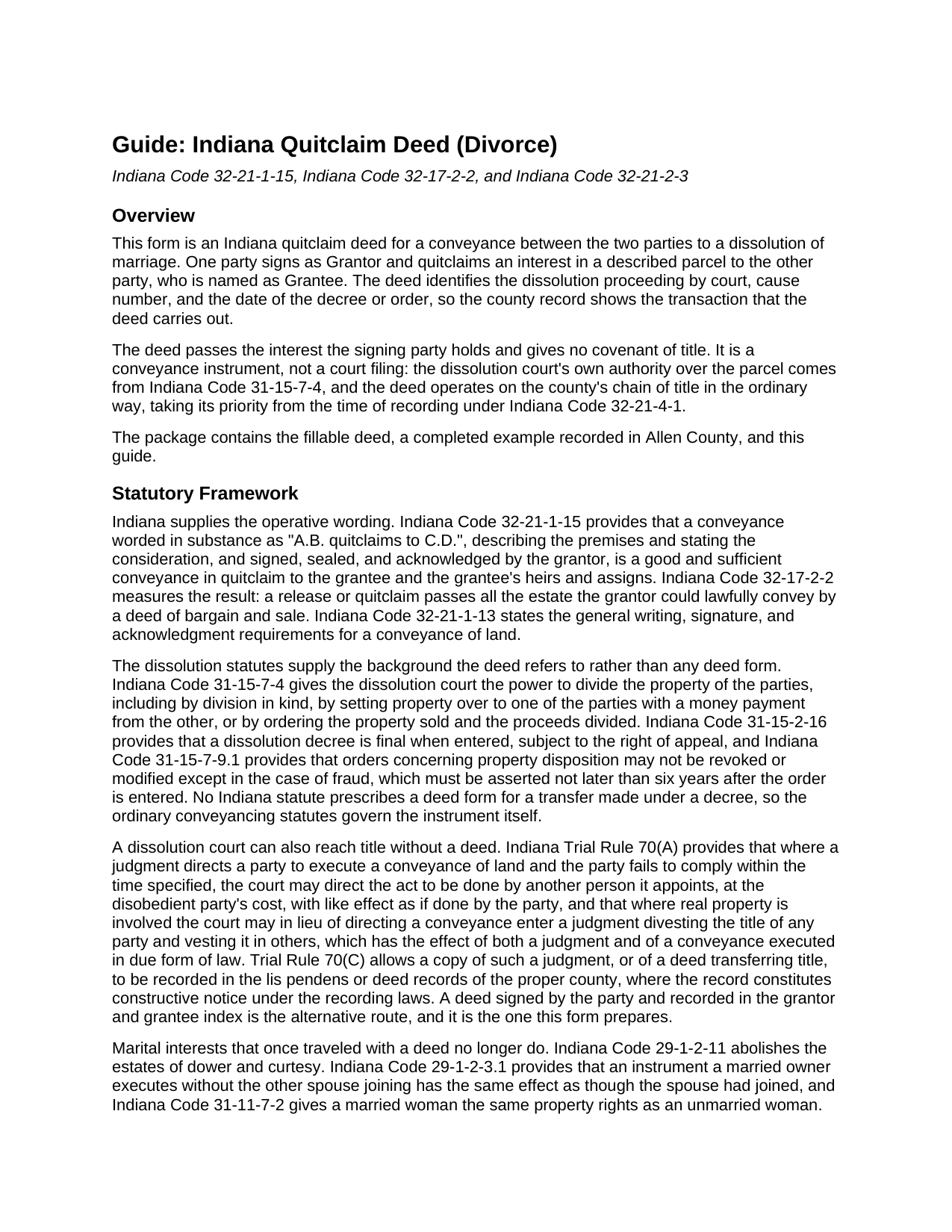
Tippecanoe County Quitclaim Deed (Divorce) Guide
Line by line guide explaining every blank on the Quitclaim Deed (Divorce) form.
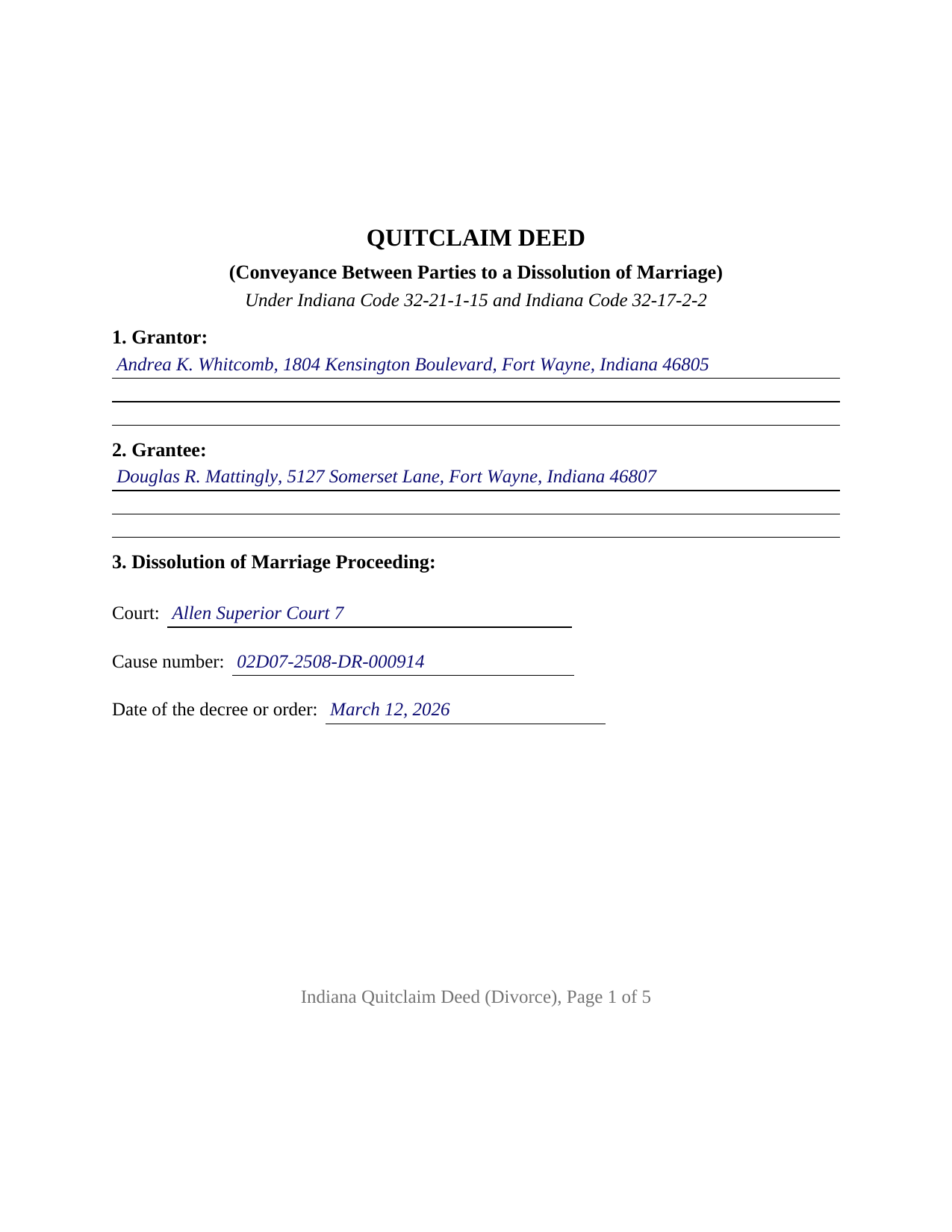
Tippecanoe County Completed Example of the Quitclaim Deed (Divorce) Document
Example of a properly completed Indiana Quitclaim Deed (Divorce) document for reference.
All 3 documents above included • One-time purchase • No recurring fees
Immediate Download • Secure Checkout
Additional Indiana and Tippecanoe County documents included at no extra charge:
Where to Record Your Documents
Tippecanoe County Recorder
Lafayette, Indiana 47901
Hours: 8:00 to 4:30 Monday through Friday
Phone: (812) 423-9352
Recording Tips for Tippecanoe County:
- Bring your driver's license or state-issued photo ID
- Ensure all signatures are in blue or black ink
- Avoid the last business day of the month when possible
- Both spouses typically need to sign if property is jointly owned
- Bring extra funds - fees can vary by document type and page count
Cities and Jurisdictions in Tippecanoe County
Properties in any of these areas use Tippecanoe County forms:
- Battle Ground
- Buck Creek
- Clarks Hill
- Dayton
- Lafayette
- Montmorenci
- Romney
- Stockwell
- West Lafayette
- Westpoint
Hours, fees, requirements, and more for Tippecanoe County
How do I get my forms?
Forms are available for immediate download after payment. The Tippecanoe County forms will be in your account ready to download to your computer. An account is created for you during checkout if you don't have one. Forms are NOT emailed.
Are these forms guaranteed to be recordable in Tippecanoe County?
Yes. Our form blanks are guaranteed to meet or exceed the applicable formatting requirements used for recording in Tippecanoe County, including margin requirements, font requirements, and other layout standards. This guarantee applies to formatting, not to the legal sufficiency of information entered by the user or the suitability of a form for a particular transaction.
Can I reuse these forms?
Yes. You can reuse the forms for your personal use. For example, if you have multiple properties in Tippecanoe County you only need to order once.
What do I need to use these forms?
The forms are PDFs that you fill out on your computer. The free Adobe Acrobat Reader is recommended, and most PDF apps also work. You do NOT enter your property information online - you download the blank forms and complete them privately on your own computer.
Are there any recurring fees?
No. This is a one-time purchase. Nothing to cancel, no memberships, no recurring fees.
How much does it cost to record in Tippecanoe County?
Recording fees in Tippecanoe County vary. Contact the recorder's office at (812) 423-9352 for current fees.
Questions answered? Let's get started!
A dissolution decree decides who keeps the house. What it does not do by itself is move the parcel into the grantor and grantee index, where a title examiner reads it years later. This Indiana quitclaim deed does that work: one party to the dissolution signs as Grantor, the other is named as Grantee, and Section 3 identifies the court, the cause number, and the date of the decree or order the conveyance carries out.
Two Routes From a Decree to the County Record
Indiana gives a dissolution court both. Indiana Code 31-15-7-4 lets the court divide the property of the parties, including by setting a parcel over to one of them. Where a party then does not convey, Indiana Trial Rule 70(A) lets the court enter a judgment divesting the title of any party and vesting it in others, with the effect of both a judgment and of a conveyance executed in due form of law, and Trial Rule 70(C) allows a copy of that judgment to be recorded in the deed records as constructive notice. The other route is the ordinary conveyancing one: the party signs a deed that indexes under the two names the decree names. This form prepares that instrument.
What a Quitclaim Carries Between Divorcing Parties
The operative word is statutory. Indiana Code 32-21-1-15 builds the Indiana form on quitclaims, and Indiana Code 32-17-2-2 fixes the reach at all the estate the signer could pass by a deed of bargain and sale. A mortgage both parties signed, a judgment docketed against either of them, and a recorded easement all survive it, and no covenant of title stands behind them. What moves is an interest in land: a promissory note is a separate contract with a lender, and no deed ends one. A search for a quit claim deed after a divorce lands on this statutory wording rather than on a warranty deed with the covenants crossed out.
A Name the Decree May Have Changed
Indiana Code 31-15-2-18 has the court grant a restored maiden or previous married name upon entering the decree, leaving the signer's name at a distance from the name printed on the vesting deed. Indiana Code 36-2-11-16(c) wants one name reading the same way through the deed, the certificate, and the printed line under the signature, so Section 6 pairs the prior recorded instrument with the grantor's name as that instrument shows it, and the chain reads through both names on one page.
One Grantor, One Certificate, One Cause Number
The form recites exactly one Grantor signing in an individual capacity, one Grantee, one signature block above the printed name line, and one acknowledgment certificate, which collects the county of commission that Indiana Code 33-42-9-12 makes certificate content. The Grantee signs nothing. Record patterns presenting this configuration include a decree awarding the marital residence to one party and directing the other to convey, a parcel assigned by a settlement agreement the court approved under Indiana Code 31-15-2-17, and a signer reaching the notary months later under a restored name. Land the parties hold by the entireties answers to Indiana Code 32-17-3-1(b), under which the interest of neither party is severable during the marriage. It is not set up for a sale to an outside buyer, for an entity or trustee signer, for a deed under a power of attorney, or for a conveyance made by a person the court appoints.
Three County Desks
Consideration ordinarily decides the first stop, and a divorce transfer has an answer of its own: Indiana Code 6-1.1-5.5-2(a)(2) counts a document for a compulsory transaction resulting from divorce among the conveyance documents the sales disclosure chapter reaches, while state instructions place it outside the disclosure filing fee. The auditor's taxation endorsement under Indiana Code 36-2-11-14 comes next, and the recorder takes the deed on the flat twenty five dollar charge of Indiana Code 36-2-7-10, with no Indiana transfer tax. Filing where the land lies fixes priority from the time of recording under Indiana Code 32-21-4-1.
Three files arrive with the purchase: the fillable Indiana divorce quitclaim deed, built to the state's recording format; a completed example in which a Fort Wayne residence passes between former spouses under an Allen County decree; and a guide covering every entry, the certificate, and the county filing sequence. The decree is a court record, obtained and filed on its own. These pages describe Indiana law in general terms and are informational; they are not legal advice.
Important: Your property must be located in Tippecanoe County to use these forms. Documents should be recorded at the county recording office listed above.
This Quitclaim Deed (Divorce) meets all recording requirements specific to Tippecanoe County.
Our Promise
The documents you receive here are guaranteed to meet or exceed the applicable Tippecanoe County recording format requirements. If there is a rejection caused by our formatting, we will correct the issue or refund your payment. This guarantee applies to document formatting only and does not extend to information entered by the user, the selection of the form, or the legal effect of the completed document.
Save Time and Money
Get your Tippecanoe County Quitclaim Deed (Divorce) form done right the first time with Deeds.com Uniform Conveyancing Blanks. At Deeds.com, we understand that your time and money are valuable resources, and we don't want you to face a penalty fee or rejection imposed by a county recorder for submitting nonstandard documents. We constantly review and update our forms to meet rapidly changing state and county recording requirements for roughly 3,500 counties and local jurisdictions.
4.8 out of 5 - ( 4,839 Reviews )
Larry G. 5 out of 5 stars
After purchasing the Quit Claim Deed, I felt I had purchased something I could have gotten free somewhere else. But after reviewing all the other information Deed.com provided, I realized you saved me a lot of time that would have been wasted on research. Money well spent.
Thank you for your feedback. We really appreciate it. Have a great day!
Kris D. 5 out of 5 stars
The Executor's Guide needs more info about what to put for grantee (estate of deceased or my name as executor?) and the price (something nominal like $10?) before there is a buyer. The guide seems to use only one example.
Thank you for your feedback. We really appreciate it. Have a great day!
suzanne m. 5 out of 5 stars
Finding what I needed was quick and easy.
Thank you!
Rose C. 5 out of 5 stars
easy breezy *****
We appreciate your business and value your feedback. Thank you. Have a wonderful day!
DONNA F. 5 out of 5 stars
very easy and fast thank you would recommend
We appreciate your business and value your feedback. Thank you. Have a wonderful day!
Shelly S. 5 out of 5 stars
Was able to sell a property with the information obtained from your website without using an attorney! Extremely happy.
Thank you!
Keith L. 5 out of 5 stars
Great to have a downloadable form, rather than a cloud solution that gives no guarantee of privacy. Appreciated the sample.......but all of that still left me with open issues about how to tweak the form to serve my particular needs......for example: how to ensure that survivor rights were properly characterized; how far back I should go with the "Source" section + how I should layer my own additions to the chain of ownership, etc. Nonetheless, an overall happy experience. Thank you for your help
Thank you for your feedback. We really appreciate it. Have a great day!
Robert W. 5 out of 5 stars
With the guide everything went great
Thank you!
Gretchen N. 5 out of 5 stars
The filled out form could have been placed on the real form then deleted with current info. Form quite simplified but example & help good.
Thank you for your feedback Gretchen.
Nancy C. 5 out of 5 stars
Amazing every that you need right at your fingertips. Extremely easy to navigate and very informative. I would highly recommend this site!!!
We appreciate your business and value your feedback. Thank you. Have a wonderful day!
Dave W. 5 out of 5 stars
Hello, The instructions were clear and easy to navigate. Thanks, Dr. Dave Wayne
We appreciate your business and value your feedback. Thank you. Have a wonderful day!
Becky O. 5 out of 5 stars
Super easy and quick. Love the service-
Thank you!
Miles B. 5 out of 5 stars
Fast, professional work at a great price.
We appreciate your business and value your feedback. Thank you. Have a wonderful day!
Nicole M. 5 out of 5 stars
This is my very first use with your company. I submitted my package and within the hour you had responded with an Invoice for me to pay so you could proceed with my recording. So far I am very impressed! Thank you.
Thank you for your feedback. We really appreciate it. Have a great day!
Jeff C. 5 out of 5 stars
Had the paperwork that I needed. Was a quick and easy transaction.
We appreciate your business and value your feedback. Thank you. Have a wonderful day!