Vermillion County Satisfaction of Lien Form
Last validated October 8, 2026 by our Forms Development TeamFormatted for recording in Vermillion County, for property anywhere in the county: rural and unincorporated areas as well as Blanford, Cayuga, Clinton, Dana, Hillsdale, Newport, Perrysville, Saint Bernice and 1 more.
- 3 documents included
- Immediate PDF download
- Formatting guarantee
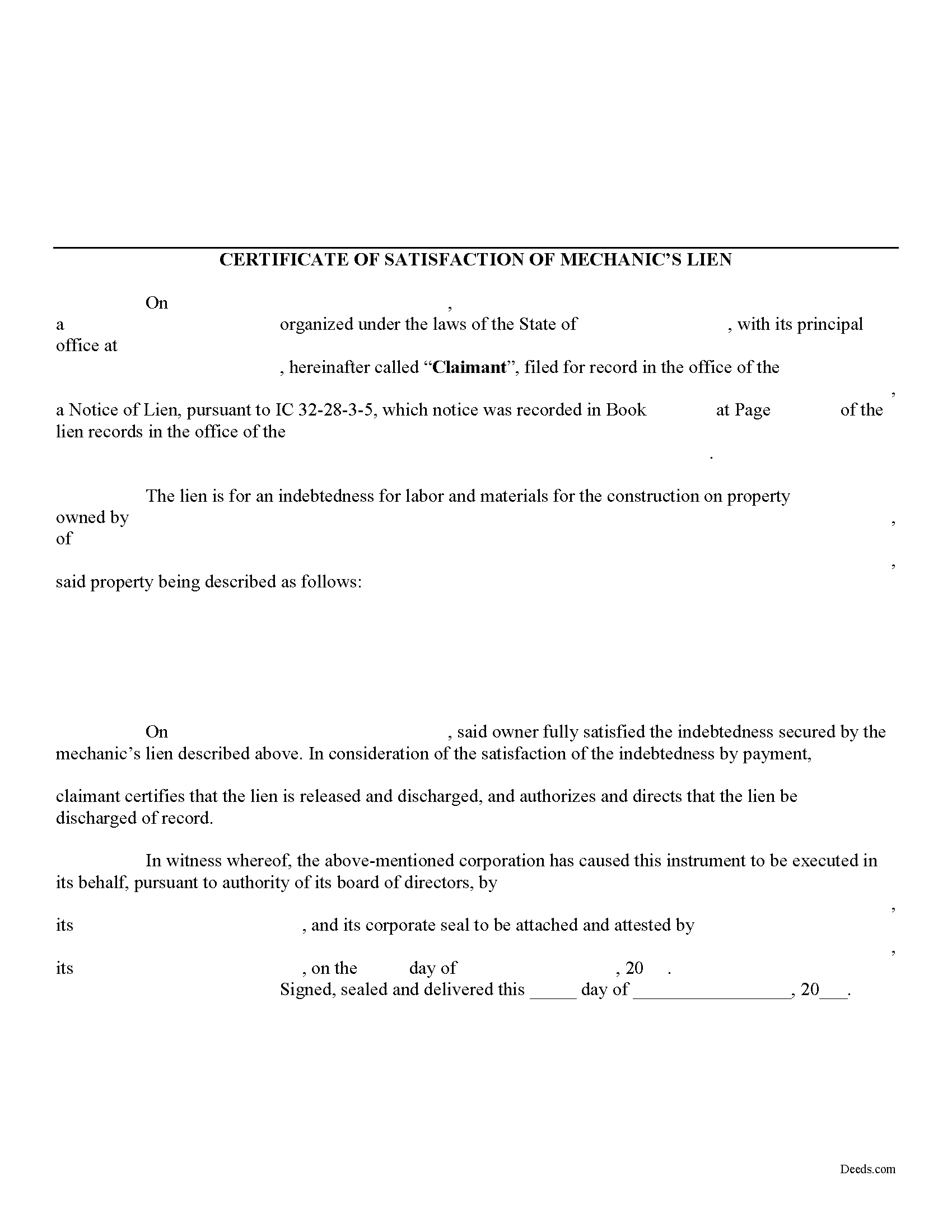
Vermillion County Satisfaction of Lien Form
Fill in the blank Satisfaction of Lien form formatted to comply with all Indiana recording and content requirements.
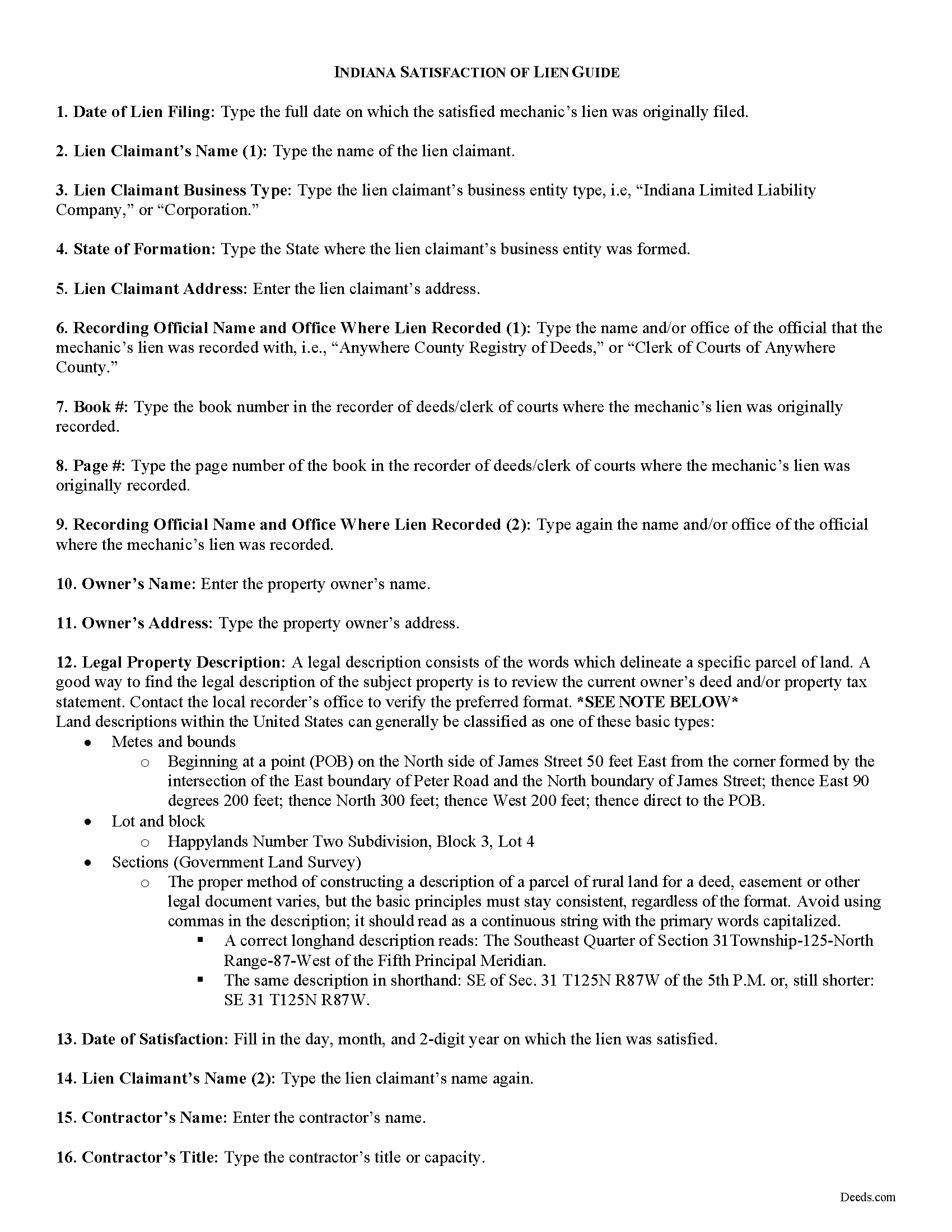
Vermillion County Satisfaction of Mechanic Lien Guide
Line by line guide explaining every blank on the form.
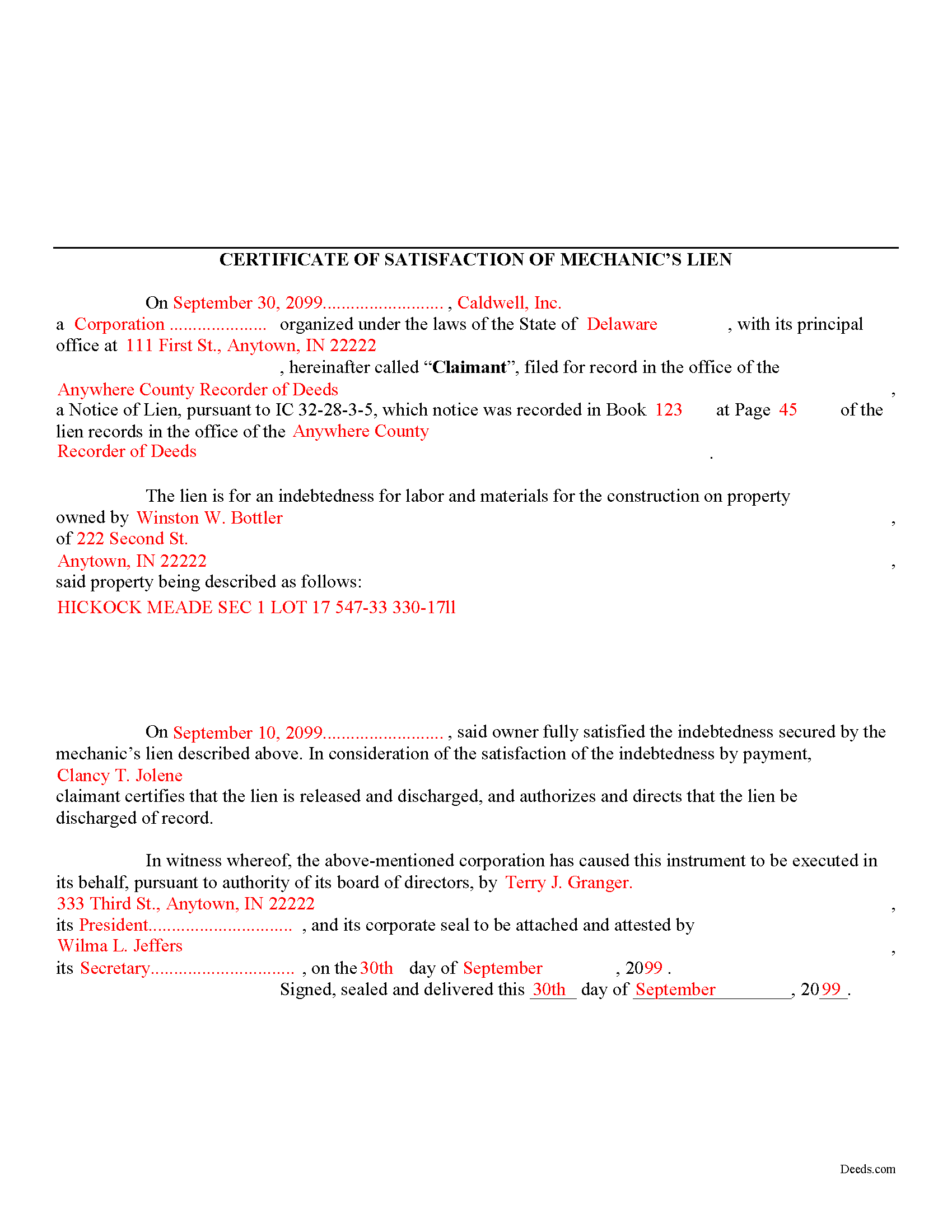
Vermillion County Completed Example of the Satisfaction of Mechanic Lien Document
Example of a properly completed form for reference.
All 3 documents above included • One-time purchase • No recurring fees
Immediate Download • Secure Checkout
Additional Indiana and Vermillion County documents included at no extra charge:
Where to Record Your Documents
Vermillion County Recorder
Newport , Indiana 47966
Hours: 8:00 to 4:00 Monday through Friday
Phone: (765) 492-5380
Recording Tips for Vermillion County:
- Bring your driver's license or state-issued photo ID
- Ensure all signatures are in blue or black ink
- Bring extra funds - fees can vary by document type and page count
- Check margin requirements - usually 1-2 inches at top
- Leave recording info boxes blank - the office fills these
Cities and Jurisdictions in Vermillion County
Properties in any of these areas use Vermillion County forms:
- Blanford
- Cayuga
- Clinton
- Dana
- Hillsdale
- Newport
- Perrysville
- Saint Bernice
- Universal
Hours, fees, requirements, and more for Vermillion County
How do I get my forms?
Forms are available for immediate download after payment. The Vermillion County forms will be in your account ready to download to your computer. An account is created for you during checkout if you don't have one. Forms are NOT emailed.
Are these forms guaranteed to be recordable in Vermillion County?
Yes. Our form blanks are guaranteed to meet or exceed the applicable formatting requirements used for recording in Vermillion County, including margin requirements, font requirements, and other layout standards. This guarantee applies to formatting, not to the legal sufficiency of information entered by the user or the suitability of a form for a particular transaction.
Can I reuse these forms?
Yes. You can reuse the forms for your personal use. For example, if you have multiple properties in Vermillion County you only need to order once.
What do I need to use these forms?
The forms are PDFs that you fill out on your computer. The free Adobe Acrobat Reader is recommended, and most PDF apps also work. You do NOT enter your property information online - you download the blank forms and complete them privately on your own computer.
Are there any recurring fees?
No. This is a one-time purchase. Nothing to cancel, no memberships, no recurring fees.
How much does it cost to record in Vermillion County?
Recording fees in Vermillion County vary. Contact the recorder's office at (765) 492-5380 for current fees.
Questions answered? Let's get started!
A Certificate of Satisfaction of MECHANIC'S Lien is used to certify that a MECHANIC'S lien has been paid off in full and that the official who originally recorded the lien is instructed to strike or erase the lien from the record. While Indiana statute does not specifically provide for a form of satisfaction of a lien, this document will suffice to discharge any recorded liens.
Use the Certificate of Satisfaction of Lien when a lien has been satisfied in full or if the lien is no longer necessary for any other reason. The Satisfaction of Lien document includes the following information: 1) lien claimant's name; 2) details of the underlying lien including office where recorded, date of recording, and book and page number of recording index; 3) owner's name and address; 4) a legal property description; 5) date lien satisfied; 6) the contractor's name and title; and 7) witnesses name and date witnessed.
Record the Certificate in the office where the lien was originally filed. Following its filing, the lien will be discharged and released from the record.
This article is provided for informational purposes only and should not be relied upon as a substitute for advice from an attorney. Please consult with an Indiana attorney for any questions regarding discharging a mechanic's lien.
Important: Your property must be located in Vermillion County to use these forms. Documents should be recorded at the county recording office listed above.
This Satisfaction of Lien meets all recording requirements specific to Vermillion County.
Our Promise
The documents you receive here are guaranteed to meet or exceed the applicable Vermillion County recording format requirements. If there is a rejection caused by our formatting, we will correct the issue or refund your payment. This guarantee applies to document formatting only and does not extend to information entered by the user, the selection of the form, or the legal effect of the completed document.
Save Time and Money
Get your Vermillion County Satisfaction of Lien form done right the first time with Deeds.com Uniform Conveyancing Blanks. At Deeds.com, we understand that your time and money are valuable resources, and we don't want you to face a penalty fee or rejection imposed by a county recorder for submitting nonstandard documents. We constantly review and update our forms to meet rapidly changing state and county recording requirements for roughly 3,500 counties and local jurisdictions.
4.8 out of 5 - ( 4,821 Reviews )
Edward Z. 5 out of 5 stars
Very easy to do. Will use them in the future.
We appreciate your business and value your feedback. Thank you. Have a wonderful day!
Shirley L. 5 out of 5 stars
I am very happy with the results of my service received from Deeds.com. I found exactly what I needed in short order. Thanks
Thank you for your feedback. We really appreciate it. Have a great day!
Liliana H. 5 out of 5 stars
I had a great experience using Deeds.com to file my legal document. The whole process was simple and easy to follow. The website walks you through each step, and everything is explained clearly. At one point, I had to resubmit my documents, but even that was quick and easy. There were clear instructions, and I had no trouble making the changes and sending them again. The communication was great too. I was kept updated the whole time, and any questions I had were answered fast. If you need to file legal documents and want a stress-free way to do it, I definitely recommend Deeds.com. They made the whole process smooth from start to finish.
Thank you, Liliana! We really appreciate you taking the time to share your experience. We're glad everything went smoothly and that our team could support you when needed. It means a lot to know you'd recommend us!
Sylvia Y. 5 out of 5 stars
Fantastic forms! So nice to have them formatted correctly for our county, the recorder here can be very picky with the margins. No issues at all.
Thank you for your feedback. We really appreciate it. Have a great day!
Karen G. 5 out of 5 stars
Not difficult at all! Which is great for me...
Thank you for your feedback. We really appreciate it. Have a great day!
Kevin A. 5 out of 5 stars
I LOVE THIS SITE KEEP UP THE GREAT WORK YOUR DOING THNKS KEVIN
Thank you!
Jay R. 5 out of 5 stars
First time user. Great service, a little costly though
Thank you!
Frances B. 5 out of 5 stars
Excellent product!!!! Accepted at my courthouse without a hitch. I recommend this company whole heartedly!!
We appreciate your business and value your feedback. Thank you. Have a wonderful day!
Jaime H. 5 out of 5 stars
quick and easy
Thank you!
Gisela A. 5 out of 5 stars
Great selection of documents. Properly formatted form also included great instructions and the example was very helpful. Filed it myself - no problem!
We appreciate your business and value your feedback. Thank you. Have a wonderful day!
Larry P. 5 out of 5 stars
Easy to follow step by step in completing form. Filing successful on first try. Economical cost. Would highly recommend.
We appreciate your business and value your feedback. Thank you. Have a wonderful day!
Steven N. 5 out of 5 stars
I was introduced to Deeds.com from my title company. I wanted the title company to do a courtesy recording for me and they suggested Deeds.com. Best suggestion in a while. The interface to use the website was seemlessly easy. The communication with the service staff was thorough and prompt. After the initial verification process (which the photo app was a little tricky), everything was easy. Will use them again.
Your feedback is greatly appreciated. Thank you for taking the time to share your experience!
Janice W. 5 out of 5 stars
So easy to follow the directions and get what you need. Simple Quick and Easy.' I am very pleased with the outcome.
Thank you!
Robert C. 5 out of 5 stars
Wow! Wish I had found DEEDS.com a few hours earlier. Quickly was able to pay a reasonable fee for some documents/templates along with an explanation. Very pleased
Thank you for your feedback. We really appreciate it. Have a great day!
Tom L. 5 out of 5 stars
Excellent same day service. Will use for future ones in several states!
Happy we could assist. Thank you for sharing your experience.