Howard County Transfer on Death Deed Revocation Form
Last validated September 29, 2026 by our Forms Development TeamFormatted for recording in Howard County, for property anywhere in the county: rural and unincorporated areas as well as Greentown, Hemlock, Kokomo, Oakford, Russiaville, West Middleton.
- 3 documents included
- Immediate PDF download
- Formatting guarantee
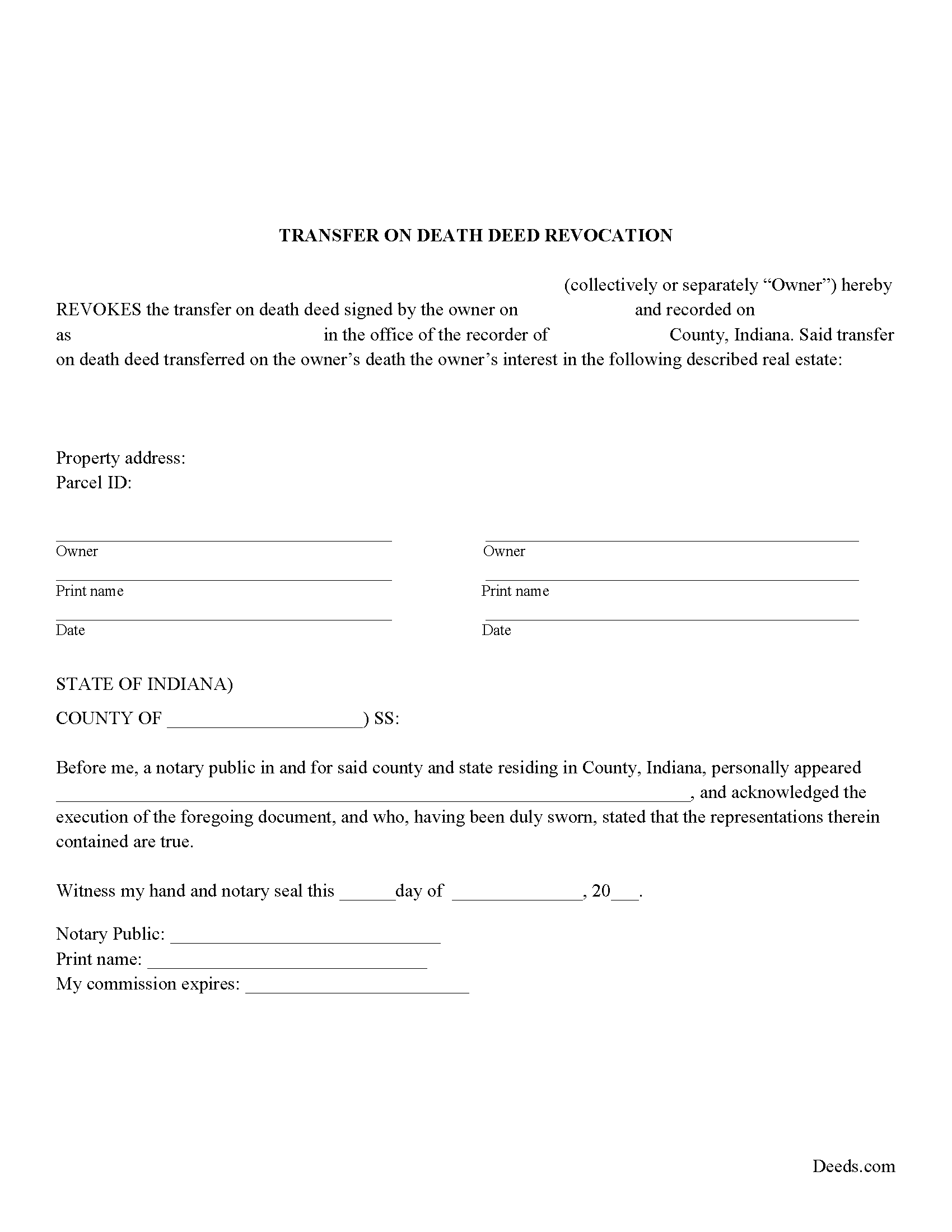
Howard County Transfer on Death Revocation Form
Fill in the blank form formatted to comply with all recording and content requirements.
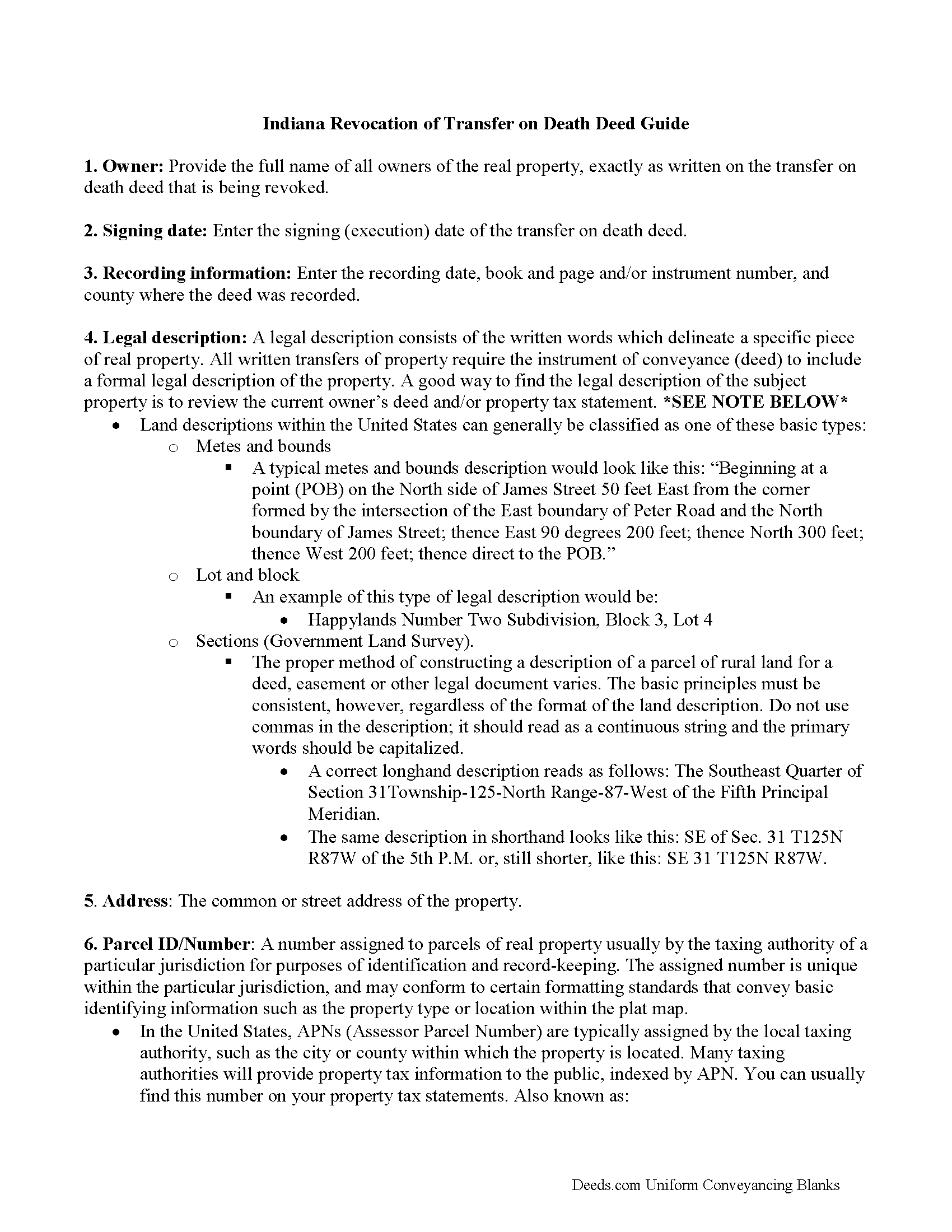
Howard County Transfer on Death Revocation Guide
Line by line guide explaining every blank on the form.
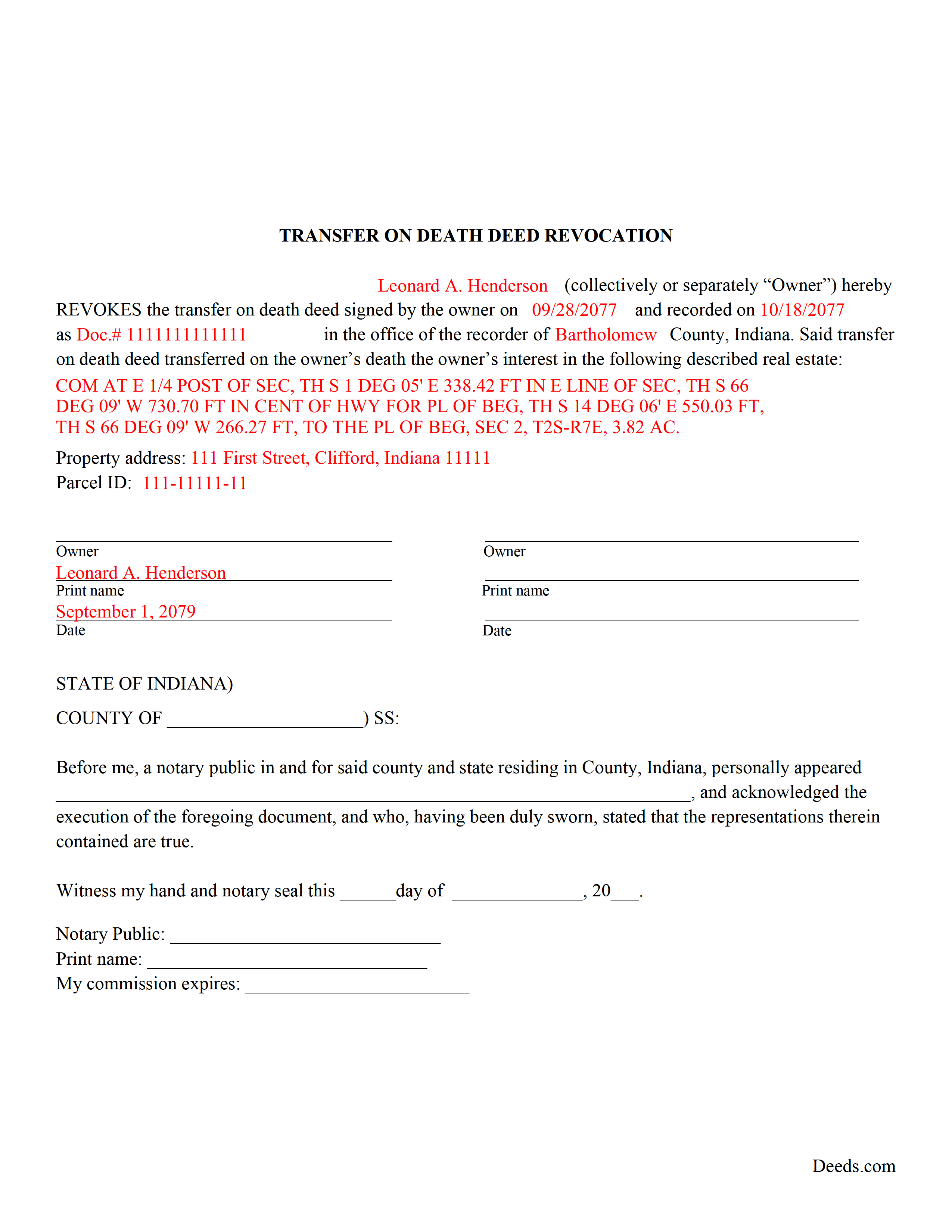
Howard County Completed Example of the Transfer on Death Revocation Document
Example of a properly completed form for reference.
All 3 documents above included • One-time purchase • No recurring fees
Immediate Download • Secure Checkout
Additional Indiana and Howard County documents included at no extra charge:
Where to Record Your Documents
Howard County Recorder
Kokomo, Indiana 46901
Hours: Monday - Friday 8:00 AM - 4:00 PM
Phone: (765) 456-2210
Recording Tips for Howard County:
- Bring your driver's license or state-issued photo ID
- Ensure all signatures are in blue or black ink
- Ask about accepted payment methods when you call ahead
- Ask for certified copies if you need them for other transactions
- Ask if they accept credit cards - many offices are cash/check only
Cities and Jurisdictions in Howard County
Properties in any of these areas use Howard County forms:
- Greentown
- Hemlock
- Kokomo
- Oakford
- Russiaville
- West Middleton
Hours, fees, requirements, and more for Howard County
How do I get my forms?
Forms are available for immediate download after payment. The Howard County forms will be in your account ready to download to your computer. An account is created for you during checkout if you don't have one. Forms are NOT emailed.
Are these forms guaranteed to be recordable in Howard County?
Yes. Our form blanks are guaranteed to meet or exceed the applicable formatting requirements used for recording in Howard County, including margin requirements, font requirements, and other layout standards. This guarantee applies to formatting, not to the legal sufficiency of information entered by the user or the suitability of a form for a particular transaction.
Can I reuse these forms?
Yes. You can reuse the forms for your personal use. For example, if you have multiple properties in Howard County you only need to order once.
What do I need to use these forms?
The forms are PDFs that you fill out on your computer. The free Adobe Acrobat Reader is recommended, and most PDF apps also work. You do NOT enter your property information online - you download the blank forms and complete them privately on your own computer.
Are there any recurring fees?
No. This is a one-time purchase. Nothing to cancel, no memberships, no recurring fees.
How much does it cost to record in Howard County?
Recording fees in Howard County vary. Contact the recorder's office at (765) 456-2210 for current fees.
Questions answered? Let's get started!
Use this form when the land owner wishes to completely cancel a previously recorded transfer on death deed. A revocation of transfer on death deed allows the owner to formally revoke the future conveyance and enter that change in the public record.
According to IC 32-17-14-16, there are two primary ways to revoke a transfer on death deed in Indiana:
If the real estate owner (grantor) decides to change the beneficiary or modify the way in which beneficiaries will hold title to the property when the owner dies, he/she simply completes and records a new transfer on death deed with the updated information.
If the land owner wishes to completely cancel a previously recorded transfer on death deed, a revocation may be a better idea. A properly executed revocation of transfer on death deed allows the owner to formally revoke the future conveyance and enter that change in the public record.
(Indiana Transfer on Deed Revocation Package includes form, guidelines, and completed example)
Important: Your property must be located in Howard County to use these forms. Documents should be recorded at the county recording office listed above.
This Transfer on Death Deed Revocation meets all recording requirements specific to Howard County.
Our Promise
The documents you receive here are guaranteed to meet or exceed the applicable Howard County recording format requirements. If there is a rejection caused by our formatting, we will correct the issue or refund your payment. This guarantee applies to document formatting only and does not extend to information entered by the user, the selection of the form, or the legal effect of the completed document.
Save Time and Money
Get your Howard County Transfer on Death Deed Revocation form done right the first time with Deeds.com Uniform Conveyancing Blanks. At Deeds.com, we understand that your time and money are valuable resources, and we don't want you to face a penalty fee or rejection imposed by a county recorder for submitting nonstandard documents. We constantly review and update our forms to meet rapidly changing state and county recording requirements for roughly 3,500 counties and local jurisdictions.
4.8 out of 5 - ( 4,807 Reviews )
Brenda S. 5 out of 5 stars
Awesome forms, filled them out on my computer, printed them out complete, notarized, recorded, wonderful process. THANKS
Thank you for the kind words Brenda. Have a great day!
Renee M. 5 out of 5 stars
My sister in law is in a hospital ICU with Covid, so we were trying to get her affairs in order. Deeds.com made this difficult situation so much better by making this process very easy to understand and do.
Glad we could help Renee, hoping the very best for you and your family.
Jacquelyn W. 4 out of 5 stars
Great site with great info. Almost made the job seamless but form would not adjust to my longer than usual legal description -- I ended up having to recreate the form in word processing software (Libre). But could not have done it without the guidelines.
Thank you!
James V. 5 out of 5 stars
Easy, quick and very proficient. I am glad I used Deeds.
Thank you!
Richard B. 4 out of 5 stars
Had trouble filling in the forms not very user friendly. The text always had to be manipulated to look in the best place. Could not easily move existing text to look more professional with the text being inserted.
Thank you for your feedback. We really appreciate it. Have a great day!
Marlene S. 5 out of 5 stars
This service seems simple and reasonably priced. The deed I requested was not available, and they let me know immediately and refunded the fee. I would try to use this service again, if I had need.
Thank you for your feedback. We really appreciate it. Have a great day!
Veronica F. 5 out of 5 stars
Fabulous service team. VERY responsive with any issue I encountered. Preparing forms out of state to record in another is never easy but this team assists expeditiously.
Your feedback is greatly appreciated. Thank you for taking the time to share your experience!
Darlene T. 5 out of 5 stars
Worth the cost. Quick and easy!
We deeply appreciate the trust you have placed in our services. Thank you for your valuable feedback and for choosing us.
Christine W. 5 out of 5 stars
excellent
Thank you!
Pamela P. 5 out of 5 stars
Easy download of correct fillable forms for specific State and County. The accompanying guides and examples are helpful.
Pamela, thank you for your review. We’re glad everything was easy to access and that the supporting materials helped make the process clearer. We appreciate your business.
Pamela L. 5 out of 5 stars
The packet was very comprehensive and easy to use (I had just one question that wasn't clearly explained). II appreciate that the forms are kept up to date.
We appreciate your business and value your feedback. Thank you. Have a wonderful day!
Glenda C. 4 out of 5 stars
It was easy to find what I was looking for. The instructions were easy to follow. The example given was most beneficial in completing form.
We appreciate your business and value your feedback. Thank you. Have a wonderful day!
Zennell W. 5 out of 5 stars
Quick fast and easy transaction.
We are grateful for your feedback and looking forward to serving you again. Thank you!
Jennifer E. 5 out of 5 stars
Very fast Process to get this to ROD
We are grateful for your feedback and looking forward to serving you again. Thank you!
Judith S. 4 out of 5 stars
Very prompt and good resource. Unfortunately, I am unable to find a form for the Quitclaim Deed for an individual to a UNA, so I do not know how to proceed.
Thank you for the kind words, Judith — we’re glad you found the site helpful. Quitclaim deed forms are offered for common ownership scenarios, and some arrangements are not available as pre-made templates. If you have questions about the forms currently offered on the site, our support team can help clarify what is and isn’t available.