Gibson County Transfer on Death Deed Form
Last validated October 12, 2026 by our Forms Development TeamFormatted for recording in Gibson County, for property anywhere in the county: rural and unincorporated areas as well as Buckskin, Fort Branch, Francisco, Haubstadt, Hazleton, Mackey, Oakland City, Owensville and 3 more.
- 3 documents included
- Immediate PDF download
- Formatting guarantee
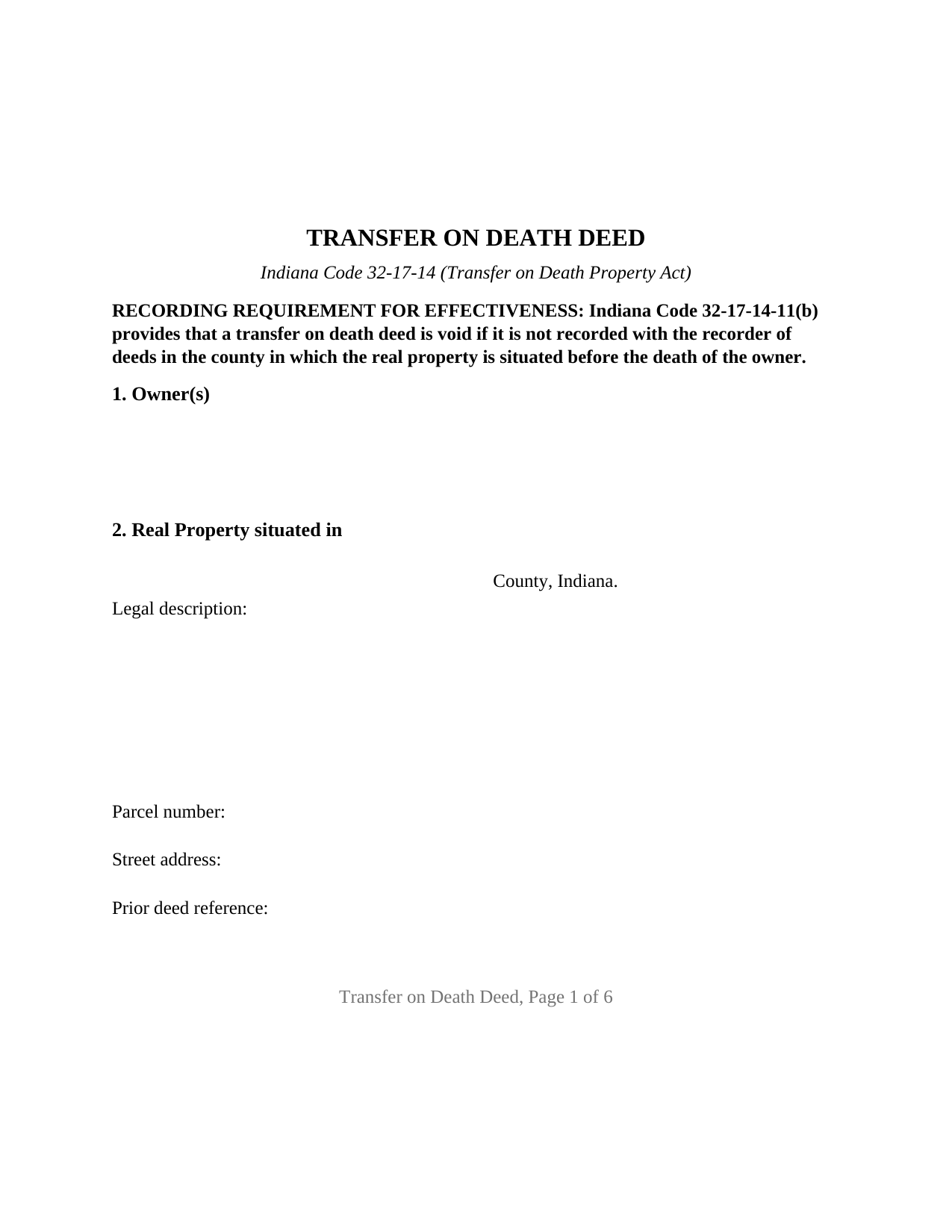
Gibson County Transfer on Death Deed Form
Fill in the blank Transfer on Death Deed form formatted to comply with all Indiana recording and content requirements.
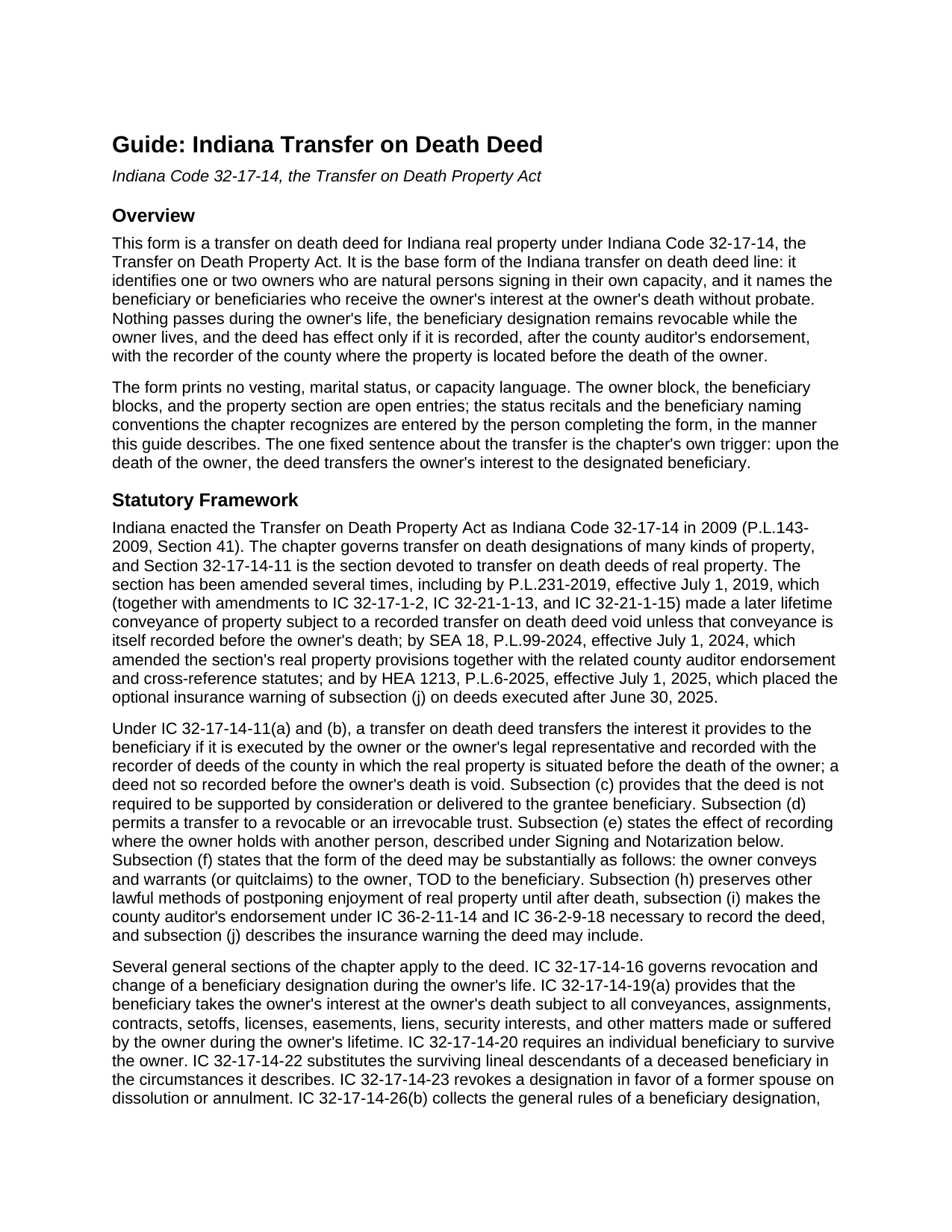
Gibson County Transfer on Death Deed Guide
Line by line guide explaining every blank on the Transfer on Death Deed form.
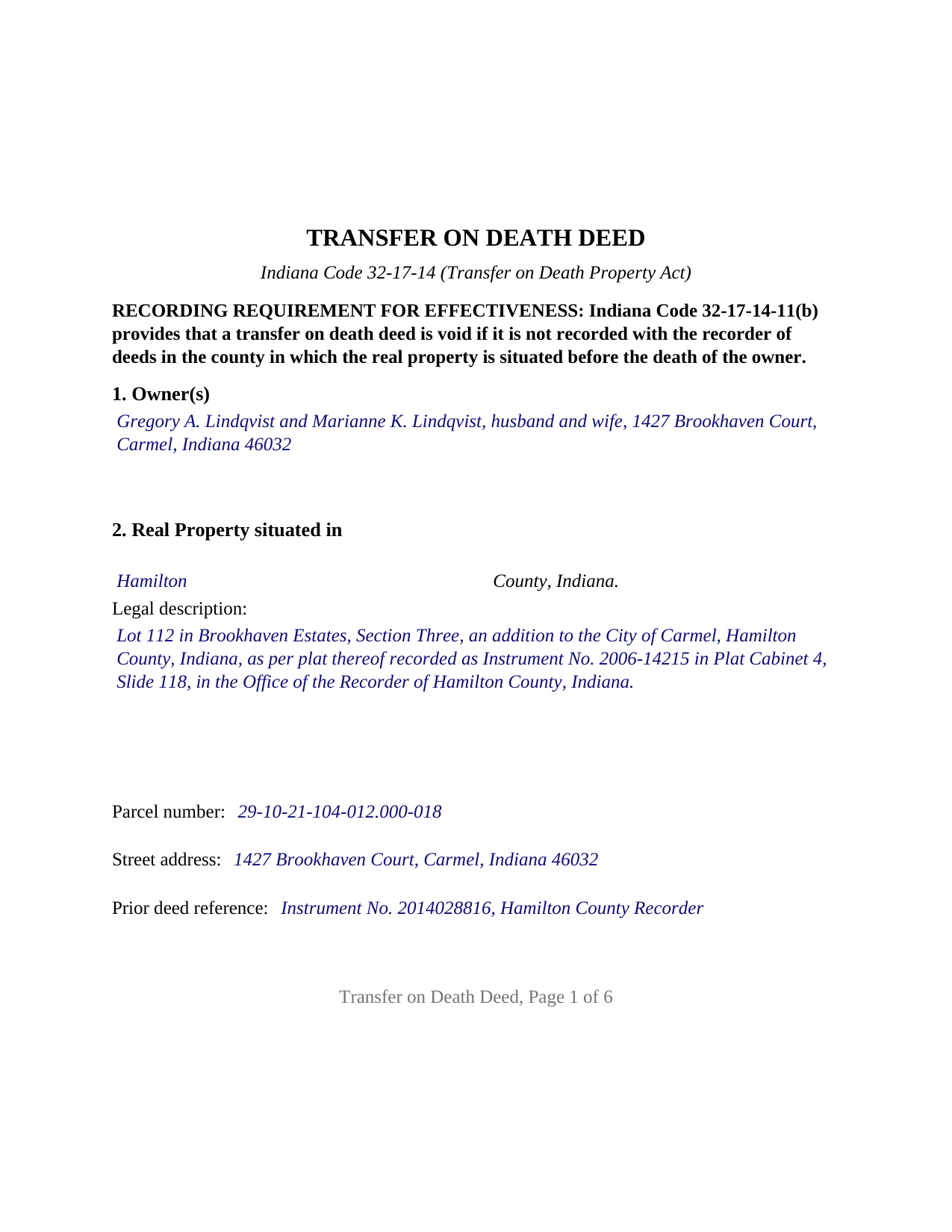
Gibson County Completed Example of the Transfer on Death Deed Document
Example of a properly completed Indiana Transfer on Death Deed document for reference.
All 3 documents above included • One-time purchase • No recurring fees
Immediate Download • Secure Checkout
Additional Indiana and Gibson County documents included at no extra charge:
Where to Record Your Documents
Gibson County Recorder
Princeton, Indiana 47670
Hours: 8:00 to 4:00 M-F
Phone: (812) 385-3332
Recording Tips for Gibson County:
- Bring your driver's license or state-issued photo ID
- Ensure all signatures are in blue or black ink
- Both spouses typically need to sign if property is jointly owned
- Bring extra funds - fees can vary by document type and page count
- Check margin requirements - usually 1-2 inches at top
Cities and Jurisdictions in Gibson County
Properties in any of these areas use Gibson County forms:
- Buckskin
- Fort Branch
- Francisco
- Haubstadt
- Hazleton
- Mackey
- Oakland City
- Owensville
- Patoka
- Princeton
- Somerville
Hours, fees, requirements, and more for Gibson County
How do I get my forms?
Forms are available for immediate download after payment. The Gibson County forms will be in your account ready to download to your computer. An account is created for you during checkout if you don't have one. Forms are NOT emailed.
Are these forms guaranteed to be recordable in Gibson County?
Yes. Our form blanks are guaranteed to meet or exceed the applicable formatting requirements used for recording in Gibson County, including margin requirements, font requirements, and other layout standards. This guarantee applies to formatting, not to the legal sufficiency of information entered by the user or the suitability of a form for a particular transaction.
Can I reuse these forms?
Yes. You can reuse the forms for your personal use. For example, if you have multiple properties in Gibson County you only need to order once.
What do I need to use these forms?
The forms are PDFs that you fill out on your computer. The free Adobe Acrobat Reader is recommended, and most PDF apps also work. You do NOT enter your property information online - you download the blank forms and complete them privately on your own computer.
Are there any recurring fees?
No. This is a one-time purchase. Nothing to cancel, no memberships, no recurring fees.
How much does it cost to record in Gibson County?
Recording fees in Gibson County vary. Contact the recorder's office at (812) 385-3332 for current fees.
Questions answered? Let's get started!
An Indiana transfer on death deed names who receives real estate at the owner's death and does nothing until then. Recorded during the owner's life, it keeps the property out of probate without giving up ownership, the right to sell or mortgage, or the right to change the designation later. This form prepares that deed, also searched as a TOD deed or beneficiary deed, under Indiana Code 32-17-14, the Transfer on Death Property Act, for one or two owners who are natural persons signing for themselves.
A deed that is void unless recorded in time
Indiana ties the deed's effect to the recorder's office. Under IC 32-17-14-11, a transfer on death deed transfers the owner's interest to the beneficiary only if the owner executed it and it was recorded in the county where the property is situated before the owner's death; a deed left unrecorded at death is void. The deed also takes a county detour most deed forms never mention: the county auditor's endorsement under IC 36-2-11-14 is necessary to record it, so the signed deed goes to the assessor and the auditor before the recorder. The form carries the parcel number and prior deed reference those offices look for, and a bold notice at the top states the before-death recording condition.
Conveys and warrants, or quitclaims
The chapter supplies its own wording: the owner conveys and warrants (or quitclaims) to the owner, TOD to the beneficiary. The form prints both operative words with a box beside each, neither one marked. The marked word is the warranty, or the absence of warranty, the owner gives on that conveyance: under IC 32-17-1-2 a deed that conveys and warrants carries the statutory title covenants, and under IC 32-21-1-15 a deed that quitclaims passes the owner's interest without them. Either way the beneficiary takes at death subject to every lien, easement, and contract the owner made during life under IC 32-17-14-19.
One or two owners, four title patterns
The form recites nothing about marital status, vesting, or capacity; the owner block is open text. A sole owner signs alone. Two joint tenants with right of survivorship sign together, and the designation operates at the death of the last surviving owner under IC 32-17-14-4(c). Two spouses holding by the entireties sign together, because IC 32-17-14-11(e)(1) makes a transfer on death conveyance of entireties property inoperable and void unless the other spouse joins, and the surviving spouse controls the designation after the first death under IC 32-17-14-16(b). Two tenants in common each designate the beneficiary of their own undivided interest on the one deed. The form carries two signature blocks and two acknowledgment certificates, one for each owner; a sole owner leaves the second block and its certificate blank. Entity owners, trustees, attorneys in fact, and groups of three or more owners present configurations this form is not set up as.
Beneficiaries the Indiana way
A beneficiary may be an individual, a trust named through its trustee, or an entity, and more than one may be named. The chapter's conventions are entered in the beneficiary block itself: equal shares unless a different share is stated (IC 32-17-14-26(b)(5)); the words contingent beneficiary for a backup taker (IC 32-17-14-26(b)(4)); and the lineal descendants per stirpes rule of IC 32-17-14-22, under which a child who dies first is replaced by that child's own descendants unless the notation No LDPS appears. After the owner's death, the affidavit under IC 32-17-14-26(b)(20), prepared and recorded separately and not included in this package, places the beneficiary of record.
Built for the Indiana recorder's counter
An Indiana recorder may receive an instrument that meets IC 36-2-11-16.5: two inch top and bottom margins on the first and last pages, black type of at least ten points, and names printed beneath every signature under IC 36-2-11-16. The form reserves those margins, carries the preparer statement and Social Security redaction affirmation of IC 36-2-11-15 and the address statement of IC 32-21-2-3 at its conclusion, and follows each signature with an acknowledgment certificate written to IC 33-42-9-12. The recorder's fee for a deed is $25 under IC 36-2-7-10, and Indiana imposes no deed transfer tax.
The package includes the fillable transfer on death deed, a completed example filled in for a Hamilton County fact pattern, and the guide that walks through every section, the signing rules, and the auditor to recorder path. This description and the guide describe the form and the governing statutes in general terms; they are not legal advice.
Important: Your property must be located in Gibson County to use these forms. Documents should be recorded at the county recording office listed above.
This Transfer on Death Deed meets all recording requirements specific to Gibson County.
Our Promise
The documents you receive here are guaranteed to meet or exceed the applicable Gibson County recording format requirements. If there is a rejection caused by our formatting, we will correct the issue or refund your payment. This guarantee applies to document formatting only and does not extend to information entered by the user, the selection of the form, or the legal effect of the completed document.
Save Time and Money
Get your Gibson County Transfer on Death Deed form done right the first time with Deeds.com Uniform Conveyancing Blanks. At Deeds.com, we understand that your time and money are valuable resources, and we don't want you to face a penalty fee or rejection imposed by a county recorder for submitting nonstandard documents. We constantly review and update our forms to meet rapidly changing state and county recording requirements for roughly 3,500 counties and local jurisdictions.
4.8 out of 5 - ( 4,829 Reviews )
Thomas B. 5 out of 5 stars
Spent several weeks searching the net for warranty deeds. For the money and correctness, IMHO, Deeds.com is far and away the best.
Thank you for your feedback. We really appreciate it. Have a great day!
ALFRED B. 5 out of 5 stars
I was counting on deeds.com to help me with a closing I was working on. I stumbled with the instructions but when I recovered there were no problems. The instructions were helpful and the deeds etc. were just what I needed. I give deeds five stars. I am 76 years old and when the application asks for the user's name I always think they want my name. WRONG. I am trying to learn computer speak.
Thank you Alfred, have an amazing day!
Vanessa G. 5 out of 5 stars
Quick, painless, and they communicated with me during the entire process. I will certainly be suing them again.
We are delighted to have been of service. Thank you for the positive review!
Ted C. 5 out of 5 stars
Everything was straight forward. I think I was able to accomplish my objective.
Thank you!
Bernice L. 5 out of 5 stars
Finally able to print out the forms after a few tries. Honestly, I think it could have been designed a little better. I am almost 80; however, very computer savvy, but finally managed to get what I needed.
Thank you for your feedback. We really appreciate it. Have a great day!
Victoria S. 5 out of 5 stars
Deed.com is AMAZING! I only had about 2 weeks to get my quit claim deed recorded by my county office before my refinace due date approached. When I uploaded my quit claim to Deed.com I got it electronically recored by county register's office in "24 hours"!!! Deed.com is quick and efficient and I will dedinitely be using Deed.com again if I ever need a document recorded again.
Thank you for your feedback. We really appreciate it. Have a great day!
Greg F. 5 out of 5 stars
Sorry that this a little late. I'm VERY HAPPY with everything. The deeds paperwork was just what I was looking for. It was very to fill out, it was different than n the folks used years ago. I called the county clerk, and they were very helpful. Thank you for the paperwork it was easy to use and understand.
Thank you for your feedback. We really appreciate it. Have a great day!
Todd J. 5 out of 5 stars
Super Easy!
Thank you!
Narcedalia G. 5 out of 5 stars
Easy to use quick responses with accurate information and great customer service. No need to say more!
Your feedback is greatly appreciated. Thank you for taking the time to share your experience!
Elizabeth J. 5 out of 5 stars
It is very good and I would use the site again.
We appreciate your business and value your feedback. Thank you. Have a wonderful day!
Barbara E. 5 out of 5 stars
The online forms were very helpful and self-explanatory. My husband and I used several as we completed our estate planning documents. Thank you for these forms.
Thank you for your feedback. We really appreciate it. Have a great day!
Arthur L. 5 out of 5 stars
The directions were clear, I typed the deed out and it was successfully recorded and mailed back to me in less than a week.
Thank you for your feedback. We really appreciate it. Have a great day!
GLENN J. 5 out of 5 stars
Totally impressed with the magnitude of data available and ease of operation. Great job.
Thank you, Glenn. We appreciate the kind words and are glad you found the platform easy to use and the information helpful. Thanks for taking the time to share your experience.
Larry J. 5 out of 5 stars
we are hoping this is what we need. Thanks
Thank you!
Diana B. 5 out of 5 stars
Really can't say enough good things about these deed forms and the related material. Just having the formatting done saves possibly hours of work. County seems to love these forms also (they referred me to Deeds.com). All around great great great!
Thank you!