Greene County Notice to Primary Contractor Form
Last validated October 6, 2026 by our Forms Development TeamFormatted for recording in Greene County, for property anywhere in the county: rural and unincorporated areas as well as Churdan, Cooper, Dana, Grand Junction, Jefferson, Paton, Rippey, Scranton.
- 3 documents included
- Immediate PDF download
- Formatting guarantee
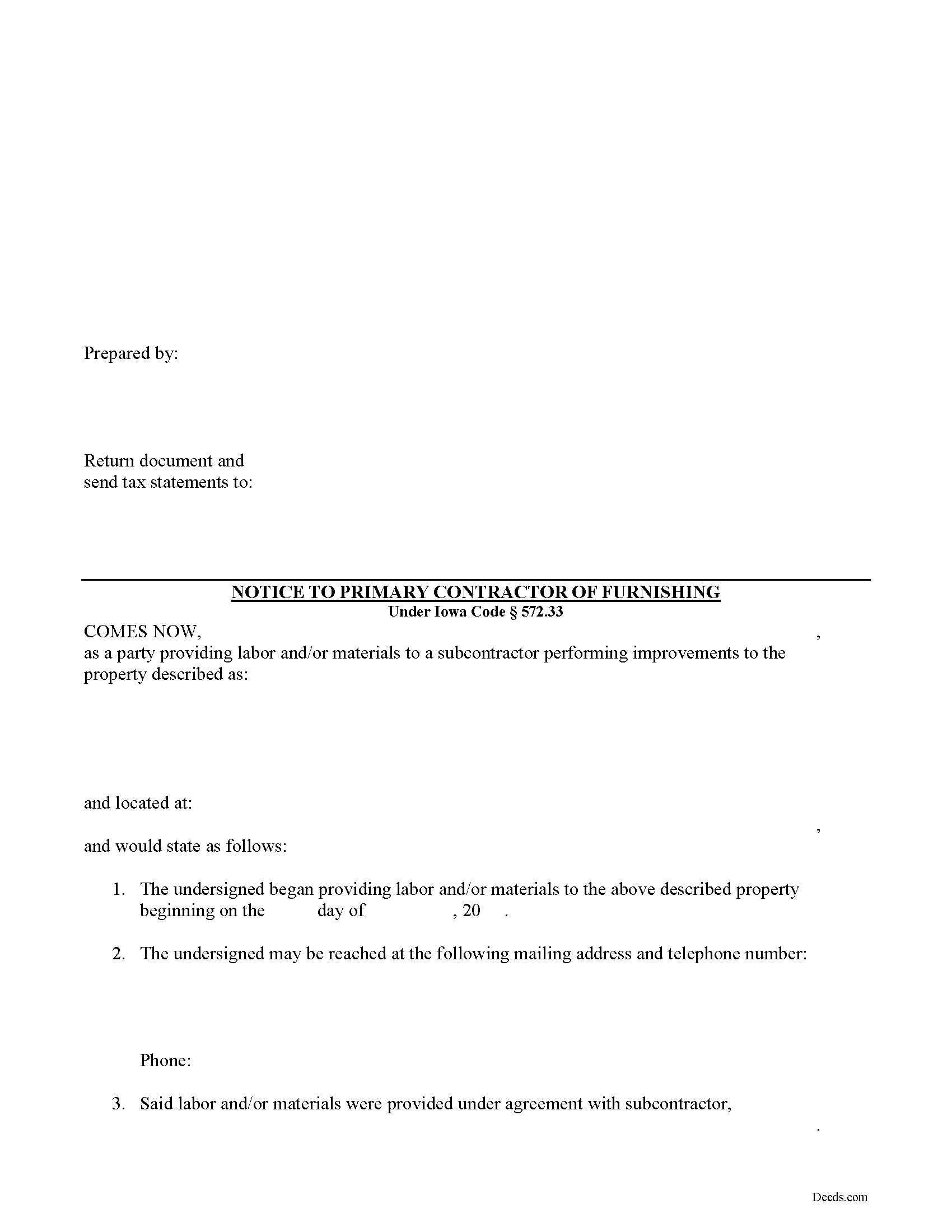
Greene County Notice to Primary Contractor Form
Fill in the blank Notice to Primary Contractor form formatted to comply with all Iowa recording and content requirements.
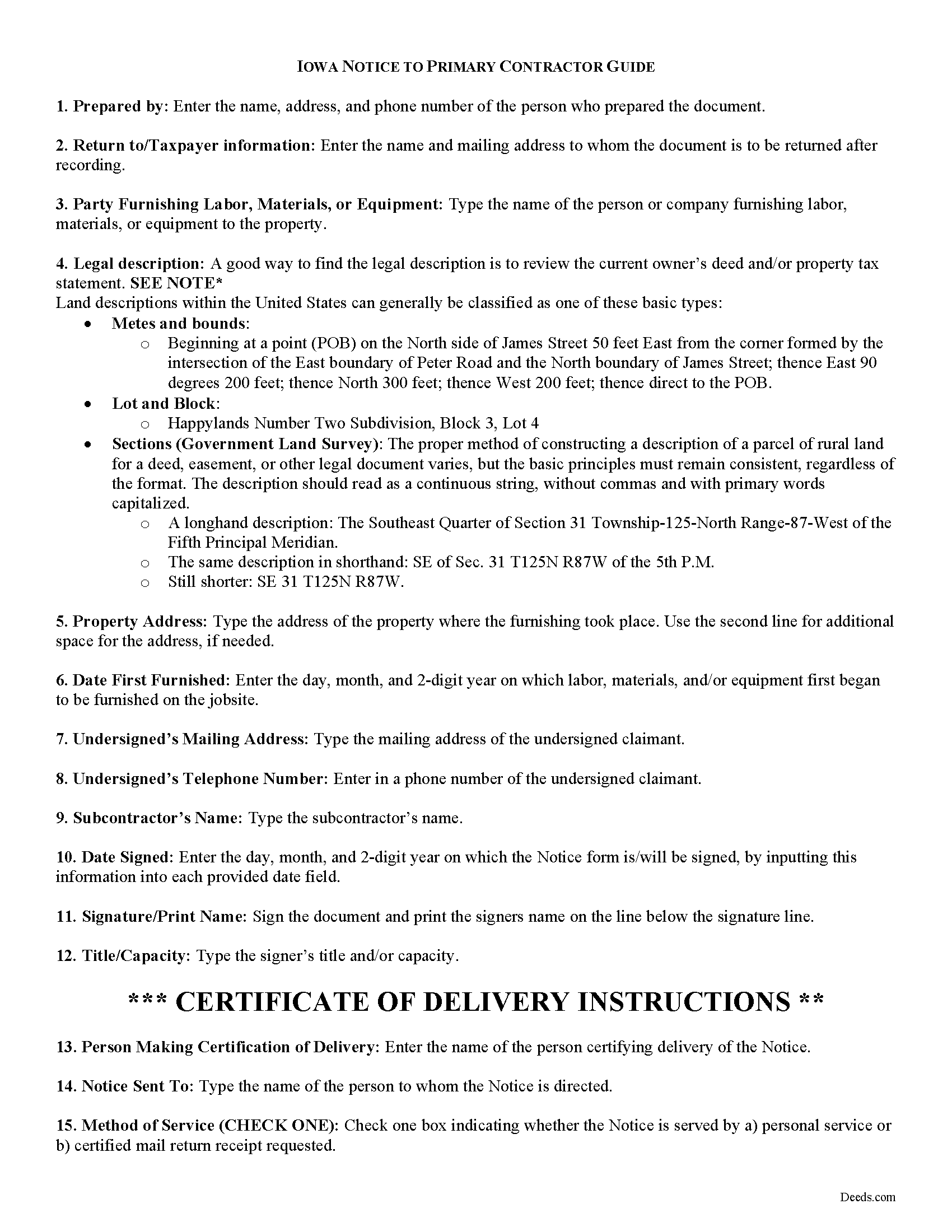
Greene County Notice to Primary Contractor Guide
Line by line guide explaining every blank on the form.
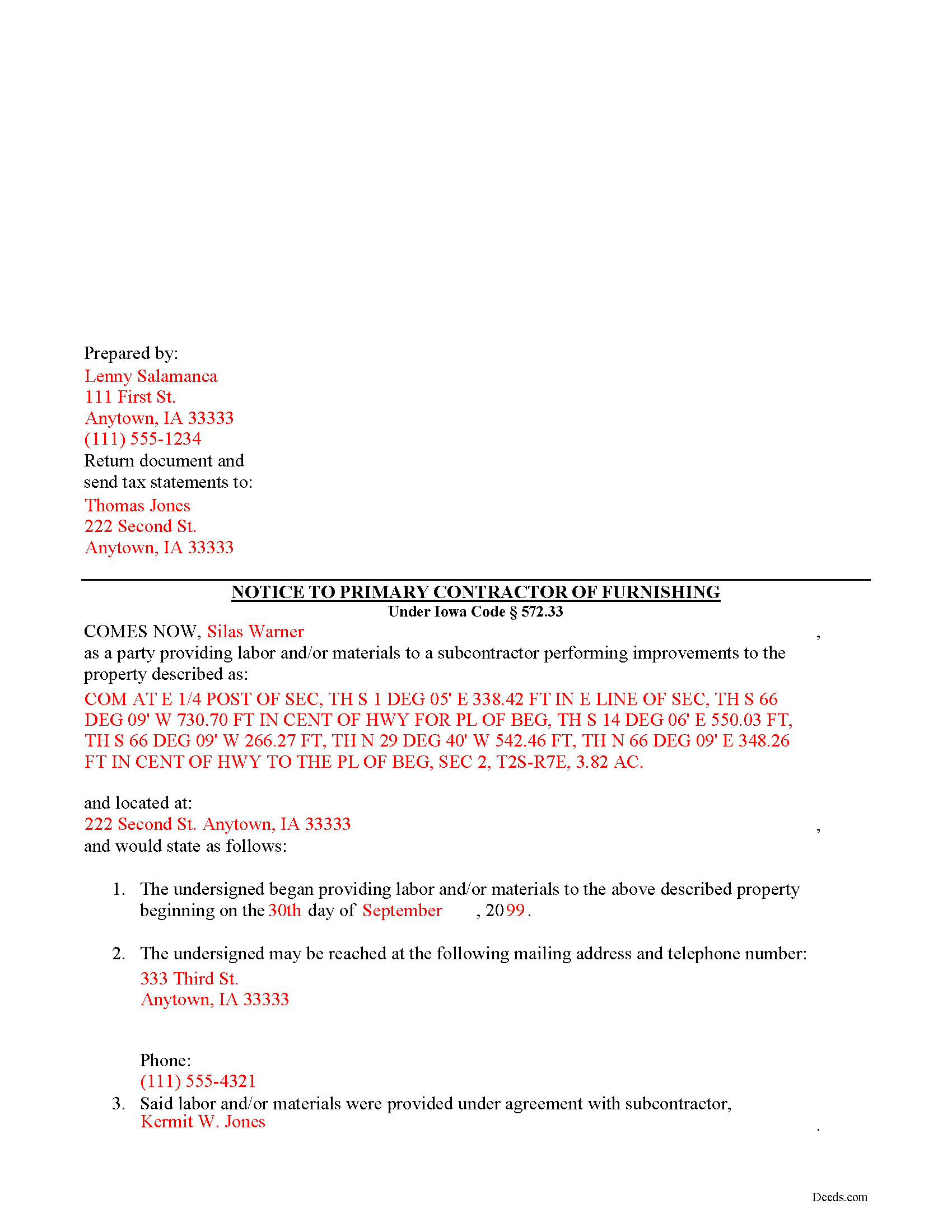
Greene County Completed Example of the Notice to Primary Contractor Document
Example of a properly completed form for reference.
All 3 documents above included • One-time purchase • No recurring fees
Immediate Download • Secure Checkout
Additional Iowa and Greene County documents included at no extra charge:
Where to Record Your Documents
Greene County Recorder
Jefferson, Iowa 50129
Hours: 8:00am to 4:30pm M-F
Phone: (515) 386-5670
Recording Tips for Greene County:
- Bring your driver's license or state-issued photo ID
- Ensure all signatures are in blue or black ink
- Bring extra funds - fees can vary by document type and page count
- Check margin requirements - usually 1-2 inches at top
- Leave recording info boxes blank - the office fills these
Cities and Jurisdictions in Greene County
Properties in any of these areas use Greene County forms:
- Churdan
- Cooper
- Dana
- Grand Junction
- Jefferson
- Paton
- Rippey
- Scranton
Hours, fees, requirements, and more for Greene County
How do I get my forms?
Forms are available for immediate download after payment. The Greene County forms will be in your account ready to download to your computer. An account is created for you during checkout if you don't have one. Forms are NOT emailed.
Are these forms guaranteed to be recordable in Greene County?
Yes. Our form blanks are guaranteed to meet or exceed the applicable formatting requirements used for recording in Greene County, including margin requirements, font requirements, and other layout standards. This guarantee applies to formatting, not to the legal sufficiency of information entered by the user or the suitability of a form for a particular transaction.
Can I reuse these forms?
Yes. You can reuse the forms for your personal use. For example, if you have multiple properties in Greene County you only need to order once.
What do I need to use these forms?
The forms are PDFs that you fill out on your computer. The free Adobe Acrobat Reader is recommended, and most PDF apps also work. You do NOT enter your property information online - you download the blank forms and complete them privately on your own computer.
Are there any recurring fees?
No. This is a one-time purchase. Nothing to cancel, no memberships, no recurring fees.
How much does it cost to record in Greene County?
Recording fees in Greene County vary. Contact the recorder's office at (515) 386-5670 for current fees.
Questions answered? Let's get started!
Required Notices to Primary Contractor for Iowa Mechanic's Liens
Persons furnishing labor or materials to a subcontractor (sometimes referred to as "sub-subcontractors or even sub-sub-subcontractors depending on their position in the chain) must send notice to a primary contractor to inform of lien rights in order to preserve their ability to claim a lien.
A person furnishing labor or materials to a subcontractor is not entitled to a lien unless the person furnishing labor or materials notifies the principal contractor in writing with a one-time notice containing: 1) the name, mailing address, and telephone number of the person furnishing the labor or materials, and 2) the name of the subcontractor to whom the labor or materials were furnished, within thirty (30) days of first furnishing labor or materials for which a lien claim may be made. I.C. 572.33(1). Additional labor or materials furnished by the same person to the same subcontractor for use in the same construction project can be covered by this notice. Id.
The person furnishing labor or materials to the subcontractor must also support the lien claim with a certified statement that the principal contractor was notified in writing with the one-time notice described above. Id.
The notice requirement does not apply to a mechanic's lien on single-family or two-family dwellings occupied or used or intended to be occupied or used for residential purposes. I.C. 572.33(2).
This article is provided for informational purposes only and should not be relied upon as a substitute for the advice from a legal professional. Please contact an Iowa attorney with any questions about sending notice to the primary contractor or anything else with regard to mechanic's liens.
Important: Your property must be located in Greene County to use these forms. Documents should be recorded at the county recording office listed above.
This Notice to Primary Contractor meets all recording requirements specific to Greene County.
Our Promise
The documents you receive here are guaranteed to meet or exceed the applicable Greene County recording format requirements. If there is a rejection caused by our formatting, we will correct the issue or refund your payment. This guarantee applies to document formatting only and does not extend to information entered by the user, the selection of the form, or the legal effect of the completed document.
Save Time and Money
Get your Greene County Notice to Primary Contractor form done right the first time with Deeds.com Uniform Conveyancing Blanks. At Deeds.com, we understand that your time and money are valuable resources, and we don't want you to face a penalty fee or rejection imposed by a county recorder for submitting nonstandard documents. We constantly review and update our forms to meet rapidly changing state and county recording requirements for roughly 3,500 counties and local jurisdictions.
4.8 out of 5 - ( 4,836 Reviews )
Suzanne A. 5 out of 5 stars
The purchase and download from Deeds.com were pleasantly straightforward. The actual of filing not so obvious in our case.
Your insights are invaluable to us and help us strive for better service. Thank you for taking the time to share your thoughts.
Bakul W. 5 out of 5 stars
You guys did a great job for us yday. With the strim coming and the registry being closed to visitors I didn't know how I was going to get my work done and I found your website and in less than a day everything was done. Thank you.
Thank you!
Patrick U. 5 out of 5 stars
Great product. They processed and transmitted the deed promptly. A small question I had was answered quickly and professionally. I would use again if the need arises and will recommend to friends.
Your feedback is greatly appreciated. Thank you for taking the time to share your experience!
Melinda L. 5 out of 5 stars
Easy to find what I needed and a good price. Very satisfied.
Thank you for your feedback. We really appreciate it. Have a great day!
Cynthia H. 5 out of 5 stars
No review provided.
Thank you!
Gene L. 5 out of 5 stars
Worked perfect. Thanks.
Thank you!
Tiffany W. 5 out of 5 stars
Exactly what I needed and with the help of ChatGPT who needs a damn lawyer for anything.
We’re glad to hear things went well. Thank you for the review.
JOHN B. 3 out of 5 stars
Process of acquiring an account and submitting a document was VERY easy. Failure was on the Recorders office, for not accepting the survey. Cheers.
Thank you!
David R. 5 out of 5 stars
Great source of all required legal documents and supplements.
We appreciate your business and value your feedback. Thank you. Have a wonderful day!
Steve R. 5 out of 5 stars
Hopefully filling out and filing the paperwork is as easy as this was.
Thank you for your feedback. We really appreciate it. Have a great day!
Stephen D. 5 out of 5 stars
Excellent service!
Thank you!
Joshua W. 5 out of 5 stars
Very efficient and easy to use, worth the price.
Thank you for your feedback. We really appreciate it. Have a great day!
Kristina H. 5 out of 5 stars
Everything I needed to complete my release of lien was easy to obtain from Deed.com - and the example and instructions were helpful as well. The website is simple and efficient. Thanks!
We appreciate your business and value your feedback. Thank you. Have a wonderful day!
Joy V. 5 out of 5 stars
Very helpful and efficient!
Thank you for your feedback. We really appreciate it. Have a great day!
Dennis D. 5 out of 5 stars
Heard about this service from a lawyer who said their offic used it quite a bit.
Thank you for your feedback. We really appreciate it. Have a great day!