Webster County Release of Real Estate Mortgage Form
Last validated October 20, 2026 by our Forms Development TeamFormatted for recording in Webster County, for property anywhere in the county: rural and unincorporated areas as well as Badger, Barnum, Burnside, Callender, Clare, Dayton, Duncombe, Fort Dodge and 6 more.
- 3 documents included
- Immediate PDF download
- Formatting guarantee
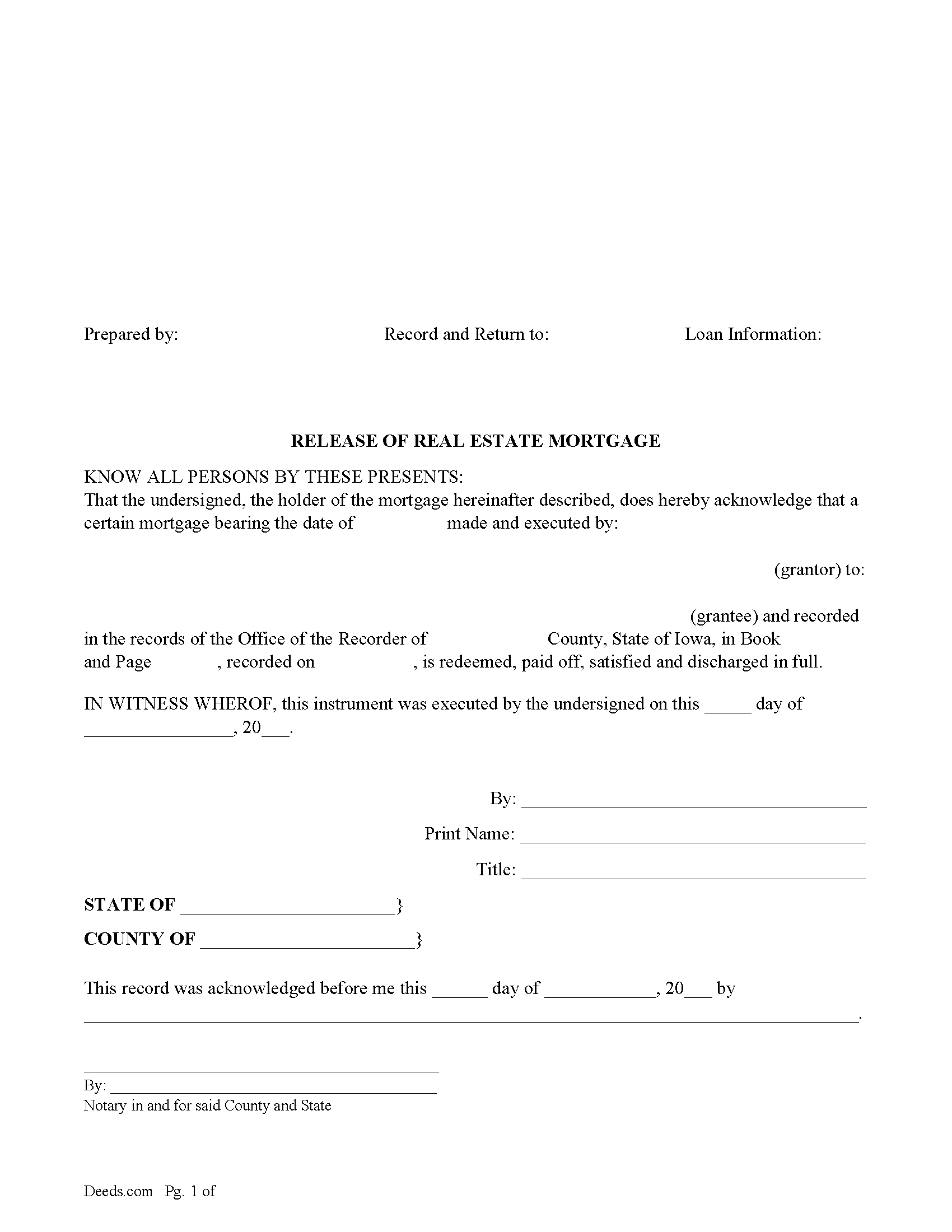
Webster County Release of Real Estate Mortgage Form
Fill in the blank form formatted to comply with all recording and content requirements.
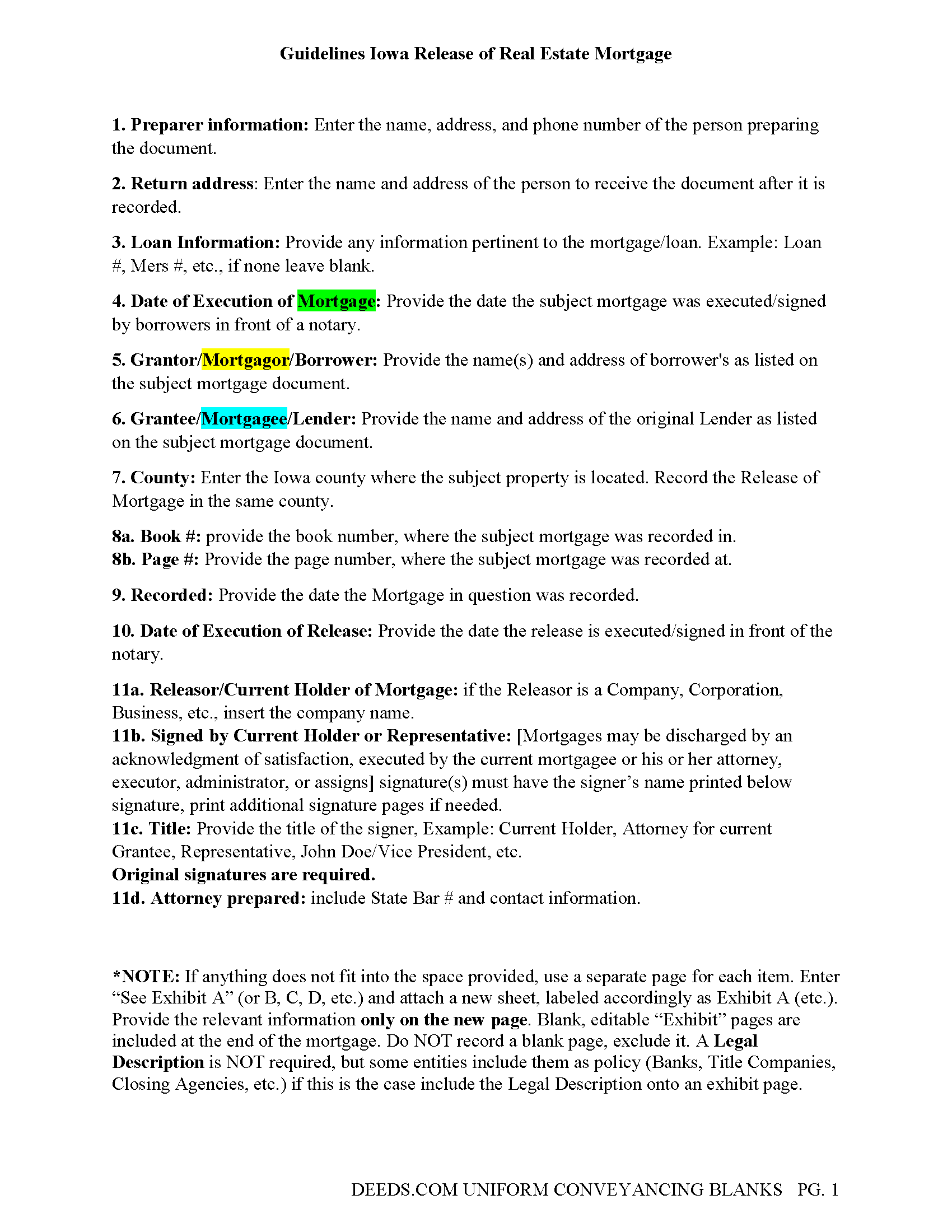
Webster County Release of Real Estate Mortgage Guidelines
Line by line guide explaining every blank on the form.
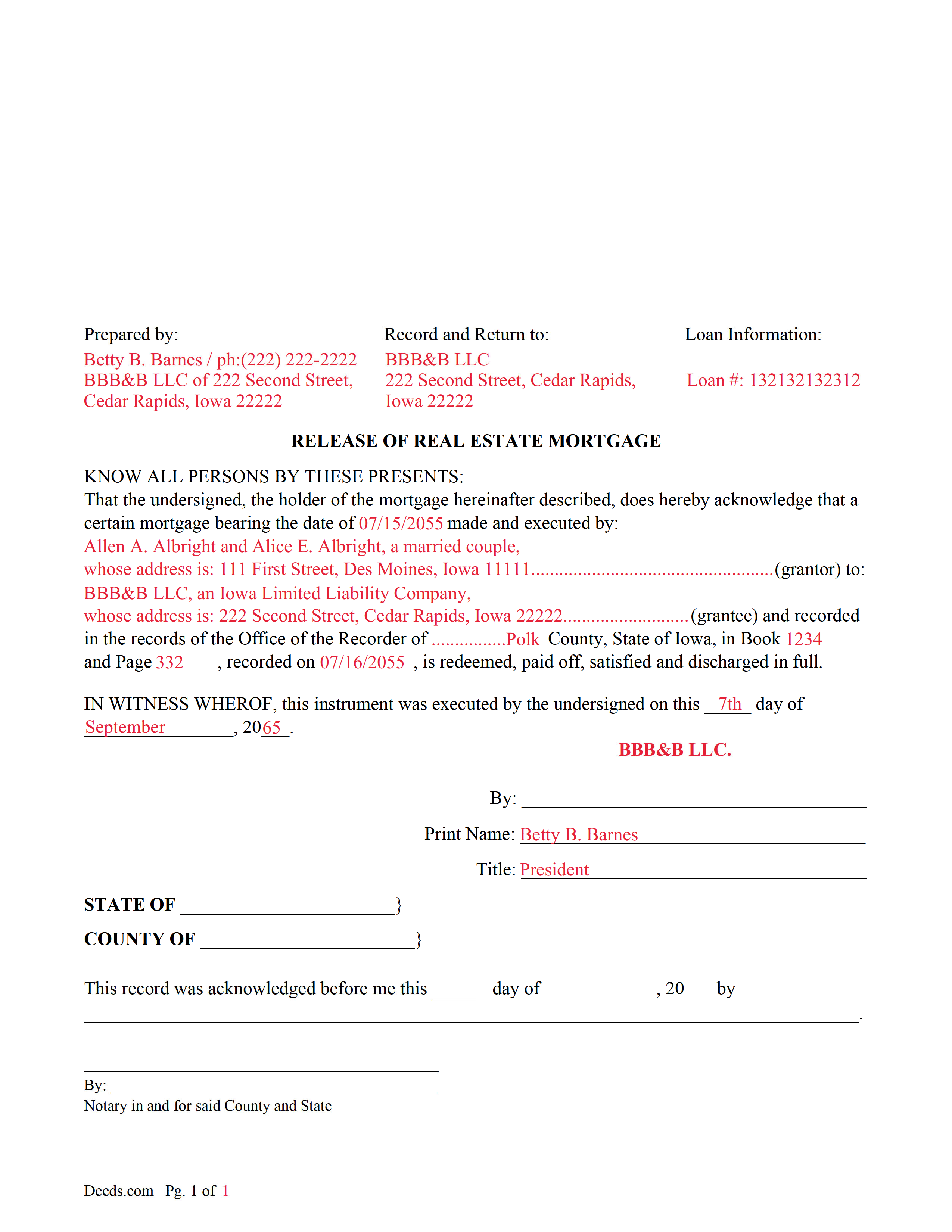
Webster County Completed Example of a Release of Real Estate Mortgage Document
Example of a properly completed form for reference.
All 3 documents above included • One-time purchase • No recurring fees
Immediate Download • Secure Checkout
Additional Iowa and Webster County documents included at no extra charge:
Where to Record Your Documents
Recorder
Fort Dodge, Iowa 50501
Hours: 8:00 to 4:30 Mon - Fri / Recording Cut-off at 3:00
Phone: (515) 576-2401
Recording Tips for Webster County:
- Bring your driver's license or state-issued photo ID
- Ensure all signatures are in blue or black ink
- Make copies of your documents before recording - keep originals safe
- Recorded documents become public record - avoid including SSNs
- Recording fees may differ from what's posted online - verify current rates
Cities and Jurisdictions in Webster County
Properties in any of these areas use Webster County forms:
- Badger
- Barnum
- Burnside
- Callender
- Clare
- Dayton
- Duncombe
- Fort Dodge
- Gowrie
- Harcourt
- Lehigh
- Moorland
- Otho
- Vincent
Hours, fees, requirements, and more for Webster County
How do I get my forms?
Forms are available for immediate download after payment. The Webster County forms will be in your account ready to download to your computer. An account is created for you during checkout if you don't have one. Forms are NOT emailed.
Are these forms guaranteed to be recordable in Webster County?
Yes. Our form blanks are guaranteed to meet or exceed the applicable formatting requirements used for recording in Webster County, including margin requirements, font requirements, and other layout standards. This guarantee applies to formatting, not to the legal sufficiency of information entered by the user or the suitability of a form for a particular transaction.
Can I reuse these forms?
Yes. You can reuse the forms for your personal use. For example, if you have multiple properties in Webster County you only need to order once.
What do I need to use these forms?
The forms are PDFs that you fill out on your computer. The free Adobe Acrobat Reader is recommended, and most PDF apps also work. You do NOT enter your property information online - you download the blank forms and complete them privately on your own computer.
Are there any recurring fees?
No. This is a one-time purchase. Nothing to cancel, no memberships, no recurring fees.
How much does it cost to record in Webster County?
Recording fees in Webster County vary. Contact the recorder's office at (515) 576-2401 for current fees.
Questions answered? Let's get started!
This form is used by the current lender/mortgagee, (the mortgagee's personal representative or assignee, or those legally acting for the mortgagee, and in case of payment of a school fund mortgage the county auditor, within thirty days of payment in full, shall acknowledge satisfaction thereof by execution of an instrument of satisfaction which is in writing, refers to the mortgage, and is duly acknowledged and recorded.) (Iowa Code 655.1)
Iowa Code 655.5 -- Instrument of satisfaction
When the judgment is paid in full, the mortgagee shall file with the clerk a satisfaction of judgment which shall release the mortgage underlying the action. A mortgagee who fails to file a satisfaction within thirty days of receiving a written request shall be subject to reasonable damages and a penalty of five hundred dollars plus reasonable attorney fees incurred by the aggrieved party, to be recovered in an action for the satisfaction by the party aggrieved.
(Iowa Release of Mortgage Package includes form, guidelines, and completed example) For use in Iowa only.
Important: Your property must be located in Webster County to use these forms. Documents should be recorded at the county recording office listed above.
This Release of Real Estate Mortgage meets all recording requirements specific to Webster County.
Our Promise
The documents you receive here are guaranteed to meet or exceed the applicable Webster County recording format requirements. If there is a rejection caused by our formatting, we will correct the issue or refund your payment. This guarantee applies to document formatting only and does not extend to information entered by the user, the selection of the form, or the legal effect of the completed document.
Save Time and Money
Get your Webster County Release of Real Estate Mortgage form done right the first time with Deeds.com Uniform Conveyancing Blanks. At Deeds.com, we understand that your time and money are valuable resources, and we don't want you to face a penalty fee or rejection imposed by a county recorder for submitting nonstandard documents. We constantly review and update our forms to meet rapidly changing state and county recording requirements for roughly 3,500 counties and local jurisdictions.
4.8 out of 5 - ( 4,834 Reviews )
FRANCIS P. 5 out of 5 stars
Finding what I needed was easy. The payment process was easy. Using what I found was easy. Easy-peasy and GREAT results. Professional and succinct all for the price of a steak dinner. I'll be back to DEEDS.COM when I need any paperwork/forms related to deeds.
Thank you for your feedback. We really appreciate it. Have a great day!
Kathy D. 5 out of 5 stars
Thank You, I will be looking forward to printing these files, and getting this Ladybird deed in place.
Thank you!
Kay G. 5 out of 5 stars
Found just the form I was looking for. It was an easy download process. Now just have to complete the forms!
Thank you for your feedback Kay, we really appreciate it.
SHARON R. 5 out of 5 stars
Excellent Service! Please note that form Realty Transfer Tax Statement of Value does not print completely. Part of the pages are cut off. Otherwise, excellent service.
Thank you for your feedback. We really appreciate it. Have a great day!
Elizabeth C. 5 out of 5 stars
Very happy, thank you!
We appreciate your business and value your feedback. Thank you. Have a wonderful day!
Norma G. 5 out of 5 stars
Thank you! This is very helpful
Thank you!
Ellen D. 5 out of 5 stars
Fantastic service! The forms were available to download instantly and they were perfect for my situation. Easy to use on my older computer. Thanks!
Thank you for your feedback. We really appreciate it. Have a great day!
April M. 5 out of 5 stars
It was a very easy and quick site to use. Not to big of a fan price wise. But it gave me what I needed in a hurry. So all and all I'd definitely use this site again. Thank you!
We appreciate your business and value your feedback. Thank you. Have a wonderful day!
Dan J. 5 out of 5 stars
The paperwork was fine but it was just paperwork. Georgia does not accept a paper form. The form must be transmitted electronically through a registered account. Using an attorney may have been the simple way to file the cancellation.
Thank you for your feedback, Dan. We’re glad the paperwork itself met your expectations. Recording requirements can vary by state and county, including how documents are submitted. We appreciate you sharing your experience and will review our product information to see where we can better clarify the recording process for Georgia customers.
Leo H. 5 out of 5 stars
The deed was very easy to use and the material provided were helpful in completing the form. We haven't filed it yet, but I assume that all will go well.
We appreciate your business and value your feedback. Thank you. Have a wonderful day!
Elizabeth L. 5 out of 5 stars
Used this site and the forms a few times now and always a good experience. It's so nice to be able to download these forms to my computer and work on them there. So many others want you to do everything online, pain in my opinion. Thank you Deeds!
Thank you for your feedback. We really appreciate it. Have a great day!
Tram V. 5 out of 5 stars
This is quick, easy, and very reasonably priced. I wish I found this site before doing my living trust. I had the company who does my trust do the transfer deed and they charged an additional $329 for the deed alone.
Thank you for your feedback. We really appreciate it. Have a great day!
Dr Martin A. 5 out of 5 stars
Easy to use...great service
Thank you for the kind words, Dr. Martin! We're delighted you found our service easy to use. We appreciate you taking the time to share your experience!
A. S. 3 out of 5 stars
First, I am glad that you gave a blank copy, an example copy, and a 'guide'. It made it much easier to do. Overall I was very happy with your products and organization... however, things got pretty confusing and I have a pretty 'serious' law background in Real Estate and Civil law. With that said, I spent about 10+ hours getting my work done, using the Deed of Trust and Promissory note from you and there were a few problems: First, it would be FANTASTIC if you actually aligned your guide to actually match the Deed or Promissory Note. What I mean is that if the Deed says 'section (E)' then your guide shouldn't be 'randomly' numbered as 1,2,3, for advice/instructions, but should EXACTLY match 'section (E)'. Some places you have to 'hunt' for what you are looking for, and if you did it based on my suggestion, you wouldn't need to 'hunt' and it would avoid confusion. 2nd: This one really 'hurt'... you had something called the 'Deed of Trust Master Form' yet you had basically no information on what it was or how to use it. The only information you had was a small section at the top of the 'Short Form Deed of Trust Guide'. Holy Cow, was that 'section' super confusing. I still don't know if I did it correctly, but your guide says only put a return address on it and leave the rest of the 16 or so page Deed of Trust beneath it blank... and then include your 'Deed of Trust' (I had to assume the short form deed that I had just created) as part of it. I had to assume that I had to print off the entire 17 page or so title page and blank deed. I also had to assume that the promissory note was supposed to be EXHIBIT A or B on the Short Form Deed. It would be great if someone would take a serious look at that short section in your 'Short Form Deed of Trust Guide' and realize that those of us using your products are seriously turning this into a county clerk to file and that most of us, probably already have a property that has an existing Deed... or at least can find one in the county records if necessary... and make sure that you make a distinction between the Deed for the property that already exists, versus the Deed of Trust and Promissory note that we are trying to file. Thanks.
Thank you for your feedback. We'll have staff review the document for clarity. Have a great day!
Marilyn L. 5 out of 5 stars
Good!!
Thank you!