Marion County Administrator Deed Form
Last validated October 13, 2026 by our Forms Development TeamFormatted for recording in Marion County, for property anywhere in the county: rural and unincorporated areas as well as Burns, Durham, Florence, Goessel, Hillsboro, Lehigh, Lincolnville, Lost Springs and 4 more.
- 3 documents included
- Immediate PDF download
- Formatting guarantee
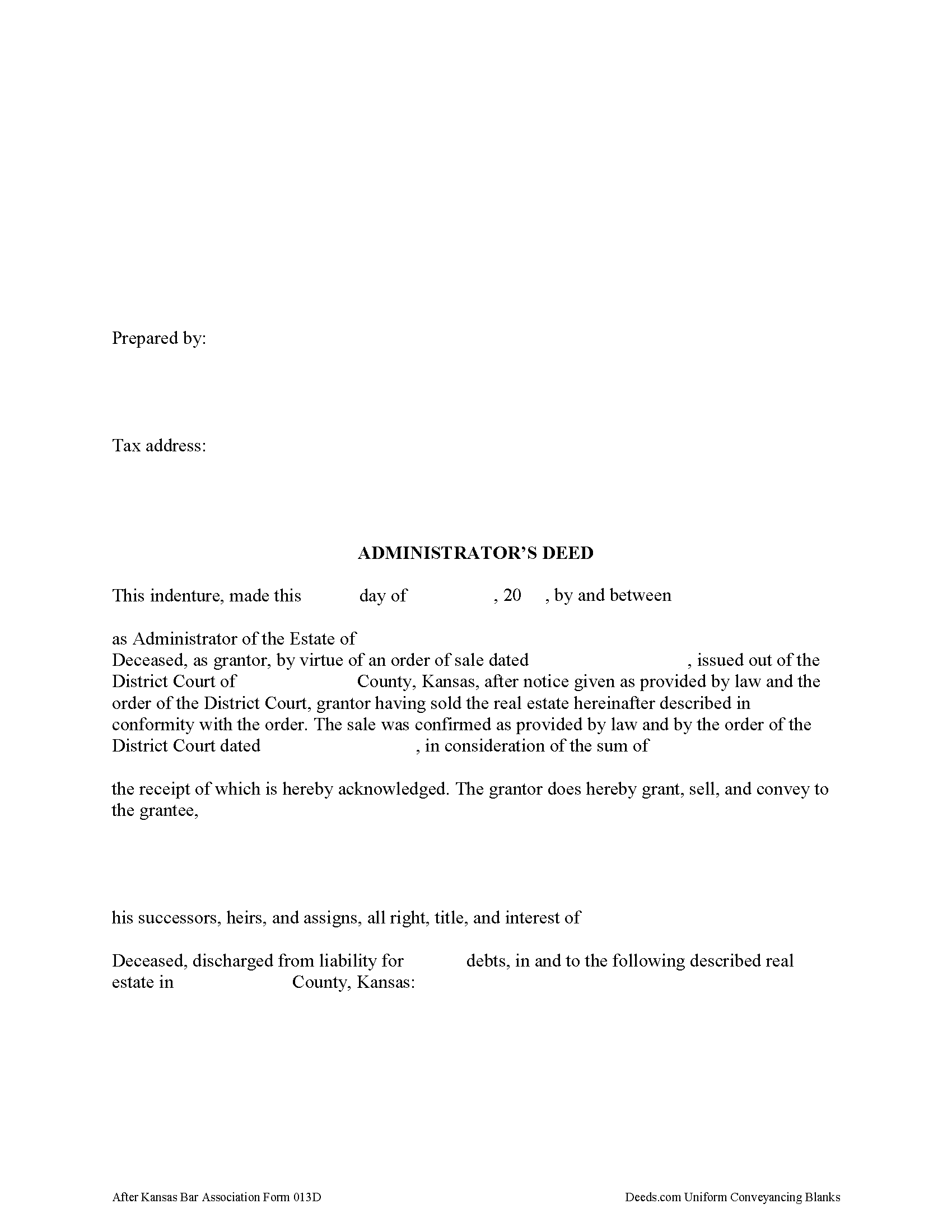
Marion County Administrator Deed Form
Fill in the blank form formatted to comply with all recording and content requirements.
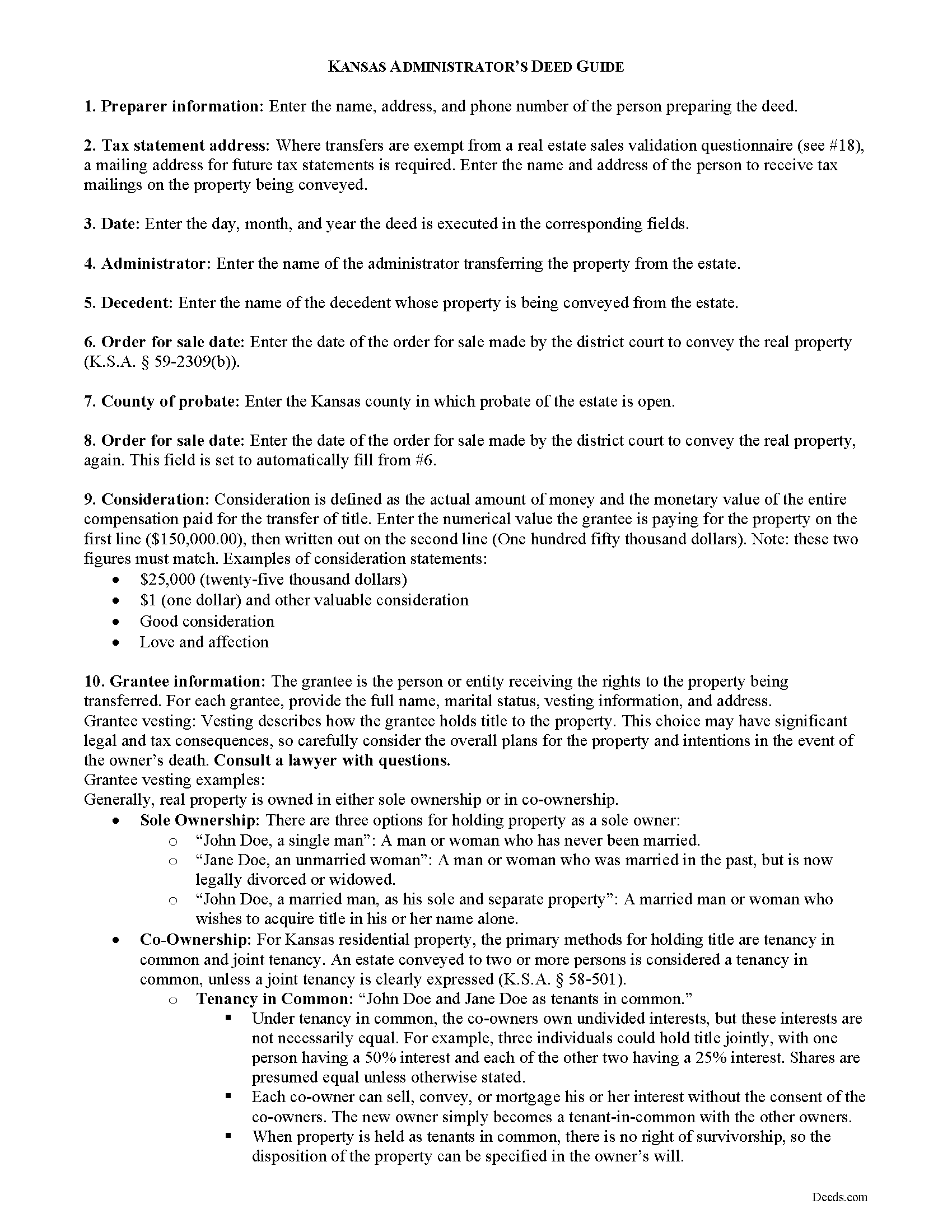
Marion County Administrator Deed Guide
Line by line guide explaining every blank on the form.
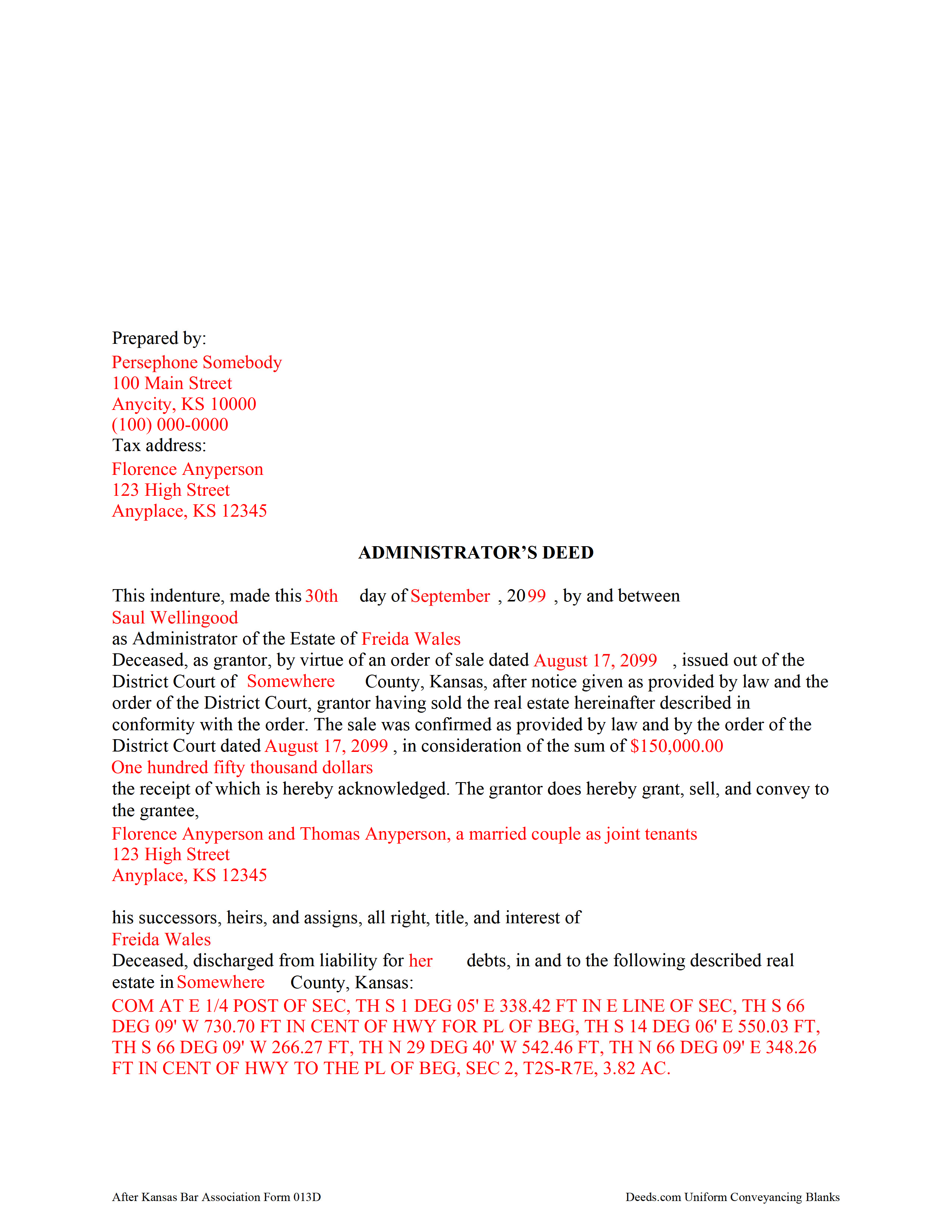
Marion County Completed Example of the Administrator Deed Document
Example of a properly completed form for reference.
All 3 documents above included • One-time purchase • No recurring fees
Immediate Download • Secure Checkout
Additional Kansas and Marion County documents included at no extra charge:
Where to Record Your Documents
Marion County Register of Deeds
Marion, Kansas 66861
Hours: 8:00 to 5:00 M-F
Phone: (620) 382-2151
Recording Tips for Marion County:
- Bring your driver's license or state-issued photo ID
- Ensure all signatures are in blue or black ink
- Check margin requirements - usually 1-2 inches at top
- Leave recording info boxes blank - the office fills these
- Make copies of your documents before recording - keep originals safe
Cities and Jurisdictions in Marion County
Properties in any of these areas use Marion County forms:
- Burns
- Durham
- Florence
- Goessel
- Hillsboro
- Lehigh
- Lincolnville
- Lost Springs
- Marion
- Peabody
- Ramona
- Tampa
Hours, fees, requirements, and more for Marion County
How do I get my forms?
Forms are available for immediate download after payment. The Marion County forms will be in your account ready to download to your computer. An account is created for you during checkout if you don't have one. Forms are NOT emailed.
Are these forms guaranteed to be recordable in Marion County?
Yes. Our form blanks are guaranteed to meet or exceed the applicable formatting requirements used for recording in Marion County, including margin requirements, font requirements, and other layout standards. This guarantee applies to formatting, not to the legal sufficiency of information entered by the user or the suitability of a form for a particular transaction.
Can I reuse these forms?
Yes. You can reuse the forms for your personal use. For example, if you have multiple properties in Marion County you only need to order once.
What do I need to use these forms?
The forms are PDFs that you fill out on your computer. The free Adobe Acrobat Reader is recommended, and most PDF apps also work. You do NOT enter your property information online - you download the blank forms and complete them privately on your own computer.
Are there any recurring fees?
No. This is a one-time purchase. Nothing to cancel, no memberships, no recurring fees.
How much does it cost to record in Marion County?
Recording fees in Marion County vary. Contact the recorder's office at (620) 382-2151 for current fees.
Questions answered? Let's get started!
When a decedent dies intestate (without a will), fails to designate a personal representative (PR) in his or her will, or the named PR is unable or unwilling to serve, the court appoints a PR called an administrator.
Use an administrator's deed after the district court has issued an order for sale of the subject real property to convey the property from the estate.
The deed must meet all state and local standards for content and form, and includes a recitation of facts concerning the administrator, the decedent, the order for sale, and the subject property being transferred. The PR signs the completed document in the presence of a notary public prior to recording.
Depending on the nature of the transfer, it may require supplemental documentation. Consult a lawyer with questions about estate administration in Kansas.
(Kansas Administrator Deed Package includes form, guidelines, and completed example)
Important: Your property must be located in Marion County to use these forms. Documents should be recorded at the county recording office listed above.
This Administrator Deed meets all recording requirements specific to Marion County.
Our Promise
The documents you receive here are guaranteed to meet or exceed the applicable Marion County recording format requirements. If there is a rejection caused by our formatting, we will correct the issue or refund your payment. This guarantee applies to document formatting only and does not extend to information entered by the user, the selection of the form, or the legal effect of the completed document.
Save Time and Money
Get your Marion County Administrator Deed form done right the first time with Deeds.com Uniform Conveyancing Blanks. At Deeds.com, we understand that your time and money are valuable resources, and we don't want you to face a penalty fee or rejection imposed by a county recorder for submitting nonstandard documents. We constantly review and update our forms to meet rapidly changing state and county recording requirements for roughly 3,500 counties and local jurisdictions.
4.8 out of 5 - ( 4,846 Reviews )
Ronald P. 3 out of 5 stars
Forms easy to download but experienced problems trying to type in my information into the forms. Then when I went to print a form, Adobe wanted to charge me for printing. I ended up printing the blank forms and then filling them out manually.
Thank you, Ronald. We're glad you found the forms easy to download, though we're sorry to hear about the printing and fill-in experience. Our forms are designed to be fillable and printable using free software like Adobe Reader. If you ever run into issues, our support team is happy to help!
Robert C. 5 out of 5 stars
I hope I have the right form. My deed should be for a mfg home.
Thank you for your feedback. We really appreciate it. Have a great day!
Hugh B R. 5 out of 5 stars
Very user friendly and fast. Pleasure using this site.
Thank you for your feedback. We really appreciate it. Have a great day!
Emery N. 5 out of 5 stars
Thank you for your service,,you have a very good site,,easy to use
Thank you for your feedback. We really appreciate it. Have a great day!
Cheryl B. 5 out of 5 stars
I did this on a desktop using a scanned .pdf file. Simple, straight-forward, excellent instructions, easy, fast, and well documented for each step. From account creation to proof of recording: 4 hours... from the comfort of my home. I would highly recommend this service to anyone, including - and maybe especially - those who are looking for fast recording who aren't well versed in computers and on-line processes. Well done in all ways.
We appreciate your business and value your feedback. Thank you. Have a wonderful day!
Edward S. 5 out of 5 stars
I was able to e-record 3 document with ease. The Middlesex registry of deeds is closed due to COVID-19 and this was my only option. Even if it was open, this is much faster and saves me time and money on parking ..etc. Great services.
Thank you!
Diane W. 5 out of 5 stars
Easy to download and print. Came with good instructions. Would use deeds.com again.
We appreciate your business and value your feedback. Thank you. Have a wonderful day!
Brenda M. K. 5 out of 5 stars
Great service Easy to do Efficient
Thank you for your feedback. We really appreciate it. Have a great day!
MARK S. 5 out of 5 stars
I filed my beneficiary deed today and it went off without a hitch. I really appreciated the guidelines and the example that came with the form The guide lines cleared up some questions I had regarding tenancy by the entirety which I had been trying to figure out.
We appreciate your business and value your feedback. Thank you. Have a wonderful day!
John M. 5 out of 5 stars
I ordered my gift deed forms one evening, filled them out the next day, and registered them with the register of deeds the next morning. Boom. Done! Easy peasy, no lawyer expense!
Thank you!
Tammy B. 5 out of 5 stars
I am so happy that I was able to get these forms. So simple to get and seems like will be easy to fill out . Thank you
We appreciate your business and value your feedback. Thank you. Have a wonderful day!
Dale S. 5 out of 5 stars
I used the Affidavit of Death form provided by Deeds.com. The form and directions were easy to follow. I took the form to the county clerk's office for filing after getting it notarized. They accepted the form with no issues. A task that many people go to a lawyer complete was completed easily by me in less than an hour.
Thanks, Dale! Glad it worked exactly as it should — clear form, smooth filing, no issues at the clerk's office. That's the goal every time.
CLIVE R. 4 out of 5 stars
The instructions were really clear and the site user friendly
We appreciate your comments and your trust in us. Thank you.
Esther R. 5 out of 5 stars
Very easy to follow and complete.
Thank you for your feedback. We really appreciate it. Have a great day!
John M. 5 out of 5 stars
Very satisfied with your service. Considering how complicated real estate titles are, this could not have been simpler. Your website worked perfectly.
Thank you!