Decatur County Certificate of Trust Form
Last validated October 1, 2026 by our Forms Development TeamFormatted for recording in Decatur County, for property anywhere in the county: rural and unincorporated areas as well as Dresden, Jennings, Norcatur, Oberlin.
- 3 documents included
- Immediate PDF download
- Formatting guarantee
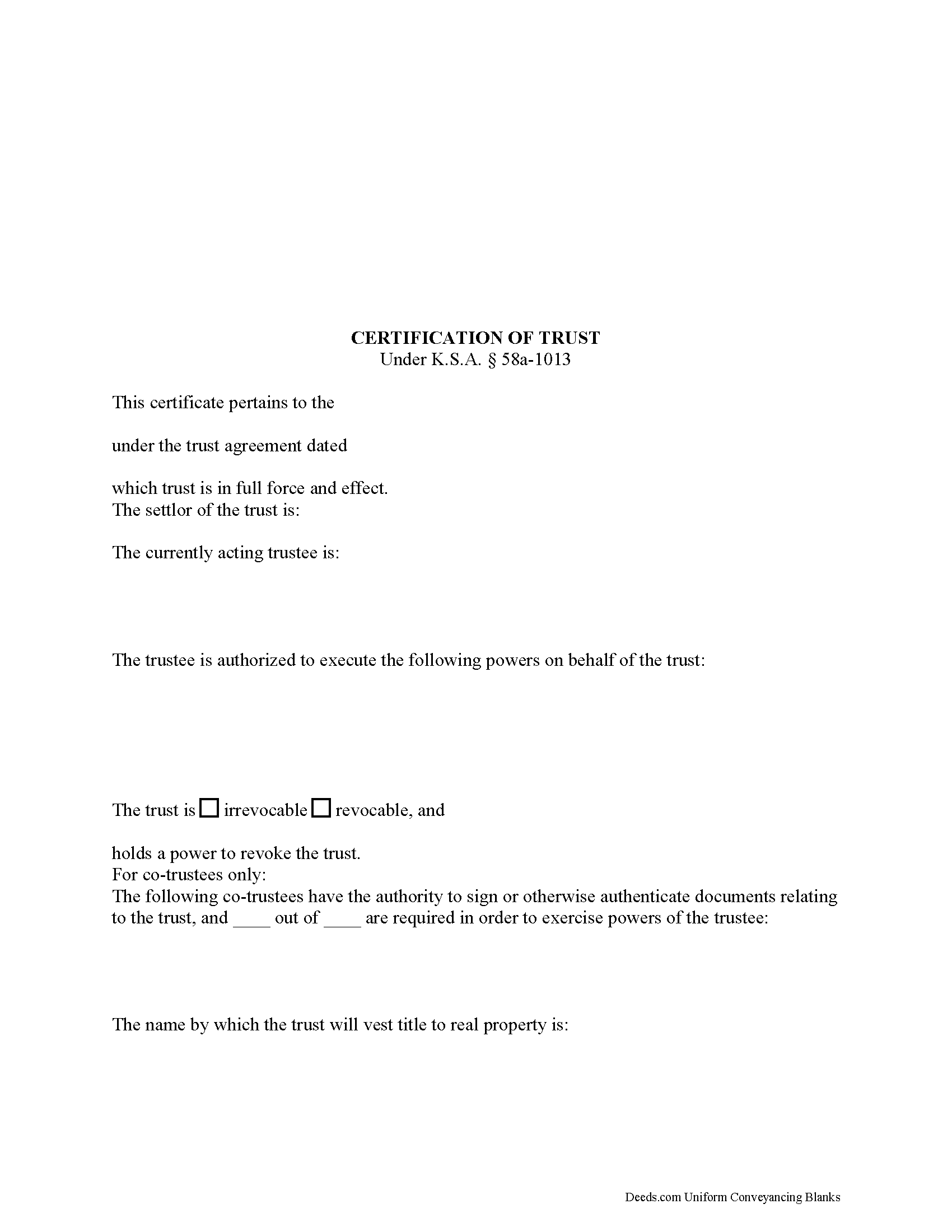
Decatur County Certificate of Trust Form
Fill in the blank form formatted to comply with all recording and content requirements.
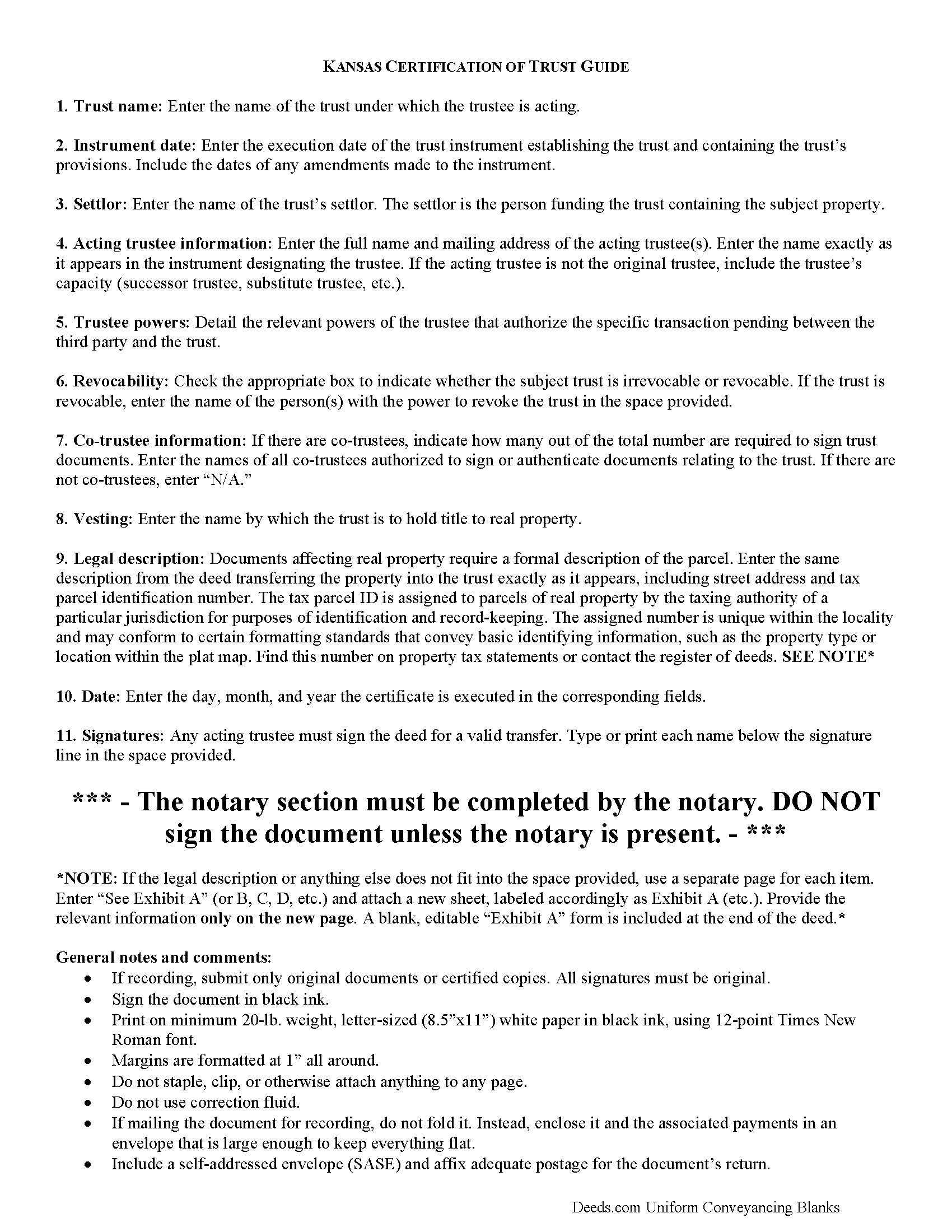
Decatur County Certificate of Trust Form
Line by line guide explaining every blank on the form.
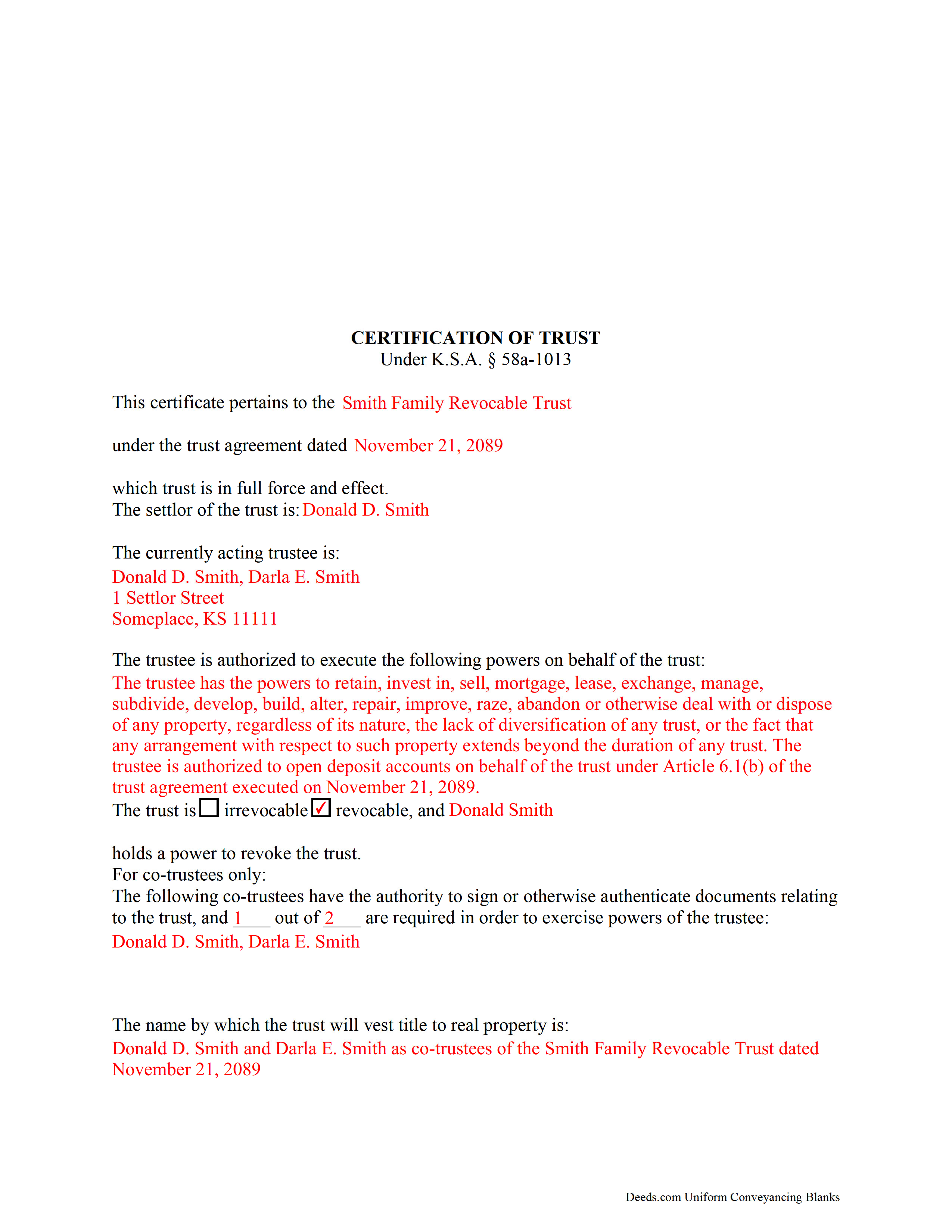
Decatur County Completed Example of the Certificate of Trust Document
Example of a properly completed form for reference.
All 3 documents above included • One-time purchase • No recurring fees
Immediate Download • Secure Checkout
Additional Kansas and Decatur County documents included at no extra charge:
Where to Record Your Documents
Decatur County Register of Deeds
Oberlin, Kansas 67749
Hours: 8-12, 1-5
Phone: (785) 475-8105
Recording Tips for Decatur County:
- Bring your driver's license or state-issued photo ID
- Ensure all signatures are in blue or black ink
- Make copies of your documents before recording - keep originals safe
- Recorded documents become public record - avoid including SSNs
- Recording fees may differ from what's posted online - verify current rates
Cities and Jurisdictions in Decatur County
Properties in any of these areas use Decatur County forms:
- Dresden
- Jennings
- Norcatur
- Oberlin
Hours, fees, requirements, and more for Decatur County
How do I get my forms?
Forms are available for immediate download after payment. The Decatur County forms will be in your account ready to download to your computer. An account is created for you during checkout if you don't have one. Forms are NOT emailed.
Are these forms guaranteed to be recordable in Decatur County?
Yes. Our form blanks are guaranteed to meet or exceed the applicable formatting requirements used for recording in Decatur County, including margin requirements, font requirements, and other layout standards. This guarantee applies to formatting, not to the legal sufficiency of information entered by the user or the suitability of a form for a particular transaction.
Can I reuse these forms?
Yes. You can reuse the forms for your personal use. For example, if you have multiple properties in Decatur County you only need to order once.
What do I need to use these forms?
The forms are PDFs that you fill out on your computer. The free Adobe Acrobat Reader is recommended, and most PDF apps also work. You do NOT enter your property information online - you download the blank forms and complete them privately on your own computer.
Are there any recurring fees?
No. This is a one-time purchase. Nothing to cancel, no memberships, no recurring fees.
How much does it cost to record in Decatur County?
Recording fees in Decatur County vary. Contact the recorder's office at (785) 475-8105 for current fees.
Questions answered? Let's get started!
Part of the Kansas Uniform Trust Code, the certification of trust is codified at K.S.A. 58a-1013.
In lieu of the trust instrument, a trustee doing business with a third party who is not a trust beneficiary can provide an acknowledged certification of trust. The certification is an abstract of the trust instrument and contains only information essential to the transaction.
A trust instrument, executed by the trust's settlor, contains the trust provisions. It designates a trustee, or a fiduciary that represents the trust. The trust instrument also identifies the trust beneficiaries, or the person(s) having a present or future interest in the trust (K.S.A. 58a-103(2)(A)).
A certification of trust does not disclose the trust's beneficiaries, or other information a settlor may wish to keep private. In Kansas, only trust instruments pertaining to "the state, or any county, municipality, political or governmental subdivision, or governmental agency of the state as the beneficiary" are required to be recorded (K.S.A. 58-2431, 2).
The document certifies, first and foremost, the existence of the trust and the trustee's authority to represent the trust. The certification also states the name, date, and type (revocable or irrevocable) of trust and provides the identity of the trust's settlor, or the person who established the trust and is funding the trust with assets, as well as the name of any person able to revoke the trust, if applicable.
In addition, the certification details the powers that the trustee has been granted relevant to the transaction at hand. For trusts with more than one trustee, the document identifies all trustees who may authorize documents relating to the trust and whether all or less than all is required to authenticate trust documents. Finally, the certification should include the manner of taking title to trust property.
All Kansas documents affecting real property require a legal description. If using the document in conjunction with a trustee's deed, the certification should contain the legal description of the subject real property.
A recipient of a certification of trust can request copies of excerpts from the original trust instrument and later amendments which designate the trustee and confer the power to act in the pending transaction, but may assume without inquiry the existence of the facts contained in the certification (K.S.A. 58a-1013(e),(f). Requesting the entire trust instrument in addition to the certification or excerpts opens the recipient to certain liabilities in court.
Consult a lawyer for guidance and with any questions relating to trusts or certifications of trust, as each situation is unique.
(Kansas Certificate of Trust Package includes form, guidelines, and completed example)
Important: Your property must be located in Decatur County to use these forms. Documents should be recorded at the county recording office listed above.
This Certificate of Trust meets all recording requirements specific to Decatur County.
Our Promise
The documents you receive here are guaranteed to meet or exceed the applicable Decatur County recording format requirements. If there is a rejection caused by our formatting, we will correct the issue or refund your payment. This guarantee applies to document formatting only and does not extend to information entered by the user, the selection of the form, or the legal effect of the completed document.
Save Time and Money
Get your Decatur County Certificate of Trust form done right the first time with Deeds.com Uniform Conveyancing Blanks. At Deeds.com, we understand that your time and money are valuable resources, and we don't want you to face a penalty fee or rejection imposed by a county recorder for submitting nonstandard documents. We constantly review and update our forms to meet rapidly changing state and county recording requirements for roughly 3,500 counties and local jurisdictions.
4.8 out of 5 - ( 4,828 Reviews )
Carolyn S. 5 out of 5 stars
This website was very helpful in explaining what a "gift" deed is and how to execute it. I didn't want to incur legal fees for a simple transaction and this website helped me avoid that.
Thank you for your feedback. We really appreciate it. Have a great day!
Richard S. 2 out of 5 stars
Not user friendly, and not an Adobe fan. The first page of Quitclaim Deed form cuts off the Parcel Identification line on the bottom. Also quite a few forms showed up to be downloaded , after I paid, so I was unsure if all the forms were part of the quitclaim package. I have adobe but was unable to locate the forms in adobe on my computer after I downloaded them. Just wanted to print out one quitclaim deed form, which would have taken less that 3 minutes. instead it took 97 minutes. Thank you, though, for having the form there.
Thank you for your feedback. We really appreciate it. Have a great day!
Anna C. 4 out of 5 stars
While I don't know if my filing will be accepted which is the penultimate test, I was happy with the product.
Thank you!
Thanh P. 5 out of 5 stars
Awesome services. Quick and efficient.
Thank you for your kind words Thanh, we appreciate you.
Rodney K. 5 out of 5 stars
I need more time to review the vast number of documents received for such a good price. Hoping your info allows me to meet with and talk intelligently with a lawyer.
Thank you!
Richard L. 5 out of 5 stars
Service was very convenient; I received prompt assistance with my document - staff was very helpful.
Thank you!
Danna F. 5 out of 5 stars
VERY INFORMATIVE
Thank you!
Dianna B. 5 out of 5 stars
Amazingly easy! I absolutely love it because it is so efficient and I only have to pay for when I use it. I use to have to drive to the recorders office or to a Kiosk station. The turn-around time was really quick as well.
Thank you!
John D. 5 out of 5 stars
Forms were easy to complete, with the instructions that were provided. Very satisfied!
Thank you!
MIMI T. 5 out of 5 stars
Absolutely the best ever!!!
Thank you!
CARRIE T. 5 out of 5 stars
Thought it was pretty simple to use.
Thank you!
Sherry C. 5 out of 5 stars
The experience was great. It was so easy to get my document recorded and it was done the same day!
Thank you!
Clarence R. 5 out of 5 stars
service from your team was quick and very accurate. My experience was excellent.
Thank you!
matthew h. 5 out of 5 stars
Totally awesome. Useless waste of time looking anywhere else for real estate deed forms. All the stars!!
Thank you!
Jan O. 5 out of 5 stars
This was so easy and just what I needed.
Thank you for your feedback. We really appreciate it. Have a great day!