Sedgwick County Quitclaim Deed (Trustee Grantor) Form
Last validated October 6, 2026 by our Forms Development TeamFormatted for recording in Sedgwick County, for property anywhere in the county: rural and unincorporated areas as well as Andale, Bentley, Cheney, Clearwater, Colwich, Derby, Garden Plain, Goddard and 10 more.
- 3 documents included
- Immediate PDF download
- Formatting guarantee
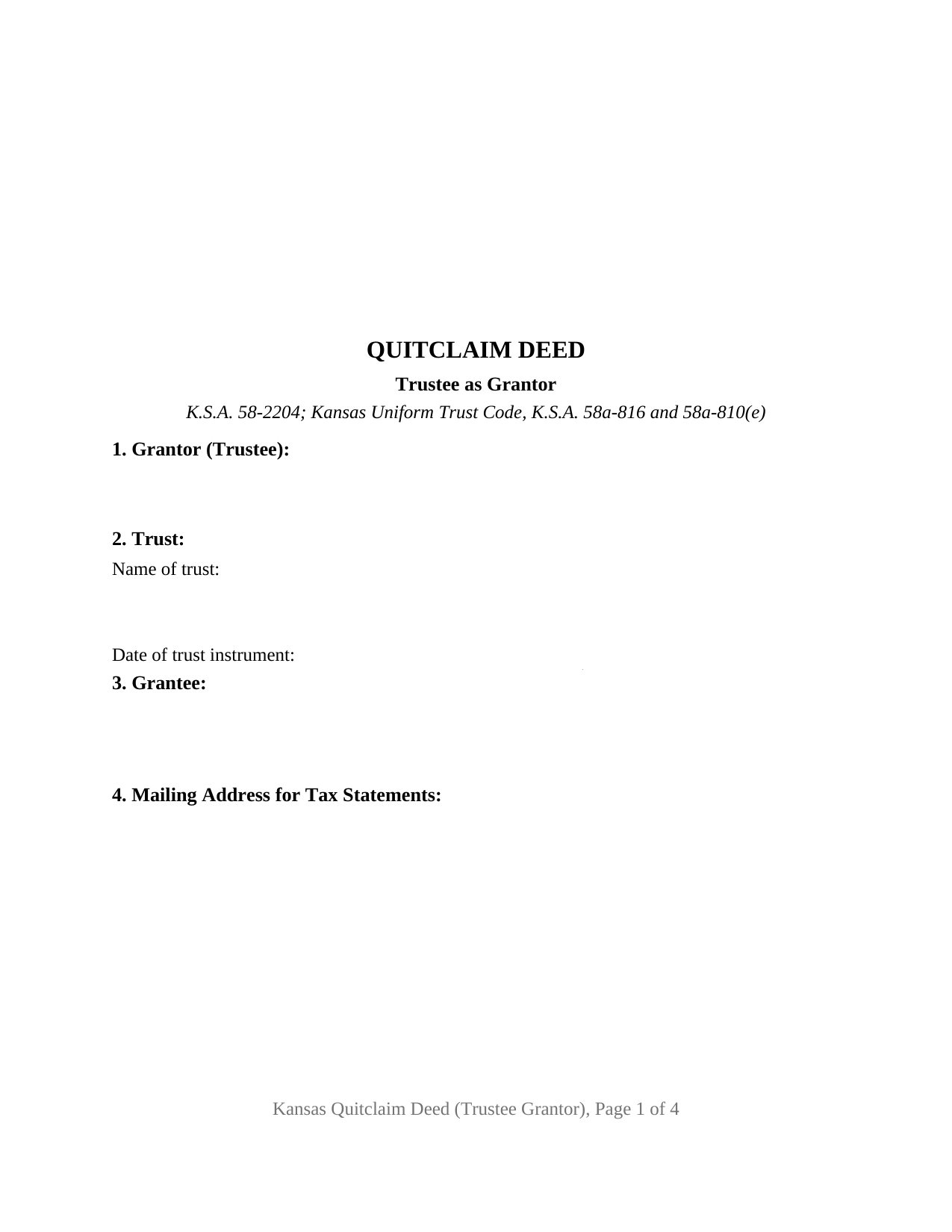
Sedgwick County Quitclaim Deed (Trustee Grantor) Form
Fill in the blank Quitclaim Deed (Trustee Grantor) form formatted to comply with all Kansas recording and content requirements.
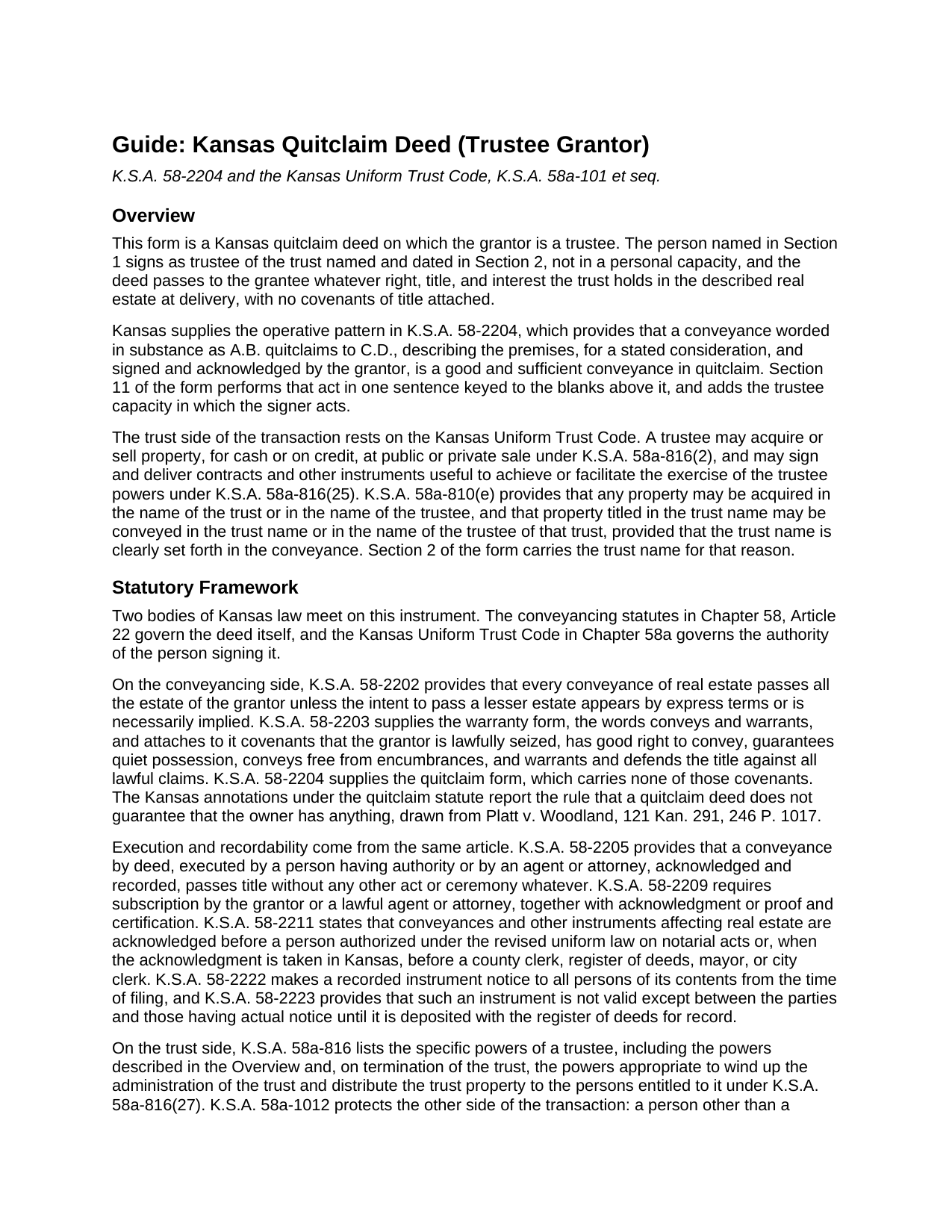
Sedgwick County Quitclaim Deed (Trustee Grantor) Guide
Line by line guide explaining every blank on the Quitclaim Deed (Trustee Grantor) form.
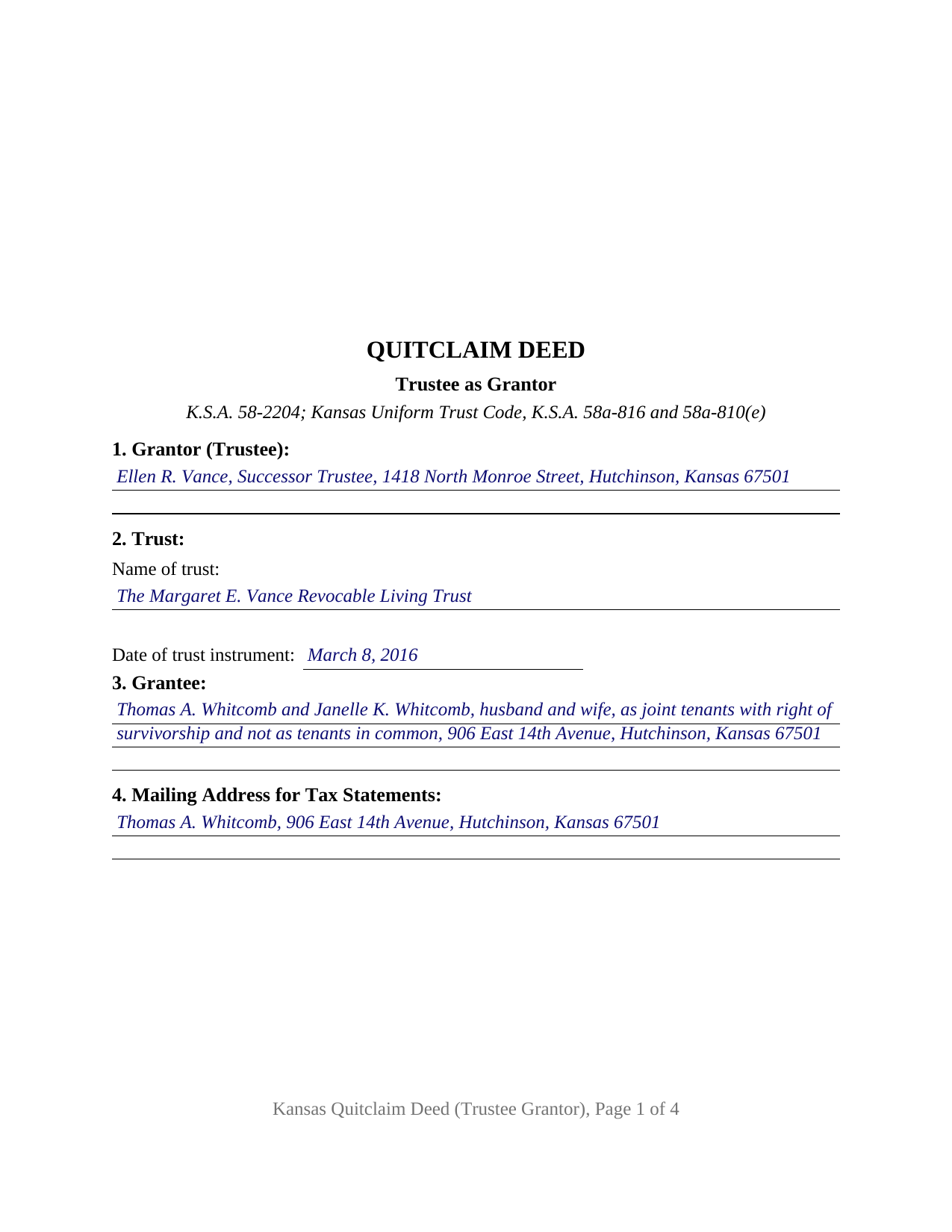
Sedgwick County Completed Example of the Quitclaim Deed (Trustee Grantor) Document
Example of a properly completed Kansas Quitclaim Deed (Trustee Grantor) document for reference.
All 3 documents above included • One-time purchase • No recurring fees
Immediate Download • Secure Checkout
Additional Kansas and Sedgwick County documents included at no extra charge:
Where to Record Your Documents
Sedgwick County Register of Deeds
Wichita, Kansas 67203
Hours: 8:00am-5:00pm M-F
Phone: (316) 660-9400
Recording Tips for Sedgwick County:
- Bring your driver's license or state-issued photo ID
- Ensure all signatures are in blue or black ink
- Check margin requirements - usually 1-2 inches at top
- Leave recording info boxes blank - the office fills these
- Make copies of your documents before recording - keep originals safe
Cities and Jurisdictions in Sedgwick County
Properties in any of these areas use Sedgwick County forms:
- Andale
- Bentley
- Cheney
- Clearwater
- Colwich
- Derby
- Garden Plain
- Goddard
- Greenwich
- Haysville
- Kechi
- Maize
- Mcconnell Afb
- Mount Hope
- Mulvane
- Valley Center
- Viola
- Wichita
Hours, fees, requirements, and more for Sedgwick County
How do I get my forms?
Forms are available for immediate download after payment. The Sedgwick County forms will be in your account ready to download to your computer. An account is created for you during checkout if you don't have one. Forms are NOT emailed.
Are these forms guaranteed to be recordable in Sedgwick County?
Yes. Our form blanks are guaranteed to meet or exceed the applicable formatting requirements used for recording in Sedgwick County, including margin requirements, font requirements, and other layout standards. This guarantee applies to formatting, not to the legal sufficiency of information entered by the user or the suitability of a form for a particular transaction.
Can I reuse these forms?
Yes. You can reuse the forms for your personal use. For example, if you have multiple properties in Sedgwick County you only need to order once.
What do I need to use these forms?
The forms are PDFs that you fill out on your computer. The free Adobe Acrobat Reader is recommended, and most PDF apps also work. You do NOT enter your property information online - you download the blank forms and complete them privately on your own computer.
Are there any recurring fees?
No. This is a one-time purchase. Nothing to cancel, no memberships, no recurring fees.
How much does it cost to record in Sedgwick County?
Recording fees in Sedgwick County vary. Contact the recorder's office at (316) 660-9400 for current fees.
Questions answered? Let's get started!
The grantor on this Kansas quitclaim deed signs as trustee. One person fills the grantor block in that capacity, the trust holding the real estate is named and dated just below it, and the interest leaving the trust reaches the grantee without a single covenant attached. Kansas supplies the sentence that does the work in K.S.A. 58-2204; what this variant adds is the fiduciary standing of the signer, together with the trust name that a conveyance out of trust title has to carry.
Authority that lives in the trust instrument, not on the deed
A trustee's power to convey comes from the trust instrument and from the Kansas Uniform Trust Code. K.S.A. 58a-816(2) lets a trustee acquire or sell property, for cash or on credit, at public or private sale, and item 25 covers signing and delivering the instruments that carry such a power into effect. Trust title may stand in either name, and K.S.A. 58a-810(e) conditions a conveyance of property titled in the trust name on the trust name being clearly set forth in that conveyance, which is the reason Section 2 prints the name of the trust and the date of its instrument. Proof of that authority is a separate document: the acknowledged certification of trust described in K.S.A. 58a-1013, prepared separately and not included in this package. Kansas also looks after the far side of the closing table: K.S.A. 58a-1012 relieves a person other than a beneficiary, dealing in good faith and for value, of any duty to inquire into the extent of the trustee's powers.
A sale and a distribution part ways at the counter
The questionnaire regime that greets every Kansas deed treats a trustee's transfer in two different ways, because the trust entry carries a condition. Item 7 of K.S.A. 79-1437e(a) reaches a transfer of title to or from a trust, and without consideration, so a distribution of trust land to a beneficiary travels under it while a sale of the same land for a price does not. Section 10 is drawn for both answers: it takes either the exemption statement that K.S.A. 79-1437e(b) calls for on the face of the filed document, or a line stating that the completed questionnaire rides along. Kansas Department of Revenue Directive 19-041 instructs registers of deeds not to add exemption information at filing, so that entry belongs to the parties. No transfer tax applies anywhere in the state.
One trustee, one certificate, twelve sections
The form recites a single acting trustee. Twelve numbered sections run from the trustee and the trust through the grantee, the address Kansas sends to the county clerk for tax statements under K.S.A. 58-2221, what the trust receives, the property description, the vesting instrument, matters of record, and the questionnaire entry, closing with the conveyance and one signature block above a printed name line. One acknowledgment certificate follows, completed by the notarial officer. The signer may be the trustee the settlor named or a successor holding the office through K.S.A. 58a-704, as in the completed example. A trust with two acting cotrustees presents a different signing picture, since K.S.A. 58a-1013 treats the number of trustees required to sign as a matter of the terms of the particular trust, and this layout draws one signature line. The grantor side states no attorney-in-fact, executor, conservator, or business entity capacity, and the deed carries no spousal consent section for land occupied as a residence.
Interest out, encumbrances intact
A quitclaim moves the interest as it stands at delivery and nothing more. None of the covenants K.S.A. 58-2203 fastens to the words conveys and warrants appear here, so the grantee reads the condition of the title from the county record. Recording supplies what follows: under K.S.A. 58-2222 a filed instrument gives notice of its contents from the time of filing, while K.S.A. 58-2223 leaves an unrecorded one good only between the parties and persons having actual notice. The grantee entry also carries any co-ownership designation, and under K.S.A. 58-501 clear language is what marks a joint tenancy, the arrangement the example illustrates.
The download brings the fillable trustee quitclaim deed, a completed example set in Reno County where a successor trustee sells a Hutchinson house to a married couple taking as joint tenants with right of survivorship, and a guide that walks the twelve sections, the trust code provisions standing behind the signature, the notarial rules, and the trip to the register of deeds. This package describes Kansas law in general terms and is not legal advice.
Important: Your property must be located in Sedgwick County to use these forms. Documents should be recorded at the county recording office listed above.
This Quitclaim Deed (Trustee Grantor) meets all recording requirements specific to Sedgwick County.
Our Promise
The documents you receive here are guaranteed to meet or exceed the applicable Sedgwick County recording format requirements. If there is a rejection caused by our formatting, we will correct the issue or refund your payment. This guarantee applies to document formatting only and does not extend to information entered by the user, the selection of the form, or the legal effect of the completed document.
Save Time and Money
Get your Sedgwick County Quitclaim Deed (Trustee Grantor) form done right the first time with Deeds.com Uniform Conveyancing Blanks. At Deeds.com, we understand that your time and money are valuable resources, and we don't want you to face a penalty fee or rejection imposed by a county recorder for submitting nonstandard documents. We constantly review and update our forms to meet rapidly changing state and county recording requirements for roughly 3,500 counties and local jurisdictions.
4.8 out of 5 - ( 4,840 Reviews )
Daniel W. 5 out of 5 stars
They are amazing. So fast and friendly.
We appreciate your business and value your feedback. Thank you. Have a wonderful day!
Deborah B. 5 out of 5 stars
I was skeptical after experiencing other websites. However not only did we get the form we needed for a fraction of the cost vs going to an attorney, the additional resources (guides and samples) made the completion of the Enhanced Life Quitclaim deed quite simple, quick, and painless. We were having difficulty getting my mom to agree to meeting with an attorney or even considering a Lady Bird deed. Deeds.com gave us the ability to move forward with necessary actions with family members walking my mom through the steps, explaining the process and giving her plenty of time to find the needed information. She became part of the process which made it easy for her at a time when decision making was hard. We did everything in the comfort of her own home. I can't think of a better experience or service and I would consider Deeds.com for future needs.
Thank you for the kinds words Deborah. We appreciate you taking the time to share your experience.
STACIA V. 4 out of 5 stars
I filled out the forms that were somewhat easy. I was surprised that it was recorded by the county recording office. I just hope that it really worked. I think it did. I will find out later this year.
Thank you!
Taylor Z. 5 out of 5 stars
I was frustrated by Orange County and all the other options they gave me to submit my paperwork. Deeds.com was the easiest to sign up for and I was impressed with how smoothly everything went. The price is well worth the convenience.
We appreciate your business and value your feedback. Thank you. Have a wonderful day!
Richard A. 5 out of 5 stars
Great product. It would be better if the document files were not embedded within other files. It made downloading a little confusing. The titles of the forms did not match exactly word for word, which required a lot of back and forth to make sure I had downloaded the proper document. What would be great is if once you download a document, the hyperlink changed color, or somehow denoted the document had been downloaded. Just a suggestion. You have my email address if you have questions. STILL! Five stars for you guys. I would not let that hiccup dissuade me from buying any form package from you guys. Thanks!
Thank you for your feedback. We really appreciate it. Have a great day!
Fred P. 5 out of 5 stars
Great website to get your state and county forms.
Thank you!
Ingrid K. 5 out of 5 stars
Prompt efficient service.
Thank you!
Mylika M. 5 out of 5 stars
Deed.com has been an amazing resource for my solo practice. Very timely communication and quick results!
We truly value your business and appreciate your review.
MARIO D S. 5 out of 5 stars
Well worth the $20.00 for the Transfer on Death Deed, if you are willing to do the leg work to notarize and record the deed. Money well spent and money well saved. The value is in the short, bullet type instructions and State specific forms and requirements.
Thank you!
John H. 5 out of 5 stars
works nice
Thank you!
DEBORAH G. 3 out of 5 stars
This product is good but the text boxes are not large enough to contain the information required for the form. Even dates do not display with the entry you make.
Thank you for your feedback. We really appreciate it. Have a great day!
Tyrone L. 5 out of 5 stars
Great time saver fast service
Your satisfaction with our services is of utmost importance to us. Thank you for letting us know how we did!
Lisa J. 5 out of 5 stars
I ordered a Lis Pendens form and it was exactly what I needed. Saved me a lot of time since I am self representing. Already filed it at courthouse! No problem!
Thank you for your feedback. We really appreciate it. Have a great day!
Robert H. 5 out of 5 stars
Just what I needed to file in Orange County. East to use and reasonably priced. Will use again if needed.
We appreciate your business and value your feedback. Thank you. Have a wonderful day!
Jim H. 5 out of 5 stars
Well written form, and the guidance document and example supplied were very helpful.
Thank you!