Rawlins County Transfer on Death Deed Revocation Form
Last validated October 15, 2026 by our Forms Development TeamFormatted for recording in Rawlins County, for property anywhere in the county: rural and unincorporated areas as well as Atwood, Herndon, Ludell, Mc Donald.
- 3 documents included
- Immediate PDF download
- Formatting guarantee
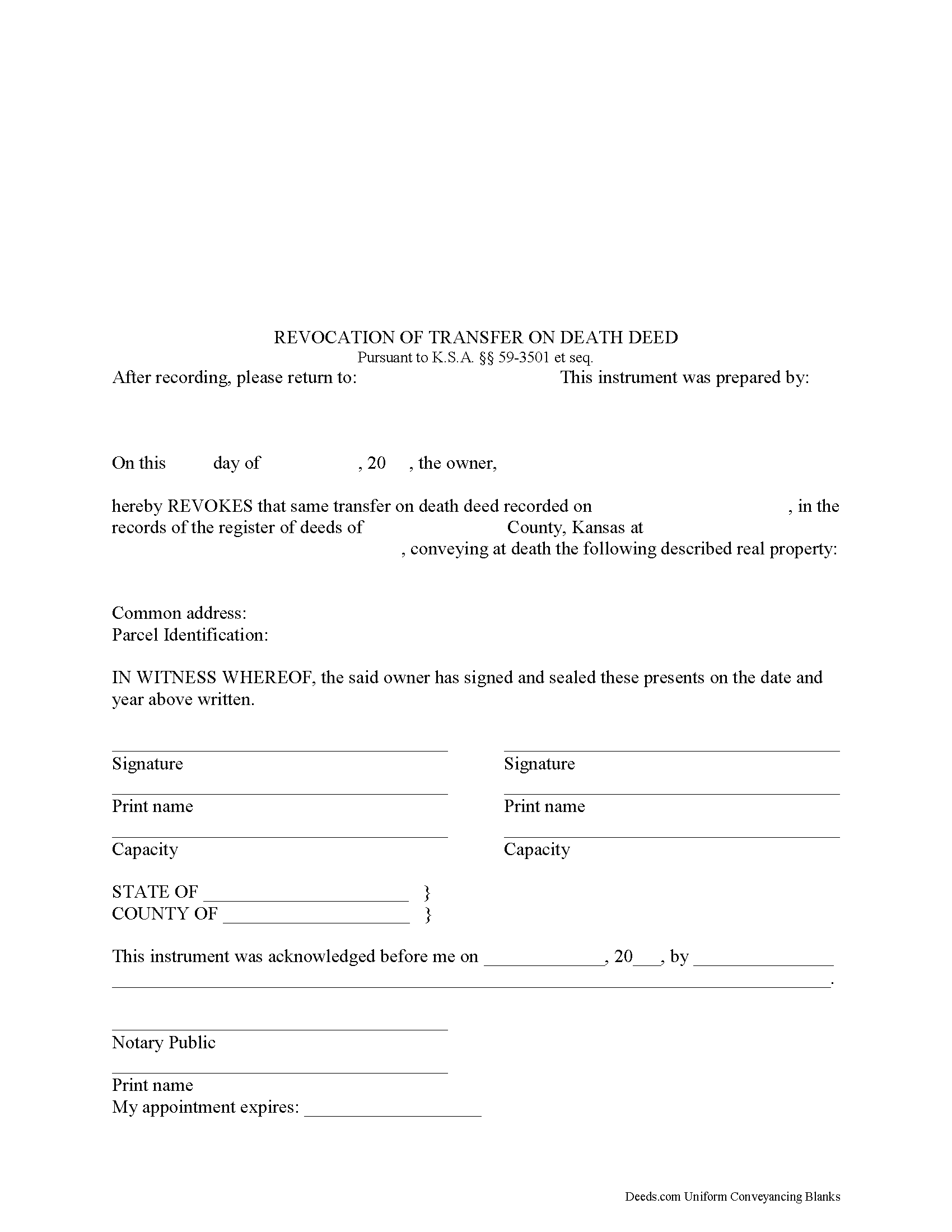
Rawlins County Revocation of Transfer on Death Deed Form
Fill in the blank form formatted to comply with all recording and content requirements.
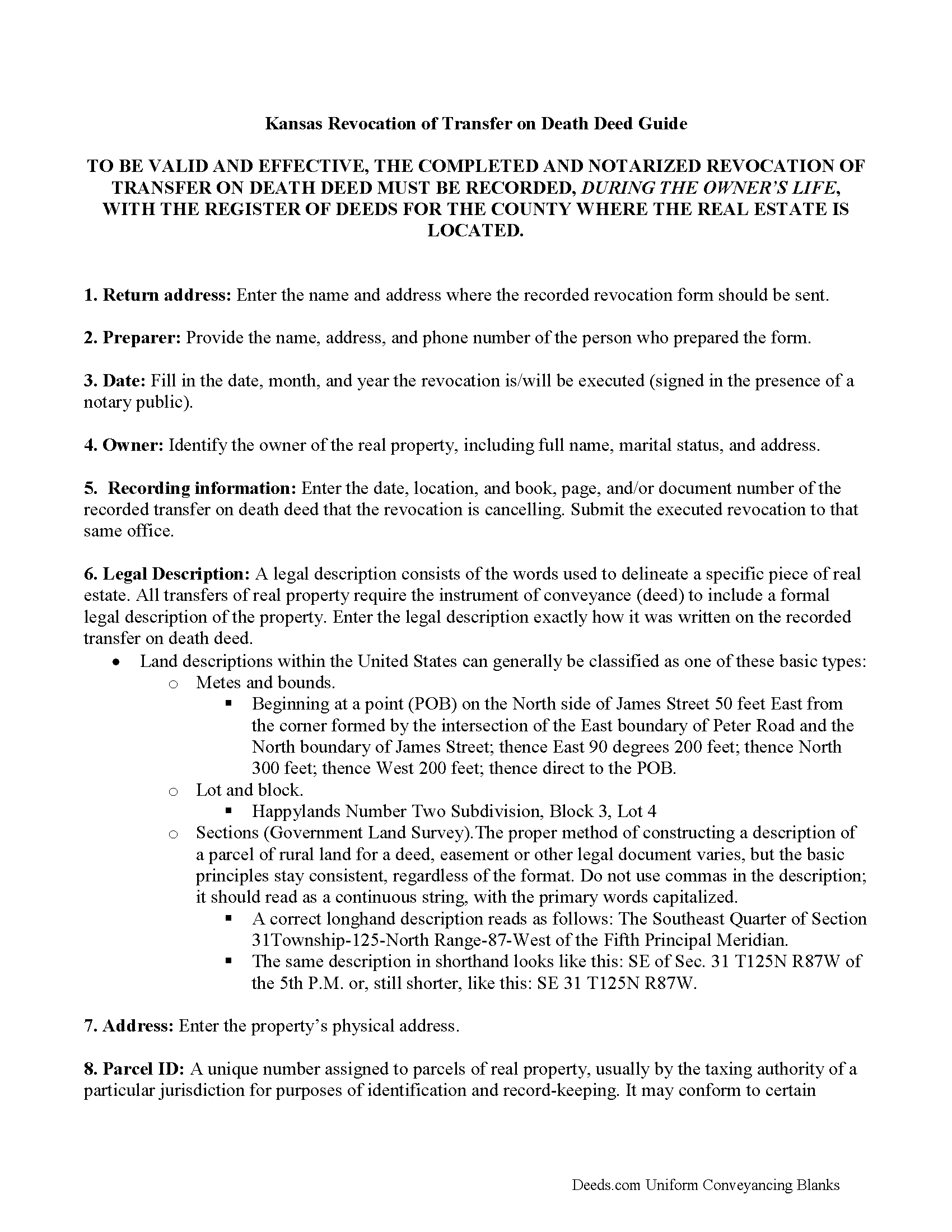
Rawlins County Transfer on Death Deed Revocation Guide
Line by line guide explaining every blank on the form.
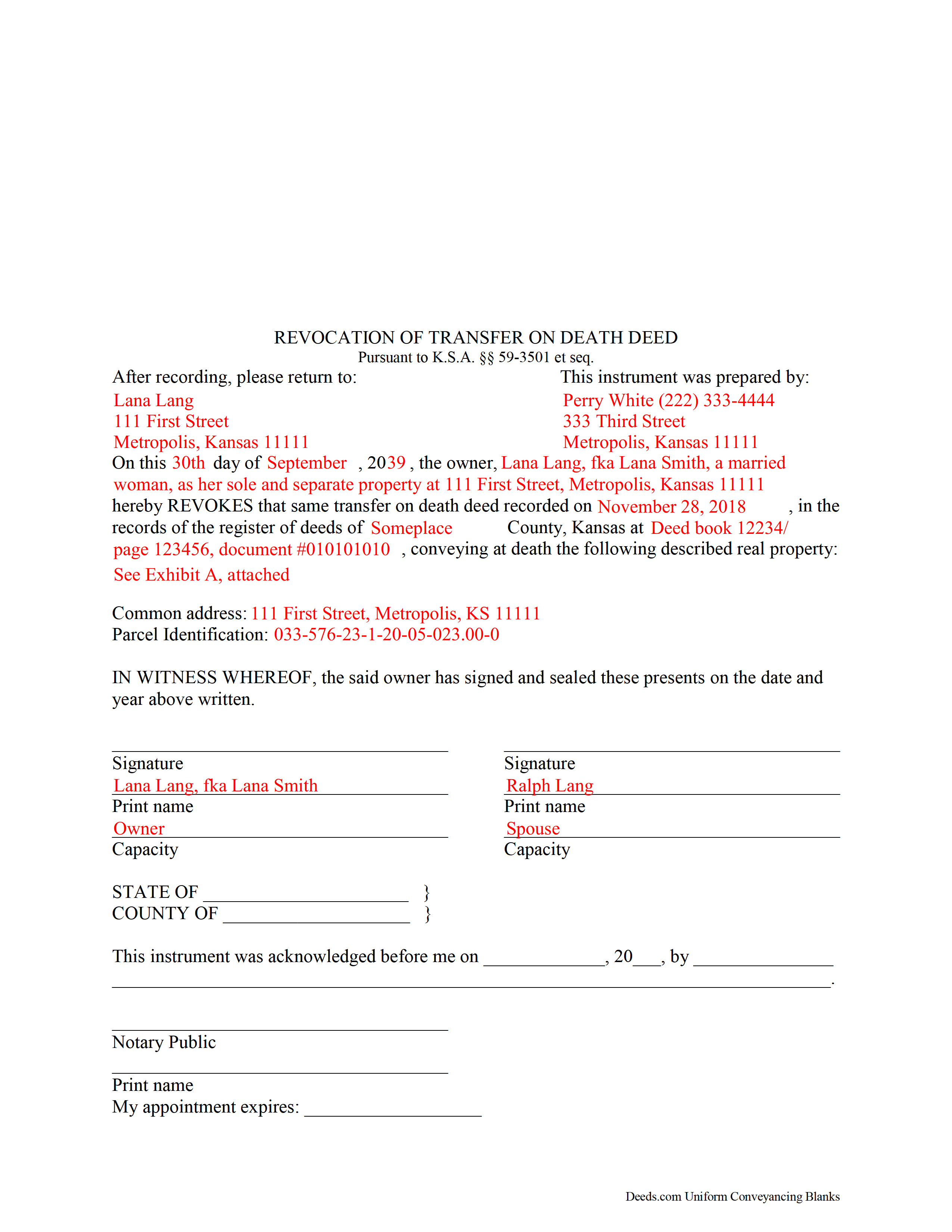
Rawlins County Completed Example of the Revocation of Transfer on Death Deed Document
Example of a properly completed form for reference.
All 3 documents above included • One-time purchase • No recurring fees
Immediate Download • Secure Checkout
Additional Kansas and Rawlins County documents included at no extra charge:
Where to Record Your Documents
Rawlins County Register of Deeds
Atwood, Kansas 67730
Hours: 9:00 to 12:00 & 1:00 to 5:00 M-F
Phone: (785) 626-3172
Recording Tips for Rawlins County:
- Bring your driver's license or state-issued photo ID
- Ensure all signatures are in blue or black ink
- Avoid the last business day of the month when possible
- Both spouses typically need to sign if property is jointly owned
- Bring extra funds - fees can vary by document type and page count
Cities and Jurisdictions in Rawlins County
Properties in any of these areas use Rawlins County forms:
- Atwood
- Herndon
- Ludell
- Mc Donald
Hours, fees, requirements, and more for Rawlins County
How do I get my forms?
Forms are available for immediate download after payment. The Rawlins County forms will be in your account ready to download to your computer. An account is created for you during checkout if you don't have one. Forms are NOT emailed.
Are these forms guaranteed to be recordable in Rawlins County?
Yes. Our form blanks are guaranteed to meet or exceed the applicable formatting requirements used for recording in Rawlins County, including margin requirements, font requirements, and other layout standards. This guarantee applies to formatting, not to the legal sufficiency of information entered by the user or the suitability of a form for a particular transaction.
Can I reuse these forms?
Yes. You can reuse the forms for your personal use. For example, if you have multiple properties in Rawlins County you only need to order once.
What do I need to use these forms?
The forms are PDFs that you fill out on your computer. The free Adobe Acrobat Reader is recommended, and most PDF apps also work. You do NOT enter your property information online - you download the blank forms and complete them privately on your own computer.
Are there any recurring fees?
No. This is a one-time purchase. Nothing to cancel, no memberships, no recurring fees.
How much does it cost to record in Rawlins County?
Recording fees in Rawlins County vary. Contact the recorder's office at (785) 626-3172 for current fees.
Questions answered? Let's get started!
Kansas transfer on death deeds (TODDs) are governed by K.S.A. 59-3501 (2012) et seq. Revocation, specifically, is addressed in.
The transfer on death deed is a flexible estate planning tool which became available to Kansas land owners in 1997. Revocability, one of the many unique features of this deed, is based on the fact that the conveyance has no effect until after the owner dies.
Why might an owner wish to cancel, or revoke, a transfer on death? Sometimes there are changes in the owner or beneficiary's circumstances, unexpected family disputes, or one or more of numerous other reasons. In this regard, the reason does not matter -- the owner holds absolute title to and control over the property. The statute at 59-3503 provides two methods for exercising this option:
(a) A designation of the grantee beneficiary may be revoked at any time prior to the death of the record owner, by executing, acknowledging and recording in the office of the register of deeds in the county where the real estate is located an instrument describing the interest revoking the designation. The signature, consent or agreement of or notice to the grantee beneficiary or beneficiaries is not required.
(b) A designation of the grantee beneficiary may be changed at any time prior to the death of the record owner, by executing, acknowledging and recording a subsequent transfer-on-death deed in accordance with K.S.A. 59-3502. The signature, consent or agreement of or notice to the grantee beneficiary or beneficiaries is not required. A subsequent transfer-on-death beneficiary designation revokes all prior designations of grantee beneficiary or beneficiaries by such record owner for such interest in real estate.
Finally, part (c) explains that a transfer-on-death deed executed, acknowledged and recorded in accordance with this act may not be revoked by the provisions of a will.
Each situation is unique, so for specific questions or to review the options for more complex situations, contact a local attorney.
(Kansas Transfer on Death Deed Revocation Package includes form, guidelines, and completed example)
Important: Your property must be located in Rawlins County to use these forms. Documents should be recorded at the county recording office listed above.
This Transfer on Death Deed Revocation meets all recording requirements specific to Rawlins County.
Our Promise
The documents you receive here are guaranteed to meet or exceed the applicable Rawlins County recording format requirements. If there is a rejection caused by our formatting, we will correct the issue or refund your payment. This guarantee applies to document formatting only and does not extend to information entered by the user, the selection of the form, or the legal effect of the completed document.
Save Time and Money
Get your Rawlins County Transfer on Death Deed Revocation form done right the first time with Deeds.com Uniform Conveyancing Blanks. At Deeds.com, we understand that your time and money are valuable resources, and we don't want you to face a penalty fee or rejection imposed by a county recorder for submitting nonstandard documents. We constantly review and update our forms to meet rapidly changing state and county recording requirements for roughly 3,500 counties and local jurisdictions.
4.8 out of 5 - ( 4,828 Reviews )
Charles E. M. 5 out of 5 stars
5 stars...thanks for your fast and professional assistance. Charles
Thank you!
Debbie M. 5 out of 5 stars
Everything that I needed was included. I appreciate that there was a sample as well as the step-by-step directions included in the download. I would definitely recommend this site to anyone that needs it.
We appreciate your business and value your feedback. Thank you. Have a wonderful day!
Hinz H. 4 out of 5 stars
Prompt accurate service
Thank you!
Jenine E. 5 out of 5 stars
The information seems complete and accurate. The form was easy to use and save. I'll let you know if we encounter problems getting the deed processed.
Thank you for your feedback. We really appreciate it. Have a great day!
Larry S. 5 out of 5 stars
I think it needs to be easier to enlarge print to fit an 8"x12" sheet of paper. Printing off samples is difficult to read as it is too small
Thank you for your feedback. We really appreciate it. Have a great day!
JAMSHEAD T. 5 out of 5 stars
An excellent service. Exactly what one would hope for in the 21st century.
Thank you for your feedback. We really appreciate it. Have a great day!
AMY J. 5 out of 5 stars
Very easy user friendly thank you for that
Thank you!
WILLIAM M. 5 out of 5 stars
After a long search this site is the best all inclusive service. Contacting Customer Service received an timely reply. Highly recommened.
We appreciate your business and value your feedback. Thank you. Have a wonderful day!
Dennis E. 5 out of 5 stars
Easy to complete form. Examples were very helpful in using correct verbiage for form. Also way less expensive than the $500 an attorney wanted to charge me for doing the very same thing!!!
Thanks Dennis, we appreciate you taking the time to leave your feedback.
richard E. 5 out of 5 stars
First time I used service. It was simple to use. The response time was excellent. I look forward to using them in the future.
That's awesome Richard, glad we could help!
Ida L. 5 out of 5 stars
The form was easy to complete and print. Best price found online.
Thank you!
Rasheedah M. 5 out of 5 stars
Excellent service. Received the exact quit claim form and additional information promptly. Thank you so much!
We appreciate your business and value your feedback. Thank you. Have a wonderful day!
Seth T. 5 out of 5 stars
THE BEST WEBSITE I HAVE EVER SEEN FOR LEGAL DOCUMENTS!!! THANKS
Thanks Seth, we appreciate your feedback.
Katherine M. 5 out of 5 stars
Easy smooth process to get a legal Maine template - thanks for providing
Thank you for your feedback. We really appreciate it. Have a great day!
James D. 5 out of 5 stars
It was very easy to set up the account but then everything is very costly. I didn't see any publications that were free to account holders, so as infrequently I have to do a title search, I may as well just hire an online service to do the legwork too.
We appreciate your business and value your feedback. Thank you. Have a wonderful day!