Montgomery County Certificate of Trust Form
Last validated October 1, 2026 by our Forms Development TeamFormatted for recording in Montgomery County, for property anywhere in the county: rural and unincorporated areas as well as Jeffersonville, Mount Sterling.
- 3 documents included
- Immediate PDF download
- Formatting guarantee
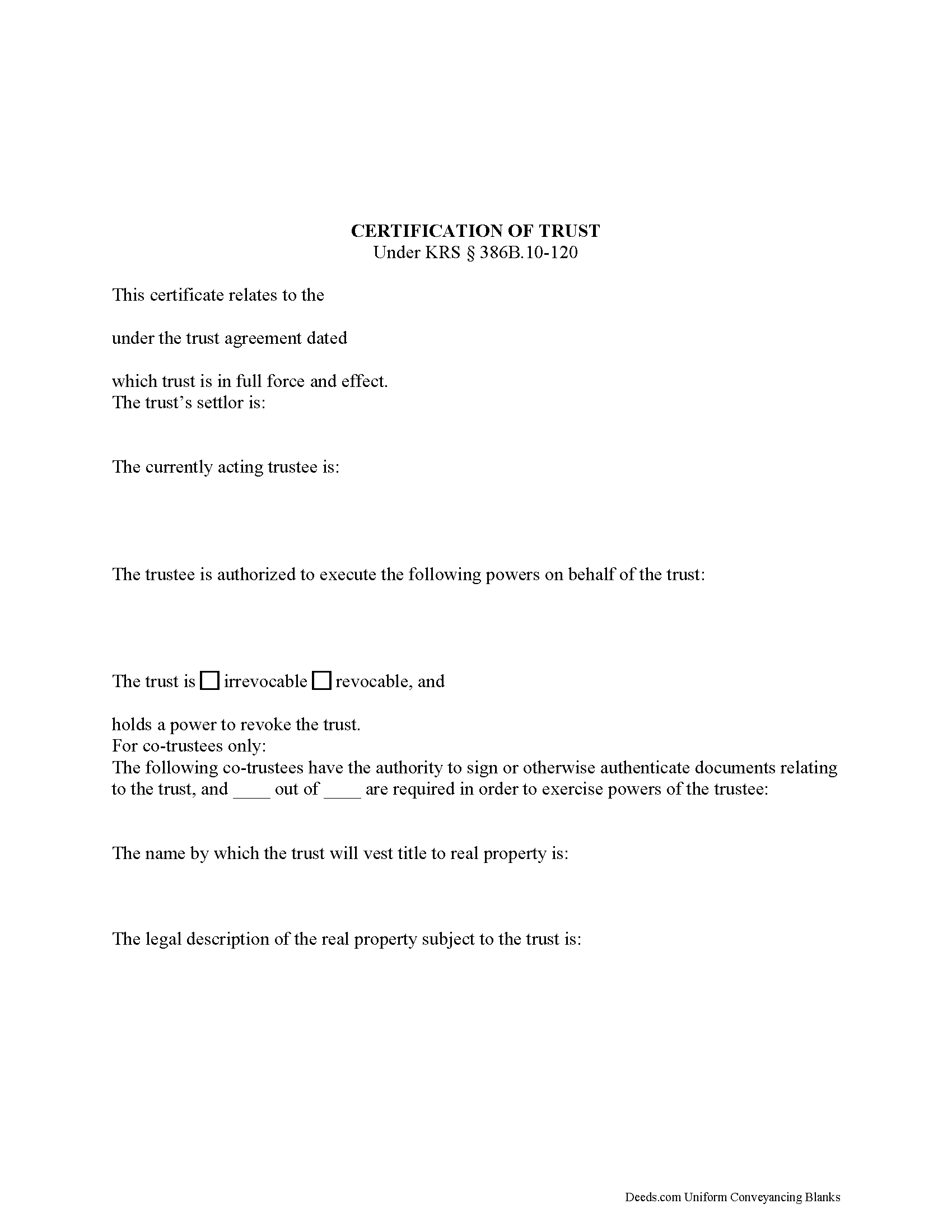
Montgomery County Certificate of Trust Form
Fill in the blank form formatted to comply with all recording and content requirements.
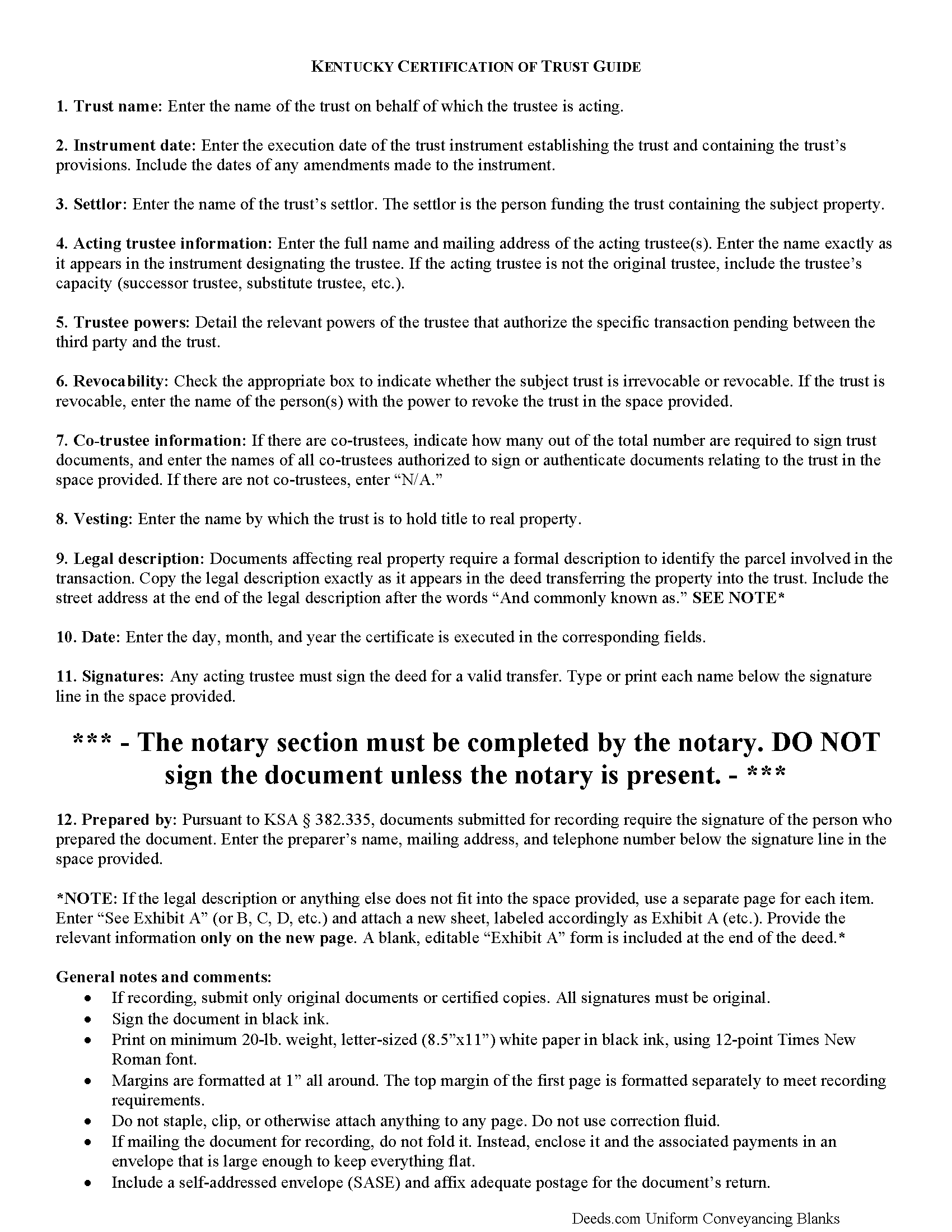
Montgomery County Certificate of Trust Guide
Line by line guide explaining every blank on the form.
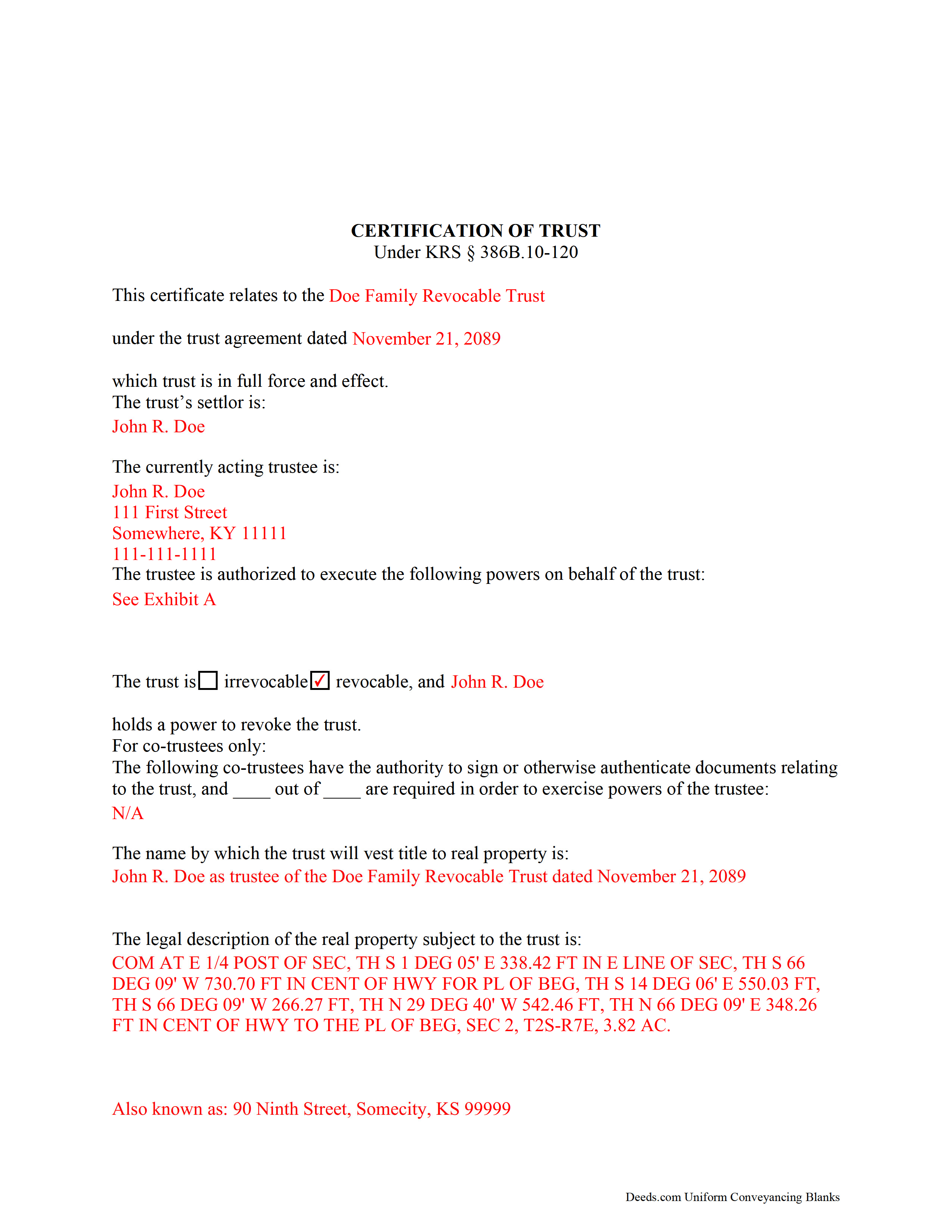
Montgomery County Completed Example of the Certificate of Trust Document
Example of a properly completed form for reference.
All 3 documents above included • One-time purchase • No recurring fees
Immediate Download • Secure Checkout
Additional Kentucky and Montgomery County documents included at no extra charge:
Where to Record Your Documents
Montgomery County Clerk
Mount Sterling, Kentucky 40353
Hours: 8:30 to 4:30 M-F
Phone: (859) 498-8700
Recording Tips for Montgomery County:
- Bring your driver's license or state-issued photo ID
- Ensure all signatures are in blue or black ink
- Ask if they accept credit cards - many offices are cash/check only
- Check that your notary's commission hasn't expired
- Documents must be on 8.5 x 11 inch white paper
Cities and Jurisdictions in Montgomery County
Properties in any of these areas use Montgomery County forms:
- Jeffersonville
- Mount Sterling
Hours, fees, requirements, and more for Montgomery County
How do I get my forms?
Forms are available for immediate download after payment. The Montgomery County forms will be in your account ready to download to your computer. An account is created for you during checkout if you don't have one. Forms are NOT emailed.
Are these forms guaranteed to be recordable in Montgomery County?
Yes. Our form blanks are guaranteed to meet or exceed the applicable formatting requirements used for recording in Montgomery County, including margin requirements, font requirements, and other layout standards. This guarantee applies to formatting, not to the legal sufficiency of information entered by the user or the suitability of a form for a particular transaction.
Can I reuse these forms?
Yes. You can reuse the forms for your personal use. For example, if you have multiple properties in Montgomery County you only need to order once.
What do I need to use these forms?
The forms are PDFs that you fill out on your computer. The free Adobe Acrobat Reader is recommended, and most PDF apps also work. You do NOT enter your property information online - you download the blank forms and complete them privately on your own computer.
Are there any recurring fees?
No. This is a one-time purchase. Nothing to cancel, no memberships, no recurring fees.
How much does it cost to record in Montgomery County?
Recording fees in Montgomery County vary. Contact the recorder's office at (859) 498-8700 for current fees.
Questions answered? Let's get started!
Codified under the Kentucky Uniform Trust Code at KSA 386B.10-120, the certification of trust is a document containing the relevant details of a trust and certifying a trustee's authority to act on behalf of a trust.
(Note: this certificate of trust is separate from the certificate of trust for business trusts under 386A.2-010 of the Kentucky Uniform Statutory Trust Act.)
A trustee can furnish the certification of trust instead of providing the entire trust instrument, as it "need not contain the dispositive terms of a trust" (KSA 386B.10-120(4)). In this way, the trustee can keep information irrelevant to the transaction, specifically the identities of trust beneficiaries, private.
A certificate of trust requires the name and date of the trust, along with the settlor's name. The settlor is the person who created the trust and is funding the trust with assets. In addition, the certificate identifies the currently acting trustee. The trustee is the fiduciary in charge of administering the trust.
In addition, the document details the powers of the trustee concerning the transaction at hand. For example, the certification of trust is commonly used in conjunction with a deed executed by a trustee, so the trustee's power to convey property is often cited, with reference to the article or section of the trust instrument where the power is conferred. Recipients of a certificate can request excerpts from the trust instrument that designate the trustee and authorize the power to act in the pending transaction (KSA 386B.10-120(5)).
The certificate states whether the trust is irrevocable or revocable, and the identity of anyone with the power to revoke the trust, if applicable. If there are co-trustees, the document names the trustees authorized to sign trust documents and whether all or fewer than all are needed to carry out the trustee's powers. The certificate also gives the full name by which the trust will vest real property.
Since the document affects real property, a certificate should include the legal description of the subject property or properties. Pursuant to KSA 386B.10-120(2), any trustee can sign a certification of trust in the presence of a notary public. Certifications may be recorded as a supplemental document in the county in which the real property is located.
Finally, the certificate requires a statement that the trust referred to within "has not been revoked, modified, or amended" so as to cause the statements within to be incorrect (KSA 386B.10-120(3)). Recipients may rely on the representations within the certification as factual (KSA 386B.10-120(6)). They may request the trust instrument in addition to the excerpts mentioned above, but doing so opens them to certain liabilities under KSA 386B.10-120(8).
Consult a lawyer for guidance, as trust law can quickly become complicated.
(Kentucky COT Package includes form, guidelines, and completed example)
Important: Your property must be located in Montgomery County to use these forms. Documents should be recorded at the county recording office listed above.
This Certificate of Trust meets all recording requirements specific to Montgomery County.
Our Promise
The documents you receive here are guaranteed to meet or exceed the applicable Montgomery County recording format requirements. If there is a rejection caused by our formatting, we will correct the issue or refund your payment. This guarantee applies to document formatting only and does not extend to information entered by the user, the selection of the form, or the legal effect of the completed document.
Save Time and Money
Get your Montgomery County Certificate of Trust form done right the first time with Deeds.com Uniform Conveyancing Blanks. At Deeds.com, we understand that your time and money are valuable resources, and we don't want you to face a penalty fee or rejection imposed by a county recorder for submitting nonstandard documents. We constantly review and update our forms to meet rapidly changing state and county recording requirements for roughly 3,500 counties and local jurisdictions.
4.8 out of 5 - ( 4,819 Reviews )
Frederick S. 5 out of 5 stars
The process of using and understanding the requirements of Deeds.com was fairly easy The final results were as expected.
We truly value your business and appreciate your review.
Joseph E. 5 out of 5 stars
At first I didn't trust all the 5 star reviews. So, I contacted lawyers to check their prices. The price being well over one hundred dollars made my mind up. I gave it a go, the form isn't hard and the directions are easy to follow. 5/5
Thank you for your feedback. We really appreciate it. Have a great day!
Laurie J. 5 out of 5 stars
Very satisfied with what I purchased.
Thank you for your positive words! We’re thrilled to hear about your experience.
Barbara G. 5 out of 5 stars
High rating, great site and forms were exactly what I needed. Thanks for being there for me.
We appreciate your business and value your feedback. Thank you. Have a wonderful day!
HELEN F. 5 out of 5 stars
Was straight to the point... Easy to read instructions... smooth process
Thank you for your feedback. We really appreciate it. Have a great day!
James G. 5 out of 5 stars
Deed.com had some hard to find mineral interest deeds for Oklahoma.I'm an attorney in Texas with no Ok experience. The examples on Deed.com were very useful and saved me lots of time. James G.
We appreciate your business and value your feedback. Thank you. Have a wonderful day!
Steven S. 5 out of 5 stars
Very convenient and great tool for my real estate business. I'm a fan and will be a repeat customer.
We appreciate your business and value your feedback. Thank you. Have a wonderful day!
Calida S. 5 out of 5 stars
I was so happy I found a way to register my deed electronically! The county I live in only does e-file through vendors who service law firms and large volume documents. I had everything done electronically only to hit a brick wall doing warp speed when it came to this last part. So far everything is going super smooth and very easy. The price is worth it to be able to get this deed done because I'm doing a life estate deed to my late boyfriends daughter. She's getting married soon and this is my gift to her since her daddy can't be here. Thanks Deeds.com This means a lot, and I plan on bringing my business back provided everything finishes well. I will definitely follow up soon!
Thank you, Calida. We’re glad we could help make the electronic recording step easier, especially for something so meaningful. We appreciate your trust in Deeds.com and look forward to helping whenever you need us again.
Soledad T. 5 out of 5 stars
It's Great!!!
Thank you!
Glenn W. 5 out of 5 stars
Efficient, helpful & easy! I highly recommend Deeds.com to anyone. Such a joy to use especially after trying to navigate the Cooks County Clerks office.
Thank you for your kind words and for choosing us.
Melody P. 5 out of 5 stars
Thanks once again for such great service!
Thank you!
Vertina B. 5 out of 5 stars
The website is well established and easy to use. I got everything I was supposed to get. I had no problem downloading the forms. All of the forms printed well.
We appreciate your business and value your feedback. Thank you. Have a wonderful day!
Allison S. 5 out of 5 stars
The representatives that facilitate the recording process have always been very helpful, especially where there is some issue with the recording. They have always gone the extra mile to make sure we know what we need to do to fix any issues. I really love this service.
Thank you for your feedback. We really appreciate it. Have a great day!
Albert j. 5 out of 5 stars
Very easy site to use for a simple minded happy howmowner. Very reasonable fee Quick turn around Good communication
Thank you!
Andrea H. 5 out of 5 stars
I am very pleased with your service. The document that I downloaded along with the instructions and examples you provided made the process so easy. Thank you.
Thank you for your feedback. We really appreciate it. Have a great day!