Boyle County Executor Deed Form
Last validated August 26, 2026 by our Forms Development TeamFormatted for recording in Boyle County, for property anywhere in the county: rural and unincorporated areas as well as Danville, Junction City, Mitchellsburg, Parksville, Perryville.
- 3 documents included
- Immediate PDF download
- Formatting guarantee
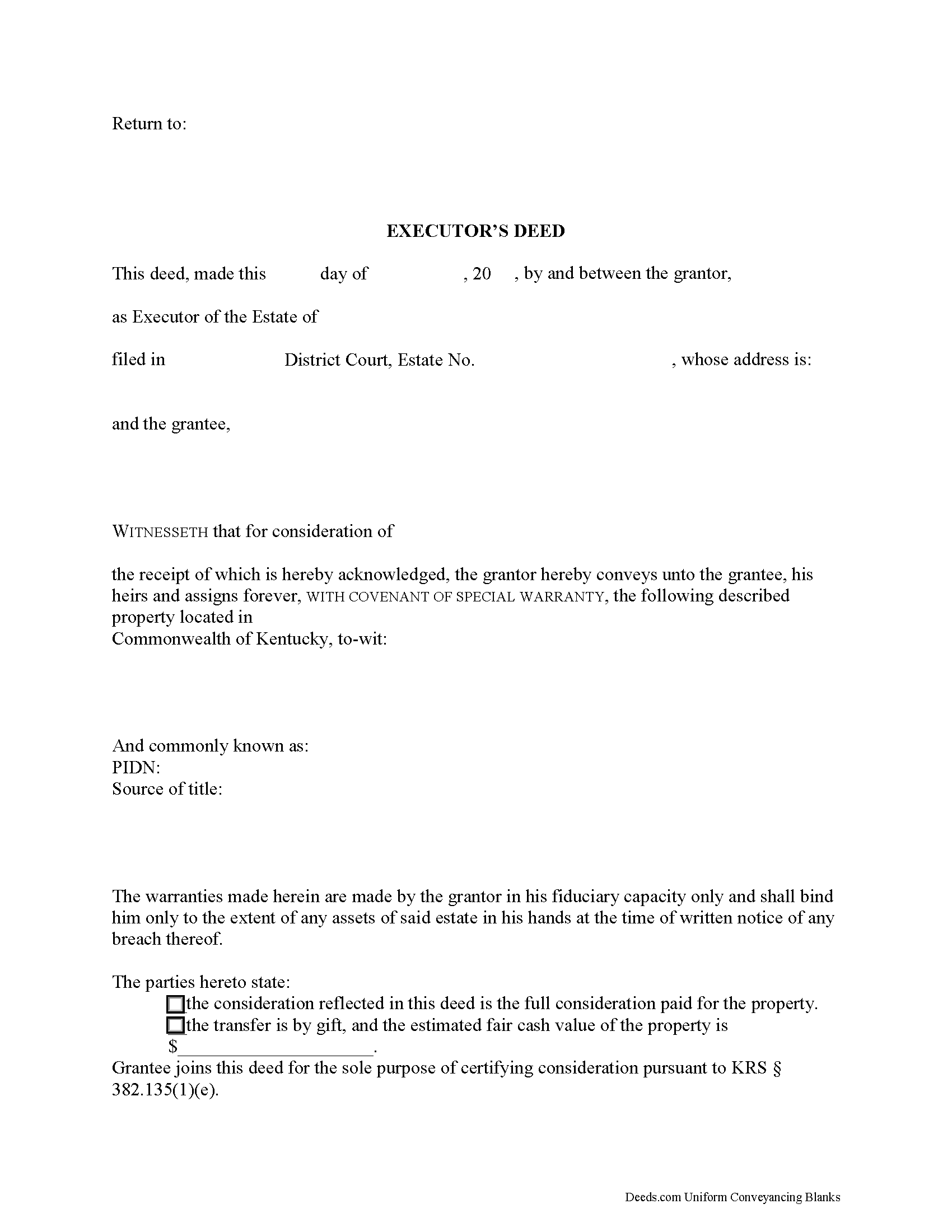
Boyle County Executor Deed Form
Fill in the blank form formatted to comply with all recording and content requirements.
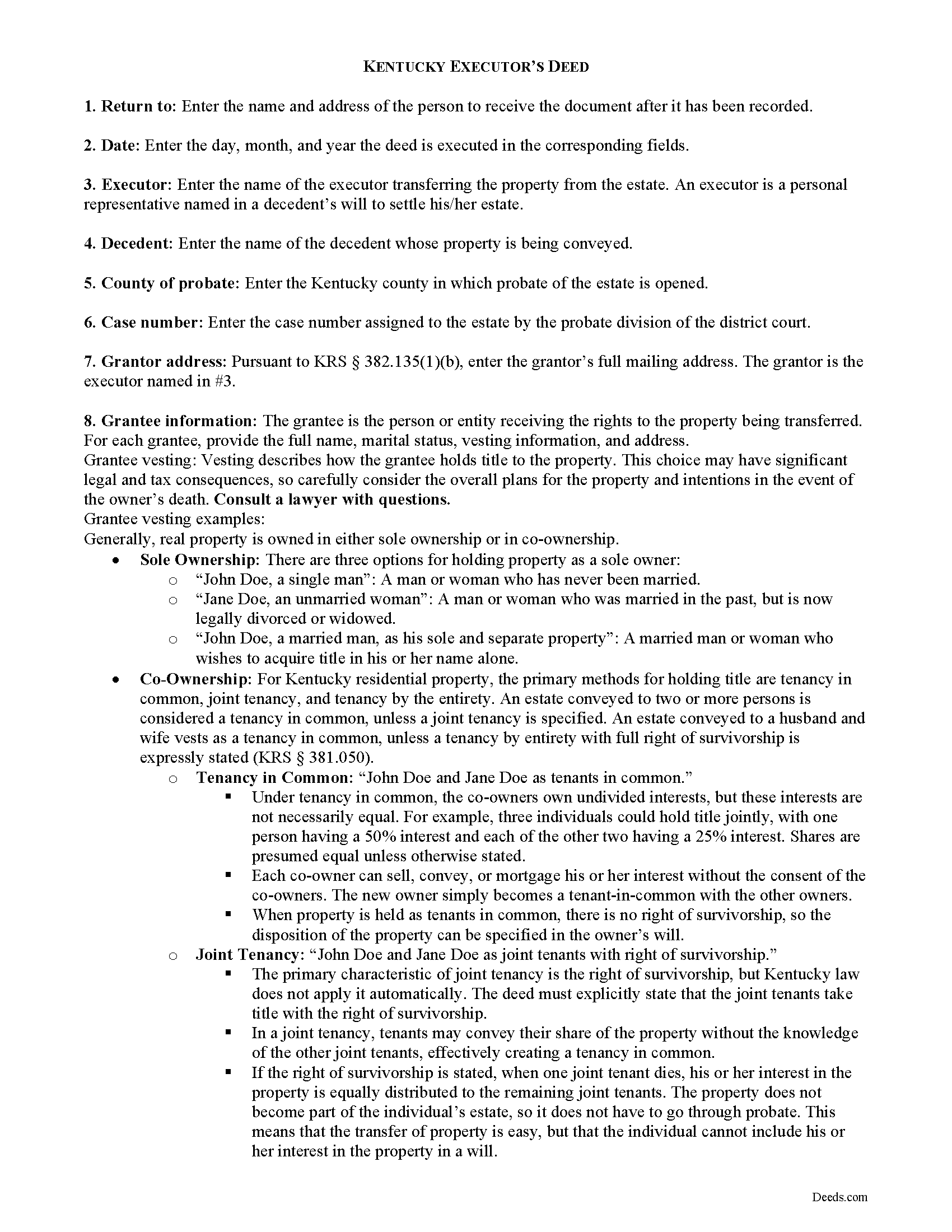
Boyle County Executor Deed Guide
Line by line guide explaining every blank on the form.
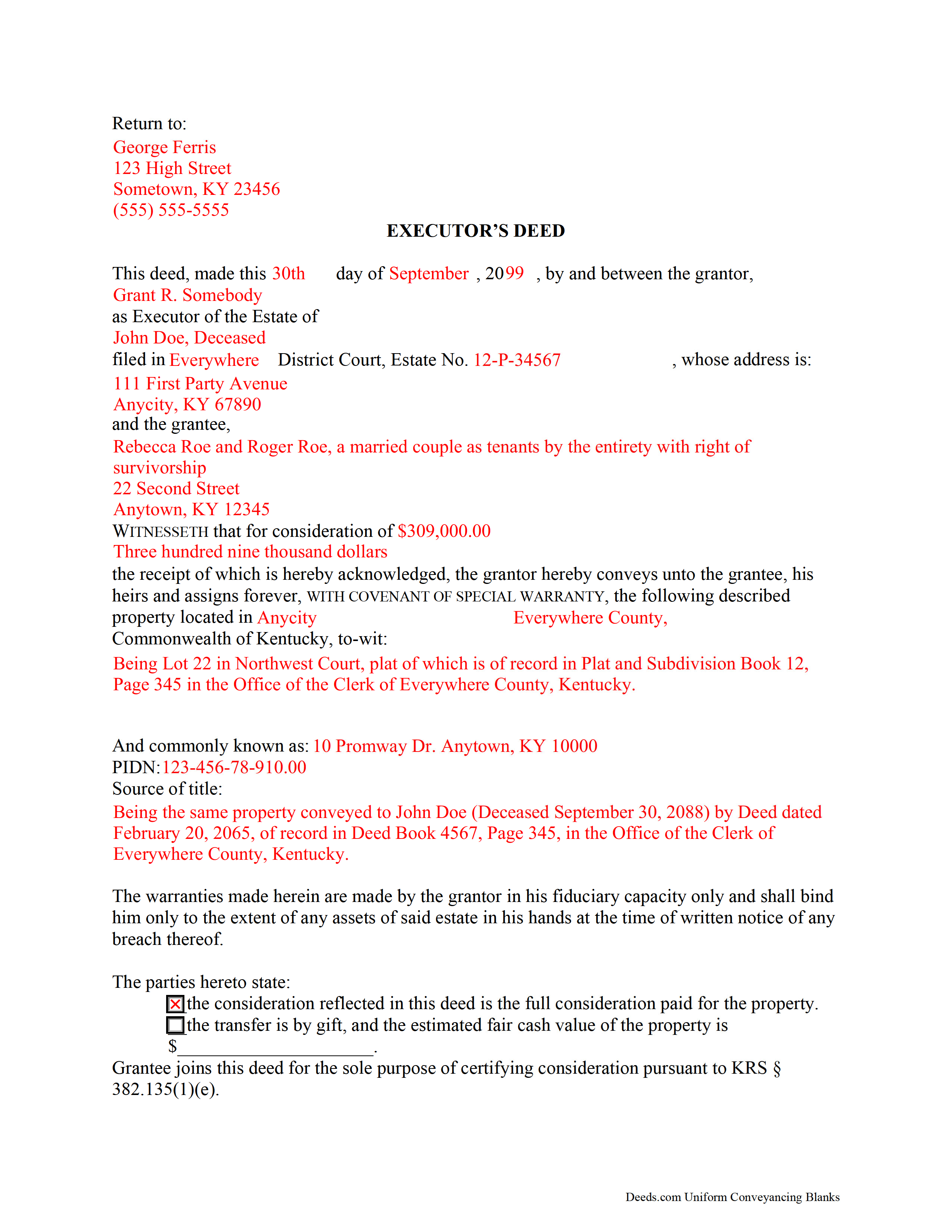
Boyle County Completed Example of the Executor Deed Document
Example of a properly completed form for reference.
All 3 documents above included • One-time purchase • No recurring fees
Immediate Download • Secure Checkout
Additional Kentucky and Boyle County documents included at no extra charge:
Where to Record Your Documents
Boyle County Clerk
Danville, Kentucky 40422
Hours: Monday 8:30am - 5:00pm & Tuesday - Friday 8:30 am - 4:00pm
Phone: 859-238-1114
Recording Tips for Boyle County:
- Bring your driver's license or state-issued photo ID
- Ensure all signatures are in blue or black ink
- Ask for certified copies if you need them for other transactions
- Ask if they accept credit cards - many offices are cash/check only
- Check that your notary's commission hasn't expired
Cities and Jurisdictions in Boyle County
Properties in any of these areas use Boyle County forms:
- Danville
- Junction City
- Mitchellsburg
- Parksville
- Perryville
Hours, fees, requirements, and more for Boyle County
How do I get my forms?
Forms are available for immediate download after payment. The Boyle County forms will be in your account ready to download to your computer. An account is created for you during checkout if you don't have one. Forms are NOT emailed.
Are these forms guaranteed to be recordable in Boyle County?
Yes. Our form blanks are guaranteed to meet or exceed the applicable formatting requirements used for recording in Boyle County, including margin requirements, font requirements, and other layout standards. This guarantee applies to formatting, not to the legal sufficiency of information entered by the user or the suitability of a form for a particular transaction.
Can I reuse these forms?
Yes. You can reuse the forms for your personal use. For example, if you have multiple properties in Boyle County you only need to order once.
What do I need to use these forms?
The forms are PDFs that you fill out on your computer. The free Adobe Acrobat Reader is recommended, and most PDF apps also work. You do NOT enter your property information online - you download the blank forms and complete them privately on your own computer.
Are there any recurring fees?
No. This is a one-time purchase. Nothing to cancel, no memberships, no recurring fees.
How much does it cost to record in Boyle County?
Recording fees in Boyle County vary. Contact the recorder's office at 859-238-1114 for current fees.
Questions answered? Let's get started!
An executor's deed is a fiduciary instrument used in estate administration to transfer real property pursuant to the terms of a will and/or laws of descent. An executor is a personal representative who is named in a decedent's will to administer the decedent's estate.
Use an executor's deed to convey interest in real property to a grantee with a special warranty. This type of warranty affirms that, while the grantor/executor controlled the property, she never acted in a way to change the status of the title.
In addition to meeting state and local standards for real estate deeds, executor's deeds also include details about the decedent's probate case. A court order for sale is required before a transfer can be made, unless the decedent's will specifies a power of sale. Supporting documentation, such as an affidavit of real property transfer under KRS 382.135(4), is required before an executor can record the deed in the office of the county clerk.
Contact a lawyer with questions about Kentucky executor's deeds or other inquiries related to probate.
(Kentucky Executor Deed Package includes form, guidelines, and completed example)
Important: Your property must be located in Boyle County to use these forms. Documents should be recorded at the county recording office listed above.
This Executor Deed meets all recording requirements specific to Boyle County.
Our Promise
The documents you receive here are guaranteed to meet or exceed the applicable Boyle County recording format requirements. If there is a rejection caused by our formatting, we will correct the issue or refund your payment. This guarantee applies to document formatting only and does not extend to information entered by the user, the selection of the form, or the legal effect of the completed document.
Save Time and Money
Get your Boyle County Executor Deed form done right the first time with Deeds.com Uniform Conveyancing Blanks. At Deeds.com, we understand that your time and money are valuable resources, and we don't want you to face a penalty fee or rejection imposed by a county recorder for submitting nonstandard documents. We constantly review and update our forms to meet rapidly changing state and county recording requirements for roughly 3,500 counties and local jurisdictions.
4.8 out of 5 - ( 4,828 Reviews )
LINDA J M. 5 out of 5 stars
NO PROBLEMS. I LIKE THE DEED DOCUMENT AND INSTRUCTIONS. MADE IT EASY.
We appreciate your business and value your feedback. Thank you. Have a wonderful day!
Barbara K. 5 out of 5 stars
Very impressive...Thank you
Thank you for your feedback. We really appreciate it. Have a great day!
Don M. 5 out of 5 stars
Easy to set up account. If I am presented with a chance to review the service, I will do that after I have received it.
Thank you!
Rhonda P. 5 out of 5 stars
Very quick and easy! Didn't even have to leave the house and I didn't have to send via USPS which is nice since we are in a pandemic. The convenience of this site is worth the extra money. Would definitely use this site again.
We appreciate your business and value your feedback. Thank you. Have a wonderful day!
Barry C. 5 out of 5 stars
prompt, complete and efficient process --- kudos to you
Thank you so much Barry. Have a great day!
Christina W. 5 out of 5 stars
I stand corrected. I received my report and it was exactly what I requested.
Thank you!
Richard H. 1 out of 5 stars
It was a waste of time. I asked a question via your chat service. I received an acknowledgement that you received the question, that you might or might not answer it, and don't bother to reply to you email, as no one would read it. Confirming my belief that customer service is an oxymoron for most companies. (I doubt this review will ever appear on the site, or anyuhere else.)
Thank you!
Kathryn C. 5 out of 5 stars
I truly appreciate you and you service for all you do to help me ThankYou kathrynchertock
Thank you for your feedback. We really appreciate it. Have a great day!
Tracey T. 5 out of 5 stars
Lots of great information. Might need to view it again but found it very helpful!
Thank you!
Laurie B. 5 out of 5 stars
You have made this process so simple - I can see it would have been complicated and frustrating without Deeds.com. Thank you!
Thank you!
Jane E. 5 out of 5 stars
The form was incompatible with my son's new computer. I do not have a printer. We did use your form to type a copy into "word" so he could print it.
Thank you!
Toni M. 5 out of 5 stars
I liked having the forms. Some may need to know they can look at the legal Description from online county records, then type up in Word document line by line, the degree sign in Word program is achieved by using alt and 248 on number pad. Then on the form page one write SEE Exibit A and title your Word program description as Exibit A. Goes without saying the legal description should be looked over many times and it is easier to do so if you format your Word the same lineage as the legal description online which is usually not text which is why you have to retype it.
Thank you for your feedback. We really appreciate it. Have a great day!
James H. 5 out of 5 stars
Very satisfied. Download was easy, completing the form was easy, got our signatures notarized and submitted it to the register of deeds. The only item was that the register of deeds did not immediately recognize the TOD deed form as the usual form they receive. After carefully reviewing all the information and wording on the deed she accepted it.
We appreciate your business and value your feedback. Thank you. Have a wonderful day!
Roy B. 5 out of 5 stars
Great way to get forms needed and fill them out then we only need to record them!
Thank you!
Chad S. 5 out of 5 stars
GREAT SERVICE. A MUST HAVE FOR EVERY REAL ESTATE TRANSACTION!!THANK YOU FOR PROVIDING SUCH A CONVIENIENT EASY TO UNDERSTAND SERVICE.
We appreciate your business and value your feedback. Thank you. Have a wonderful day!