Larue County Full Release of Memorandum of Contract Form
Last validated November 2, 2026 by our Forms Development TeamFormatted for recording in Larue County, for property anywhere in the county: rural and unincorporated areas as well as Buffalo, Hodgenville, Magnolia, Mount Sherman.
- 3 documents included
- Immediate PDF download
- Formatting guarantee
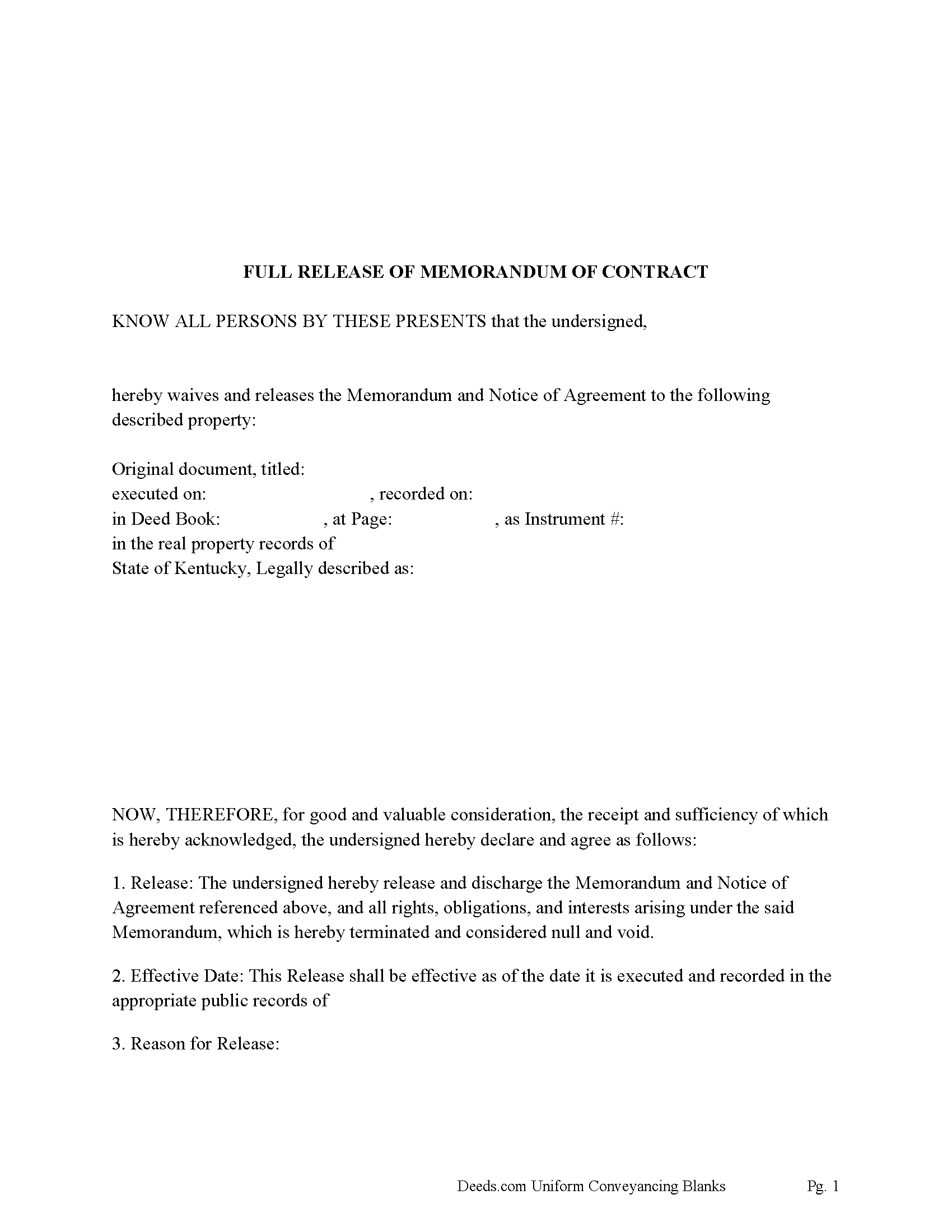
Larue County Full Release of Memorandum of Contract Form
Fill in the blank Full Release of Memorandum of Contract form formatted to comply with all Kentucky recording and content requirements.
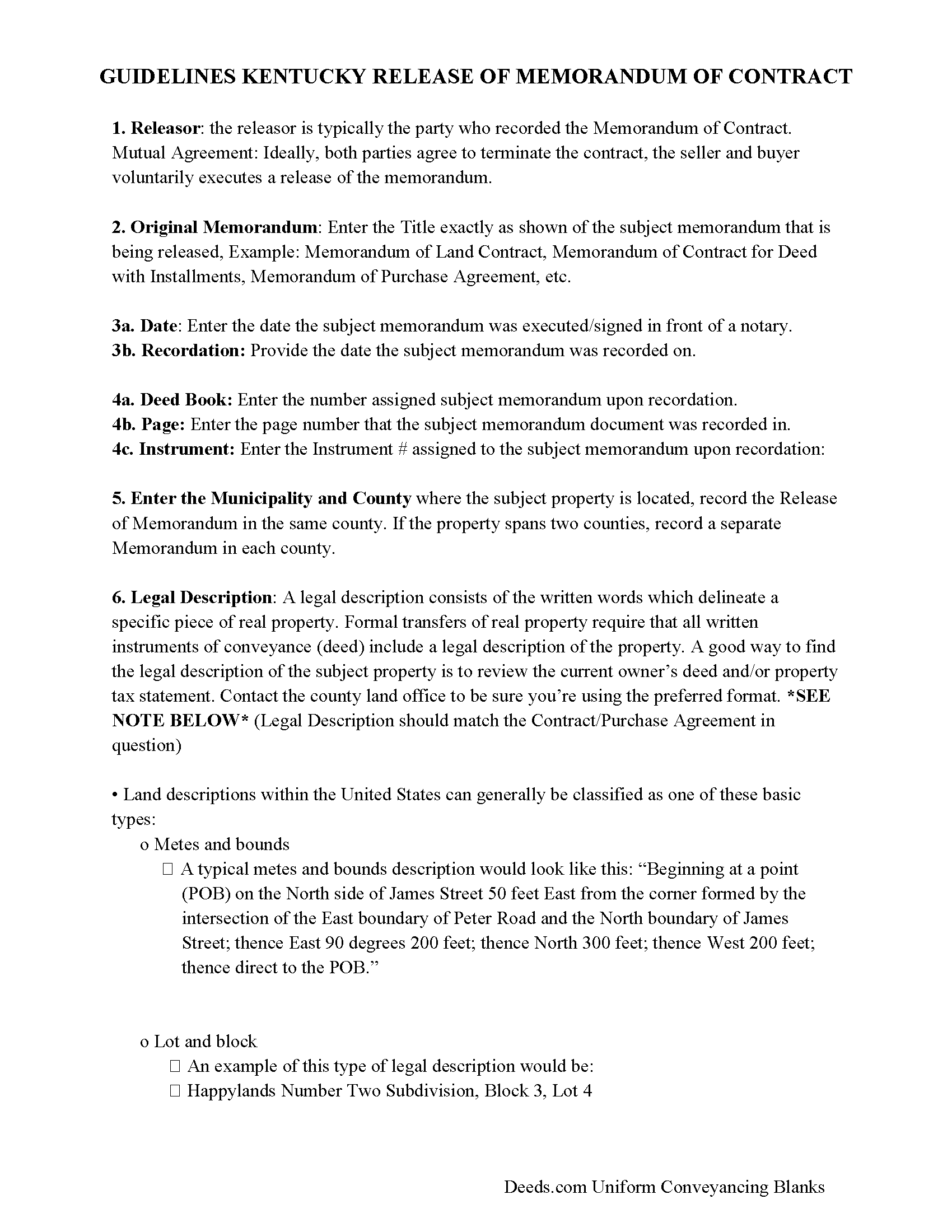
Larue County Full Release of Memorandum of Contract Guide
Line by line guide explaining every blank on the Full Release of Memorandum of Contract form.

Larue County Completed Example of the Full Release of Memorandum of Contract Document
Example of a properly completed Kentucky Full Release of Memorandum of Contract document for reference.
All 3 documents above included • One-time purchase • No recurring fees
Immediate Download • Secure Checkout
Additional Kentucky and Larue County documents included at no extra charge:
Where to Record Your Documents
Larue County Clerk
Hodgenville, Kentucky 42748-1543
Hours: 8:00 to 4:30 Monday - Friday
Phone: (270) 358-3544 & 9902
Recording Tips for Larue County:
- Bring your driver's license or state-issued photo ID
- Ensure all signatures are in blue or black ink
- Ask about accepted payment methods when you call ahead
- Ask for certified copies if you need them for other transactions
- Ask if they accept credit cards - many offices are cash/check only
Cities and Jurisdictions in Larue County
Properties in any of these areas use Larue County forms:
- Buffalo
- Hodgenville
- Magnolia
- Mount Sherman
Hours, fees, requirements, and more for Larue County
How do I get my forms?
Forms are available for immediate download after payment. The Larue County forms will be in your account ready to download to your computer. An account is created for you during checkout if you don't have one. Forms are NOT emailed.
Are these forms guaranteed to be recordable in Larue County?
Yes. Our form blanks are guaranteed to meet or exceed the applicable formatting requirements used for recording in Larue County, including margin requirements, font requirements, and other layout standards. This guarantee applies to formatting, not to the legal sufficiency of information entered by the user or the suitability of a form for a particular transaction.
Can I reuse these forms?
Yes. You can reuse the forms for your personal use. For example, if you have multiple properties in Larue County you only need to order once.
What do I need to use these forms?
The forms are PDFs that you fill out on your computer. The free Adobe Acrobat Reader is recommended, and most PDF apps also work. You do NOT enter your property information online - you download the blank forms and complete them privately on your own computer.
Are there any recurring fees?
No. This is a one-time purchase. Nothing to cancel, no memberships, no recurring fees.
How much does it cost to record in Larue County?
Recording fees in Larue County vary. Contact the recorder's office at (270) 358-3544 & 9902 for current fees.
Questions answered? Let's get started!
Once the contract is fulfilled, terminated, or void, the recorded memorandum needs to be released to:
1. Clear Title
A recorded memorandum clouds the title and may prevent:
Refinancing
Selling the property
Title insurance being issued
Releasing it removes the cloud and restores a clear record of ownership.
2. Document the End of the Agreement
A release shows that the agreement no longer has legal force.
It protects both parties from future disputes or claims.
3. Protect Future Buyers
Prevents confusion or legal complications for a future buyer or lender who may otherwise believe the contract is still active.
When to Release a Memorandum of Contract
You should release the memorandum as soon as one of the following happens:
1. The Contract is Completed
The buyer made the final payment and received the deed.
At this point, the contract for deed is fulfilled, and the memo should be released.
2. The Contract is Terminated
Due to buyer default
Mutual agreement to cancel
Abandonment of the property
Any reason the deal is no longer in force
In these cases, the party who recorded the memorandum (usually the buyer) should file a Release of Memorandum of Contract with the County Clerk where it was originally recorded.
3. By Court Order
If one party refuses to release it (e.g., an uncooperative buyer), the other party may file a quiet title action and obtain a court order to release it.
Who Releases It?
Typically the buyer (as the “releasor”), because they usually record the memorandum.
But if the buyer is in default, the seller may need to:
Request the release
Or take legal action to force it
Record with the County Clerk’s office.
For us in Kentucky only.
Important: Your property must be located in Larue County to use these forms. Documents should be recorded at the county recording office listed above.
This Full Release of Memorandum of Contract meets all recording requirements specific to Larue County.
Our Promise
The documents you receive here are guaranteed to meet or exceed the applicable Larue County recording format requirements. If there is a rejection caused by our formatting, we will correct the issue or refund your payment. This guarantee applies to document formatting only and does not extend to information entered by the user, the selection of the form, or the legal effect of the completed document.
Save Time and Money
Get your Larue County Full Release of Memorandum of Contract form done right the first time with Deeds.com Uniform Conveyancing Blanks. At Deeds.com, we understand that your time and money are valuable resources, and we don't want you to face a penalty fee or rejection imposed by a county recorder for submitting nonstandard documents. We constantly review and update our forms to meet rapidly changing state and county recording requirements for roughly 3,500 counties and local jurisdictions.
4.8 out of 5 - ( 4,845 Reviews )
Kimberly S. 4 out of 5 stars
I wasted a lot of my time because I didn't do any research to know what I needed. Nobody fault but mine.
Thank you!
David M. 5 out of 5 stars
Extremely easy to use. The sample completed document was very helpful. I really appreciated not having to spend a few hundred dollars for a lawyer to generate a document that I can produce myself for a small fraction of the cost.
We appreciate your business and value your feedback. Thank you. Have a wonderful day!
Lester A. 5 out of 5 stars
Couldnt have been easier. Docs recorded the next day!
Thanks Lester, glad we could help.
GERALD P. 5 out of 5 stars
Product is as advertised. Most beneficial is including detailed instructions and examples. Most other options did not include instructions.
Thank you for your feedback. We really appreciate it. Have a great day!
Jina N. 5 out of 5 stars
Awesome site!! You guys really make it simple to understand and access any Deeds that I need. I know you keep very up to date forms, as my county is hard core when it comes to the smallest of details, even compared to every other county across the state. Yet you made it simple and quick, and I never had to redo anything. Even the clerk was impressed that I had it filled out correctly the first time, as that usually never happened. Even the size of type/font and the margins were perfect. That saved a lot of time, money and most of all, frustration. I've recommended you to relatives, friends and co-workers. Thanks to the staff at deeds dot com !! I truly appreciate you. j
Thank you!
Steven C. 5 out of 5 stars
Easy but a little overpriced
We appreciate your business and value your feedback. Thank you. Have a wonderful day!
Charles H. 5 out of 5 stars
Website is user-friendly and very helpful, butI will have to wait until I submit my documents to the Clerk of Court to see if they are acceptable.
Thank you for your feedback. We really appreciate it. Have a great day!
sara g. 5 out of 5 stars
THIS WAS A USER FRIENDLY FORM, WAS ABLE TO COMPLETE WITHIN A SHORT TIME. THANK YOU
We appreciate your business and value your feedback. Thank you. Have a wonderful day!
Debora A. 5 out of 5 stars
Website easy to use and explanations available
Thank you!
Edward S. 1 out of 5 stars
The spaces do not line up correctly with the text.
Thank you for your feedback. We really appreciate it. Have a great day!
James A. 5 out of 5 stars
Very easy to navigate and start your process.
Thank you for your positive words! We’re thrilled to hear about your experience.
Jacque G. 5 out of 5 stars
Very helpful and easy to access.
Thank you!
Melissa S. 5 out of 5 stars
Simple & easy to navigate. At time of writing this, guide & example of purchased deed is included. Plus lots of extra information to help secure your property. Would recommend to anyone.
We appreciate your business and value your feedback. Thank you. Have a wonderful day!
Gloria R. 5 out of 5 stars
The website was easy.
Thank you!
Mary S. 5 out of 5 stars
I am so excited to find this site. Thank you
Thank you Mary. We appreciate your enthusiasm, have a great day!