Hancock County Quitclaim Deed (Trustee Grantor) Form
Last validated September 28, 2026 by our Forms Development TeamFormatted for recording in Hancock County, for property anywhere in the county: rural and unincorporated areas as well as Hawesville, Lewisport, Pellville.
- 3 documents included
- Immediate PDF download
- Formatting guarantee
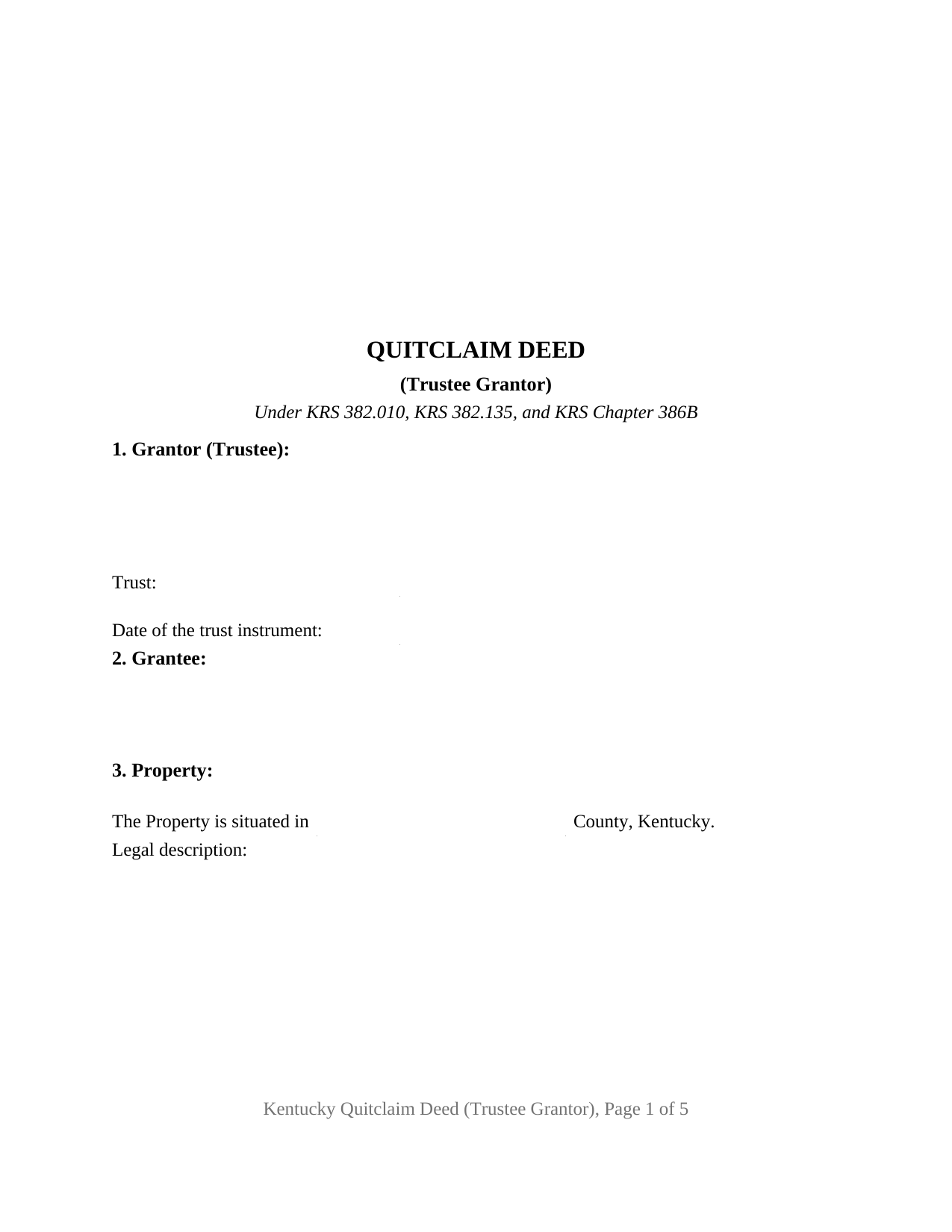
Hancock County Quitclaim Deed (Trustee Grantor) Form
Fill in the blank Quitclaim Deed (Trustee Grantor) form formatted to comply with all Kentucky recording and content requirements.
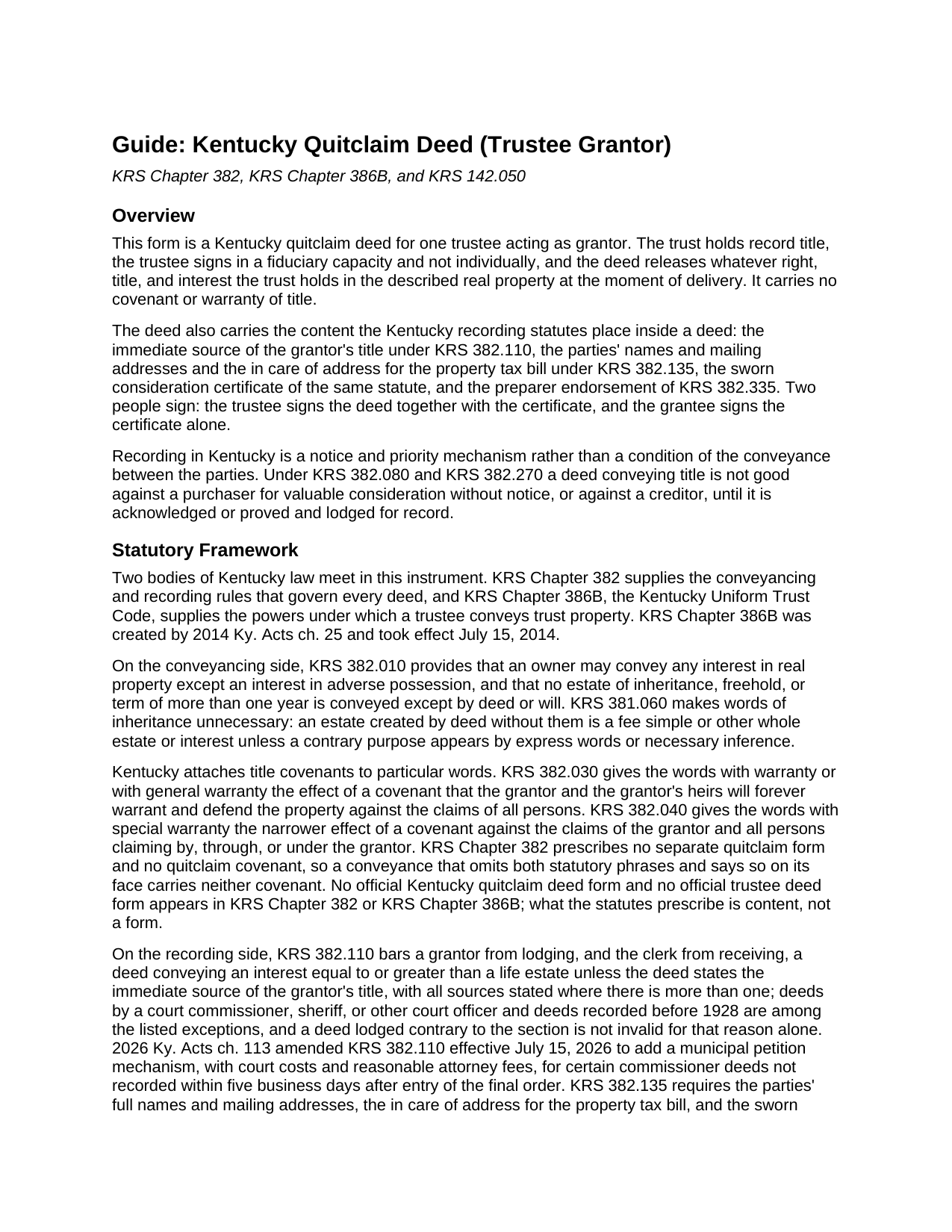
Hancock County Quitclaim Deed (Trustee Grantor) Guide
Line by line guide explaining every blank on the Quitclaim Deed (Trustee Grantor) form.
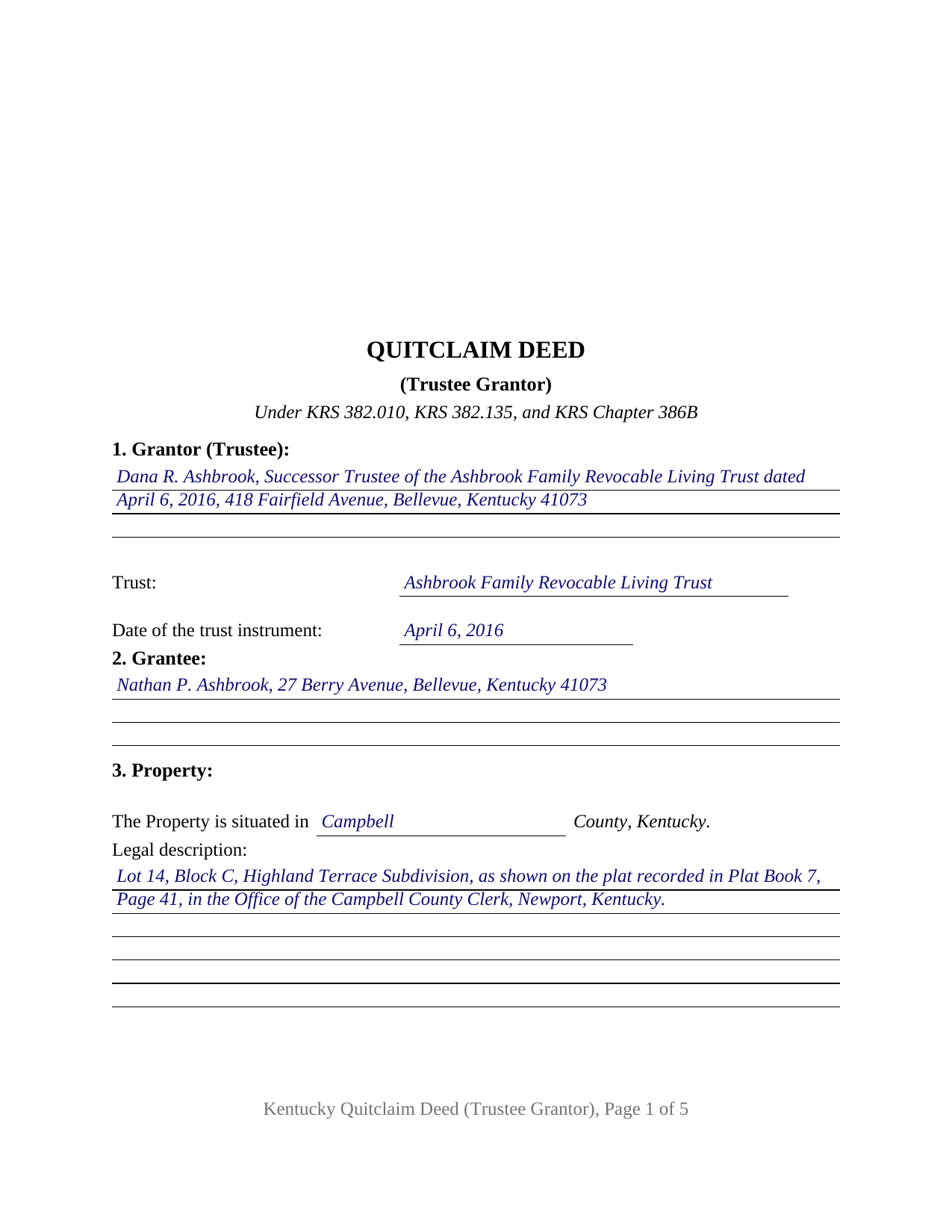
Hancock County Completed Example of the Quitclaim Deed (Trustee Grantor) Document
Example of a properly completed Kentucky Quitclaim Deed (Trustee Grantor) document for reference.
All 3 documents above included • One-time purchase • No recurring fees
Immediate Download • Secure Checkout
Additional Kentucky and Hancock County documents included at no extra charge:
Where to Record Your Documents
Hancock County Clerk
Hawesville, Kentucky 42348
Hours: 8:00 to 4:00 M-F; Thu until 5:30
Phone: (270) 927-6117
Recording Tips for Hancock County:
- Bring your driver's license or state-issued photo ID
- Ensure all signatures are in blue or black ink
- Bring extra funds - fees can vary by document type and page count
- Check margin requirements - usually 1-2 inches at top
- Leave recording info boxes blank - the office fills these
Cities and Jurisdictions in Hancock County
Properties in any of these areas use Hancock County forms:
- Hawesville
- Lewisport
- Pellville
Hours, fees, requirements, and more for Hancock County
How do I get my forms?
Forms are available for immediate download after payment. The Hancock County forms will be in your account ready to download to your computer. An account is created for you during checkout if you don't have one. Forms are NOT emailed.
Are these forms guaranteed to be recordable in Hancock County?
Yes. Our form blanks are guaranteed to meet or exceed the applicable formatting requirements used for recording in Hancock County, including margin requirements, font requirements, and other layout standards. This guarantee applies to formatting, not to the legal sufficiency of information entered by the user or the suitability of a form for a particular transaction.
Can I reuse these forms?
Yes. You can reuse the forms for your personal use. For example, if you have multiple properties in Hancock County you only need to order once.
What do I need to use these forms?
The forms are PDFs that you fill out on your computer. The free Adobe Acrobat Reader is recommended, and most PDF apps also work. You do NOT enter your property information online - you download the blank forms and complete them privately on your own computer.
Are there any recurring fees?
No. This is a one-time purchase. Nothing to cancel, no memberships, no recurring fees.
How much does it cost to record in Hancock County?
Recording fees in Hancock County vary. Contact the recorder's office at (270) 927-6117 for current fees.
Questions answered? Let's get started!
On this Kentucky quitclaim deed the grantor holds the property for someone else. One trustee signs, in that capacity and not individually, and releases whatever right, title, and interest the trust holds in the described real property. Sometimes searched as a trustee quitclaim deed or a quit claim deed out of a trust, it carries no covenant of title.
Where a trustee's signing authority comes from
A deed does not give a trustee the power to sign it. That power sits in the trust instrument and the Kentucky Uniform Trust Code: KRS 386B.8-150 lets a trustee exercise the powers described there without authorization by the court, and KRS 386B.8-160 adds specific powers, among them selling trust property at public or private sale and distributing it, on termination, to the persons entitled to it. The conveyance section names those two sections and the terms of the trust as the source of authority, and states that the trust terms are not written into the deed. Whether one trustee may act alone is itself a term of the trust, one of the items a certification of trust answers under KRS 386B.10-120, an instrument prepared and recorded on its own and not included here.
When the transfer tax follows the property out of the trust
The transfer tax under KRS 142.050 falls on the grantor at fifty cents for each five hundred dollars of value, collected and certified by the county clerk before recording, with KRS 382.260 holding the deed out of the record until it is paid. Trust conveyances answer to KRS 142.050(8), which reaches transfers in both directions, a transfer from a trustee to a beneficiary of the trust included. The test looks through the trust: where the grantor is the sole beneficiary, or where a direct transfer to the other individual beneficiaries would have been exempt under the general list in KRS 142.050(7), the tax does not apply. A trustee selling to a non-beneficiary buyer pays on the stated consideration. The consideration section holds both entries the statute divides transfers between, the full consideration paid and the estimated fair cash value.
One fiduciary signature, and what the form is not arranged for
The deed recites exactly one grantor, described as trustee of a named trust with the trust instrument's date, and names the grantee or grantees, with any co-ownership wording following their names. Two signature blocks follow. The trustee signs the deed together with the sworn certificate KRS 382.135 places inside it, and the grantee signs that certificate alone, which is what the statute asks of the receiving side, and the form states that the signature conveys nothing. Each signer has a notarial certificate of its own, taking the oath and the acknowledgment in one paragraph, so the appearances can happen weeks and counties apart. A successor trustee distributing a house to the beneficiary named in the trust, a trustee clearing a stray undivided interest out to the person who owns the rest, and a trustee closing a sale to a buyer who takes a release of interest present the patterns this deed recites. It is not arranged for two trustees signing together, for an owner conveying individually, for a bank or corporate trustee signing through an officer, or for a grantee taking as fiduciary, and it carries no spouse joinder block.
No covenants, and the entries a clerk checks
Kentucky attaches title covenants to two statutory phrases, with warranty or with general warranty under KRS 382.030 and with special warranty under KRS 382.040. This deed uses neither and says so, remising, releasing, and forever quitclaiming what the trust holds at delivery, while KRS 382.010 and KRS 381.060 carry that estate without words of inheritance. Liens, mortgages, easements, and chain gaps ride through untouched. The remaining blanks answer the clerk's content list. KRS 382.110 wants the immediate source of the grantor's title by office, book, page, and date, which for a fiduciary grantor is the deed that put the property into the trustee's hands, often a deed to a predecessor trustee. KRS 382.135 wants party names with mailing addresses and the in care of address for the year's tax bill, and KRS 382.335 wants the preparer endorsement signed by whoever drew the instrument.
The download delivers the trustee grantor quitclaim deed as a fillable PDF, a completed Campbell County example, and a plain language guide covering the trust entries, the authority statutes, the signatures, and recording with the county clerk. The materials are informational and are not legal advice.
Important: Your property must be located in Hancock County to use these forms. Documents should be recorded at the county recording office listed above.
This Quitclaim Deed (Trustee Grantor) meets all recording requirements specific to Hancock County.
Our Promise
The documents you receive here are guaranteed to meet or exceed the applicable Hancock County recording format requirements. If there is a rejection caused by our formatting, we will correct the issue or refund your payment. This guarantee applies to document formatting only and does not extend to information entered by the user, the selection of the form, or the legal effect of the completed document.
Save Time and Money
Get your Hancock County Quitclaim Deed (Trustee Grantor) form done right the first time with Deeds.com Uniform Conveyancing Blanks. At Deeds.com, we understand that your time and money are valuable resources, and we don't want you to face a penalty fee or rejection imposed by a county recorder for submitting nonstandard documents. We constantly review and update our forms to meet rapidly changing state and county recording requirements for roughly 3,500 counties and local jurisdictions.
4.8 out of 5 - ( 4,828 Reviews )
roby m. 5 out of 5 stars
I found exactly what I needed and the download system allowed me to use the files immediately. Will use the service again.
Thank you for your feedback. We really appreciate it. Have a great day!
Tracey B. 5 out of 5 stars
Has no problems at all, everything was perfect. TB
Thanks Tracey, we appreciate your feedback.
Julie D S. 5 out of 5 stars
thank you for all the forms
Thank you!
Sherry P. 5 out of 5 stars
It would be helpful to have a frequently asked questions section. That would make it easier to know I have the correct form. Sherry
Thank you for your feedback. We really appreciate it. Have a great day!
Thomas W. 5 out of 5 stars
The serevice was fast and accurate. I would highly recommend Deeds.com to my friends and associates.
Thank you!
Cheryl L. 5 out of 5 stars
So very easy to deal with and purchase. It was exactly what I was looking for. Thank you
Thank you, Cheryl! Glad the form was exactly what you needed and the process was straightforward. We appreciate you taking the time to share your experience.
Kim L. 5 out of 5 stars
Got the quit claim forms, amazing really. Easy to understand, looked great when completed, accepted without question for recording. Nice job!
Thank you!
Wilfrid J. 5 out of 5 stars
It was fast and easy but it's really official
Thank you!
barbara s. 5 out of 5 stars
you provided the service requested for a reasonable fee
Thank you!
Curtis T. 5 out of 5 stars
Deeds support was awesome and constant. Thank you.
Thank you!
Larry B. 1 out of 5 stars
Poor quality document. Deed did not contain space for mandatory rax info required.
Thank you for your feedback Larry. We do hope that you found something more suitable to your needs elsewhere. Have a wonderful day.
Joel B. 5 out of 5 stars
I would have liked more room in the text fields for describing the potential claim. had to use Exhibit A. Could not delete Exhibit B. Alo would like to have a custom footer - not deeds.com. Unprofessional.
Thank you for your feedback. We really appreciate it. Have a great day!
Lutz P. 5 out of 5 stars
Your forms are great but I couldn’t use them with my computer and acrobats reader didn’t work. And then my thermal printer would only print 1/3 size pages with no way to fix it. I ordered a new color printer and we’ll see what happens.
Thank you, Lutz. We're glad you like the forms, and we're sorry getting them working turned into such a hassle. That shrunken page is typical of thermal printers: most use narrow receipt or label paper, so a full page gets scaled down to fit, and no setting can change that. Thermal paper also fades over time, which you don't want on a document you're recording, so the new printer is the right call. When it arrives, print on plain white paper with “Actual size” selected in the print settings so the page comes out full size with its margins intact. If Acrobat Reader gives you trouble again, save the form to your computer first and open the saved file in Acrobat Reader rather than in your web browser. Still stuck? Contact our support team and we'll walk you through it.
Lori W. 5 out of 5 stars
I got what I wanted immediately. Thank you.
We appreciate your business and value your feedback. Thank you. Have a wonderful day!
Jimmy P. 5 out of 5 stars
Works well. Very satisfied.
Thank you!